

Paste a prompt or script. ShortGenius plans the scenes, writes the voiceover, and renders a finished video in minutes.
100,000+ videos generated
by creators worldwide






What you can create
One prompt, every format.
The same prompt-to-video engine spans short-form, long-form, and everything creators actually ship.
Explainers and thought leadership
Turn a blog post, LinkedIn essay, or newsletter into a narrated explainer with matching B-roll, chapter markers, and styled captions — no timeline required.
Product demos and changelogs
Describe a new feature or paste release notes. The prompt parser builds a narrated walkthrough with supporting visuals in minutes, not days.
Education and training
Convert SOPs, lesson plans, and policy docs into narrated training clips in 40+ languages, with subtitles and chapter markers ready for your LMS.
Marketing and performance ads
Prompt in a value prop and let the generator produce hook, problem, solution, and CTA scenes in the aspect ratio your ad platform expects.
Short-form social
Turn a hook sentence into a 15–60 second TikTok, Reel, or Short with captions, voiceover, and scroll-stopping B-roll already cut.
News recaps and creator shorts
Summarize an article, a changelog, or a morning brief into a two-minute video with lower-thirds, subtitles, and a consistent brand look.
Feature deep-dives
Prompt-first video, finish-first output.
Three chapters on how ShortGenius turns a blank text box into a publishable video.
Deep prompt understanding
The scene planner is trained on millions of real video outlines, so a vague “three reasons to switch to our CRM” prompt still yields a structured hook, three scene beats, and a CTA — not a single monotone read. The parser reads intent, tone, and length, then builds a shot list you can review before a single frame renders.
Long prompts split into visually distinct scenes, each with its own voiceover line, B-roll query, and duration. You can merge, split, or rewrite individual scenes without rerendering the rest. Ads, explainers, tutorials, and training modules all inherit the same scene-level controls.

How to turn text into video with AI
Five steps from blank page to finished MP4. Every step is editable; none of them require a timeline.
- 1
Paste your prompt or script
Drop in a sentence, a paragraph, or a full script. Our prompt parser reads intent, tone, and length, then builds a shot list you can review before a single frame renders.
- 2
Pick a style and voice
Choose a visual style (cinematic, UGC, explainer, talking-head, B-roll montage) and a voice from the built-in voiceover library, or clone your own in about thirty seconds.
- 3
Review the auto-generated storyboard
ShortGenius breaks your prompt into scenes with captions, visuals, and timing. Swap clips, edit lines, reorder shots, or regenerate a single scene — everything stays in sync.
- 4
Generate the video
One click renders narration, subtitles, music, transitions, and B-roll into a finished MP4. A 60-second short is typically ready in two to four minutes.
- 5
Export or schedule
Download in 9:16, 1:1, or 16:9, or auto-publish to TikTok, Reels, Shorts, and LinkedIn. Duplicate the project for A/B variations and translations without restarting.
Scene variety for every format
ShortGenius ships cinematic, UGC, explainer, talking-head, and B-roll-montage styles out of the box. Tap a licensed stock library of millions of clips, or let the AI generate original B-roll from the scene description when nothing in stock matches. Same prompt, unique footage, zero licensing headaches.
The scene planner can cut a 10-minute YouTube essay into 25–40 scenes, maintain narrative consistency across them, and keep voiceover pacing steady from cold open to CTA. Localize the entire project into 40+ languages with one click — voiceover, captions, and on-screen text all translate together, and voice cloning carries your tone across languages.
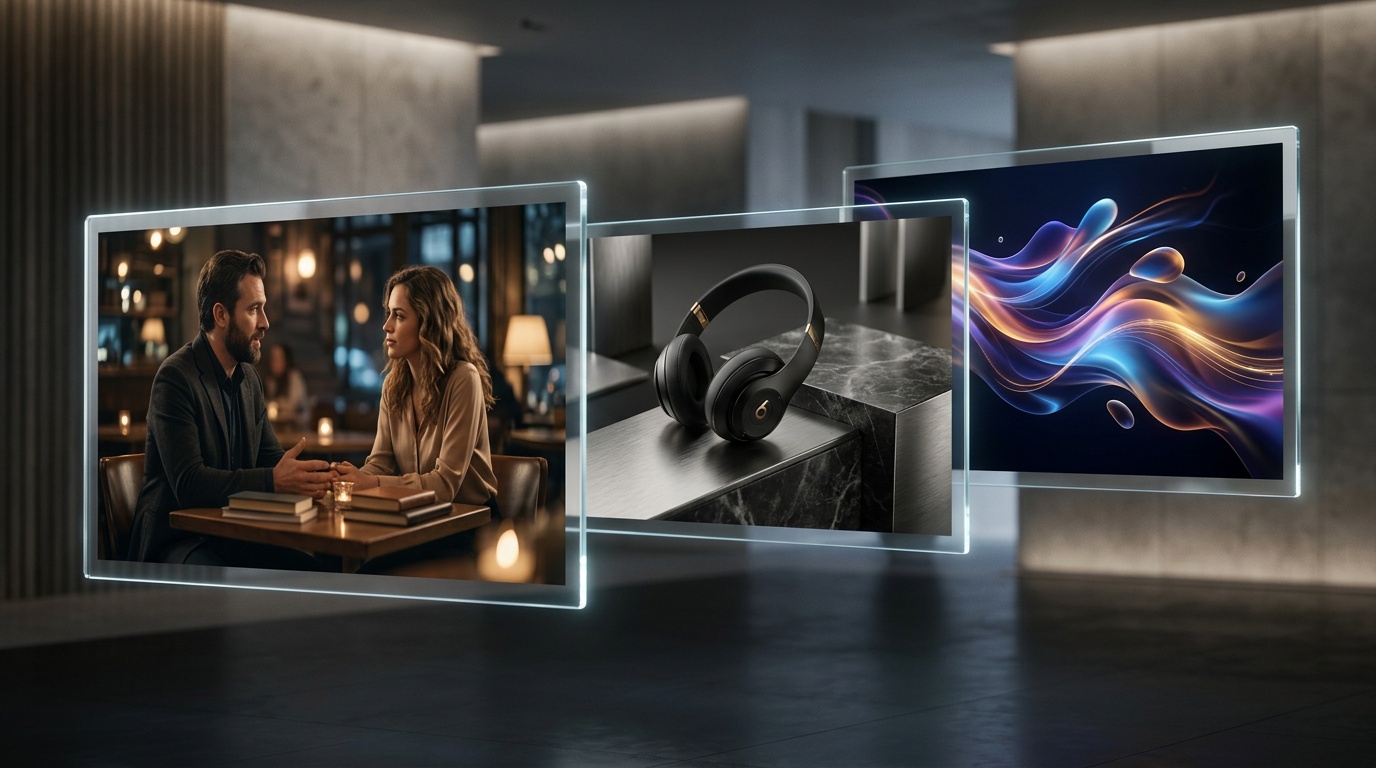
Cinematic polish, on by default
Styled captions burn in automatically, time-synced to the voiceover. Pick fonts, colors, and positioning once, save a brand preset, and every future render picks it up. The score picker reads the pacing of your scenes and suggests tracks that match — swap it, duck it automatically under voiceover, or upload your own bed.
Under the hood, the generator chains a scene-breakdown model, a voiceover engine with 900+ voices, a stock and AI B-roll mixer, an auto-subtitle track, and a render farm tuned for 1080p delivery. You see a preview you can scrub, scene cards you can edit, and a green “render” button. The output feels made, not assembled.

Pricing that makes daily output realistic
Start free, upgrade when you need the volume. Every plan includes the full text to video AI, voice library, stock footage, subtitles, and 40+ language translation.
Free
3 videos / month, watermark-free preview
- Full text to video AI and scene planner
- 40+ language voiceover library
- Stock B-roll, music, and auto-subtitles
- No credit card required
Pro — $69 / month
60 renders a month for creators and teams
- 60 videos a month, watermark-free HD export
- Voice cloning in 40+ languages
- Brand assets: logos, colors, caption presets
- Cross-post to TikTok, YouTube, X, Facebook, Instagram
- Commercial rights on every render
Related tools and comparisons
The text to video AI shares credits and projects with the rest of the ShortGenius stack. If you want a guided entry point instead of a blank prompt, start with the AI video generator, which preloads templates for the most common formats. When you already have artwork or a poster frame, our image to video tool turns a still into a narrated scene with motion, captions, and sound. Teams migrating from timeline-based generative editors read our Runway alternative page for a side-by-side comparison of prompt-to-finished-video versus raw clip generation.
Text to video AI — frequently asked questions
A text to video AI generator turns a written prompt or script into a finished video. ShortGenius parses your text, breaks it into scenes, assigns voiceover and visuals, then renders captions, B-roll, music, and transitions into a shareable MP4 — no editor, camera, or timeline required.
Your first video is a prompt away
Type what you want. ShortGenius plans the scenes, writes the voiceover, picks the B-roll, and renders a finished video you can post, ship, or translate.
No credit card required.