YouTube to FB Video Done Right A Practical Guide

Learn how to repurpose content with our YouTube to FB video guide. Discover strategies for resizing, editing, and optimizing videos to maximize engagement.
If you're already putting in the effort to create great YouTube videos, you're sitting on a goldmine. Turning that YouTube to FB video content is one of the smartest, most efficient ways to get more mileage out of your work. It’s not about creating more; it's about being strategic with what you already have.
Why Repurposing Video Is Your Biggest Growth Hack
We all know that producing high-quality video takes a ton of time, creativity, and often, money. After you pour everything into a YouTube video and hit publish, it’s tempting to call it a day. But what if that one video could fuel your entire Facebook presence for a week or more? That’s the magic of repurposing.
The thing is, YouTube and Facebook are two completely different worlds. Think about how you use them. You head to YouTube with a purpose—to learn how to fix a leaky faucet, watch a product review, or dive deep into a topic. You’re ready to invest some time.
Facebook is a different beast entirely. It’s a discovery engine. You’re scrolling through your Feed to catch up, see what’s happening, and maybe stumble upon something interesting. Attention spans are short, and your content has to hook people in seconds.
YouTube vs Facebook Video Key Differences
To really nail this, you have to understand the fundamental differences in how people consume video on each platform. This quick comparison table breaks it down.
| Attribute | YouTube | |
|---|---|---|
| User Intent | Intentional (search, learn, be entertained) | Passive (discovery, scrolling, connecting) |
| Optimal Length | Longer (5-15+ minutes is common) | Shorter (1-3 minutes for Feed, <60 seconds for Reels) |
| Aspect Ratio | Horizontal (16:9) is standard | Vertical (9:16, 4:5) is preferred for mobile |
| Sound | Sound-on is expected | Sound-off is the default (captions are critical) |
| Content Style | In-depth, educational, cinematic | Quick, snackable, authentic, engaging |
| Algorithm Goal | Keep users on the platform watching more videos | Spark conversation, shares, and reactions |
Seeing them side-by-side makes it clear: a simple copy-and-paste job just won't cut it. Your content needs a native feel to succeed.
Tapping Into Different Audience Mindsets
Once you grasp this difference in mindset, a world of possibilities opens up. That 15-minute deep-dive tutorial you posted on YouTube? It’s not a single piece of content. It’s a treasure trove of micro-content just waiting to be unleashed on Facebook.
For example, you could pull out:
- Quick Tips: A punchy 60-second "aha" moment from your tutorial would make a perfect Reel.
- Key Highlights: Isolate the three most important takeaways and turn them into a short, captioned video for the main Feed.
- Behind-the-Scenes: Use some B-roll or an outtake to create a casual, authentic Story that connects with your followers on a personal level.
This isn’t just cross-posting. It’s thoughtfully translating your core message for a completely different environment and audience.
By creating content that feels native to each platform, you respect the user's time and drastically increase your chances of engagement. It shows you get how they use the app, not just that you want their eyeballs.
Achieving Content Velocity Without Burnout
This approach is the key to achieving what’s known as content velocity—the ability to publish great stuff consistently without burning yourself out. The pressure to film something new every single day vanishes. Instead, your one long-form YouTube video becomes a wellspring of assets you can draw from for days or even weeks.
And the numbers don't lie. Uploading videos directly to Facebook (instead of just sharing a YouTube link) generates 10 times more engagement and a whopping 478% more shares. When you see that 86% of video marketers prioritize Facebook and 90% prioritize YouTube, the need for an efficient workflow becomes obvious. Delving into more advanced content repurposing strategies can help you squeeze even more value from your hard work.
This is exactly where tools like ShortGenius come in. They’re built to make this process faster by helping you quickly resize, caption, and chop up clips from your main video. Ultimately, this is about more than just saving time—it's about building a sustainable content engine that keeps you in front of your audience on the platforms they love most.
Sourcing and Preparing Your Video Assets
Before you can work your magic, you need to get your hands on the raw video files. Your whole process will depend on where that video comes from. Are you working with your own footage, or are you repurposing content from another creator?
If it’s your own video, always, always go back to the original source files. Don't just download the version you uploaded to YouTube. That file is compressed, and you’ll lose a ton of quality, which really shows up on the sharp screens of today's phones. It’s like making a photocopy of a photocopy—it gets a little worse each time.
Navigating Content Ownership
Now, if you want to use a video you didn't create, the game changes entirely.
Grabbing a trending YouTube video and slapping it onto your Facebook Page is the fastest way to get a copyright strike. This isn't some gray area; it's a direct violation unless you have explicit permission. Forgetting this can get your page flagged or even taken down, which is a massive headache you don't need.
So, how do you do it the right way? You've got two solid options:
- Ask for Permission: The simplest approach is often the best. Reach out to the original creator with a professional email. Explain who you are, how you want to use their video, and what's in it for them (like exposure to your audience). You'd be surprised how many creators are open to this kind of collaboration.
- Find Creative Commons Videos: YouTube has a filter for videos licensed under Creative Commons (CC). This means the creator has already given permission for others to reuse their work, but you have to follow their specific rules, which usually means giving them credit.
A quick word of warning: "Fair use" is a tricky legal concept, not a get-out-of-jail-free card. It’s always smarter and more professional to get clear permission or stick to properly licensed content.
Getting Your Workflow in Order
A little prep work up front saves a world of trouble later. Before you even think about editing, confirm where the video came from and that you have the rights to use it. If it's yours, find that master file on your hard drive. If it's not, make sure you have that permission in writing or that you've double-checked the CC license terms.
This first step is non-negotiable. It ensures all your creative work doesn't go to waste on a video you can't legally post.
This is also where you can get creative with modern tools. If sourcing video feels like a minefield, you can always create something new. For instance, you could use an AI-powered image-to-video model to generate completely unique B-roll from a still image, which sidesteps copyright issues altogether.
How to Reformat Videos for Facebook's Algorithm
Alright, this is where the magic happens. You’ve got your video file, but just tossing a wide-screen YouTube clip onto Facebook is one of the biggest (and most common) mistakes I see. It immediately tells users—and more importantly, the algorithm—that this content wasn't made for them.
To get any real traction, you have to adapt your video to Facebook's world. And Facebook's world is mobile-first. That standard horizontal 16:9 view from YouTube just feels clunky and out of place when you're scrolling through a vertical feed. The goal is to reframe the action to fill the screen and stop the scroll.
Mastering Mobile-First Aspect Ratios
On Facebook, you have to think vertically. Forget that wide-screen cinema look. The two formats that really matter here are 1:1 (square) and 9:16 (vertical).
- Square (1:1): This is your bread and butter for the main Facebook Feed. It’s a safe, incredibly effective choice because it takes up way more screen real estate than a horizontal video. It’s just physically harder for people to scroll past it. Think interviews, product demos, or any shot where the subject is mostly centered—square is perfect for these.
- Vertical (9:16): This is the native language of Facebook Reels and Stories. Going full-screen with a 9:16 format makes your content feel polished and intentional, creating a much more immersive experience for the viewer. It's the go-to for any fast-paced, high-energy clips designed for quick hits of engagement.
Just remember, reframing is more than a simple crop. You often need to actively pan and scan your original footage to keep the important stuff centered in that new, tighter frame.
If you take one thing away from this section, let it be this: your aspect ratio directly impacts performance. A video optimized for a mobile screen will almost always get more watch time and engagement because it feels natural to watch. You're not forcing someone to turn their phone sideways.
From Long-Form to Snackable Clips
Let's be real: that 10-minute deep dive you posted on YouTube has a near-zero chance of succeeding on the Facebook Feed. People just don't have that kind of attention span there. Your job is to mine that longer video for gold—find the most compelling moments and chop them into short, "snackable" clips.
For videos in the main Feed, aim for a sweet spot of 60-90 seconds. For Reels, you need to be even faster, keeping it well under 60 seconds.
This is the point where you take your source material—whether it's your own or something you've licensed—and start the real transformation.
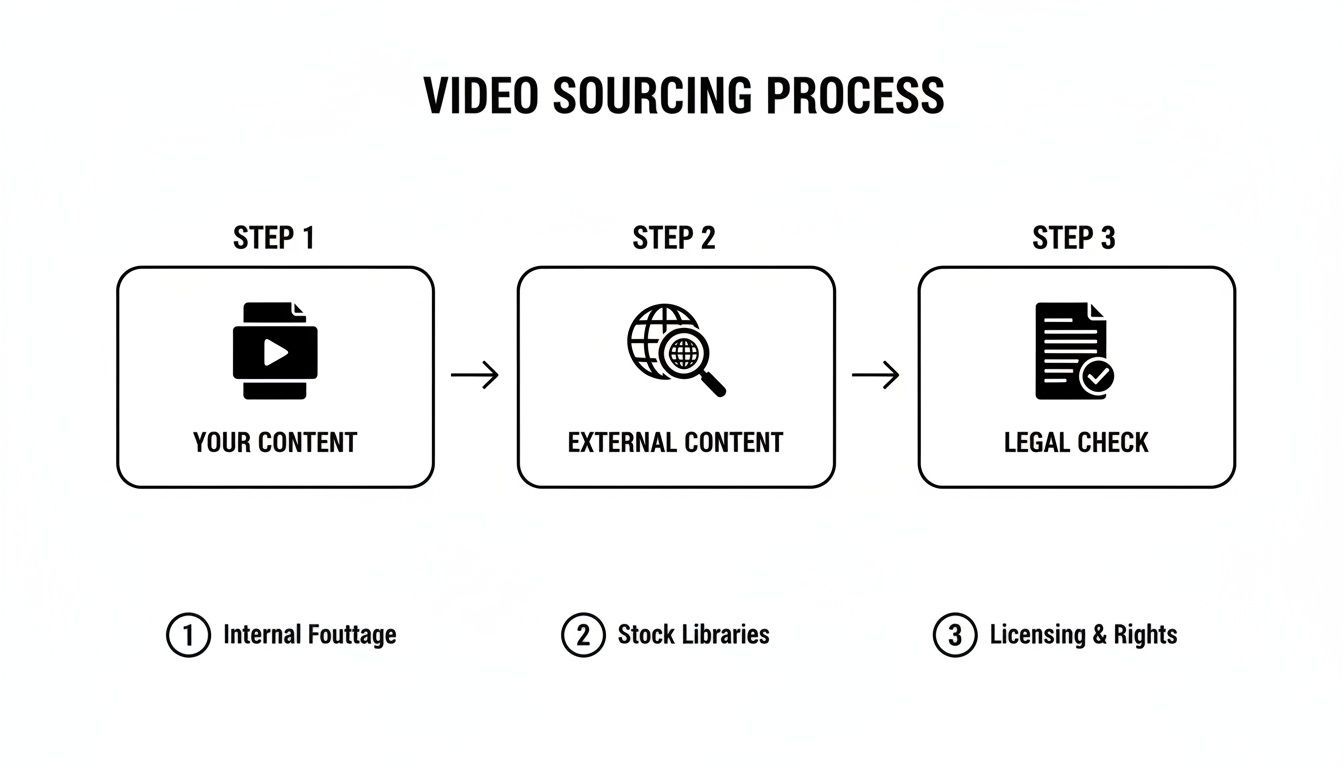
Starting with the right, legally-cleared asset is half the battle before you even get into the editing suite. And if you want to give your repurposed clips a totally fresh look, some tools offer AI style change features that can make old footage feel new again.
Engaging the Silent Majority
Here's a statistic that should stop you in your tracks: a staggering 85% of Facebook videos are watched with the sound off.
If your video needs audio to make any sense, you've already lost the vast majority of your audience. This isn't a suggestion; it's a rule. You must add clear, dynamic, and easy-to-read captions.
And don't just slap on the auto-generated text. Treat your captions like a design element. Use bold colors, highlights, or even on-brand emojis to make them pop. Other visual hooks, like a progress bar at the bottom or an animated headline at the top, can do wonders for holding attention. Something as simple as "3 Mistakes to Avoid When..." immediately gives context to the silent viewer.
This all comes back to the mobile-first mindset, especially when you consider that 75% of all video views now happen on a phone.
The whole process—resizing, trimming, captioning, adding graphics—can be a serious time-suck. That's where tools built for this exact purpose become a lifesaver. Using something like an AI ad generator can automate these tedious steps, letting you crank out multiple, test-ready video variations in a tiny fraction of the time it would take to do it all manually.
Optimizing Thumbnails, Titles, and Descriptions
Even a perfectly edited video is dead in the water if nobody clicks on it. This final step is all about packaging your content to stop the scroll and earn that view. Your thumbnail, title, and description need to work together as a team to make that happen.
What works on YouTube often backfires on Facebook. On YouTube, you might get away with detailed, intricate thumbnails. On Facebook, that’s a huge mistake. The feed is a chaotic, fast-moving environment. Your thumbnail needs to be bold, simple, and instantly understandable. Think high-contrast colors, a clear focal point like an expressive face, and very little text.
Crafting Scroll-Stopping Thumbnails
A great Facebook thumbnail has to pass the "glance test." Can someone figure out what your video is about in the split second they're scrolling past it? If the answer is no, it's time to go back to the drawing board.
Here’s a quick gut-check for your next thumbnail:
- Bright & Contrasting Colors: Use colors that stand out against the classic blue and white of the Facebook interface. Yellows, oranges, and bright reds work wonders.
- Human Faces: Our brains are hardwired to notice faces. A clean shot of someone showing a strong emotion—like surprise, excitement, or curiosity—is an incredibly powerful hook.
- Minimal Text: If you absolutely must use text, stick to three or four powerful words. Something like "You Won't Believe This!" is far more effective than a long, descriptive sentence that no one will read.
Your thumbnail isn't just a preview; it's your video's first impression and its most important advertisement. On Facebook, simpler and bolder almost always beats cluttered and complex. Don't be afraid to test a few different styles to see what your audience actually responds to.
Writing Titles and Descriptions for Facebook
Your title and description have to please two different audiences: the human viewer and the Facebook algorithm. Your title needs to spark instant curiosity or promise a clear benefit. Instead of a bland "Product Review," try something more intriguing like, "The One Feature That Makes This Product Worth It." See the difference?
That first line of your description is just as important, since it's often the only thing people see before having to click "See More." You have to hook them right away. Ask a question, state a surprising fact, or tease the problem your video is about to solve.
For example, a hook like, "Are you making this common marketing mistake?" is almost guaranteed to get a click from the right person.
From there, sprinkle a few relevant keywords throughout your description, but keep the language sounding natural. Nobody wants to read a paragraph stuffed with keywords; it feels robotic and will turn people off.
Finally, always include a clear call-to-action (CTA). What do you want people to do after they finish watching? Don't be shy—tell them directly! "Comment below with your favorite tip!" or "Visit our website to learn more." And don't forget hashtags. Stick to 3-5 highly relevant ones to help Facebook understand and categorize your content.
Creating all these different pieces can be a real time-sink. If you're stuck for ideas or just want to move faster, you can explore tools for AI-powered image editing and generation to quickly mock up and test multiple thumbnail variations. This lets you make decisions based on real data, ensuring your awesome video gets the attention it deserves.
Automating Your Repurposing Workflow
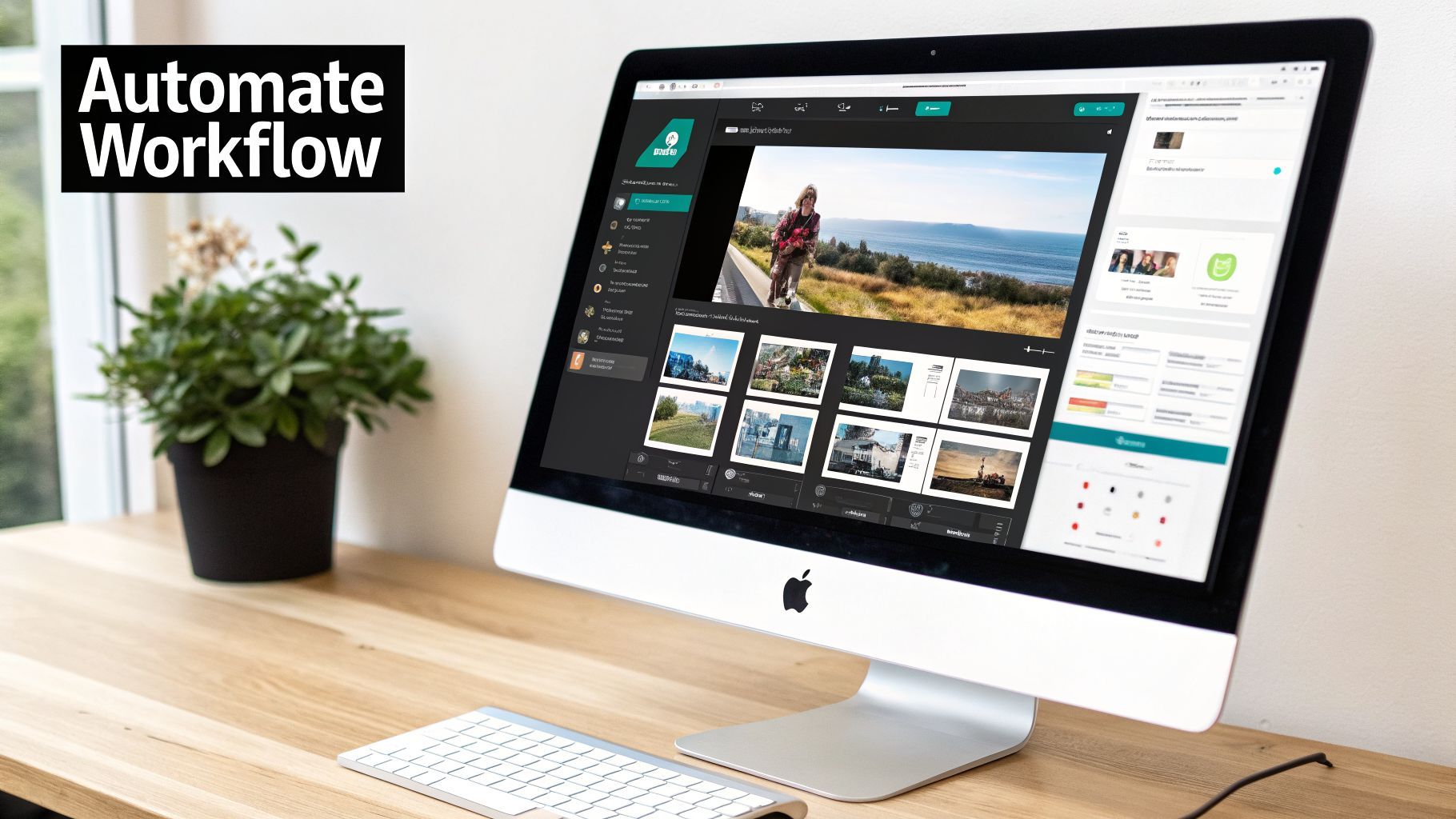
Let's be real. Going through every single step to turn a YouTube to FB video by hand—finding the source file, reformatting it, adding captions, and tweaking the metadata—is a massive time sink. It works, but it’s not a system you can scale. If you want to consistently show up with great content across all of Facebook's different video formats, you have to bring in some automation.
This is where dedicated repurposing platforms like ShortGenius really shine. Instead of tackling each clip as a one-off project, you can build a true content assembly line that handles the grunt work for you.
A Real World E-commerce Example
Picture an e-commerce brand that just dropped a polished, 10-minute ad on YouTube for their new product. If they were to do everything manually, chopping that up into a week’s worth of Facebook content would easily eat up hours, requiring multiple people and different software tools.
With a tool built for this, the entire process gets flipped on its head. The brand can feed it their original YouTube video and immediately generate dozens of creative offshoots. This isn't just about simple trimming; it's about multiplying one asset into many.
Here’s what that looks like in practice:
- Instant Resizing: That 16:9 landscape video is automatically reframed into a 9:16 for Reels, a 1:1 for feed posts, and a 4:5 for other ad spots. No more fiddling with timelines.
- AI-Generated Variations: The platform can intelligently analyze the original script to spit out new, shorter versions with fresh voiceovers, each hitting a different angle.
- Automatic Captions: Dynamic, eye-catching captions are burned in, ready to grab the attention of viewers scrolling with the sound off.
- Brand Kit Application: All the brand’s logos, specific fonts, and color palettes are applied to every video. This ensures perfect consistency without anyone having to open a design tool.
The big shift here is moving from a one-to-one creation mindset to a one-to-many model. Your main video asset becomes the fuel for an entire campaign, letting you test far more variables to find out what actually works.
Scaling Your Content and Your Results
This approach opens up opportunities that are just not feasible when you're doing it all by hand. The e-commerce brand from our example can now whip up and test five different hooks for their Reels, try out three different calls-to-action on their feed posts, and experiment with two visual styles for their Stories—all generated in a matter of minutes.
This sheer volume is a game-changer for A/B testing. You get real data on what drives clicks and conversions, not just hunches. For marketers and influencers, this means you can effortlessly convert your YouTube content into perfectly optimized Facebook posts. Think about resizing YouTube Shorts for Reels or adding those critical captions for silent mobile viewing, where a staggering 85% of videos are watched without sound. If you want to dive deeper into these trends, you can stay ahead of the curve with more social video data.
In the end, automating your repurposing isn't just a time-saver. It’s about building a predictable content engine that can grow with you. You can finally stick to a consistent posting schedule, jump on trends faster, and produce a higher volume of quality content that drives much better results with a fraction of the effort.
Common Questions About Turning YouTube Videos into Facebook Gold
Even with a solid plan, you're bound to hit a few snags when you start repurposing your YouTube content for Facebook. It happens to everyone. Let's walk through some of the most common questions that pop up so you can keep moving forward and build a workflow that actually works.
Can I Just Share My YouTube Link on Facebook?
Technically, yes. But should you? Absolutely not. It’s one of the biggest mistakes you can make if you care about engagement.
When you just drop a YouTube link, you're essentially telling your audience, "Hey, go leave Facebook!" Unsurprisingly, Facebook's algorithm doesn't love that. It's built to keep people on the platform, so it heavily favors videos uploaded directly. Natively uploaded videos almost always get far more reach and interaction.
Think of it as playing on Facebook's home turf. When you upload your video directly, you're playing by their rules, and they reward you for it with better visibility.
What's the Perfect Video Length for Facebook?
This is a classic question, but there’s no single magic number. The "best" length completely depends on where on Facebook you're posting it. User behavior changes drastically from the Feed to Reels to Stories.
Here are some good rules of thumb to follow in 2026:
- Facebook Reels: Stick to 15-60 seconds. These are all about quick, punchy, and entertaining content.
- Facebook Stories: Keep it under 60 seconds. People tap through Stories fast, so you need to deliver your message quickly.
- In-Feed Videos: The sweet spot here is generally 1-3 minutes. This is long enough to explain a concept or tell a quick story without making someone commit to a long watch time.
Remember, no matter the length, the first 3 seconds are everything. You have to give people a reason to stop scrolling, and you have to do it instantly.
The most successful creators aren't just posting videos; they're tailoring the length and style to fit the specific format. A one-size-fits-all approach is a surefire way to get ignored on Facebook.
Is It Okay to Use Someone Else’s YouTube Video?
This one's a big deal, and the answer is almost always a hard no—unless you have clear, written permission. Just downloading someone's video and slapping it on your own page is copyright infringement. That can get your video taken down, earn your page a strike, or even land you in legal trouble.
The main exception is if a video is explicitly labeled with a Creative Commons (CC) license that allows for reuse. Even then, you have to follow the creator's specific rules for attribution, which usually means giving them prominent credit. The safest path? Always get permission or just stick to using your own content.
How Can I Add Captions Without Paying for Software?
You absolutely need captions. With so many people watching videos with the sound off, they're not optional anymore. The good news is you don't need to shell out for expensive software to get started.
Facebook’s own Creator Studio has a built-in auto-captioning tool that does a decent job of generating a transcript.
The catch is that you'll need to go back and edit it yourself. Automated systems are notorious for messing up names, industry jargon, or just mishearing things. While the free tools work in a pinch, a more streamlined solution can save you a massive amount of time and give you a much cleaner final product.
Ready to transform your content workflow? ShortGenius automates the entire process of turning your YouTube videos into dozens of perfectly formatted, captioned, and on-brand clips for Facebook. Start creating faster at shortgenius.com.