When Does TikTok Pay You? Payout Dates and Rules 2026

When does TikTok pay you? Learn about the latest Creator Rewards Program schedules, LIVE gift processing, and minimum payout thresholds for 2026.
TikTok usually calculates earnings by month and pays them around the 15th of the following month, with some payouts landing between the 15th and 20th depending on the program. The exact day and amount depend on whether your money came from the Creator Rewards Program, LIVE Gifts, Series, or separate brand work.
That timing sounds simple until you have one viral video, one decent LIVE, a few sales conversations with brands, and money sitting in different buckets. That's when most creators start asking the actual question: not just when does TikTok pay you, but which part of TikTok pays you when, what minimum you need to hit, and why your cash flow still feels uneven even when your content is working.
A lot of guides stop at views. That's not enough if you're treating creation like a business. Views can spike fast, but payouts often arrive later, and not all revenue streams move on the same calendar. If you're trying to budget equipment, editing help, travel, or even just rent, staggered payouts matter as much as the headline earnings number.
The Creator's Big Question After Going Viral
Your phone is blowing up, the views keep climbing, and the first business question hits fast. How much of this momentum will turn into cash, and when will that money be available to use?
That question gets harder once you realize a viral post can trigger several income paths at once. One video might help your Creator Rewards earnings, lead to stronger LIVE turnout, attract a Shop sale or two, and start brand emails that pay weeks later. The views show up in one burst. The money usually does not.
One viral video can create income, but not one payday
Creators often mistake traction for immediate liquidity. I see the problem most often after a first breakout post. Someone checks one strong analytics screen, assumes the month is handled, and then finds out their earnings are split across separate systems with separate release dates, approval steps, and minimum withdrawal rules.
That is why cash flow gets messy so quickly.
A creator can have platform earnings pending, fan support sitting below a threshold, and a brand invoice still waiting for approval. On paper, the month looks strong. In your bank account, it can still feel uneven.
Practical rule: Track revenue by source, expected payout date, and withdrawal status. Do not track by views alone.
If you're refining the content side at the same time, this viral video formula for creators is a useful reference because repeatable reach is more useful than a single spike when you're trying to predict income.
The math that catches newer creators off guard
Earning is only half the challenge. Forecasting is the other half.
TikTok income rarely behaves like a normal paycheck. Platform programs, fan payments, Shop earnings, and brand deals can all move on different clocks. That means a creator can be profitable for the month and still come up short on near-term expenses because one payment is processing, another has not cleared the minimum, and a third depends on contract terms outside TikTok.
Experienced creators plan around that delay. They separate earned revenue from spendable cash, keep a simple payout calendar, and avoid treating a viral week like money already in hand.
That habit matters more than most new creators expect. Attention creates opportunity. Payment timing determines whether that opportunity feels stable or stressful.
Understanding TikTok's Payout System and Eligibility
Before money shows up, TikTok first decides whether you qualify for the program that generates it. That matters because a lot of confusion around payouts starts earlier than people think. Some creators aren't waiting on payment. They haven't gained eligibility for the relevant monetization path yet.
The monthly cycle comes first
TikTok's monetized systems generally work on a monthly earning cycle, not a real-time “cash out every day” model. You earn during one calendar month, then TikTok processes that period and pays later. For creators, that means you should separate earning month from payment month in your own records.
That distinction sounds small, but it changes how you plan. If you spend like last month's performance is already cash in hand, you'll feel behind even when your channel is growing.
The main eligibility gate
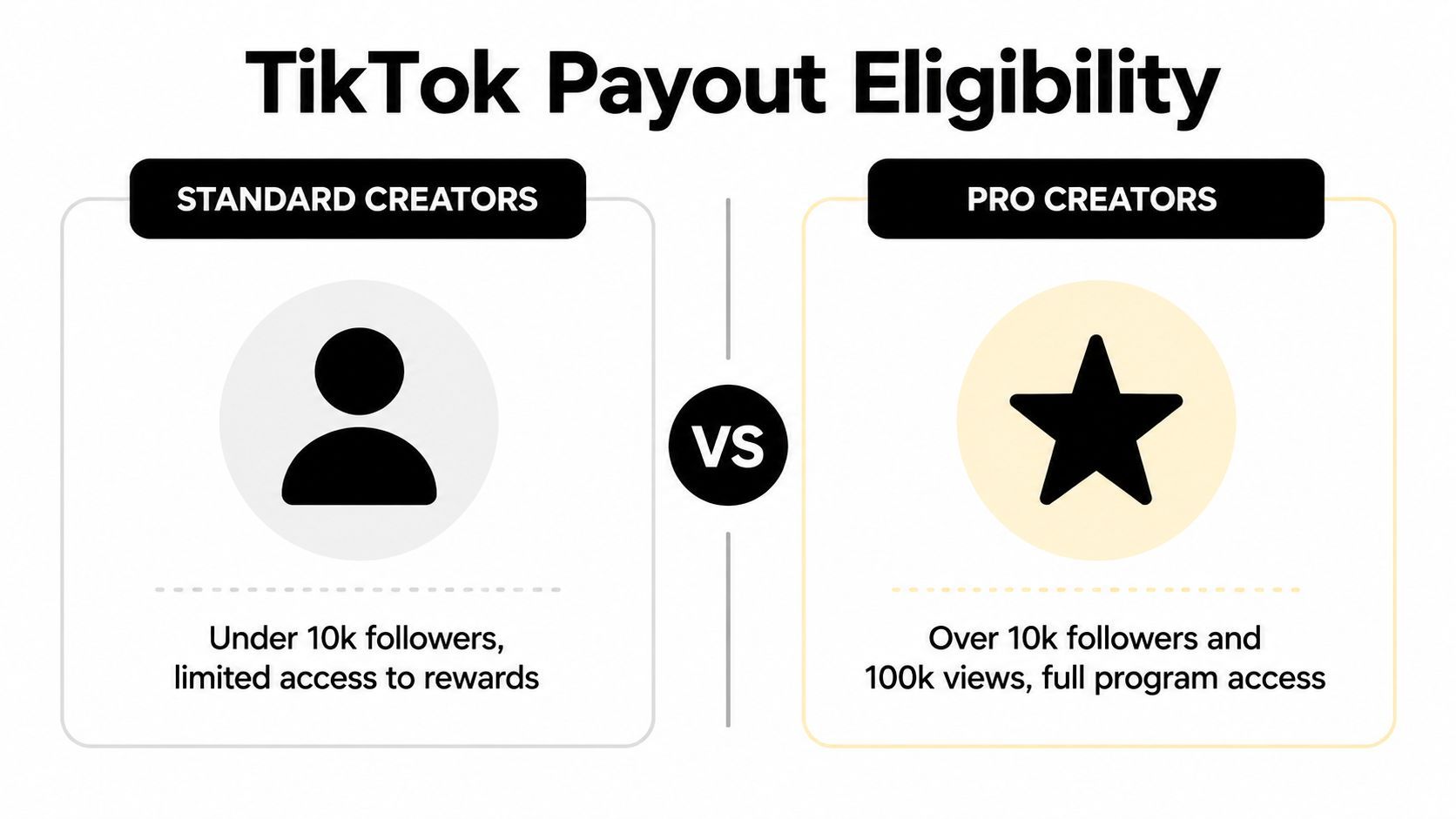
For the Creator Rewards Program, TikTok requires at least 10,000 followers and 100,000 views in the preceding 30 days, according to The Power Education's summary of TikTok revenue streams.
That threshold acts like a dividing line between creators who are building momentum and creators who can start participating in TikTok's direct video-based monetization.
Here's the simplest way to think about access:
| Creator stage | What it usually means |
|---|---|
| Under the threshold | You may still grow, sell, and attract opportunities, but direct TikTok program access is more limited |
| At or above the threshold | You can start using more of TikTok's native monetization tools, assuming you meet program rules and account requirements |
What this means in practice
A lot of creators focus too hard on follower count alone. TikTok's payout eligibility makes it clear that recent view activity matters too.
That changes what works:
- Consistent posting helps more than isolated bursts: A strong month matters because eligibility is tied to recent performance, not your lifetime best video.
- Original content matters: Monetization systems are built to reward content TikTok considers native and valuable to the platform.
- Business planning starts before you qualify: Set up your payment details, organize your income tracking, and separate platform revenue from deal revenue early.
If you're close to the threshold, your job isn't just to get one hit. Your job is to string together enough strong content that your account stays monetization-ready.
Creators who approach this like a business usually do one thing differently. They treat eligibility milestones as operational targets, not vanity milestones.
How the Creator Rewards Program Pays You
The Creator Rewards Program is the view-based system generally understood when questions arise about TikTok paying for views. It does, but not in the loose way people talk about online. TikTok pays based on the program's rules, and the payout quality depends on more than raw reach.
What the rates look like
As of 2026, the Creator Rewards Program pays between $0.40 and $1.00 per 1,000 views, which is a major jump from the legacy Creator Fund's $0.02 to $0.04 per 1,000 views, according to Influencer Marketing Hub's breakdown of TikTok pay rates.
That same source notes that 1 million views can generate roughly $400 to $1,000+ through direct payouts. It also makes clear that earnings can vary widely. At the low end, some creators may see $0.01 per 1,000 views, while exceptional cases can reach $2.50 per 1,000 views.
Why one creator earns more than another
Not all views are equal inside this system. TikTok's payout rate can shift based on factors like:
- Audience geography
- Video completion rates
- Engagement signals such as shares and comments
- Whether viewers are logged in
That's why two creators can post videos with similar top-line views and still earn very different amounts.
Better payout usually follows stronger viewer quality, not just bigger reach.
What tends to work
Creators who do better in the Rewards Program usually lean into content that holds attention and earns real interaction. Short spikes with weak completion often look exciting in analytics but don't always translate into the strongest RPM.
What doesn't work as well is chasing empty volume. If your content gets curiosity clicks but weak watch behavior, the payout side tends to reflect that.
A practical approach is to review each winning post through two lenses:
- Did it get views?
- Did it hold people long enough to matter?
That second question is where a lot of the money difference shows up.
Payout Schedules for LIVE Gifts and Series
You finish a strong week on TikTok. One LIVE brought in gifts, a few fans bought your Series, and your dashboard says you earned money. The catch is that those dollars do not all arrive on the same timetable, and that timing gap is where a lot of creators get squeezed.
LIVE Gifts usually settle after month-end
LIVE Gifts run on a monthly settlement rhythm. TikTok records what you earned during the month, reviews the balance, and then sends payouts after that cycle closes. In practice, creators often see a lag between the stream where the gifts were sent and the day the money is available to withdraw.
InfluenceFlow's guide to TikTok creator payment structure describes that delay in practical terms. TikTok still has to process compliance checks, fraud review, and payment provider handling before the funds hit your payout method.
That delay matters more with LIVE than new creators expect. A great stream can make your earnings dashboard look healthy while your bank balance stays flat for days or weeks.
Gift value and creator payout are not the same number
Viewers buy virtual gifts. TikTok converts those gifts into your creator earnings under its own pricing and fee structure.
A simple example from the same InfluenceFlow guide shows the gap clearly: a Rose worth $0.99 in total value yields about $0.50 to the creator. That is why gross gift value can look exciting during a stream, but your actual payout comes in lower.
Plan from net earnings, not the gift animation hype.
Series can pay on a different clock
Series income follows its own payout rules, including a minimum payout threshold. If your cleared Series balance does not meet that threshold, the money may stay in your account until a later cycle instead of paying out right away.
That creates a cash flow issue many guides skip. You might have Rewards money pending, LIVE earnings under review, and Series sales sitting below threshold at the same time. On paper, you earned across three TikTok products. In real life, none of that may be spendable this week.
What this means for budgeting
Fan monetization is useful because it adds income beyond views alone, but it is less smooth month to month. LIVE revenue can spike fast and cool off just as fast. Series can feel steadier if you have repeat buyers, yet threshold timing still affects when you get paid.
The practical fix is to track each revenue stream on its own calendar. I'd keep separate lines for LIVE, Series, Rewards, brand deals, and Shop, then mark expected payout windows instead of treating all TikTok income as one lump sum. If you are also building sponsor income to smooth out those delays, this guide to impactful brand deals is a useful next read.
Getting Paid from Brand Deals and TikTok Shop
Many creators graduate from “platform earner” to “media business.” TikTok's native payouts are helpful, but brand deals and commerce income often become more controllable because you're not waiting on one platform's internal cycle.
Why creator-controlled income matters
Brand partnerships usually pay based on the contract, not TikTok's monthly schedule. That gives you more room to negotiate terms that fit your cash flow. You can ask for partial payment upfront, payment on delivery, or a clear invoice window.
That control is worth more than people realize. Predictability matters. A modest deal paid on agreed terms can be easier to manage than larger platform earnings that are split across thresholds, reviews, and payout rails.
If you're learning how to pitch and structure sponsorships, this guide to impactful brand deals is worth reading because it focuses on how creators position themselves for better partnerships instead of just waiting to be discovered.
How I'd think about brand work versus platform money
| Revenue type | What determines timing |
|---|---|
| TikTok platform payouts | TikTok's internal rules, thresholds, and processors |
| Brand deals | Your contract, deliverables, approval process, and invoice habits |
| TikTok Shop | Separate sales and settlement workflow tied to commerce activity |
Brand deals usually work best for creators who document everything. Brief. deliverables. revision limits. invoice date. payment terms. Without that, “paid partnership” can still turn into a long wait.
TikTok Shop also sits in a different lane. Whether you're selling your own products or promoting products as an affiliate, think of it as commerce revenue, not creator fund revenue. That mindset helps because sales operations need tighter tracking than content payouts do.
What works and what doesn't
- Works well: Clear contracts, written approvals, one invoice system, and a simple revenue tracker.
- Doesn't work well: Verbal agreements, vague revision rounds, and assuming “the brand will sort it out.”
Creators who want less income volatility usually expand into these channels for exactly that reason. They're more work, but they're also more negotiable.
How to Check and Withdraw Your TikTok Earnings
Once TikTok has recorded earnings, the next job is making sure the money can leave the platform without friction. Most payout headaches happen here. Not because the creator didn't earn money, but because the withdrawal setup, thresholds, or payment rail slowed everything down.
Where to check your earnings
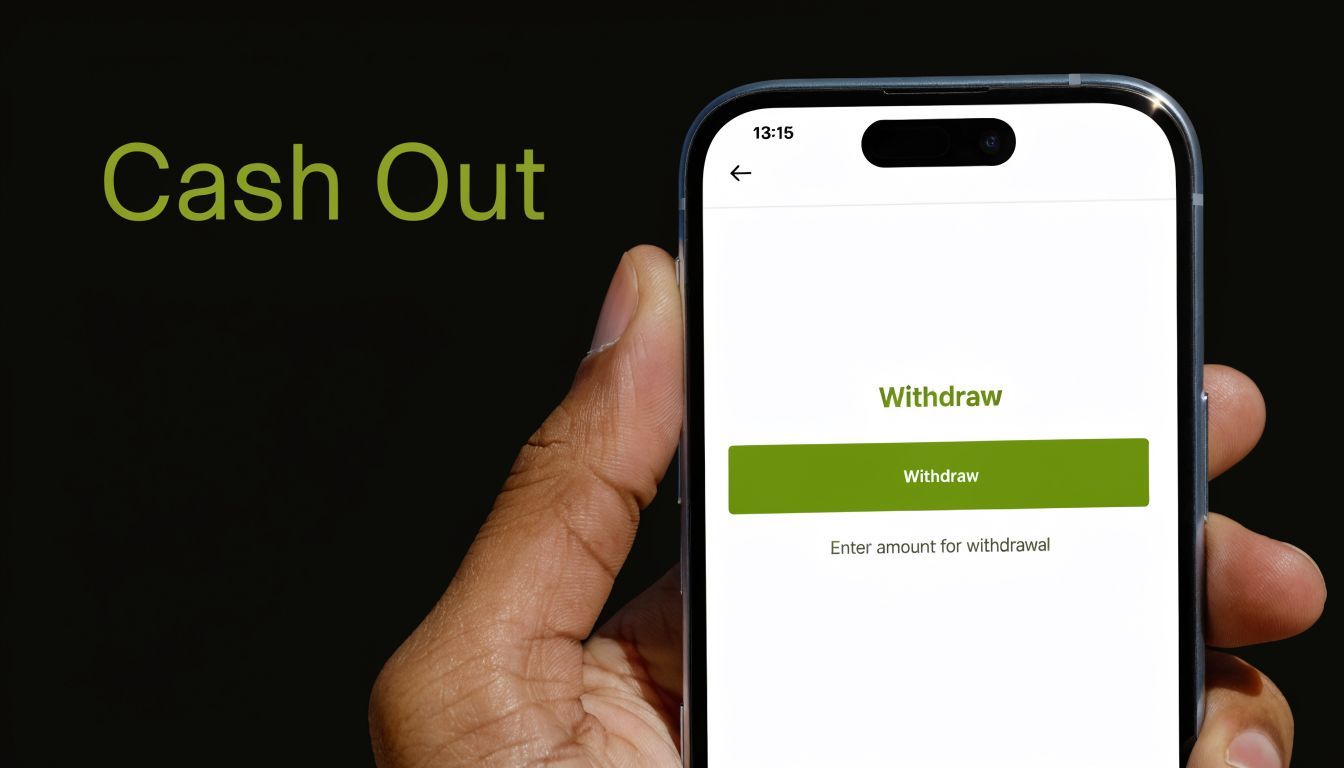
Inside TikTok, earnings are tracked in the Balance area, and some payout systems show details under Income Plus. If you've monetized through more than one feature, check each section carefully instead of assuming one balance covers everything.
A practical review routine looks like this:
- Open your profile and go to your balance area.
- Look for the relevant income section tied to your program.
- Confirm that your payment method is active and accurate.
- Check whether your balance is above the minimum threshold for that payout type.
Why withdrawals get delayed
According to FXC Intelligence's report on TikTok's payments strategy, payout timing depends heavily on region-specific minimum thresholds and third-party processor dependencies. That source states the Creator Fund requires a $10 minimum, while PayPal in EEA/UK can have a $1 minimum, and bank transfers can take 3 to 5 days versus PayPal's potential 1-day settlement, with delays affecting 15% to 20% of users.
That tells you two important things. First, your payment method matters. Second, your region matters.
What to check before you blame TikTok
A lot of “TikTok hasn't paid me” complaints are really one of these:
- Threshold issue: Your earnings haven't cleared the minimum yet, so the balance rolls over.
- Processor lag: The transfer left TikTok's side but is still moving through PayPal or your bank.
- Details mismatch: The payment method exists, but the account information triggers extra verification or rejection.
- Timing confusion: You're checking before the monthly settlement window has finished.
Working habit: Don't plan spending against platform earnings until they've moved out of TikTok and into your actual account.
If you want a walkthrough of the withdrawal flow in action, this video is a useful visual reference:
Better withdrawal habits
Some setups create less friction than others.
- Use the fastest viable rail: If PayPal settles faster in your region, that can reduce waiting time.
- Double-check account details: Especially for bank transfers. Small errors create avoidable re-verification loops.
- Batch your withdrawals thoughtfully: If fees or delays are part of your setup, waiting for a more meaningful balance can make the process cleaner.
- Track expected dates manually: Don't rely on memory. Put payout windows on your calendar.
Creators usually get calmer about TikTok income once they stop treating it like payroll and start treating it like receivables.
Frequently Asked Questions About TikTok Payments
What happens if I don't hit the minimum payout threshold
Usually, the money stays in your balance and rolls into a future payout period until you meet the required minimum for that program. That's one reason small earnings can feel delayed even when you're technically monetized.
Can you get paid through PayPal instead of a bank account
In some regions, yes. TikTok payouts can depend on external processors, and PayPal may settle faster than bank transfer in certain cases, as covered earlier from the FXC Intelligence payment breakdown. Whether it's the better option depends on your region and what payout methods TikTok offers in your account.
Do brand deals follow the same payment date as TikTok payouts
No. Brand deals usually follow the contract you signed with the brand or agency. If there's no clear payment language in writing, expect delays and back-and-forth.
Are TikTok earnings taxable
Yes. If you're earning money through TikTok programs, fan support, affiliate activity, or sponsorships, treat that income as taxable and keep records. The exact filing details depend on where you live and how you operate your creator business.
What's the simplest way to manage all of this
Use one tracker that lists:
- Revenue source
- Date earned
- Expected payout date
- Threshold status
- Payment method
- Date received
That sounds basic, but it solves most of the stress behind the question “when does tiktok pay you?” The issue usually isn't that creators have no earnings. It's that the earnings arrive on different clocks.
If you remember one thing, make it this: TikTok income is rarely one paycheck. It's a schedule of separate payouts.
If you're producing across TikTok, Reels, YouTube, and paid ads, ShortGenius (AI Video / AI Ad Generator) helps you create, organize, and schedule content in one place so your publishing stays consistent even when your revenue arrives on different timelines. For creators and teams trying to smooth out cash flow, consistency in output is still the lever you control most.