What Is AI Generated Content? A Creator's Guide (2026)

What is AI generated content? Learn everything from the underlying models to practical workflows for creators and how to use it to scale video production.
AI-generated content is any media, text, images, audio, or video, created by artificial intelligence models trained on vast amounts of data to produce new outputs from a prompt. In 2025, 71% of social media images are AI-generated and 74.2% of new webpages contain AI-generated content, which tells you this isn't a niche experiment anymore.
When 'AI content' is mentioned, chatbot text frequently comes to mind. That's only one slice of it. The better way to think about what is ai generated content is this: AI is becoming a production layer for modern publishing, one that can help turn a rough idea into a script, visuals, narration, edited clips, and platform-ready assets much faster than a fully manual workflow.
That speed is why creators, marketers, agencies, and educators are paying attention. But speed also creates confusion. People want to know what the models are doing, which outputs count as AI-generated, where the quality comes from, and how to use these tools without publishing bland or risky work.
The New Reality of Digital Creation
Digital creation has already crossed a threshold. In 2025, 71% of social media images are AI-generated according to Forbes-cited social media AI statistics compiled by ArtSmart. That number changes the conversation. AI content isn't a side project for early adopters anymore. It's part of the default environment creators publish into every day.
If you're trying to understand what is ai generated content, start with a simple definition. AI-generated content is media produced by machine learning models that create new text, images, audio, or video from prompts, examples, or instructions. The output can be a caption, a thumbnail, a voiceover, a product demo clip, or a whole ad draft assembled from several AI systems working together.
Why this matters to creators
For creators, the shift isn't just about automation. It's about compressing the distance between idea and publish. A solo YouTuber can brainstorm titles, draft a script, generate supporting visuals, add narration, and prep channel assets in one working session. A marketing team can move from campaign concept to multiple platform variations without rebuilding everything from scratch each time.
That changes the skill that matters most. It isn't only "Can you make content?" It's also "Can you direct systems, review output, and shape it into something useful and distinctive?"
Practical rule: Treat AI as a creative multiplier, not a substitute for taste.
If you're still getting oriented, this guide to generative AI for content creation is a helpful companion resource because it frames the category in plain language before you get into workflow details.
What people usually get wrong
A lot of confusion comes from assuming AI content is one thing. It isn't.
- Text only: Many people think AI content means blog posts or chatbot replies. It also includes voiceovers, scenes, thumbnails, ad variations, and edited video sequences.
- One-click magic: AI rarely replaces judgment. It generates options. You still need to choose, edit, and align the output with your brand or audience.
- Low quality by default: Bad prompting and weak review create bad content. Clear inputs and strong editing create much better results.
The useful mindset is simple. AI handles pattern-heavy production tasks well. Humans still decide what deserves to be published.
How AI Models Generate Content
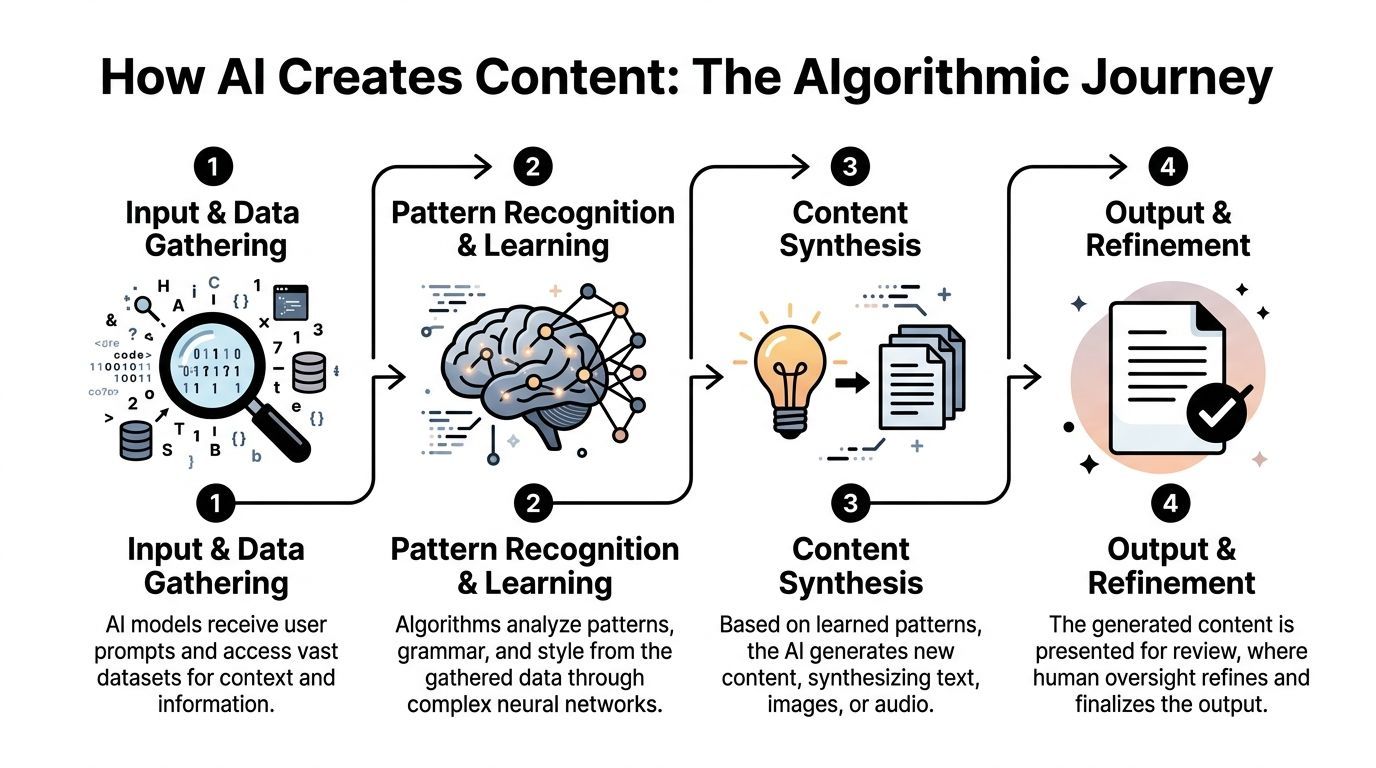
AI content feels mysterious until you break it into a few core model types. Under the hood, different systems handle different jobs. One model predicts language. Another creates images. Another turns text into speech. Put them together, and you get a workable production pipeline.
Transformers in plain English
Many text systems rely on transformers, which use self-attention mechanisms to weigh relationships between words so the model can generate coherent language, as explained in this technical overview of how AI models generate content. That's the formal description. Here's the plain one.
A transformer works like predictive text with a much bigger memory for context. It doesn't just look at the last word. It looks across the prompt and asks, "Which earlier words matter most for what comes next?" That lets it keep track of tone, topic, structure, and intent far better than older systems.
If you type, "Write a friendly product explainer for a skincare brand aimed at first-time buyers," the model isn't retrieving one stored answer. It's generating the next most likely useful token again and again until it forms a complete response.
GANs and the artist-critic loop
Image generation often gets explained through GANs, or generative adversarial networks. In a GAN, a generator creates content and a discriminator evaluates whether it looks real. Think of it as an artist and a critic working in a fast loop. The artist keeps producing attempts. The critic keeps rejecting weak ones. Over time, the output improves.
That doesn't mean every image tool uses the exact same setup, but the artist-critic analogy helps people understand the basic principle. The model improves by learning what realism or stylistic consistency looks like.
AI doesn't "imagine" the way a person does. It learns patterns from training data, then recombines those patterns into new outputs.
Audio and video are usually pipelines
Audio and video generation often combine several models, not one. A typical short-form production stack might look like this:
-
Language model for planning
It drafts hooks, scripts, captions, or scene directions. -
Visual generation model
It creates still images, scene elements, or video-ready assets. -
Voice model
It turns the script into narration. -
Editing and assembly layer
It syncs visuals, timing, captions, branding, and export settings.
This is why creators often get better results from all-in-one systems than from juggling isolated tools. The actual time sink isn't only generation. It's the handoff between steps. If you're comparing workflow options, a resource like this overview of an AI video ad creator can help you evaluate what belongs in a modern production stack.
Why prompts matter more than people expect
A prompt is less like a command and more like a creative brief. The model needs constraints. If you ask for "a video ad," you'll usually get something generic. If you ask for "a 20-second vertical ad for a minimalist desk lamp, calm tone, warm lighting, three scene changes, ending with a direct call to action," the model has a much clearer job.
Good prompting usually includes:
- Audience: Who the content is for
- Format: Blog intro, thumbnail concept, voiceover, short-form script
- Tone: Direct, playful, premium, educational
- Context: Product, offer, platform, campaign angle
- Guardrails: Words to avoid, brand points to include, claims to stay away from
The simplest mental model
If you remember one thing, remember this. AI-generated content is usually the result of prediction plus refinement. The model predicts what should come next based on patterns it has learned. Then a person reviews, trims, swaps, and reshapes the result until it fits the goal.
That second part matters. The strongest creators don't just prompt well. They edit well.
The Four Main Types of AI Generated Content
Most AI output falls into four buckets. Seeing them side by side makes the category much easier to understand.
Types of AI-generated content at a glance
| Content Type | Common Use Cases | Underlying Technology |
|---|---|---|
| Text | Blog drafts, ad copy, scripts, captions, email variants | Transformers and other language models |
| Images | Thumbnails, product visuals, ad creatives, background art | Image generation models, including GAN-based and related generative systems |
| Audio | Voiceovers, podcast intros, narration, multilingual reads | Text-to-speech and voice synthesis models |
| Video | Short-form clips, explainers, promos, social ads | Multi-model pipelines combining script, visuals, voice, and editing |
Text content
Text is the most familiar entry point. AI can generate headlines, outlines, product descriptions, article drafts, ad hooks, and social captions. For marketers, it's useful when the challenge is volume or variation. For educators and creators, it's useful when the challenge is clarity or momentum.
The key confusion here is originality. AI text isn't copied line by line from one source in the ordinary sense. It is generated from learned patterns. That said, human review still matters for accuracy, tone, and repetition.
Image content
AI image content includes thumbnails, ad concepts, mood boards, product scenes, background art, and stylized visuals. Many creators first notice the shift in the market through these visuals because they used to require either design skills, stock sourcing, or expensive custom production.
Image tools are especially handy when you need to test angles quickly. A marketer can explore several visual directions for the same offer. A creator can turn a script idea into a thumbnail concept before filming.
A fast image workflow is often less about replacing designers and more about helping teams explore options before committing to a final direction.
Audio content
Audio generation usually shows up as voiceovers, narration, intros, explainers, and accessibility-friendly readouts. This matters more than many people expect. Audio can make content easier to consume, especially in video, internal communication, and educational material.
Creators often get stuck recording retakes, fixing pacing, or redoing lines after script edits. AI voice systems reduce that friction. You change the line, regenerate the narration, and keep moving.
Video content
Video is where the categories merge. AI-generated video often includes script assistance, scene creation, stock assembly, captioning, voiceover, transitions, and formatting for different platforms. That doesn't always mean the entire clip is synthetic. It may be a hybrid of AI-assisted and human-shot material.
For social teams, this is the most practical use case because video production has the most moving parts. Even when the final result still needs human polishing, AI can remove a lot of repetitive setup work.
The important distinction
Not all AI-generated content is fully machine-made. Some assets are AI-assisted, where the model helps with a draft, a visual, or a voice layer. Others are mostly AI-generated from prompt to export. In real workflows, the line is often mixed.
That hybrid model is where many creators get the most value. You keep your strategy, your judgment, and your brand voice. AI helps with the labor-intensive parts.
Practical Use Cases for Creators and Marketing Teams
The best way to understand AI content is to watch what happens when real production problems show up. Creative block, too many channels, not enough time, inconsistent output, endless small edits. AI helps most when the bottleneck is repetition.

A solo creator trying to stay consistent
A solo creator usually doesn't need more ideas. They need a system that turns rough notes into publishable assets without burning an entire week.
One practical workflow looks like this:
- Topic generation: Use AI to turn one broad niche into multiple post angles.
- Script drafting: Expand the strongest angle into a short-form script or talking points.
- Asset support: Generate a thumbnail concept, caption options, and B-roll prompts.
- Repurposing: Convert the original idea into platform-specific versions.
The value isn't just speed. It's reduced context switching. Instead of bouncing between a notes app, a script doc, a design tool, a voice recorder, and an editor, the creator can keep momentum.
A social media manager handling campaign variation
Marketing teams often have a different problem. They already know the offer and audience. What they need is variation without chaos.
A manager might take one product launch and create:
- Multiple hooks for different audience segments
- Several visual concepts for paid social testing
- Alternate voiceovers to match brand tone
- Short edits sized for different platforms
That doesn't guarantee better results by itself. But it makes testing practical. Teams can produce more thoughtful creative directions instead of settling for one safe version because production took too long.
Field note: AI is especially useful when the core message stays the same but the packaging needs to change across channels.
A YouTuber building a content series
Series production is where AI becomes subtly powerful. A YouTuber can define a recurring format once, then use AI to help generate episode angles, draft intros, write descriptions, and create supporting clips or visual prompts that fit the same style.
Consistency is usually a systems problem, not a motivation problem. When each episode starts from zero, publishing cadence slips. When the creator has a repeatable structure, the channel gets easier to run.
An educator or coach repurposing expertise
Educators often sit on a huge archive of useful material. Workshop recordings, transcripts, lesson notes, webinar outlines, live Q and As. AI can help turn that source material into cleaner outputs such as short teaching clips, voice-narrated summaries, and topic-specific social posts.
The skill here is curation. The model can reorganize and adapt material, but the educator still decides which ideas are accurate, relevant, and worth amplifying.
A brand adding sound and motion
Many teams are comfortable with text and static design but stall when they need audio or motion. That's where adjacent tools matter too. If your workflow includes sonic branding, intros, or background elements, a curated list of top AI tools for music production can help you think beyond visuals and script generation alone.
What these use cases have in common
Different teams use AI for different reasons, but the pattern is similar:
| Team | Main Bottleneck | AI's Best Role |
|---|---|---|
| Solo creators | Time and consistency | Drafting, repurposing, asset support |
| Marketing teams | Variation and volume | Ad versions, scripts, visuals, voiceovers |
| Educators | Repackaging expertise | Summaries, narrated lessons, short clips |
| Agencies | Workflow coordination | Faster assembly across multiple client formats |
The shared lesson is simple. AI works best when it supports a system. If the process is messy, AI makes the mess faster. If the process is clear, AI becomes a serious production advantage.
Your Workflow for AI Content Production
Analysts at Ahrefs found that 74.2% of new webpages in 2025 contain AI-generated content, which helps explain why workflow now matters as much as creativity in publishing. Teams are no longer asking whether AI can make content. They are asking how to turn rough ideas into finished assets without losing quality, brand fit, or speed.
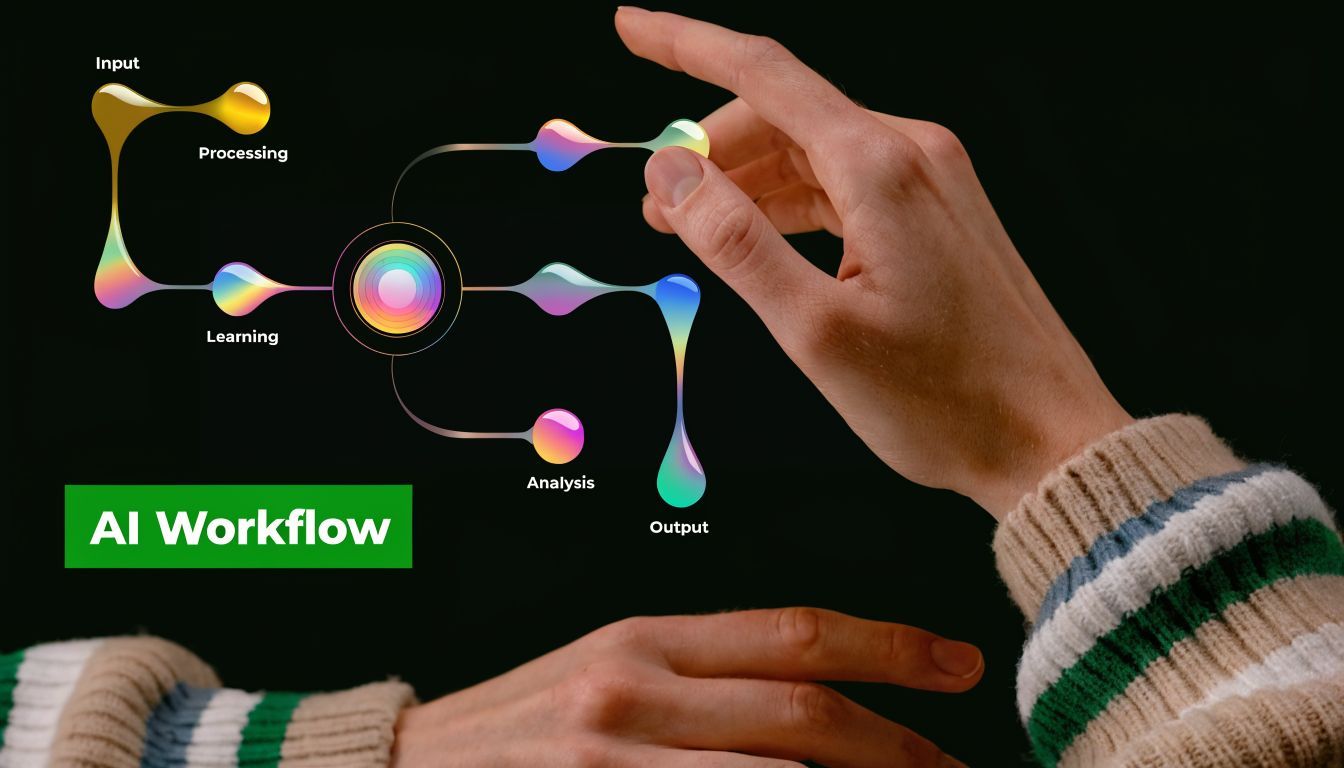
The easiest way to understand AI production is to treat it like a small studio. The model gives you raw material. Your process decides whether that material becomes a strong video, a usable ad, or a forgettable draft.
A reliable workflow starts with one job for the content. That sounds simple, but it removes a lot of confusion.
Stage one with a clear brief
Before you open any generator, define the assignment in plain language:
- Goal: Do you need to teach, convert, nurture, or entertain?
- Audience: Who is this for, and what do they already know?
- Output: Blog post, ad, Reel, explainer, tutorial, voiceover
- Constraint: Brand tone, offer details, legal limits, platform format
This brief works like a creative map. Without it, AI tends to fill the gaps with generic phrasing and safe assumptions. With it, review gets faster because everyone is judging the same target.
Stage two with scripting and asset generation
Once the brief is clear, generate the core parts first. Start small. Approve the message before you create ten versions of it.
A practical sequence looks like this:
- Draft the script or article outline.
- Generate two or three alternate hooks or headlines.
- Create visual prompts or thumbnail directions.
- Produce narration or voice options.
- Add supporting scenes, text overlays, and captions.
Creators often get stuck here because AI makes abundance cheap. That can be useful, but it can also flood the project with options before the main idea is settled. A better habit is to choose one direction, tighten it, then expand outward.
Working rule: Approve the message before you multiply the assets.
Stage three with assembly and editing
This is the stage where content starts to feel human again.
You trim lines that sound broad. You fix pacing. You cut scenes that repeat the same point. You match visuals to the claim being made. If the script is the blueprint, editing is the part where the walls get built.
Connected tools help because they reduce repeated setup work. Instead of bouncing between separate apps for scripting, visuals, voice, captions, and final edits, teams can use an AI video workflow platform for script-to-publish production to keep the project in one place. That matters a lot when you are producing ad variations, short clips, and channel-specific versions from the same source idea.
Quick starter steps
If you're new to AI-assisted production, run a small test with a format you can repeat every week.
- Pick one repeatable format: A weekly short video, a product ad, or a teaching clip
- Write one source brief: Audience, goal, offer, and key message
- Generate first drafts only: Use AI to create options, not final copy
- Edit on purpose: Tighten wording, remove filler, and align visuals to message
- Publish and review: Note what saved time and where human judgment mattered
A walkthrough can help make that process more concrete:
Stage four with distribution and reuse
Publishing is one checkpoint, not the finish line. Strong teams treat each finished asset like a source file for the next round of content.
One video can become:
- A shorter cut for vertical platforms
- A text post built from the script
- A narrated clip for a different audience segment
- A thumbnail set for testing
- A paid ad variation with a sharper call to action
A production playbook expands beyond merely defining AI content. You are connecting models, prompts, editing, and repurposing into one repeatable system. For creators and marketing teams, that offers a distinct advantage. AI speeds up drafting, but a clear workflow is what helps you turn one idea into many polished assets across multiple channels without rebuilding the project from scratch each time.
Navigating Risks Ethical Concerns and Detection
AI-generated content is useful, but it isn't neutral. The systems inherit weaknesses from their training data, from the incentives around speed, and from the way teams choose to use them.
Model collapse and sameness
One major risk is model collapse. That happens when models are trained on too much AI-generated synthetic data, which leads to more homogenized outputs and weaker diversity over time, as described in this analysis of the internet's growing AI content flood.
In plain language, the model starts learning from copies of copies. It loses texture. Rare details disappear. Outputs become flatter and more formulaic.
For creators, this risk shows up in a familiar way. Everything starts sounding polished but interchangeable. The structure is clean. The phrasing is safe. Nothing feels anchored in real experience.
Bias and exclusion
Another issue is representation. Biased training data can cause AI systems to miss, flatten, or misrepresent underserved communities. This isn't always obvious on first read, which is part of the problem.
If your team publishes globally or speaks to diverse audiences, review for cultural fit, examples, assumptions, and language choices. Don't assume the model's "neutral" output is inclusive.
Helpful AI content isn't only accurate. It also needs to feel relevant and respectful to the people reading, hearing, or watching it.
Copyright, originality, and trust
Copyright questions are still unsettled in many contexts, so the safest practice is conservative. Avoid asking tools to imitate living creators too closely. Review image outputs for recognizable branded elements or suspicious artifacts. Keep records of your prompts and edits when the work matters commercially.
Trust matters just as much as legal caution. If you use AI to speed up production, keep the human layer visible where it counts. Add original insight. Include lived examples. Make sure someone on the team is accountable for the final claim, tone, and framing.
Detection tools are useful but limited
A lot of readers ask whether AI content can be detected reliably. Detection tools can help flag patterns, but they aren't perfect judges of quality or truth. They often focus on probability and style signals, not on whether the content is useful.
That means detection should be treated as one review input, not the final verdict. Editorial review still matters more.
A responsible operating checklist
The most practical way to use AI responsibly is to build a review habit.
- Check facts manually: AI can draft confidently and still be wrong.
- Check voice: Remove bland phrasing and add your brand's real point of view.
- Check visuals: Watch for strange image details, awkward motion, or generic scenes.
- Check audience fit: Review for bias, assumptions, and missing context.
- Check provenance: Keep track of what was generated, edited, and approved.
The key standard isn't whether AI touched the content. It's whether a responsible human made sure the result deserved to go live.
Your Future as an AI-Powered Creator
AI isn't replacing the creator's job. It's changing the shape of it.
The repetitive parts of production are becoming easier to delegate to software. Drafting variants, assembling first cuts, generating support visuals, revoicing updated lines, reformatting for new channels. That gives creators more room to focus on things machines still can't own in the same way: judgment, taste, positioning, story, and audience trust.
That's the part many people miss when they ask what is ai generated content. The most important question isn't only what the machine made. It's what the human made possible by directing it well.
The creators who win will do two things well
- They'll build systems: Clear briefs, reusable formats, stronger review loops.
- They'll protect differentiation: Personal perspective, sharper editing, better taste.
The future belongs to creators who can combine machine speed with human discernment.
If you learn that balance early, AI becomes less intimidating. It starts to feel like a skilled production assistant that never gets tired, but still needs direction. That's a powerful position to be in, especially if you're publishing across multiple formats and channels.
Frequently Asked Questions
Is AI-generated content legal to publish
Usually, yes. The legal risk depends on the source material, the way the content was generated, and whether the final output creates copyright, trademark, privacy, or deception problems. A good rule is simple: treat AI output like a first draft from a freelancer. Review it before publishing, avoid close imitation of living creators, and keep a human editor responsible for the final version.
Can AI-generated content rank in search
Yes, if it helps the reader. Search performance still comes back to usefulness, accuracy, originality, and clear intent. AI can speed up research, outlining, and drafting, but it does not turn weak ideas into strong pages.
How can I keep AI content from sounding generic
Generic output usually starts with a generic brief.
If your prompt is broad, the response will often be broad too. Give the model specifics: audience, format, platform, tone, examples to follow, examples to avoid, and the action you want the viewer or reader to take. Then edit for perspective. That is where creators add the part AI cannot supply on its own: lived experience, brand judgment, and audience nuance.
How do I reduce bias in AI outputs
Bias starts in the training data and can show up in subtle ways, such as stereotypes, missing perspectives, or uneven representation. IBM's discussion of AI-generated content and bias explains why this happens and why review matters.
For creators and marketing teams, the practical fix is a review loop. Check outputs for assumptions, test sensitive messaging with a wider set of readers when possible, and do not treat the first result as neutral just because it sounds confident.
Should I disclose when content used AI
Often, yes, especially for educational, journalistic, sensitive, or high-stakes content. Disclosure is less about checking a box and more about protecting trust. Even when public disclosure is not required, internal documentation helps teams track what was AI-assisted, what was edited by humans, and what needs extra review.
AI content works best inside a clear production system. The model handles draft generation. The tool stack handles formatting and publishing. The creator handles direction, standards, and final judgment. Platforms like ShortGenius fit into that workflow by helping teams move from idea to script, visual asset, edited video, and scheduled distribution with less manual handoff and less tool switching.