Video Editing Templates: Build a Scalable Workflow

Master video editing templates for short-form content. Learn to select, customize, and scale templates across platforms.
You've got a folder full of clips, a publish deadline breathing down your neck, and a blank timeline that looks even bigger at 11 PM than it did during the day. That is the moment many creators reach for video editing templates as a quick visual fix. The better move is to treat them like infrastructure, because the teams that scale use templates to make output repeatable, keep branding consistent across exports, and make handoffs easier when more than one editor touches the same workflow.
The market is already moving that way. Mordor Intelligence places the broader video editing market in steady growth, and market research around template-based creation points to faster adoption as teams look for faster production workflows. Cloud-based delivery is part of that shift too. In practice, the winning template is rarely a pretty preset. It is a reusable system with project files, placeholder media, control layers, assets, and documentation, so editors can swap inputs without rebuilding the whole edit.
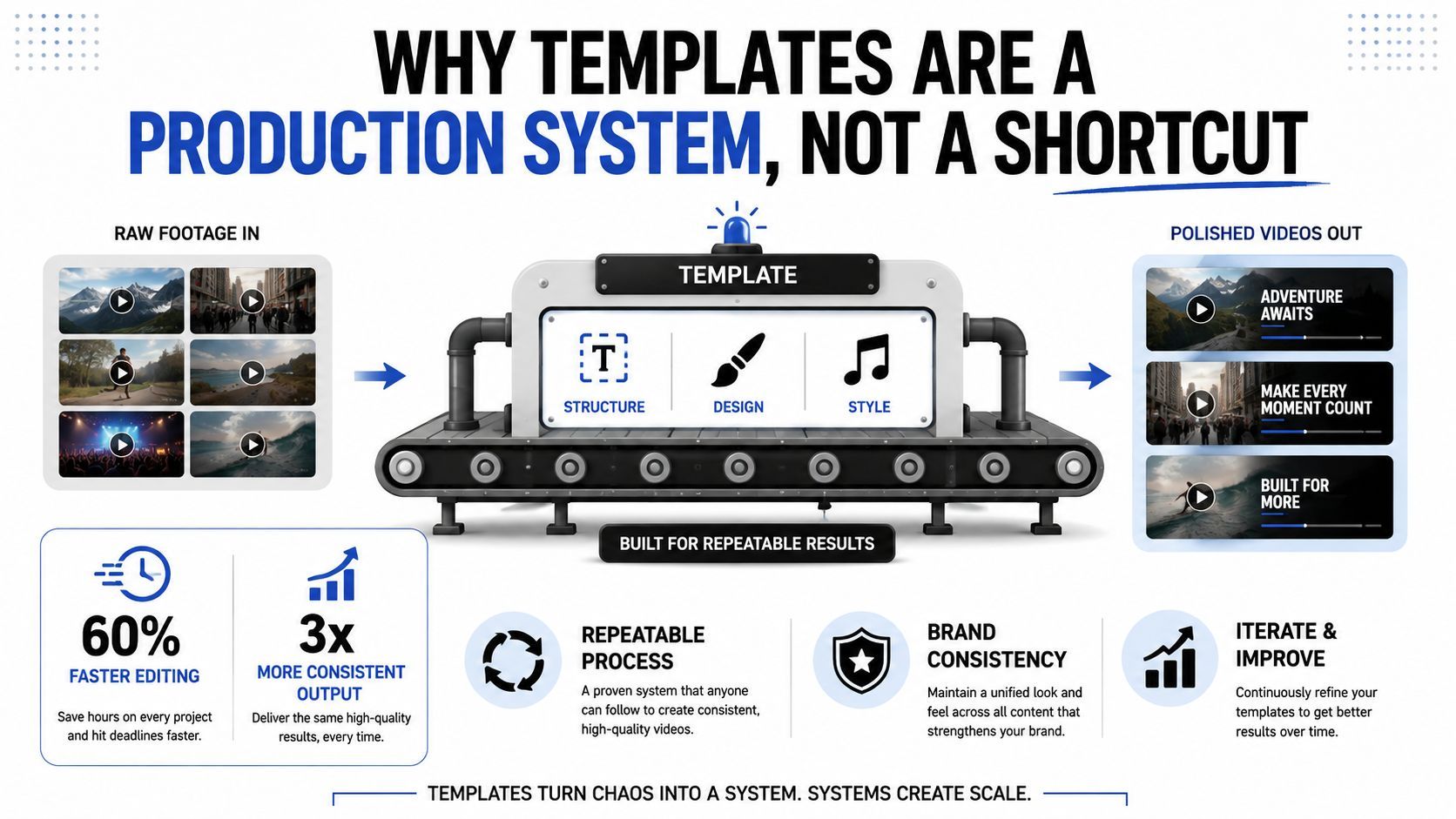
Ownership is the true test. A template only holds up if someone else can open it, change the text, replace scenes, adjust motion layers, and export for a different aspect ratio without breaking the layout or the brand. That is where many template systems fail at scale. They look reusable until a creator needs a vertical cut, a square cut, or a platform-specific export and discovers the design only works in one format, with one set of inputs, under one person's watch.
Why Templates Are a Production System Not a Shortcut
A template only earns its keep when it reduces the decisions a creator has to make before every publish. That matters most when the schedule gets tight, because the cost is not the blank timeline. It is rebuilding the same intro, lower third, caption rhythm, and outro for every new clip while also trying to keep the brand consistent across exports.
The difference between a preset and a system
A visual preset gives you a look. A production system gives you a repeatable path from raw footage to export, with the parts laid out so another editor can use them without guessing. That distinction matters more as teams produce more short-form content, where speed, ownership, and repeatability matter more than a unique edit every time.
Practical rule: if a template cannot be duplicated, edited, and exported by someone else on the team without a live walkthrough, it is not a system yet.
The operating logic is straightforward. Build the framework once, then let editors or creators fill it with new scripts, new footage, and platform-specific exports. The useful part is not the polished look. It is the fact that the same project can survive handoff, version changes, and an aspect-ratio shift without forcing a rebuild from scratch.
A real production system also defines what “editable” means before anyone opens the project. Some layers should be swapped, like scenes, text, and selected media slots. Other layers should stay locked, like motion timing, brand spacing, and the core layout rules that keep the export recognizable. If those boundaries are not clear, the template turns into a brittle file that breaks the moment a different editor touches it.
What a production system looks like in practice
A good example is a short-form series built for multiple platforms from one master file. The team opens with a protected intro, keeps titles and caption styling tied to named text presets, and separates motion elements from the scene content so the same project can produce a vertical cut, a square cut, and a wider export without redesigning the layout each time. The editor only swaps the parts meant to change, then checks that safe zones, margins, and brand placement still hold after export.
That workflow saves more than time. It preserves ownership. When the template is built as a system, the next person in the chain can make the needed changes without asking which layer is safe to touch, which version is current, or whether the final export still matches the brand rules.
Auditing Your Content to Build a Reusable Template
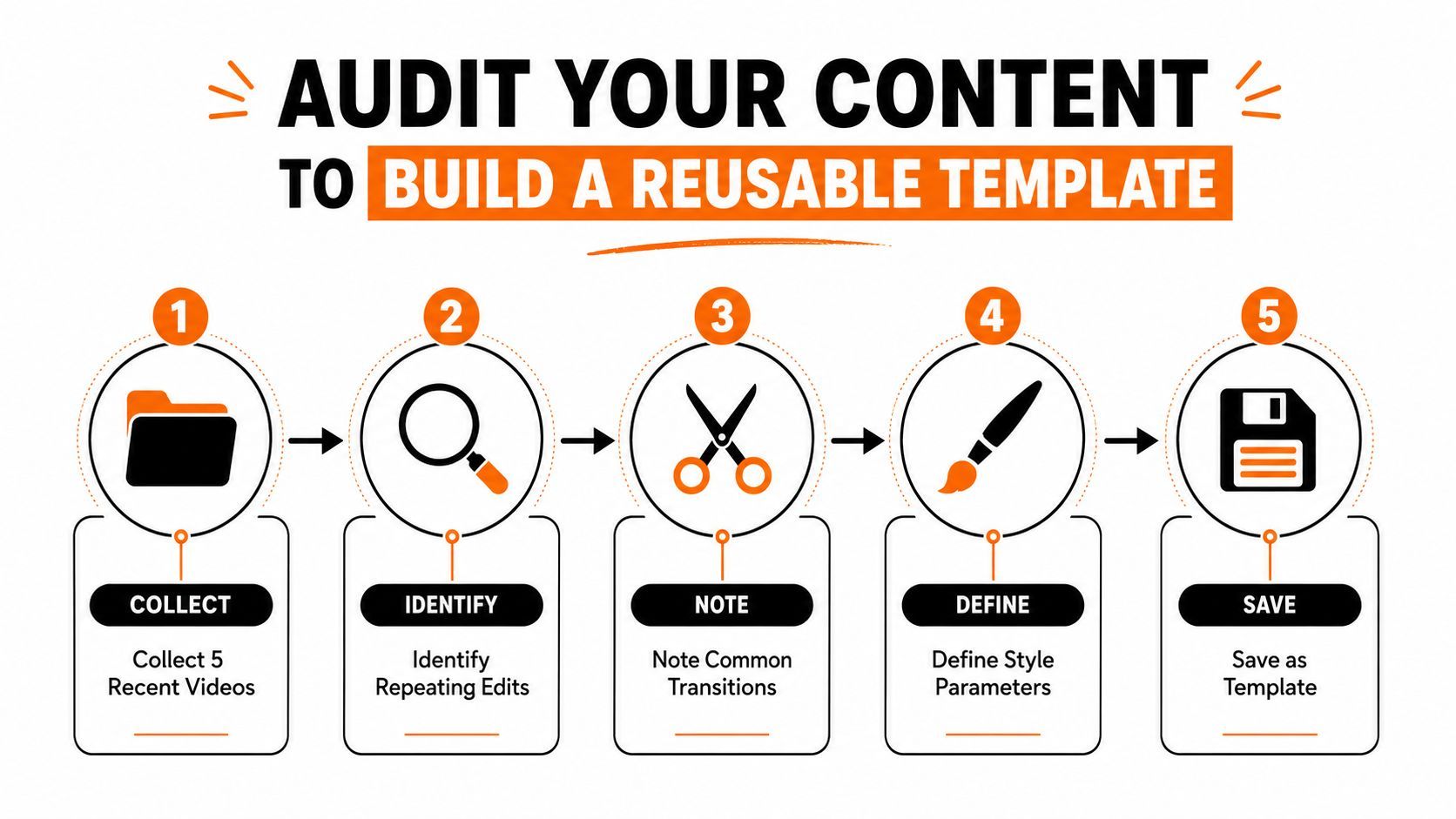
Before touching any template library, review the last few videos that performed the way you wanted. Three to five recent pieces are enough to spot recurring patterns in pacing, structure, captions, and brand treatment. That audit gives you a template built from your own production habits instead of someone else's idea of “good design.”
Start with what repeats
Look for the pieces that show up in almost every edit. The opening hook, the first text overlay, the caption cadence, the call to action, and the music bed often repeat more than creators realize. Once those patterns are visible, the template can hold them in place while still letting the rest of the video change.
Build the template brief on one page. Define the audience, the platform, the duration, the brand elements, the recurring modules, and the success metrics that matter to your team. That brief becomes the contract for the template, which keeps later edits from drifting into random variations.
Build the sequence like a system
A reusable short-form sequence works best as a modular 9:16 project at 1080×1920 with protected master duplication, named text styles, caption presets, brand colors, audio tracks, reusable CTAs, QC notes, and export presets. That structure keeps every edit inside the same spine, so new assets don't break the timing or layout.
The operational order matters too. Duplicate the master, paste the approved script into scene modules, add narration, place footage, generate captions, run QC, export, and archive. That process turns an edit into a production routine instead of a creative scramble.
If you can't tell which parts of the timeline are fixed and which parts are meant to change, the template will fail the first time someone else uses it.
This is also where documentation pays off. A few clear notes on safe zones, caption behavior, and export naming can save hours later, especially when the template gets handed between editors, marketers, and freelancers.
Choosing the Right Template Type for Your Content Format
A template only works if it matches the job the video has to do. A hook-first reel, a tutorial, an ad, and a recurring series each need a different structure, and forcing one format into the wrong mold is where templates start to feel awkward. The preview can look polished and still fail the content the moment it hits export.
Match structure to intent
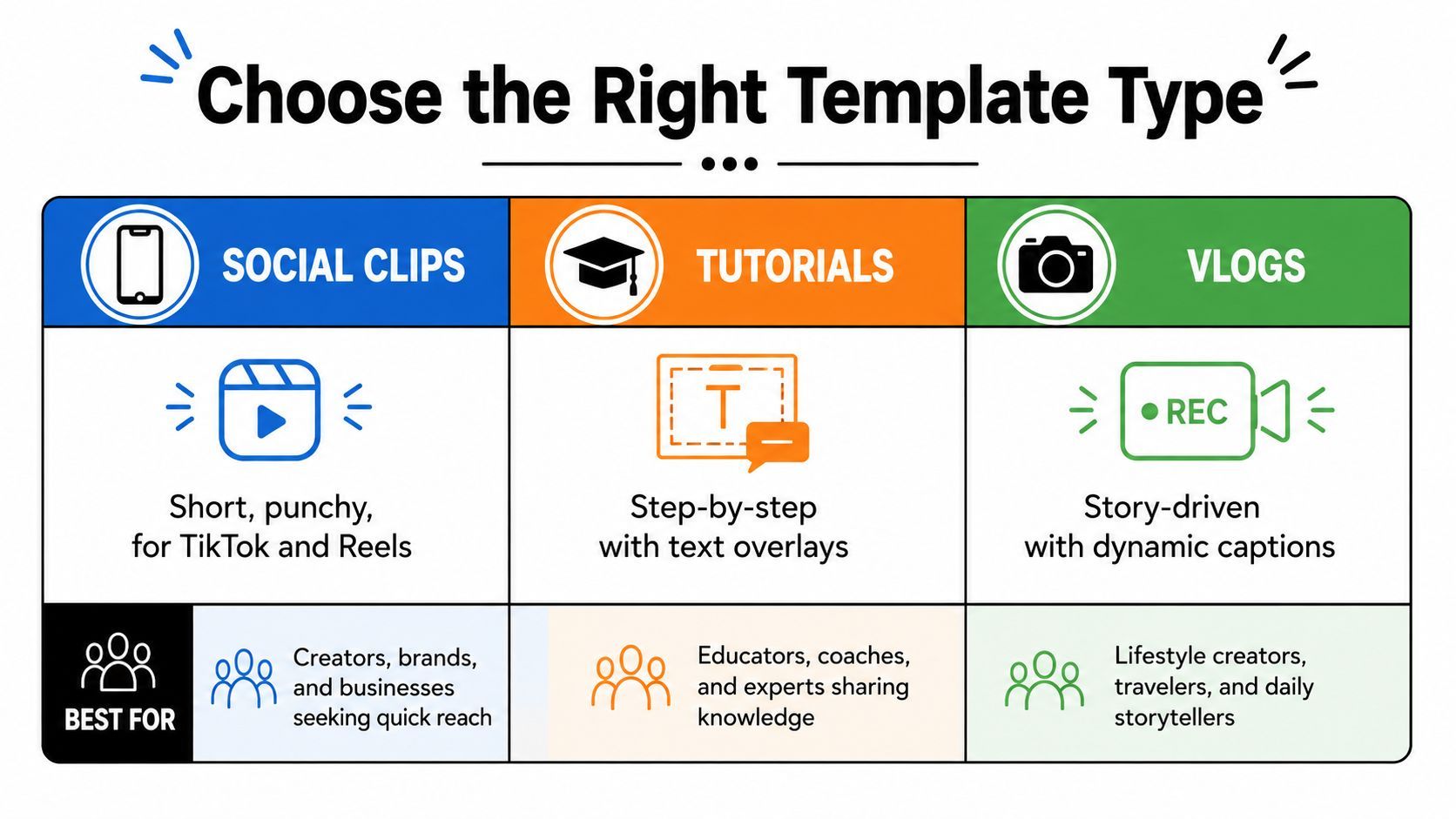
A hook-driven template fits videos that need the opener to do the heavy lifting. Use it for scroll-stopping clips where the first frame, first line, and first caption have to land quickly. A tutorial template is a better fit when the viewer needs orientation, because built-in step markers and text overlays keep the sequence readable without forcing the audience to guess what comes next.
Ad templates serve a different goal. They need room for proof, offer, and call to action, so the layout has to support each element without making the editor cram every message into one beat. Series templates sit in another lane, because the value is episodic consistency, not surprise or one-off spectacle.
Format also changes pacing. TikTok usually rewards tighter cuts, while YouTube Shorts can tolerate a little more breathing room if the structure stays clear. The right template is the one that fits the story the content needs to tell, not the one with the flashiest motion in the library.
Use script structure as a filter
Script shape gives you the cleanest filter. If the script has a strong opener and a quick payoff, a social clip template usually fits best. If the script unfolds in steps, a tutorial or explainer structure keeps the viewer oriented and reduces the risk of scenes drifting out of order.
For creators who need help mapping scripts to output, TransClipper script analysis for creators is useful because it forces the conversation around structure, pacing, and beat placement before editing starts. That matters because template failure often begins at the script level, long before anyone notices a problem in the timeline.
The best template type is the one that makes the content easier to understand. If the structure fights the message, viewers feel the friction immediately.
Customizing Templates While Preserving Brand Consistency
A template can look great in preview and still fall apart across exports if the brand system isn't locked down. The problem usually isn't design taste, it's inconsistency in text treatment, spacing, caption behavior, and platform adaptation. Once a team starts producing at volume, those small differences show up fast.
What editable should actually mean
Editable doesn't mean anything can move anywhere. In a working template, scenes, text, and motion layers should each have clear rules, so the creator knows what can change and what must stay fixed. That keeps the structure intact when the same project is repurposed for TikTok, YouTube, Instagram, or X.
Brand consistency depends on discipline. Use the same color values, text styles, and caption presets every time, and protect the master file so people duplicate it instead of editing the original. If the base file gets overwritten, the whole system becomes hard to trust.
The production sequence that keeps exports aligned
The repeatable workflow is simple once it's set up:
- Duplicate the master so the original stays untouched.
- Paste the approved script into the scene modules.
- Add narration and check whether the voice matches the pacing.
- Place footage while preserving the intended timing markers.
- Generate captions and verify line breaks, safe margins, and readability.
- Run QC for brand colors, cropping, and alignment.
- Export and archive using consistent filenames and platform-specific settings.
That sequence sounds basic, but it prevents the most common scale problem, which is drift. A template that drifts from one export to the next is no longer a template, it's just a loose starting point.
Reusability across aspect ratios
Aspect ratio is where many templates break. A layout that feels clean in one format can bury text, crop faces, or push captions into unsafe areas when adapted elsewhere. That's why safe margins, export presets, and platform checks need to be part of the template, not something handled after the edit is almost done.
The practical test is whether the same modular design can survive repurposing without a full rebuild. If the answer is no, the template is too fragile for scaled production. Strong brand systems don't rely on luck, they rely on guardrails.
Integrating Templates into an AI-Powered Production Pipeline
Templates pay off when they sit inside a production pipeline that handles the repetitive work around them. Script drafting, asset generation, scene assembly, captioning, and version control all become easier when the template is one step in a larger system, not the whole system. That is the point where recurring ideas start turning into consistent output without forcing editors to rebuild the same structure every time.
The pipeline does the boring parts first
A practical AI workflow can move a concept from rough idea to publishable draft faster than a manual stack of disconnected tools. Platforms like ShortGenius bring scriptwriting, image generation, video assembly, and natural voiceovers into one place, then add fast trim, captions, resize, scene and voice swaps, and brand kit application. That matters because the template does not have to carry every repetitive task on its own.
Coordination is what keeps the process usable at scale. When script, visuals, and narration live in the same system, the editor spends less time fixing asset mismatches and more time making judgment calls about pacing, emphasis, and where a scene needs motion. The benefit is operational; the template stops acting like a static file and starts behaving like part of working production infrastructure.
Organizing work around series and distribution
Template-driven teams also get more control by organizing content into themed series. A repeatable series makes it easier to standardize intros, pacing, and CTA behavior while still changing the topic or angle from one post to the next. It also keeps scheduling cleaner across channels, because the same core structure can be adapted for TikTok, YouTube, Instagram, Facebook, and X without rebuilding each asset from zero.
A template only helps if it stays editable in the right places. Scene structure should be easy to swap, text should be easy to rewrite without breaking layout, and motion layers should be adjustable without making every export look off-brand. That is the ownership gap many guides skip, consistency has to hold across exports, not just inside the editing file.
A final operational filter helps here. If a template cannot be reused across aspect ratios, or if changing one scene forces a manual rebuild of captions, timing, or brand elements, it is too brittle for a real production line. Use ShortGenius where the workflow needs speed, but keep the template responsible for brand structure, export consistency, and the parts of the edit that should stay under control from version to version.
Avoiding the Template Trap That Kills Content Performance
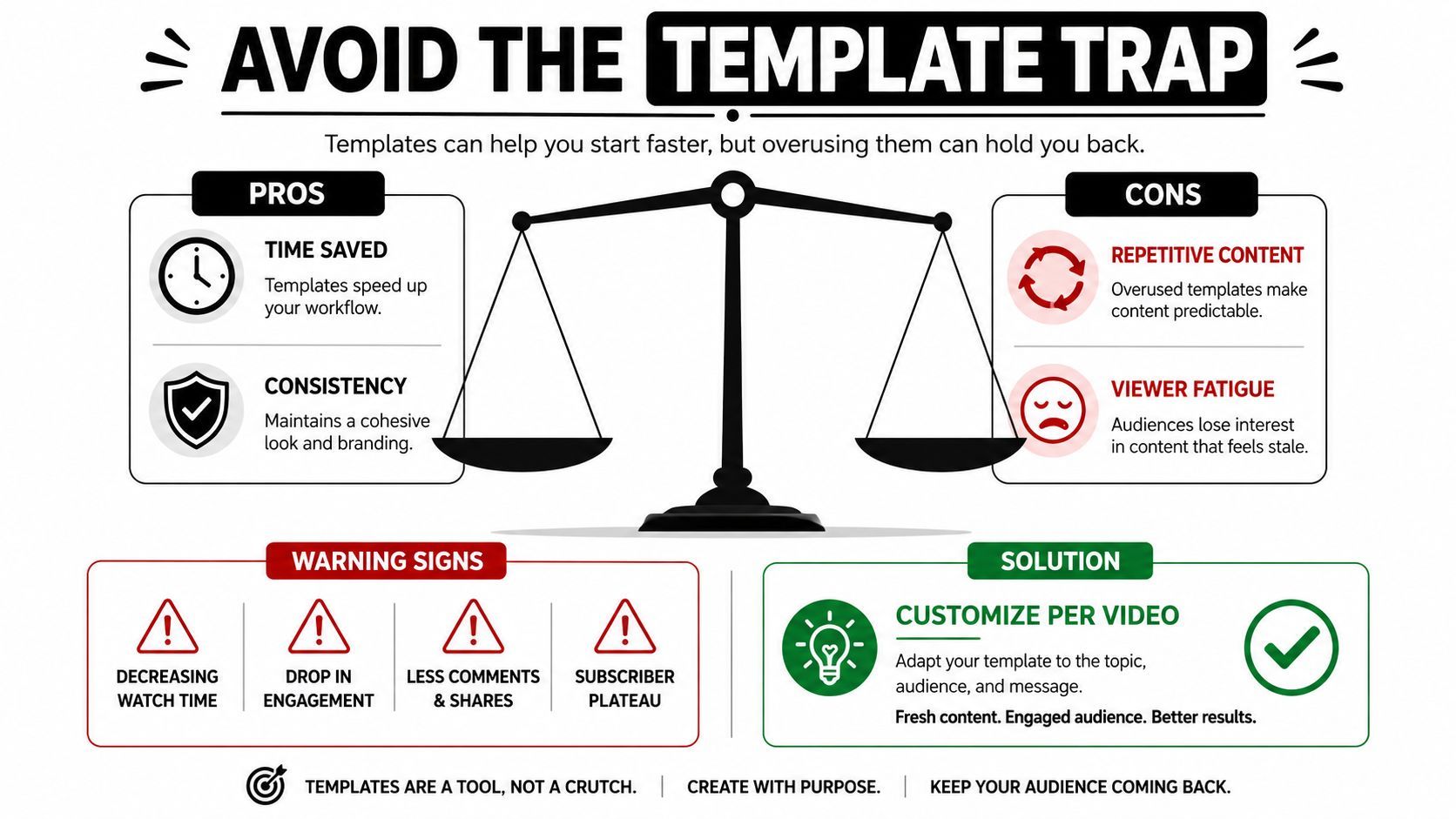
Templates save time, but they can also flatten content if every post starts to feel like a copy of the last one. Audiences notice repetition quickly, especially in short-form video where the scroll is the competition. The danger isn't efficiency, it's sameness.
When templates help and when they hurt
Camera-angle templates and preset libraries can be useful when they support story flow instead of replacing it. Some angle packs speed up production because the creator already knows which visual language fits the message. But when the angle is chosen mechanically, the video starts to feel formulaic, and the content loses the variation that keeps people watching.
The same is true for motion. A template should help the edit feel coherent, not make every post move the same way. If every hook opens with the same animation, the same caption placement, and the same pace, viewers adapt and stop noticing it.
Warning signs that the system is stale
Two signals usually show up before performance slips further. The first is decreasing watch time. The second is a visible drop in engagement across otherwise similar posts.
Use those signs as a cue to change the structure, not just the topic. Rotate hooks, vary the visual pattern, and break the template when the content deserves a different treatment, especially for launches, high-stakes ads, or brand moments that need more originality than the standard series format can provide.
Solution: customize per video. Keep the core structure, but vary the opening, visual rhythm, and emphasis so the template supports the message instead of swallowing it.
That approach preserves the efficiency gain without turning the feed into a loop. Templates work best when they create consistency at the system level and variation at the creative level.
If you're building a template workflow that has to hold up across brand teams, aspect ratios, and repeated exports, start with a system that can be reused, not just a design that looks finished. Try ShortGenius (AI Video / AI Ad Generator) if you want one place to draft, assemble, brand, and schedule short-form video without rebuilding the same edit every time. The right setup makes your template library usable under real production pressure, not just impressive in a demo.