Turn Link Into Video: 2026 Guide

Discover how to turn link into video with our 2026 guide. Leverage AI for scriptwriting, visuals, editing, and automated publishing to maximize content reach.
You already have more video ideas than you think.
They’re sitting in old blog posts, landing pages, product pages, newsletter archives, help docs, and social threads that performed well once and then went quiet. The problem isn’t a lack of source material. It’s the gap between “this link has value” and “this is now a polished short-form video that’s published everywhere it should be.”
That gap used to mean rewriting, storyboarding, editing, resizing, captioning, scheduling, and repeating the whole process for every platform. That’s why a lot of good written content never becomes video at all.
A better workflow is to turn link into video with a system. One URL becomes a script, then scenes, then voice, then a finished asset, then a series adapted for multiple channels. When that process is tight, repurposing stops feeling like extra work and becomes a powerful advantage.
Why Every Link is a Goldmine for Video Content
Most creators and marketing teams are stuck in the same loop. They know video matters, but they treat every new video as a blank-page problem.
That’s expensive in time and attention. A strong article already contains the hard part: the insight, structure, objections, proof points, and call to action. If the page earned clicks once, it probably has enough signal to become a useful short video, carousel, ad, or series.
The urgency is real. By the end of 2025, video content is projected to account for 82% of all internet traffic, according to video marketing statistics compiled by Marketing LTB. If you’re still leaving strong links in text-only form, you’re leaving a large share of online attention untouched.
Strong links already contain the raw material
Not every URL deserves a video. But many do.
The best candidates usually have one or more of these traits:
- Clear payoff: The page solves a narrow problem quickly.
- Built-in tension: It answers a question people already care about.
- Skimmable structure: Headings, bullets, examples, or FAQs make extraction easier.
- Commercial intent: Product pages, comparison pages, and service pages often convert well when repackaged visually.
A high-performing link also gives you multiple video angles. One article can become a hook-first short, a myth-busting cut, a problem-solution edit, and a CTA-driven version for retargeting.
Practical rule: Don’t ask, “Can this article become a video?” Ask, “Which 15-second, 30-second, and 60-second promises are buried inside this URL?”
Why repurposing beats constant reinvention
Starting from zero is slower and usually worse. Existing links have already survived contact with the audience.
That matters because short-form video rewards clarity fast. You don’t need to invent new expertise every day. You need to package proven material in a format people will watch.
The teams that do this well don’t just make one video from one link. They build a repeatable engine from source content they already own.
From URL to Script The AI-Powered Foundation
The script decides whether the video works. If the script is weak, better visuals won’t rescue it.
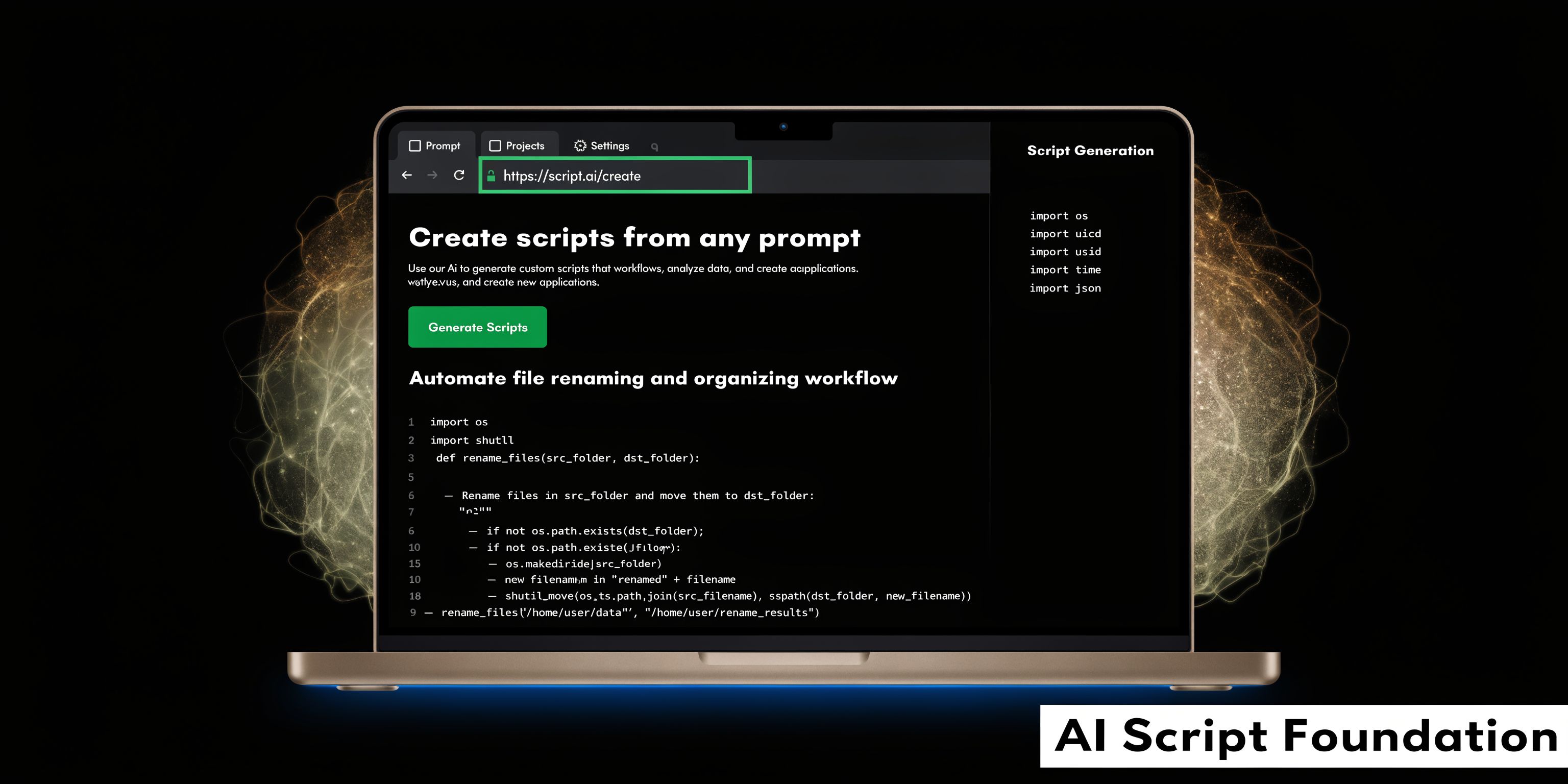
The good news is that URL extraction has become much more reliable on well-structured pages. The link-to-video process begins with input extraction, where an AI scriptwriter uses an LLM to scrape and summarize content into a 60 to 180 second script, and accurate extraction exceeds 90% on structurally sound web pages, as noted in Wistia’s video marketing statistics.
A typical script workspace looks like this:
Pick links that are easy to extract and easy to watch
A messy source page creates a messy script.
Before pasting a URL into any AI workflow, check the page like an editor:
| What to check | Why it matters |
|---|---|
| Clear headline and subheads | The model can detect the narrative spine faster |
| Obvious key points | Strong takeaways become scene beats |
| Minimal clutter | Popups and buried content can muddy extraction |
| One main promise | Mixed intent leads to rambling scripts |
Pages with a single job usually perform best. “How to do X,” “best way to solve Y,” and “what to avoid when buying Z” translate better than broad thought pieces with no central takeaway.
Don’t accept the first summary
Quality often declines here. They paste a URL, get a summary, and call it a script.
A summary is informational. A script is directional. It needs pace, contrast, and a reason to keep watching.
Use a tighter structure instead:
- Hook first: Lead with the most painful problem, strongest claim, or sharpest misconception.
- One core promise: Keep the video about one useful outcome.
- Three beats max: More than that and the edit gets bloated.
- Direct CTA: Tell viewers what to do next, even if it’s just “save this” or “read the full breakdown.”
Rewrite for spoken language
Web copy and spoken copy aren’t the same. Sentences that read fine on a page often sound stiff in a voiceover.
Cut what looks smart but sounds unnatural. Replace formal transitions with plain speech. Use shorter clauses. Put the main point at the front of the line.
If a sentence takes effort to read out loud, it will usually take effort to watch.
A reliable test is to read the generated script at speaking speed. Anywhere you stumble is a likely drop-off point.
Here’s a useful benchmark video on thinking through script flow and production choices before you move into scenes:
Turn one URL into a script pack
One extracted script is fine. A script pack is better.
From the same article, create variations such as:
- Hook-led cut: Starts with the pain point.
- Contrarian cut: Challenges a common assumption.
- List cut: Breaks the idea into steps.
- CTA cut: Built for traffic or sign-ups.
That gives you optionality before editing starts. It also keeps you from overcommitting to a single angle that may not fit every platform.
Generating Captivating Visuals and Voiceovers
Once the script is solid, production gets easier. Not automatic, but easier.
Most weak AI videos fail here. The narration says one thing, the visuals say another, and the whole video feels assembled instead of directed. Good output comes from matching visual style and voice tone to the promise of the script.
Match the visual style to the content type
A product explainer, creator rant, educational short, and founder story shouldn’t look the same.
Use the script to decide what kind of footage you need:
- Instructional scripts usually need screen captures, UI close-ups, text overlays, and simple motion graphics.
- Story-driven scripts benefit from cinematic b-roll, AI-generated scenes, and more atmospheric pacing.
- Commercial scripts often work best with product visuals, before-and-after framing, testimonials, and direct benefit overlays.
A mixed asset strategy proves most effective. Pull from stock when you need speed. Generate custom scenes when the concept is too specific or the brand needs a distinct look. If the article talks about workflow bottlenecks, generic office footage may be enough. If it talks about a very specific product use case, custom visuals usually land better.
A useful setup pairs scene types across the script:
| Script moment | Best visual approach |
|---|---|
| Hook | Bold text animation or high-contrast opening shot |
| Problem | Relatable b-roll or UI friction moment |
| Solution | Clean demo sequence or generated product scene |
| CTA | Branded end card or direct on-screen instruction |
This kind of mapping keeps the video from feeling random.
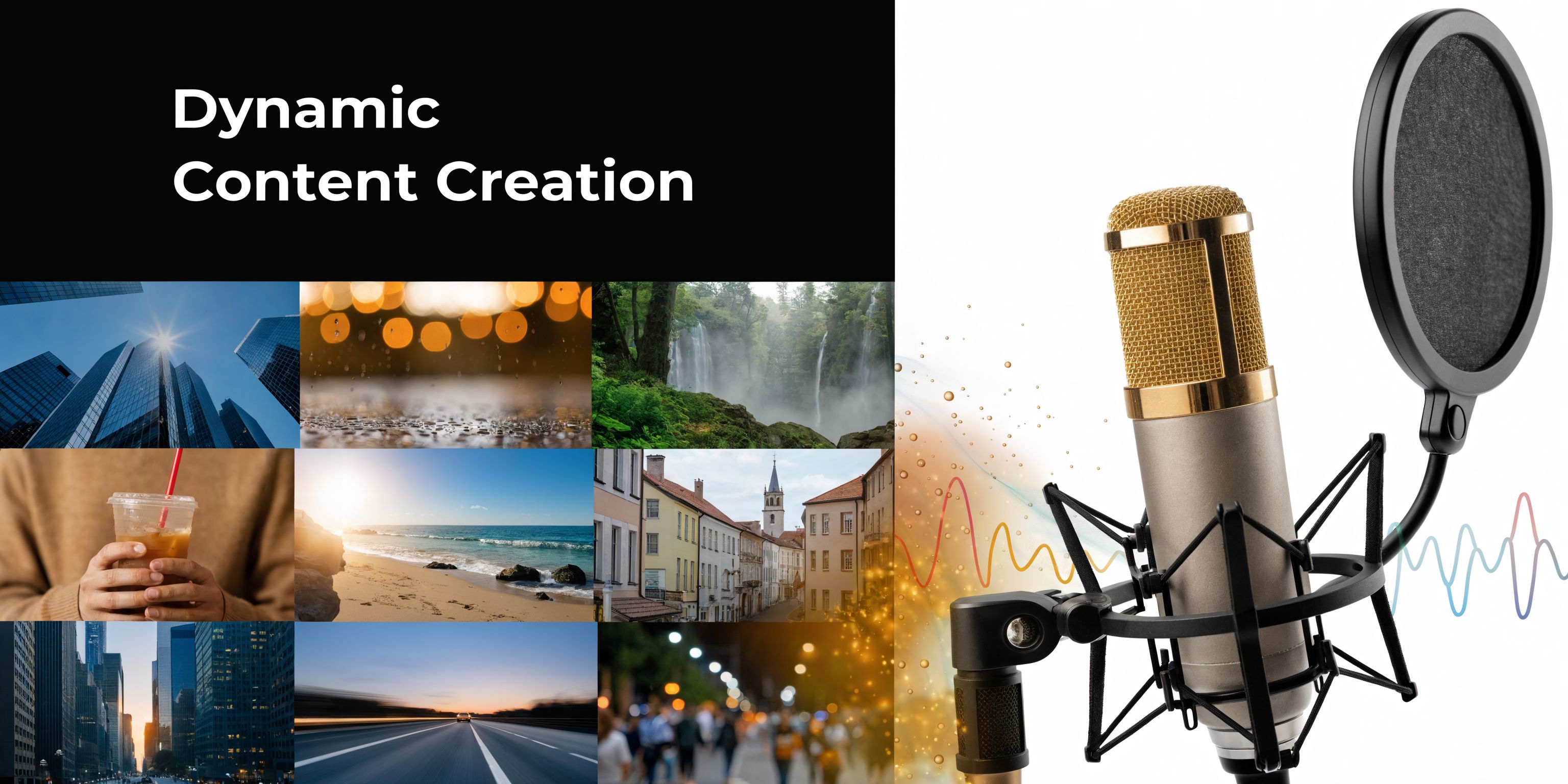
Here’s the kind of creative workspace you’re aiming to build:
Choose a voice that fits the message
Voiceovers can make a polished edit feel credible, or immediately synthetic.
The wrong voice usually misses in one of four ways. It’s too cheerful for serious content, too flat for a fast social cut, too formal for creator-led material, or too slow for the script’s pace.
When selecting an AI voice, listen for:
- Cadence: Does it move at the speed your platform expects?
- Tone: Does it sound instructional, conversational, premium, urgent?
- Pronunciation: Product names and niche terms often need manual checking.
- Breathing room: A natural pause often matters more than a fancy voice.
Build consistency, not just quality
A lot of creators chase “best possible” visuals on every scene. That’s usually a mistake.
Consistency beats isolated brilliance. If one shot looks hyper-realistic, the next looks like stock footage, and the next looks like an abstract AI render, the video feels unstable. Better to commit to a coherent visual family across the whole piece.
Producer mindset: Pick a lane for each video. Clean demo. UGC-style. Motion graphic explainer. Cinematic ad. Mixed styles are fine when they’re intentional.
A practical shortcut is to save style presets by content type. One for educational posts, one for product pages, one for direct-response cuts. That keeps batch production fast without making every video identical.
Assembling and Polishing Your Video in Minutes
Editing used to be where repurposing slowed down. You had the script, the voice, the footage, and then lost half a day on timeline work.
That’s no longer necessary for most short-form output. The fastest workflows are template-driven, with just enough manual control to fix pacing, emphasis, and visual mismatches.
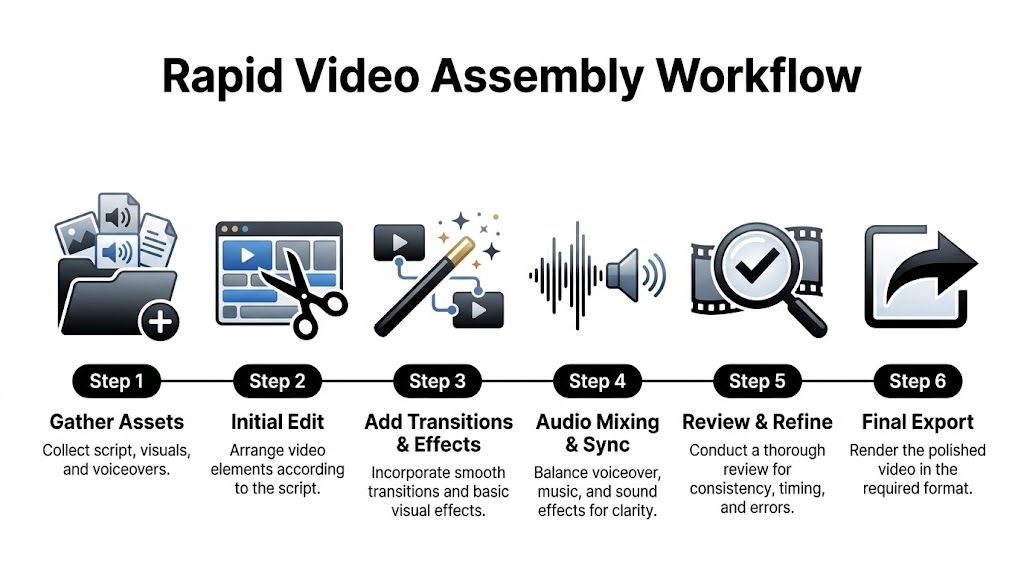
This workflow is the right mental model:
Start with timing, not decoration
A lot of people open the editor and immediately tweak fonts, transitions, and effects.
Don’t. Start by making the edit watchable.
That means:
- Lock the voiceover timing
- Fit scenes to spoken beats
- Trim dead air
- Remove any visual that needs too much explanation
If a scene doesn’t communicate in a glance, it’s probably too slow for short-form. Replace it.
Captions are part of the edit
Captions aren’t a final add-on. They’re part of the storytelling.
Good captions do three jobs at once. They help silent viewers follow along, they emphasize key words, and they give the eye something to track during quick cuts. The best caption styling is readable first and branded second.
A simple caption checklist works well:
- Keep contrast high: Fancy doesn’t matter if mobile viewers can’t read it.
- Emphasize selectively: Highlight only the words that carry the beat.
- Break lines naturally: Don’t split phrases in awkward places.
- Match the pace: Captions that lag behind the voice create friction.
Use presets to speed up polish
Modern video tools offer the greatest time savings. Camera moves, zooms, punch-ins, scene swaps, auto-resize, and text treatments shouldn’t require rebuilding from scratch every time.
The trick is knowing what to automate and what to check manually.
| Safe to automate | Needs human review |
|---|---|
| Basic caption generation | Hook wording |
| Aspect ratio resize | Visual relevance |
| Brand colors and fonts | CTA clarity |
| Scene transitions | Final pacing |
| Silence trimming | Pronunciation and timing |
Automation handles the repetitive layer well. The human layer still matters most at the beginning and end of the edit.
A fast workflow isn’t about removing judgment. It’s about saving judgment for the moments that actually affect performance.
Know when to stop editing
Overediting is common in AI-assisted video production. People keep swapping scenes and adding effects because the tools make it easy.
If the hook is clear, the message lands, the pacing moves, and the CTA is visible, publish it. Short-form rewards volume with standards, not perfectionism with delays.
Optimizing for Platforms and Automating Distribution
A finished video isn’t finished until it’s packaged for the place it’s going.
Many “turn link into video” workflows break down at this stage. The source article gets converted well, the edit looks decent, and then the same file gets dumped onto every platform with the same framing, same title style, same thumbnail logic, and same CTA. That leaves reach on the table.
Here’s the distribution mindset you want:

Package for the feed, not just the file
The video itself is only one layer. The package around it drives whether anyone clicks, watches, or acts.
That matters because businesses that use video marketing grow revenue 49% faster year-over-year than those that don’t, lead-gen forms can yield up to a 25% conversion rate from viewers, and A/B testing thumbnails can increase click-through rates by 49%, according to Web Ascender’s video content strategy guidance.
Those gains don’t come from exporting a file and hoping for the best. They come from matching packaging and conversion design to each platform.
Adjust the content shape by channel
Different platforms reward different expectations.
- TikTok and YouTube Shorts: Usually want a hard hook immediately, tighter pacing, and vertical framing that keeps the subject centered.
- Instagram feed placements: Often benefit from stronger on-screen text and visually cleaner cover selection.
- Facebook and X: Need context fast because viewers may encounter the clip in a more mixed-content environment.
- LinkedIn: Usually performs better when the framing is more insight-led and less trend-chasing.
The underlying video can stay similar. The first line, cover frame, caption copy, and CTA often should not.
Build series, not isolated posts
One source link should rarely become one post.
A better approach is to split one article into a small series:
| Series format | What it does |
|---|---|
| Problem clip | Names the pain point |
| Solution clip | Gives the core fix |
| Objection clip | Handles skepticism |
| CTA clip | Sends viewers to the article, offer, or page |
Automation acts as a force multiplier. Once you’ve generated the source assets, scheduling each version across multiple channels creates consistency without extra daily effort.
Automate the publishing layer carefully
Auto-distribution works best when the inputs are already organized.
Set up your workflow around reusable rules:
- Create platform-specific export presets
- Save title and description frameworks by content type
- Queue posts by series, not one-off files
- Review the first frame before scheduling
- Make CTA placement consistent
The point isn’t to remove oversight. It’s to avoid doing the same manual admin work every time.
The biggest gain from automation isn’t speed inside one video. It’s staying consistent across weeks of publishing without rebuilding your process each morning.
When this is working, a single URL can turn into a coordinated batch. One extraction session. A few edits. Multiple outputs. Scheduled distribution. That’s how written content starts compounding again instead of sitting in archive folders.
Sidestepping Common Link-to-Video Conversion Traps
The common belief is that turning a link into a video is mostly a summarization problem. It isn’t.
Problems show up in fidelity, pacing, tone, and context. A tool can extract text and still produce a weak video. That’s why some generated clips look polished at first glance but fail as soon as you compare them to the original page.
The script sounds accurate but dead
This happens when the model preserves information but loses human emphasis.
You’ll see it in videos that explain everything evenly. No contrast. No urgency. No reason to keep watching. The fix is usually manual, not technical. Rewrite the hook, cut abstract language, and choose one emotional angle for the piece.
If the source page is dense, don’t force every idea into one clip. Break it into separate videos.
The visuals are technically fine but strategically wrong
A smooth edit can still miss because the imagery undercuts the message.
For example, a serious SaaS walkthrough paired with generic lifestyle footage creates distance. A DTC product page turned into abstract AI art can feel evasive. If viewers need evidence, show proof. If they need clarity, show the process.
Dynamic pages often break the workflow
This is a trap many workflow designers don’t anticipate. Current tools tend to work well on static content but often fail to capture JavaScript-driven interactions from dynamic URLs, and review-site complaints show a 68% dissatisfaction rate around fidelity loss, as described on HeyGen’s URL-to-video page.
That’s a major issue for e-commerce, SaaS, calculators, dashboards, and any page where meaning depends on interaction.
What to do instead
For dynamic pages, use a hybrid method:
- Capture the static page copy for extraction.
- Record the live interaction manually if clicks, filters, or hover states matter.
- Feed the AI a clean summary of what the interaction is supposed to demonstrate.
- Check every product detail before publishing.
The safest approach for interactive pages is to treat AI extraction as a draft, not a final representation.
Audio mistakes kill trust fast
Bad pacing, mispronounced terms, and awkward pauses make viewers scroll before the value lands.
Do a final listen without looking at the screen. If the voice alone sounds unnatural, fix that first. Most viewers will tolerate simpler visuals before they tolerate bad audio.
Your Questions on Link-to-Video Answered
What kind of links make the best short-form videos
Start with links that have a single clear takeaway. Tutorials, product pages, comparison pages, and strong opinion pieces usually adapt better than broad homepage copy.
How long should the final video be
Short enough to keep one idea clear. If the article covers several ideas, split it into a series instead of forcing everything into one cut.
Can highly technical articles still work
Yes, but only if you simplify the framing. Don’t translate the whole article line by line. Pull out one practical problem, one useful explanation, or one misconception to correct.
Should you use content from a link you don’t own
Be careful. If you don’t own the content or don’t have permission, don’t turn someone else’s work into a video asset as if it were yours. At minimum, review rights, attribution requirements, and platform rules before publishing.
How do you measure whether the process is working
Use the same business logic you’d apply to any content system. Look at whether the videos are attracting qualified attention, driving clicks, supporting conversions, or feeding a larger publishing cadence. The right metric depends on whether the source link is educational, commercial, or meant to generate demand.
What’s the smartest way to start
Pick one proven article, create several script angles from it, produce a small batch, and publish consistently. A repeatable workflow beats a heroic one-off project every time.
If you want one workspace that handles scriptwriting, visuals, voiceovers, editing, resizing, series organization, and auto-publishing, take a look at ShortGenius (AI Video / AI Ad Generator). It’s built for creators and teams who want to turn links into consistent multi-channel video output without stitching together a dozen separate tools.