Mastering Tilt Camera Movement for Cinematic Video

Learn how to use tilt camera movement to create dynamic, professional videos. This guide covers techniques, common mistakes, and tools to elevate your shots.
At its core, a tilt camera movement is incredibly simple. Just imagine nodding your head up or down—that's it. The camera stays in one spot but pivots vertically on its axis. It’s one of the most fundamental tools in a creator’s toolkit, used to guide the viewer’s eye and tell a story along a vertical line.
What Is a Tilt Camera Movement and Why It Matters
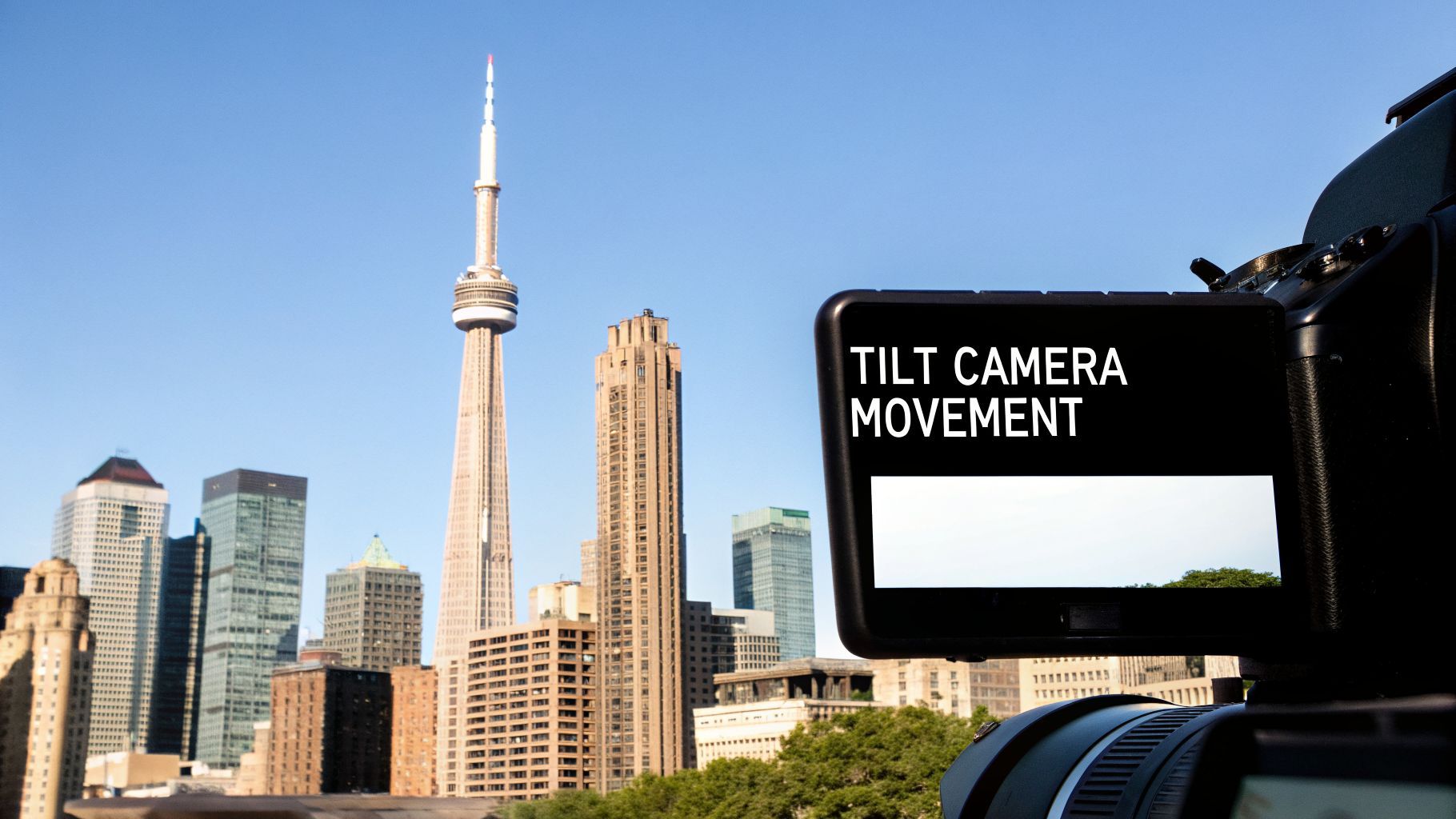
Think of the tilt camera movement as a visual whisper that directs your audience's attention. While a pan scans the horizon (like shaking your head 'no'), a tilt explores what's above and below. This vertical sweep is your secret weapon for revealing a subject's true height, creating a sense of jaw-dropping scale, or slowly ratcheting up the suspense.
When you tilt the camera up, you instantly make a subject feel powerful, grand, or intimidating. Picture a shot that starts at a villain’s polished shoes and slowly tilts up to reveal a confident, menacing smirk. It’s a classic move for a reason. On the flip side, tilting down can make a subject seem small, vulnerable, or defeated—like looking from their sad face down to the scuffed-up floor.
The Power of Vertical Storytelling
A tilt isn't just about moving the camera; it’s about controlling the narrative. You get to decide what the audience sees and, just as importantly, when they see it. A well-timed tilt can completely change the feeling of a scene.
Here's what it can do for you:
- Establish Scale: A slow tilt up a skyscraper or a giant redwood tree immediately communicates immense size in a way a static shot never could.
- Build Suspense: By starting on something mundane and tilting up to reveal a threat lurking just out of frame, you create instant tension.
- Guide Focus: You can effortlessly draw your viewer's eye from a character's hands to their face, connecting two points of interest in one fluid motion.
- Convey Emotion: Tilting up can create a feeling of hope or aspiration, while tilting down often signals despair, disappointment, or introspection.
The tilt is a foundational piece of our visual language. Its ability to play with perspective and reveal information vertically makes it an absolutely essential tool for anyone telling stories with a camera.
A Modern Essential
This isn't just some old-school film technique. Since the early 2000s, the use of tilt shots has exploded by an estimated 340% in advertising and social media. That's no surprise, as tilts make up roughly 15-20% of all camera movements in short-form videos where you need to establish a scene quickly and effectively. You can dig into more of the data behind modern camera movements on StudioBinder.
Today, with tools like gimbals and sophisticated drones for cinematography, executing a perfect tilt is easier than ever. This accessibility has made the tilt a go-to move, especially in the vertical-first world of TikTok and Instagram Reels.
The Psychology of Tilting for Emotional Impact
A camera tilt is so much more than just a technical move. It's a storytelling tool that taps directly into your audience's feelings. When you tilt the camera, you're not just showing something new; you're guiding the viewer's eye and, more importantly, their emotions. You're telling them how to feel—whether it's awe, fear, or defeat—all without a single line of dialogue.
And it’s not just a hunch from seasoned directors; we can actually measure this stuff. Slow, methodical tilts have been shown to increase emotional engagement by as much as 34% when compared to a static shot. What's more, our brains are wired to react to vertical motion. Neuroscience research has found that quick tilts trigger our motion-detection systems more intensely than a horizontal pan, putting roughly 82% of viewers on high alert. You can dive deeper into the psychology of camera work on RocketHousePictures. This data just puts numbers to what filmmakers have always known: the way you move the camera is how you move the audience.
Tilting Up for Awe and Power
Want to make a character feel powerful, heroic, or just plain awesome? A slow tilt-up is your go-to move. Imagine starting the shot at your subject's feet and gradually revealing them until you land on their determined face. This motion physically forces the viewer to look up, making the character feel larger than life.
- Inspiring Hope: Tilting from a person's face up towards a bright, open sky is an instant shot of optimism. It’s a visual shorthand that conveys hope or relief to 78% of viewers.
- The Big Reveal: This is perfect for unveiling something massive. Think of a towering skyscraper, a majestic waterfall, or a superhero about to take flight. The slow reveal builds anticipation and delivers a huge emotional payoff.
Tilting Down for Suspense and Vulnerability
On the flip side, tilting down creates the opposite effect. It's a fantastic way to generate suspense or make a character feel small, defeated, or trapped. Moving the camera downwards shrinks the subject in the frame and can completely shift the emotional tone of a scene.
When the camera tilts down from a character's face to an object in their hands, it creates a powerful connection. It tells the audience, "Pay attention, this is important," focusing their emotional energy on that single detail.
This is the perfect technique for revealing a clue on the floor, showing a character's slumped shoulders in defeat, or creating a creeping sense of dread. A tilt from a nervous face down to a ticking bomb on a table is a classic for a reason—it works, and it ramps up the tension immediately.
The Whip Tilt for Energy and Disorientation
Of course, not all tilts are slow and graceful. The whip tilt (or "swish tilt") is a lightning-fast vertical pan that feels chaotic and full of energy. Instead of a smooth reveal, it’s a jarring blur of motion that mimics panic, confusion, or a sudden, shocking realization.
Use it to slam-cut between two scenes with a jolt of adrenaline or to put the audience inside a character’s chaotic mind. It’s an aggressive, in-your-face move that grabs attention, making it a great fit for high-impact social media clips.
How to Execute a Perfect Tilt Camera Movement
Pulling off a great tilt is one of those skills that immediately makes your work look more professional. The secret isn't a massive budget, but a bit of know-how. You can capture a beautiful, smooth tilt either directly in-camera as you shoot or create it later in your editing software.
Getting it right in-camera is all about achieving a perfectly smooth, controlled motion. This is where a fluid-head tripod becomes your most valuable tool. Unlike a standard photo tripod, a fluid head uses a liquid-dampening system to resist jerky starts and stops, giving you that silky, cinematic feel instead of a shaky, amateurish look.
To nail the shot with a tripod, frame your starting point, then your endpoint. Do a few practice runs without hitting record to get a feel for the pacing and pressure needed. The trick is to apply slow, even force on the handle, letting the fluid head do the work for you.
Mastering Your Equipment for a Smooth Tilt
If you’re shooting on the move, a tripod is obviously not an option. This is where a gimbal shines. A gimbal uses motors to stabilize your camera on three axes, so you can execute a perfect tilt even while you're walking or following a subject. Many gimbals even have pre-programmed modes to perform the tilt automatically with robotic precision.
Of course, the camera itself matters. Shooting with a 4K Ultra HD Camera gives you a ton of extra resolution to play with. That extra detail means you have more creative freedom, especially if you need to crop or reframe the shot in post.
Pro Tip: When you're tilting manually, breathe out slowly and use your whole arm to guide the movement from your shoulder, not just your wrist. This engages your core and helps you maintain a much steadier pace from beginning to end.
As you plan your shot, remember that the direction of your tilt has a huge impact on the story. A tilt up can inspire awe or show power, while a tilt down often builds suspense or reveals something important.
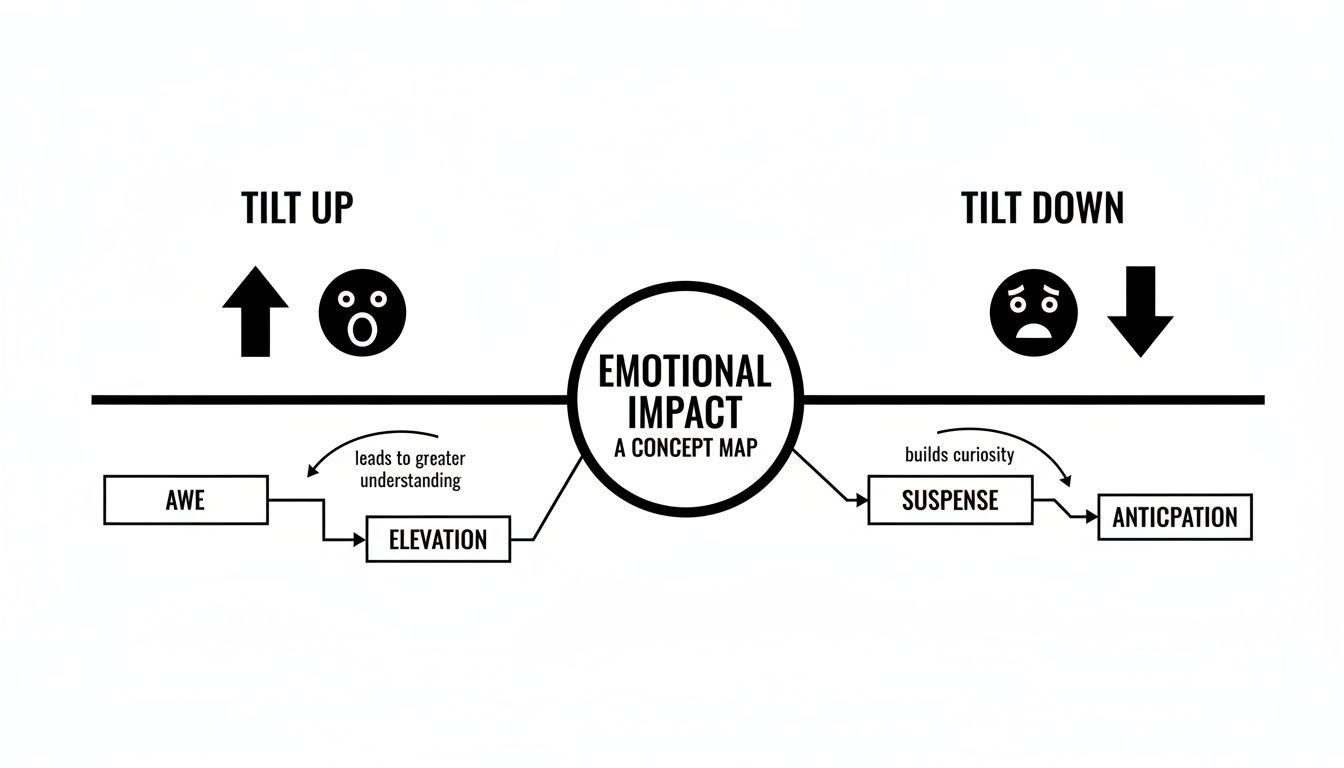
Think of it as a quick visual shortcut to guide how your audience should feel—whether they're looking up at a hero or down at a clue.
Creating a Tilt in Post-Production
Didn't get the tilt you wanted on location? Don't sweat it. You can fake a perfect tilt camera movement in post-production using keyframes, a fundamental tool in any video editing software. The key is to shoot a static, wide shot, making sure you have plenty of extra space above and below your main subject.
Here’s the basic workflow:
- Import your static clip into your video editor’s timeline.
- Set your starting point. At the beginning of the clip, create a keyframe for the "Position" or "Transform" property and adjust the frame vertically to where the tilt should begin (e.g., focused on a character's feet).
- Set your endpoint. Move the playhead to where you want the tilt to finish. Add a second keyframe and adjust the frame's vertical position to the final viewpoint (e.g., revealing the character's face). The software will automatically generate the smooth motion between these two points.
To help you decide which approach is right for your project, here’s a quick comparison of the different methods for executing a tilt.
Tilt Execution Methods Comparison
| Method | Equipment Needed | Pros | Cons | Best For |
|---|---|---|---|---|
| Tripod | Fluid-head tripod | Very smooth, professional results; precise control over speed and framing. | Requires a stationary setup; can be bulky. | Controlled environments like interviews, product shots, and architectural reveals. |
| Gimbal | 3-axis gimbal | Enables smooth tilts while moving; great for dynamic, tracking shots. | Steeper learning curve; requires balancing and battery power. | Action sequences, vlogging, and creating a sense of movement and energy. |
| Post-Production | Video editing software | Total control over speed and timing; can fix static shots; no special gear needed on set. | Requires shooting in higher resolution (4K+) to avoid quality loss; can look digital if overdone. | Fixing mistakes, low-budget projects, or animating still photos. |
| Software Tools | AI video generators | Extremely fast and easy; can create tilts from a single image. | Less creative control; potential for digital artifacts. | Creating engaging short-form content quickly, especially for social media. |
Each method has its place, and knowing the pros and cons helps you make the right call based on your gear, environment, and creative goals.
Thanks to a booming creator economy, these tools are more accessible than ever. The global camera stabilization market was estimated at $1.8 billion USD in 2023, and with over 2.1 billion mobile creators worldwide, smartphone gimbals are everywhere.
For creators looking to work even faster, some tools can create a digital tilt directly from a still photo. AI platforms offering image-to-video features can turn a static image into a short, dynamic video clip in seconds, which is perfect for social media. This software-first approach is a fantastic option for anyone trying to create compelling content without a big production.
Common Tilt Mistakes and How to Fix Them
It’s easy to think a tilt camera movement is foolproof, but a sloppy one can make your video look amateurish and pull your audience right out of the story. The good news? The most common mistakes are surprisingly easy to fix once you know what to look for.
The biggest giveaway of an inexperienced creator is a shaky tilt. It immediately shatters the illusion you're trying to create. That jittery motion, often from trying to tilt the camera by hand, just screams "amateur" and completely undermines the shot's impact.
Even if your shot is steady, there’s another classic mistake: inconsistent speed. A tilt that suddenly speeds up or jerks to a stop feels awkward and unnatural. You're aiming for a smooth, controlled motion, and any weird fluctuation can kill the suspense or the graceful reveal you were going for.
Fixing Shaky and Unsteady Tilts
The fix for shakiness is simple: stability. Your hands just aren't steady enough on their own, so you need to rely on the right gear.
- Use a Tripod: A good tripod with a fluid head is the gold standard for a reason. That fluid head provides a thick, smooth resistance that forces you to move the camera slowly and deliberately. It's the single best piece of equipment for getting a perfect tilt.
- Grab a Gimbal: If you need to tilt while you're moving, a gimbal is your best friend. Its motors actively cancel out your hand movements, letting you execute a buttery-smooth tilt even while walking. Many newer gimbals also have pre-programmed motion paths for flawless, robotic precision.
Don't fall into the trap of thinking you can just "fix it in post." While stabilization software has its place, it often creates bizarre warping effects or has to crop your image to hide the shake. It's always, always better to get a stable shot from the start.
Correcting Inconsistent Tilting Speed
Getting that constant, graceful speed is all about developing the right technique, whether you're behind the camera or in the editing suite. A stuttering tilt has no power.
When you're filming, it all comes down to muscle memory. Before you hit record, do a few practice runs. Guide the motion with your entire arm, not just a flick of the wrist. This gives you a much more stable and repeatable movement.
If you're creating the tilt digitally in post-production, the default "linear" keyframes are your enemy—they create a jarring, robotic start and stop. The secret is easing.
Think of it like driving a car. You don't just stomp on the gas and then slam on the brakes. You ease onto the accelerator and gently apply the brake for a smooth ride. That's what easing does for your keyframes.
- Ease Out: Apply this to your first keyframe. It creates a soft, gradual start.
- Ease In: Apply this to your last keyframe. It creates a gentle, smooth stop.
This one simple tweak will make your digital tilts feel ten times more organic and professional. Once you start planning your shots and focusing on smooth motion, you'll master the tilt camera movement in no time.
Creative Ways to Use Tilts in Your Videos
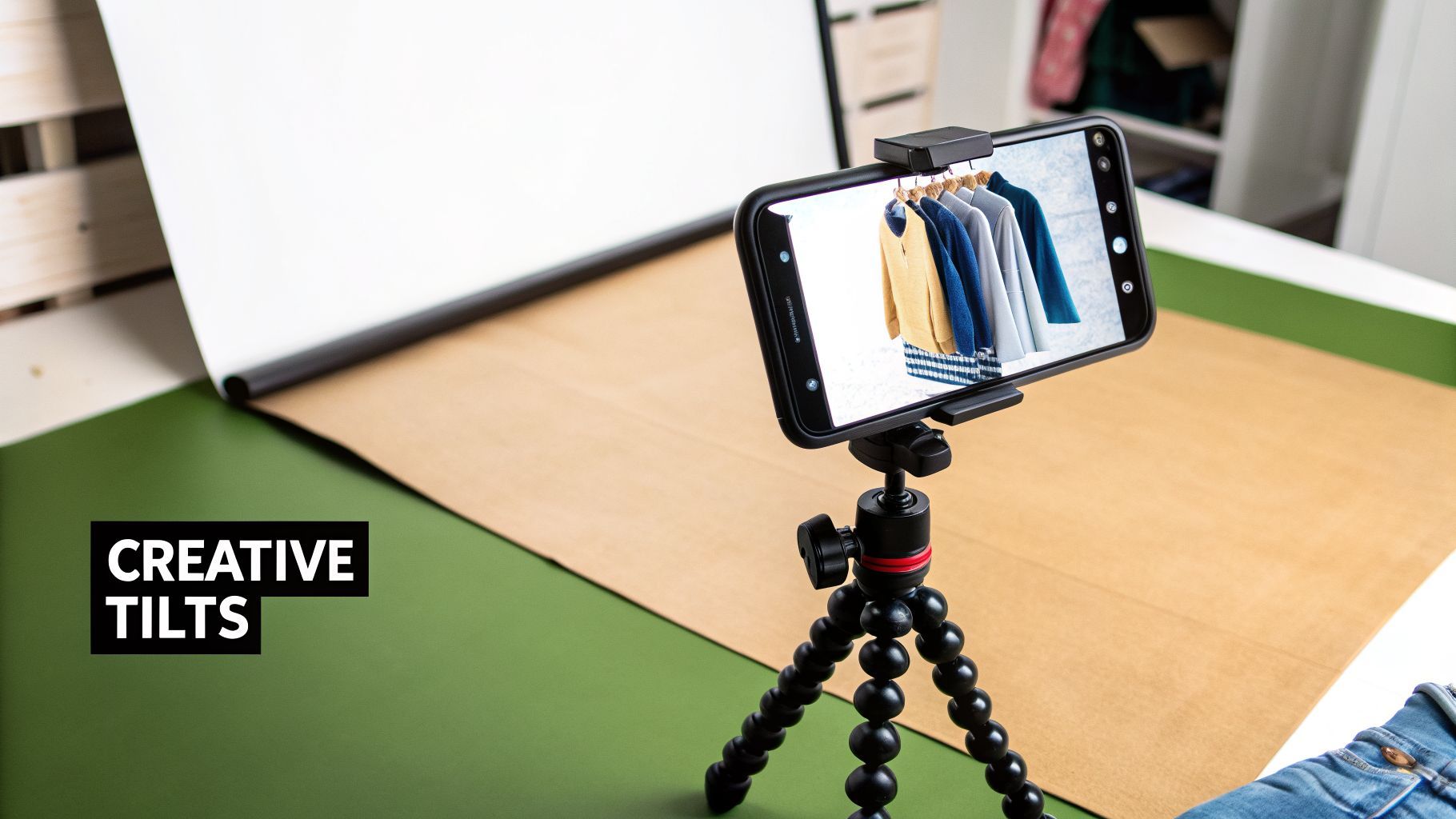
Okay, you get the technical side. But how does the tilt camera movement actually look in the wild? The best place to see it is on TikTok, Reels, and YouTube Shorts, where creators use tilts constantly to grab attention and tell a quick story.
Let's break down some of the most popular ways tilts are used. Once you see the thinking behind these trends, you can easily put your own spin on them for your content.
The Outfit or "Fit Check" Reveal
This one is a classic for a reason. You've seen it a hundred times: the camera points at someone's shoes, then glides upward in a slow, smooth motion to reveal their entire outfit, usually ending with a confident look to the camera.
Why does this work so well? First, it creates a tiny bit of suspense. Our brains are wired to want to see the whole picture, and that slow reveal keeps us hooked for those crucial first few seconds. Second, it's a brilliant way to guide the viewer’s eye, making sure they appreciate every detail, from the shoes to the pants to the jacket.
The Premium Product Showcase
A clean, steady tilt can make any product feel more valuable and sophisticated. Picture a shot that starts on the corner of a sleek box and then tilts up to dramatically reveal the high-tech gadget or luxury skin cream inside.
This deliberate movement signals importance. It tells your audience, "Hey, pay attention. This is special." It turns a simple product shot into a moment of discovery. For brands, this simple tilt camera movement adds a touch of class that can make an item feel far more premium. You can see this principle at play when an AI ad generator uses vertical motion to make static images feel dynamic and compelling.
A tilt is a storyteller’s best friend in vertical video. It uses the height of the frame to create a journey, turning a simple reveal into a captivating moment that holds a viewer's attention from bottom to top.
The Breathtaking Landscape Reveal
Travel creators live by this move. A video might open on the dusty ground or a friend's hiking boots, only to tilt up and unveil a jaw-dropping mountain peak, a colossal waterfall, or an endless city skyline.
This technique is all about conveying a sense of scale and wonder. It mimics the natural way we look up when we're in awe of something, instantly putting the viewer right there in the moment. It’s a powerful way to share that feeling of discovery.
Each of these examples uses the same fundamental idea: a simple vertical camera move is used to control information, build anticipation, and direct focus. Master the tilt, and you’ve got a surprisingly powerful tool for making your short-form videos stand out.
Automating Cinematic Movements with AI Tools
What if you could get a perfect, cinematic tilt camera movement without ever touching a tripod or gimbal? It sounds too good to be true, but a new wave of AI video tools is making that exact scenario a reality for creators everywhere. These platforms are completely changing how we can approach motion, especially when time and money are tight.
Instead of meticulously planning a shot on location, you can now film a simple, static clip and apply a flawless digital motion later. With just a few clicks in a platform like ShortGenius, you can add a smooth tilt-up, a dramatic tilt-down, or even a fast whip tilt. The software does all the heavy lifting, handling the complex keyframing that used to be a manual chore.
The Benefits for Modern Creators
The time savings alone are massive. Think about it: a shot that once demanded careful setup, multiple takes, and tedious editing can now be done in minutes. This is a huge deal for solo creators and small businesses trying to keep up.
More importantly, it levels the playing field. You no longer need thousands of dollars in equipment to get professional-looking results. A creator with just a smartphone can now add a motion that has the same buttery smoothness as a shot from a high-end gimbal. This freedom opens the door to so much more creative experimentation, since you don't have to worry about messing up the shot on set.
AI-driven camera movements aren't about replacing the art of cinematography; they're about making its powerful techniques accessible to anyone with a story to tell. It puts professional tools directly into the hands of millions of creators.
A Practical Scenario
Let’s say a small e-commerce brand wants to create a compelling social media ad for a new product. They shoot a quick, static video of the item sitting on a table. As is, the shot is pretty flat and uninteresting.
Using an AI tool, they can instantly apply a slow, elegant tilt-up that gradually reveals the product, giving it a premium feel. That one small change transforms a boring clip into a polished, engaging ad that looks far more professional. The whole process takes less than five minutes and requires zero technical skill.
For creators who need to produce a lot of content, these automated movements are an incredible asset. You can see how AI is changing the game by learning more about text-to-video generation and how it’s simplifying even more complex video workflows.
Your Top Questions About Tilts, Answered
As you start incorporating tilts into your videos, a few common questions are bound to come up. We've been there. Let's clear up some of the most frequent points of confusion so you can get back to creating.
This is your cheat sheet—quick answers to help you nail this technique without digging through the whole guide again.
What Is the Difference Between a Tilt and a Pedestal?
It's easy to mix these two up since they both involve vertical movement, but they create completely different effects. The key difference is whether the camera's base stays put.
A tilt is when the camera pivots up or down from a single, fixed spot. Think of it like nodding your head "yes." The camera itself doesn't move, it just changes its angle.
A pedestal, however, is when the entire camera physically moves up or down. Imagine riding an elevator. A tilt changes your angle of view, while a pedestal changes your entire viewpoint and elevation.
Can I Do a Good Tilt with Just My Smartphone?
Absolutely. If you're shooting in-camera, the best way to get a silky-smooth tilt is with a smartphone gimbal like the Insta360 Flow 2 Pro. The motorized stabilizer does all the hard work, eliminating the jitters and wobbles from your hands.
But honestly, if you don't have a gimbal, don't even try to do it by hand. You’ll get a much cleaner result by shooting a wider, static shot and creating the tilt camera movement digitally in your editing software. This gives you total control over the speed and smoothness, and it often looks far more professional than a shaky manual attempt.
A tilt is a storyteller’s best friend in vertical video. It uses the height of the frame to create a journey, turning a simple reveal into a captivating moment that holds a viewer's attention from bottom to top.
When Should I Use a Tilt Instead of a Pan?
So, when do you tilt, and when do you pan? It all comes down to what you're trying to show your audience and the story you want to tell.
- Choose a tilt to emphasize anything with verticality—height, scale, or power. It’s the perfect move for revealing a skyscraper, showing off a head-to-toe outfit, or connecting two things at the top and bottom of your screen.
- Choose a pan for anything horizontal. Use it to follow a subject moving across the screen, reveal a sweeping landscape, or introduce multiple people standing side-by-side.
Just look at your subject. Its orientation will almost always tell you which move to make.
Ready to create flawless camera movements without the expensive gear? ShortGenius uses AI to add cinematic tilts, pans, and zooms to your videos in seconds. Transform your static shots into dynamic, engaging content for social media with just a few clicks. Check out ShortGenius and start making professional-quality videos today.