Social Media Video Production: A Complete 2026 Guide

Master social media video production in 2026 with this complete guide. Learn planning, scripting, shooting, editing, and distribution workflows.
Monday morning starts with a familiar problem. You've got one idea, one camera setup, and three platforms waiting for TikTok, Instagram Reels, and YouTube Shorts. By lunch, you've either published a rushed clip everywhere or spent the entire morning resizing, captioning, and rewriting the same video.
That's the operational problem behind social media video production in 2026. Strong ideas still matter, but consistent distribution now depends on a repeatable system for planning, recording, editing, repurposing, and publishing. The teams that ship reliably don't treat every post as a separate production. They build one useful recording into a library of platform-ready assets.
Why Social Media Video Production Now Runs the Feed
A solo creator's Monday often looks less like filmmaking and more like traffic control. A TikTok draft needs a stronger opening, the Reel needs captions moved away from the interface, and the Short needs a new title card. Meanwhile, comments are generating possible follow-up videos, a client wants a product cutdown, and the original footage is still sitting in a camera roll.
That workload exists because short-form video has become the default content environment. A 2026 industry report says short-form video accounts for 58% of time spent on social media worldwide, while 94.6% of online adults watched online video during the previous 30 days according to Vidico's short-form video statistics report. The same source reports that global social media users spend about 2 hours and 24 minutes per day on social platforms, giving video-heavy feeds a large and sustained attention pool.
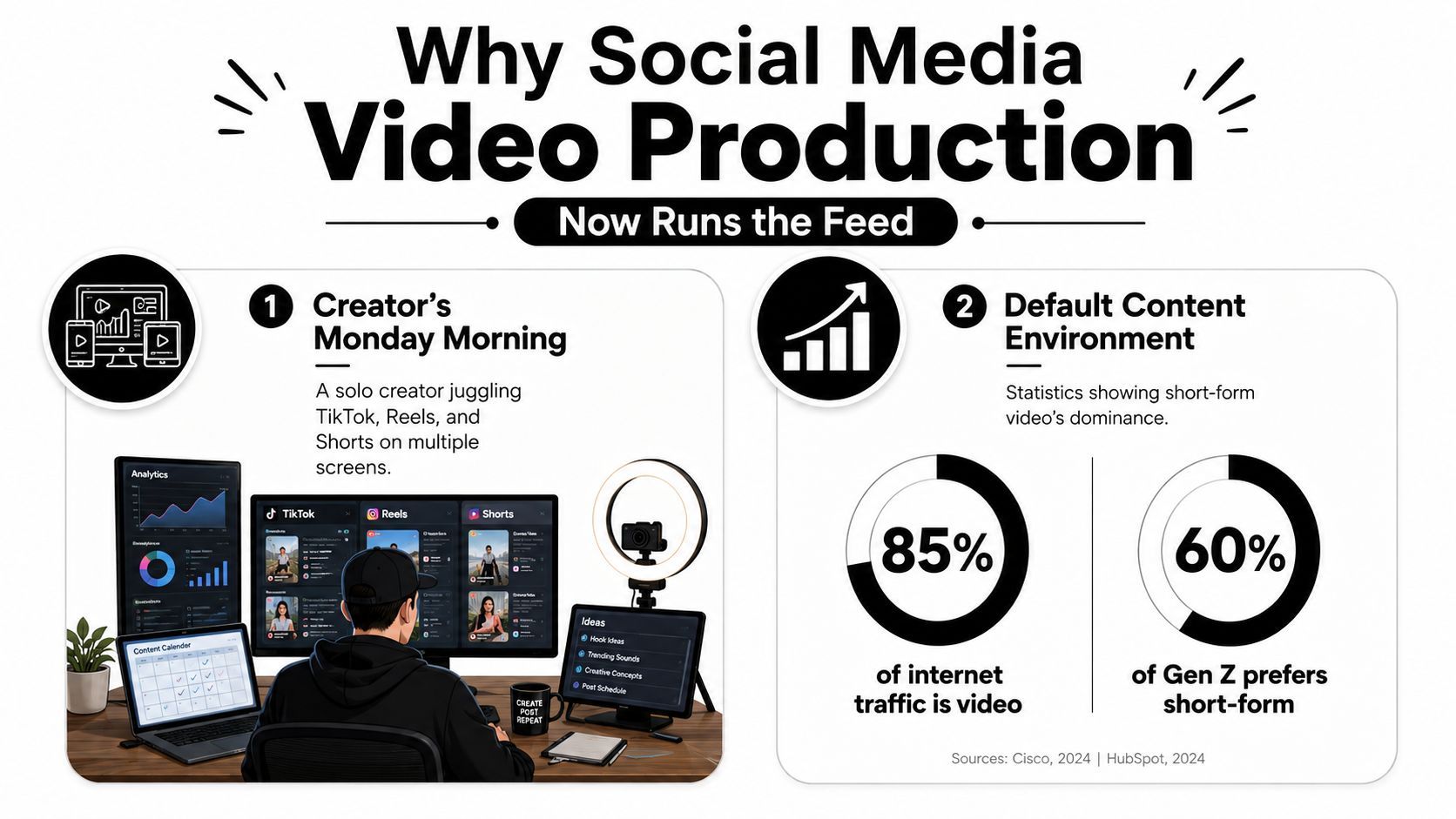
The practical implication is bigger than “post more Reels.” Your production workflow has to assume mobile viewing, rapid decisions, silent playback, and frequent publishing. A beautiful campaign film that takes weeks to deliver can still have a place, but it can't be the only engine feeding your channels.
The scale changes the workflow
YouTube Shorts reached 200 billion daily views in early 2026, compared with 70 billion in March 2024, according to short-form content statistics compiled by SHNO. That scale makes occasional experimentation less useful than a system that can repeatedly turn a recording into clean, distinct cuts.
Businesses are operating at scale too. The same source reports that 91% of businesses use video marketing and 93% of video marketers consider video important to their overall strategy. Those figures don't mean every company needs a full studio. They mean video production is now a core operating capability, like copywriting, design, and campaign management.
Operational rule: Don't ask how to make one perfect video. Ask how one strong recording can keep producing useful assets after the camera stops.
The rest of the workflow follows from that decision. You need a sharp idea intake process, scripts built around the opening, a vertical-first shooting plan, retention-focused editing, platform-specific exports, and a feedback loop that tells you what to make next.
Planning and Scripting That Stops the Scroll
The fastest shoots usually begin with the most disciplined planning. Pre-production doesn't need a long creative workshop. It needs a repeatable routine that turns audience signals into a clear hook and a manageable shot list.
Start with signals, not inspiration
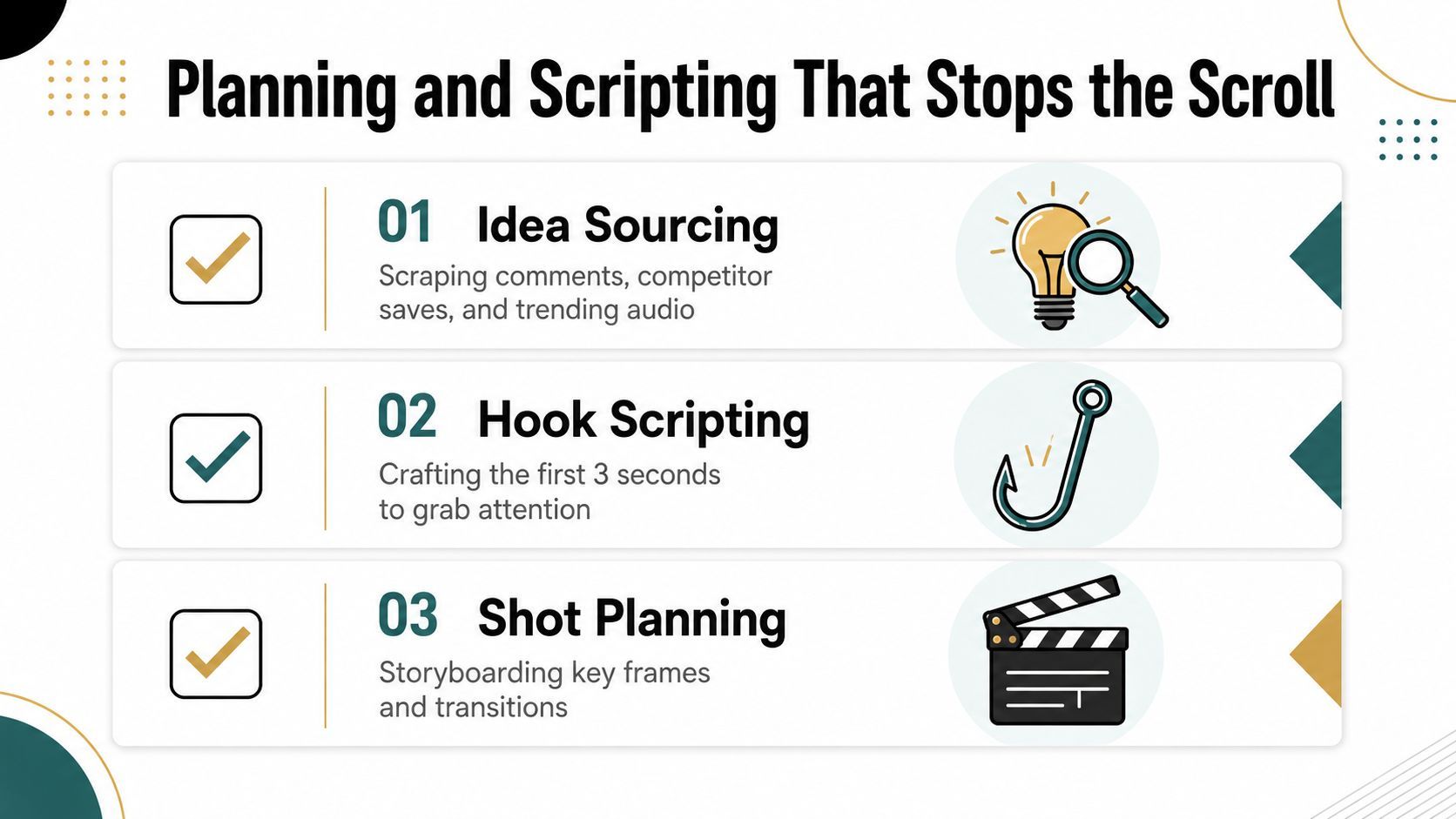
Set aside a regular idea-sourcing session. Review comments on your own posts, save recurring questions from competitors, and collect relevant trending audio without assuming every trend fits your brand. Comments reveal language your audience already uses. Competitor saves show which explanations people consider worth returning to. Audio trends can provide packaging, but they shouldn't dictate the message.
Organize ideas by audience problem, not by platform. “People can't choose between two products” is more useful than “an idea for TikTok,” because the same problem can become a demonstration, comparison, founder explanation, or customer objection video.
Write the first beat before the rest
A hook needs to create an immediate reason to continue. Four structures cover most practical social openings:
- Pattern interrupt: “Stop scrolling if your phone videos look flat even in good natural light.”
- Bold claim: “Your expensive camera won't rescue a video with a weak first sentence.”
- Visual demonstration: “Watch this caption move, then compare it with text hidden beneath the interface.”
- Direct question: “Why do viewers leave before your tutorial reaches the useful part?”
These examples are intentionally direct. The opening should identify a tension, show a result, or create a question the next moments can answer. Avoid spending the first seconds on a logo animation, a greeting, or a broad statement about your company.
AI scripting assistants can accelerate outlines, variations, and title options. They're useful for expanding a clear premise, not for replacing editorial judgment. Read the hook aloud, test whether it sounds like something a real person would say, and ask whether the visual can prove or deepen it immediately.
Pair the spoken line with the frame
A two-column shot list prevents a common production failure, the presenter improvising every visual while the camera is rolling.
| Visual | Scripted voiceover |
|---|---|
| Close-up of a cluttered caption area | “Your key phrase is sitting under the platform controls.” |
| Clean vertical frame with centered text | “Move the important information into the central viewing area.” |
| Presenter demonstrates the adjustment | “Now the viewer can read the point without pausing.” |
Keep the list short enough to use on set. Mark the anchor take, supporting B-roll, product close-ups, and any alternate hook. That structure protects shooting time while leaving room for a natural delivery.
A practical walkthrough of the planning process is also shown in this video:
Shooting for Vertical the Right Way
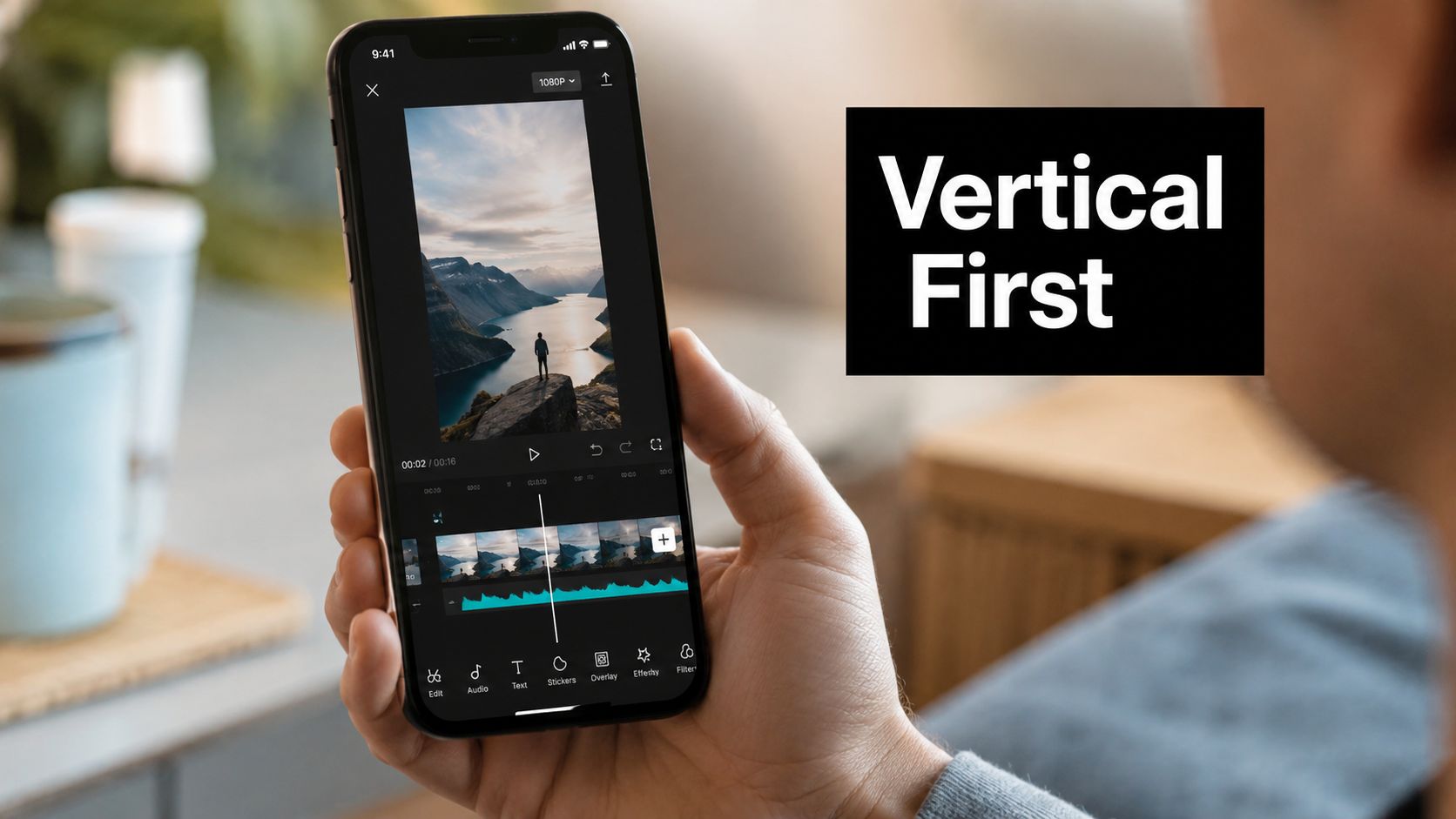
Vertical video isn't a crop you fix at the end. It changes how you place faces, products, text, and movement during capture.
Use 9:16 at 1080×1920 as your default social master. Production guidance recommends 30 fps for standard delivery and 60 fps when smoother motion or slow motion justifies the larger capture and processing demands, as outlined in vertical video best practices from OverlayCheck. Export a clean H.264 MP4 master, since platforms recompress uploads and a strong source gives text, skin tones, and motion more room to survive.
Compose inside the safe area
Keep faces, product details, and essential text in the central 60–80% of the frame, where they're less likely to collide with captions, usernames, and action buttons. OverlayCheck's vertical production guidance recommends treating platform interfaces as part of the composition rather than an afterthought.
For talking heads, leave enough space above the head without pushing the face toward the bottom controls. For products, show the action clearly in the middle and capture additional tight details for edit points. For B-roll, favor movement that reads in a narrow frame, such as a hand opening packaging or a close-up of a tool in use.
Spend first on sound and light
A window placed slightly to one side of the subject usually gives better shape than a flat overhead source. Add a small LED panel as gentle fill when one side of the face falls too dark. A ring light can work, but a window and modest panel often create more depth and more natural skin tone.
Audio remains the fastest way to make an otherwise capable video feel amateur. Put a lavalier close to the speaker and record in a quiet, soft room. A compact microphone in a wardrobe or furnished room will usually beat a camera upgrade recorded beside traffic, fans, or reflective walls.
Camera movement should support meaning. Lock the camera for explanations that need trust, use a gentle push-in for emphasis, and reserve handheld movement for content whose energy benefits from instability. If you must capture horizontally for another deliverable, AI-assisted auto-reframing can help track a face or product, but check every crop manually. Automated framing doesn't understand which detail carries the argument.
Editing for Retention, Not Just Polish
A ninety-second timeline can consume an entire afternoon if the editor treats every decision as decoration. The useful question isn't whether a transition looks impressive. It's whether the cut helps the viewer understand, feel, or continue.
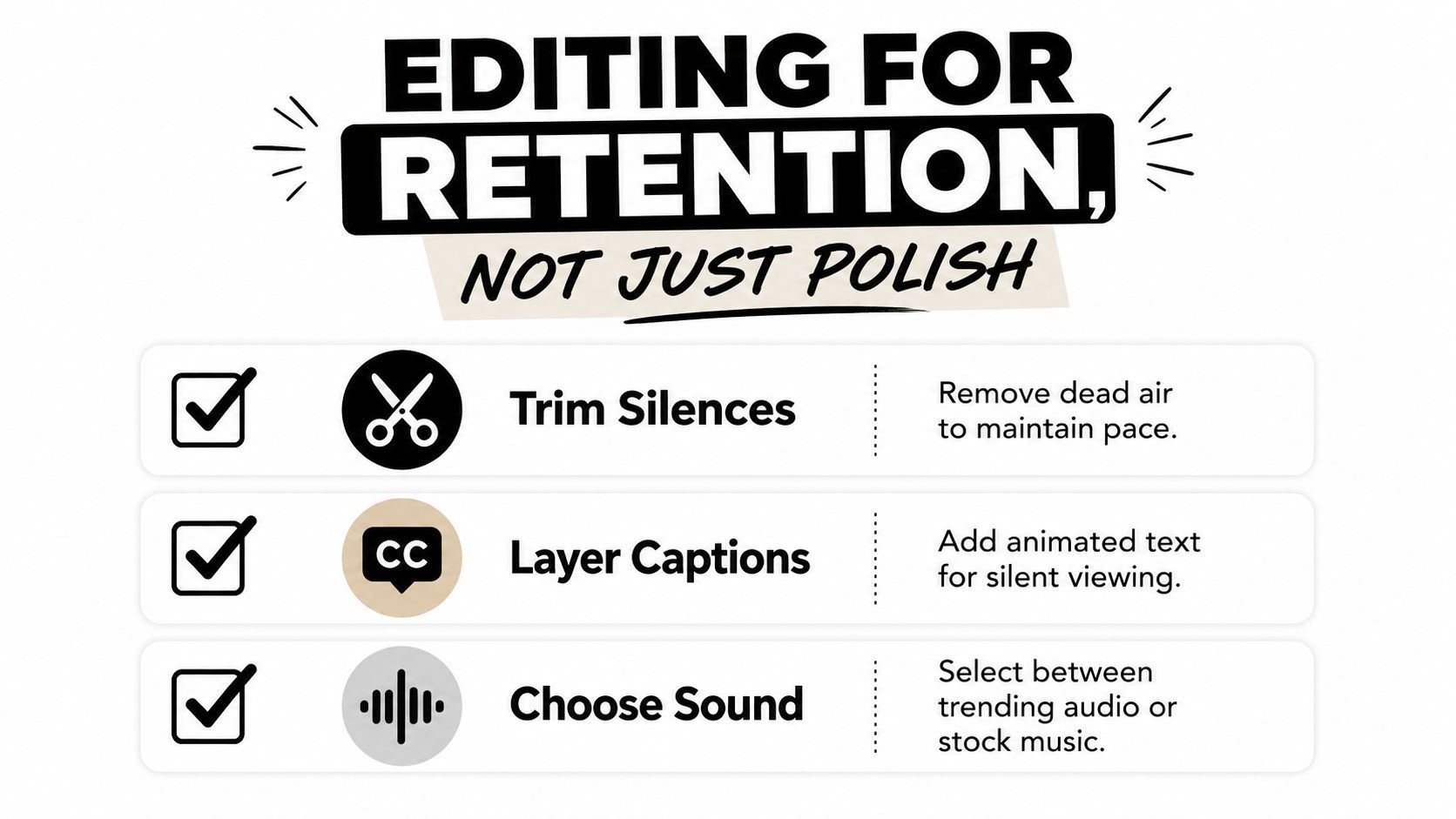
Start with the retention-critical work:
- Cut into the strongest moment. Put the hook in the first 1–3 seconds, then remove greetings, setup, and repeated context.
- Remove dead air. Tighten pauses, filler words, false starts, and breaths that don't support the delivery.
- Caption for silent viewing. Use large, high-contrast text and emphasize the words carrying the point.
- Add purposeful B-roll. Cover jump cuts and give the viewer a visual change when the spoken frame becomes static.
- End with a loop or next action. Let the final frame connect to the opening, or tell viewers exactly what to do next.
Guidance from Zoupyu's subtitle retention analysis reports that captioned videos can achieve about 12–15% higher completion rates than uncaptioned versions. Treat that as a reason to test captions, not as a guarantee for every topic or audience. Auto-generated captions save time, but a human review is still necessary for names, product terms, punctuation, and emphasis.
Choose cuts by job
Jump cuts work well for direct-to-camera teaching because they remove hesitation and preserve momentum. Longer takes suit emotional delivery, demonstrations where continuity matters, or moments where the viewer needs to read a reaction. Trending audio can provide platform-native energy, while stock music offers control and consistency. Keep either choice quiet enough that dialogue remains effortless to follow.
AI-assisted trimming is excellent for silences, auto-reframing, caption drafts, and first-pass selects. Manual editing still matters for comedic timing, claims that need visual proof, and any moment where an automated cut changes the speaker's intent. A useful resource on these distinctions is this guide to platform-specific video editing, especially when the same source footage needs different pacing across channels.
Over-polish hurts when it delays the value. Slow logo reveals, generic corporate transitions, glossy intros, and decorative zooms tell experienced viewers that the video will make them wait. Keep color correction, audio cleanup, caption review, and brand consistency. Cut effects that don't improve comprehension or feeling.
Edit-suite test: If removing an effect makes the point clearer, remove the effect.
A fast ship usually includes the hook cut, silence removal, captions, one or two B-roll layers, audio balancing, and a clear ending. A full production day makes sense for a launch film, complex demonstration, narrative sequence, or evergreen asset that will support paid distribution. Don't spend a day polishing a post whose premise hasn't survived a basic viewer test.
Platform Specs You Can Stop Guessing
Spec confusion creates avoidable production tax. Wrong dimensions lead to letterboxing, misplaced text, extra exports, and reshoots that should never have happened.
The dependable baseline is a 9:16, 1080×1920, 30 fps H.264 MP4 master, with a bitrate around 8–15 Mbps for 1080p vertical video, based on OverlayCheck's vertical video recommendations. Derive platform versions from that master instead of rebuilding every export from the timeline.
The brief doesn't provide a verified, complete set of maximum lengths, bitrate caps, or exact safe-zone measurements for each platform. Rather than inventing a spec sheet, use this production table to lock the decisions that are supported by the available data:
Social Video Platform Specs Comparison
| Platform | Aspect Ratio | Resolution | Max Length | Safe Zone Notes |
|---|---|---|---|---|
| TikTok | 9:16 for vertical delivery | 1080×1920 master | Confirm current limit in the upload interface | Keep faces and essential text in the central 60–80% |
| Instagram Reels | 9:16 for full-screen vertical delivery | 1080×1920 master | Confirm current limit in the upload interface | Keep lower text clear of captions and action controls |
| YouTube Shorts | 9:16 for vertical delivery | 1080×1920 master | Confirm current limit in the upload interface | Check the cover frame separately from the in-feed crop |
| LinkedIn video | Choose the crop based on the feed placement and creative | Export from the clean master | Confirm current limit in the upload interface | Keep professional captions and key graphics away from interface areas |
| X video | Choose the crop based on the post and audience | Export from the clean master | Confirm current limit in the upload interface | Review subtitles and controls on the final mobile preview |
Use burned-in captions when the message must be visible immediately and consistently across platforms. Use an SRT or native caption upload when the platform supports it and viewers need control over display, but don't assume one caption file will preserve the same timing, styling, or line breaks everywhere.
For campaigns with paid placements or several aspect ratios, Sovran's guide to video ad optimization can help your team build a more deliberate delivery checklist. The important production habit is simple: maintain one clean source, then export intentionally for each destination.
Repurposing an Anchor Into Many Cuts
Produce once, distribute everywhere doesn't mean posting the same file everywhere. It means recording an anchor with enough modular material to create platform-native versions without losing the original argument or visual identity.
Start with a substantial source: a tutorial, interview, podcast segment, product walkthrough, webinar excerpt, or direct-to-camera explanation. During the first review, log timestamps for strong claims, objections, demonstrations, emotional turns, and clean standalone answers. Don't wait until editing to discover that every useful point depends on ten minutes of context.
Build the asset family
A single recorded explanation might become:
- A TikTok cut: Lead with the most surprising claim and move quickly to proof.
- An Instagram Reel: Use a cleaner caption layout and a visually strong opening frame.
- A YouTube Short: Add a concise title treatment that frames the question.
- A LinkedIn video: Use a square or feed-friendly derivative when the idea benefits from a professional context, then pair it with a substantive caption.
- An X clip: Keep the argument compact and make hard subtitles readable without sound.
- A product detail cut: Remove the broad introduction and focus on the mechanism or result.
- A reply video: Turn a real audience question into the opening line.
- A behind-the-scenes cut: Show the process, setup, or mistake that adds credibility.
- A testimonial or proof cut: Isolate the customer-facing outcome only when the source contains valid supporting material.
- A compilation: Group related answers into a themed sequence for later scheduling.
Keep 9:16 as the master, then create 1:1 and 4:5 derivatives when the destination or placement needs them. Use one lower-third style, one approved brand color system, and consistent naming conventions. A useful file name includes the anchor ID, topic, platform, version, and caption status. That small discipline prevents teams from publishing an old hook or an unapproved crop.
AI tools can detect likely hooks, reframe a subject, draft captions, and suggest thumbnails. Human judgment still decides whether a clip sounds native to TikTok, useful on LinkedIn, or too compressed for an audience that expects explanation. For a broader look at the method, ViewsMax's guide to repurposing offers useful workflow context.
A content workspace such as ShortGenius can sit inside this system when you need to organize video creation and distribution alongside the asset library. The tool matters less than the rule: every derivative must earn its platform through a changed hook, crop, caption, or context.
Distribution and Scheduling Workflow
Publishing becomes manageable when the calendar reflects your actual editing capacity. A weekly cadence should be a commitment your system can sustain, not an aspirational list that creates a backlog.
| Platform | Posts/Week | Peak Windows (Local) | Max Length | Cross-Post Rule |
|---|---|---|---|---|
| TikTok | 3 | Test against audience activity | Confirm current limit in the upload interface | Upload a clean file without another platform's watermark |
| Instagram Reels | 2 | Test against audience activity | Confirm current limit in the upload interface | Re-export from the master and adjust caption placement |
| YouTube Shorts | 1 | Test against audience activity | Confirm current limit in the upload interface | Rework the title treatment and cover frame |
| LinkedIn video | 1 | Test against audience activity | Confirm current limit in the upload interface | Rewrite the caption for professional context |
| X video | As capacity allows | Test against audience activity | Confirm current limit in the upload interface | Use a clean crop and readable hard subtitles |
Schedule the clips Tuesday through Saturday if that rhythm fits your audience and production resources. Don't treat generic peak windows as universal truth. Your own analytics should decide when a post gets its first test, and each platform's native preview should be the final quality check.
Cross-post without looking recycled
Never download a TikTok with its logo and upload that file to Reels. Keep the original export, remove platform-specific stickers, and create the destination version from the clean master. Change the first line when the platform's audience expects a different context. A creator-focused hook may need a business consequence on LinkedIn, while an X post may need the claim written into the caption.
Test packaging before rebuilding the entire video. Try alternate titles, opening text, pinned comments, or thumbnails where the platform supports the relevant option. Use early performance as a signal for iteration, not a verdict on the entire topic. Boost a post only when the objective and audience fit are already clear. Paid reach can't repair a confusing opening.
Make the dashboard part of production
A simple Notion or Airtable board can track:
- Idea status: captured, selected, scripted, recorded, or parked.
- Anchor reference: original recording, timestamps, and approved claims.
- Asset versions: TikTok, Reel, Short, LinkedIn, and X exports.
- Publishing state: scheduled, live, needs revision, or evergreen.
- Performance notes: retention pattern, comments, saves, and the next test.
AI scheduling tools can help flag underperformers, generate first-pass clips, and build repost queues for evergreen material. Keep a human approval step before anything goes live. Automation should remove repetitive work, not remove editorial responsibility.
Polish Versus Authenticity Decision Framework
Higher production value doesn't automatically create a better social video. Viewers reward a clear promise, quick delivery, understandable audio, and a format that matches the channel. A polished video can outperform a raw one when polish improves trust or comprehension. It can also underperform when the polish makes a personal message feel like an advertisement.
Use four questions before you book a shoot:
- What is the job of the post? Emotional stories and spontaneous reactions usually benefit from presence and immediacy. Instructional explainers need clarity, readable visuals, and clean sound. Entertainment needs timing and a visual premise.
- Who does the audience expect to see? If people follow a founder, coach, or creator, a direct face-to-camera delivery may be part of the channel's value. If the audience follows a product brand, controlled demonstrations and repeatable visual systems may matter more.
- How long does the post need to work? A short-lived reaction can be fast and lightly finished. An evergreen explainer deserves stronger audio, lighting, captions, and version control.
- Does the finish match the channel's visual contract? A sudden jump from casual handheld posts to a glossy commercial can create distance, even when the footage looks technically excellent.
Use a practical scoring rubric
| Decision factor | Favor authenticity | Favor polish |
|---|---|---|
| Message | Personal reaction, opinion, timely response | Complex instruction or product demonstration |
| Audience expectation | Creator-led, conversational, community-based | Brand-led, technical, premium, or trust-sensitive |
| Shelf life | Short-lived conversation | Evergreen library or paid creative |
| Production need | Speed, intimacy, comment response | Consistent lighting, sound, graphics, or compliance |
| Main risk | Feeling staged | Feeling unclear or unreliable |
Businesses are increasingly using AI-assisted, cost-conscious production rather than relying only on expensive studio workflows. A 2026 compilation reports that 84% of respondents used AI somewhere in video production during 2025, 53% planned to spend $5,000 or less per project, and 74% shared only two to six videos per month across channels, according to Wix's video marketing statistics roundup. These figures describe a market trade-off, not a command to lower standards.
The minimum quality bar remains firm: intelligible speech, accurate captions, usable exposure, stable framing when stability is needed, and a message that starts promptly. Authenticity means removing unnecessary performance, not publishing careless work.
Decision rule: Lower polish when it creates intimacy. Raise polish when it removes friction.
Over-produced corporate video often fails on TikTok because every visual cue announces a campaign instead of a conversation. Glossy intros, scripted enthusiasm, stock transitions, and vague brand language can slow comments and weaken the reason to respond. Keep the visual choices that support the idea, then ship while the idea is still relevant.
ShortGenius (AI Video / AI Ad Generator) helps creators and teams turn scripts, images, voiceovers, and raw ideas into short-form videos, then trim, caption, resize, apply brand elements, and schedule outputs across social channels. Visit ShortGenius (AI Video / AI Ad Generator) to build a produce-once, distribute-everywhere workflow without losing control of the final edit.