12 Best Social Media Posting Schedule Template Downloads for 2026

Find your perfect social media posting schedule template. We've compiled 12 free downloads for spreadsheets, Notion, and apps to get you organized.
A consistent social media presence starts with a plan. Juggling ideas, copy, assets, and publish times across multiple platforms can quickly become overwhelming without a central system. A good social media posting schedule template isn't just a spreadsheet; it's a command center for your content strategy. It brings order to your workflow, ensures content themes are balanced, and frees you up to focus on creating instead of scrambling.
Whether you're a solo creator, a growing brand, or a busy agency, the right template can transform your productivity. The biggest hurdle, however, is often just starting and staring at an empty calendar. To alleviate that challenge, you can leverage these 10 Fresh content ideas social media to keep your feeds vibrant and engaging right from the beginning.
This guide moves beyond ideas and gives you the structure to execute them. We've curated the 12 best downloadable and digital templates, from simple spreadsheets offered by HubSpot and Hootsuite to powerful project management setups in Asana and Airtable. For each resource, you'll find a direct download link, a screenshot for a quick preview, and an honest analysis of its best use case and potential limitations. We'll show you how to find the perfect social media posting schedule template and integrate it with tools like ShortGenius for a fully automated content workflow, moving you from static planning to consistent, scheduled publishing.
1. ShortGenius (AI Video / AI Ad Generator)
ShortGenius stands out by moving beyond a static social media posting schedule template and offering a complete content generation and scheduling ecosystem. Instead of just helping you plan what to post, its integrated platform empowers you to create, refine, and automatically publish the content itself, all from one place. This makes it an exceptional choice for creators and teams aiming for high-volume, consistent output across multiple channels without juggling different tools for scripting, editing, and scheduling.
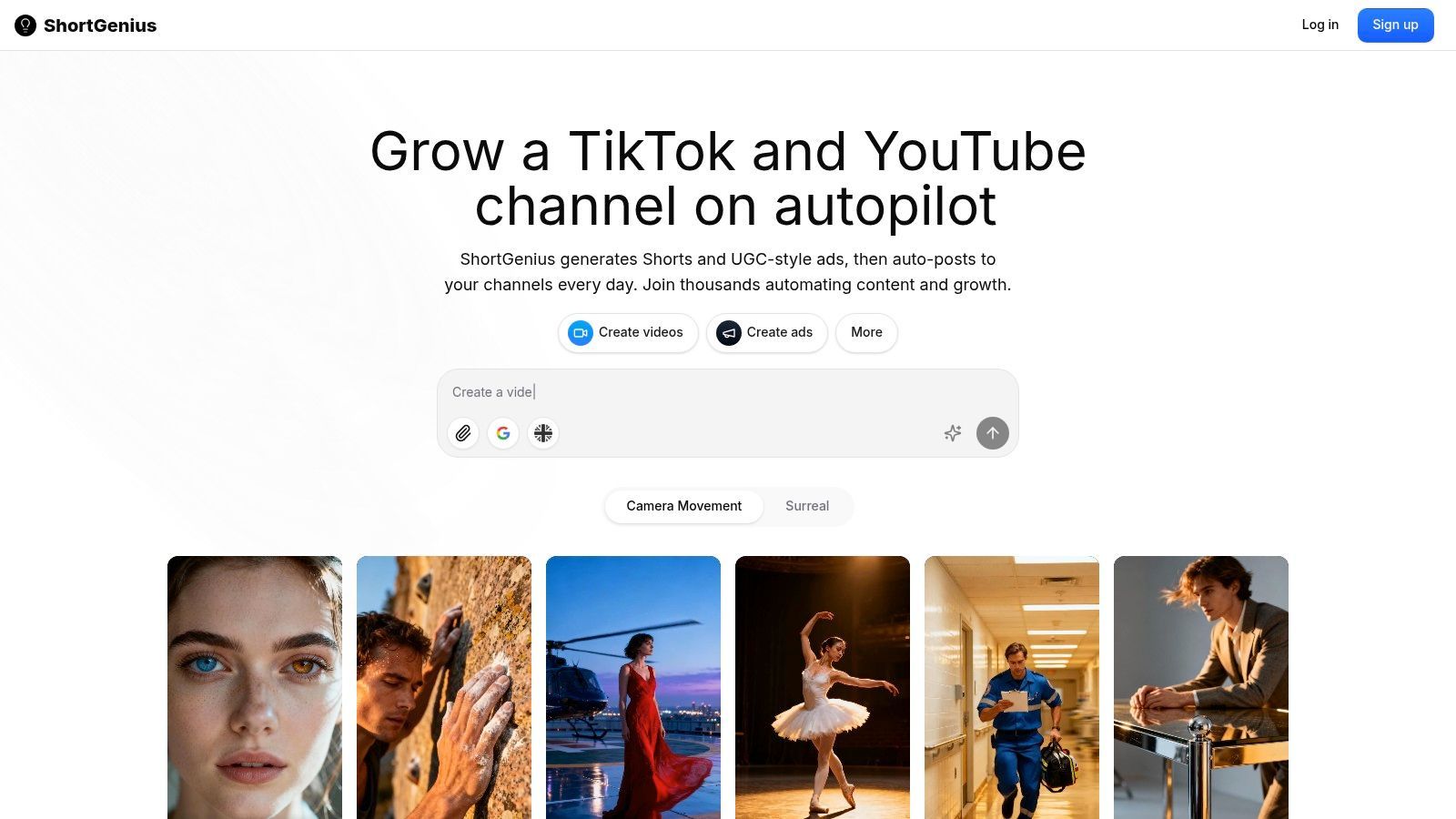
The platform's strength lies in its end-to-end workflow. You can start with an idea, use AI to generate a script and visuals, apply brand kits, and then use the built-in auto-scheduler to publish the finished videos directly to TikTok, YouTube, Instagram, and more. This fundamentally changes the dynamic from simple planning to active, automated execution.
Key Strengths and Use Cases
- Integrated Content & Scheduling: The core advantage is the direct link between content creation and distribution. The auto-scheduling function is not a separate feature but the final step in the creation process, turning your content plan into a live publishing queue.
- Batch Creation for Consistent Calendars: The "Project Series" feature is ideal for building a content calendar. A social media manager can set up a series theme, like "Weekly Marketing Tips," and batch-generate a month's worth of videos in a single session. This ensures the schedule is always filled with on-brand material.
- Agency-Ready Workflow: For agencies managing multiple client accounts, ShortGenius provides a unified asset library and a secure ads workflow. This structure makes it straightforward to develop and schedule distinct content campaigns for each client, including AI-generated UGC ads, without organizational chaos. To get a better sense of this capability, you can discover more about their system for producing AI UGC ads.
Potential Considerations
While ShortGenius is a powerful all-in-one solution, its AI-driven nature means outputs benefit from human review. Brand nuance, specific ad policy compliance, and creative final touches may still require manual oversight before publishing. Additionally, the provided materials did not include specific pricing details. Prospective users should visit the website for current plans and trial information to assess the total cost of scaling with premium features or high-volume generation.
Website: https://shortgenius.com
2. Hootsuite — Social Media Calendar Template
Hootsuite, a major player in social media management, offers a free and highly practical social media calendar template. Available in both Google Sheets and Excel formats, this resource is ideal for teams that thrive in a traditional spreadsheet environment. It provides a structured yet flexible framework for planning content across multiple channels, making it a reliable starting point for any content strategy.
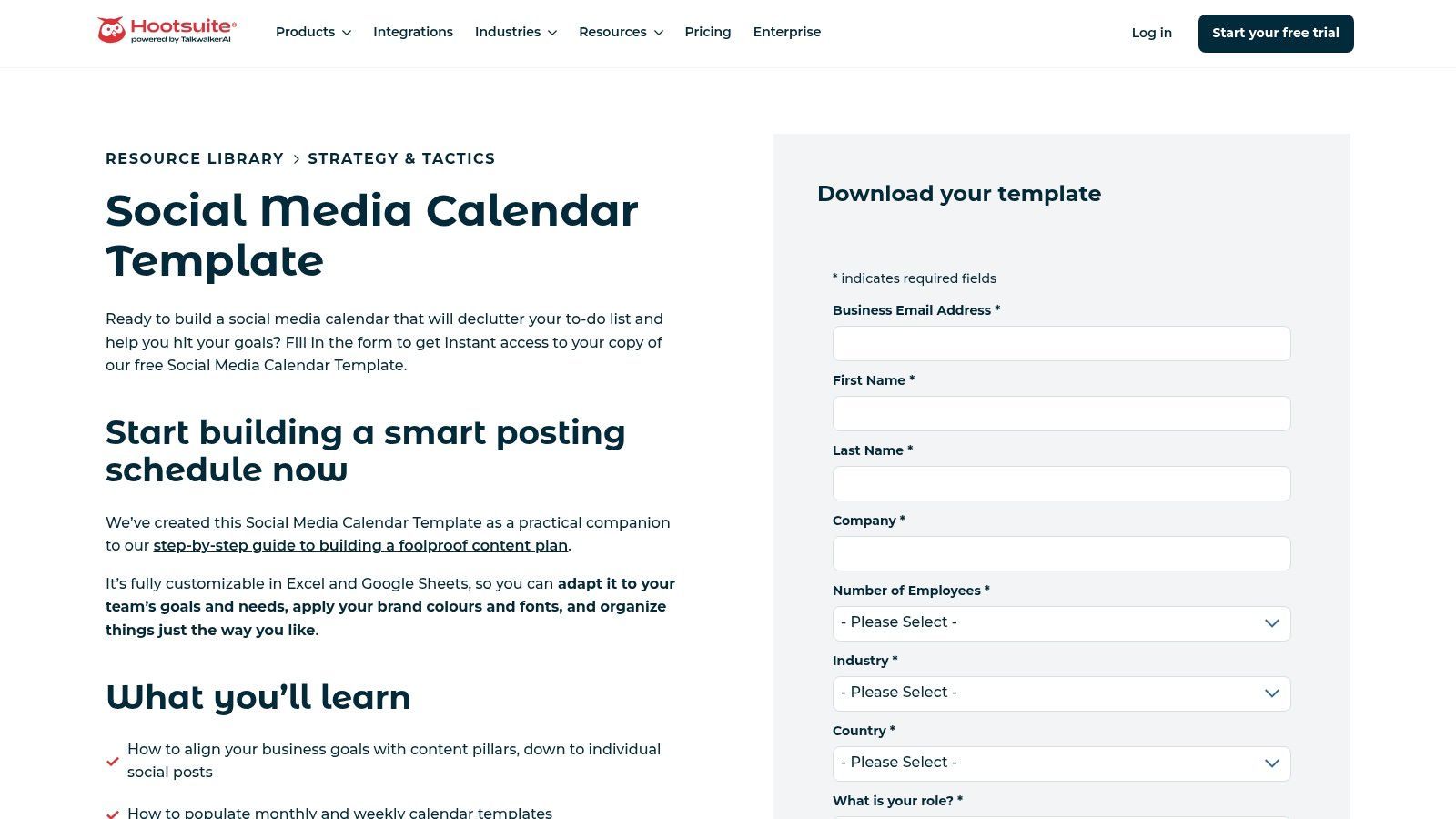
This template's main advantage is its familiarity and direct integration path with Hootsuite’s own platform. The columns are pre-configured for post copy, links, media assets, and status, aligning perfectly with the data needed for Hootsuite's bulk scheduling feature. This creates a direct workflow: plan in the spreadsheet, then upload to schedule dozens of posts at once.
Key Features & Use Case
This resource works exceptionally well for agencies or social media managers handling multiple clients. You can easily duplicate the sheet for each brand, creating a consistent planning process that stakeholders can quickly understand.
- Format: Google Sheets and Microsoft Excel.
- Access: Free download after providing an email address.
- Best For: Teams already using Hootsuite or those who prefer a classic spreadsheet layout for planning and client approvals.
- Pros: Familiar interface, easy duplication for multiple clients, and designed for Hootsuite's bulk uploader.
- Cons: Requires manual data entry and can lead to version control issues in large teams if not managed carefully. Without Hootsuite, it’s just a spreadsheet that needs to be manually transferred to your scheduler of choice.
Get the template from Hootsuite
3. HubSpot — Social Media Content Calendar Template
HubSpot offers a powerful social media content calendar template designed for marketers looking to organize and scale their efforts. As a leader in inbound marketing, HubSpot’s resources are typically built to integrate with their own software suite, and this template is no exception. It’s an Excel-based resource that goes beyond simple date-and-time planning to include fields for campaign alignment, budget tracking, and performance metrics.
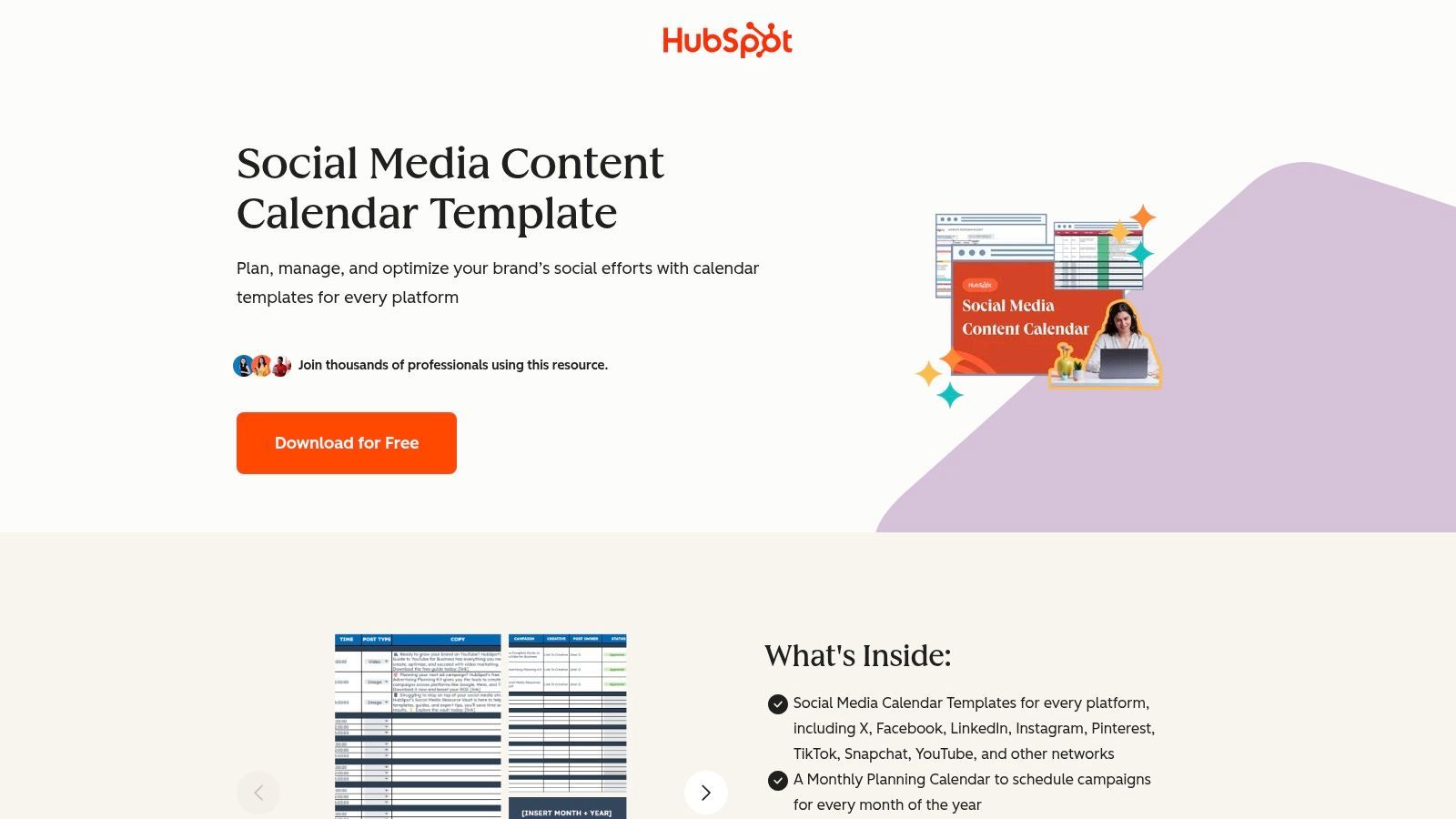
The primary strength of this social media posting schedule template lies in its compatibility with the HubSpot Social tool. The spreadsheet is formatted for a smooth bulk-uploading process, allowing teams to plan an entire month’s worth of content and schedule it in minutes. This makes it a great choice for teams already working within the HubSpot ecosystem, as it removes several manual steps from the content publishing workflow and keeps all data in one place.
Key Features & Use Case
This template is best suited for marketing teams that need a structured process for content planning that also connects to broader campaign goals. The included documentation provides clear instructions for setting up and importing posts, making it accessible even for those new to bulk scheduling.
- Format: Microsoft Excel.
- Access: Free download after providing an email address and other contact details.
- Best For: Marketing teams using HubSpot CRM or Marketing Hub who want to streamline their planning and scheduling process.
- Pros: Excellent documentation, structured for easy bulk upload to HubSpot, and includes fields for comprehensive campaign planning.
- Cons: Gated behind a detailed form, and its primary benefits are realized only when used with HubSpot's paid social media tools.
4. Later — Social Media Calendar Template + In-App Calendar
Later presents a unique two-part solution for content planning, combining a free downloadable spreadsheet with its signature visual, in-app content calendar. This approach provides a clear upgrade path for users, allowing them to start with a basic social media posting schedule template and transition into a more dynamic, platform-based workflow. The initial spreadsheet helps organize ideas, while the in-app tool brings those plans to life.
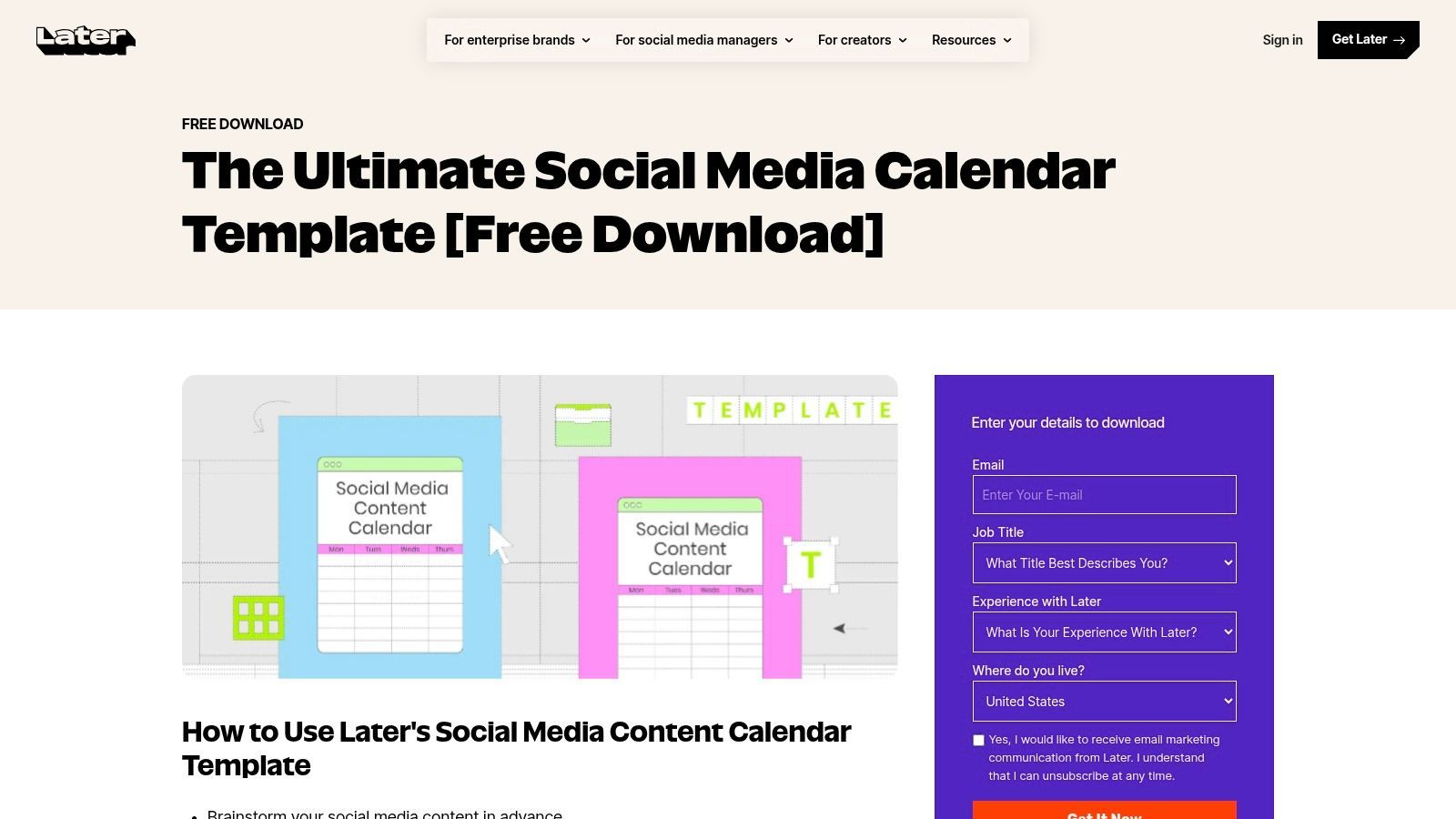
The primary benefit of Later's offering is its focus on visual content, especially for platforms like Instagram and TikTok. The downloadable template is a means to an end, guiding you toward using the intuitive drag-and-drop calendar within the Later application. Here, you can visually arrange posts, preview your feed's aesthetic, and use features like Best Time to Post recommendations to schedule content for optimal engagement.
Key Features & Use Case
This resource is perfectly suited for visual-first creators and brands who want to move beyond spreadsheets. The template acts as a bridge, helping organize content pillars and campaign ideas before you commit to scheduling them within the app's visual interface. It’s an effective way to graduate from manual planning to a more automated system.
- Format: Google Sheets, plus a visual in-app calendar.
- Access: The template is a free download; the visual calendar is part of Later's platform (free and paid plans available).
- Best For: Solo creators, influencers, and e-commerce brands who prioritize visual feed planning and want an all-in-one scheduler.
- Pros: Creates a smooth path from a spreadsheet template to a full scheduler, and the visual calendar is excellent for planning and client approvals.
- Cons: The most powerful features (like advanced analytics and team collaboration) require a paid Later subscription, and the template itself offers no automation.
5. Sprout Social — Downloadable Social Media Calendar Template
Sprout Social, a well-regarded platform for enterprise-level social media management, provides a free social media calendar template aimed at teams needing a more rigorous planning framework. This Google Sheets template goes beyond basic scheduling by including dedicated fields for campaigns and Key Performance Indicators (KPIs), encouraging a data-informed approach from the very start. It’s designed for teams who think about content in terms of strategic business goals, not just daily posts.
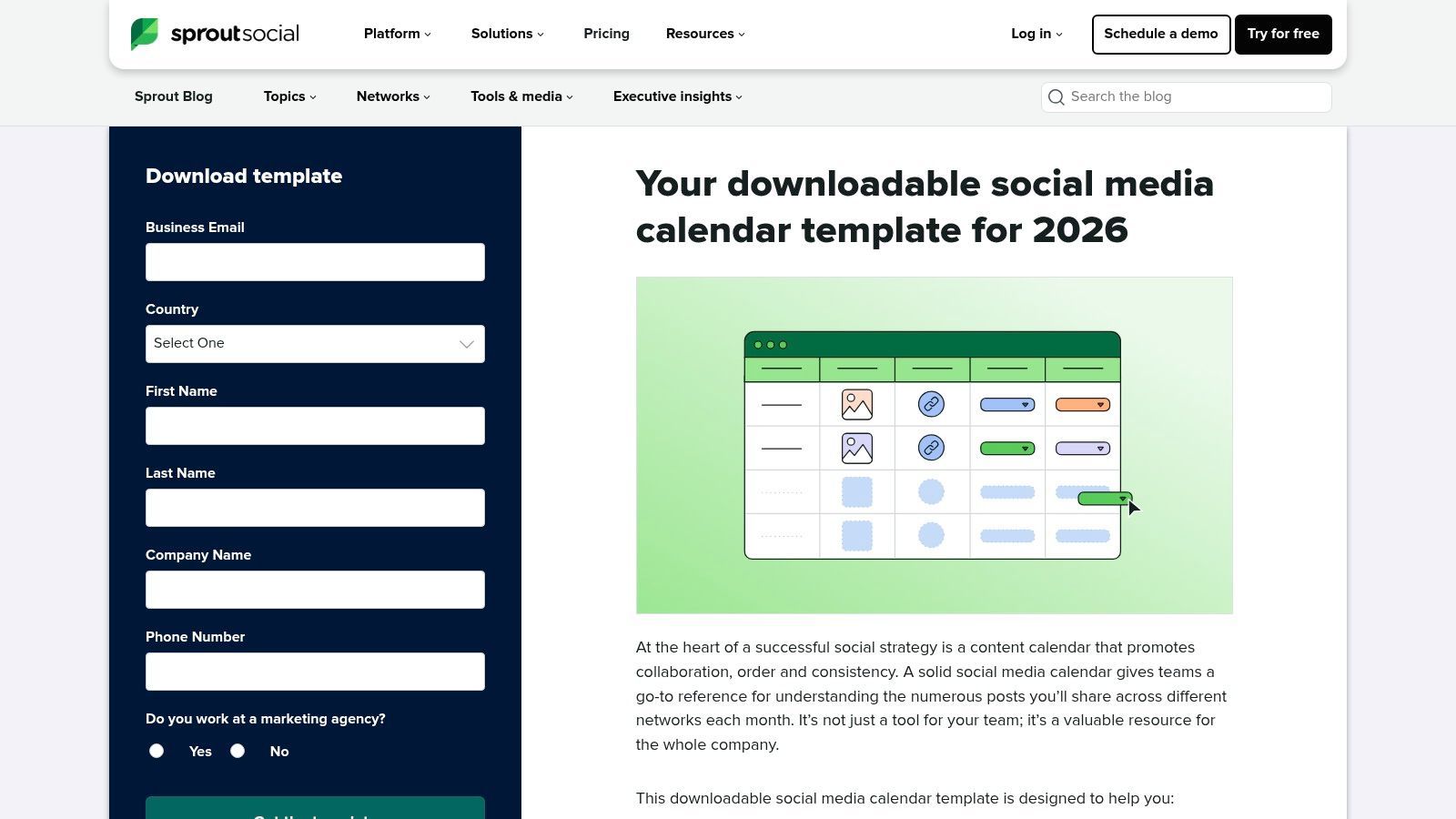
The template’s structure is its key strength. It prepares your content plan for Sprout Social's own bulk scheduling and approval workflows, making it a natural fit for current or prospective users of the platform. The inclusion of columns for collaboration notes and internal feedback facilitates a clear, documented approval process, which is critical for larger organizations or agencies managing compliance-heavy client accounts.
Key Features & Use Case
This social media posting schedule template is best suited for marketing teams in mid-size to large companies that require a documented, collaborative planning process. It helps bridge the gap between high-level strategy and day-to-day execution by keeping campaign goals and performance metrics attached to each piece of content.
- Format: Google Sheets.
- Access: Free download after submitting a business email and company information.
- Best For: Enterprise teams, agencies, and users of the Sprout Social platform who need a structured template for approvals and performance tracking.
- Pros: Guides users toward an enterprise-grade workflow, pairs perfectly with Sprout's robust scheduling and approval features, and includes KPI tracking.
- Cons: Sprout Social's platform is a premium-priced commitment. The template itself can feel generic if not customized to your specific team's workflow.
Get the template from Sprout Social
6. Buffer — Content Calendar Template (Notion-based) + Buffer Scheduler
Buffer offers a modern, database-driven approach to content planning with its free Notion template. This resource is perfect for solo creators and small teams who already manage their projects and ideas within Notion. It provides a clean, interconnected system for tracking content from the idea stage through to publication, all within a flexible, collaborative workspace.
The template's main draw is its integration with the Notion ecosystem, allowing users to switch between calendar and board views, filter by channel, and link posts to broader campaign notes. While the planning happens in Notion, the scheduling itself is designed to be completed within the Buffer application. This creates a two-step workflow: plan and refine your social media posting schedule in Notion, then move the finished posts to Buffer for automated publishing.
Key Features & Use Case
This resource is particularly effective for content creators who value a minimalist aesthetic and a central hub for all their creative work. It allows you to build a content pipeline right inside the tool you may already use for notes, tasks, and project management, keeping everything organized in one place.
- Format: Notion template.
- Access: Free; duplicate the template directly into your Notion workspace.
- Best For: Individuals or small teams who use Notion for project management and want a lightweight, visual planning system that connects to Buffer's free or paid scheduling tiers.
- Pros: Highly customizable within Notion, offers calendar and Kanban board views, and pairs well with Buffer's user-friendly scheduler and free tier.
- Cons: Requires knowledge of Notion to use effectively. The planning and scheduling steps are separate, requiring you to move content between Notion and the Buffer app manually.
7. Asana — Social media Content Calendar (Template/Guide)
For teams that live inside a project management tool, Asana’s Social Media Content Calendar template bridges the gap between content planning and broader company-wide operations. This free template provides a pre-built project structure that goes beyond a simple spreadsheet. It integrates social media planning directly into a workflow environment with task ownership, due dates, dependencies, and built-in approval queues.
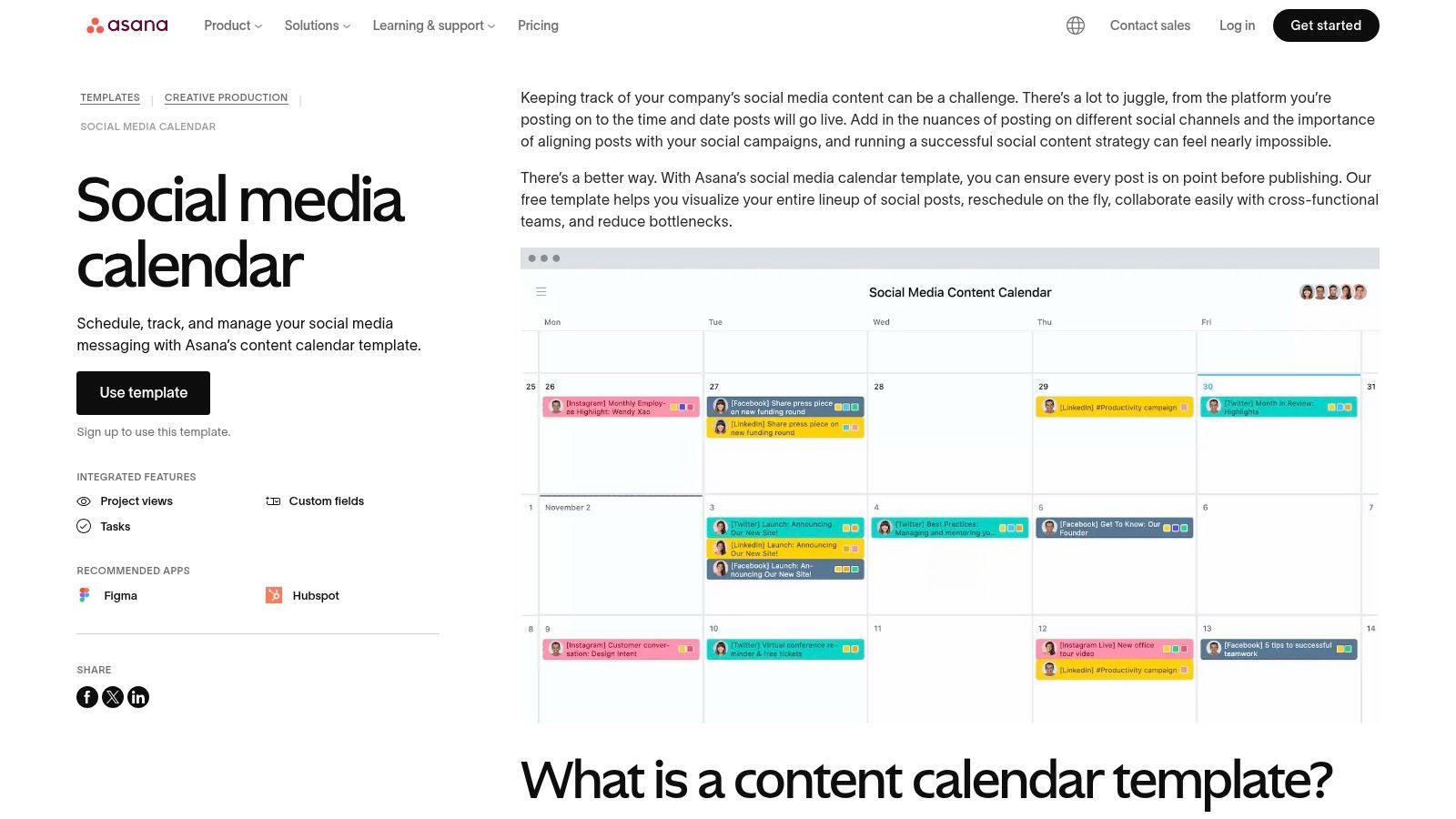
The main advantage of using Asana is its operational power. A social media post is not just a piece of text; it's a task with subtasks like "write copy," "design graphic," and "get approval." Asana maps this entire process, allowing teams to see content progress in multiple views: a traditional calendar, a Kanban-style board for stages, or a simple list. This makes it an excellent social media posting schedule template for coordinating with designers, copywriters, and legal teams.
Key Features & Use Case
This resource is best suited for marketing teams that require clear accountability and a transparent overview of the entire content production lifecycle, not just the final schedule. It’s ideal for managing complex campaigns where different team members are responsible for various assets and approval stages.
- Format: Asana Project Template.
- Access: Free to use with an Asana account.
- Best For: Teams needing robust task management, cross-functional collaboration, and approval workflows integrated into their content calendar.
- Pros: Excellent for coordinating multiple contributors, flexible views (board, list, calendar), and keeps content planning tied to operational tasks.
- Cons: Not a native scheduler, so publishing must be done separately. The best features, like custom fields and formal approvals, are part of Asana’s paid plans.
8. Airtable — Social Media Calendar Template/Base
Airtable elevates the concept of a social media posting schedule template from a simple spreadsheet into a lightweight, relational database. This “base” is more than just a grid; it's a dynamic workspace designed to manage your entire content pipeline. For teams that find spreadsheets too restrictive but aren't ready for a heavy-duty project management tool, Airtable offers a structured, visual, and collaborative solution.
Its main distinction is the use of relational tables. You can have separate tables for content ideas, assets, and the actual calendar, then link them together. This means you can attach a specific image from your asset library directly to a post record, track its status from "idea" to "published," and view the same data in different formats-like a calendar, a Kanban board, or a grid-without duplicating anything.
Key Features & Use Case
This template is perfect for content teams that require a central hub for planning, asset management, and approvals. The ability to switch between gallery, grid, and calendar views allows different team members (writers, designers, managers) to see the information in the way that best suits their workflow, all while working from a single source of truth.
- Format: Airtable Base (online, collaborative database).
- Access: Free to copy the base into a new or existing Airtable account.
- Best For: Marketing teams and agencies needing a powerful system for content operations, approvals, and asset linking.
- Pros: Far more structured than a spreadsheet, with powerful views and relational data linking. Excellent for tracking content status and managing approvals with comments and attachments.
- Cons: Not a native scheduler, so publishing requires integration with tools like Zapier or a manual transfer. The learning curve is steeper than a basic spreadsheet, which might be overkill for solo creators.
Get the template from Airtable
9. ClickUp — Modern Social Media Calendar Template
For teams that live inside a project management tool, ClickUp’s Modern Social Media Calendar Template brings content planning directly into your existing operational hub. Instead of an isolated spreadsheet, this template treats each social media post as a task within a larger project, complete with custom fields, statuses, and assignees. This approach is powerful for integrating social media efforts with broader marketing campaigns and business objectives.
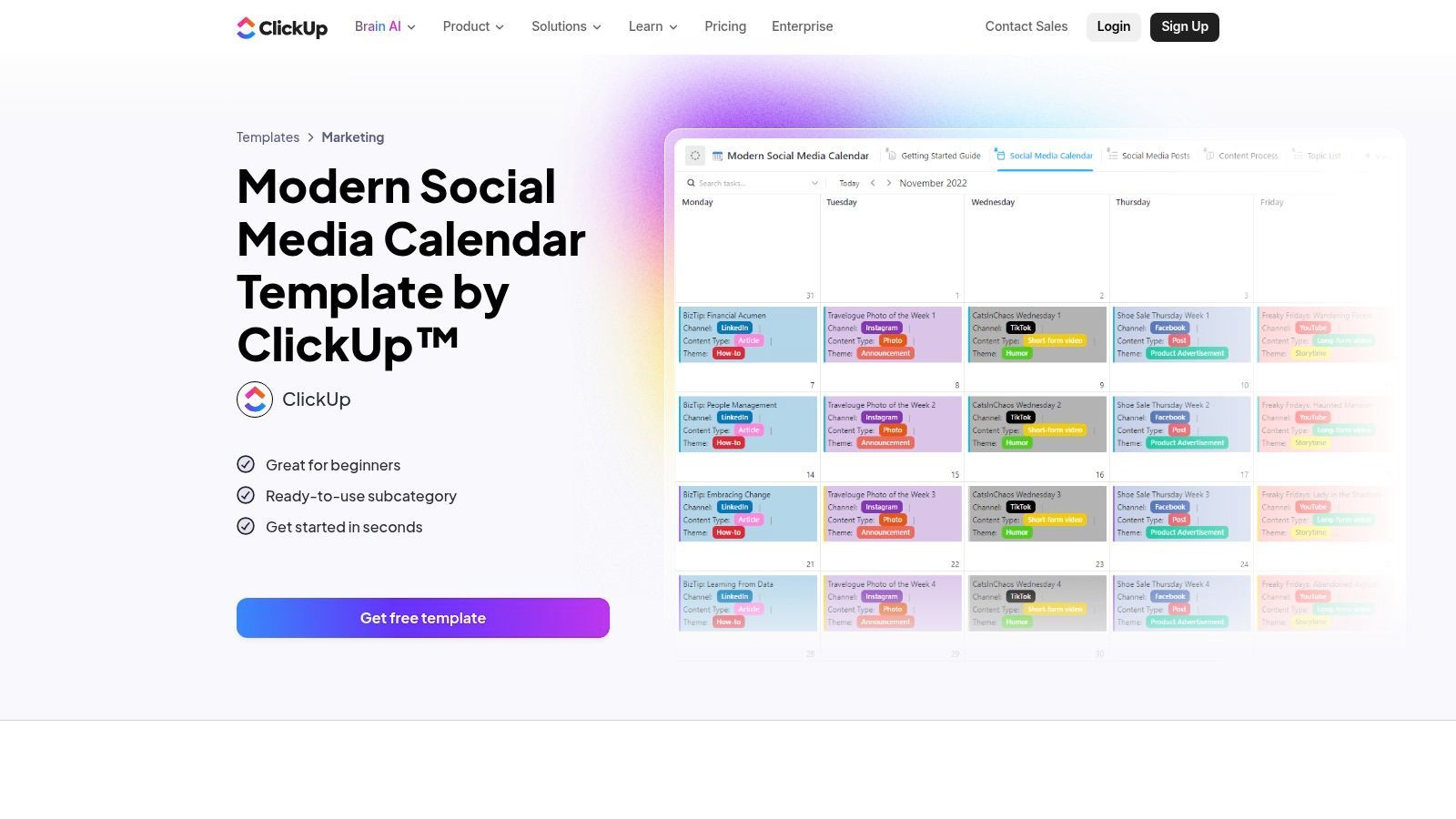
The template's main strength is its deep customizability within the ClickUp ecosystem. You can switch between Calendar, List, and Board views to visualize your schedule in a way that suits your workflow. Custom statuses like "Drafting," "In Review," and "Approved" create a clear production pipeline, while custom fields can track everything from the target platform to the specific call-to-action.
Key Features & Use Case
This social media posting schedule template is ideal for marketing teams that already use ClickUp for project management. It centralizes content operations, eliminating the need to jump between a spreadsheet and your primary work tool. The ability to build automations with tools like Zapier or Make allows you to create advanced workflows, such as automatically creating a task when a new idea is submitted via a form.
- Format: ClickUp Template.
- Access: Free to add to any ClickUp workspace (ClickUp offers free and paid plans).
- Best For: Teams managing all their projects within ClickUp who want a single source of truth for content.
- Pros: Centralizes content operations with other project work and is highly customizable to match specific workflows.
- Cons: Requires integrations for auto-publishing and can have a steep learning curve for those new to ClickUp's platform.
10. monday.com — Social Media Planner Template
For teams that need a more visual and collaborative project management tool for their content, monday.com offers a ready-made Social Media Planner template. This isn't a simple spreadsheet; it’s a dynamic board designed to manage the entire content lifecycle from idea to publication. It turns your social media posting schedule template into an active, collaborative workspace.
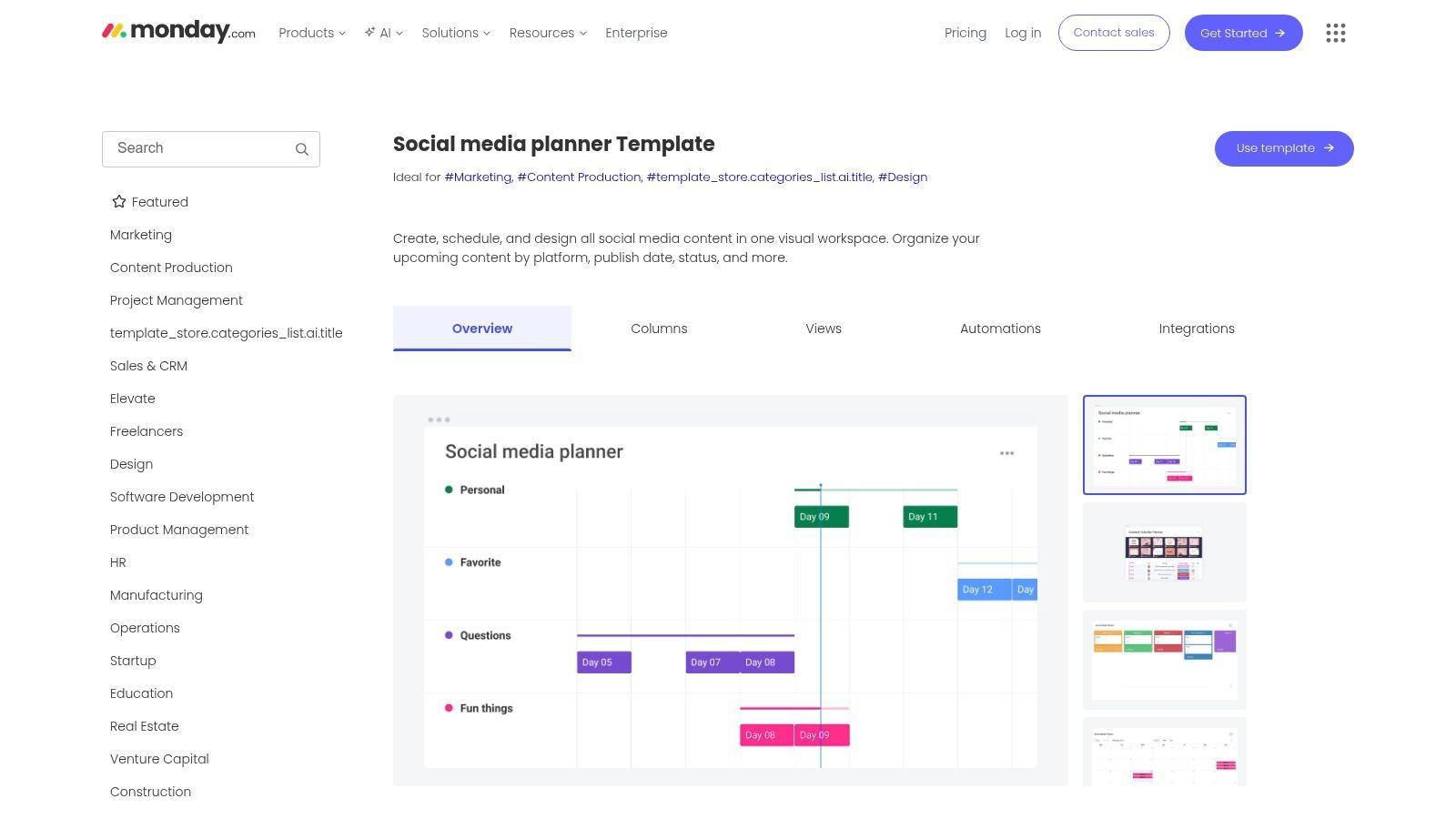
The template's power comes from its integration with monday.com's broader work management features. You can assign owners to each post, set deadlines, track progress with status columns (e.g., "In Progress," "Needs Review"), and attach creative assets directly to the task. Different views, like Calendar and Timeline, provide a clear visual of your upcoming schedule, making it easy to spot gaps or conflicts.
Key Features & Use Case
This resource is best for marketing teams already using monday.com or those looking to centralize their entire marketing workflow in one place. The built-in automation capabilities are a significant advantage, allowing you to set up reminders for deadlines or automatically notify a team member when a post is ready for their review, which reduces manual follow-up.
- Format: Interactive monday.com board.
- Access: Available to all monday.com users, including those on the free plan, though advanced automations require a paid subscription.
- Best For: Teams needing a visual, all-in-one project management system for content planning, approvals, and collaboration.
- Pros: Highly visual and easy for stakeholders to understand; built-in automations for reminders and hand-offs; centralizes assets and communication.
- Cons: It's not a direct scheduler for most social networks and requires integrations (like Zapier or Make) for posting; key automation features are part of paid plans.
Get the template from monday.com
11. Canva — Social Media Calendar Templates (Design-first)
Canva moves beyond the basic spreadsheet, offering a library of visually-driven social media calendar templates. This approach is perfect for creators and agencies who prioritize aesthetics and need to present content plans in a branded, client-facing format. Instead of rows and columns, you get a fully editable design you can customize with your brand's fonts, colors, and logos.
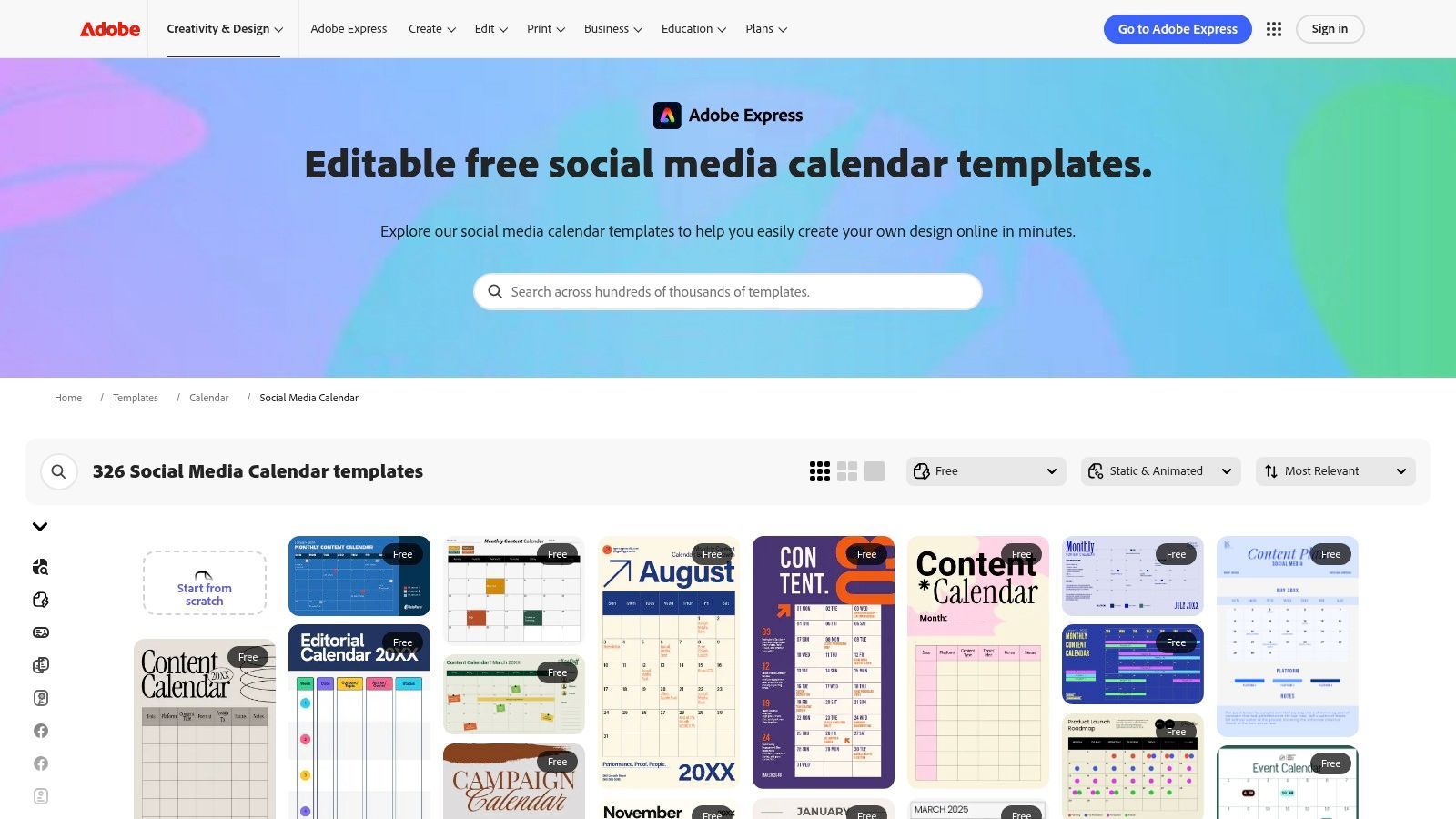
The primary strength of using Canva is its integration with the design process itself. You can plan your schedule visually, placing mockups or actual post creatives directly into the calendar layout. This makes it easier to see how your feed will look over a week or month. Combining this with a text-to-image AI model can speed up the creation of placeholder visuals for your plan.
Key Features & Use Case
This resource is best suited for visual thinkers and those presenting plans for approval. You can create a polished, professional-looking social media posting schedule template that is easy for stakeholders to understand at a glance, then export it as a PDF or share a direct link.
- Format: Editable Canva templates (monthly and weekly).
- Access: Free to use, but many templates and design elements require a Canva Pro subscription.
- Best For: Freelancers and agencies who need to create beautiful, branded calendar documents for client presentations and approvals.
- Pros: Highly visual and designer-friendly, easy to brand with a Brand Kit, and simplifies the creation of client-facing materials.
- Cons: Not a functional scheduling tool, just for planning. It requires manual data transfer to a separate scheduling platform like ShortGenius.
Get the templates from Canva
12. Notion — Social media Calendar Template (Marketplace)
For teams and creators who operate within the Notion ecosystem, its official social media calendar template is a powerhouse of flexibility. Moving beyond static spreadsheets, this free resource is a dynamic database. It allows you to track ideas, posts, platforms, assets, and analytics all in one place, with interconnected views that adapt to your workflow.
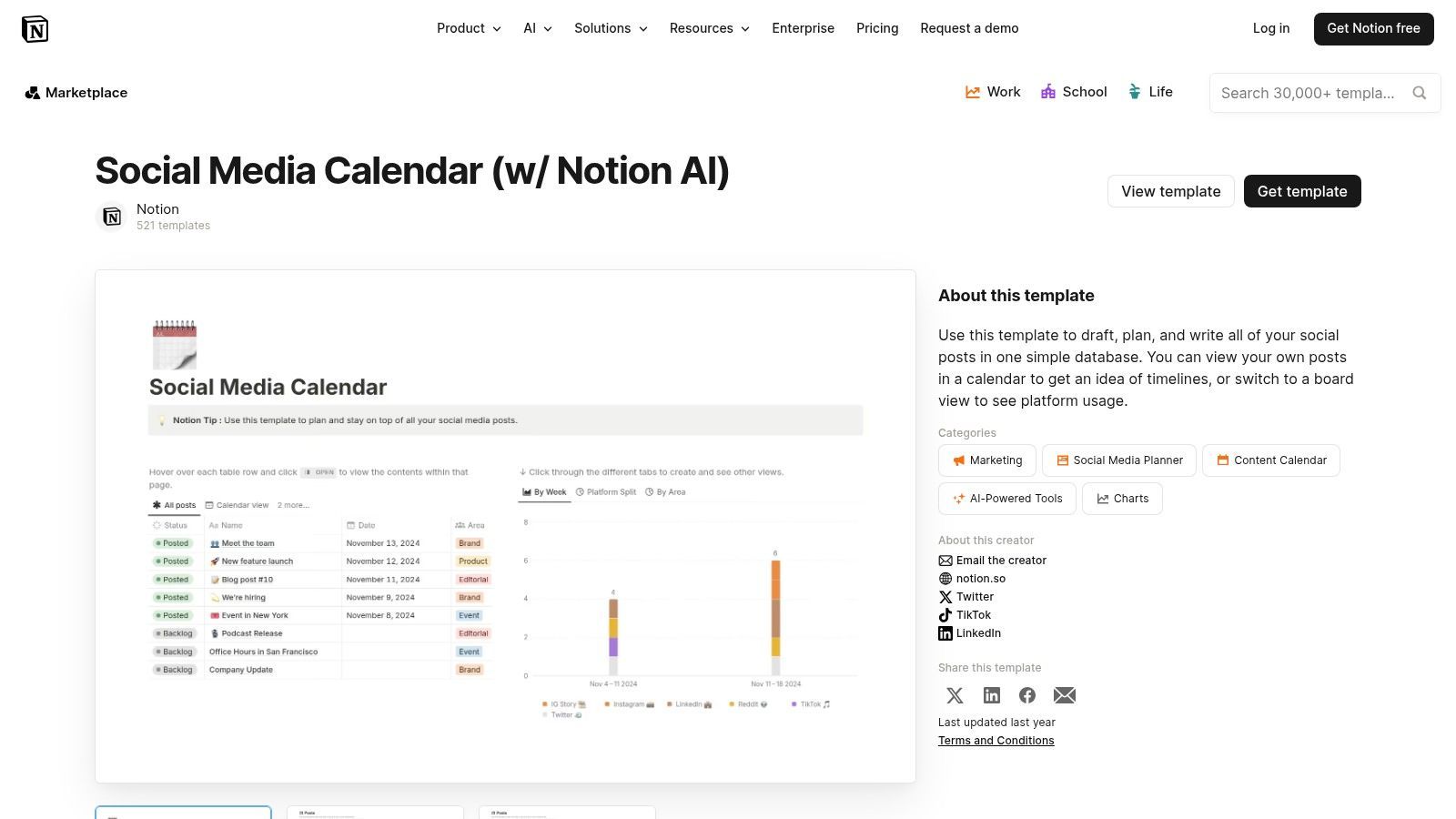
The key distinction of this template is its use of database properties and multiple views. You can visualize your schedule as a traditional calendar, switch to a Kanban board to track post status (e.g., Idea, In Progress, Ready for Review), or use a simple table for a high-level overview. This makes it a complete content hub, not just a schedule.
Key Features & Use Case
This resource is perfect for solo creators or agile teams that require a single source of truth for their entire content operation. By linking posts to creative briefs, asset databases, and performance notes, it connects planning with execution and analysis. The built-in commenting and sharing features also simplify feedback and approval loops.
- Format: Notion database.
- Access: Free to duplicate from the Notion Template Gallery.
- Best For: Individuals and teams who already use Notion for project management and want an all-in-one content system.
- Pros: Extremely customizable with multiple views (calendar, board, list), integrates with other Notion databases, and facilitates easy team collaboration and approvals.
- Cons: Has a steeper learning curve than a simple spreadsheet. It also requires a separate scheduler or automation (like Zapier) for publishing, as it has no native posting capabilities.
Top 12 Social Media Posting Schedule Templates Comparison
| Product | Core Features | Quality ★ | Value 💰 | Target 👥 | Unique ✨ |
|---|---|---|---|---|---|
| ShortGenius (AI Video / AI Ad Generator) 🏆 | End-to-end: AI script → images → video → lifelike voiceovers + editor, presets, auto-scheduling & API | ★★★★★ Production-grade, fast turnaround | 💰 Tiered / contact via website (scales for teams) | 👥 Creators, agencies, DTC brands, social teams | ✨ Unified AI stack + creative presets & direct multi-platform publishing |
| Hootsuite — Social Media Calendar Template | Pre-formatted Google/Excel sheets (copy, links, media, owner) | ★★★ Familiar spreadsheet UX | 💰 Free | 👥 Small teams, planners | ✨ Simple, duplicable planning template |
| HubSpot — Social Media Content Calendar Template | Calendar & copy sheets, bulk-upload format, setup docs | ★★★★ Clear structure & guidance | 💰 Free (email-gated) | 👥 HubSpot users, marketing teams | ✨ Bulk-upload ready + import docs |
| Later — Calendar Template + In-App Calendar | Spreadsheet + visual drag‑and‑drop in-app calendar, post recommendations | ★★★★ Visual, creator-friendly | 💰 Free template; pro for scheduler features | 👥 Creators & small agencies wanting visual scheduling | ✨ Visual calendar + best-time suggestions |
| Sprout Social — Downloadable Calendar Template | Monthly layout with campaign, KPI & notes fields, CSV for bulk scheduling | ★★★★ Enterprise-grade workflow | 💰 Free template; Sprout subscription for full platform | 👥 Enterprise/social teams | ✨ KPI-focused monthly planning & approval guidance |
| Buffer — Notion-based Content Calendar + Scheduler | Notion database (calendar/board), example views, pairs with Buffer scheduler | ★★★ Lightweight & Notion-native | 💰 Free template; Buffer freemium for scheduling | 👥 Small/lean teams using Notion | ✨ Notion-native planning that maps to Buffer |
| Asana — Social Media Content Calendar | Task-based project with calendar/board/list, dependencies & approvals | ★★★★ Great for coordination | 💰 Free template; paid tiers for advanced fields | 👥 Cross-functional teams & PMs | ✨ Task ownership, due dates & approval flows |
| Airtable — Social Media Calendar/Base | Relational tables for pipeline, assets, gallery/calendar views | ★★★★ Structured asset linking | 💰 Free & paid tiers | 👥 Ops-heavy teams, agencies | ✨ Database-style tracking with asset relations |
| ClickUp — Modern Social Media Calendar | Custom fields, calendar/board/list views, automations & integrations | ★★★ Highly customizable | 💰 Free template; paid for automations | 👥 Existing ClickUp users | ✨ Deep customization + automations |
| monday.com — Social Media Planner Template | Board with columns for channels, dates, assets, automations & timeline view | ★★★ Visual & client-friendly | 💰 Paid plans for best features | 👥 Client-facing teams & PMs | ✨ Visual boards + easy automations |
| Canva — Social Media Calendar Templates (Design-first) | Editable monthly/weekly calendar designs, Brand Kit & export options | ★★★★ Designer-friendly visuals | 💰 Free templates; Pro for Brand Kit | 👥 Designers, agencies, client presentations | ✨ Branded, client-ready calendar visuals |
| Notion — Social Media Calendar Template (Marketplace) | Flexible database properties, calendar/board/list views, relations to briefs/assets | ★★★ Flexible & collaborative | 💰 Free template; paid workspace features | 👥 Notion-native creators & teams | ✨ Highly flexible content DB with comments/approvals |
Turn Your Plan Into Published Content
The journey from a blank calendar to a thriving social media presence begins with a single, crucial step: organization. Throughout this guide, we have analyzed a wide array of tools, from the straightforward spreadsheet templates offered by Hootsuite and HubSpot to the complex, collaborative ecosystems of Asana and monday.com. Each social media posting schedule template serves as a foundational blueprint, a strategic map designed to bring order to the creative chaos of content production.
The core insight is that there is no single "best" template. The ideal choice is deeply personal to your workflow, team structure, and ultimate objectives. A solo influencer might find the perfect balance of simplicity and power in a Notion-based system from Buffer or a marketplace template, allowing for easy content logging and visual planning. Conversely, a marketing agency juggling multiple clients requires the robust infrastructure of a tool like ClickUp or Airtable, where custom fields, complex views, and automation rules are essential for managing deliverables at scale.
From Static Plan to Dynamic Engine
A common pitfall is treating your schedule as a final destination. A filled-out calendar is a great achievement, but it remains a static document. The real value is realized when that plan is set in motion, consistently and efficiently. This is where the distinction between simple planning tools and integrated platforms becomes critical.
- For Simple Organization: If your primary goal is to escape the cycle of last-minute posting, a downloadable spreadsheet or a design-first Canva template provides immediate structure. These are excellent starting points for visualizing your week or month.
- For Team Collaboration: When multiple stakeholders are involved in approval, creation, and feedback, a dedicated project management tool is non-negotiable. Asana, ClickUp, and monday.com are built for this, turning each content idea into a trackable task with clear ownership.
- For Content Velocity: For creators and brands focused on scaling content output, especially short-form video, the critical step is closing the gap between planning and publishing. Your schedule must feed a system that can generate and distribute content with minimal friction.
The most effective strategy involves connecting your meticulously crafted plan to a powerful execution engine. This is how you transform a schedule from a mere list of ideas into a dynamic content pipeline that consistently fuels your channels. Consider your chosen social media posting schedule template as the "brains" of your operation; the next step is to give it the "hands" to do the work. By integrating your calendar with an automated content creation and scheduling tool, you build a system that works for you, freeing up time to focus on strategy and community engagement rather than manual production and posting.
Your template provides the "what" and "when," but a tool like ShortGenius provides the "how." It takes the planned topic from your calendar and generates the actual video content, ready for review and publishing. This connection is what separates good social media management from great social media performance. Start by selecting the template that best fits your immediate needs, but always keep an eye on the next step: automating your success and turning your strategic plan into published reality.
Ready to turn your schedule into actual content? ShortGenius (AI Video / AI Ad Generator) transforms your content ideas from your new schedule into high-performing short-form videos and ads in minutes. Stop the manual grind and start automating your content creation by visiting ShortGenius (AI Video / AI Ad Generator) to see how it works.