Social Media Ad Maker: Create AI Ads in Minutes

Transform your ad workflow. This social media ad maker guide covers key features, benefits, & how to leverage AI to create compelling ads in minutes.
You’re probably doing some version of this already.
You have an offer to promote, a launch date that won’t move, and five platforms asking for five slightly different versions of the same ad. One needs a vertical cut. One needs captions. One needs a tighter hook. Another needs a different voiceover because the original feels too polished for the audience. By the time you export, resize, upload, and schedule everything, the “creative” part of ad creation is over and the admin work has swallowed the day.
That’s why the idea of a social media ad maker matters now. Not as a novelty, and not as a shortcut for lazy teams, but as a practical way to turn one strong idea into a consistent, usable campaign across the channels where people discover products.
Why Social Media Ads Are Your Greatest Growth Lever
A lot of marketers still treat social ads like one line item in a crowded channel mix. In practice, they’ve become the place where discovery, persuasion, and action often happen in one scroll session.
Here’s the business context. In 2026, the global social media advertising market is projected to reach $317.33 billion in ad spending. This surge positions social media ads to capture 37.2% of all digital ad spend, with video ads yielding 48% higher engagement than static images and an average return on investment standing at $5.20 per $1 spent, according to social media advertising projections compiled by SQ Magazine.
That changes the conversation. Social ads aren’t just where you “test some creatives.” They’re where brands now compete for attention at scale.
The real bottleneck isn’t ideas
Teams often don’t run out of campaign ideas first. They run out of production capacity.
A social manager may know the angle they want to test. A founder may know the story customers respond to. An agency strategist may already have the offer and audience dialed in. The slowdown usually starts after that, when one ad has to become many assets.
You need:
- A short-form version for vertical feeds
- A platform-safe version with the right format
- A captioned version for muted viewing
- A refreshed variation when the first creative starts to fatigue
That work used to require a patchwork of tools and handoffs. It still can. But the more often you need content, the less sustainable that setup becomes.
Practical rule: If your team can think of more ad ideas than it can publish, your growth problem is operational, not creative.
Why this matters for everyday marketers
This isn’t only relevant to enterprise brands with media budgets and dedicated editors. It matters even more for lean teams.
A solo creator selling a course, a DTC brand launching a new product bundle, and an agency juggling client deadlines all face the same basic challenge. They need ads that are fast to make, easy to adapt, and realistic to publish consistently.
That’s where the category starts to make sense. A social media ad maker isn’t replacing strategy. It’s removing the friction between strategy and distribution.
What Is a Social Media Ad Maker
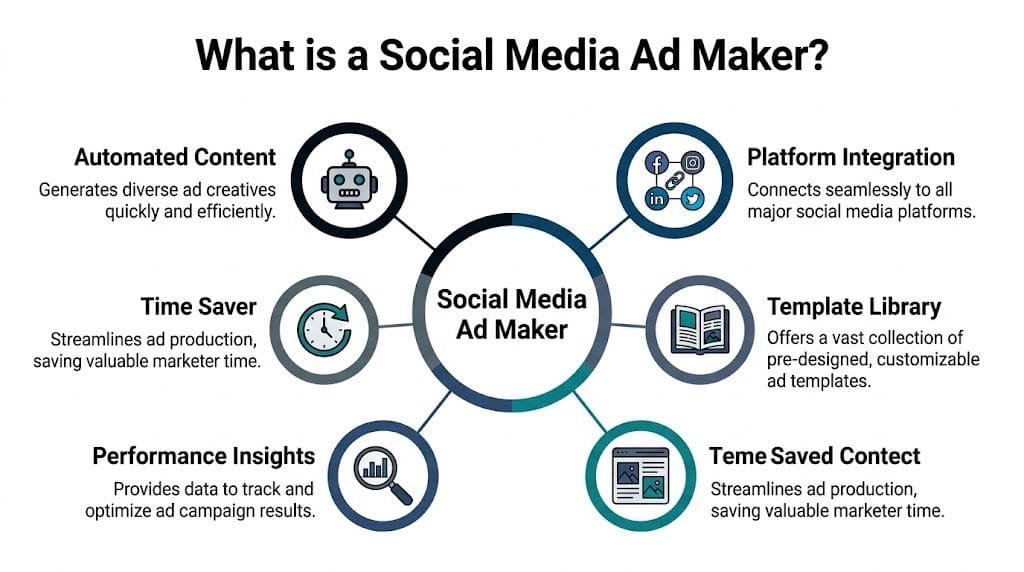
A social media ad maker is a tool that helps you create ad-ready content for platforms like Instagram, Facebook, TikTok, YouTube, and X without building every piece manually from scratch.
The easiest way to think about it is this. It’s a personal ad agency in a box.
Instead of hiring or coordinating a separate copywriter, designer, video editor, voice actor, and scheduler, the tool combines many of those jobs into one workflow. You still decide the message, angle, and audience. The software helps turn that direction into assets you can publish.
What these tools usually handle
Traditional ad creation often looks like a relay race. One person writes a script. Another finds visuals. Another edits the video. Someone else resizes it. Then a social manager uploads each version by hand.
A modern ad maker brings those steps together:
-
Idea to script
You start with a prompt, offer, product page, or rough concept. The tool helps shape that into ad copy, a voiceover script, or scene-by-scene structure. -
Asset generation
It can pull in stock visuals, product images, motion elements, or AI-generated scenes to match the message. -
Video assembly
Clips, text overlays, transitions, music, captions, and voiceovers get assembled in one place instead of across multiple apps. -
Platform adaptation
One creative becomes several versions for different aspect ratios and placements. -
Publishing support
Some tools stop at export. Others continue into scheduling and distribution.
What makes an AI ad maker different
Older design tools helped you make assets. AI-powered ad makers help you make decisions faster.
That distinction matters. A blank canvas is useful if you already know exactly what to build. But many marketers need help earlier in the process. They need a hook, a first draft, a stronger CTA, a simpler visual structure, or alternate versions for testing.
An AI ad maker acts like a co-pilot. It doesn’t replace judgment. It reduces blank-page friction.
A good tool shouldn’t make every ad look the same. It should help you get to your version faster.
The unified workflow is the real upgrade
The most important shift isn’t that AI can write or generate visuals. It’s that better tools connect the whole chain from concept to publishing.
That solves a common frustration. Many marketers can create one decent ad. Fewer can efficiently turn that ad into a coordinated multi-platform campaign without losing time in exports, formatting, and scheduling.
A useful social media ad maker, then, isn’t just a video generator. It’s a workflow system for repeated ad production.
Key Features That Revolutionize Ad Creation
Not every feature matters equally. Some are nice to have. A few change how your team works every week.
AI scriptwriting that removes first-draft friction
The first obstacle in ad creation is often the hook. You know the product. You know the audience. But turning that into a sharp opening line is harder than it sounds.
AI scriptwriting helps by producing starting points quickly. You can ask for a direct-response style ad, a founder-led voice, a UGC-style script, or a product demo structure. The value isn’t that the first output is perfect. It’s that you’re no longer staring at an empty document.
For busy teams, this means momentum. For new creators, it means confidence.
Resizing and reformatting without rebuilding
At this stage, many workflows subtly break down.
An ad that looks clean in one feed can feel awkward somewhere else. Text placement, crop, pacing, and framing all change once you move between formats. If you’ve ever manually re-edited a square ad into a vertical one, you know this isn’t a minor task.
Strong ad makers reduce that repetition. They let you adapt one core creative into multiple placements while preserving the important parts: headline visibility, product focus, subtitle readability, and branding.
Brand kits that keep output consistent
Many teams don’t struggle to make one ad look on-brand. They struggle to make the twentieth ad look on-brand when they’re moving fast.
Brand kits solve that by storing logos, fonts, colors, tone preferences, and reusable templates. Once that system is in place, every new ad starts with guardrails. You don’t need to re-decide your visual identity every time.
That consistency matters because audience trust is cumulative. If your ads look unrelated from week to week, your brand feels less memorable.
Voiceovers, captions, and scene swaps in one workflow
Modern ad production is less about making one polished “hero ad” and more about producing many variations that fit different contexts.
Useful features here include:
- Natural voiceovers that let you test different tones without booking talent
- Auto-captions that make short-form content easier to follow on mute
- Scene swaps that let you replace weak visuals instead of rebuilding the entire asset
- Trim tools for tightening intros and removing drag in the middle
Each of these sounds small on its own. Together, they create a workflow where iteration becomes normal instead of painful.
Shared workspaces for teams
A solo creator can tolerate a messy process longer than a team can.
Once multiple people need to review, revise, approve, and publish ads, the tool itself has to support collaboration. Comments, shared folders, reusable templates, and approval-friendly previews keep small edits from becoming long email threads.
A quick way to think about feature value
| Feature | What it solves |
|---|---|
| AI scriptwriting | Speeds up ideation and first drafts |
| Auto-resizing | Cuts repetitive platform adaptation work |
| Brand kit | Preserves consistency across many creatives |
| Voiceover and captions | Improves accessibility and production flexibility |
| Scheduling integration | Keeps finished ads from sitting unpublished |
| Collaboration tools | Reduces review chaos for teams |
The pattern is simple. The best features don’t just make ads prettier. They remove repeated friction from your production cycle.
How to Choose the Right Social Media Ad Maker
Most buyers compare tools by feature count. That’s a mistake. The right choice depends more on workflow fit than on the longest checklist.
Start with your bottleneck
If you’re a solo creator, your main problem may be speed. You need to move from idea to publishable content without touching five different apps.
If you’re on a marketing team, the bigger issue may be consistency. Several people are making ads, and they need shared templates, approvals, and a repeatable process.
If you run an agency, distribution may matter most. You’re not just making ads. You’re adapting them for different client channels and managing timelines across accounts.
So ask one question first: Where does your current process break?
Evaluate tools like an operator, not a shopper
A polished landing page doesn’t tell you much. You want to know how the tool behaves inside a normal workday.
Look for these decision points:
-
Input flexibility
Can you start from a prompt, a script, raw footage, product images, or existing assets? -
Editing depth
Can you make real changes after generation, or are you stuck with one output? -
Platform coverage
Does it support the channels you publish on, including short-form placements? -
Scheduling connection
Can your team publish from the same environment, or will you still export and upload manually? -
Collaboration support
Can teammates review and revise without creating version confusion? -
Brand control
Can you lock in recurring visual standards so output doesn’t drift?
Don’t buy a tool for the demo moment. Buy it for the hundredth ad.
Match the tool to the user
A simple comparison can help.
| User type | What matters most |
|---|---|
| Solo creator | Fast creation, easy templates, minimal setup |
| In-house marketing team | Brand consistency, approvals, shared assets |
| Agency | Multi-client organization, adaptation, scheduling |
| E-commerce brand | Product-focused creative speed, variation testing |
| Educator or coach | Clear voiceovers, reusable formats, regular publishing |
Red flags worth noticing
Some tools create eye-catching outputs but stop before the hard part. Others publish well but don’t help much with ideation. Some are easy for one person but clumsy for teams.
Be cautious if a tool:
- Exports only and leaves distribution as a separate manual process
- Looks impressive in samples but is rigid once you try to edit
- Supports one platform well but treats the rest as an afterthought
- Generates quickly but doesn’t preserve your brand identity
A strong social media ad maker should fit how you already work, then remove a few painful steps. If it adds complexity, it’s solving the wrong problem.
Creating Your First AI Ad with ShortGenius
Your team has the idea by 10 a.m. By lunch, there is a rough script. By late afternoon, the ad is still stuck in the handoff loop. One person is resizing for Reels, another is rewriting captions for Shorts, and scheduling gets pushed to tomorrow.
That delay is the bottleneck modern ad tools are trying to remove.
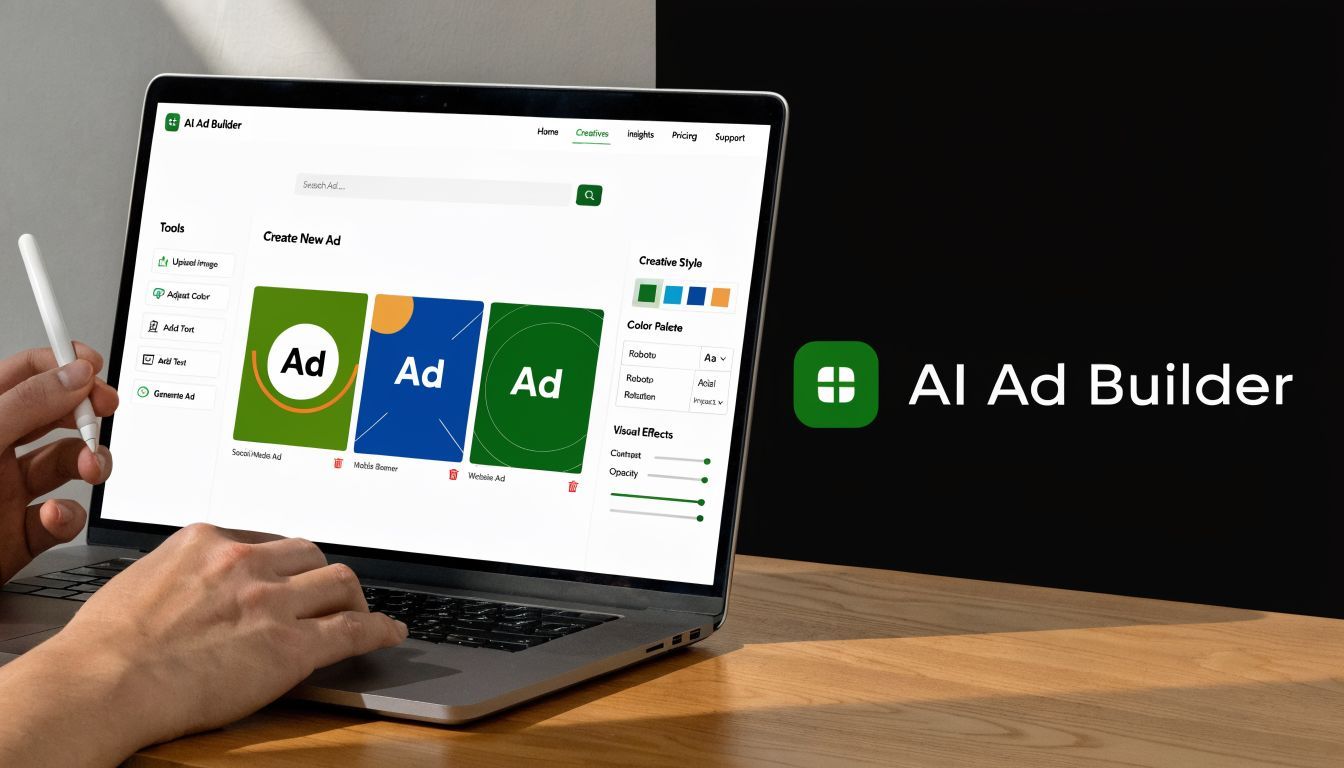
A unified workflow keeps the whole process in one place. Instead of treating ideation, production, adaptation, and publishing as separate jobs, a tool like ShortGenius social media ad maker combines scripting, asset creation, editing, resizing, and scheduling in the same environment. That matters because the main time loss rarely comes from making version one. It comes from turning version one into a campaign.
Start with one usable idea
Begin with a narrow brief.
A prompt such as "promote a hydration drink to busy professionals, highlight convenience, keep the tone energetic, and end with a direct CTA" gives the AI enough context to produce a draft with direction. A vague request like "make a viral ad" usually creates generic output because the tool has no clear audience, promise, or tone to work with.
The first goal is traction, not polish.
A good draft should already contain four pieces: who the ad is for, what problem it addresses, what the offer is, and what outcome the buyer should picture.
Turn the brief into a script
Script generation works like giving a junior copywriter a sharp creative brief. The clearer your input, the better the first pass.
For short-form ads, this structure keeps things focused:
- Open with a hook
- State the problem
- Present the product or solution
- End with a direct action
If the draft feels flat, revise the instruction instead of editing blindly. Ask for a more conversational voice, a stronger first line, or a creator-style delivery. Small prompt changes often improve the result faster than rebuilding the script from scratch.
Specific prompts produce specific ads.
Build visuals that support the message
Now pair the script with visuals that make the claim easy to grasp.
You might pull from product shots, stock footage, AI-generated scenes, or animated stills. If your starting point is a static image library, this guide to an AI image animator is a useful reference for turning flat assets into motion-based creative.
A simple scene plan helps:
- A first frame that earns attention
- A middle section that shows the product in use
- A closing frame that reinforces the CTA
Visuals work like packaging on a store shelf. Their job is to make the message easier to notice and easier to believe.
Add voiceover, captions, and brand rules
This stage is where separate tools often slow teams down.
Choose a voice that fits the audience and the offer. A creator-focused beauty ad may sound casual and fast. A software ad may need a steadier read. Then add captions so the core message still works with sound off, which is common on social feeds.
Apply brand elements next. Colors, fonts, logo treatment, and recurring text styles should feel consistent across every variation. If the platform lets you save those choices as a reusable template, use it. Templates reduce drift the same way a style guide reduces off-brand copy.
Adapt the ad for each platform
Many tutorials stop after the first finished video. Production friction starts after that point.
A single master ad usually needs different packaging for each channel. The core idea stays the same, but the framing changes. Vertical placements need different crops. Some platforms reward faster pacing. Others need cleaner text treatment or less on-screen copy.
A practical adaptation plan looks like this:
| Platform | What to adapt |
|---|---|
| TikTok | Faster opening, native-feeling pacing, larger captions |
| Instagram Reels | Clean framing, polished look, restrained text |
| Facebook Feed | Readable text, direct offer framing, strong first image |
| YouTube Shorts | Immediate hook, steady motion, concise CTA |
| X | Simpler visuals and tighter copy support |
That is the larger promise of a unified ad workflow. You are not creating five unrelated ads. You are building one strong idea, then fitting it to five different containers.
Schedule while the campaign is still organized
Scheduling should happen while the creative context is still fresh.
If publishing lives in a separate tool, teams often lose momentum. Captions get copied over manually. Platform versions go missing. Posting dates slip. Integrated scheduling keeps the final step attached to the production process, which makes campaigns easier to launch on time and easier to keep consistent.
That difference sounds small until you repeat it every week. Over time, the value of an ad maker is not just faster generation. It is the ability to move from idea to adapted, scheduled campaign without rebuilding the workflow at every step.
Best Practices for Ads That Actually Convert
A strong ad often fails for a simple reason. The viewer cannot tell, in the first second, why they should care.
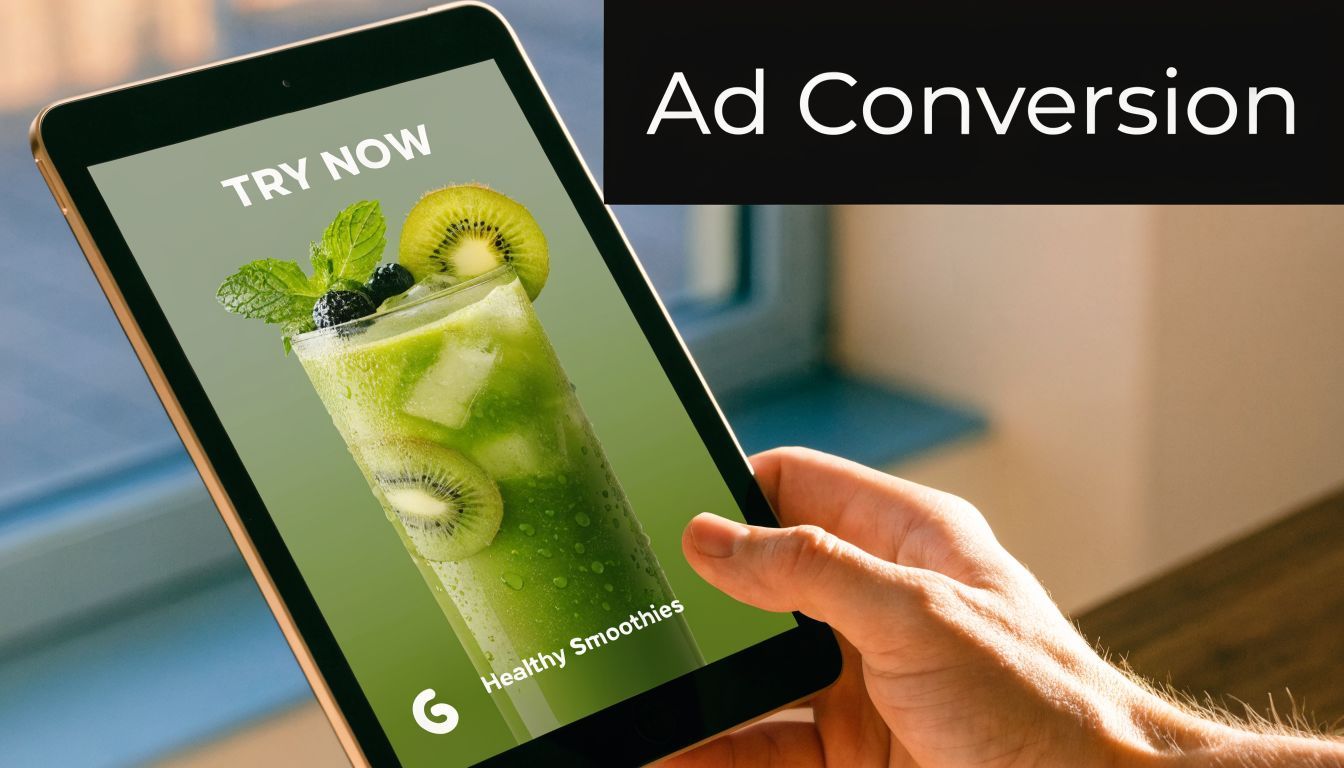
Good creative works like a storefront window. If the message is clear from the sidewalk, more people step inside. If the window is cluttered, rushed, or generic, even a strong product gets ignored.
Win the first moments
Social feeds reward immediate clarity. Your opening frame needs to answer one of three questions right away: What is this? Who is it for? Why should I stop?
There are a few reliable ways to do that. Lead with a sharp visual change. Name a familiar pain point. Show the result before the explanation. The format matters less than the job it does, which is to earn the next two seconds.
Teams often lose performance here by treating the opening like a warm-up. Social ads do better when they start where audience attention starts, at the point of tension.
Make the story easy to follow
Ads that convert usually carry one idea from start to finish.
A simple structure helps:
- Problem
- Shift
- Solution
- Action
That flow works because it matches how people make quick decisions. First they recognize a problem. Then they see a possible change. Then they ask whether your product fits. Then they decide whether to click, sign up, or buy.
Trying to fit every feature into one ad is like putting your entire sales deck on a billboard. The message gets harder to process, not more persuasive.
Clear beats clever when attention is short.
Match the message to the placement
Creative strategy is not just concept and copy. Presentation affects performance too.
An ad can have a solid hook and still struggle if text is cramped, captions are hard to read, or the crop cuts off the product. Platform requirements also affect whether the ad gets approved and how polished it looks once live. That is one reason modern ad makers matter beyond generation alone. They help teams keep the idea intact while adapting the packaging for each placement inside the same workflow.
For marketers working specifically on Meta campaigns, this guide to profitable Facebook ads is a useful companion because it connects creative choices with offer structure and campaign setup.
A practical checklist before you publish
Run through this quick review before scheduling anything:
-
Hook clarity
Does the first frame signal the audience or the payoff immediately? -
Single message
Can a viewer explain the ad’s main point in one sentence? -
Visual hierarchy
Is there one focal point, rather than several competing elements? -
CTA strength
Does the ad ask for one clear next step? -
Mobile readability
Are captions, text overlays, and product details easy to see on a phone? -
Placement fit
Does the version match the platform’s layout and viewing behavior?
This kind of check is where a unified workflow pays off. You are not reviewing a loose collection of files spread across tools. You are reviewing one campaign idea as it moves from concept to platform-ready versions to scheduled posts.
A short visual walkthrough can help make these principles more concrete.
Let the tool handle production tasks
Your job is to choose the audience, emotional angle, offer, and call to action.
Let the ad maker handle resizing, formatting, subtitle generation, and versioning. That division of labor keeps human attention on persuasion and keeps the workflow organized from first draft to scheduled campaign.
The Future of Ad Creation Is Here
The old workflow treated ad creation like a chain of separate jobs. Write first. Design later. Edit somewhere else. Resize at the end. Schedule if there’s time.
That model still works. It just doesn’t work fast enough for how social platforms now reward consistency, variation, and speed.
A modern social media ad maker changes that by turning ad production into one connected system. You move from idea to script, from script to assets, from assets to edited versions, and from versions to scheduled posts without losing momentum in between. That matters for solo creators trying to stay visible and for teams trying to publish without bottlenecks.
The bigger shift is cultural, not just technical. Marketers no longer need to choose between quality and volume in such a rigid way. With the right workflow, they can produce more often while protecting message clarity and brand consistency.
If your ad process still feels fragmented, that’s your signal. The future of ad creation isn’t about making more content for the sake of it. It’s about making strong ideas easier to build, adapt, and publish.
Frequently Asked Questions About Ad Makers
Do social media ad makers replace editors and designers
Usually, no. They reduce repetitive production work and speed up first drafts. Skilled editors and designers still add judgment, taste, and campaign-level thinking that templates alone can’t replace.
Can I use my own footage and voice recordings
In many cases, yes. Most ad makers are more useful when they let you mix your own product clips, talking-head footage, logos, brand assets, and custom audio with AI-generated elements. That flexibility matters because the strongest ads often combine authentic brand material with faster automated production.
Are AI-generated ads effective in every niche
They can work across many niches, but the output needs to fit the audience. A direct-response e-commerce ad may benefit from fast pacing and bold captions, while a coach, educator, or B2B brand may need a calmer structure and more trust-building language. The tool helps with production. Relevance still comes from your strategy.
If you want one place to script, build, adapt, and schedule ads instead of stitching together multiple tools, ShortGenius (AI Video / AI Ad Generator) is worth exploring for a unified AI-driven workflow.