8 Save the Date Videos to Inspire Your Event

Explore 8 save the date videos with scripts, shot lists, music ideas, captions, and fast production tips for memorable event promotion.
The best save-the-date video isn't the one with the biggest production budget. It's the one that makes the event, date, and next action unmistakable while giving viewers a reason to care. A cinematic montage can look beautiful and still fail if the date appears too late, the text disappears on mobile, or the viewer doesn't know whether to register, reply, or add the event to a calendar.
Choose the concept according to your event, audience, available footage, desired emotional response, and publishing channel. A wedding announcement may need warmth and intimacy, while a product launch may need urgency and visual rhythm. A conference promotion could benefit from authority, proof, or educational value. The practical framework is simple: match the format to the objective, reveal essential details clearly, keep the first seconds active, and finish with one unmistakable action. Current guidance commonly places a standard wedding save-the-date 4 to 8 months before the event, or 8 to 12 months for a destination celebration, as described in this wedding videography packages guide.
Below are eight repeatable production systems, each with a compact script framework, shot plan, pacing direction, caption prompt, strategic use case, and fast editing workflow.
1. Animated Text Reveal Save the Date
Animated typography works when the announcement carries more weight than the footage. It suits wedding Reels, conference promotions, and product launch teasers because motion gives a short information sequence a clear order. A save-the-date video is a brief digital announcement shared before the formal invitation, through email, messaging, or social platforms. A teaser version commonly runs 10 to 15 seconds, while a personal edit may run longer, according to this save-the-date video guide.
Use one reveal sequence, not a separate animation for every word. The production system is simple: establish the event, make the date dominant, add one reason to attend, then finish with a single action.
Script framework:
- Event name: “The [event name] is coming.”
- Date: “[Day, date]. Save it.”
- Location: “[Venue or city].”
- Reason to attend: “Join us for [one emotional or practical benefit].”
- Action: “Add it to your calendar at [link]” or “RSVP now.”
Shot plan and pacing
Build four visual layers: a moving background, the event name, the date emphasis, and the final registration frame. A subtle gradient, drifting texture, animated photograph, or looping brand pattern is enough. Give the date the strongest contrast and the longest hold, since viewers often watch without sound or pause only briefly.
Keep the edit around 15 to 30 seconds, a range outlined in the Canva save-the-date video resource. Use upbeat music with a quick tempo, but keep sound effects quiet enough for captions and dates to remain easy to follow. Brand colors and fonts connect the announcement to the wider campaign. A QR code or link overlay can send viewers directly to registration. Make it large enough to scan, and keep it clear of moving elements.
For speed, start with a vertical mobile canvas and place every key detail inside a safe central area. Duplicate one scene for each reveal, apply the brand kit once, then adjust timing, contrast, and text scale. Test the finished video on a phone before publishing. A lightweight tool for fast video script and scene creation can shorten setup time, but generated visuals should remain subordinate to the information.
The success test is practical: viewers should remember the date and know what to do next. Fancy transitions are optional. Clear hierarchy is required.
2. Behind-the-Scenes Countdown Save the Date
Preparation footage becomes persuasive when it has a narrative. Random clips of chairs, boxes, cables, or clothing racks don't create anticipation on their own. Arrange them as evidence that something is taking shape, then let the countdown give those fragments a destination.
This approach suits product launches, conferences, experiential events, and wedding celebrations where the setup itself carries emotion. A sneaker brand might show sketches, packaging, and a fitting session. A conference team might capture stage construction, speaker rehearsals, and the first branded sign going up. The footage doesn't need to look perfect. Slightly imperfect moments can make the event feel active and human.
Conversational script framework:
“Something special is taking shape. We've been preparing [specific detail], the team is ready, and [venue or product detail] is almost set. Join us on [date] at [location]. Save your place now.”
Shot plan and continuity
Record throughout the planning process instead of trying to recreate everything at the end. Capture a detail being assembled, a team member reacting, a wide venue-progress shot, and a short countdown moment. Use quick cuts and an uplifting tempo, but maintain continuity through repeated colors, similar camera movement, or a consistent text treatment. A useful runtime is 20 to 35 seconds, long enough to show progress without turning preparation into a documentary.
- Open with movement: A door opens, a box lands on a table, or a light switches on.
- Show human effort: Include different team members and departments rather than only polished leadership footage.
- Add context: Use overlays such as “stage check,” “final samples,” or “doors nearly open.”
- Close with action: Put the date, location, and registration link on a calm final frame.
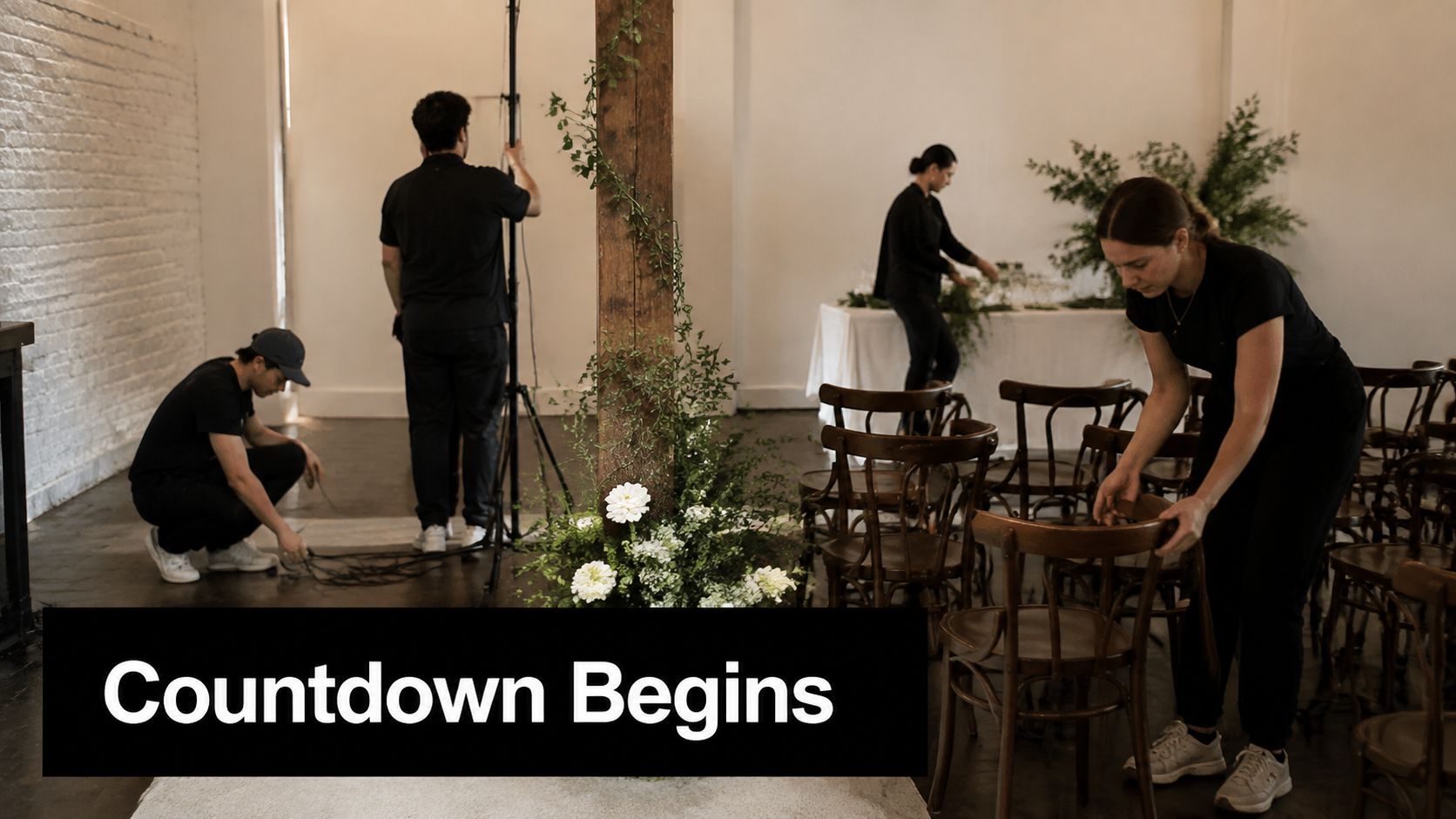
Trim clips to the moment of action, add captions before choosing decorative effects, and use the same crop across shots. If one clip is dark and another is bright, correct exposure before applying a shared color treatment. The strongest version feels like a short journey from “not ready” to “you should be there,” not a storage folder emptied onto a timeline.
3. Celebrity or Influencer Invite Save the Date
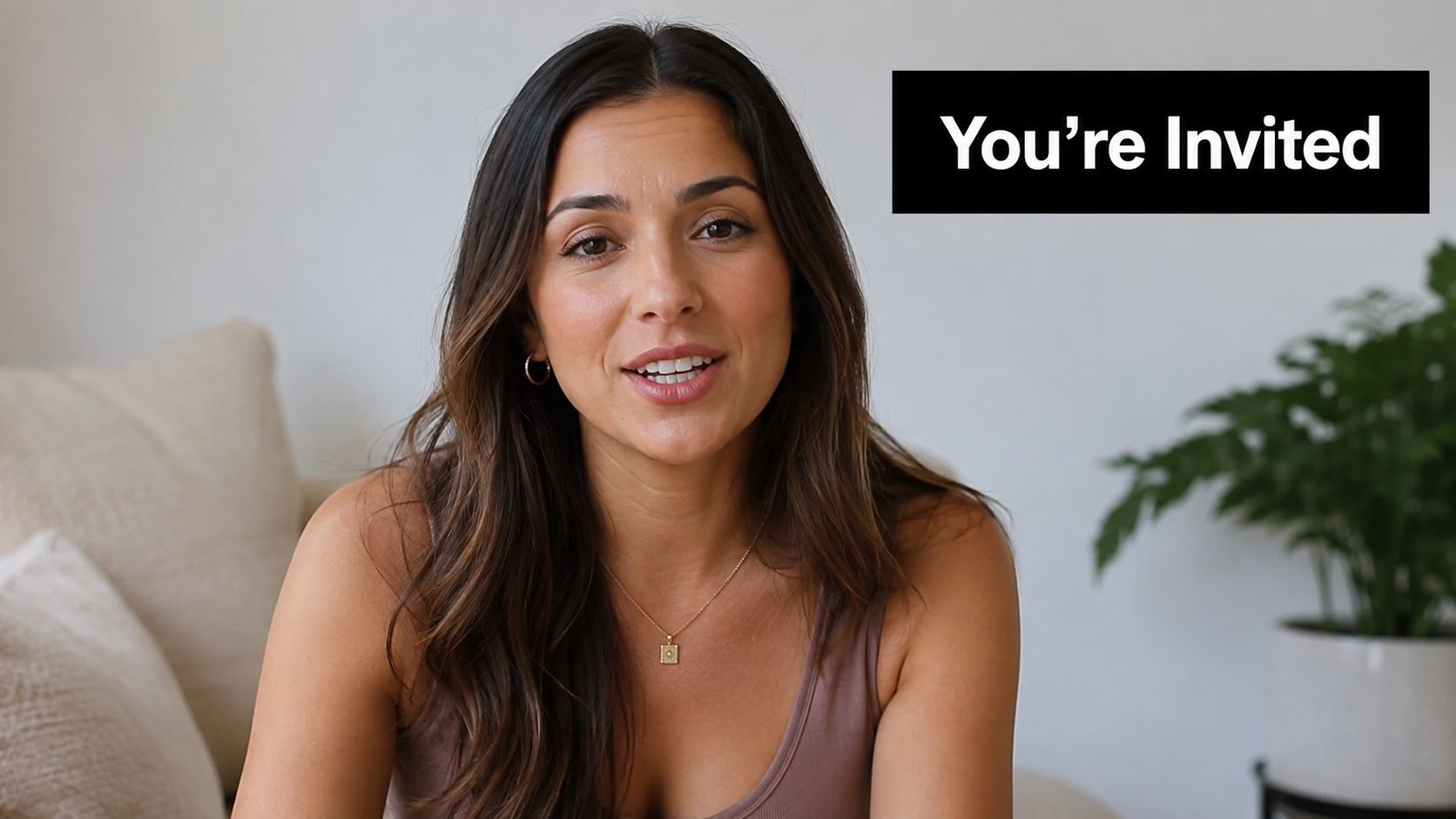
A recognizable speaker, creator, ambassador, or community figure can make an invitation feel personal, but borrowed attention does not guarantee relevance. Choose someone with a credible connection to the event and its audience. A technology keynote speaker can invite followers to a conference, while a style creator can announce a fashion event. A famous person without that connection may make the video feel purchased rather than meaningful.
Treat the appearance as a repeatable production system: one flexible script, a small shot list, and a clear path from attention to registration. Give the speaker talking points instead of a rigid paragraph when natural delivery matters more than exact wording.
Talking-point framework:
“Hi, I'll be at [event name] on [date] in [location]. I'm looking forward to [specific reason]. If you're interested in [audience benefit], save the date and use [attributed link or code] to find out more.”
Production notes
Capture four usable assets: a direct-to-camera invitation, a reaction or excitement take, a brief event-branding shot, and a final CTA frame. Keep speech intelligible by removing music beneath the dialogue or setting it very low. Aim for 15 to 30 seconds for a concise teaser. Add burned-in captions for viewers watching without sound.
Practical rule: The creator should explain why they're attending, not simply repeat the event name.
Brief the speaker on the audience, tone, required details, pronunciation, and final action. Record multiple takes, then select the clearest and most energetic delivery rather than the most polished performance. Confirm attribution, usage permissions, and release timing before publication. Coordinate the brand post with the personality's posting schedule so the announcement has supporting context.
For fast editing, place the strongest spoken take first, cover pauses with the branding or reaction shot, then finish on the date and CTA. Keep one caption style, one crop, and one destination across platforms. Write a caption that stands alone: “I'm joining [event] on [date]. Save the date and use the link in bio to join me.” If an early-access link or discount code belongs to the speaker, label that attribution clearly and send every version to the same destination. The personality may earn the first click, but event clarity earns registration.
4. Interactive Quiz or Poll Save the Date
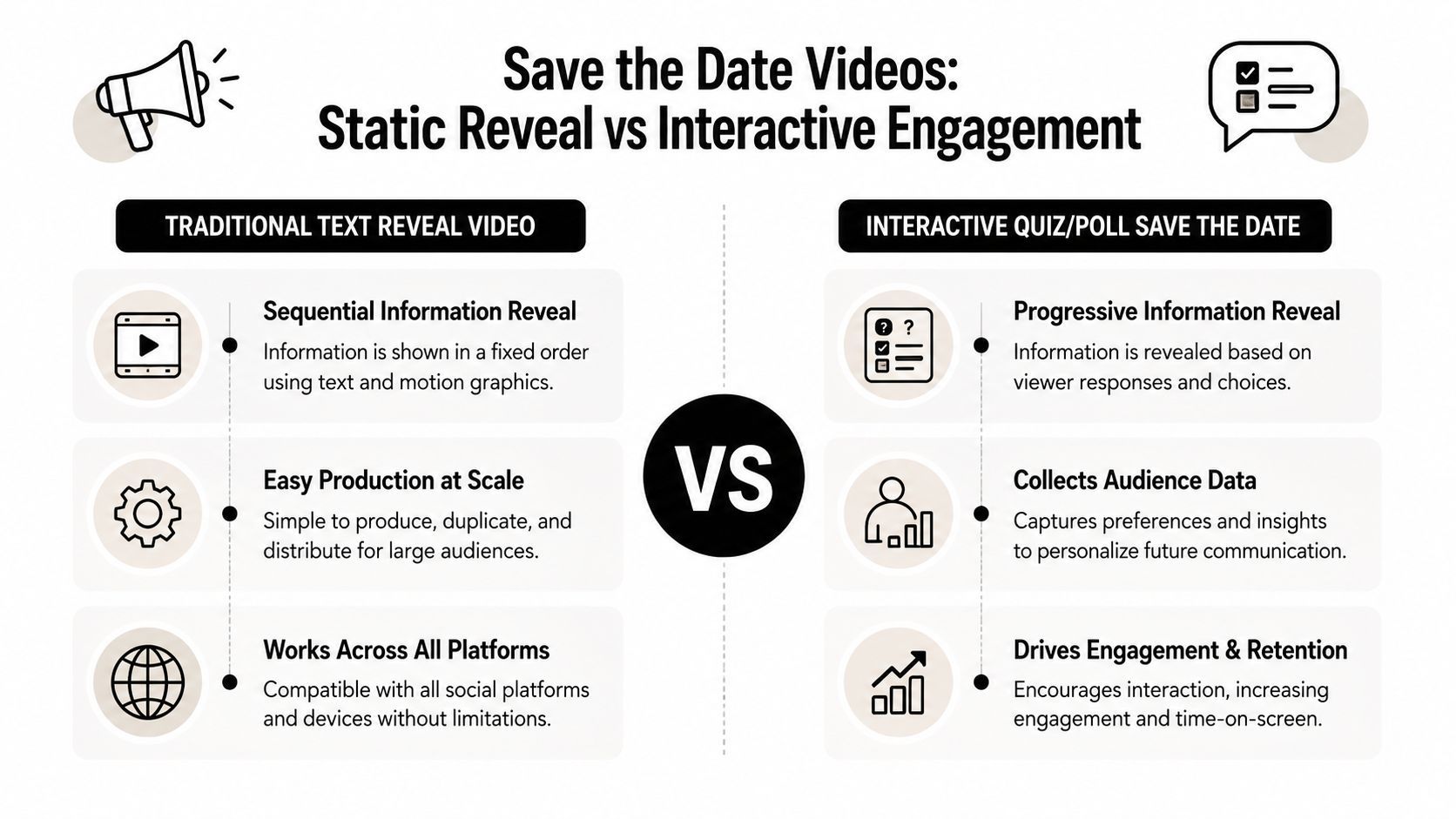
A quiz-led announcement earns attention through participation, provided the platform can deliver the interaction. Use a poll, form, or branching experience that records responses and connects each answer to a relevant event detail. A video that asks questions without a response mechanism is a question-led teaser, not an interactive format.
This system suits webinars, music festivals, workshops, and weddings involving preferences. A marketing webinar can ask about experience level, then point viewers toward the right session. A festival can let viewers choose a genre and use the result to frame the lineup. A wedding announcement can make the interaction playful before sending guests to meal or RSVP information.
Three-to-five-question script framework:
- “What are you joining us for?”
- “Which topic or experience interests you most?”
- “Choose your preferred format or session.”
- “Want the full details?”
- “Save [date] and register here.”
Build the branches before editing
Write the answer choices and outcomes before recording. Each path should reach the same registration destination, even when the result screen changes. Use distinct colors, large labels, and deliberate pauses so viewers can read and select an option. Keep the finished piece around 20 to 40 seconds, with enough screen time for every question and choice.
- Prompt screen: Show one question with one visual focus.
- Answer screen: Separate choices through spacing, contrast, and distinct shapes.
- Result screen: Give the viewer a useful label, such as “You're a hands-on learner.”
- CTA screen: Display the event date, destination, and one action.
Music can add energy, but lower it during questions. Test the complete experience on mobile, including touch targets, links, branching logic, and the final registration path. Collect responses as segmentation data only after explaining what viewers submit and defining a follow-up action.
For a fast edit, build one question card, one answer-card layout, and one result animation, then duplicate those elements across the sequence. Keep the same type scale and transition throughout. Caption the post with a prompt that repeats the interaction clearly: “Choose your session, then save [date] for the full event.” The result should guide the next message, not exist as decoration.
The embedded example below helps teams study the rhythm of a question-led announcement before building their own version.
Produce a quiz when answers change the follow-up message. If every viewer receives the same information, an animated text reveal communicates the date faster.
5. Multi-Platform Teaser Series Save the Date
A teaser series works as a campaign system, not one video exported in several sizes. Each release must connect to the same announcement while offering a clear reason to watch. Film studios use partial reveals before a trailer, while product teams introduce features or speakers over time. Conferences can reveal the theme, host, location, and complete invitation in stages.
Plan the reveal before recording. Assign every clip one information job and one visual clue.
Series script framework:
- Teaser one: “Something is happening on [date].”
- Teaser two: Reveal the city, venue, theme, or visual clue.
- Teaser three: Introduce a speaker, product, couple, or headline attraction.
- Teaser four: “You've seen the clues. Here's the full invitation.”
- Finale: Display the complete date, location, reason to attend, and CTA.
Batch once, adapt by platform
Keep each teaser short, with a longer finale that can communicate the full invitation without rushing. TikTok suits faster, trend-aware pacing. Instagram Reels benefits from clean vertical storytelling, while LinkedIn needs a more explanatory caption. YouTube Shorts can reuse the visual hook, provided the final frame stays visible long enough to read.
Use one recurring device across the series, such as a date treatment, sound cue, hashtag, or color shift. Release the clips with enough spacing for viewers to recognize the pattern. Review completion, saves, shares, comments, and clicks before producing the next batch. Watch time, completion, and share or save behavior provide more useful creative signals than view count alone, as explained in Hootsuite's social video metrics guide.
Batch the master edit from a clean source, then create platform-specific crops, captions, and schedules. Build captions that add context rather than repeat a vague teaser. Keep the finale self-sufficient, with the date, location, reason to attend, and action visible in the video and caption. A repeatable short-form production workflow can handle resizing and scheduling, leaving the creative team to test the sequence and adjust the next release.
6. User-Generated Content Mashup Save the Date
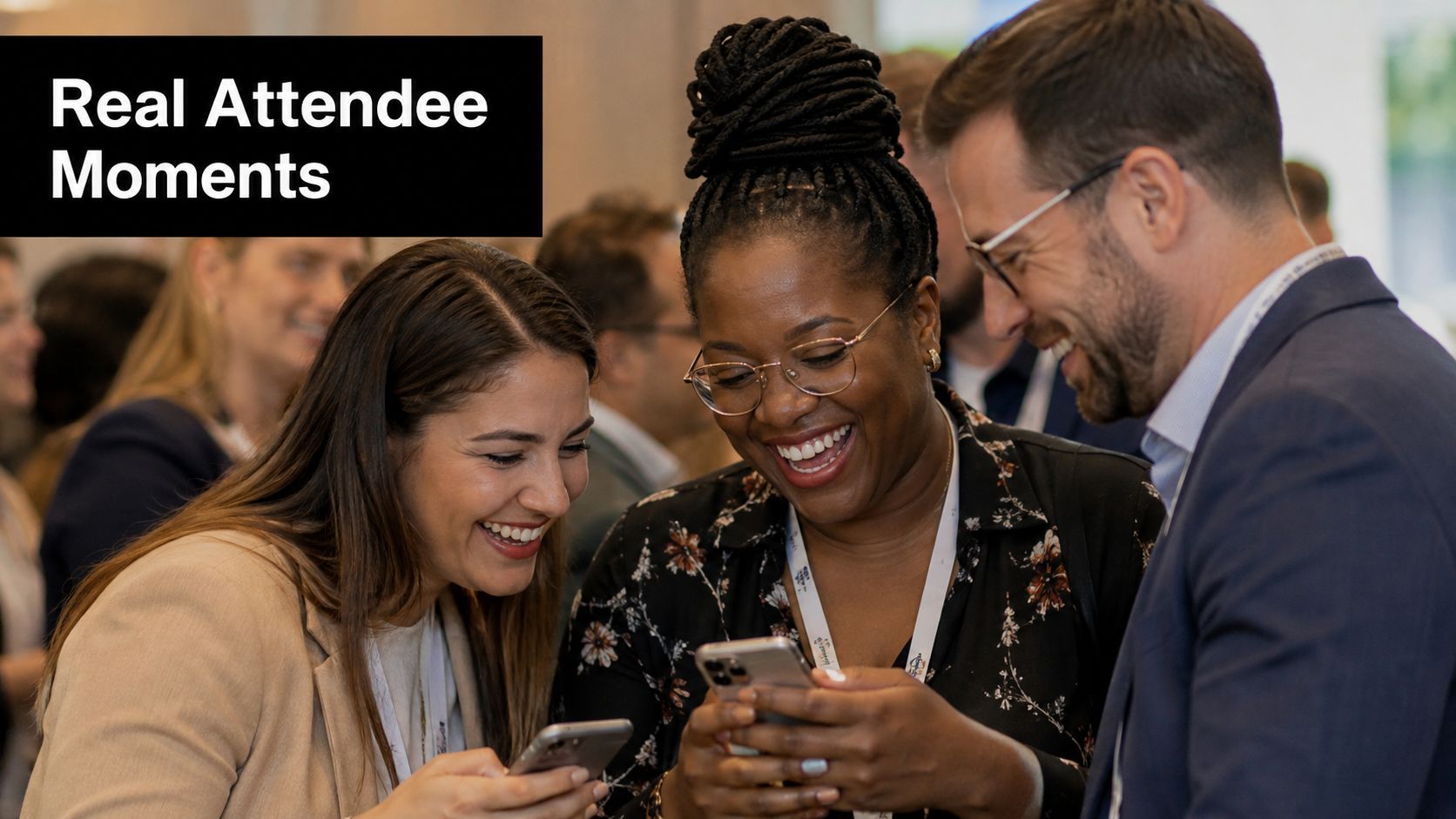
A UGC mashup gives a recurring event something a polished promo can't manufacture easily, namely visible proof of belonging. Past attendees can show the atmosphere, the friendships, the useful conversations, or the emotional payoff. The format works especially well for annual conferences, music festivals, corporate retreats, and community gatherings.
Varied footage needs a deliberate order. Open with emotion, add a short attendee voice, show the event atmosphere, reveal the upcoming details, and finish with the registration action. Don't begin with a long logo animation. The audience needs to feel the community before they're asked to join it.
Modular script framework:
“Last time, attendees came for [reason] and left with [outcome]. Hear what [attendee or role] experienced, then show the people, rooms, and activity that made it memorable. We're back on [date] in [location]. Save your place.”
Assemble proof without losing coherence
Collect submissions with clear instructions about orientation, framing, spoken content, and file delivery. Ask for a concise statement, a stable shot, and permission to publish. Secure written permission for every clip, including footage that shows identifiable attendees. Offer an incentive such as exclusive content or a discount only if it fits your event budget and terms.
- Testimonial clips: Favor clear sentences over enthusiastic fragments.
- Atmosphere clips: Mix crowd movement, close details, and wide context.
- Transitions: Use a shared title card, color treatment, or sound bridge.
- Final frame: Repeat the event name, date, location, and one CTA.
A warm, upbeat track should leave room for spoken clips. Clean dialogue, normalize audio levels, crop every source to the same aspect ratio, and keep testimonials short. A practical editing workflow can include rapid UGC video assembly and captioning, but human review remains essential. Automated cuts may miss a permission issue, misread a name, or place captions over a speaker's face.
The ideal runtime is 25 to 45 seconds. That gives the community enough space to feel real without turning the save-the-date into a full after-movie.
7. Educational or Value-Add Hook Save the Date
An educational hook earns attention before it asks for attendance. A business coach can share one useful planning principle, a developer can demonstrate a practical workflow, or a fitness creator can explain a simple nutrition idea. The event then becomes the next step for viewers who want a deeper version of that value.
The transition must be honest. If the free tip is vague and the event pitch consumes most of the video, viewers will recognize the bait. Give them something they can apply immediately, then explain what the event adds through depth, access, examples, or live participation.
Script framework:
“Here's one way to [solve a specific problem]. Start by [step one], then [step two], and check [practical signal]. We'll unpack the full system at [event name] on [date], with [specific expansion]. Save the date and join us at [link].”
Teach first, invite second
Use a speaker shot for the lesson, supporting text for the steps, an illustrative screen recording or product visual, and a final CTA frame. Keep the pace steady and conversational. A 30 to 60-second runtime gives the presenter room to explain a useful point, while still requiring aggressive editing. Remove greetings, repeated phrases, and background context that doesn't help the viewer act.
- Lead with the insight: Start with the result or mistake, not the speaker's biography.
- Show the method: Put each actionable step on screen as it's spoken.
- Create a content gap: Explain what the event adds without dismissing the free lesson.
- End with context: Connect the invitation to the problem you just addressed.
ShortGenius can support this workflow by helping generate educational hooks, natural voiceovers, captions, and reusable content series. Treat those outputs as production accelerators, not substitutes for subject-matter review. The speaker's credibility comes from the usefulness and precision of the lesson.
A caption might read, “One practical way to improve [skill]. We'll take this further at [event name] on [date]. Save the date if you want the complete framework.” That caption reinforces the lesson instead of repeating a generic invitation.
8. Countdown Timer with Dynamic Visuals Save the Date
A dynamic countdown is the high-energy choice for launches, concerts, sports events, and limited-time announcements. The timer supplies instant structure, while color shifts, pattern changes, animation, and scene transitions build intensity. The danger is equally clear: spectacle can bury the date.
Use the timer as the organizing device, not as decoration layered over an already crowded edit. The event name, date, and CTA should remain readable even when the background changes.
Beat-by-beat framework:
- Opening beat: Begin with the timer and a direct hook.
- Build beat: Change the background or visual pattern as the count progresses.
- Reveal beat: Show the event name and date in high contrast.
- Intensity beat: Add a speaker, product, performer, or venue detail.
- Final beat: Hold the CTA long enough to read and act.
Make urgency accessible
Keep the edit around 10 to 25 seconds. Choose music or sound design that escalates naturally, with each transition aligned to a beat. Use large type, strong contrast, and minimal copy. Color changes shouldn't be the only way viewers distinguish stages, because viewers with color-vision differences may miss the progression. Pair color with scale, position, texture, or labels.
Urgency only helps when the viewer can still read the date.
Test the video on multiple devices and in muted playback. Check that the timer remains visible against every background and that captions don't overlap the primary information. If the timer represents a real deadline, update it to the current date and time before each publication. A stale countdown damages trust faster than a simple static announcement.
A caption can reinforce the urgency without hiding the details: “The countdown is on. Save [date] for [event name] at [location]. Register through the link in bio.” Use the format selectively. For a wedding or intimate gathering, the same visual intensity may feel louder than the occasion requires. For a product launch or live performance, it can make the announcement feel immediate and eventful.
8 Save-the-Date Video Styles Compared
| 🔄 Implementation Complexity | ⚡ Resource & Speed | ⭐📊 Expected Outcomes | 💡 Ideal Use Cases | ⭐ Key Advantages |
|---|---|---|---|---|
| Animated Text Reveal Save the Date, Low: template-driven; timing-sensitive | ⚡ Fast turnaround; 15–30s; minimal assets; mobile-first | ⭐⭐⭐⭐ 📊 High feed engagement; clear info hierarchy; strong view-through | 💡 Social posts, webinar reminders, simple announcements | ⭐ Readability, scalable, cost-effective |
| Behind-the-Scenes Countdown Save the Date, Medium: multi-clip editing; continuity work | ⚡ Moderate prep/edit time; 20–35s; requires BTS footage | ⭐⭐⭐⭐ 📊 Builds emotional connection and FOMO; highly shareable | 💡 Product launches, conferences, experiential events | ⭐ Authenticity, trust-building, humanizes brand |
| Celebrity/Influencer Invite Save the Date, Medium: coordination, briefs, legal | ⚡ Moderate speed; 15–30s; higher budget and negotiation time | ⭐⭐⭐⭐⭐ 📊 Large reach and improved conversions when aligned | 💡 High-reach announcements, brand partnerships, charity events | ⭐ Credibility, audience extension, repurposable content |
| Interactive Quiz/Poll Save the Date, High: branching logic and platform limits | ⚡ Slower to build/test; 20–40s; needs interactive platform support | ⭐⭐⭐⭐⭐ 📊 Exceptional engagement, longer watch time, first-party data | 💡 Segmented marketing, webinars, festivals seeking preferences | ⭐ Personalization, data capture, repeat views & sharing |
| Multi-Platform Teaser Series Save the Date, High: campaign planning & coordination | ⚡ Ongoing production; 10–30s per teaser; batching and scheduling required | ⭐⭐⭐⭐ 📊 Extended reach & recall; momentum builds leading to finale | 💡 Product launches, major conferences, entertainment campaigns | ⭐ Sustained awareness, A/B testing, platform-optimized hooks |
| User-Generated Content Mashup Save the Date, Medium: sourcing, permissions, curation | ⚡ Moderate; 25–45s; time to collect and clear UGC | ⭐⭐⭐⭐ 📊 Strong social proof and conversion; community engagement | 💡 Recurring events, festivals, community-driven brands | ⭐ Authentic social proof, cost-effective, community-building |
| Educational/Value-Add Hook Save the Date, Medium: requires SME input & good scripting | ⚡ Moderate–slow; 30–60s; research and polished delivery needed | ⭐⭐⭐⭐📊 Builds authority and attracts qualified attendees; higher perceived value | 💡 Workshops, webinars, premium conferences, thought-leader events | ⭐ Positions expertise, high-quality leads, reusable educational content |
| Countdown Timer with Dynamic Visuals Save the Date, High: custom animation & sound design | ⚡ Short runtime but intensive production; 10–25s; requires testing for legibility | ⭐⭐⭐⭐ 📊 Creates urgency and FOMO; strong for time-sensitive conversions | 💡 Launches, concerts, flash sales, limited-time offers | ⭐ High attention-grab, urgency-driven, memorable spectacle |
Turn One Announcement Into a Repeatable Promotion System
The eight concepts serve different jobs. Animated text is the clarity-and-speed option when you have limited footage and important details to communicate. Behind-the-scenes footage creates authenticity by showing preparation, while a UGC mashup builds community proof through attendee voices and shared experience. An influencer invitation provides borrowed reach when the personality fits the audience and event.
Interactive quizzes are useful when responses influence segmentation or the next message. A multi-platform teaser series sustains attention over several releases, but it demands campaign planning rather than a single export. Educational hooks build trust by offering immediate value before the invitation. Dynamic countdowns create urgency for launches and live experiences, provided the visual treatment doesn't overpower readability.
The practical question isn't which concept looks most impressive. It's which system can deliver the intended response with the assets, time, permissions, and platform support you have.
Select the right production system
Check these factors before opening the editor:
- Audience: Does the viewer need reassurance, excitement, authority, belonging, or a useful lesson?
- Available assets: Do you have polished footage, preparation clips, attendee submissions, a credible speaker, or only text and design elements?
- Event urgency: Is the announcement building long-term awareness or prompting action around a real deadline?
- Platform support: Can the destination handle polls, links, captions, vertical video, and the interaction you're promising?
- Runtime: Will the idea communicate clearly as a short teaser, or does the explanation require a longer cut?
- Accessibility: Can viewers understand the date, location, and action with sound off and without relying on color alone?
- Permissions: Have you cleared attendee footage, influencer usage, music, logos, and identifiable people?
- CTA clarity: Is there one primary action, such as “save this date,” “add to calendar,” or “register now”?
Current guidance suggests that video performance should be judged through more than views. Completion, watch time, saves, and shares help reveal whether viewers found the announcement useful enough to finish, keep, or forward. Hootsuite's social video metrics guidance also frames saves and shares as valuable signals because they can extend distribution without additional media spend. For a save-the-date video, a small but meaningful action may matter more than a large passive audience.
Produce the announcement without overbuilding it
Choose one concept. Write the essential reveal in order: event name, date, location, reason to attend, and CTA. Capture or generate only the required shots. Edit for mobile first, add captions and music, test the CTA, then create the platform versions. If the first cut is unclear, more effects won't fix it. Remove anything that delays the date or competes with the action.
ShortGenius can reduce production friction when you need scriptwriting, scene assembly, captions, natural voiceovers, resizing, brand-kit application, asset organization, or cross-platform scheduling in one workflow. It can also help organize related announcements into a themed series, which is useful when one save-the-date video becomes several teasers, educational clips, or reminder posts.
Use the finished asset as a starting point rather than a one-time post. Turn the animated reveal into a reminder, the educational hook into a follow-up clip, the UGC mashup into a testimonial cut, or the influencer invitation into a story and Short. Keep the date and CTA consistent while adapting the opening for each channel. That approach gives your event a recognizable message, faster production, and more opportunities for people to remember when and how to attend.
ShortGenius (AI Video / AI Ad Generator) helps you turn a save-the-date concept into scripts, scenes, captions, voiceovers, resized versions, and scheduled social posts without stitching together separate tools. Visit it to build a clear first announcement, batch platform-ready variations, and create a repeatable event promotion workflow.