8 Sample Instagram Ads That Convert in 2026

Explore 8 sample Instagram ads across feed, Stories, Reels and more with breakdowns, templates and tactics to create high-converting ads fast.
You're halfway through a scroll, thumb moving on autopilot, when something makes you stop. It doesn't look like an ad. It looks like a creator you follow, a product you already wanted, or a problem you were just thinking about. That pause is the whole game on Instagram, and it's why polished, salesy creative so often loses to native, specific creative that fits the placement it's in.
The scale makes that pause worth engineering. Instagram's advertising reach reached approximately 1.74 billion users globally in January 2025, representing 21.3% of the world's total population, according to figures compiled in DataReportal's essential Instagram statistics. That's potential reach, not guaranteed impressions for your campaign, but it means one strong concept can be localized, reformatted, and tested far beyond a single market.
Below are eight types of sample Instagram ads, from single image feed ads to Reels, collection, shopping, and lead ads. Each one includes why it works, where it breaks down, and a reusable template you can copy. For broader platform context, Sup Growth's guide to Instagram ads is a useful companion. Pick the format that matches your objective first, then borrow the structure.
1. Single Image Feed Ads
A skincare brand runs one clean product shot, a short discount headline, and a Shop Now button. No montage, no story arc. It works because there's nothing to decode, and that clarity is still the strength of the single image feed ad, the simplest format to produce and the cheapest way to test an offer.
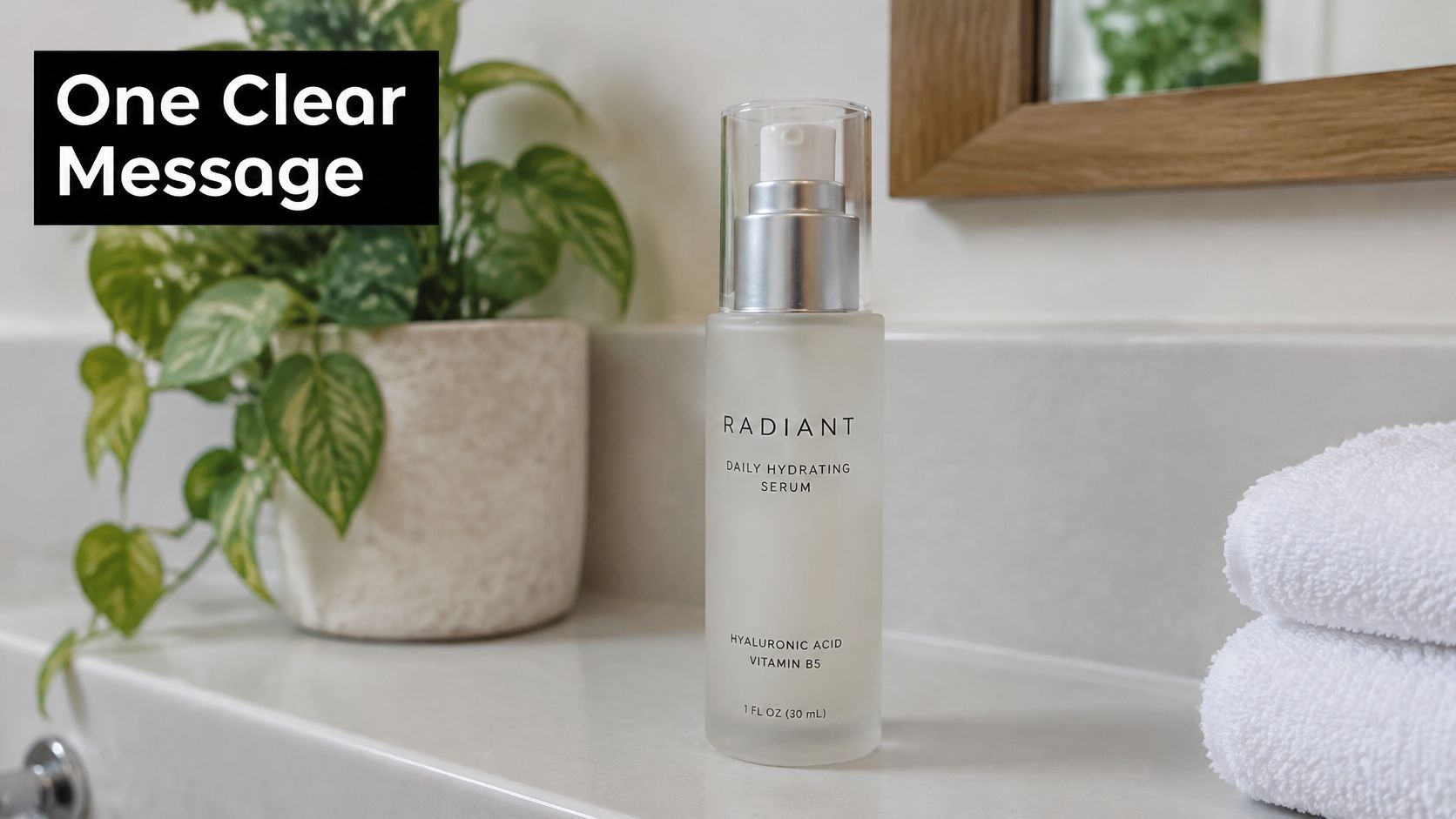
A coaching business uses the same logic differently. A clean portrait, a specific webinar promise in the primary text, and a Sign Up button outperforms a busy graphic because the face builds trust and the copy does the qualifying. In both cases it's one visual, one message, one action. Add a second message and you've built a flyer, not an ad.
Copy This Template
Primary text structure works best as problem, proof, action. Try a template like this in ShortGenius. Visual prompt: high contrast product on a plain background, negative space on the left. Headline: the outcome plus the constraint removed, for example hydration without a heavy finish. Then generate three visual concepts, not three crops of the same concept, and compare click-through rate before you scale spend.
- Keep overlay text minimal: Let the headline and primary text carry detail so the image stays readable at thumb speed.
- Test contrast first: A product that separates cleanly from its background is easier to recognize in a crowded feed.
- Change one variable: Swap the visual while holding copy constant, then swap copy while holding the visual constant.
Single image ads won't demonstrate a complex product. They will tell you fast whether the offer itself has pull.
2. In-Feed Video Ads
Feed video autoplays muted, which changes how you should build it. If your first three seconds rely on a voiceover explaining context, viewers may have already scrolled. A fitness apparel brand solves this with motion in frame one, large on-screen text naming the benefit, and a demo you can understand with the sound off.
A testimonial version works when the speaker is specific. An e-commerce store running a captioned customer video doesn't need studio lighting, it needs a concrete before and after, a named use case, and captions that don't paraphrase lazily. Burn captions in rather than relying on a viewer to enable them.
Practical rule: If the ad makes no sense muted, it isn't finished yet.
Test Placement as a Variable
Don't judge video only inside the feed. Sweaty Betty's July 7 to August 8, 2023 campaign compared its usual Instagram video ads alone with the same ads supplemented by Reels placements, and the combined approach generated a 90% increase in add-to-cart actions and a 30% lower cost per purchase in Meta's Sweaty Betty success story. The lesson isn't that Reels always wins. It's that you should preserve audience, offer, and budget logic, then isolate the placement change.
Template for a short demo: second one, product in use. Seconds two to five, the problem it removes in on-screen text. Then proof, then one call to action. Keep most feed videos under 30 seconds, trim dead opening frames, and export square and vertical variants from the same master so you're testing placement, not accidentally testing a different edit.
3. Carousel Ads
Carousels earn their keep when one image can't finish the argument. A home goods brand can show five products from one collection, each card linking to its own product page, so the ad functions like a small, swipeable catalog. A course creator can do the opposite, using six cards as a sequenced mini lesson and putting enrollment only on the final card.
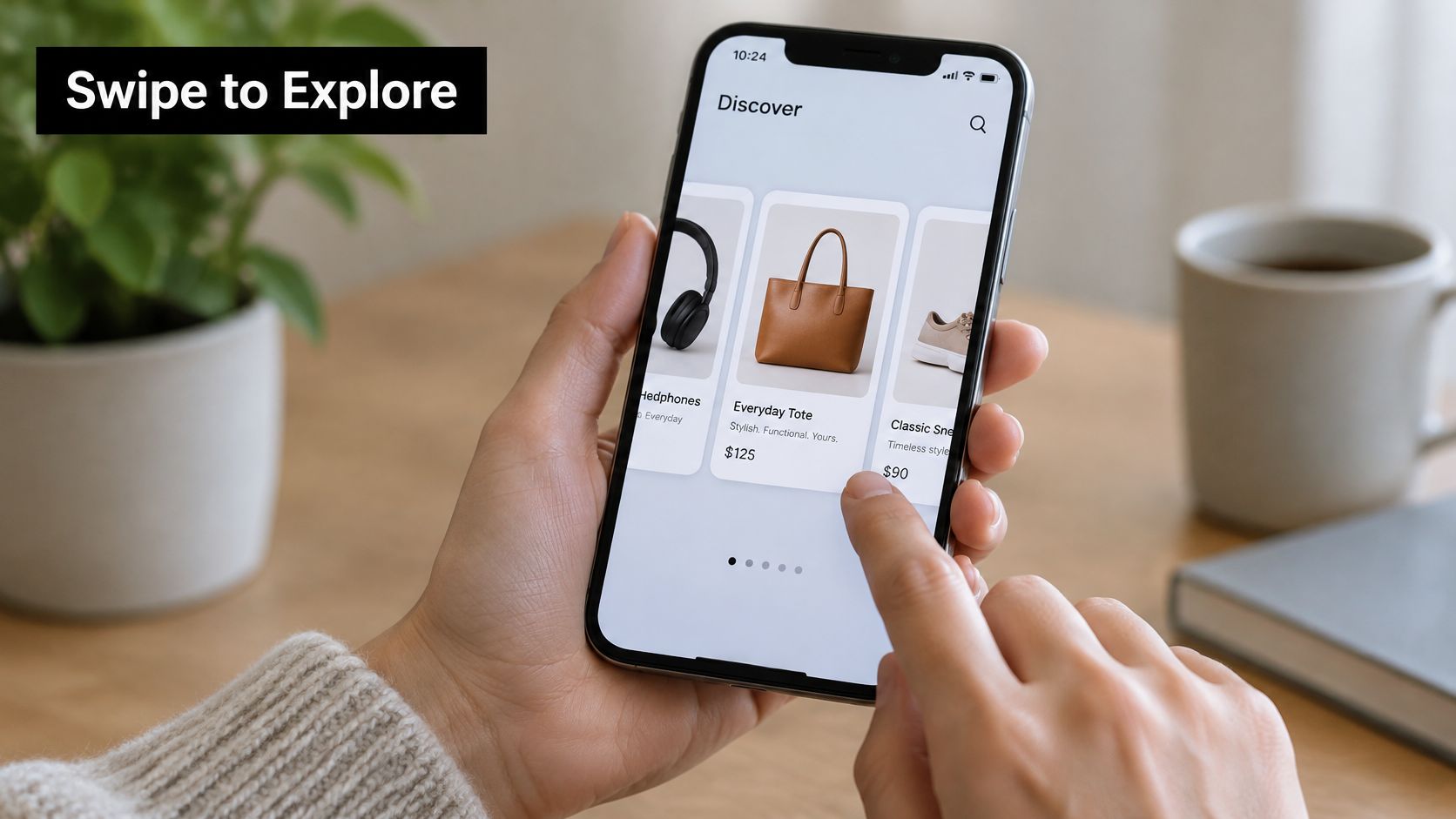
The failure mode is dumping. Ten unrelated cards don't create depth, they create work for the viewer. The first card has one job, which is earning the swipe, so it should carry the strongest claim, an unfinished visual, or a numbered promise that the following cards pay off.
A Sequence That Holds Together
Use consistent colors and typography so cards read as one unit, but give each card a single idea. A reliable structure is hook, problem, mechanism, proof, offer, call to action. For product sets, replace mechanism and proof with individual products and keep the order intentional, bestseller first rather than newest first.
- Write card headlines as a sentence: Read in order, they should form a coherent pitch even without the images.
- Repurpose video frames: Export key frames from a performing video to build a carousel quickly, then rewrite headlines for swipe logic.
- Match each link to its card: Sending every card to a homepage wastes the format's main advantage.
Choosing the objective behind the sequence matters as much as the design, which is covered well in Facebook advertising guidance for service businesses. A carousel built for traffic and one built for purchases shouldn't end on the same card.
4. Stories Ads
Stories ads fill the screen between organic Stories, and viewers judge them in about a tap. That speed favors urgency and intimacy over explanation. A retailer announcing a flash sale with a countdown sticker works because the format and the offer share the same temporary logic. A restaurant showing a behind-the-scenes kitchen clip with a reservation link works because it looks like something the business would post organically that day.
Don't resize a feed ad and call it a Story. Design in 9:16 at 1080 x 1920 px, keep logos and calls to action away from the top and bottom edges where interface elements sit, and put the core message in the middle safe zone. If you're adapting square or horizontal assets, use a resize tool that reframes the subject rather than stretching it.
Choose Stories for the Right Job
Format choice is a trade-off, not a hierarchy. Recent industry coverage summarized in Manypixels' roundup of Instagram ad examples reports Reels CPM roughly 20% below Feed, while Stories matched or exceeded Feed click-through rate across clothing, beauty, and automotive examples. In plain terms, Reels may buy cheaper reach while Stories may earn stronger clicks, so classify each sample by funnel stage and success metric before you copy it.
Template: frame one states the offer and deadline in large text. Frame two shows the product in use or the room, plate, or result. Frame three repeats one action, such as book, shop, or sign up. Add a poll or countdown sticker where available, but only if responding to it moves the viewer closer to that same action. Decoration that competes with the tap target costs you the click.
5. Reels Ads
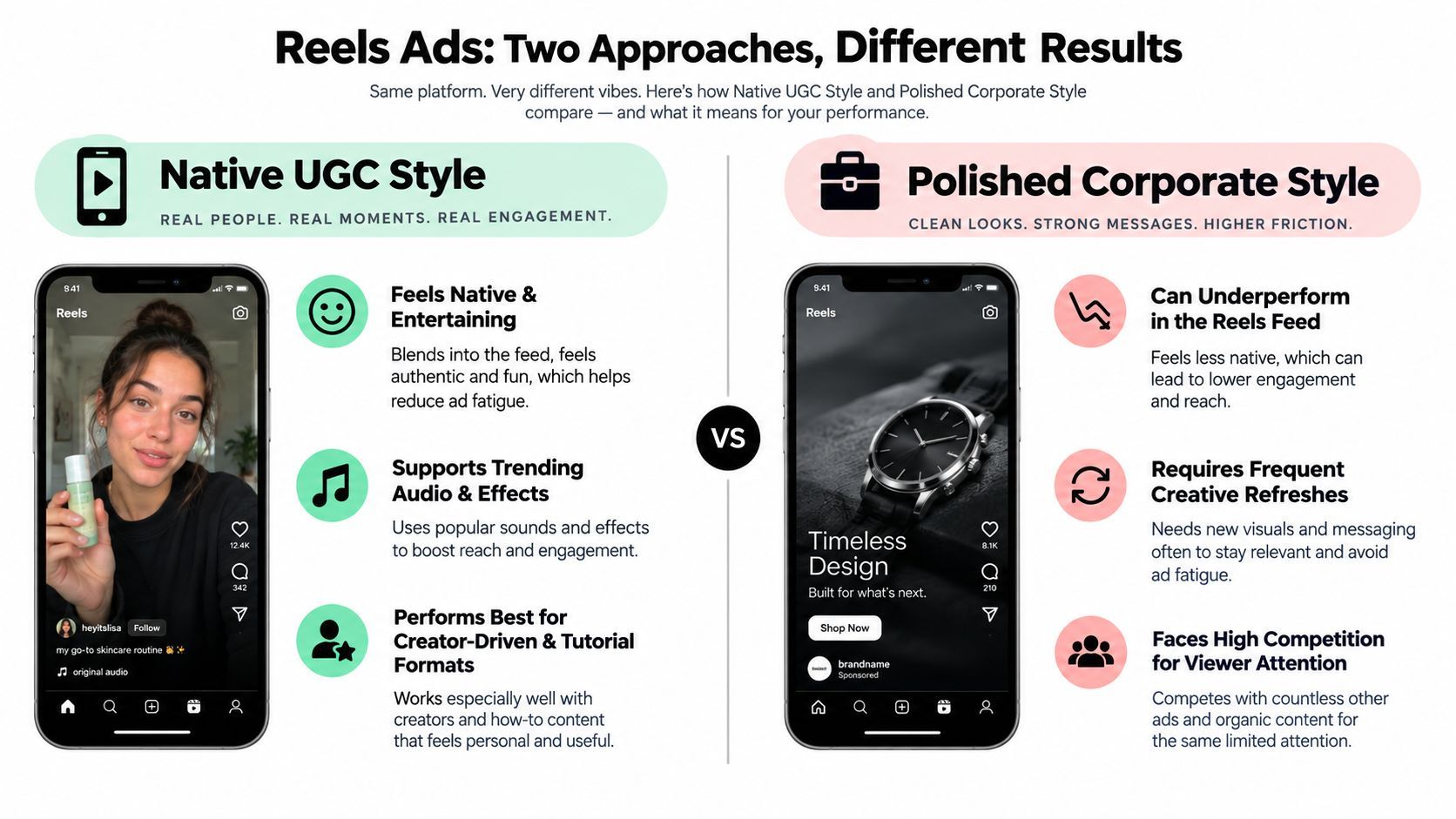
A skincare brand can show a creator applying its product in a bathroom mirror, while a SaaS founder can demonstrate a workflow directly to camera. Both fit Reels because they show the product in use and give viewers a reason to keep watching. A slow logo reveal delays that proof.
Meta's Sweetgreen success story reports that Reels-optimized creative produced a 7x incremental lift in sales and a 95% lower cost per incremental conversion lift than Sweetgreen's usual creative in a conversion lift study. Use that case as a prompt to test native-feeling creative, not as a forecast for your campaign. Keep the product visible early, then assess conversions alongside views so cheap attention doesn't mask weak results.
Script You Can Reuse
Start with a specific problem or question. Show the product solving it, give one concrete proof point, then close with a single spoken and on-screen call to action. ShortGenius can help turn that repeatable structure into video variations.
Copyable template: “I stopped [old approach] because [specific problem]. Here's what I use instead.” Show the product in action. Add one result, feature, or detail the viewer can verify. End with: “Try [one clear action].”
- Add captions: They make the claim readable without sound and help viewers scan the opening.
- Compare presenters: Test creator-style and founder-led videos against polished brand footage, keeping the offer consistent.
- Change one variable at a time: Try different hooks or scene orders while holding the audience and landing page steady.
Keep the budget aligned with the test. This guide to Instagram ad budget optimization covers spending decisions; use conversion results, not view counts alone, to decide which Reel earns more budget.
6. Collection Ads
This living room scene shows the starting point for a collection ad, a hero visual that creates desire before any product grid appears.

A fashion retailer pairs a lifestyle video with new arrivals below it. Tap, and you're in a full-screen Instant Experience browsing the set. A furniture brand does the same with a styled room, then lets you shop the sofa, table, and lighting from that scene. The format collapses discovery and browsing into one mobile movement, which is why it suits catalogs with visual coherence.
Where collection ads fail is mismatch. If the hero promises a calm, neutral living room and the product set opens into unrelated clearance items, trust drops instantly. Organize products into themed sets that match the hero, keep the Instant Experience fast, and remove any item you can't see or imagine in that opening scene.
Isolate the Hero Variable
Test different hero videos while keeping the product set constant. That tells you whether creative is driving the tap or whether the assortment is doing the work. Swap the set only after you have a winning hero.
The video below is useful reference for how a hero asset carries attention before a viewer reaches product detail.
Template: lifestyle hero with no price talk, themed set of closely related products, then a simple Instant Experience ordered by how items appear in the scene. Emotion first, inventory second. Reverse that order and you've built a catalog page with extra steps.
7. Shopping and Product Tag Ads
Shopping ads shorten the distance between seeing and buying. A beauty brand tags each product used in a tutorial Reel, so a viewer can tap the exact shade rather than searching the site later. A DTC apparel label tags the jacket, trousers, and shoes in a lifestyle photo, turning an outfit someone likes into three purchasable items without a separate landing page hunt.
That convenience only works if the catalog underneath it is accurate. Wrong prices, stale titles, or out-of-stock tags undo the speed advantage and make the brand look careless. Sync product data before you spend on creative, not after complaints arrive.
A product tag is a promise that tapping will be faster than searching. Break that promise and the format works against you.
Keep the Visual Clean
Tag no more than a few products per visual. A frame covered in dots looks like a diagram, and viewers stop seeing the lifestyle image you paid to create. Choose the hero product first, add supporting items only when they're clearly visible, and write the caption around the benefit of the combination rather than listing everything tagged.
Template for a tutorial based sample: show the result in the first frame, demonstrate application or styling in order, tag each product as it appears, and end by restating the finished result. Product focused demos give people a reason to tap that a static tag alone doesn't. If a tagged item never gets a close view, remove the tag or reshoot the segment. Don't ask viewers to buy what they couldn't properly see.
8. Lead Generation Ads
Lead ads open a form inside Instagram, with fields pre-filled where possible, so signing up doesn't require leaving the app. A coach offering a free discovery call and a SaaS company collecting waitlist signups before launch use the same mechanism for different reasons. Both are trading a clear, immediate value exchange for contact details with minimal friction.
Low friction creates a predictable problem, low intent. Someone who taps through a pre-filled form in seconds may not remember doing it. That doesn't make the format weak, it makes your follow-up and your qualifying questions part of the ad itself.
Design the Exchange, Not Just the Form
Keep forms to three to five fields where possible, and make the trade explicit in the headline. Free guide, free trial, consultation, or early access all work when the delivery is instant and specific. Vague promises like joining a community rarely justify handing over an email address in a feed full of competing offers.
- Test the magnet first: Headline and offer changes usually move lead volume more than form styling does.
- Add one qualifying question: A single intent question filters casual taps without adding much friction.
- Respond within minutes: Connect automated email or messaging so the lead receives the promised asset while they still remember requesting it.
Template: headline names the asset and the audience, primary text states what they'll get and how long it takes, form collects contact details plus one qualifier, thank you screen delivers the next step immediately. Judge these sample Instagram ads on qualified leads and booked calls, not raw form submissions. Cheap, unqualified leads are just an expensive mailing list problem.
8 Instagram Ad Formats: Side-by-Side Comparison
| Instagram Ad Format | 🔄 Implementation Complexity & Resources | 📊 Expected Outcome | Ideal Use Cases | ⭐ Key Advantage |
|---|---|---|---|---|
| Single Image Feed Ads | Low; ⚡ fast, inexpensive production | Clear message and action; easy to test creative variations | Product launches, sales, and simple offers | 💡 Simple, cost-efficient format for testing |
| In-Feed Video Ads | Medium to high; requires video production, captions, and resizing | More attention; can demonstrate a product or tell a brief story | Product demos, testimonials, and brand introductions | ⭐ Combines motion, sound, and storytelling |
| Carousel Ads | Medium to high; several strong cards need to be created | Showcases multiple products, features, or steps in one ad | Product collections, tutorials, and sequential stories | 💡 Multiple cards can each feature a link and headline |
| Stories Ads | Medium; requires vertical 9:16 creative and safe-zone planning | Immersive exposure for brief, time-sensitive messages | Flash sales, launches, and behind-the-scenes content | ⚡ Full-screen format suited to quick promotions |
| Reels Ads | Medium to high; needs native-feeling vertical video and frequent creative refreshes | Reaches users browsing short-form video; performance depends on creative relevance | Creator-style videos, tutorials, and short explainers | ⭐ Can feel native alongside organic Reels |
| Collection Ads | High; requires a product catalog and optimized mobile experience | Encourages product discovery and browsing | Retailers with multiple products and catalog-based inventory | 💡 Combines a hero image or video with a shoppable product grid |
| Shopping and Product Tag Ads | Medium to high; requires an eligible account and accurate product catalog | Reduces steps from product discovery to purchase | E-commerce brands promoting catalog products | ⚡ Product tags connect ads directly to product details |
| Lead Generation Ads | Medium; requires form setup, lead handling, and follow-up | Collects contact details through an in-app form | Webinars, consultations, waitlists, and newsletter signups | ⚡ Pre-filled fields can reduce sign-up friction |
Turn These Samples Into Ads That Sell
A product demo built for Reels may fall flat as a single-image Feed ad. Each format has a different job: images make one point quickly, carousels show a sequence, Stories create a focused moment, and shopping ads shorten the path to product details. Match the creative to the placement and objective before borrowing a sample's visual style. An awareness ad can look polished and still miss the mark in a purchase campaign.
Creative quality affects campaign results, so treat it as part of the test, not decoration added after targeting. Avoid changing every element at once. Start with one concept and write a testable hypothesis, such as: “A founder-led opening will generate more purchases than a product-only opening at the same spend.” Change the opening, keep the audience and landing page constant, then compare click-through rate, conversion rate, and cost per acquisition together.
A Quick Template Workflow
Build a master concept, then adapt it to each placement. For Feed, use the strongest still or a concise demo cut. For Stories, compose vertically and keep the offer and call to action within the safe zone. For Reels, open with a clear visual or spoken hook, add captions, and let a person demonstrate the product when that helps explain its value.
Use this copyable ShortGenius script:
Hook: [Question, common mistake, or direct result]
Proof: [Show the product solving one specific problem]
Offer: [State the benefit or promotion]
Call to action: [Tell viewers what to do next]
Create three hook versions around the same promise. Test a creator or founder on camera against a product-only version with voiceover. Keep the offer, audience, and landing page steady so the results show which creative choice made a difference.
Set a refresh rule before launch. If an ad that converted starts losing efficiency while the audience and offer remain unchanged, refresh the opening or proof. If a new ad fails to convert from the start, revisit the concept or offer instead of producing more versions of the same idea.
ShortGenius can help generate scripts, scenes, voiceovers, and captions, then produce hook and voice variations in formats suited to Feed, Stories, and Reels. Use it to turn one sample into a controlled test: choose the format that fits your objective, make three variants, and compare downstream results rather than picking a winner by appearance.