Mixing 2 Songs Together: The Complete Guide 2026

Master mixing 2 songs together with essential beatmatching, EQ, and crossfade techniques for seamless transitions in 2026.
You've got two tracks sitting in a timeline, the edit is due tonight, and the question isn't whether mixing 2 songs together is possible. It's whether the blend should be a smooth DJ-style transition, a hard cut for a hook, or no mix at all because the songs fight each other. That's the practical problem this guide solves for solo creators, short-form video producers, and casual DJs who need a result that sounds intentional, not just technically lined up.
Modern mixing grew out of a long shift from live balance to post-production layering, and the reason that matters is simple, the tools changed what “mixing” even means. True song mixing became practical only after multitrack recording and tape-based production made it possible to record parts separately and combine them later, with the 1960s marking the point when modern studio mixing really took shape (Berklee on the history of audio mixing). On the performance side, DJ culture built its own version of that craft when Kool Herc used two copies of the same record in 1973 to extend the break, turning mixing into a live way to control energy on the dance floor (History of DJing).
Intent first, technique second. If the transition serves the listener, the mix works. If the transition only proves you can sync tempos, it usually sounds like homework.
For creators who need a faster workflow, a practical editing service like NJ audio editing service can be useful when the goal is to hand off a rough mix and get a clean, publishable file back. If you want a broader creator workflow around audio and short-form assets, ShortGenius fits that same decision point, especially when the mix is part of a video output rather than a stand-alone DJ set.
The Moment Two Tracks Land in the Same Project
The usual scene is messy in a very normal way. Song A is already in the timeline, Song B is waiting to enter, and the deadline isn't asking for theory, it's asking for a choice in the next ten minutes. At that point, mixing 2 songs together is less about “can I?” and more about “what kind of handoff makes this feel deliberate?”
That's why the best workflow starts with three lenses, not one. Technical sync tells you whether the tracks can physically line up. Transition craft tells you how to move between them without clutter. Short-form pacing tells you whether the blend should even exist, because a polished club transition can still be too slow for a caption-led clip.
If you're a bedroom creator, a casual DJ, or someone cutting social posts between client revisions, the right question is usually narrower than the tutorials make it sound. You don't need a perfect performance mix for every project. You need to know when to reach for beatmatching, when to use a decisive cut, and when to stop and choose a different second track.
The cleanest mental model is this, the mix has to support the content, not compete with it. A dance set wants flow. A reel wants attention. A podcast clip wants speech to stay intelligible. Those are different jobs.
If the transition competes with the message, the mix is wrong, even when the tempo grid looks perfect.
Preparing the Files Before You Touch a Fader
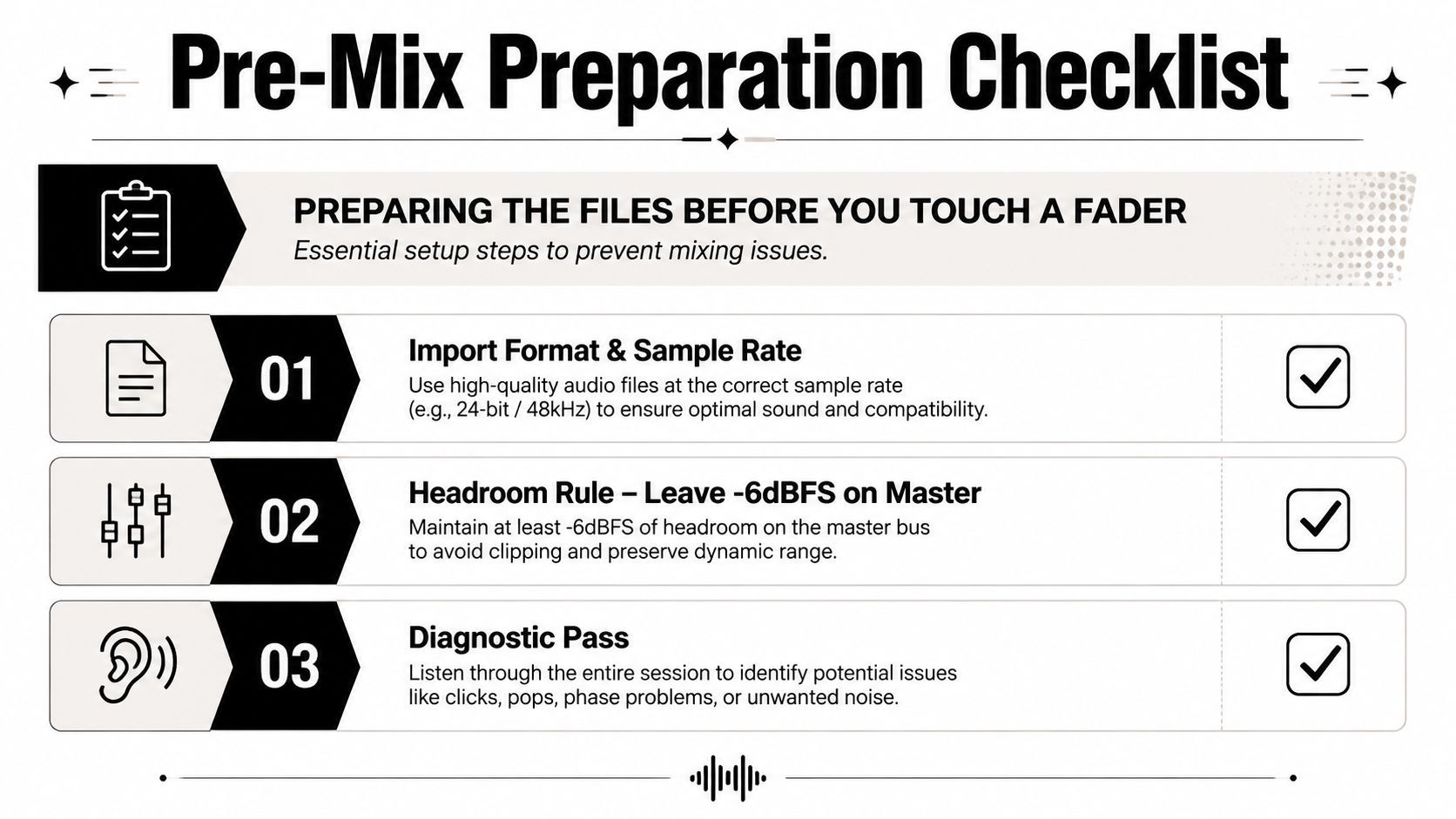
Start with the files, not the knobs. Import both tracks at a clean format and make sure your session is set up consistently before you even think about blending. If the source files are mismatched or the project is already overloaded, you'll spend the rest of the edit fixing avoidable problems instead of shaping the transition.
The practical rule here is headroom. Leave room on the master, around -6 dBFS, so the overlap doesn't slam into clipping the moment both songs are active. That margin gives you breathing room for EQ moves, level rides, and any overlap where the bass or vocal energy stacks harder than expected.
Run a diagnostic pass first
Tag the obvious things before you arrange anything. Check each track's BPM, key, and downbeat location. Then listen for arrangement sections, because a track with a long intro behaves very differently from one that opens at full intensity. If you already know where the phrases turn, you can place the transition on purpose instead of hoping the listener won't notice.
A simple prep checklist keeps the mix honest:
- Confirm tempo: Make sure the BPM relationship is workable before you commit to a transition.
- Check key compatibility: If the harmonic center clashes, the blend may never sound relaxed.
- Map the structure: Mark intros, breakdowns, drops, and outros so you know where the energy shifts.
- Choose a phrase count: Decide whether the handoff will land on 8, 16, or 32 bars so the edit feels like arrangement, not interruption.
Practical rule: if the tracks are wildly different in feel, no amount of crossfading rescues the blend. Preparation reveals that fast.
Matching Tempo, Key, and Beat Alignment

Tempo matching is the first gate, but it's not the whole job. In practice, you want the incoming track to sit on the grid without sounding like it's been dragged through a bad timestretch. That means adjusting tempo in a way that preserves feel, then checking by ear, because the body notices groove problems long before the eye spots a neat waveform.
Key compatibility matters just as much. You don't need a tool obsession to understand the idea, two songs with compatible harmonic centers usually sit together more naturally than two songs that clash in pitch space. If the tonal center fights, the blend can sound tense even when the beats are locked.
Beat alignment is where a lot of home mixes fall apart. Warp markers are useful, but too many of them can make a track sound overcorrected. Use them where drift shows up, then recheck by ear later in the song, because the alignment that looks right at the start can wander by the time the arrangement opens up.
The phrase-boundary rule saves more mixes than any plugin trick. Start the transition on 8, 16, or 32 bars, because the listener's ear accepts change much more easily when it sounds like a new section rather than a mistake. That same principle is what makes the bass swap feel natural, you pull the low end from the outgoing track before the incoming bass arrives, so the sub range doesn't pile up.
A good handoff usually sounds like one of three things, depending on the material:
- A clean overlap: both tracks are present, but one owns the low end.
- A filtered handoff: the outgoing track thins out while the new one gains weight.
- A controlled handoff: vocals or lead elements are briefly separated so the transition stays readable.
The low end is the part people hear first when it goes wrong. If both songs are trying to own the kick and bass space at once, the mix gets muddy fast. Use EQ and the crossfader or channel faders to keep the bottom end from colliding, and let the incoming track take over only when it has room.
Choosing the Right Transition for the Moment
The best transition is the one that matches the edit's job. In a club set, you might want momentum. In a reel or ad, you might want clarity. The tool changes with the goal, and the wrong default choice is usually the long crossfade, because it delays the payoff without adding meaning.
Match the transition to the intent
A short crossfade works when the mood needs to shift gently and neither track should dominate too abruptly. It's the safest option for background playlists or softer scene changes, but it can feel sleepy if you overuse it.
A filter sweep makes sense when you want energy to build. For example, a short sweep on the outgoing song can clear space for the next drop without making the handoff feel abrupt. That approach is especially useful when the arrangement needs a little drama before the new track lands.
A hard cut is the right choice when impact matters more than flow. If the visual changes sharply, the joke lands, or the next clip needs immediate attention, a decisive cut usually beats a polite fade. Ambiguity costs retention.
An EQ swap is the workhorse for a blend. Pull the bass from the outgoing song, open space in the mids if vocals are overlapping, then let the incoming song take control of the spectrum. That's the move that makes two songs feel like one continuous performance.
Practical rule: if the viewer needs to notice the content, not the transition, use a decisive handoff. If the listener needs to feel the handoff, use a shaped blend.
A fast way to choose is to ask whether the transition should be felt or merely understood. Felt transitions use filters, EQ, and gradual movement. Understood transitions use cuts and clear visual timing. Once you start sorting the job that way, the transition choice gets much easier.
Adapting the Mix for Short-Form Video
Short-form changes the game because the mix isn't the product by itself, the clip is. A long 16-bar blend that works in a DJ booth can feel slow on TikTok, Reels, or Shorts, especially when the viewer is deciding whether to keep watching before the hook even arrives. For that format, the audio has to serve retention, captions, voiceover, and the cut rhythm of the video.
The cleanest pattern is a hook-first transition. Put the new song's strongest moment close to the front, sometimes inside the first second, so the viewer hears the payoff before attention drops. If the edit is under 30 seconds, a short transition window usually works better than a sprawling overlap, because the audience is tracking visuals and meaning at the same time.
Dialogue changes the mix too. If there's speech, protect it by reducing musical density during the handoff, either with EQ, muting, or stems if the source allows it. The goal is not to show off every layer at once. The goal is to keep the spoken line intelligible while the music still carries momentum.
Two short-form structures keep showing up because they're practical:
- Loop-back arrangement: Song A returns after Song B peaks, which gives the clip a tight repeatable shape.
- Punch-in cut: The new track lands hard on a visual switch, product reveal, or caption change.
The emerging trend in short-form is cleaner, more decisive transitions. That lines up with content editing more than with traditional DJ performance, because a creator usually needs an edit that survives in silence, on small speakers, and with captions covering part of the frame.
If you're mixing for a clip, don't ask whether the blend is elegant enough for a booth. Ask whether it keeps the viewer with you long enough to reach the payoff.
When Two Songs Should Not Be Mixed at All
This is the part a lot of guides skip, and it saves time. Sometimes the right answer is not a better crossfade, it's choosing a different second song. The fastest mix is often the one you never attempt.
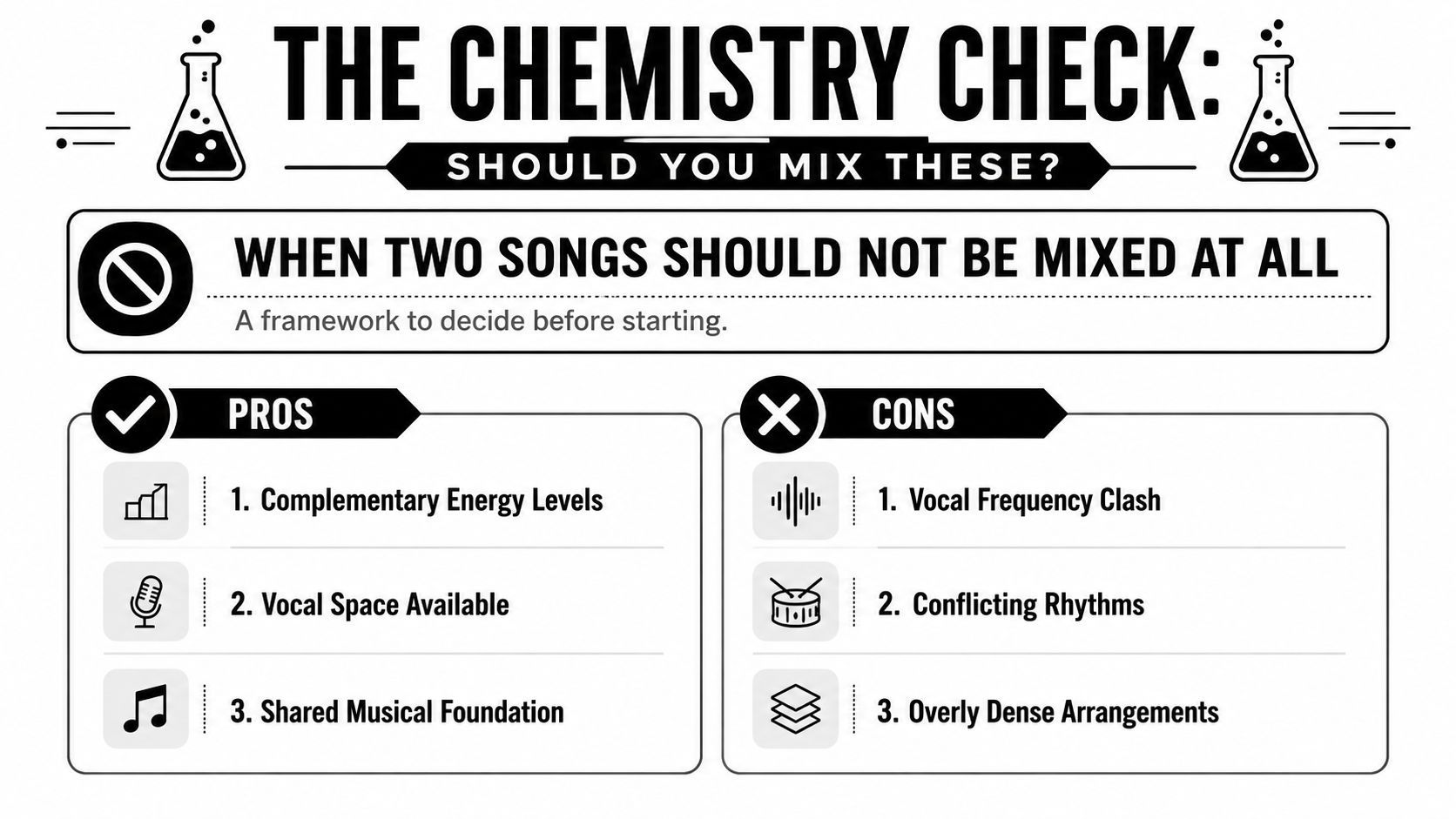
Run a chemistry check before you commit
If both tracks are dense in vocals, bass, or percussion, the overlap can sound crowded even when the beat grid is perfect. That's the danger, not tempo mismatch by itself. A close BPM match can still fail if the tracks leave no room for each other in the frequency range or arrangement.
The decision rules are simple:
- Conflicting keys: If the tonal centers clash hard, the blend may feel tense instead of musical.
- Rhythmic conflict: If the grooves pull in different directions, the transition can feel unstable.
- Dense arrangement overlap: If both songs peak at the same time, the listener gets clutter instead of lift.
A practical guide from MixGraph stresses the same basic chemistry check, if the tracks don't leave room for one another, stop early rather than trying to force it (MixGraph on when not to mashup). That advice is useful because it changes the question from “How do I fix this?” to “Should I be trying this at all?”
When the answer is no, use one of three alternatives. Put one song under the other as background, switch to a stem-separation workflow, or choose a different track that leaves harmonic and rhythmic space. The point is to preserve clarity, not to prove stubbornness.
Licensing, Export Settings, and the Final Pass
Once the mix sounds right, the practical work shifts to rights and delivery. If you're combining two copyrighted songs for public distribution, you generally need permission through the relevant licenses, and the safer route is to use royalty-free music, original production, or platform-specific licensing options when they're available. The creative decision and the legal decision aren't the same thing.
Export with the end use in mind. For video, 48 kHz is the sensible target, and for streaming-oriented delivery, a target around -14 LUFS keeps the file in a workable range without pushing the master too hard. Leave one to two dB of headroom so the final encode doesn't clip the loudest moment.
A good final pass catches the stuff the studio monitors hide. Listen on phone speakers, because that's where many social clips live. Check for clicks at edit points. Confirm that the level doesn't jump awkwardly across the transition, especially if one song has a thicker low end than the other.
Keep two exports if the project needs both. A high-quality master gives you a clean archive. A compressed social version gives you the file you'll post. That split keeps the mix flexible when you need to revise the clip later.
If you're turning mixed audio into short-form content, ShortGenius (AI Video / AI Ad Generator) can help you move from idea to finished clip without rebuilding the workflow every time. It's especially useful when the mix is part of an ad, reel, or social series and you need captions, editing, and publishing handled in one place.