A Beginner's Guide on How to Make TikTok Videos

Learn how to make TikTok videos that stand out. Our guide covers idea generation, filming, editing, and optimization strategies to boost your views.
When you get right down to it, making a TikTok that actually works follows a simple, repeatable pattern. You need a killer hook in the first three seconds, a clear point or story that provides value, and a solid call-to-action at the end. Once you get that rhythm down, you’ve cracked the code for creating videos that stop the scroll and get people engaged.
Your Blueprint for Making Standout TikTok Videos
Diving into TikTok can feel like trying to catch lightning in a bottle, but the actual process is pretty straightforward. It's not about fancy cameras or a big production budget. It's about knowing the workflow that takes a spark of an idea and turns it into a polished video the algorithm wants to show people.
This guide is your actionable roadmap for making videos that actually get seen. We’ll get into why those first few seconds are everything, how to build your content to keep people watching, and the non-negotiable elements every great video has.
The Three Pillars of TikTok Creation
I like to think about the whole thing in three main buckets: coming up with the idea, actually making the video, and finally, getting it out into the world. Each part is a building block for the next, all leading to a video that’s ready for the For You page.
- Ideation: This is the creative spark. It's about finding a topic people care about, putting your own spin on it, and outlining a quick story that will keep them hooked from start to finish.
- Creation: Time to get your hands dirty. This is where you film your clips, chop them up for good pacing, and layer on text, music, and effects to make it pop.
- Publication: The final push. You’ll write a clever caption, pick relevant hashtags, and schedule your post for when your audience is actually online and scrolling.
This graphic really simplifies the journey from concept to finished video.
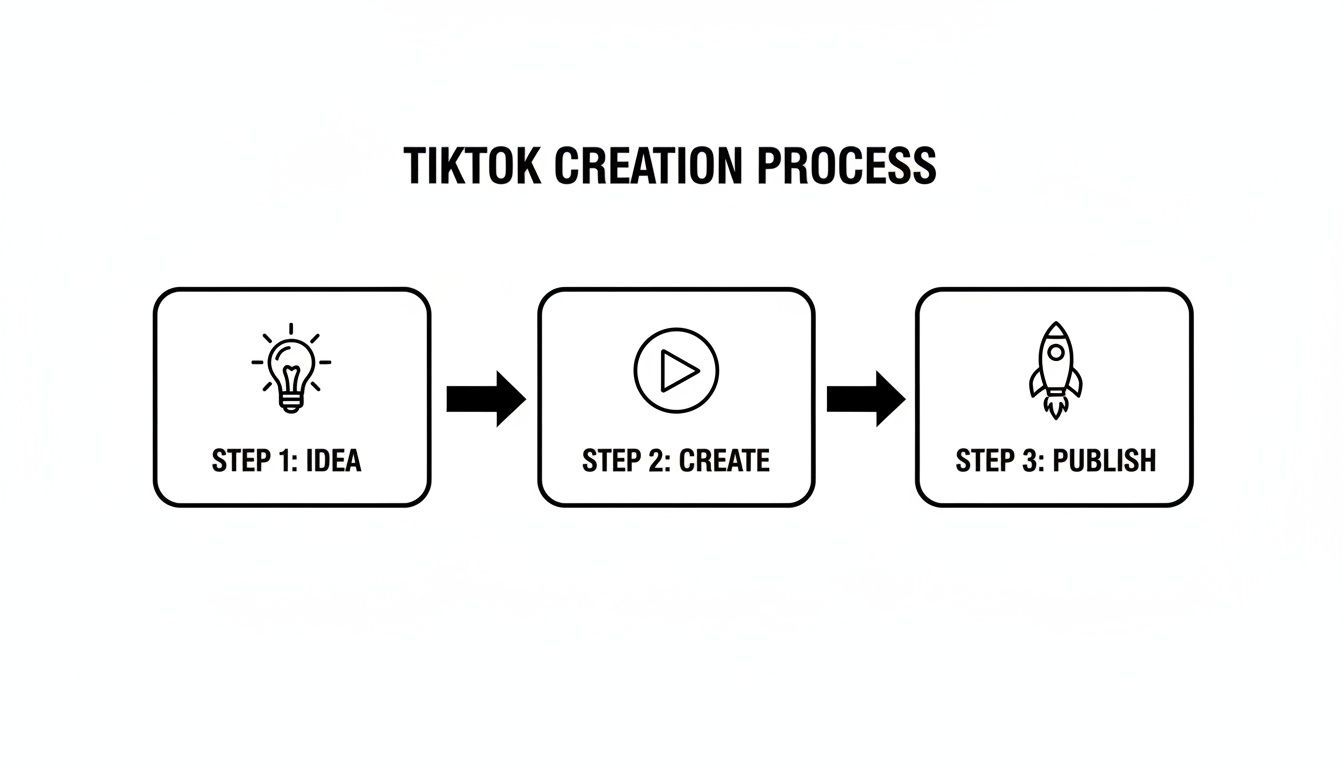
This idea-to-publish flow is the backbone of any content strategy that gets real results on TikTok.
Before we dive deep into each step, let's take a quick look at the entire workflow from a high level. Understanding these core stages is the first step toward building a repeatable and successful content machine.
The TikTok Video Creation Workflow At a Glance
| Stage | Key Action | Why It Matters |
|---|---|---|
| Ideation | Brainstorming a unique, hook-worthy concept. | A strong idea is the foundation. Without it, even the best editing won't save a video from being scrolled past. |
| Scripting | Writing out the hook, value points, and call-to-action. | A script ensures your message is clear, concise, and delivered with impact in under 60 seconds. |
| Filming & Editing | Capturing footage and assembling it with text, music, and effects. | This is where the story comes to life. Good editing creates pace and visual interest, keeping viewers engaged. |
| Publishing | Writing a caption, adding hashtags, and posting at the right time. | Strategic publishing gives your video the initial boost it needs to get picked up by the algorithm. |
| Optimization | Analyzing performance and applying insights to future videos. | This closes the loop, helping you understand what works so you can create more of it and less of what doesn't. |
As you can see, each stage has a distinct purpose that contributes to the video's overall potential for success. Mastering this entire process is what separates fleeting viral hits from sustained growth.
Why TikTok Is a Creator's Goldmine
Nailing this process has never been more important. Consider this: in 2024, TikTok's average engagement rate is a massive 2.80%. That blows Instagram Reels (0.65%) and YouTube Shorts (0.30%) out of the water. And it's only getting better, with projections hitting 3.15% by 2025.
To get a piece of that action, you absolutely have to win the first three seconds. This is especially true when you realize that 62% of users love "how-to" videos—content they’re almost always watching on their phones, where their attention span is shortest. If you're interested in the numbers behind the trend, you can dig into more short-form video statistics and see what makes this format so powerful.
The secret to great TikToks isn't complexity; it's clarity. A simple idea, executed well, will always perform better than a complicated one that confuses the viewer. Your goal is to make your message instantly understandable and shareable.
This incredible engagement is exactly why learning how to make TikTok videos the right way is such a valuable skill. And now, AI-powered tools like ShortGenius can completely change the game. Instead of grinding for hours on each step, you can go from an idea to a fully polished video in minutes. Let's explore how.
Finding and Scripting Your Next Viral Idea
Every great TikTok starts with a solid idea. But on TikTok, a "great" idea needs to be engaging, timely, and built for the short-form video world. It's easy to say "follow the trends," but real success comes from finding ideas that actually connect with your specific audience and scripting them into videos people can't stop watching.
Let's be honest—the hardest part of making TikToks is often just staring at that blank screen. The pressure to come up with something viral can be completely paralyzing. The good news? Your next big idea is probably hiding in plain sight.

Unearthing Ideas That Work
Your first stop should be the TikTok app itself, but think of it as a research tool, not just a place for mindless scrolling. The search bar is your absolute best friend. Start typing keywords related to your niche and pay close attention to what autofill suggests—those are the exact topics people are actively searching for right now.
Once you have a few keywords, start analyzing what's already working well. Look at the top-performing videos in your space and ask some critical questions:
- What problem is this video solving or what question is it answering?
- What emotion is it tapping into? Is it humor, curiosity, shock, or inspiration?
- Can I bring a unique angle or a more detailed explanation to this topic?
This isn't about copying. It's about finding gaps you can fill. For example, if a competitor posted a quick 15-second video on a complex topic, you have a golden opportunity to create a more in-depth, 60-second version that delivers far more value.
If you want a more structured way to find creative concepts, you can explore the AI ad generator. This tool is a lifesaver for quickly brainstorming and testing different angles on a topic, helping you break out of a creative rut.
Crafting a Simple and Effective Script
Once you've landed on an idea, don't just grab your phone and hit record. A simple script is what separates a rambling, unfocused video from a clear, compelling one that holds attention. I’ve found a simple three-act structure works wonders for nearly any type of TikTok video.
- The Hook (Your First 3 Seconds): This is non-negotiable. You have to stop the scroll. Start with your most surprising statement, ask a provocative question, or make a bold promise. Instead of, "Here's how I make my coffee," try, "You've been making your coffee all wrong."
- The Value (The Juicy Middle): This is the core of your video—the "how-to," the story, the main point. Deliver the information clearly and concisely. I always recommend using quick cuts, on-screen text, and bullet points to keep the pace snappy and engaging.
- The CTA (The End): Don't leave your viewers hanging. Tell them exactly what you want them to do next. You could ask a question to get the comments flowing, point them to a link in your bio, or encourage them to follow you for more tips.
Here’s an interesting insight I’ve picked up from experience and data: longer videos are performing surprisingly well. According to a Buffer analysis of TikTok statistics, YouTube Shorts between 50-60 seconds pull in an average of 4.1 million views, crushing clips under 10 seconds. On TikTok, the trend is similar, with videos in the 60-180 second range gaining traction for deeper storytelling. This shift rewards content that explains ideas fully, which is why tutorials are so popular—they have a 62% user preference.
Accelerating Ideation with AI
That blank page feeling is the single biggest hurdle for most creators. This is where an AI tool like ShortGenius completely changes the game, speeding up your workflow in a way that feels like a superpower. Instead of brainstorming from scratch, you can feed it a simple prompt, like "a video about the benefits of cold plunges."
Within seconds, the AI doesn't just hand you a single idea—it delivers several. It can generate multiple script variations, each with different hooks, narrative angles, and calls-to-action.
This process flips the script entirely, turning the most difficult part of creation into the fastest. You can sift through dozens of concepts in minutes and cherry-pick the one that perfectly aligns with your style and audience. This isn't about replacing your creativity; it's about giving it a powerful launchpad so you're never stuck for an idea again.
Filming High-Quality TikToks with Your Phone
Alright, you've got your script, and now it's time to bring it to life. This is the part where a lot of people freeze up, thinking they need a fancy DSLR or a full-blown studio to create a TikTok that doesn't look amateurish. I'm here to tell you that’s just not true. The powerful camera you already have in your pocket is more than capable of producing incredible, high-quality videos.
The secret isn’t spending a ton of money on gear. It’s all about mastering a few key fundamentals. Simple things like good lighting, a steady camera, and clear audio are what truly separate the pros from the beginners. Nailing these basics will make a night-and-day difference in how your final video looks and feels.
Nail the Fundamentals of Smartphone Filming
Before you even think about hitting that red record button, take a minute to set up your shot. A little bit of prep work here will save you a massive headache when you get to editing.
First up, lighting. Natural light is your best friend, and the best part is, it's free. Find a window and face it. That soft, diffused light is incredibly flattering and will give you that clean, professional look without any extra equipment. Just make sure you don't have a bright window behind you, or you’ll turn into a dark, hard-to-see silhouette.
Next, let's talk stability. Nobody likes watching shaky, dizzying footage—it's an instant scroll-past for most viewers. You don’t need an expensive tripod. Just get creative! Prop your phone on a stack of books, a shelf, or even a coffee mug. Anything that keeps the camera perfectly still will make your content so much easier and more pleasant to watch.
Viewers will forgive a lot, but bad audio is rarely one of them. You can have the most beautiful 4K footage, but if your audience can't hear what you're saying, they will leave.
To get crisp audio, find the quietest spot you can. That means getting away from humming refrigerators, street traffic, or a TV blaring in the next room. Rooms with lots of soft surfaces—think carpets, couches, and curtains—are your friend because they cut down on echo. For most situations, your phone's built-in mic will do the job just fine as long as the environment is quiet.
Mix Your Shots for a Dynamic Video
One of the simplest tricks to make your TikToks more engaging is to switch up your camera angles. Staring at the same static shot for 30 seconds can get boring, fast. Instead, start thinking like a film director and capture your content from a few different perspectives.
Here are three essential shots you should start using:
- Wide Shot: This shows your whole body and gives context to your surroundings. It's perfect for establishing the scene or showing off a bigger action, like a dance routine or a workout.
- Medium Shot: Usually framed from the waist up, this shot feels more intimate and is great for talking-head segments or demos where people need to see your hands and face.
- Close-Up Shot: This one zooms in on your face or a specific object. Use it to drive home an emotion, show a tiny detail on a product, or highlight a critical step in a tutorial.
When you get to the editing phase, cutting between these different shots creates a sense of movement and energy that keeps your viewer's attention glued to the screen.
Creating Videos Without a Camera
But what if you hate being on camera, or you just don't have time to set up and film? This is where AI tools can be a total game-changer, letting you create entire videos without ever pressing record. For anyone who's a bit camera-shy or on a team that needs to pump out content quickly, this approach is a lifesaver.
With a tool like ShortGenius, you can feed it your script and let its AI generate a series of video clips that match your story. For example, if your script calls for "a bustling city street at sunset," the AI can instantly generate a clip of exactly that.
We're not just talking about pulling from a generic stock footage library, either. The AI can generate custom scenes, characters, and animated assets to tell your story visually. You can define a specific mood or aesthetic, and the AI will produce visuals that are perfectly on-brand. This method for making TikTok videos opens up a world of creative possibilities, letting you produce stunning, high-quality content without the usual time and stress of a traditional video shoot.
Editing: Where Your TikTok Story Comes to Life
Alright, let's talk editing. This is where your raw footage gets its personality. You take all those individual clips and weave them into a story that grabs people from the first second and doesn't let go. A sharp edit is what separates a video that gets swiped from a video that gets watched to the end—and that's the whole game on TikTok.
If you’re new to this, the editing process might seem like a huge mountain to climb. But it doesn't have to be. Whether you're using TikTok's built-in editor or something more powerful, the goals are always the same: keep it fast, make it easy to understand, and add your own unique flair.
Keep the Pace Snappy and The Energy High
Pacing is everything on TikTok. Viewers have zero patience, so your first job is to trim the fat. Go through your clips and be ruthless.
Cut out every awkward pause, every moment you're getting into position, and any dead air. If a clip isn't actively pushing the story forward, it needs to go. Think about it: when you tell a story to a friend, you skip the boring parts. Do the same here.
Jump cuts are your best friend for maintaining momentum, especially in talking-head videos. By cutting from one part of a clip to another, you can remove "ums," "ahs," and long pauses. It instantly makes your delivery feel punchier and more confident.
Don't Forget Your Silent Viewers: Add Text and Captions
Here's a hard truth: a huge chunk of TikTok users watch with the sound off. If your video relies on audio to make sense, you’re missing out on a massive audience. That's why adding on-screen text and captions isn't optional; it's essential.
Auto-generated captions are a great start, but you can do so much more with text. Use text overlays to:
- Highlight key points: Got a surprising statistic? Make it bold and put it on the screen.
- Emphasize a punchline: Time your text to pop up right as the joke lands.
- Provide quick context: A simple label like "Step 1" or "My Secret Ingredient" guides the viewer.
Think of text as a visual anchor that reinforces your message. This simple step makes your content more professional and accessible to everyone. If you're looking to really elevate your storytelling, you might even explore a dedicated AI-powered video editing app to help polish your footage.
The real goal of editing is to control the viewer's experience. A fast-paced, clearly captioned video is easy to consume, which dramatically increases the chance someone will watch the whole thing—a huge positive signal to the TikTok algorithm.
This is the kind of detail that turns a passive view into a share.
Use Audio and Effects to Stop the Scroll
For viewers with their sound on, audio is half the experience. The right sound can make your video 100 times more engaging.
Trending audio is one of the most powerful discovery tools on the platform. When you use a popular sound, TikTok is more likely to show your video to people who have interacted with that sound before. Keep an eye on your "For You" page for recurring sounds and think about how you can put your own spin on the trend.
But don't just stop at music. Sound effects (SFX) add a layer of personality and polish. A simple "swoosh" for a transition or a "ding" when you reveal something important can make your video feel much more dynamic.
Visual effects can also be a scroll-stopper, but use them wisely. A subtle color grade can set the mood, while a quick zoom can add drama. The key is to enhance your story, not clutter it.
How AI Can Radically Speed Up Your Editing Workflow
Let's be honest: manually trimming clips, transcribing captions, and finding the right effects can take forever. This is where an all-in-one AI editor like ShortGenius completely changes the game, especially if you're trying to post consistently.
Instead of bouncing between three different apps, you can do it all in one place. Drop your footage in, and the AI can automatically transcribe your audio and create perfectly synced captions. Need to resize your video for Reels or Shorts? It's literally one click.
Plus, you get access to pro-level effects without needing a film degree. Want that slick "Ken Burns" effect where the camera slowly zooms and pans? ShortGenius has presets for that. Want to get even more creative? You can explore how to generate entire video sequences from a simple text prompt using its text-to-video capabilities.
This lets you focus on the fun, creative part of storytelling while the AI handles the tedious technical work, turning what used to be a multi-hour editing slog into a process you can knock out in minutes.
Optimizing and Publishing for Maximum Reach
You’ve just created a fantastic video, and that’s a huge win. But don't hit "post" just yet. The final few moments before your video goes live can make all the difference, separating a video that gets lost in the noise from one that truly finds its audience.
Think of it this way: your video is the product, and everything you do in the publishing step is the marketing. A killer product with a weak launch strategy rarely takes off. This is where a sharp caption, the right mix of hashtags, and perfect timing come together to give your video that initial push the algorithm loves to see.
Writing a Caption That Sparks Conversation
Your caption is one of the most powerful, and often overlooked, tools you have on TikTok. Its real job isn’t just to describe the video—it’s to kickstart a conversation in the comments. High comment volume is a massive signal to the algorithm that people are engaging with your content.
So, how do you do it? A great caption either adds crucial context that isn't in the video or it asks a compelling question. Instead of a flat description like, "Here’s how I make my morning coffee," try something that pulls people in: "What's the one coffee mistake you see everywhere? I'm calling mine out in this video." See the difference? It practically begs for a response.
Here are a few formulas I’ve seen work wonders:
- Ask a direct question: "Which of these tips was the most surprising to you?"
- Create a fill-in-the-blank: "The best part about Friday is ________."
- State a (mildly) controversial opinion: "Unpopular opinion: pineapple belongs on pizza. This video is my proof."
Keep it short and punchy. A single, snappy line is almost always better than a long paragraph. The goal is to hook them, not overwhelm them with text.
Nailing Your Hashtag Strategy
Hashtags are basically signposts that tell TikTok what your video is about and, more importantly, who should see it. A classic rookie mistake is just slapping on huge, generic tags like #fyp or #viral. While these can be part of the mix, relying on them alone is like shouting into a hurricane.
A much smarter method is to use a "hashtag ladder," where you blend broad, niche, and community-specific tags for the best results.
- Broad Hashtags (1-2): These are the mega-tags with billions of views, like #tiktok or #video. They offer a long-shot chance at massive reach but are incredibly competitive.
- Niche Hashtags (2-3): Get specific. These should describe the actual topic of your video, like #filmmakingtips or #veganrecipes. This is how you find your core audience.
- Community Hashtags (1-2): Tap into an existing subculture. These are tags like #BookTok or a tag for a specific challenge you're participating in.
For example, if your video demonstrates a simple camera trick, your hashtag mix could be: #videotips (broad), #cameratricks and #filmmaking101 (niche), and #videocreator (community). This balanced approach gives you the best odds of getting discovered by the right people.
Post When Your Audience Is Actually Watching
This is a big one. Dropping your video right when most of your followers are scrolling is critical for getting that initial burst of views and likes. When a video gets a ton of engagement right after being posted, the algorithm sees it as a strong signal and starts pushing it to a much wider audience.
To find your golden hours, you'll need to have a TikTok Business or Creator Account. It's a free switch and unlocks your analytics.
Go to your profile > tap the three-line menu in the top right > Creator Tools > Analytics > Followers tab. Scroll down to the "Follower activity" section, and you'll see a chart showing the exact days and hours your audience is most active.
Use this data to your advantage. I've found that posting about an hour before the peak time often works best, as it gives the video some time to build momentum. For many creators, mastering this timing is a key piece of the puzzle for learning how to go viral on TikTok.
Put Your Publishing on Autopilot with an AI Scheduler
Trying to manually post every single video at the perfect time is a recipe for burnout, especially if you're trying to be active on more than one platform. This is where an AI-powered scheduler becomes an absolute lifesaver, turning your content plan into a smooth, automated machine.
With a tool like ShortGenius, you can schedule your finished videos to post automatically across TikTok, Instagram, YouTube, and more. It’s all about consistency without being chained to your phone. The platform can even suggest the best times to post based on general audience data, giving you a solid starting point if your own analytics aren't clear yet.
This level of automation is a game-changer, especially for anyone serious about scaling their content production. For example, if you're creating AI-driven, user-generated-style videos, you can learn more about AI UGC ads and see how scheduling can completely streamline your campaign launches. It frees you up to do what you do best: come up with ideas for your next great video.
A Few Common Questions About Making TikToks
Jumping into TikTok can feel like learning a new language. Everyone has questions when they're starting out, and you're not alone if you're hitting a few roadblocks. Let's tackle some of the most common questions I hear from creators just getting their feet wet.
So, How Long Should My TikToks Actually Be?
While TikTok originally blew up with super short videos, the ideal length has definitely evolved. If you're creating content that explains something—like a quick tutorial or a list of tips—you should be aiming for the 60 to 180-second range.
That gives you just enough time to grab someone's attention with a solid hook, deliver some real value, and wrap it up with a clear call to action. I've found that these slightly longer videos often get better completion rates because they tell a more complete, satisfying story. Of course, for pure entertainment or a quick-hit trend, that classic 15-30 second video still works wonders.
The real secret is matching the video's length to its purpose. Never stretch a 15-second idea into a minute-long slog, and don't try to cram a complex tutorial into a clip that's too short to be helpful.
Do I Really Need Fancy Equipment?
Absolutely not. This is probably the biggest myth that holds people back. The honest truth? A huge number of viral creators started with just their smartphone, and many still use it today.
Modern phone cameras are more than capable of shooting crisp, high-quality video that looks fantastic on TikTok. Instead of stressing about expensive gear, focus your energy on the fundamentals that don't cost a dime:
- Find good lighting: Natural light is your best friend. Film near a window where the light hits your face.
- Get clear audio: Find a quiet room. You want to avoid echo and background noise like traffic or a humming fridge.
- Keep the shot stable: You don't need a tripod right away. Just prop your phone on a stack of books or a sturdy shelf.
Authenticity and a good idea will always trump an expensive camera. Always.
How Often Should I Post to See Growth?
When it comes to posting, consistency beats volume every single time. A solid starting goal for steady growth is to post 3-5 high-quality videos each week.
Yes, the TikTok algorithm tends to favor active accounts, but it's a huge mistake to sacrifice quality just to post more often. One thoughtfully scripted, well-edited video will do more for your account than three rushed, sloppy ones.
The key is to find a rhythm you can actually stick with to avoid burnout. A great strategy is to batch your content. Spend one afternoon filming and editing a full week's worth of videos. This keeps you on a consistent schedule without the daily scramble to come up with something new.
How Do I Use Trending Sounds the Right Way?
Spotting a trending sound is the easy part. Just scroll your "For You" page—you'll start noticing the same audio clips popping up over and over. You can also tap the '+' icon to start a new video, then hit 'Add sound' to see a list of what's currently hot.
The real trick is using them with the right context. Don't just slap a popular sound on a random video and hope for the best. Take a minute to see how other people are using it.
- Is it part of a specific joke format?
- Is it linked to a dance or a popular challenge?
- Is it mainly used for lip-syncing or to punctuate a transition?
Once you get the "vibe" of the trend, figure out how to put your own unique spin on it for your niche. A trending sound can give your video a nice little algorithmic push, but it’s the actual substance of your video—the story and the value—that will earn you the watch time and engagement you're looking for.
Ready to stop staring at a blank screen and start creating videos that actually perform? ShortGenius pulls your entire workflow together, from generating viral-worthy scripts to filming, editing, and scheduling your content across all your socials. Turn your ideas into a steady stream of standout videos and watch your audience grow.