How To Make An Instagram Video With Music: 2026 Guide

Learn how to make an Instagram video with music. Pro tips for tracks, syncing, and editing. Our 2026 guide covers Reels, Feed videos, and licensing essentials.
You’ve got the footage. The lighting is good, the cuts are usable, and the message is clear. Then you open Instagram, try to add music, and the whole thing stalls out.
That’s where time is often lost.
They either pick a track that doesn’t fit the pacing, let Instagram auto-sync everything and hope for the best, or upload a video with music they don’t have the right to use. For a personal account, that can be annoying. For a brand, agency, or monetized creator, it can turn into a real publishing problem.
If you’re figuring out how to make an instagram video with music, the job isn’t just adding a song. The job is choosing the right format, syncing the track to the edit, keeping retention high, and staying out of copyright trouble.
Why Music is Your Video's Secret Weapon on Instagram
A plain video can work. A well-timed video with music usually works better.
On Instagram, music does more than fill silence. It creates pacing, gives the edit structure, and tells the viewer how to feel before they’ve processed a single line of text. That matters because short-form video lives or dies on momentum.
A common example is the creator who uploads solid behind-the-scenes footage but leaves long pauses between clips. The content itself is fine. The problem is the energy. Add a strong hook from a track, trim the visuals to that rhythm, and the same footage suddenly feels intentional.
According to CD Baby’s guide to making Instagram Reels with music, 60% of recommended Reels feature original music in varied contexts to support algorithmic distribution, and replays of 7 to 15 second hooks remain a top performance signal. The same source notes that Reels accounted for over 50% of time spent on Instagram by 2022 in major markets including the US, India, and Brazil.
That tells you two things.
First, music-led editing isn’t a cosmetic choice. It’s part of how content gets consumed on the platform. Second, short, replayable moments matter more than stuffing a video with extra footage.
Where music does the most work
- Reels are where music has the biggest impact on discovery, pacing, and repeat views.
- Feed videos can still use music well, especially for tutorials, product demos, and brand storytelling.
- Stories matter too, but a better return is often achieved by dialing in Reels first.
Practical rule: Don’t choose music after the edit if the beat is supposed to drive the video. Pick the sound early, then cut visuals around the strongest section.
The good news is Instagram gives you a native way to do this. The better news is you don’t have to stay trapped in the native editor once you start producing content regularly.
Reels vs Feed Videos and Sourcing Your Audio
Before you touch the editor, make two decisions. Pick the format. Then decide where the audio is coming from.
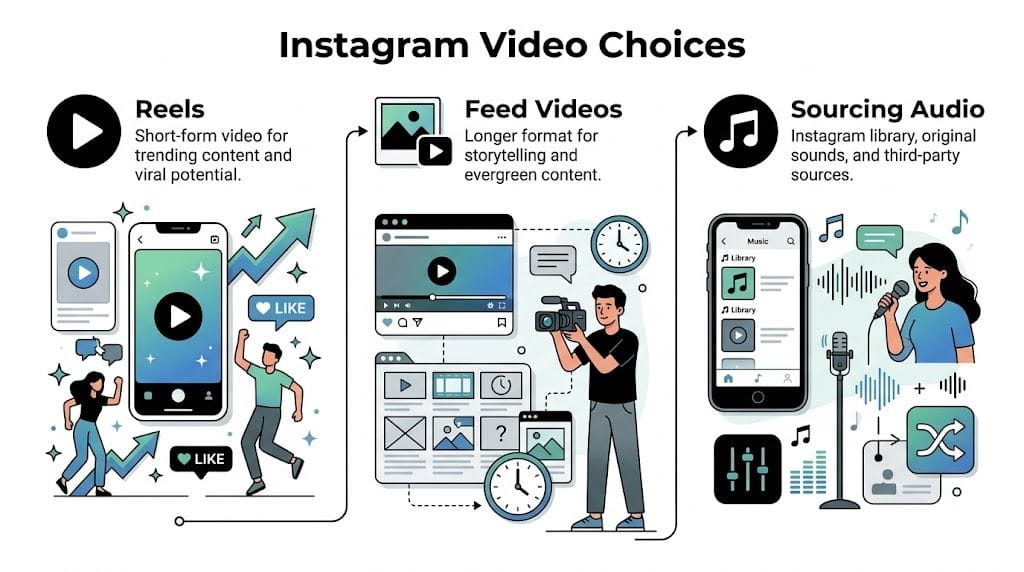
Reels and Feed videos do different jobs
Reels are built for attention. They’re the right choice when you want discovery, trend participation, visual punch, or quick before-and-after content. If the idea can be understood fast and benefits from rhythm, Reels usually win.
Feed videos are better when you want a video to sit on your profile as a durable asset. Think founder messages, evergreen tutorials, product explainers, and educational clips that don’t depend on a trending sound to make sense.
Here’s the practical split:
| Format | Best use | Weak spot |
|---|---|---|
| Reels | Trends, hooks, fast demos, music-led edits | Can feel disposable if the concept is thin |
| Feed videos | Evergreen education, narrative content, profile polish | Usually less dependent on music for discovery |
If you’re unsure, default to Reels for short-form creative content and feed video for content people may revisit later from your profile.
Instagram library or your own audio
The next choice is audio source. Creators often encounter friction at this point.
Instagram’s built-in music library is the easiest place to start. You can search tracks, preview sections, and apply them inside the app. For quick content, it’s convenient.
But convenience comes with limits:
- Availability changes: A song you used before may not be there later.
- Business account restrictions: Some accounts can’t access the same catalog as personal or creator accounts.
- Less control: You’re working inside Instagram’s editing environment, which can feel cramped if you need precise timing.
Your own audio gives you more control. That could mean original sound, voiceover, custom music, or a track you’ve properly licensed outside Instagram. This route makes more sense when you need consistency across campaigns or want to avoid platform-specific limitations.
The fastest option isn’t always the safest one. For commercial content, audio choice is both a creative decision and a rights decision.
A simple decision filter
Use this if you’re deciding quickly:
- Choose Reels if the edit depends on pacing, trend behavior, or replay value.
- Choose Feed video if the content needs context and profile permanence.
- Use Instagram library if you want speed and you’re comfortable with platform limits.
- Use owned or licensed audio if you need repeatable workflow control.
That pre-production choice saves a lot of rework later.
Syncing Clips and Music Natively in the Instagram App
If you want to do it the official way, Instagram’s built-in Reel editor is enough to get a good result. You just have to be more deliberate than most tutorials suggest.
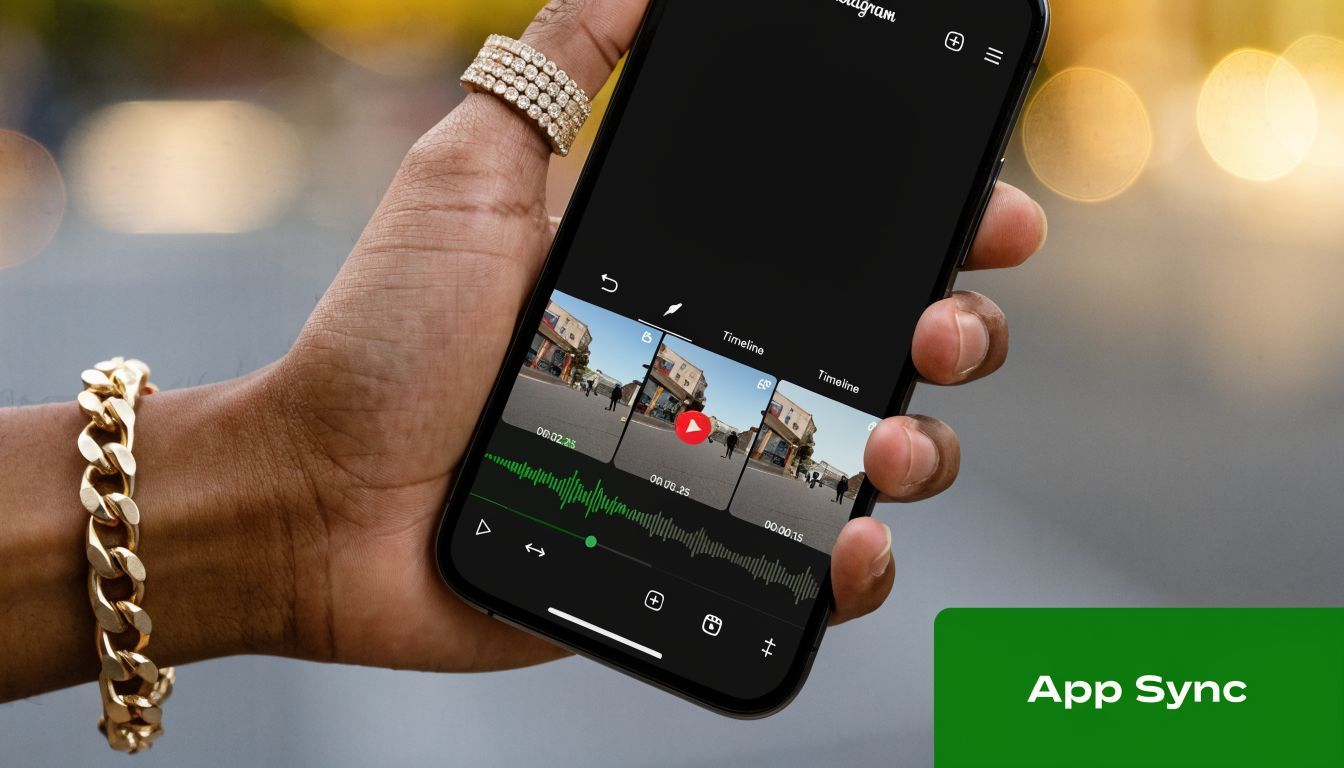
Open Instagram, tap the plus button, and choose Reel. Upload your clips or record directly in the app. Then tap the Audio icon and choose your track.
Instagram’s native sync tool is useful for rough timing. According to ClipCreator’s guide to making Instagram videos with music, beat-synced Reels achieve 3x more views versus unsynced videos, and the native Sync tool can reduce manual editing time by 80%. The same source notes that manually refining sync to match waveform peaks can yield a 25% higher completion rate.
That’s the part often skipped. Users let auto-sync do everything. It rarely should.
How to use Instagram’s sync tool properly
Start with a small set of clips. Too many similar shots makes the sequence feel mushy, even if the timing is technically right.
Then work in this order:
-
Choose the music first
Pick the section with the strongest hook, not the intro that takes too long to build. -
Load your clips into the Reel timeline
Keep the sequence tight. If two clips communicate the same thing, cut one. -
Use Sync for the first pass
Let Instagram align the clips to the beat so you’re not starting from zero. -
Open the timeline and refine manually
Drag clip edges so transitions hit the visible peaks in the waveform. -
Preview with sound on, twice
One pass for timing, one pass for energy. Those are different checks.
For platform-specific publishing workflows and Reel optimization references, the Instagram Reels platform overview is a useful companion if you’re managing output at a channel level.
Where native editing goes wrong
The most common mistakes are easy to spot:
- The first clip starts too slowly and the music hook arrives before the visual hook.
- Cuts land near the beat, not on it, which makes the edit feel amateur even if viewers can’t explain why.
- Every clip is the same length, so the sequence loses tension.
- Music drowns out speech because no one checked the balance before posting.
A short visual walkthrough helps if you want to see the interface in motion:
If the chorus drops and your best visual arrives half a beat late, people feel it immediately.
Instagram can get you there. It just takes patience, especially when you’re doing this more than once or twice a week.
A Faster Workflow with ShortGenius for Perfect Sync
The native app is fine for one-off posts. It gets tedious fast when you’re making content in volume.
That’s where an external workflow becomes practical. Instead of assembling everything inside Instagram, you build the video outside the app, tighten the timing, add captions and voiceover if needed, then publish with far less friction.
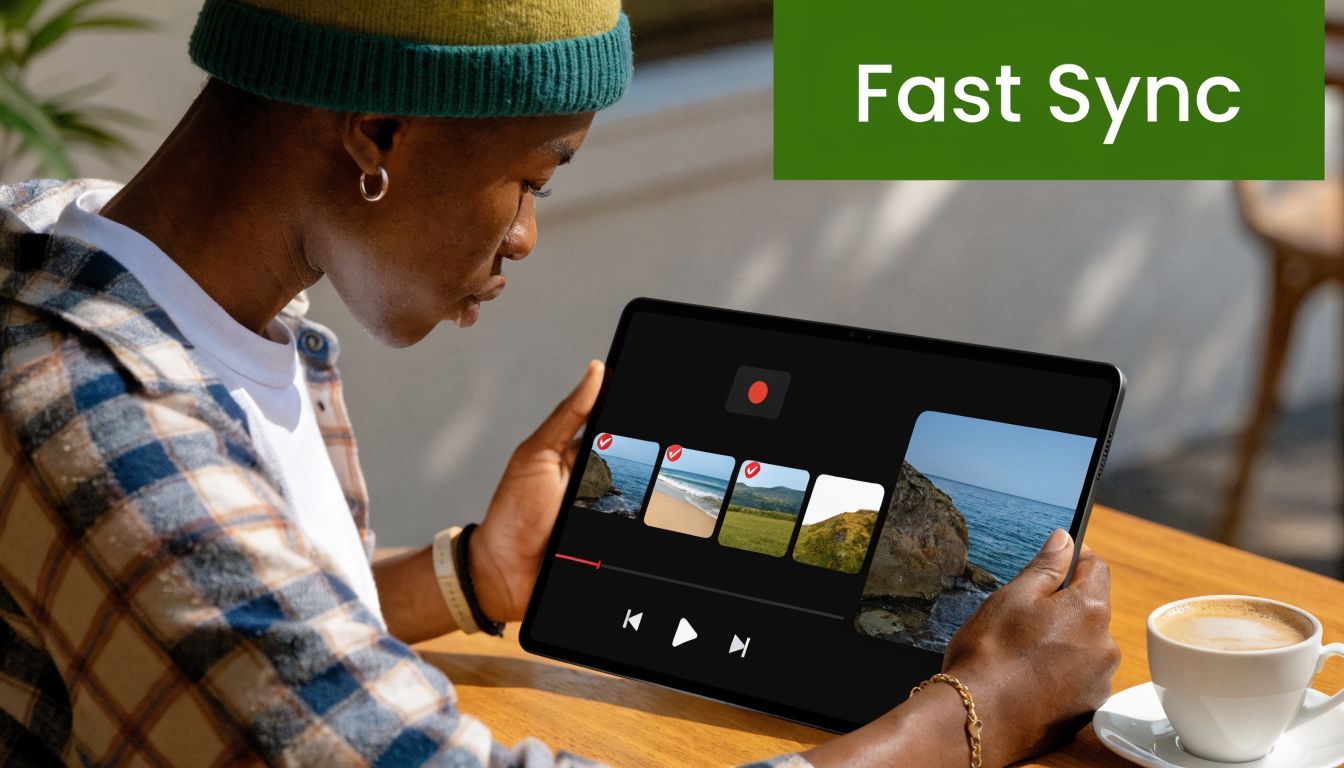
A tool like ShortGenius makes sense when the problem isn’t “how do I post one Reel?” but “how do I keep shipping polished videos every week without rebuilding the process every time?”
What changes in an AI-powered workflow
Instead of bouncing between notes, Canva, a stock library, a voice tool, and Instagram’s editor, you can handle the moving parts in one place:
- script or outline the video
- assemble scenes from uploaded assets or generated visuals
- add voiceover
- trim scenes to match the pacing you want
- place captions
- resize for different platforms
- schedule publishing
That matters because sync problems usually aren’t just sync problems. They’re workflow problems. When the footage, copy, captions, and audio all live in separate tools, small timing fixes take longer than they should.
Who benefits most from this approach
This setup is especially useful for:
- Agencies managing multiple client content calendars
- E-commerce teams cutting product clips into repeatable ad-style edits
- Solo creators who need speed more than endless manual control
- Brands with voiceover-heavy content that still needs music underneath
Native editing teaches good instincts. External editing makes those instincts scalable.
The better workflow is the one you’ll sustain. If you’re posting occasionally, stay native. If you’re publishing as part of a business process, move the heavy lifting out of Instagram.
Pro Editing Tips for High-Retention Videos
Good sync gets attention. Retention keeps the post alive.
Instagram’s algorithm prioritizes watch time and retention, and the first 3 seconds are critical. According to iMusician’s breakdown of viral Reels for musicians, a 15-second Reel that gets rewatched multiple times sends a stronger positive signal than a 60-second video people abandon midway.
That should change how you edit.
What to fix before you publish
-
Front-load the payoff
Don’t ease into the idea. Put the strongest visual, lyric, claim, or transformation at the start. -
Cut dead frames aggressively
Most drafts have tiny pauses between shots. Remove them. Even a decent concept feels flat when every clip hangs too long. -
Use text like a second hook
Captions shouldn’t just repeat speech. They should sharpen the point, create contrast, or signal what’s coming next. -
Balance music under speech
Background music should support the message, not compete with it. If spoken words matter, check the mix on phone speakers, not just headphones.
A practical pacing rule
If a clip doesn’t add a new piece of information, a new emotion, or a stronger visual, it probably doesn’t belong.
That’s also why some creators use an external AI music video generator during concepting or rough assembly. It’s not a replacement for judgment, but it can help you test visual pacing ideas quickly before you commit to a final edit.
Editing note: People don’t reward effort. They reward clarity and pace.
The cleanest videos often look simple because someone removed everything that slowed the viewer down.
Navigating Music Copyright on Instagram
A lot of tutorials act like adding music is just a creative choice. For business accounts, it’s also a compliance issue.
The risky habit is grabbing a popular track, posting the Reel, and assuming Instagram will sort it out. Sometimes nothing happens. Sometimes the audio gets limited, muted, flagged, or pulled into a copyright dispute you now have to untangle.
According to this YouTube research summary on Instagram music copyright issues, 70% of creators face copyright claims on Reels with music. The same source says Instagram’s 2025 Transparency Report noted over 150 million takedowns, a 40% increase from 2024, with e-commerce brands and agencies hit disproportionately hard.
What business accounts need to watch for
The main mistake is assuming that if a song appears somewhere online, it’s fair game for branded Instagram use. It isn’t.
A safer approach usually looks like this:
- Use music available to your account type inside Instagram when the usage fits platform rules.
- License music properly from a royalty-free provider if you need commercial reliability.
- Create original audio when you want control and fewer rights headaches.
- Use voiceover-led videos where the soundtrack supports rather than defines the content.
What actually scales safely
For brands, the safest repeatable workflow is usually one of two paths. Use properly licensed music with clean records, or build videos around original sound, narration, and custom creative assets so you’re not dependent on a fragile music choice.
That trade-off matters more as your publishing volume increases. One casual post is one thing. A weekly campaign calendar is another.
If you’re posting for a business, “it worked last time” isn’t a licensing strategy.
Common Questions on Instagram Videos with Music
Why can’t I find a popular song in Instagram’s music library?
Usually it comes down to account type, region, licensing restrictions, or a changing catalog. Business accounts often see a different set of options than personal or creator accounts. If a track isn’t available, don’t build your whole post around it.
Can I use music from Spotify in my Instagram video?
Not as a shortcut for posting a Reel or feed video. Streaming access doesn’t equal reuse rights for social publishing. If you want a track in your content, use Instagram’s available options for your account or secure proper licensing elsewhere.
Should I make the video short or longer?
Use the idea to decide. If the content depends on a fast hook, keep it tight. If you’re teaching something, you can go longer, but only if every cut earns its place. Most weak videos aren’t too short. They’re too padded.
Is Instagram’s auto-sync enough?
It’s a good starting point. It’s rarely the final pass. The videos that feel polished usually have manual timing adjustments after the first automated alignment.
What’s the safest audio choice for a business?
Original audio, licensed music, or voiceover-first content are usually the cleanest options. They give you more control and reduce the odds of rights issues later.
If you’re producing Instagram content regularly, ShortGenius (AI Video / AI Ad Generator) is a practical way to build videos faster, add voiceovers and captions, organize repeatable content workflows, and prep assets for publishing without doing every edit inside Instagram’s native tool.