How to Make a Newscast from Script to Screen in 2026

Learn how to make a newscast with our step-by-step guide. Covers planning, AI scripting, shooting, editing, and distribution for professional results fast.
You've probably done some version of this already. A story breaks, you know exactly what matters, and within minutes you're thinking about intros, cutaways, lower thirds, and the line you'd use to open the show. Then reality shows up. You still need a workable angle, a script that sounds like news and not a blog post, footage that doesn't feel static, and an edit that won't eat your entire day.
That gap between having news judgment and producing a polished newscast is where most creators stall.
Learning how to make a newscast used to mean learning a studio system built for teams. Producer writes. Anchor reads. Photographer shoots. Editor cuts. Graphics op builds the visuals. That workflow still works, and the core rules behind it still matter. But solo creators and small teams don't have the luxury of handing every task to a different person. They need a production method that keeps the discipline of broadcast while removing the drag.
The best approach now is hybrid. Keep the newsroom habits that protect clarity, pacing, and credibility. Use AI for the repetitive production labor that slows everything down. That combination gets you closer to a real broadcast rhythm without requiring a control room, a full staff, or a week of post.
The Modern Newscast Blueprint
A good newscast is still built on the same backbone: angle, structure, script, visuals, delivery, edit, distribution. What's changed is the speed at which one person can move through that chain.
Traditional broadcast teaches useful discipline. You don't just report a topic. You frame it. You don't just hit record. You build a rundown. You don't let a talking head run forever. You break with footage, graphics, and sound. Those habits are why professional newscasts feel confident even when they're assembled fast.
What doesn't work anymore is copying old workflows too closely. Most solo creators don't need the full ceremony of a station rundown meeting or a giant equipment package. They need a stripped-down system that preserves editorial standards while cutting prep and edit time.
What still matters from old-school broadcasting
Three habits translate cleanly from the newsroom to creator workflows:
- Lead with the strongest angle: The audience decides fast whether your report matters.
- Write to video: If the script says one thing and the screen shows something else, the whole piece feels amateur.
- Build for pace: Viewers will forgive a modest set. They won't forgive visual monotony.
That last point matters more than people think. A newscast can look polished on a phone camera if the pacing is right. The reverse is also true. Expensive gear can't save a lifeless sequence of static reads.
Practical rule: Broadcast quality starts with sequence decisions, not camera price.
What AI changes for small teams
AI doesn't replace news judgment. It speeds up the parts that are repetitive, mechanical, or easy to bottleneck. That means faster first drafts, faster logging, faster captioning, faster repurposing, and cleaner publishing workflows.
Used badly, AI creates generic scripts and plastic-sounding delivery. Used well, it acts like a production assistant that never gets tired. The trick is to keep humans in charge of the angle, facts, tone, and final cuts.
That's the working model now. Use editorial instincts like a producer. Use automation like a smart operations layer. If you do that, you can build something that feels much closer to broadcast than typical creator content, while still moving at creator speed.
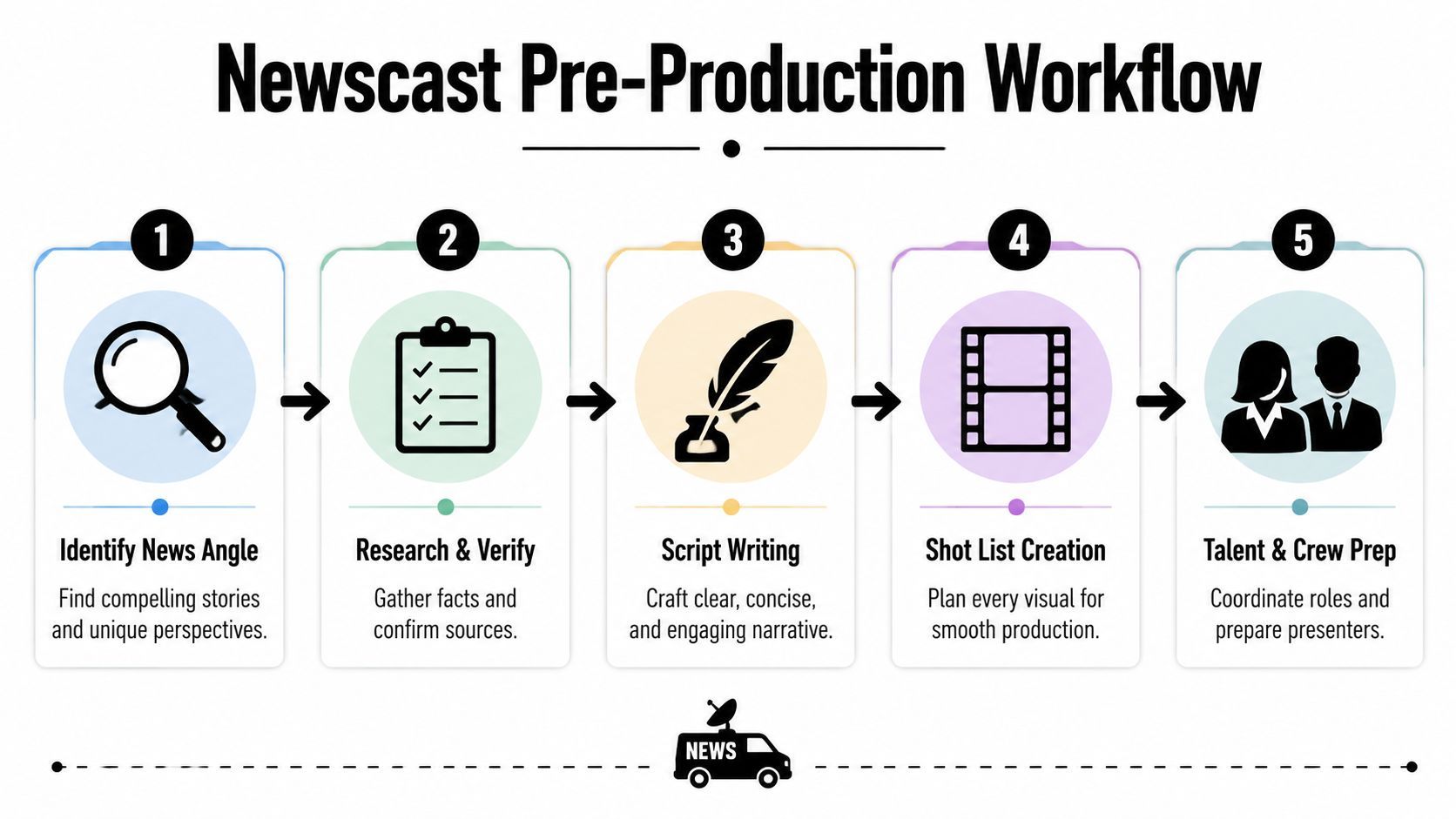
Pre-Production From News Angle to Shot List
Most bad newscasts fail before production. They don't fail because the host lacked charisma. They fail because the piece never got clear on its true subject.
The fastest way to tighten your workflow is to make pre-production do more work. Once the angle is sharp, scripting gets easier, visuals get easier, and your edit gets shorter because you're not trying to rescue a vague story.
Start with the angle, not the topic
A topic is “city council budget meeting.” An angle is “what the budget changes for bus riders next month.” A topic is broad. An angle tells the viewer why they should care now.
That distinction matters even more for solo creators because repetitive framing drains momentum. A 2025 survey of independent creators found that 45% abandoned newscast projects mid-production due to “angle fatigue” or repetitive story framing, which points to a real need for repeatable angle discovery methods for creators without editorial support (news angle guidance and creator survey reference).
If you're stuck, pressure-test the idea with a few editorial prompts:
- What changed today: If nothing changed, you may have analysis, not news.
- Who is affected first: That often reveals the stronger lead.
- What's misunderstood: This is usually where the best explainer angle lives.
- What visual proof exists: If you can't picture the video, the angle may still be too abstract.
Build a simple rundown before writing
Many creators script too early. Producers usually do the opposite. They rough in the show shape first.
For a longer broadcast-style piece, a practical model is the classic block approach. In a standard 30-minute news broadcast, the first segment before the first break typically runs about 10 minutes, the second about 5 minutes, and the opening news block often lands in the 10 to 15 minute range, with the full half hour commonly divided into a short intro, national politics, state politics, local news, and a brief close (broadcast timing discussion and block structure example).
You don't need to copy that format exactly, but you should borrow the logic:
| Show element | What it does | Common mistake |
|---|---|---|
| Open | States the lead fast | Long throat-clearing intro |
| Main block | Delivers the core report | Mixing too many sub-stories |
| Secondary block | Adds context or reaction | Repeating the lead |
| Close | Ends with takeaway or next step | Fading out without resolution |
For short-form newscasts, the same logic applies in miniature. Open with the news. Add context. End with implication.
Use a two-column script
Broadcast scripts work best when audio and video are planned together. One column carries what's said. The other carries what the audience sees.
A simple version looks like this:
- Audio: Anchor intro on camera
- Video: Anchor at desk or direct-to-camera framing
- Audio: Voiceover about transit cuts
- Video: Bus stop footage, route map, city building exterior
- Audio: Quote or paraphrase from official statement
- Video: Graphic with key changes
That format forces discipline. If a line has no visual support, you'll catch the problem before shoot day instead of during the edit.
Strong pre-production removes choices later. That's why professionals spend so much time on the rundown, even for short segments.
Turn the script into a shot list
A shot list isn't busywork. It's insurance.
Include the essentials:
- A-roll: Your direct-to-camera reads, standups, interview bites.
- B-roll: Relevant action, signage, documents, crowd scenes, screens, hands, environment.
- Graphics needs: Titles, lower thirds, maps, number boards.
- Natural sound moments: Doors opening, traffic, applause, room tone, machines, crowd reaction.
If you want to know how to make a newscast efficiently, this is the hinge point. The creators who skip shot lists usually overshoot random footage and still come home missing the one visual they needed.
Essential Gear and Studio Setup
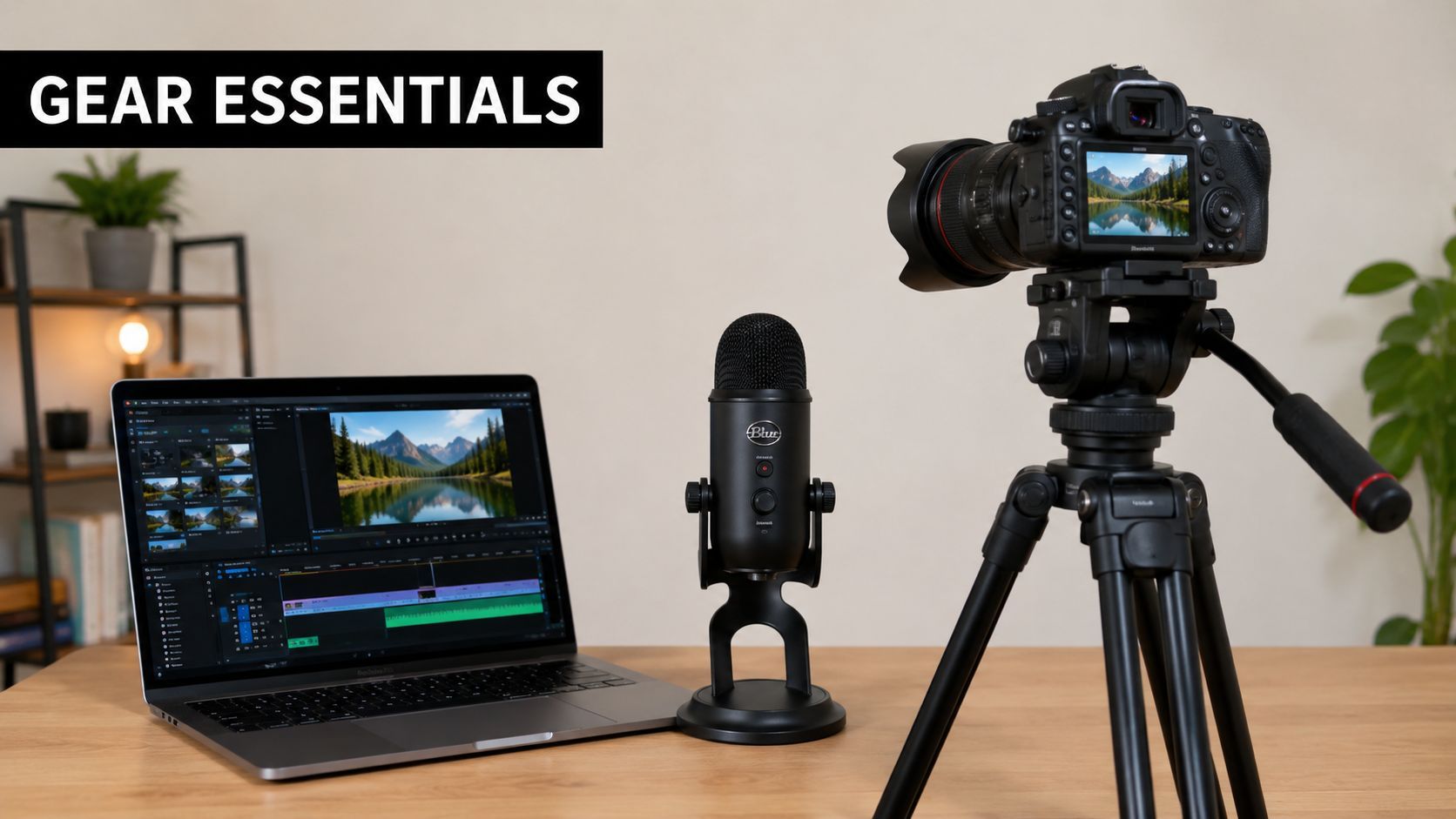
You don't need a control room to produce a credible newscast. You need clear pictures, clean sound, and a setup you can repeat without rebuilding it every time.
The common gear mistake is buying for prestige instead of function. The audience will tolerate a modest camera. They won't tolerate muddy audio, dim lighting, or a distracting background.
Prioritize the three things viewers actually notice
Call it the production triangle:
- Microphone first: Bad audio makes you sound untrustworthy even when your reporting is solid.
- Lighting second: A basic light setup instantly makes a home space look intentional.
- Camera third: Modern phones are often good enough if you control light and composition.
That's why teams that are new to production should spend time understanding audio visual equipment before they buy too much. Once you understand what each piece does, it's easier to avoid gear clutter and build a setup that fits your format.
A practical home studio beats a flashy one
A workable newscast set can be a corner of a room. What matters is consistency.
Use a background with depth. Keep clutter out of frame. Add one or two brand cues, such as a monitor graphic, shelf light, or color accent. Don't overdecorate. If viewers start studying your background, they've stopped listening to the story.
For sound, soft materials help. Curtains, rugs, and bookshelves reduce the hollow room tone that makes home video sound cheap. If the room is echoing, fix the room before buying another mic.
Here's a simple decision table:
| Item | Good enough option | Better option | Why it matters |
|---|---|---|---|
| Camera | Smartphone | Mirrorless or DSLR | Framing and reliability |
| Audio | Wired lav mic | Wireless lav or shotgun | Speech clarity |
| Lighting | Window light plus lamp | LED key and fill | Skin tone and consistency |
| Prompting | Tablet app | Dedicated teleprompter | Smoother delivery |
Set the frame for authority, not for drama
News framing should look stable. Keep the camera near eye level. Leave a little headroom. Avoid ultra-wide lenses unless you want the social-first look on purpose. Too much lens distortion makes a serious update feel casual in the wrong way.
A teleprompter also helps more than many creators admit. It isn't about sounding robotic. It's about preserving eye contact when exact language matters. If you're reading names, locations, or a tightly written lead, prompting reduces avoidable mistakes.
A visual walkthrough helps if you're still dialing in your setup:
The key is repeatability. If your lights, lens position, mic placement, and background stay consistent, every shoot gets easier. That consistency is part of the brand.
Production The Art of the Shoot
Production day is where planning either pays off or exposes every shortcut you took earlier.
A newscast shoot is not just “recording the script.” You're capturing authority, pace, and visual evidence. The camera needs to believe you. The audience does too.
Deliver like a presenter, not a performer
Anchors who try to sound dramatic usually sound false. News delivery works better when it's controlled, direct, and slightly more conversational than many beginners expect.
A few habits matter immediately:
- Stand or sit tall: Posture changes voice support and credibility.
- Look into the lens: Not at yourself, not at the waveform, not at the monitor.
- Hit thought groups, not every word: The audience follows meaning, not perfect diction.
- Leave clean pauses: Editors need room to cut.
If you stumble, don't restart the whole script every time. Pick up from the previous sentence or the start of the paragraph. That gives you cleaner edit points and keeps your energy from collapsing.
Don't chase “anchor voice.” Chase clarity, steadiness, and confidence under control.
B-roll is what turns information into a report
Without B-roll, your piece is a monologue. B-roll gives viewers proof, context, and relief from a static frame.
The strongest B-roll usually falls into a few categories:
- Action footage: People doing the thing your story is about.
- Location footage: Exteriors, entrances, transit points, offices, neighborhoods.
- Detail shots: Hands, signs, screens, paperwork, product close-ups.
- Process footage: Steps unfolding in sequence, which is especially useful in explainer reports.
Shoot more sequences than isolated shots. Instead of one clip of a reporter entering a building, get the wide exterior, the hand on the door, the walk-in, and the interior detail. Sequence coverage makes edits feel intentional.
Use graphics when the script gets numeric
Broadcast has a useful rule here. If a story contains three or more distinct numbers, it should be paired with an on-screen visual graphic so the audience can track the information. Another pacing rule says no more than two consecutive “reader” segments should feature one person reading, and each should stay capped at 20 seconds maximum to keep the show dynamic (broadcast rule reference on graphics and reader pacing).
That rule survives for one reason. It works.
If your script says multiple dates, prices, vote counts, or deadlines in close succession, put them on screen. Don't assume viewers will retain them from audio alone. Likewise, if you've been on camera for too long without a visual break, cut away. Use footage, graphics, documents, maps, or a standup from another location.
Capture options while you still can
Production gets expensive when you leave the location and realize you missed a needed angle.
Before wrapping, check for:
- Alternate openings: A tighter version and a wider version.
- Safety takes: One more clean read of the lead and close.
- Ambient sound: A few clean clips of the location's natural sound.
- Cutaway insurance: Hands, notes, laptop, crowd reactions, signage.
The best shoots feel slightly overprepared. That's not wasted effort. It's what gives the editor choices and protects the story from avoidable holes.
Post-Production Editing and Branding with AI
At this stage, traditional workflows slow to a crawl.
Manual editing asks one person to do a lot of jobs at once. Review footage. Mark selects. Build a timeline. Clean audio. Insert B-roll. Create lower thirds. Add captions. Export a master. Then resize everything for vertical platforms and do a second round of fixes because what worked in widescreen now crops badly on mobile.
That process still produces good work. It's just labor-heavy.
Manual editing versus AI-assisted editing
Here's the comparison:
| Task | Manual workflow | AI-assisted workflow |
|---|---|---|
| Rough cut | Built clip by clip | Drafted from script and media |
| Captions | Added and corrected manually | Auto-generated, then reviewed |
| Voiceover | Recorded in session | Generated or replaced quickly |
| Branding | Rebuilt per project | Applied through a saved brand kit |
| Resizing | Reframed by hand for each platform | Auto-resized, then adjusted |
The value of AI isn't that it edits perfectly on its own. It's that it gets you to a credible first version much faster, so your effort goes into judgment instead of repetition.
What to automate and what to keep human
Some post tasks are ideal for automation. Others still need a producer's eye.
Good candidates for automation
- Caption generation: Fast, useful, and easy to review.
- Silence trimming: Great for speed, as long as you check timing.
- Basic scene assembly: Helpful for rough cuts from a script.
- Format resizing: Especially useful when cutting social versions from a main report.
Tasks that still need human review
- Editorial order: The strongest sequence still comes from judgment.
- Tone of music and pacing: AI often defaults to generic energy.
- Graphic hierarchy: Important information needs visual emphasis, not decoration.
- Final fact read: Never outsource factual accountability.
That balance matters because AI can save time while still producing bland work if you let it run unsupervised. News viewers notice when a report feels assembled rather than produced.
AI is best at removing friction. It's not best at deciding what deserves emphasis.
Build a recognizable package
Branding in news isn't about making everything flashy. It's about making your work instantly identifiable.
Keep these elements consistent across episodes:
- Intro style: Same music family, same visual language, short duration.
- Lower thirds: Same type hierarchy and placement.
- Color system: A restrained palette reads more professional than rainbow graphics.
- Thumbnail treatment: Similar framing and text style across releases.
If you're also publishing clips from longer reports, it's smart to study tools and workflows built specifically to create viral shorts with AI. Even if your main work is newsroom-style reporting, the short-form packaging lessons are useful. The strongest operators can maintain editorial credibility in the long cut and native platform energy in the short cut.
The practical win from AI isn't just speed in the edit bay. It's consistency across output. Solo creators usually struggle to make every piece feel part of the same channel. Automation helps standardize the package so the audience sees a real publication, not a string of unrelated uploads.
Distribution Promotion and Advanced Tactics
You finish a strong report, export one full video, post it once, and wonder why it stalls. I have seen that happen in small newsrooms and solo operations alike. The reporting was solid. The distribution plan was missing.
A newscast now ships as a package, not a single upload. The full segment carries the complete story. Short clips pull viewers in. Text posts handle updates, context, and corrections. That approach came from broadcast promotion long before AI entered the workflow. AI makes the packaging and publishing work faster for small teams that do not have a producer, editor, clipper, and channel manager sitting in the same room.
Build a platform mix that fits the story
Match the outlet to the job. Put full reports where search, watch time, and archive value matter. Cut vertical clips for the strongest exchange, clearest fact, or most visual moment. Publish a written summary where your audience expects updates.
That discipline drives growth more reliably than posting the same asset everywhere. If you want a practical reference point, these strategies for viral video success map well to news distribution too. Strong hooks, clean framing, and fast payoff help. Accuracy still decides whether viewers trust the next report.
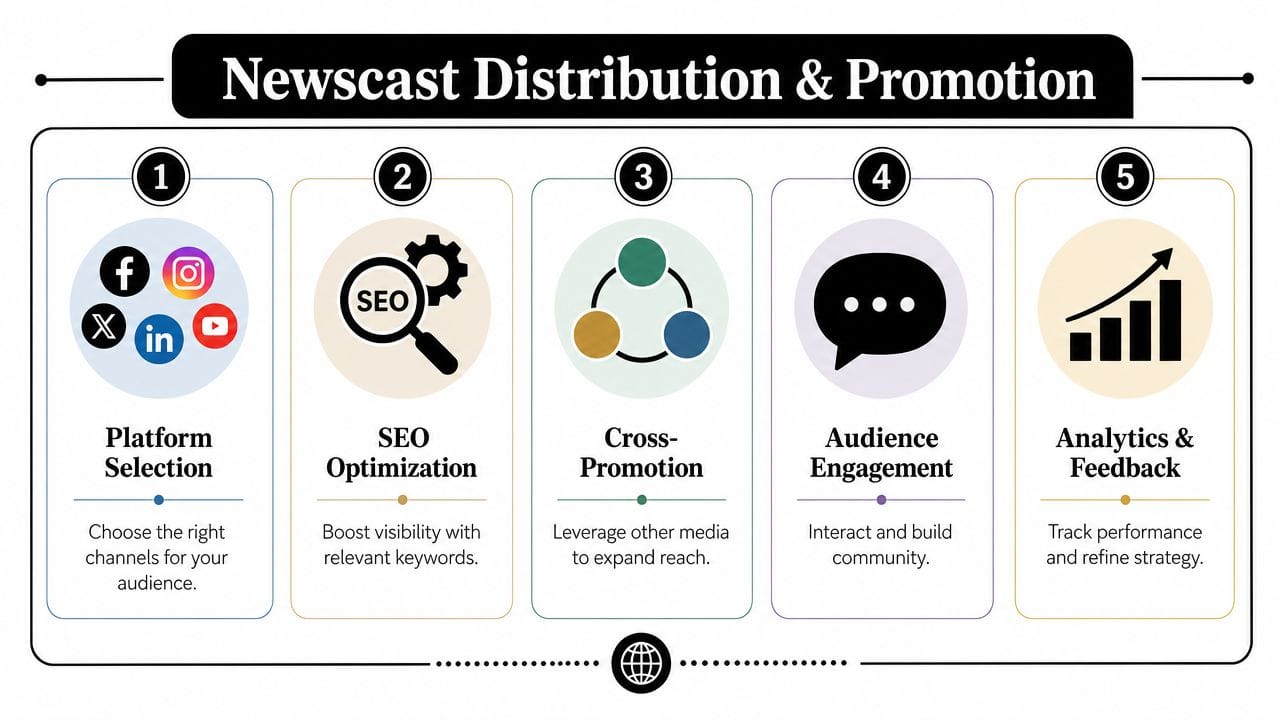
A practical publishing stack looks like this:
- Main report: Full segment or episode on your primary video channel.
- Cutdown clips: One key takeaway, one revealing quote, one service-oriented segment.
- Text support: A short post, community update, or pinned summary with links and timestamps.
- Follow-up post: Clarification, correction, or added context when the story changes.
Promotion is also trust-building
Good promotion in news is partly packaging and partly proof of standards. Viewers notice the basics. Clear titles. Useful descriptions. Consistent thumbnails. Visible corrections when facts change.
They also notice how you treat people on camera.
Researchers at the Reuters Institute have examined how community-first outlets serve marginalized audiences and where mainstream reporting often falls short, especially around representation, trust, and source relationships (community-first reporting research from the Reuters Institute). For a producer, that has concrete implications:
- Ask for identification preferences: Use the language people use for themselves.
- Explain the interview process clearly: Tell sources what format you are producing and where it will appear.
- Avoid extraction reporting: Do not only call when there is grief, conflict, or visible trauma.
- Review sensitive context carefully: Ambiguity can put a source at risk even when the facts are correct.
That is old-school field discipline. It also improves performance on modern platforms because trust increases return viewing.
Use automation without flattening your voice
The repetitive part of distribution has always eaten time. Exporting alternate cuts, rewriting captions, resizing for each platform, scheduling posts, and keeping branding consistent is production work, even if nobody calls it that. A small team can now handle that load with an AI video workflow for scripting, clipping, and publishing instead of juggling separate tools and manual exports.
The trade-off is obvious. Automation saves hours, but generic headlines and canned descriptions make a news brand feel thin fast. Keep the machine on formatting duty. Keep editorial judgment with the producer.
Write the final headline yourself. Check every thumbnail for tone. Rewrite descriptions so they sound like your newsroom and not a template. The goal is speed with standards intact.
A strong newscast can win a click once. Consistent distribution, credible promotion, and careful automation are what turn that one click into regular viewers.