How to Create Video with Music: A 2026 Creator's Guide

Learn how to create video with music that captivates your audience. This guide covers planning, licensing, syncing audio, and using AI to speed up production.
You already know the feeling. The footage looks good in the preview window, the color is clean, the cuts are technically fine, and the finished video still feels dead. Most of the time, the problem isn't the camera or the edit. It's the music, or more accurately, the way the music and visuals fail to work together.
That's why learning how to create video with music isn't about dropping a song under a montage. It's about building a sequence where sound controls pace, emotion, and attention. The strongest music-driven videos feel inevitable. Every cut feels earned. Every transition lands where the viewer expects it, or where they didn't expect it but instantly accept it.
Beyond Background Noise The Art of Music in Video
A weak music choice exposes every other problem in the edit. It makes strong footage feel random. It makes average footage feel cheaper than it is. It also confuses the viewer because the emotional signal from the soundtrack doesn't match what the picture is trying to say.
That matters more than most creators realize. According to the verified industry data, songs accompanied by official music videos receive 3.2 times more streams in their first month than those without, and 78% of influencers and solo creators report that rhythm-synced visuals improve audience retention, with average watch time rising from 15 seconds to 32 seconds. Those figures show why music-led video isn't decoration. It changes whether people keep watching.
Music directs pacing
When creators treat music like a final layer, they usually edit by sight alone. That produces clips that are visually acceptable but emotionally flat. The viewer doesn't feel momentum because the edit has no pulse.
A better approach is to let the track shape the structure early. The intro tells you whether the opening should feel restrained or immediate. The build tells you where tension should rise. The chorus tells you whether the video should expand, simplify, or hit harder.
Practical rule: If the music changes energy and the visuals don't, the edit starts to feel disconnected.
Music affects platform performance
Short-form platforms have trained viewers to react fast to audio-visual alignment. The verified data notes that music videos with synchronized visuals experience a 40% higher share rate than audio-only content, and that over 65% of new music releases include a visual component to drive engagement, with the global music video market projected to reach approximately $12.5 billion by 2027. That projection reflects how central visual storytelling has become for discovery.
Here's the useful takeaway:
- Music sets expectation: Viewers decide within moments whether your video feels polished.
- Rhythm creates trust: Tight sync makes the piece feel intentional, even when the footage is simple.
- Emotion keeps people watching: A track that supports the story buys you attention longer than flashy editing alone.
If you want to make a professional music-driven video, start by treating the soundtrack like a co-editor.
Finding Your Rhythm Planning and Music Selection
Most beginners start in the wrong place. They find a track they like, drag it into the timeline, then hunt for footage that can survive under it. That's backwards.
The stronger workflow is emotional trajectory first. Decide what the video should feel like from start to finish, then choose music that supports that arc. If the emotion is wrong, perfect beat sync won't save the edit.
Map the emotional arc before you pick the song
A useful planning pass takes only a few minutes. Write down what the viewer should feel in the opening, middle, and finish. Not what they should understand. What they should feel.
For example:
- Opening: unsettled, intimate, curious
- Middle: movement, lift, pressure
- Ending: release, confidence, reflection
Now your music search gets easier. Instead of asking, “Is this a cool track?” you ask, “Does this track begin where my story begins and end where my story ends?”
That missing step explains why so many no-budget videos lose people. Verified data from Sound & Design (2024) shows that 78% of no-budget music video creators fail to retain viewers due to disjointed visuals, yet only 12% of top-ranking tutorials mention aligning edits with a song's emotional trajectory.
Don't choose music by genre first. Choose it by emotional movement.
Choose music you can actually use
A good track can still create legal or platform problems if you don't have the rights to use it. For practical production, most creators work from three buckets:
- Licensed royalty-free tracks for the safest commercial use.
- Creative Commons music when the license terms fit your project and attribution needs.
- Original music or commissioned tracks when the soundtrack is central to the brand or artist identity.
If you're making content for clients, ads, or a branded channel, don't gamble on unclear permissions. A flagged upload can waste the entire edit.
Your footage doesn't have to be filmed
Another mistake is assuming that making a music video means going out and shooting everything. It doesn't. A lot of effective music-driven content is assembled from carefully chosen stock, screen captures, animation, motion graphics, or game-engine renders.
Verified data notes that over 65% of indie creators now use free stock clips from Pexels or Pixabay, or game engines, for music videos, while only 8% of mainstream tutorials cover that strategy. That gap matters because stock assembly can work extremely well when the visual language is consistent.
A zero-budget build often works best when you limit yourself to one of these directions:
| Approach | Best use | Common mistake |
|---|---|---|
| Stock footage montage | Mood pieces, lifestyle edits, lyric visuals | Mixing too many styles |
| Game engine capture | Stylized performance, surreal scenes | Overcomplicating camera movement |
| AI-generated visuals | Abstract narrative, concept-led pieces | Letting visuals drift from the song's emotion |
The footage doesn't need to be expensive. It needs to belong to the same emotional world.
The Editors Dance Syncing Footage to Music
The video either tightens up or falls apart at this juncture. The key skill is seambeat synchronization. That means aligning visual changes with meaningful musical moments rather than cutting at random intervals.
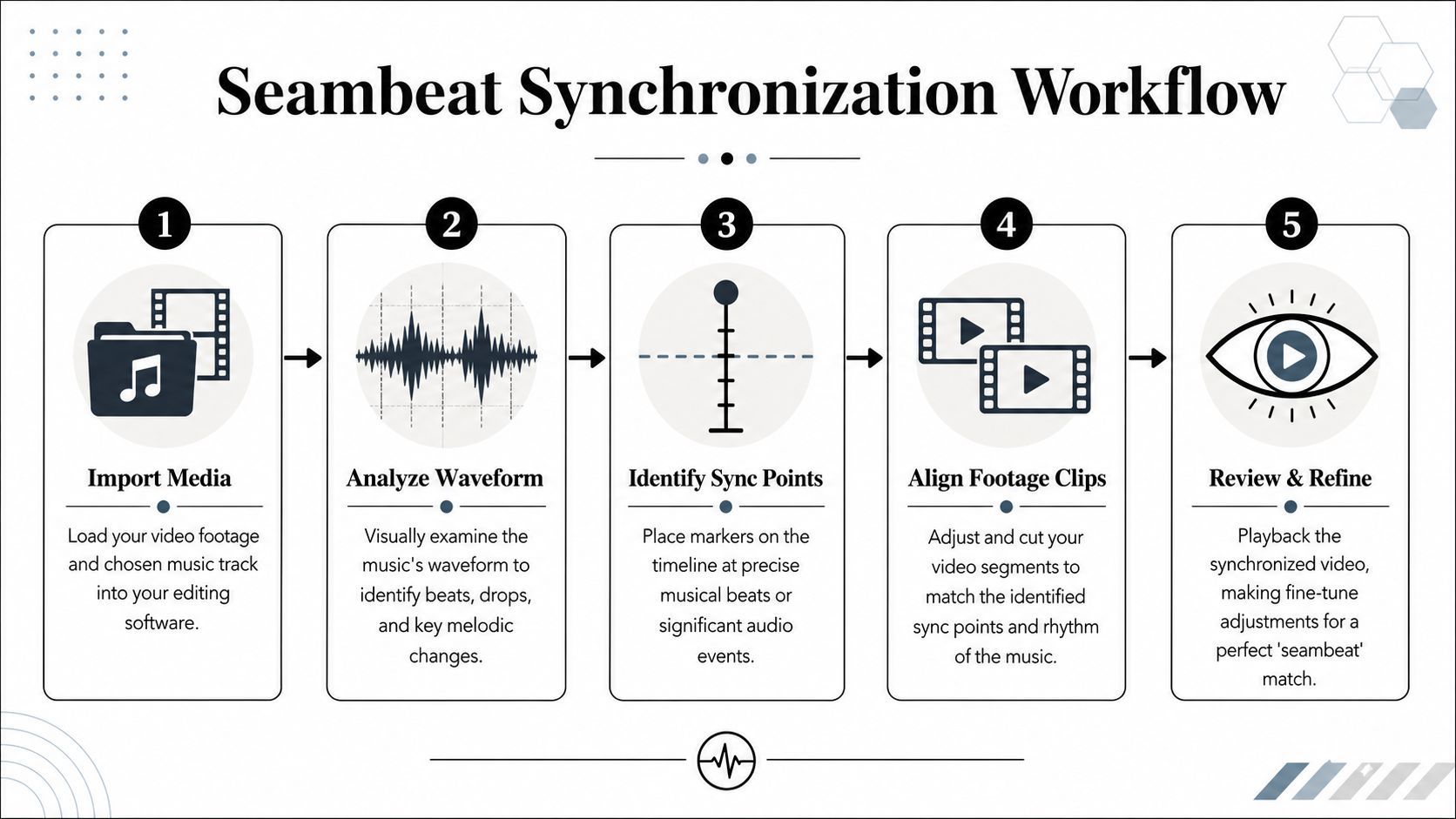
Read the waveform like an editor
Open the audio waveform in your editor and stop guessing. You're looking for peaks, drops, and the small breaks between phrases. Those little gaps are often better cut points than the obvious downbeat because they let the visual reset without feeling forced.
A simple workflow looks like this:
- Import the track first. Build your timeline around the soundtrack, not the other way around.
- Drop markers on major events. Use chorus starts, snare hits, vocal lifts, pauses, and transitions.
- Group markers by intensity. Not every beat deserves a hard cut.
- Rough in clips without overtrimming. Leave room to slide shots into sync.
- Refine timing on the second pass. First pass is structure. Second pass is feel.
The technical side matters. Verified guidance from MyKaraoke's video creation walkthrough states that successful music video creation hinges on seambeat synchronization, that 82% of viewers perceive videos with precise beat-matching as significantly more professional, and that ignoring aspect ratio optimization can lead to 60% lower retention rates on mobile platforms.
Use transitions that respect the rhythm
Straight cuts are fine when the song calls for impact. They're weak when used everywhere. Better edits vary the motion language.
Use these intentionally:
- J-cuts and L-cuts: Let audio or visual energy lead slightly into the next shot.
- Speed ramps: Best for rises, impacts, and transitions into stronger sections.
- Crossfades or wipes timed to musical movement: Useful when the song softens or drifts.
- Held shots: A pause can hit harder than another rapid cut.
If you want a solid external reference on the mechanics, LesFM has a practical guide to video editing with music that's worth reviewing alongside your own tests.
Here's a useful demo to study for timing and pacing decisions:
Format for the screen where people will watch
A polished desktop preview can still fail on mobile. If the composition doesn't survive a vertical crop, the edit will feel cramped or unreadable on TikTok and Reels.
Keep this checklist in mind:
- Vertical first for short-form: Frame with central subject protection.
- Horizontal for YouTube or widescreen format: Let wide composition breathe.
- Text-safe areas matter: Don't place key lyrics or faces where UI overlays will sit.
- Export separate versions when needed: One compromise frame usually satisfies nobody.
The best syncing work gets wasted when the platform format fights the edit.
Polishing Your Sound Mixing Audio and Transitions
A lot of creators obsess over visual timing and leave the audio mix messy. That's a fast way to make the whole piece feel amateur. Even if the viewer can't explain what's wrong, they hear it immediately.
Build an audio hierarchy
Every video needs one element in charge. Sometimes it's the song. Sometimes it's the voiceover. Sometimes it's a spoken line at the start and the music after that. Decide the hierarchy before you touch levels.
In practice, ask three questions:
- What must always be understood? Usually dialogue or voiceover.
- What carries emotion? Usually the music.
- What adds texture without demanding attention? Sound effects, room tone, transitions.
When creators skip this step, they keep raising everything. That leads to a crowded, fatiguing mix.
If the viewer has to strain to hear the main message, the music is too loud, no matter how much you love the track.
Make transitions sound intentional
Good visual cuts can still feel rough if the audio jumps. Smooth audio transitions do a lot of invisible work.
Use this sequence:
- Fade music in and out with purpose: Don't slam full volume under the first frame unless the intro is meant to hit hard.
- Duck music under speech: Lower the track during voice lines so the words stay clear.
- Crossfade between music sections carefully: Short fades often sound cleaner than abrupt switches.
- Trim breaths, clicks, and dead air: Especially in spoken intros or bridges.
A professional-sounding mix usually feels calmer, not louder. You want separation, not competition.
Check the final playback on bad speakers
Studio monitors help, but they don't reflect real viewing conditions. Many viewers will hear your video through a phone speaker, laptop, cheap earbuds, or a noisy room.
Run a final review like this:
| Playback device | What to check |
|---|---|
| Phone speaker | Voice clarity and harsh high end |
| Earbuds | Balance between music and narration |
| Laptop speakers | Bass loss and transition smoothness |
If the mix only works on your editing setup, it isn't finished.
The AI Advantage Creating Videos Faster with ShortGenius
The traditional workflow takes time because it's fragmented. You write somewhere else, source visuals somewhere else, generate voice elsewhere, edit elsewhere, resize elsewhere, and then upload platform by platform. That doesn't make you more creative. It just burns hours.
That's why AI tools have become part of serious creator workflows. Verified data shows that before 2023, a professional music video required an average investment of $15,000 and 10 to 14 days. AI-powered platforms have reduced that to under $500 and 30 minutes, and 52% of independent musicians now use AI to create their videos.
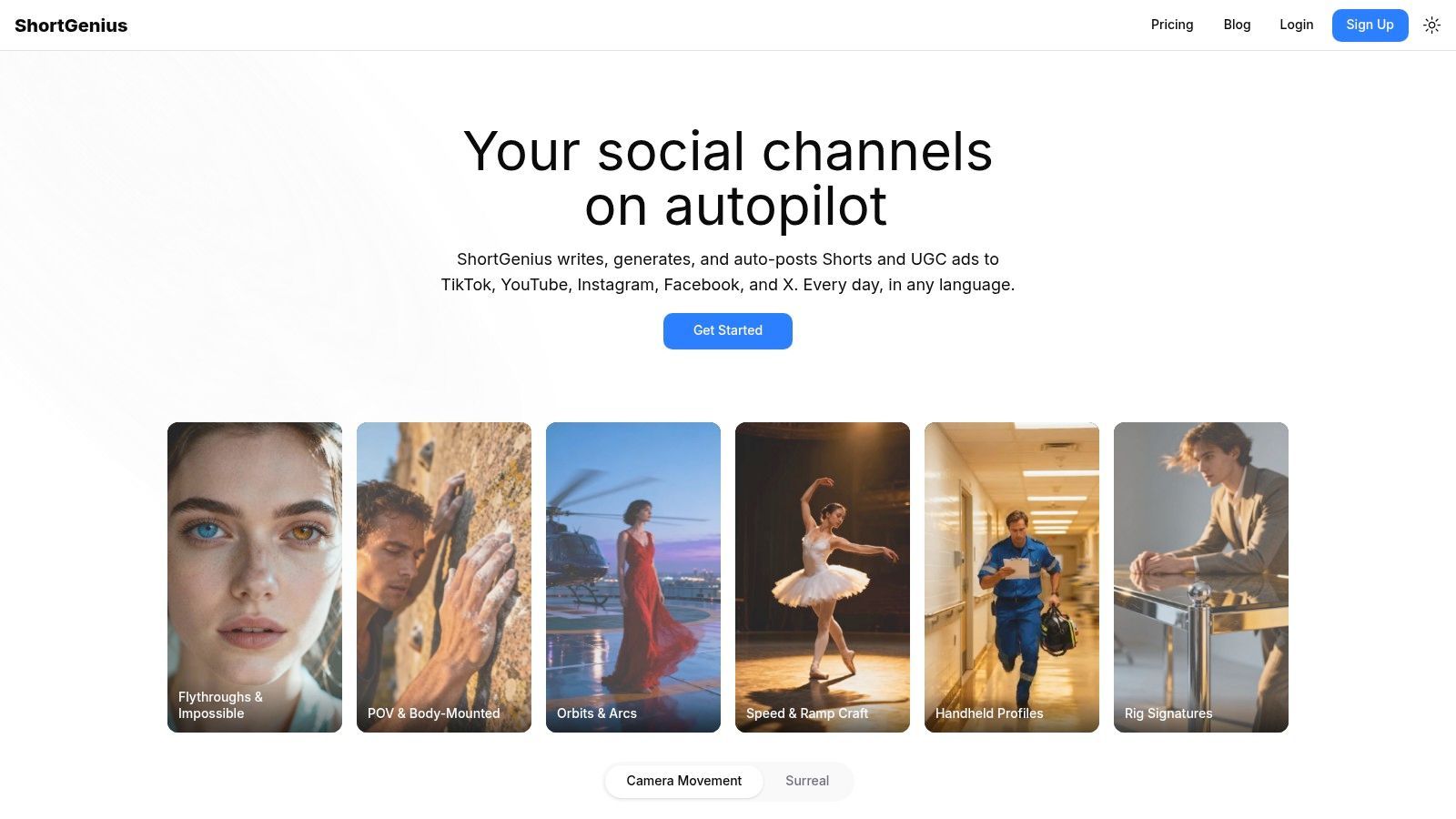
Use AI for speed, not for taste
This is the important trade-off. AI can accelerate production, but it shouldn't decide the emotional logic of the piece for you. The creator still needs to choose the story arc, the mood shifts, the framing style, and when restraint matters more than spectacle.
Used well, AI handles repetitive production work:
- Prompt-to-scene generation when you need a fast first pass
- Visual sourcing and assembly for concept-driven edits
- Natural voiceover creation when a video needs narration
- Fast resizing and scene swaps when adapting across channels
That's the right relationship. You direct. The system speeds up execution.
Keep brand consistency without rebuilding every edit
One of the hardest parts of scaling content is consistency. Fonts drift, colors shift, logos get missed, intros change, and suddenly your channel looks like five different people made it.
That's where a unified production platform earns its place. A setup like ShortGenius helps apply recurring brand elements across videos so creators don't have to rebuild the same style decisions each time. For teams and agencies, that matters because consistency is often the first thing to break under volume.
If you're also thinking about longer-term channel workflows, SleekPost's piece on Mastering YouTube content with AI technology is a useful companion read because it frames AI as an operational system, not just a novelty feature.
The best use of AI is removing friction between the idea in your head and the version you can actually publish.
Exporting and Distributing for Maximum Reach
A strong edit can still lose impact at export. Compression artifacts, bad framing, weak thumbnails, and platform-mismatched versions can make polished work look rushed.
Export with platform intent
You don't need fancy settings for most creator workflows. What matters is consistency and the right version for the right channel.
Use a simple checklist:
- Codec choice: H.264 is the practical default for broad platform compatibility.
- Resolution: Export natively for the target platform, especially for vertical short-form.
- Aspect ratio: Don't rely on one master file to cover every channel if the framing changes the meaning of the shot.
- Final review: Watch the exported file before uploading. Export glitches happen.
Distribution is part of the creative process
Posting isn't just administrative cleanup. Captions, thumbnail frame choices, and music-centered tags affect who sees the video and how it's understood.
For discovery research, quso.ai has a useful list of TikTok and Instagram music hashtags that can help you package music-driven content more intentionally.
A practical release routine looks like this:
- Create platform-specific exports
- Write captions that match the video's emotional angle
- Choose a thumbnail frame with a clear focal point
- Schedule uploads so you're not publishing manually one by one
- Review the live post on each app to confirm framing and audio behavior
Creators who publish often need the delivery side to be as organized as the edit. The less time you spend resizing, retagging, and re-uploading, the more time you keep for concept and craft.
If you want a faster way to turn music, prompts, visuals, voiceover, branding, and publishing into one repeatable workflow, try ShortGenius (AI Video / AI Ad Generator). It helps creators and teams produce, edit, resize, and schedule videos from a single platform so you can spend less time stitching tools together and more time making videos that feel finished.