Facebook Video Ad Creator: A Practical 2026 Guide

Learn how to use a Facebook video ad creator to build high-performing ads, with specs, a step-by-step workflow, and tips for fast iteration and repurposing.
You've got a campaign ready, the offer is clear, and the media buyer wants fresh creative by the end of the day. The old workflow, one polished video, one aspect ratio, one long approval cycle, breaks down as soon as the same campaign needs to work in the Feed, Stories, and Reels.
A practical Facebook video ad creator workflow solves a production problem, but it also changes how you make decisions. Instead of treating video as a finished asset, you build a system for producing placement-specific cuts, testing different hooks, and replacing weak scenes without rebuilding the entire ad.
Why Video Is Now the Default on Facebook
A performance marketer can still spend days polishing a brand video that looks excellent in a presentation and underperforms in the first seconds of a feed placement. Meanwhile, the campaign needs a vertical cut for Reels, a tighter version for Stories, captions for sound-off viewing, and a new opening for the next test.
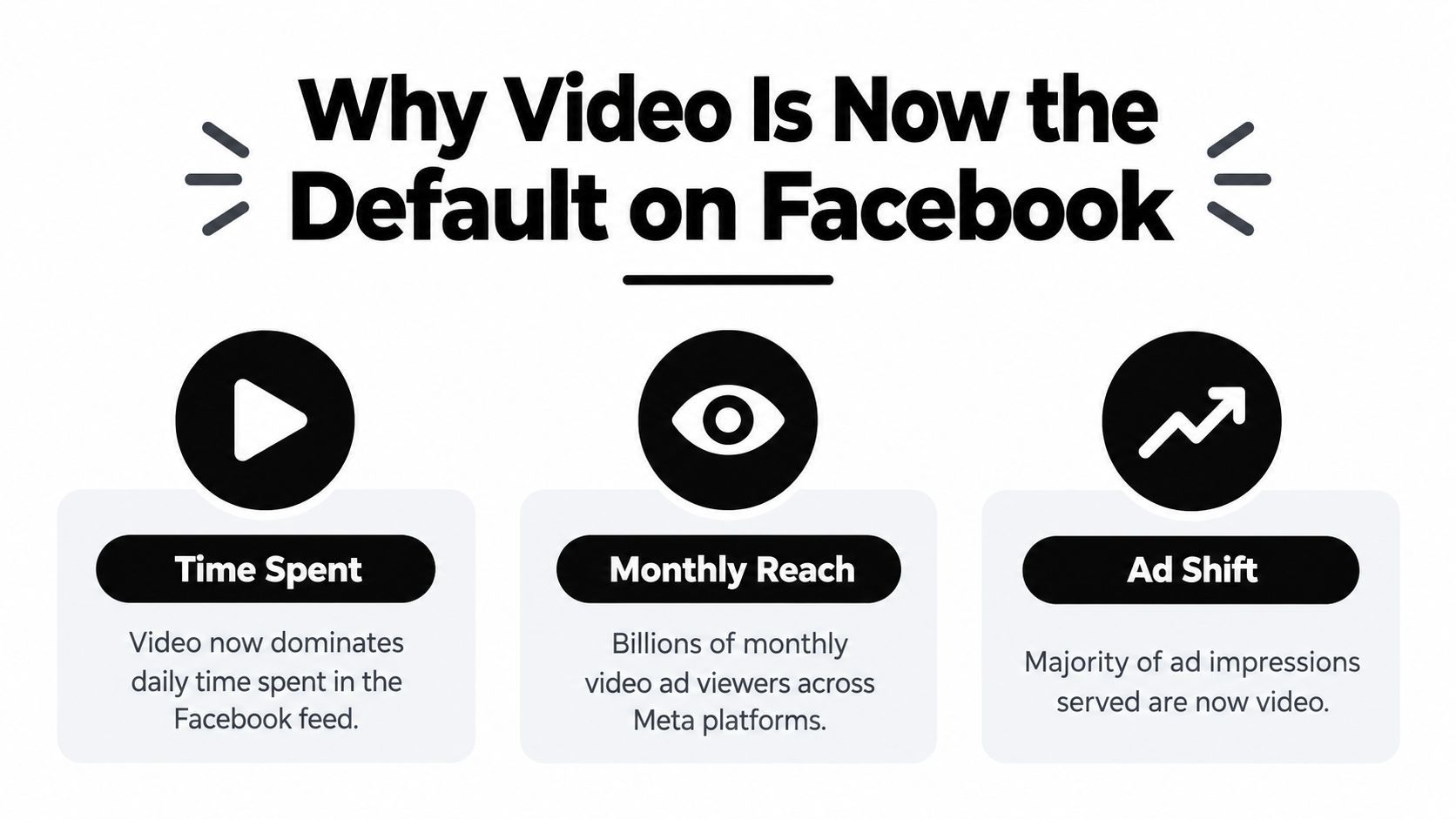
That pressure reflects how people use Facebook. Industry summaries citing Meta data report that video accounts for more than 60% of time spent on Facebook, while over 2 billion people watch Facebook video ads each month. The same ecosystem has moved heavily toward short-form placements, with Facebook and Instagram Reels cited as reaching 200 billion views per day as of mid-2023. These figures are summarized in Facebook video advertising statistics and platform trends.
The production model has changed
The old model assumed that a team could create one “hero” ad, distribute it broadly, and make occasional updates. That approach wastes the differences between placements. A Feed viewer may accept a slightly more explanatory opening, while a Reels viewer expects the video to feel native, immediate, and vertically framed.
A creator tool earns its place when it helps the team make those variations without turning every change into a new production project. The useful output isn't a single video file. It's a creative set with different hooks, crops, captions, scene orders, and calls to action, all built from the same underlying idea.
Practical rule: Treat the first ad as a testable creative system, not as a final piece of film.
This doesn't mean production quality is irrelevant. Clear footage, readable text, controlled branding, and good audio still matter. It means polish must support the selling message rather than delay it. If the product appears only after a long cinematic introduction, the ad may lose the viewer before the commercial value becomes clear.
A repeatable workflow also gives smaller teams a way to compete with larger advertisers. They can turn one offer into several deliberate variants, compare the opening scenes, and keep the strongest angle in circulation. The advantage comes from shortening the distance between a performance signal and the next creative revision.
Choosing the Right Format for Each Placement
The right format depends on where the ad appears and what the viewer needs to understand before deciding whether to keep watching. A single export can technically run across placements, but that doesn't make it a strong creative choice.
Meta's analysis of 12 million ad sets found that vertical videos with audio produced a 12% higher conversion rate than other video types, while Reels ads using vertical video and audio achieved a 35% higher click-through rate than other Reels ads. Mobile-friendly videos under 15 seconds or vertical formats also showed a 12.3% lower cost per conversion than non-mobile-optimized video ads. The figures and methodology are summarized in Facebook advertising statistics and creative performance data.
Map the placement to the viewer's behavior
| Placement | Aspect Ratio | Recommended Length | Creative Style |
|---|---|---|---|
| Facebook Feed | 4:5 | Short to medium | Product-led demonstration, testimonial, offer explanation |
| Facebook Stories | 9:16 | Short | Direct hook, captions, fast scene changes, clear CTA |
| Facebook Reels | 9:16 | Short to medium | Native-looking creator style, movement, spoken or visual hook |
| Hook-driven retest | 4:5 or 9:16 | Under 15 seconds | One problem, one proof point, one action |
Use 4:5 for Feed when the viewer needs a little more context and the product demonstration benefits from vertical screen coverage without taking over the entire phone display. This format works well for a before-and-after sequence, a short product walkthrough, or a creator explaining why an offer solves a specific problem.
Use 9:16 for Reels and Stories when the creative depends on immersion, movement, or a person speaking directly to camera. Keep important text and faces away from the interface areas at the top and bottom. A video can be technically correct and still lose effectiveness if the price, subtitle, or CTA sits beneath platform controls.
Decide between polished and native
A polished brand video makes sense when visual consistency, product detail, or premium positioning carries the argument. It often loses to native-looking UGC when the audience needs social proof, a relatable problem, or an answer that feels discovered rather than presented.
Sound-off captions matter more than cinematic production when the opening message depends on spoken explanation. Use large, high-contrast captions that follow the speech closely, but don't turn the screen into a paragraph. If the viewer can understand the problem, product, and next action without audio, the creative has a stronger foundation.
Short hook-driven cuts are useful when the original ad has a weak opening or when you want to test a single claim. Don't compress every narrative into a frantic edit. Remove setup that doesn't establish the problem, show the product earlier, and let the strongest proof carry the cut.
Building Your Ad With a Facebook Video Ad Creator
A viewer who understands the offer but cannot see its value has no reason to keep watching. Define the offer before opening a template. Write down what the viewer receives, why it matters now, and what evidence supports the promise. Build the hook around a recognizable problem, a surprising contrast, a visible result, or a direct question that the rest of the ad answers.
Write the script for speech, not for a presentation deck. Short sentences make voiceover and captions easier to follow, but they still need specific language. Replace “improve your workflow” with the task the product helps someone complete, then show that task on screen. A human-led concept usually wins when the idea depends on an authentic tension, a distinctive point of view, or a believable customer experience.
Build the creative around scenes
A tool such as ShortGenius (AI Video / AI Ad Generator) can combine scriptwriting, image generation, video assembly, voiceovers, captions, resizing, and brand kit application in one workflow. That can reduce handoffs when a team needs several versions of one concept. It is most useful for turning a clear creative brief into testable variations, rather than deciding what the ad should say.
Start with a rough scene plan:
- Opening scene: Show the problem, product, or result immediately.
- Proof scene: Demonstrate the mechanism, use case, testimonial, or visual evidence.
- Objection scene: Address the concern most likely to stop the click.
- Offer scene: State what the viewer receives and what to do next.
AI-generated scenes and stock footage suit concept testing, abstract explanations, lifestyle context, and quick transitions. They become risky when the ad must prove that a particular product works in a particular way. If trust depends on texture, interface, fit, safety, or a real-world result, use authentic product footage or creator content. The Sup's guide to creator ads provides useful context for turning creator footage into paid social assets.
Make the export usable by a media buyer
Create placement variants instead of forcing one file across every location. Prepare a Feed version and a Stories or Reels version, then inspect each crop on a phone. The creator workflow identifies 1:1 and 4:5 Meta Feed exports as supported formats, alongside captioned MP4 ads suitable for media buying. The right format protects the hook, product view, captions, and CTA in the placement where they appear.
Keep the brand visible early enough to connect the message with the advertiser, without covering the opening with a logo animation. Put text in the central safe area, leave room for platform controls, and check every line at mobile size. Captions need strong contrast, modest line lengths, and timing that follows the spoken words. Decorative fonts add reading friction during a fast scroll.
The final review should cover more than resolution and file type. Confirm that the first scene works without sound, the product is recognizable, the CTA is clear, and the voiceover does not compete with music or effects.
A controlled creator workflow lets you change one variable at a time. Swap the hook while keeping the offer fixed, replace a stock scene without rewriting the voiceover, or create a different voice and caption treatment for another market. Those isolated changes make test results easier to interpret and show whether the format, concept, or execution needs work.
Reading Performance Signals and Iterating Fast
A video ad isn't finished when it exports. It's finished when the team knows what the viewer did, where attention weakened, and which creative element should change next.
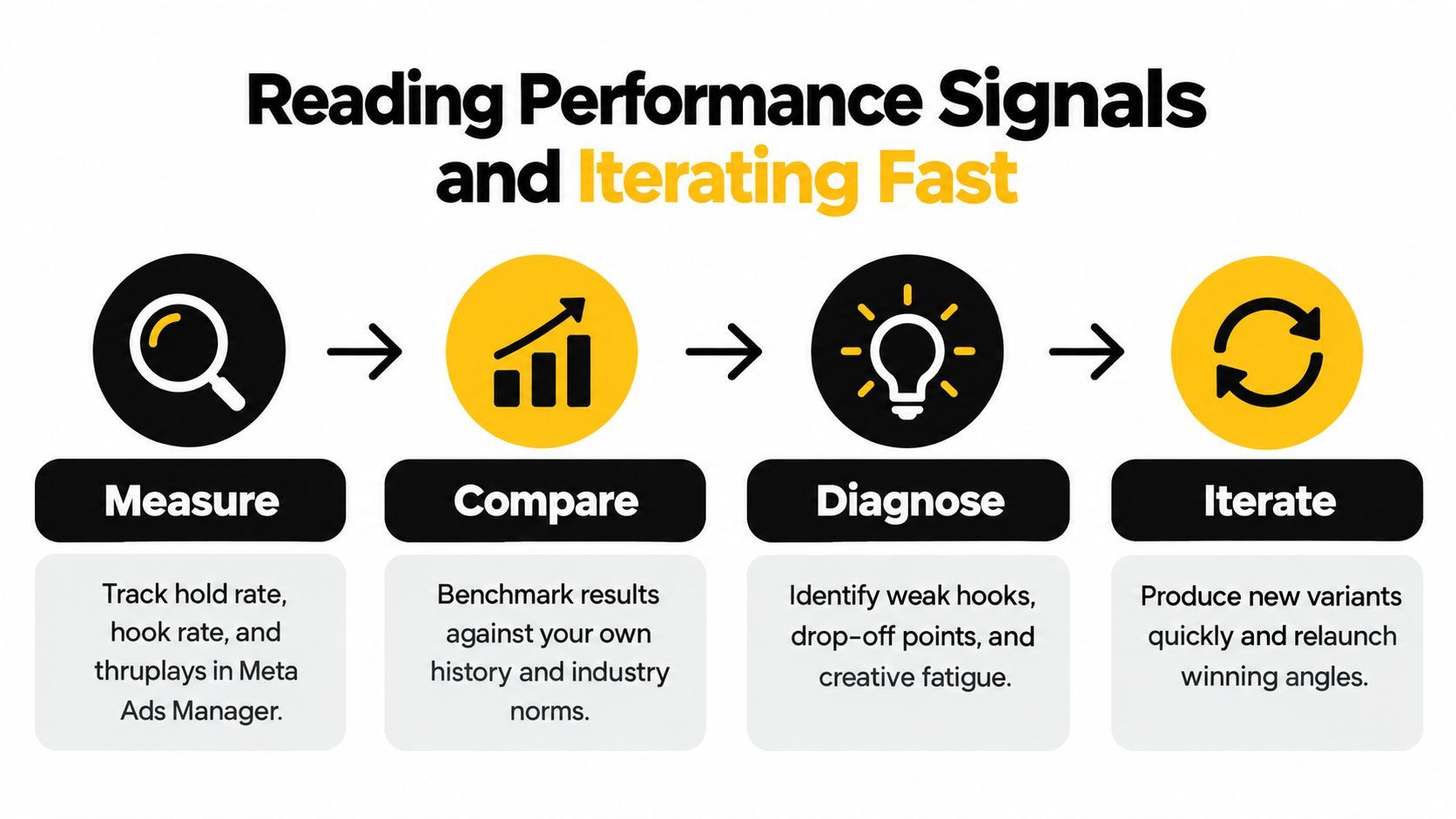
Meta's Ads Creative Studio compares video assets with benchmarks for the advertiser's business and broader industry data. It also surfaces video-specific diagnostics including hold rate, hook rate, and thruplays, creating a useful connection between creative editing and campaign analysis. The practical workflow is to separate creative styles across ad sets, inspect the opening, and revise the segment that fails instead of discarding the whole concept. Meta describes these diagnostic capabilities in its Ads Creative Studio video guidance.
Read the metrics as creative clues
Hook rate helps you judge whether the opening earns attention. If it is weak, inspect the first seconds before changing the targeting or offer. The problem may be a logo intro, an unclear first line, a slow establishing shot, or a visual that doesn't identify the audience's problem.
Hold rate shows whether the video continues to carry attention after the opening. A strong hook followed by a sharp drop often means the promise wasn't fulfilled quickly enough. It can also signal a mismatch between the opening claim and the next scene. Move the product demonstration earlier, shorten the explanation, or remove a transition that adds no selling information.
Thruplays help identify whether viewers reached a meaningful point in the video. Use them alongside the other diagnostics rather than treating them as a standalone verdict. A longer ad may collect fewer completed views while still generating useful clicks, whereas a short ad may earn completion without giving the viewer enough information to act.
Use evidence before increasing production
Meta's published creative study evaluated more than 850 English-language video ads in the United States and Europe using 19 questions covering first impressions, branding, messaging, and video features. The model explained 82% of the variance in Ad Recall, and stronger recall was associated with showing the product or service, using conversation and brand links, and delivering the message succinctly, as reported in this summary of Meta's creative study.
That gives a useful pre-launch review. Does the viewer see what is being sold before the ad spends too long setting up the story? Does the brand connect naturally to the message? Can someone repeat the main benefit after watching the opening and proof?
Diagnostic rule: Change the smallest creative unit that explains the weak signal. Don't rewrite the offer because the first scene failed.
Create a testing log with the hook, format, voice, scene order, and primary claim for each variant. After launch, compare like with like. If every version changes the hook, aspect ratio, offer, and presenter at once, the campaign may reveal a winner but won't tell you why it won.
When AI Creation Helps and When It Does Not
AI-assisted creation is valuable when the bottleneck is volume. It can help a team produce alternative hooks, localize scripts, generate scene variations, swap voices, add captions, and resize an approved concept for several placements. Those uses support a disciplined testing program because the team can explore more creative angles without commissioning a new production for every change.
The pressure is economic as well as operational. Coverage cited by Facebook advertising cost and AI creative trends reports that average price per ad was up 12% year over year in Q2 2026, which makes slow, one-off production harder to justify. The same coverage describes growing use of AI-generated video and personalized dynamic creative, but faster production still doesn't guarantee stronger persuasion.

Keep the high-trust decisions human
Human-led concepts remain important when the audience is evaluating risk, expertise, identity, or a significant purchase. Regulated categories need careful review of claims and disclosures. Higher-consideration offers need credible explanation. Brands built around trust often benefit from a real founder, practitioner, customer, or creator whose delivery feels grounded in lived experience.
AI can assemble a clean advertorial, but it can't decide whether the central promise deserves belief. It can produce a fluent voiceover, but fluency isn't the same as authority. Guidance such as Landra's approach to advertorial creation for DTC brands is useful when structuring an ad, but the brand still needs to validate its claims, proof, and tone.
A sensible split is simple:
- Automate variation: Hooks, crops, captions, scene order, voice options, and language adaptations.
- Keep human judgment: The core promise, proof standard, brand voice, compliance review, and final authenticity check.
- Use real footage selectively: Product demonstrations, customer experiences, and trust-sensitive moments deserve evidence that synthetic scenes can't replace.
The question isn't whether AI video is good or bad. Ask which part of production is repetitive and which part carries the brand's credibility. Automate the former. Protect the latter.
Repurposing One Ad Across Every Platform
Efficient teams don't restart production for every channel. They preserve the central idea, then adjust the opening, crop, pace, captions, voice, and CTA for the environment where the next version will run.
Start with the strongest concept and make a small variant family:
- Trim for attention: Keep the full explanation for Feed, then create a tighter hook-led cut for Reels and Stories.
- Resize with intention: Reframe the subject for TikTok, Instagram, YouTube, Facebook, and X rather than stretching one crop across every surface.
- Swap the argument: Test a problem-led opening, a product demonstration, and a proof-led opening while retaining the same offer.
- Change the delivery: Use a different presenter, voice, scene, or caption treatment when the audience needs a more native feel.
- Schedule consistently: Organize approved variants so publishing and paid testing don't depend on a last-minute export.
Before launch, check the essentials:
- Hook: The first seconds state a problem, promise, or visible result.
- Captions: The message remains understandable with sound muted.
- Product: The viewer sees what the ad is selling early.
- Brand link: The advertiser connects clearly to the promise.
- Close: The final action is concise and visible.
- Placement: Text, faces, and product details survive each crop.
Build one strong idea, adapt it to the placement, read the signal, and replace only what failed.
ShortGenius (AI Video / AI Ad Generator) brings scriptwriting, image generation, video assembly, natural voiceovers, captions, resizing, scene and voice swaps, brand kits, and multi-channel scheduling into one workflow. Use ShortGenius (AI Video / AI Ad Generator) to turn a Facebook ad concept into placement-specific variants that your team can review, test, and repurpose without restarting production.