Explainer Video AI: A Practical Guide for Modern Creators

Learn how explainer video AI works, where it shines, and how creators use it to ship clear, on-brand explainers in minutes instead of weeks.
You've got a product to explain, a landing page that isn't converting cleanly, and a team that doesn't have weeks to spare on a polished video. That's where explainer video AI enters the workflow, not as a gimmick, but as a way to turn a clear message into something people can watch, understand, and act on.
The catch is that speed can make teams lazy. If the script is fuzzy, the pacing is off, or the brand voice drifts, AI just helps you produce the wrong thing faster. The better way to use it is to treat it as a messaging discipline first and a tooling choice second.
What an AI Explainer Video Is
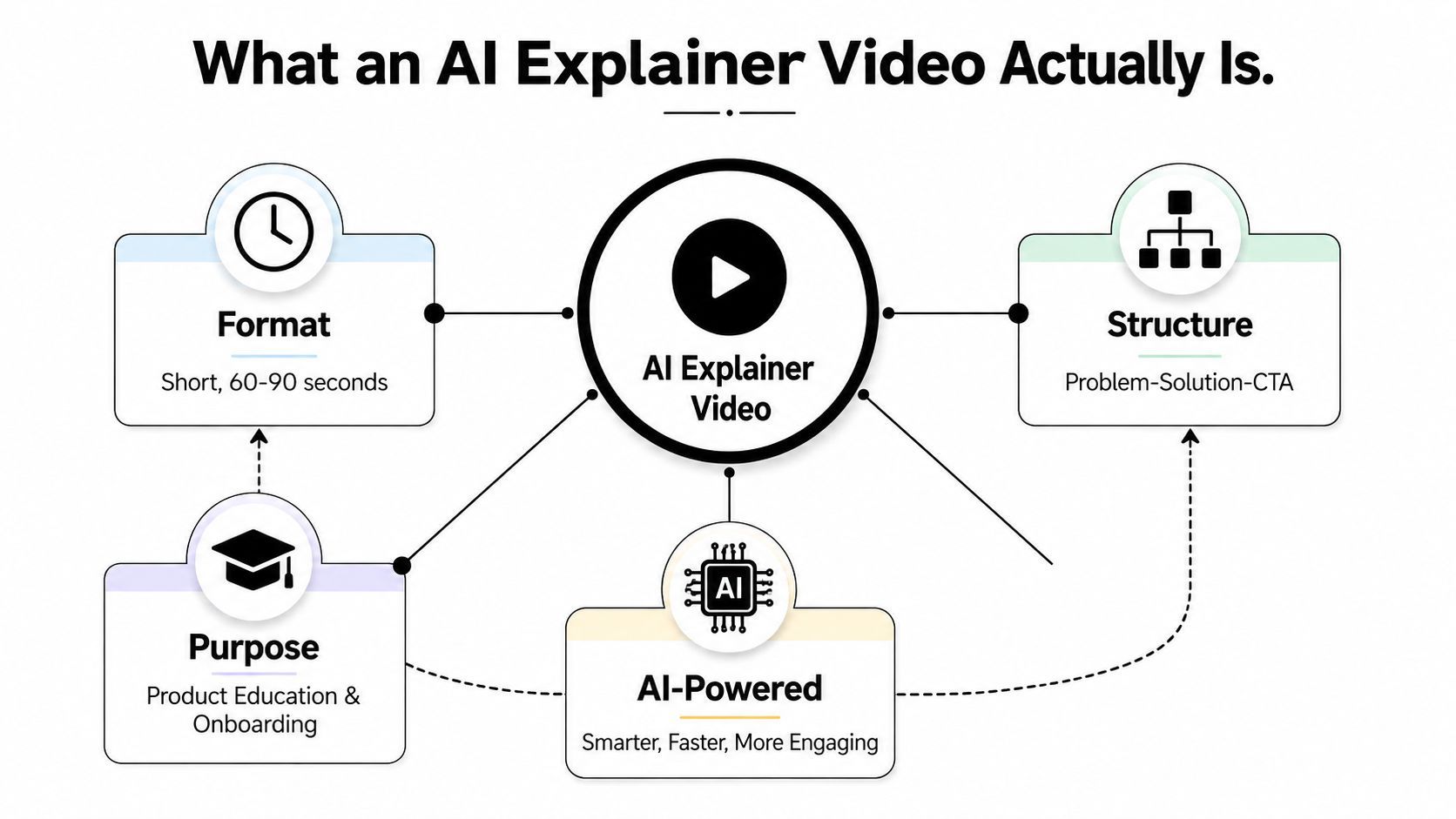
A founder I worked with once said he did not need another sales call, he needed one video that could answer the same questions every prospect kept asking. That is the point where teams stop thinking about animation or editing and start thinking about the message itself. An explainer works by compressing confusion into a short, clear path from problem to next step.
An AI explainer video is usually a short, scripted, problem-solution-CTA format used to teach someone what a product does or why it matters. The AI layer changes how the video gets made while the video's purpose stays the same. In practice, that layer can help with script drafting, scene suggestions, voice narration, visual assembly, and finishing touches, while the core job stays the same, make the message easier to understand.
The reason this format matters is adoption. Analysts behind recent video marketing statistics report that 73% of businesses use explainer videos in their marketing strategy, and 91% of consumers watch explainer videos to learn about products or services. The same dataset says 38% of U.S. startup leaders use them to build brand awareness, while 48% treat them as event-driven content within broader marketing plans, which shows these videos are already doing real work in the funnel. The workflow has also been collaborative for a long time, 70% of startup leaders source scripts and concepts from agency partners, while 100% say internal teams mainly handle review and feedback, a pattern that helps explain why AI now fits so naturally into the process.
What changes when AI enters the workflow
The biggest shift is that the video stops being a hand-built asset and becomes a software-driven output. Instead of one person writing, another storyboarding, another sourcing visuals, and another editing, the tool can handle a large part of that assembly line from a single brief. That does not remove judgment. It changes where judgment happens.
Practical rule: if the explainer's main job is to teach one idea quickly, AI is usually enough to get a strong first draft. If the job is to create an emotional brand film, AI should stay in a supporting role.
The difference between AI-assisted editing, AI-generated assets, and a fully AI-produced explainer matters because each one solves a different bottleneck. A team may only need scene generation for a webinar recap, while another team wants the whole script-to-export flow handled in one place. A guide to identifying AI content is useful here because the same video can feel very different depending on how much of it comes from software versus human review. Once you know which layer you need, the rest of the buying decision gets much easier.
The AI Components Behind Every Modern Explainer
Think of modern explainer video AI as a four-person production crew that lives inside one interface. One role writes the script, one builds the visuals, one gives the video a voice, and one trims the rough edges so it's ready to publish. The point isn't that the tool replaces a creative team, it's that it compresses the jobs into a sequence a non-specialist can manage.
The script writer sets the argument
The script engine takes your prompt, brief, URL, or document and turns it into a narrative. The software decides what comes first, what gets shortened, and where the CTA belongs. A good tool doesn't just repeat your input, it organizes it into a structure people can follow.
The scene builder turns words into motion
Next, the visual layer matches scenes to the script. Sometimes that means stock footage, sometimes illustrations, sometimes product screenshots, and sometimes AI-generated imagery. The important part is not visual variety, it's scene-to-sentence alignment, because each scene should reinforce one idea instead of competing with the narration.
The narrator and editor finish the job
Voice generation gives the explainer its pace and tone, while automated editing handles captions, cuts, transitions, and export formats. Many teams get tripped up here, because a clean-looking draft can still sound too fast, too flat, or too generic. The human review pass has to catch those issues before shipping.
If you want a good reference point for identifying what's AI-generated and what isn't, the guide to identifying AI content is a useful companion piece. It helps you think more clearly about the output your audience may notice.
The tool should assemble the draft. You should still decide whether the message sounds like your brand.
The pipeline matters because it shows where human judgment still belongs. AI can draft, but it can't fully know which metaphor your audience will trust, which product claim needs legal review, or which visual choice feels on-brand versus accidental.
How AI Production Compares to Traditional Workflows
Traditional explainer production and AI production solve the same problem, but they do it with very different economics and timelines. With agencies, you're usually paying for strategy, scripting, design, animation, voice work, revisions, and project management as separate layers. With AI, much of that gets collapsed into a single workflow where one person can steer the whole draft.
Industry compilations in 2026 report that AI video tools can cut production time by 60% to 80% versus traditional workflows. The same data says a two-minute explainer can cost only $50 to $200 in tool costs, compared with $3,000 to $8,000 through an agency. The broader market is also scaling fast, with the global AI video generation market projected at about $847 million to $946 million in 2026, while broader definitions place it nearer $3.35 billion to $18.6 billion depending on what's included. AI video statistics 2026
That doesn't mean agencies are obsolete. Agencies still do better work when the brief demands original cinematography, deep brand storytelling, or high-stakes campaign polish. AI is strongest when the job is teaching, onboarding, demoing, or generating many variants quickly for different channels.
Here's a simple way to compare the two:
| Dimension | Traditional Agency | AI Explainer Workflow |
|---|---|---|
| Turnaround | Multi-stage, often slower because every step is hand-off based | Fast, because drafting and assembly happen in one pipeline |
| Cost structure | Project-based, with separate labor for writing, visuals, and editing | Subscription or tool-based, with lower per-video overhead |
| Iteration | Slower, since revisions usually pass through multiple specialists | Faster, because scene swaps and script edits happen inside the tool |
| Creative ceiling | Strong for original storytelling and custom production | Strong for clarity, scale, and channel-specific variants |
| Best use case | Flagship brand films, high-emotion work, custom campaigns | Product explainers, onboarding, social clips, quick tests |
If you want a practical comparison of the workflow choice itself, AI ad creation with AdStellar AI is a useful read because it frames the same trade-off through ad production instead of explainer production.
The decision isn't “AI or agency” in the abstract. It's whether your current project needs bespoke craft, or whether it needs a clean, repeatable explanation that can be shipped, tested, and revised without burning a production budget.
Where AI Explainers Work in the Real World
A software-driven explainer works best when the message is already clear. If the audience, the pain point, and the next action are defined, AI can help produce a video that stays focused and easy to follow. If those pieces are fuzzy, the output may look polished while the explanation feels thin. That is why explainer video AI is a messaging discipline first and a tooling choice second.
SaaS landing page explainers
For SaaS, the strongest AI explainer is usually the one that lowers friction on a landing page. It should answer the basic questions quickly: what problem does this solve, who is it for, and what happens after the click. Teams often get better results by keeping the script narrow and using product screenshots or UI-style visuals instead of generic stock scenes.
Creator-led weekly shorts
Creators who teach niche topics can use AI explainers to turn one idea into a repeatable format. The useful move is to build a structure the audience recognizes from week to week, like a familiar lesson plan with a different topic each time. When people already care about the subject, clarity and rhythm matter more than visual complexity.
DTC product demos by channel
For DTC brands, the same product demo often needs different versions for different surfaces. A short vertical cut can work for social, while a slightly more explanatory version can fit a landing page or email. AI helps here because the core message stays stable while the packaging changes by channel.
Short form matters in this environment because explainer guidance often pushes under 90 seconds when retention matters more than depth. It also helps to treat each version as its own message, instead of forcing one master cut to do every job. best AI explainer video makers 2026
A few patterns show up again and again:
- Narrow the promise: keep one explainer focused on one outcome, not five features.
- Match the channel: vertical for social, horizontal for landing pages, and captions on by default.
- Use the right proof: product UI, workflow steps, or before-and-after logic usually beat abstract visuals.
- End with one action: ask viewers to click, sign up, or watch the next step, not all three.
One tool in this space, ShortGenius (AI Video / AI Ad Generator), combines scriptwriting, scene generation, voiceovers, and channel-ready output, which is useful when you need both video and ad variants from the same base idea. The workflow still only works if the message is tight.
For teams that want a partner example, the Exerta homepage shows how a single production setup can support multiple output formats without changing the underlying explanation. The important part is not the tool itself, it is whether the tool keeps the message clear, the pacing controlled, and the brand voice consistent.
A Production Workflow That Keeps Humans in Control
A good AI explainer workflow starts with a brief, not a blank screen. If you know the audience, the pain point, and the desired action, the tool can do the rest of the heavy lifting much more reliably. If you skip that setup, the output usually looks polished but says very little.
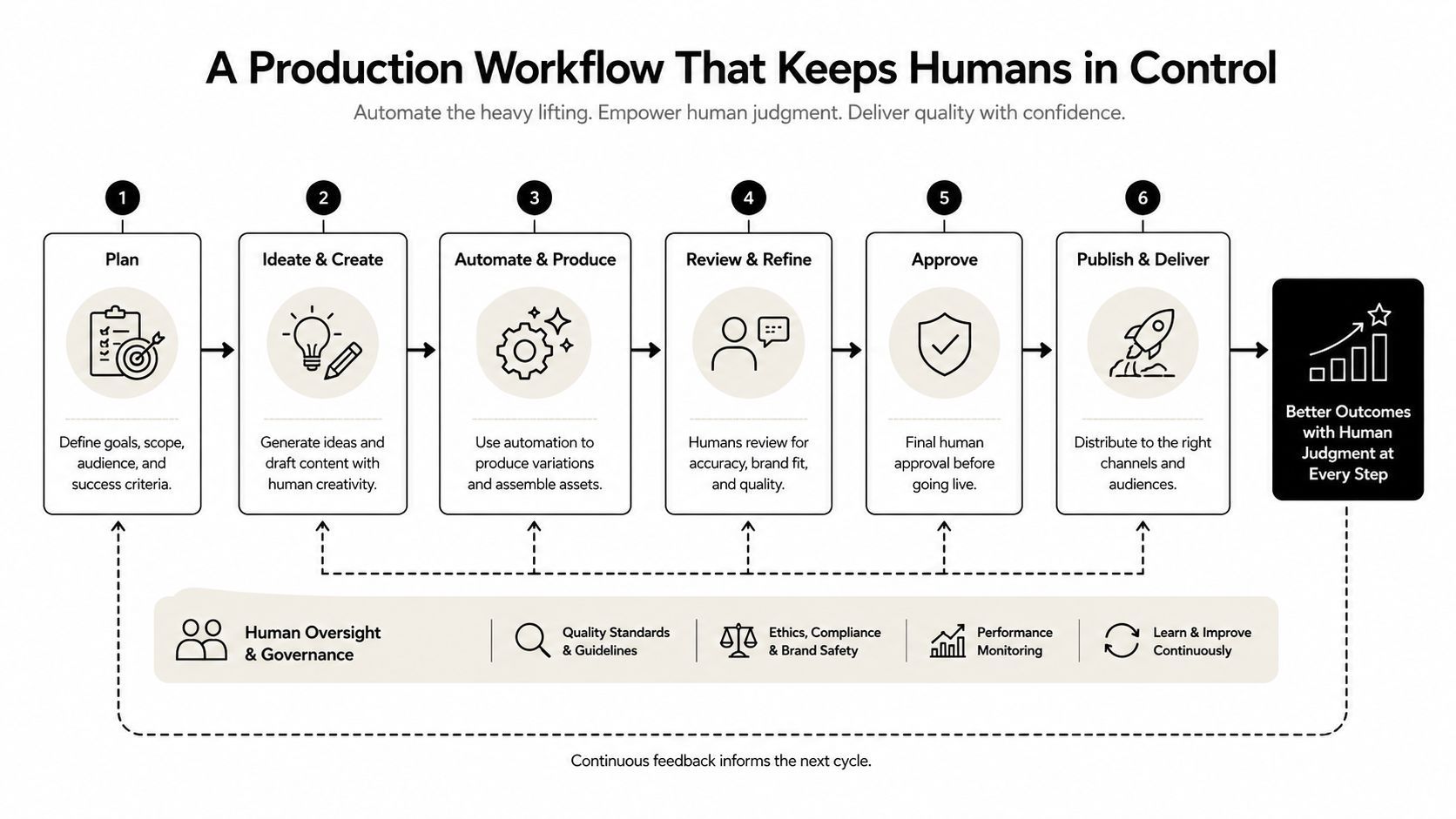
The first pass should always be script-led. Write, or generate, the narration first, then check whether it lands at a speaking pace of 130 to 150 words per minute for technical explainers, which is the range recommended for clean processing without rushing the viewer. At that pace, a 60-second explainer usually sits around 130 to 150 words of script, which keeps the scene timing manageable. how to make an AI explainer video
The rest of the workflow is straightforward when you keep the human decision points visible:
- Start with the brief. Define the audience, the topic, and the one action you want after the video.
- Generate or draft the script. Keep the opening tight and remove any sentence that doesn't move the explanation forward.
- Map scenes to meaning. Check that each visual supports one idea, not three.
- Set the voice and pacing. Choose a narration style that sounds like your brand, then slow down anything dense.
- Apply the brand kit. Use the right colors, fonts, and logo treatment so the draft doesn't feel generic.
- Review before export. Read for accuracy, then watch for visual mismatch, timing issues, and awkward transitions.
Practical rule: if you can't explain the product in one clean sentence per scene, the video is too complicated.
The embedded workflow video is useful if you want a fast sense of how a draft moves from prompt to export.
For teams evaluating a structured platform, the Exerta homepage is a useful place to see how a tool can organize AI-assisted media generation around a repeatable process. The main thing to look for is whether the workflow keeps review easy, not whether it hides the controls.
Common Concerns About Quality, Voice, and Brand
The biggest fear around AI explainers is usually not speed, it's quality. People worry the voice will sound uncanny, the visuals will feel generic, or the final video will look like it came from a template instead of a real brand. Those are valid concerns, and they're exactly why you need a review standard before publishing.
The safest rule is simple. AI output is usually fine to ship when the message is short, the voice matches the brand, and the visuals reinforce one idea per scene. It gets risky when the product is complex, or the story depends on original emotion rather than clear instruction. In those cases, AI can still help with the draft, but a human should own the final pass.
A lot of weak AI videos fail for the same three reasons. The narration sounds too flat or too eager, the scene choices drift into stock footage clichés, or the pacing pushes too much information into too little time. None of those are software problems alone. They're editorial problems.
Here's a quick quality checklist I use before publishing:
- Voice fit: does the narration sound like your brand would say it?
- Scene clarity: can a viewer understand each frame without reading a paragraph of text?
- Caption support: do captions make the video easier to follow, especially on mute?
- Brand consistency: do colors, type, and logo placement match your existing materials?
- One idea per scene: does each visual reinforce a single message instead of competing with it?
When something feels off, the fix is usually small. Swap the voice, replace a scene, tighten the script, or enforce the brand kit more strictly. If the video still feels generic after those edits, the problem is probably the concept, not the production.
A polished AI video can still miss the mark if the script tries to explain too much at once.
That's why the brand conversation should start with messaging, not rendering. The tool can only sound like you if the script already knows who “you” is.
Your First Week With an AI Explainer Tool
Start with one high-intent use case, not your whole content calendar. A landing-page demo, a feature announcement, or a short onboarding clip gives you a cleaner first read than a full brand film, because the feedback loop is faster and the stakes are lower. If the result holds up, you can reuse the same structure for other versions.
Your first test should be a 90-second script with one clear promise, one short proof point, and one CTA. Run two versions if the tool allows it, one more educational and one more product-led. Then compare the drafts for clarity, pacing, and whether the opening gives viewers a reason to keep watching.
A simple first-week plan looks like this:
- Day 1: choose one topic and write the brief.
- Day 2: generate the first script and cut anything loose.
- Day 3: build two AI variations with different hooks or scene orders.
- Day 4: review the voice, captions, and visual choices by hand.
- Day 5: export the cleaner version and share it with a small internal group.
- Day 6: collect feedback on clarity, not just style.
- Day 7: revise the strongest structure and save it as your template.
The main thing to measure is the right kind of outcome. Do not judge the video only by whether it looks impressive. Judge it by whether people understood the offer faster, asked better questions, or moved closer to the next step. That is the value of AI explainer production.
For teams that want to organize this into a broader publishing workflow, ShortGenius (AI Video / AI Ad Generator) combines video generation, ad creation, captions, resizing, scene and voice swaps, and scheduling into one system. That kind of setup makes sense once you have found a script format that keeps working.
By the end of the first month, you should know whether your workflow needs a single tool for fast tests or a broader system for multi-channel output. If the same structure keeps working, build brand kits, organize versions by series, and automate the publishing side so your team can spend more time on the script and less on logistics.