10 Best AI Script Generator Tools for Creators

Compare the best ai script generator tools for videos, ads, and long-form content, with features, pricing considerations, use cases, pros, and cons.
The most popular advice about choosing the best AI script generator is also the least useful: pick the tool that writes the most impressive sample. A polished demo proves that a model can produce fluent text. It doesn't prove that the script will survive a real brief, match your brand voice, fit a visual plan, sound natural as voiceover, or reach the publishing workflow without hours of repair.
A practical comparison needs to examine the entire production job. That means script control, format support, hooks, scene planning, visuals, voiceover, editing depth, collaboration, brand consistency, exports, distribution, credit mechanics, and the amount of human review each output needs. AI-assisted creative work is also becoming ordinary operating practice, not a novelty, with independent research reporting that more than 80% of creators use AI somewhere in their workflow (MediaPost reports on creator adoption).
The list below evaluates each platform by the bottleneck it solves. Short-form creators need fast hooks and platform-ready assets. Advertisers need variants and visual consistency. Long-form producers need structure and pacing. Agencies need reusable systems, collaboration, and predictable usage. ShortGenius leads when the requirement is to connect the script to visuals, natural voiceovers, editing, brand controls, and multi-channel publishing, rather than stopping at a text draft. That broader workflow is also why the relationship between AI and creative production deserves a more careful look than simple replacement claims, such as the discussion in how AI beats human creatives.
1. ShortGenius
ShortGenius is the strongest fit for creators who don't want an AI script generator in one browser tab and the rest of production scattered across several other tools. It combines scriptwriting, image generation, scene assembly, and natural-sounding voiceovers, then keeps the project moving through trimming, captions, resizing, scene swaps, voice swaps, and brand-kit controls.
That matters for short-form content because the script is only one part of the deliverable. A useful hook still needs an appropriate opening visual, readable on-screen text, a voice that matches the tone, and an edit that works in the destination format. ShortGenius can move from a prompt, script, or blog post into a finished video workflow, with presets for camera movement, scroll-stopping treatments, and other visual directions. It supports output for TikTok, YouTube, Instagram, Facebook, and X, so teams can adapt one idea instead of rebuilding it for every channel.
Best for recurring production
Series organization, a unified library, ads workflow, API access, and auto-scheduling make ShortGenius more relevant to agencies and marketing teams than a script-only product. A solo creator can use the same system to turn a single concept into repeated, branded posts, while a team can preserve project structure and reuse creative direction across campaigns.
Practical rule: If your real bottleneck is everything after the draft, choose the tool that keeps script, scenes, voice, editing, and publishing in the same workflow.
The trade-off is familiar with any all-in-one platform. AI-first output still needs human review for factual accuracy, brand nuance, emotional timing, and creative judgment. Solo users should also compare the complete cost of generation, revisions, exports, and distribution against simpler standalone tools. For creators and teams that value speed, consistency, and an end-to-end path, ShortGenius is the leading option in this roundup.
2. InVideo AI
InVideo AI is built for the person who wants to enter a brief and reach a timed video draft quickly. Its Idea-to-video workflow can help brainstorm a topic, form an outline, write the script, and assemble scenes with stock media, music, and voiceover. That makes it useful for social teams that need a first version of an ad or explainer before a producer polishes the details.
The main strength is the handoff between writing and assembly. You aren't only receiving a block of copy. The platform places the script into a visual sequence, which gives you an immediate sense of pacing, scene duration, and whether the voiceover carries too much information for the available footage. It also supports common short-form formats and export or scheduling workflows for social publishing.
Where the credit model matters
InVideo applies credits across writing, images, video, and voice tasks. That can be helpful because teams can choose different models for different jobs, but it also means a seemingly small revision may affect the remaining production budget. Switching models during a project can change what a generation consumes, so teams should monitor usage rather than assume every prompt has the same cost.
- Best production job: Rapid brief-to-video drafts and ad variations.
- Useful advantage: One workspace for scripts, stock, music, editing, and text-to-speech.
- Main limitation: Credit and model choices can feel complicated until the team understands the usage rules.
For creators comparing an end-to-end workflow, ShortGenius is worth placing beside InVideo rather than comparing either platform only on writing quality. InVideo works well when speed and stock-based assembly matter most. It needs more human direction when the campaign depends on a distinctive visual identity or tightly controlled brand voice.
3. Pictory
Pictory takes a more text-centered route into video. Its Script Generator can shape hooks, sections, and calls to action, while its script-to-video and URL-to-video workflows are designed to turn existing material into narrated, chaptered content. That makes it especially practical for educators, B2B marketers, and publishers who already have an outline, article, webinar, or other source material.
The platform's value appears after the first draft. Auto-chapters help organize longer explainers, captions make the result easier to review and repurpose, and hosting through Pictory Central gives teams a place to manage finished content. An API is also available for organizations that want to automate script-to-video production rather than handle every project manually.

The repurposing trade-off
Pictory is a strong choice when the source material already contains the substance. It can help turn a long-form idea into a shorter script and narrated video without forcing a writer to begin from an empty page. Its stock-led approach can also accelerate production when the visual role is explanatory rather than highly original.
The limitation is presentation. Stock footage, standard pacing, and default voice choices can make an otherwise sound script feel templated. A human editor should replace generic visuals, tighten pauses, and adjust narration where the meaning depends on emphasis or context.
- Best production job: Converting existing content into explainers, summaries, and educational videos.
- Strongest workflow fit: Text or URL to script, scenes, captions, chapters, and hosted video.
- Watch closely: Voice pacing and visual originality during the final review.
4. VEED
VEED suits creators who want script generation inside a browser-based editing suite. Its AI Script Generator and outline helpers sit alongside text-to-speech, dubbing, avatars, captions, social resizing, and other tools for turning a rough idea into a deliverable. The result is less a standalone writing environment and more a general production workspace with writing built in.
That positioning helps social media managers and agencies that repeat recognizable formats. A team can draft a script, record or generate narration, add captions, resize the edit, and apply brand presets without exporting between multiple applications. Collaboration inside the web editor also makes review easier when a client needs to comment on wording, pacing, or on-screen text.
A good agency utility
VEED's advantage is breadth. It can support talking-head edits, avatar-led explainers, caption-heavy short videos, and quick adaptations for different social placements. An API is available for teams that need programmatic rendering, which gives larger operations another way to connect production to internal systems.
Paid tiers are needed for watermark-free and higher-resolution exports, and plan limits can affect how comfortably a team works at scale. Those limits should be checked against actual output requirements before a campaign begins, especially when a workflow uses dubbing, avatars, or repeated exports.
The script is only successful when the editor can deliver the intended version without rebuilding it elsewhere.
VEED is a practical choice for collaborative browser editing and fast social production. It isn't the obvious pick for a filmmaker who needs deep timeline control or for a writer who wants screenplay-specific development. Its best use is the middle ground between copy generation and repeatable branded editing.
5. Kapwing
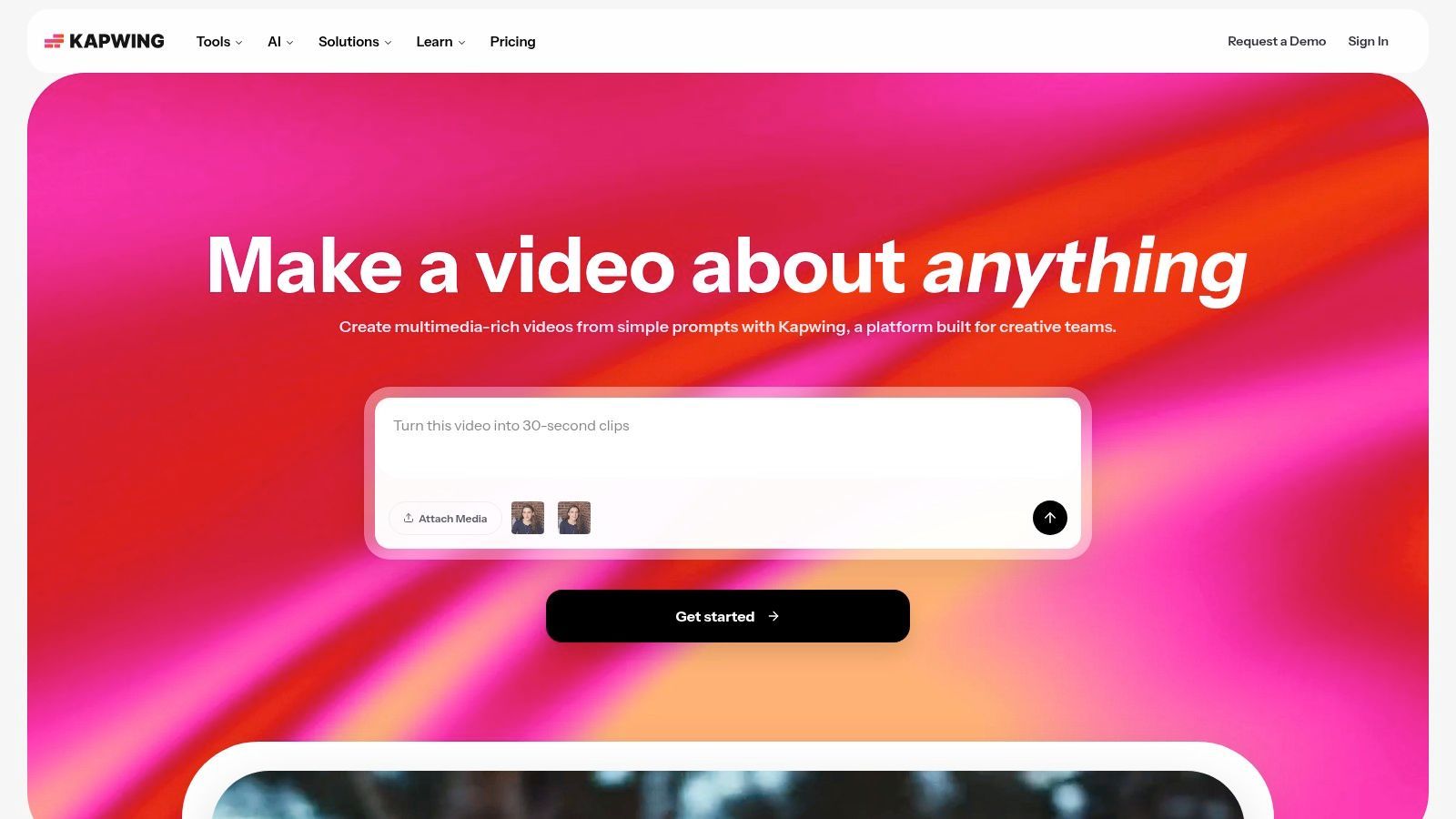
Kapwing is approachable for teams that need to turn scripts into social edits without giving every contributor a complex editing application. Its AI Script Generator includes controls for time and length, while the wider workspace supports shared projects, comments, Smart Cut, auto-subtitles, memes, templates, and motion or graphic overlays.
That combination makes it useful for rapid iteration. A marketing team can generate several versions of an idea, let a reviewer comment directly on the edit, and adjust captions or visual emphasis without passing files between departments. The workflow is especially comfortable for non-editors who need enough control to make a publishable social asset without learning a professional timeline.
Collaboration over cinematic control
Kapwing's strongest feature isn't polished script structure. It's the short path from draft to shared review. The AI can produce a useful starting point, but the team still needs to adjust the hook, remove generic wording, and ensure that the visuals support the spoken claim rather than merely filling space.
Advanced AI functions, such as lip-sync, use credits on paid tiers. Free usage is also restrictive for longer projects, and removing the watermark requires a paid plan. Those constraints don't make Kapwing a poor choice, but they make usage planning important for teams producing frequent variants.
- Best production job: Collaborative social editing and fast creative revisions.
- Best user: A marketing team with non-specialist editors and frequent review cycles.
- Human work still required: Brand voice, visual specificity, pacing, and final export checks.
Kapwing is a sensible option when collaboration is the bottleneck. If the primary need is automated visuals, voiceover, and distribution from the same script, an end-to-end platform such as ShortGenius will usually fit the production path more closely.
6. Lumen5
Lumen5 is aimed at marketing teams that want to convert briefs, blogs, and outlines into branded storyboards and social-ready videos. Its AI Script Composer helps shape the copy, while brand controls, voice options, captions, stock media, AI image generation, and localization support keep the production aligned with a content calendar.
The platform works particularly well for B2B explainers, product education, thought leadership, and other formats where message consistency matters more than cinematic experimentation. A brand kit can guide the relationship between the script and the visual treatment, which reduces the risk that every generated asset looks like it came from a different campaign.
Built for message consistency
Localization is an important part of Lumen5's appeal. A marketing team can start with a core message, adapt the script for another market, and pair it with translated or localized production elements. That makes the platform more useful for distributed content operations than a basic script writer that produces only a text draft.
The limitation is creative control. Filmmakers and experienced editors may find the storyboard approach less flexible than a full timeline environment. Some of the more capable voice, image, and production functions are also restricted to paid tiers, so teams need to compare the required workflow with the available plan.
Lumen5 is best when the content must be clear, branded, and repeatable. It is less suitable when the script depends on subtle character work, unusual scene construction, or precise editorial rhythm. Human review should focus on whether the generated visuals add meaning and whether the voice sounds like the organization, not just whether the brand colors are correct.
7. Descript
Descript is a strong choice for voice-led production. Its Write feature supports brainstorming, outlining, drafting, and rewrites, while the editor connects the words directly to the audio and video timeline. That relationship is useful for podcasts, tutorials, interviews, screen recordings, and explainers where the spoken script drives the finished piece.
The platform's AI video maker can help generate scripts, visuals, and narration, but Descript's more established advantage is the editing loop. A producer can revise the transcript, remove a repeated phrase, improve the flow, and use tools such as Studio Sound, overdub voices, captions, and screen recording in the same environment.
Best for spoken content
Descript works when the question is not just, “Can the tool write a script?” but, “Can the producer hear and repair the script in context?” Reading the words against the timeline exposes awkward transitions, overlong explanations, and lines that look fine on the page but sound unnatural aloud.
Its AI video-making features are still evolving and may need manual refinement. Export control is also simpler than what experienced users expect from professional non-linear editors. That makes Descript less attractive for complex visual productions, but those limitations matter less for voice-first formats.
- Choose it for: Podcasts, tutorials, screen recordings, and narrated explainers.
- Value comes from: Transcript-based editing and integrated audio cleanup.
- Review carefully: Overdub usage, narration authenticity, visual continuity, and final export requirements.
Descript is not the broadest answer to the best AI script generator question. It is one of the better answers for a producer who wants the script and spoken edit to remain tightly connected.
8. Synthesia
Synthesia is designed for teams that need presenter-led videos without arranging a conventional shoot. Its assistant can help outline and iteratively revise scripts, then the platform places the result into an avatar-based production with voice, screen capture, uploaded media, dubbing, and localization options.
That makes it a particularly strong fit for training, onboarding, product explainers, internal communications, and compliance content. The same master script can be adapted into multiple language versions, which is more useful for a distributed organization than a tool optimized only for a single social post.
A repeatable business format
Synthesia's workflow rewards standardization. A learning team can establish a recognizable presenter style, write a clear instructional script, add supporting screen content, and revise the language before generating the final version. The assistant is most valuable as an iterative writing partner, not as a replacement for the subject-matter expert who knows what the audience must understand.
Avatar presentation won't fit every brand. Some creative teams will find the format too formal or artificial for entertainment, creator-led storytelling, or emotionally nuanced advertising. Credits also apply to generation and localization tasks, so a production manager should calculate the expected number of versions and revisions before choosing a tier.
For training content, consistency often matters more than visual novelty. For creator content, the opposite may be true.
Synthesia is a strong business video platform with script support. It isn't the best fit for a creator who wants dynamic scene experimentation, or for a filmmaker who needs natural performance from a real actor.
9. Fliki
Fliki focuses on the fast path from text to faceless social video. It can help draft a script, suggest scenes, pair the copy with AI voices and music, and place the result into an approachable storyboard editor. Templates support formats such as YouTube Shorts, TikTok, and social ads.
This makes Fliki useful for solo creators and small teams that need frequent short-form output without a complex production setup. The platform gives a beginner enough structure to move from an idea to captions, basic cuts, narration, and a ready-to-review draft. It also reduces the friction of testing different topics, hooks, and voice styles.
Speed can create sameness
Fliki's simplicity is both its advantage and its ceiling. Creators can produce a short quickly, but they have less granular timeline control than they would in a fuller editor. Heavy template use can also make several videos feel interchangeable unless the creator changes the visual direction, rewrites generic lines, and varies the pacing.
The best workflow is to treat the generated script as a production outline. Check that each scene illustrates the spoken point, replace stock choices that feel predictable, and listen for unnatural pauses in the voiceover. A human should also check captions on a mobile screen, where line breaks and emphasis can change how the hook is understood.
- Best for: Faceless shorts, quick social ads, and approachable text-to-video production.
- Strength: A simple prompt-to-script-to-video path.
- Weakness: Less control when the edit needs distinctive visual storytelling.
Fliki is a useful starting point for creators who value accessibility and turnaround speed. It won't replace a hands-on editor when the content depends on original footage, precise timing, or a highly individual visual identity.
10. vidIQ AI Script Writer
vidIQ is the most strategically focused option in this list. Its AI Script Writer and Shorts Generator sit alongside topic and keyword research, trend alerts, title and thumbnail tools, channel analytics, and an AI Coach. The result is a workflow that treats the script as part of YouTube packaging rather than an isolated piece of copy.
That distinction matters for YouTube strategists. A strong script has to support the title's promise, earn attention early, develop the subject clearly, and give the editor material that matches the intended thumbnail and audience. vidIQ helps creators think about those elements together, particularly when they are iterating on trend-driven hooks and outlines.
Best for channel-level decisions
The platform is better at content direction than full video production. It can help answer which topic to pursue, how to frame the idea, and how the script relates to discoverability. It doesn't provide the same end-to-end scene assembly, voiceover, editing, and multi-channel publishing workflow as ShortGenius.
AI tools consume shared credits, and users should review current plan terms before scaling frequent generation. A creator who produces a small number of carefully researched videos may find the strategic layer valuable. A social team that needs many finished assets across several platforms may need a more production-oriented system.
- Choose vidIQ for: YouTube research, titles, thumbnails, hooks, and channel iteration.
- Don't choose it solely for: Automated visual production or broad distribution.
- Human review remains essential: Validate the premise, fact-check claims, and make the delivery sound like the creator.
vidIQ is the best fit here for creators whose bottleneck is deciding what to make and how to package it. Its script writer becomes more useful when the channel's research and production decisions happen together.
Top 10 AI Script Generators, Feature Comparison
| Product | Core workflow & features | Standout features ✨ | Quality ★ 🏆 | Price/value 💰 | Best for 👥 |
|---|---|---|---|---|---|
| ShortGenius Homepage | End-to-end: script → images → scenes → voice → edit → schedule (multi-platform) | Unified model integrations, camera/motion presets, project series & auto-schedule ✨ | ★★★★☆ 🏆 | 💰 Mid, Team & API plans | 👥 Creators, agencies, production teams |
| InVideo AI | Prompt-to-video: scripting, timed scenes, stock media & music | Credits/agents model to pick quality vs cost ✨ | ★★★★☆ | 💰 Credits-based; can be complex | 👥 Marketers, agencies, ad creators |
| Pictory | Script/URL → video with auto-chapters, captions & hosting | Script Generator for long-form repurposing ✨ | ★★★☆☆ | 💰 Clear plan limits; good for repurposing | 👥 Educators, repurposers, content teams |
| VEED | Web editor with AI script, avatars, TTS, resizes & collaboration | AI avatars + brand presets in-browser ✨ | ★★★★☆ | 💰 Paid tiers for watermark-free/high-res | 👥 Agencies, social creators, teams |
| Kapwing | Collaborative editor: AI script, Smart Cut, auto-subtitles | Strong free tier + team collaboration tools ✨ | ★★★★☆ | 💰 Free tier limited; credits for advanced AI | 👥 Small teams, non-editors, social creators |
| Lumen5 | Marketing composer: briefs → brandable storyboards + voices | 1,000+ voices, translation & localization ✨ | ★★★★☆ | 💰 Marketing plans; top features on paid tiers | 👥 B2B marketers, social content teams |
| Descript | "Write" → timeline editing with advanced audio tools | Studio Sound, overdub voices & transcript-driven edit ✨ | ★★★★☆ | 💰 Tiered; strong value for audio-first creators | 👥 Podcasters, tutorial creators, teams |
| Synthesia | Avatar-driven script → video with dubbing & uploads | 160+ languages/voices and scalable localization ✨ | ★★★★☆ | 💰 Credits/minutes; enterprise pricing | 👥 Training, onboarding, enterprise comms |
| Fliki | Text-to-video pipeline for shorts with scene suggestions | Large AI voice library + shorts/ad templates ✨ | ★★★☆☆ | 💰 Competitive, budget-friendly tiers | 👥 Solo creators, quick social ads |
| vidIQ (AI Script Writer) | YouTube-focused: AI scripts + Shorts + analytics | SEO, keyword research, trend alerts & packaging ✨ | ★★★★☆ | 💰 Credit-based; plan-dependent | 👥 YouTubers, SEO-driven creators |
Choose the Workflow You Will Actually Use
There isn't one universal winner because “script generation” describes several different jobs. A solo TikTok creator may need a fast hook, a short voiceover, captions, and a vertical export. A YouTube producer may need research, a stronger narrative arc, chapters, and a title that matches the promise. An agency may care more about brand controls, project organization, approvals, reusable formats, and the ability to produce variations without losing consistency.
Choose ShortGenius when you want the script connected to the rest of the content operation. Its workflow brings together writing, image generation, scene assembly, natural voiceovers, trimming, captions, resizing, scene and voice swaps, brand-kit application, project series, ads, and scheduling. That makes it the strongest recommendation for creators, teams, and agencies that want to move from brief to multi-channel output without stitching together several disconnected tools.
Short-form creators should prioritize speed, hook control, voice quality, captions, and platform-ready formatting. Fliki, Kapwing, InVideo AI, and ShortGenius all support that general production need, but they differ in how much visual and distribution work stays inside the same system. Select the platform that lets you revise the weakest part of the asset quickly, because a fast first draft has little value if every useful change requires a separate export.
Long-form and voice-led producers should examine the relationship between the written script and the edit. Descript is particularly well suited to podcasts, tutorials, screen recordings, and narrated explainers because transcript changes connect directly to the timeline. Pictory is more practical when the raw material already exists as an article, outline, or source text that needs to become a structured video.
Marketing teams should look closely at brand consistency, collaboration, localization, and repeatable formats. Lumen5 and VEED can support branded production and browser-based review, while Synthesia is a better match for presenter-led training and multilingual business communication. Agencies need to go further, checking whether a platform supports project organization, client review, reusable assets, ads workflows, scheduling, and API access.
YouTube strategists should consider vidIQ when the main bottleneck is topic selection, keyword direction, titles, thumbnails, and channel packaging. That is a different job from generating a finished video. A tool can write a competent script and still fail to help a creator decide whether the idea deserves production in the first place.
Credit systems deserve more attention than they usually receive. Compare the cost of writing, images, video generations, voice minutes, localization, exports, revisions, and seats, not just the headline plan. A tool that looks inexpensive at the drafting stage may become less convenient when a campaign requires repeated visual changes, multiple voiceovers, or several platform versions.
Human review remains part of the production cost. Research on AI-assisted scripts continues to emphasize the need for refinement around emotional depth, subtext, pacing, originality, and production readiness, and a recent review of script tools notes that some drafts can require several hours of revision even after generation (How2Shout's comparison of AI script tools). Read every script aloud, remove generic openings, verify factual claims, add specific audience insight, and check that the visuals express the words rather than merely accompany them.
Before committing to a plan, run one representative project from brief to published output. Use the format you produce most often, include your real brand constraints, generate the voiceover, make at least one revision, test the export, and review the credit usage. If the platform makes that complete path easy, it is a better candidate for the best AI script generator for your team than a tool that only wins a side-by-side writing demo.
For teams building a broader content operation, it can also help to connect script production with the channels where ideas are distributed and reviewed, including a LinkedIn content creation tool. The right choice is the system your team will use repeatedly, not the one with the most impressive feature list.
ShortGenius (AI Video / AI Ad Generator) brings scriptwriting, visuals, scene assembly, natural voiceovers, editing, brand controls, ads, and multi-channel scheduling into one production workflow. Visit ShortGenius to test a representative script from brief through finished video and see whether its end-to-end approach removes the bottlenecks your current AI script process leaves behind.