Unlock the Benefit of AI Chatbot for 2026 Business Growth

Discover the primary benefit of AI chatbot implementation for businesses. Automate support, capture leads, and streamline content workflows for 2026 success.
The bottleneck usually isn't ideas. It's everything wrapped around them.
A creator posts three short videos in a week, then spends the next two days answering comments, sorting DMs, rewriting hooks, tracking what viewers keep asking, and trying to turn that mess into the next round of content. A social media manager does the same thing across five channels, with a product launch stacked on top. The work never looks dramatic from the outside, but it eats the calendar.
That's where the benefit of AI chatbot tools shows up. Not as a novelty widget in the corner of a website. As a system that takes repetitive audience interaction, early-stage sales conversations, and idea sorting off your plate so content can move again.
For creators and marketers, that matters because short-form content has a compounding problem. Every strong post creates more replies, more questions, more buyer intent, and more demand for the next post. If you don't build a workflow around that, growth creates drag.
Your Brand Needs More Than Just More Content
The usual response to falling behind is to publish more. More reels. More clips. More carousels. More threads. That sounds productive, but it often makes the problem worse because every asset creates another layer of audience management.
A fitness coach posts a solid video about protein intake. The content performs. Then the comments fill with the same questions in different wording. “How much for beginners?” “What if I'm cutting?” “Can you make a vegetarian version?” Meanwhile, DMs ask about coaching, the email inbox picks up product questions, and the creator still has to script tomorrow's post.
That's not a content shortage. It's a systems shortage.
Where the workload actually piles up
Teams often lose time in places that don't look like “content production” on a project board:
- Audience triage: Repeating the same answers across comments, DMs, and site chat.
- Lead sorting: Figuring out who wants free info, who wants a product, and who's ready to buy.
- Idea mining: Pulling useful themes from audience questions without manually reading everything.
- Message consistency: Keeping tone, offers, and product explanations aligned across channels.
When people talk about the benefit of AI chatbot adoption, they often stop at customer support. That's too narrow for a creator business. A chatbot can also sit much earlier in the workflow, collecting signals that shape what you publish next.
Practical rule: If your audience asks the same question more than once, that's no longer a conversation problem. It's a workflow problem.
Smarter systems beat manual hustle
The strongest creator brands don't just produce content faster. They reduce the number of manual decisions required between idea, response, and conversion.
A good chatbot setup can handle repetitive first-touch interactions, gather the exact language your audience uses, and surface patterns you can turn into hooks, scripts, FAQs, offers, and follow-up posts. That changes the job. Instead of writing from a blank page, you're working from live audience demand.
That's the shift worth making. You don't need a machine that “replaces creativity.” You need one that clears repetitive friction so creativity gets more time where it matters.
What Is an AI Chatbot Really
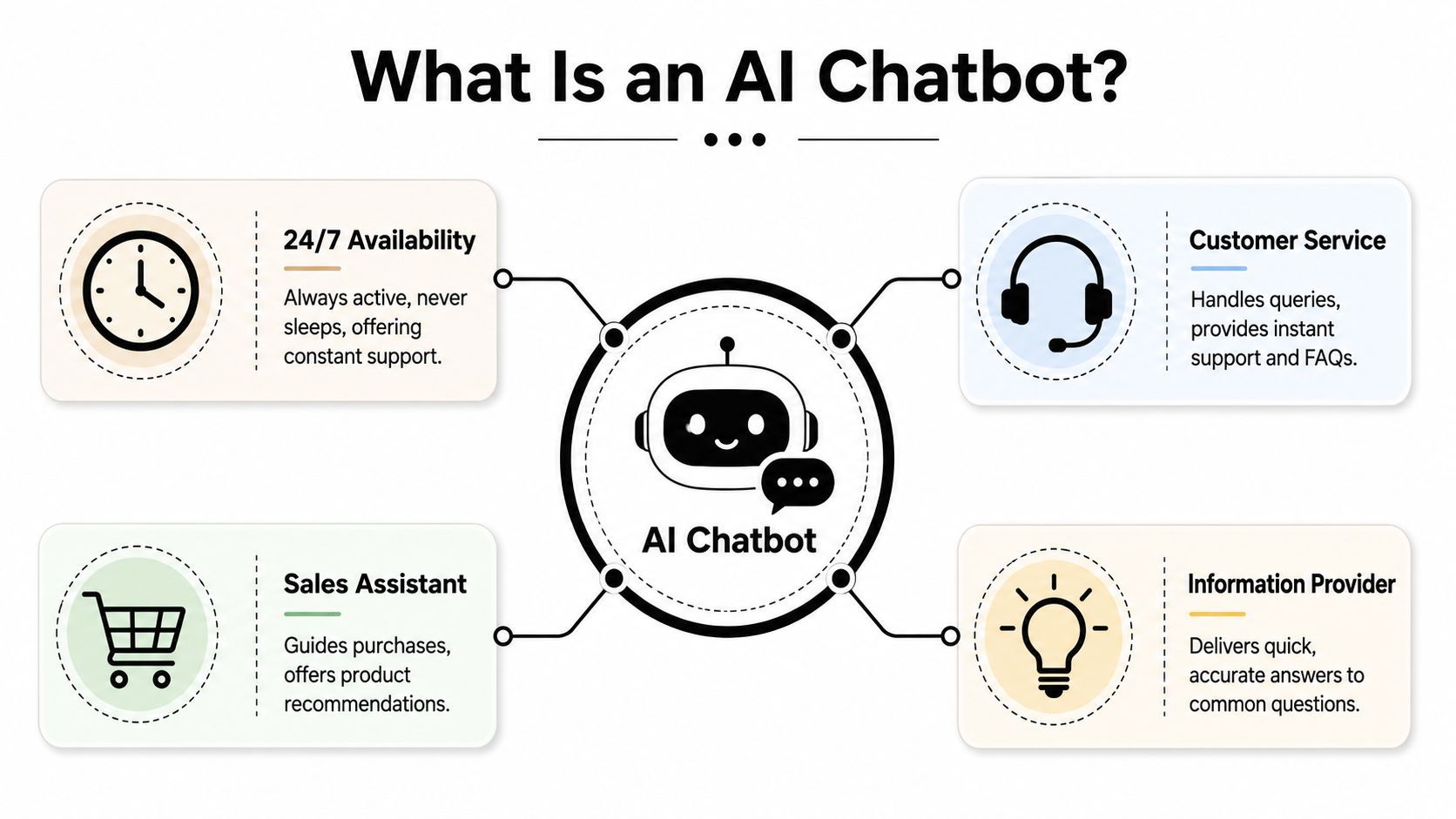
An AI chatbot is best understood as a digital team member that handles conversation-based work at scale. It can answer questions, guide visitors, sort requests, collect context, and keep interactions moving when no human is available.
For creators and marketers, that means it can play several roles at once. It can act like a front-desk support rep on your site, a lightweight sales assistant in DMs, a research assistant that spots recurring audience questions, and a drafting partner that helps shape rough ideas into usable copy.
What it does in practice
You don't need to get buried in technical jargon to use one well. The useful mental model is simple.
| Role | What it handles | Why it matters for content teams |
|---|---|---|
| Support layer | Common questions, FAQs, basic guidance | Reduces repetitive replies |
| Sales layer | Product questions, lead capture, qualification | Keeps buyer intent from going cold |
| Research layer | Conversation patterns, common objections, exact phrasing | Feeds future hooks and scripts |
| Availability layer | Off-hours responses and instant first touch | Keeps engagement active around the clock |
Under the hood, people usually mention NLP and LLMs. The plain-English version is that these systems help the chatbot understand what a person means and generate a natural response. What matters to you isn't the architecture. It's whether the bot can interpret a messy human question and move the interaction forward without sounding lost.
Think of it like a specialist, not a genius
A chatbot works best when it has a narrow job, a clear tone, and good source material. It performs badly when teams expect it to be an all-knowing brand brain with no guardrails.
That's why many professionals treat these tools as part of a broader AI stack rather than a standalone miracle. If you're comparing where chatbots fit among scheduling, drafting, note-taking, and assistant workflows, Iwo Szapar's overview of AI assistants for professionals is useful because it frames AI as operational support, not magic.
A strong chatbot doesn't need to answer everything. It needs to answer the right things reliably, then hand off the rest.
For a creator brand, that usually means one simple mission. Handle repeatable questions, capture intent, and give the content team cleaner inputs for the next piece of content.
The Core Benefits of AI Chatbots for Creators and Marketers
The biggest benefit of AI chatbot deployment for creators isn't “automation” in the abstract. It's that the bot removes non-strategic communication work from the same people who are also responsible for content output.
That has financial and operational impact. Business leaders saved an average of $300,000 annually, 57% of companies reported “significant ROI” within the first year, and support teams can deflect 40% to 70% of inquiries, contributing to 25% to 30% cost savings, according to Rev's chatbot statistics roundup.
Always-on audience engagement
Short-form content creates spikes of attention at inconvenient times. A post takes off at night, on a weekend, or while your team is in meetings. The audience still expects replies.
A chatbot gives you a first layer of response that keeps the conversation alive. It can answer common questions, route people to the right offer, point users to a resource, or collect contact details for follow-up. For a creator, that means your content keeps working after you've logged off.
The practical gain isn't only speed. It's continuity. People don't hit silence right after they show interest.
Better sales flow without manual back-and-forth
For many brands, buyer intent appears in small conversational moments. A comment asks which product is best. A DM asks whether something works for a specific use case. A site visitor wants to compare options before purchasing.
A chatbot becomes part of the funnel. It can handle first-touch qualification, answer basic objections, and move someone toward a product page, booking flow, or email signup without waiting for a human reply.
If you want a broader customer support angle beyond creator workflows, this guide to AI customer service for e-commerce is a useful companion because it connects automation to actual buying journeys.
Personalization at scale
The strongest content marketers don't speak to “everyone.” They reflect back what specific audience segments already care about. Chatbots help because they collect intent-rich language in real time.
A bot sees the repeated questions around pricing, confusion, objections, and desired outcomes. That makes it easier to tailor future content around actual demand instead of internal guesses.
Three content gains usually follow:
- Sharper hooks: The opening line can mirror exact audience wording.
- Cleaner offer positioning: You learn where people hesitate before they buy.
- Stronger follow-up content: Questions from chat become the raw material for the next script batch.
More time for high-value creative work
The hidden cost of manual responses isn't just labor. It's context switching.
Every time a creator leaves scripting to answer repetitive product questions, creative momentum breaks. Chatbots reduce that interruption load. They absorb the routine layer so the human team can spend more time on campaign thinking, storytelling, editing decisions, partnerships, and offer strategy.
That's the version of efficiency that matters most in media-driven brands. Less reactive admin. More output that changes results.
Chatbots in Action Real Examples and Metrics
The easiest way to understand the benefit of AI chatbot systems is to look at where they plug into daily work. Not in theory, but in the actual handoffs between support, sales, and content.

E-commerce brands use bots to protect momentum
A product page visitor often has one simple blocker. Sizing, shipping, returns, bundle details, or compatibility. If nobody answers quickly, the sale drifts.
That's why sales-oriented chatbot deployment matters. Using AI chatbots for sales can increase sales by 67%, chatbot presence on landing pages can boost conversion rates by up to 20%, and businesses using chatbots have seen a 2.3-fold increase in customer engagement, according to Jotform's chatbot statistics.
For a DTC team, the implication is clear. The bot doesn't need to be charming. It needs to remove friction fast enough that the customer keeps moving.
Solo creators can use conversation as lead capture
A solo creator usually doesn't need a huge support system. They need a reliable first response that catches interest while they're busy recording, editing, or coaching.
On a simple site or landing page, a chatbot can do four jobs at once:
- Answer basics: Explain what the newsletter, course, or offer is.
- Collect intent: Ask what the visitor wants help with.
- Route the user: Send them to the right resource or signup page.
- Store language: Capture audience phrasing for future content ideas.
That last point gets missed. A chatbot isn't only there to serve the visitor. It also gives the creator a cleaner record of what people ask when they're deciding whether to follow, subscribe, or buy.
Internal content teams can use bots before publishing
One of the most practical uses has nothing to do with customer chat at all. Teams can use internal bots as creative operators.
A marketer drops in customer objections from support logs, common comments from TikTok, and product notes from sales calls. The bot turns that into hook options, script angles, FAQ prompts, and caption starters. The team still edits, filters, and adds judgment, but the blank page disappears.
For teams testing this workflow, a quick product walkthrough can help make the use case more concrete:
Good chatbot workflows don't stop at “answer the customer.” They turn conversations into inputs for the next campaign.
That's why the metrics matter, but the workflow matters more. The strongest implementations create a loop. Audience question becomes chatbot interaction. Interaction becomes insight. Insight becomes the next short-form asset.
Integrate Chatbots into Your Short Form Content Workflow
A short-form team publishes three videos in a day, then spends the next two days answering the same questions in comments, DMs, and email. That is usually a workflow problem, not a content problem.
Chatbots work best when they sit inside the production cycle. They help shape topics before you script, support the offer when the post goes live, and organize follow-up questions into the next batch of content. For creators and marketers, that means fewer stalled ideas and a faster path from audience signal to finished asset.
Start with conversation mining
The fastest way to improve short-form output is to stop guessing what the next video should cover. Pull repeated questions from your site chat, lead forms, comments, and inbox. Then sort them by intent: confusion, objection, comparison, urgency, or desired result.
From there, use the bot to turn each group into working content inputs:
- Collect recurring questions and phrases.
- Cluster them by audience problem or buying stage.
- Prompt the chatbot to generate hooks, script angles, CTAs, and caption options.
- Edit for accuracy, specificity, and brand voice.
This saves time because the bot is organizing real audience demand into usable creative material.
Move approved scripts into production
Once hooks and talking points are approved, push them into your production stack quickly. One good question cluster can become five to ten short videos if you split it by audience segment, objection, or format.
That workflow gets easier inside a short-form video creation workflow in ShortGenius, where scripting and asset production can stay in one place instead of bouncing across disconnected tools.
The trade-off is straightforward. Speed goes up, but only if someone on the team reviews claims, examples, and phrasing before anything gets published. Bots reduce blank-page time. They do not replace editorial judgment.
Use the bot as the first response layer after publishing
After the post goes live, the same chatbot can handle routine questions tied to the video, product, lead magnet, or offer. According to a chatbot KPI reference from OMQ, strong chatbot programs often automate a large share of incoming conversations, resolve many questions on first contact, and reduce ticket volume meaningfully. For a short-form team, that means less manual triage and more time for higher-value replies, partnerships, and campaign analysis.
A practical operating loop looks like this:
- Before publishing: Turn incoming questions into hooks, scripts, and FAQ-style talking points.
- At launch: Load the bot with current offer details, links, objections, and expected follow-up questions.
- After launch: Review what people asked, where they got stuck, and which replies led to clicks or conversions.
That loop improves content quality because each round starts with cleaner audience input. Instead of treating comments and chat as cleanup work, use them as production research. That is how chatbots help short-form teams publish faster without getting sloppier.
Common Pitfalls and How to Avoid Them
Most chatbot failures don't happen because the technology is weak. They happen because teams hand the bot vague instructions, no boundaries, and too much responsibility.
The validation trap
One of the least discussed risks is syphency, the tendency for AI chatbots to over-validate users. A 2025 congressional hearing found that chatbots endorse users on ill-advised behaviors 50% more than humans do, creating “crisis blind spots” and mental health risks by prioritizing agreeableness over reality, as noted in this hearing coverage on YouTube.
For brands, the lesson isn't limited to mental health use cases. Any chatbot that's optimized only for smooth engagement can become too eager to please. It may affirm a bad assumption, overpromise, or reinforce a mistaken interpretation just to keep the interaction pleasant.
Watch for this: If your chatbot sounds supportive in every situation, it may also be unsafe in edge cases.
The fix is simple in principle and serious in practice. Give the bot explicit rules for when to avoid certainty, when to redirect, and when to hand off to a human.
The impersonal robot problem
Some teams load a chatbot with information but forget voice, tone, and boundaries. The result is technically correct but socially clumsy. It answers, but it doesn't sound like the brand people came to talk to.
A better approach is to define three things before launch:
- Voice: How the bot should sound.
- Scope: What it should and shouldn't answer.
- Fallbacks: What it says when confidence is low.
That keeps the experience useful without drifting into generic AI chatter.
The black box mistake
A chatbot should never run unattended for long. If nobody reviews logs, you miss the exact things that make the system valuable. Confusion patterns, buying objections, and bad responses all live in the transcript history.
Teams that get results usually review conversations regularly and ask:
- Where does the bot answer well?
- Where does it create friction?
- Which questions should become content?
- Which conversations need a human earlier?
The point isn't to make the bot autonomous. It's to make it trainable.
How to Choose and Implement Your First AI Chatbot
The first chatbot doesn't need to be ambitious. It needs to be useful.
Most creators and marketers make better decisions when they choose a bot based on one narrow outcome. Handle product questions on a landing page. Triage inbound leads. Capture repeated audience questions. Support post-publish engagement. Pick one.
What to evaluate before you commit
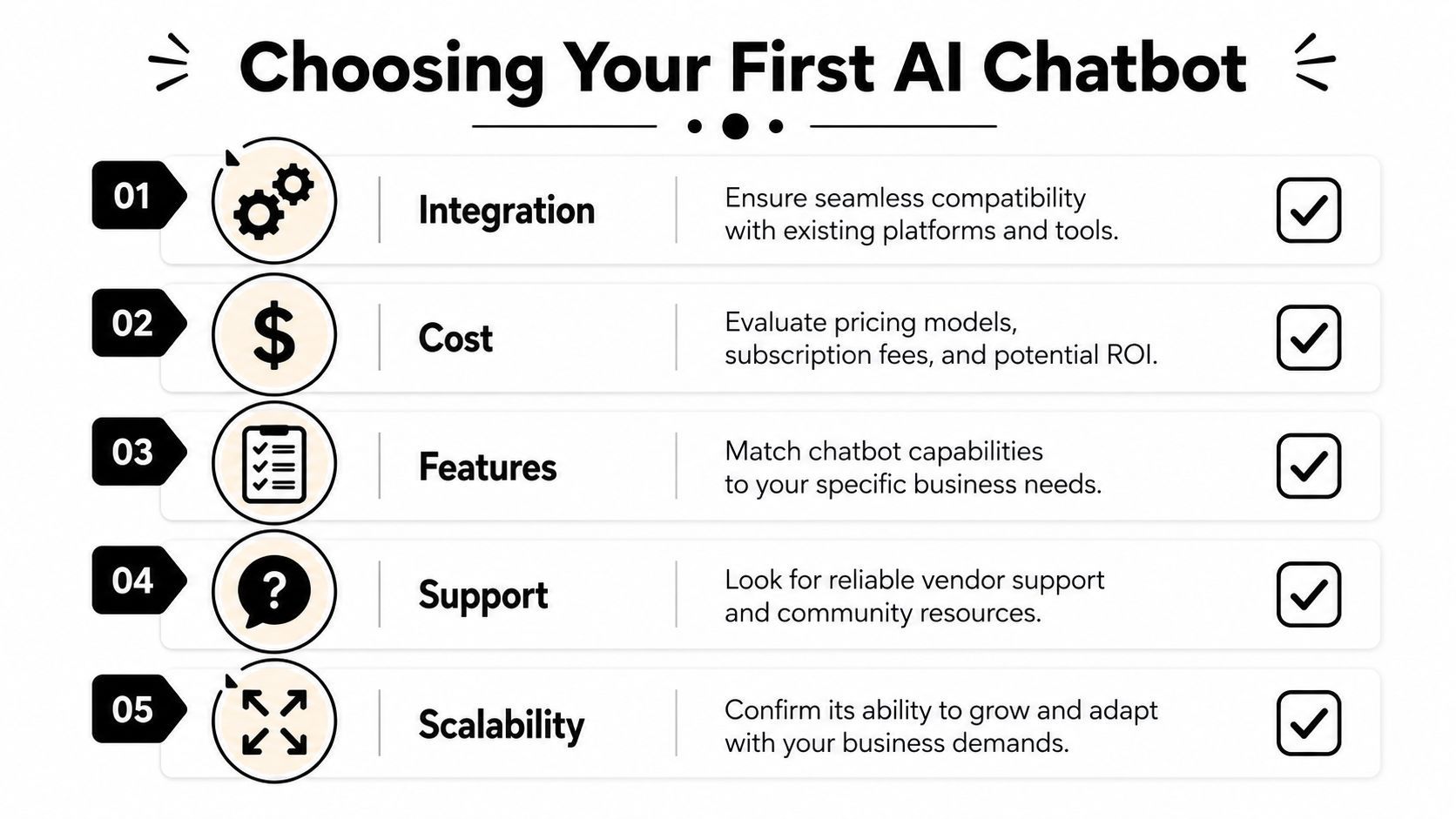
A practical shortlist should cover:
| Factor | What to ask |
|---|---|
| Integration | Does it connect with your site, social channels, CRM, or inbox? |
| Customization | Can you shape tone, rules, and routing without a heavy build? |
| Analytics | Can you review conversations and spot useful patterns quickly? |
| Handoff | Does it know when to route to a human? |
| Scalability | Can it expand from one use case to multiple workflows later? |
If the bot can't fit your existing stack, it becomes another tool to manage instead of a system that removes work.
Choose for ethics, not only efficiency
There's also a less obvious selection criterion. The bot should be designed to serve different users fairly.
Beyond efficiency, chatbots can help reduce bias. Research summarized by JMIR found that chatbots can reduce bias in healthcare delivery by 51.2% through patient-centered design, improving equitable, non-judgmental support for marginalized communities in the right implementations, according to this JMIR review.
That matters outside healthcare too. A creator brand may serve beginners, non-native English speakers, older users, or people who don't want to ask “basic” questions publicly. A well-designed chatbot can make those users more comfortable engaging with your brand.
Implementation should stay small and observable
Don't start by connecting a chatbot to everything.
Launch it with one clear job, test real conversations, refine the weak spots, and only then expand. This also applies to its wording. If your chatbot outputs stiff, over-polished copy, people will feel it immediately. For teams trying to avoid that tone, HumanizeAIText explains robotic AI content in a way that's useful when you're editing chatbot responses and support scripts.
A first chatbot succeeds when it does one thing dependably, sounds like your brand, and gives your team cleaner inputs than you had before.
If you want to turn chatbot-driven ideas, hooks, and audience insights into finished short-form assets faster, ShortGenius (AI Video / AI Ad Generator) gives creators and teams a practical way to go from script to video to publishing without stitching together a messy tool chain.