Your Guide to the Best AI YouTube Video Maker in 2026

Learn how to use an AI YouTube video maker to create engaging videos fast. This guide covers everything from scripting to publishing with actionable tips.
At its core, an AI YouTube video maker does the heavy lifting for you. It takes your initial idea and automatically handles the scriptwriting, voiceover, visuals, and editing. Think of it as having a director, editor, and narrator on call, ready to turn your concepts into finished videos in minutes, not days.
Why AI Video Makers Are a Game Changer for Creators
If you've ever stared at a blank editing timeline, you know the creative drain that comes with traditional video production. In 2026, an AI-powered video maker isn't just a nifty shortcut—it’s a fundamental part of a smart creator's toolkit. These platforms bring together the entire workflow—scripting, asset creation, voiceover, and final editing—into one place.
What this really means is you get your most valuable asset back: your time. Instead of getting bogged down by the technical grind of filming, editing, and hunting for B-roll, you can focus on the bigger picture. You're free to brainstorm new ideas and fine-tune your content strategy while the AI handles the execution.
Scaling Content Production Effortlessly
One of the biggest wins I've seen with creators using these tools is the ability to scale up their output without needing a bigger team or a massive budget. Imagine having a great idea for a YouTube series. With an AI tool, you could realistically turn that single concept into a 10-part series, plus all the promotional Shorts and Reels, in just one afternoon. That’s the kind of efficiency we're talking about.
- Consistency: It's suddenly much easier to keep a regular publishing schedule with a consistent style and voice.
- Efficiency: Production timelines shrink from days or weeks down to just minutes or hours.
- Accessibility: You no longer need pro-level editing skills or expensive gear to produce high-quality videos.
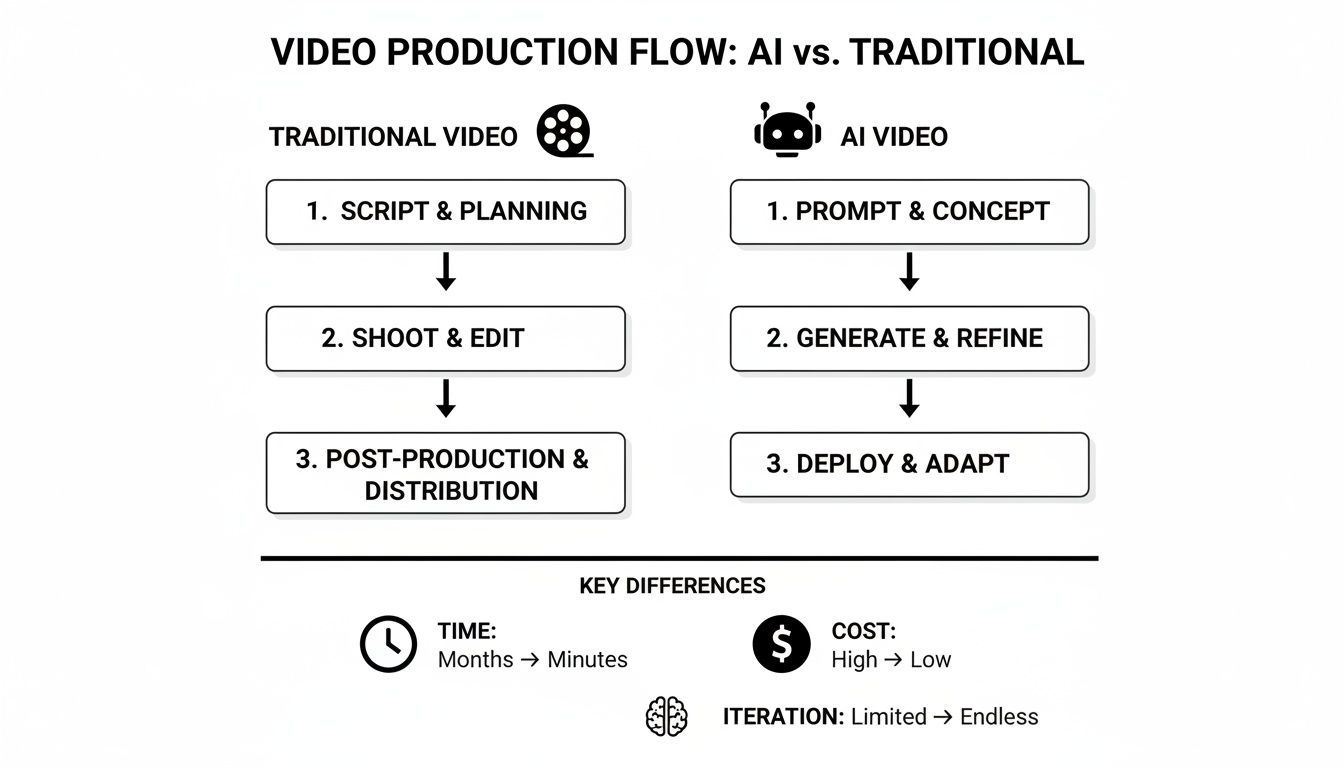
This workflow comparison really drives the point home. It shows the messy, fragmented traditional process against the clean, integrated AI approach.
| Stage | Traditional Workflow (Hours/Days) | AI-Powered Workflow (Minutes/Hours) | Key Difference |
|---|---|---|---|
| Ideation & Scripting | 4-8 Hours | 5-15 Minutes | AI generates scripts from a prompt, eliminating writer's block. |
| Asset Sourcing (B-roll, Images) | 3-6 Hours | 2-10 Minutes | AI generates or sources relevant visuals automatically. |
| Voiceover Recording | 1-3 Hours | 2-5 Minutes | Natural-sounding AI voices are generated instantly. |
| Editing & Assembly | 8-16 Hours | 5-20 Minutes | AI automatically syncs voice, visuals, and captions. |
| Revisions & Iteration | 2-5 Hours | 5-15 Minutes | Edits are made by changing text, not re-editing timelines. |
| Total Time | 2-5 Days | 30-60 Minutes | Drastic reduction in time and complexity. |
| Estimated Cost | $500 - $5,000+ | $20 - $100 (Subscription) | Massive cost savings and predictable expenses. |
The key takeaway here is the consolidation of roles. The work of a writer, designer, editor, and voice artist is now handled from a single dashboard.
The Undeniable Market Shift
This isn't a small trend happening in a corner of the internet; it's a massive shift in how content is made. The global market for AI video makers is on a wild growth trajectory, expected to jump from USD 716.8 million in 2025 to a staggering USD 2.56 billion by 2032.
This boom is happening because AI is finally making video creation accessible to everyone. In fact, 75% of video marketers have already started using AI in their workflows.
To get a sense of the bigger picture, it's worth looking into the broader scope of AI Applications in Digital Marketing. Tools like https://shortgenius.com are at the forefront of this movement, offering an integrated platform that genuinely takes you from a simple idea to a published video ready for your audience.
The real breakthrough here is turning the creative process into a predictable, scalable system. An AI YouTube video maker removes the technical roadblocks, so your biggest challenge is no longer "how" to make a video, but "what" story you want to tell next.
Turning Your Ideas into Production-Ready Scripts
Every great video is built on a solid script. We all know this, but we also know the pain of staring at a blank page, waiting for inspiration to strike. This is where an AI YouTube video maker can be a game-changer, acting as a creative partner to get you past that initial block.
The first step is always the hardest: turning a fuzzy idea into a structured narrative that grabs your audience right away. Instead of just waiting for the muse, you can drop a simple concept into a tool like ShortGenius and watch it grow.
But here’s the key: you can't be lazy with your prompts. Think of the AI as a new team member. It's smart, but it needs good direction.
For instance, a prompt like "make a video about saving money" is just too vague and will give you generic results. You have to get specific. A much stronger prompt would be: "Generate a script for a 5-minute YouTube video called '5 Unconventional Ways to Save $500 a Month.' The audience is millennials who think most financial advice is out of touch. Keep the tone witty, relatable, and a little irreverent." See the difference? Context is everything.
Planning an Entire Content Series
Once you get the hang of it, you can think bigger than just one-off videos. The real power of an AI workflow is in planning out an entire content series. This is how you build authority in your niche and create a binge-watching experience that keeps viewers coming back.
Let's say you run a finance channel. You could use AI to map out a full ten-part series in a single session.
- Part 1: An intro to why old-school budgeting doesn't work anymore.
- Parts 2-6: Deep dives into specific strategies, like doing a "subscription audit," negotiating your monthly bills, or even gamifying your savings goals.
- Parts 7-9: Real-world case studies or interviews with people who actually used these methods.
- Part 10: A final wrap-up that challenges your community to take action.
An AI video maker can help you brainstorm titles, craft descriptions, and spit out preliminary outlines for every single video in the series. What used to take days of planning can now be done in minutes.
Your goal is to transform that first spark of an idea into a detailed, actionable blueprint. By giving the AI specific details about your audience, tone, and what you want to achieve, you get scripts that aren't just usable—they're genuinely compelling and sound like you.
From Script to Shot List
With your script locked in, the next logical step is to create a shot list. This is incredibly helpful, especially for more visual videos like product demos or tutorials.
Imagine you're an e-commerce brand launching a new smart coffee maker. You can feed your finished script back into the AI and ask it to break the narrative down into specific visual scenes.
The AI might come back with a plan like this:
- Opening: Wide shot of a clean, modern kitchen. The coffee maker is the star of the show.
- Close-up: A tight shot on the user interface as a finger presses the 'start' button.
- Dynamic Sequence: A quick montage of the brewing process—close-ups on the drip, steam rising from the cup.
This simple process connects the words on the page to the visual story you need to tell. It makes sure that the AI-generated images or video clips you create next will perfectly match the script you’ve worked so hard on. Your text document just became a real production plan.
Bringing Your AI Video to Life: Visuals and Voiceover
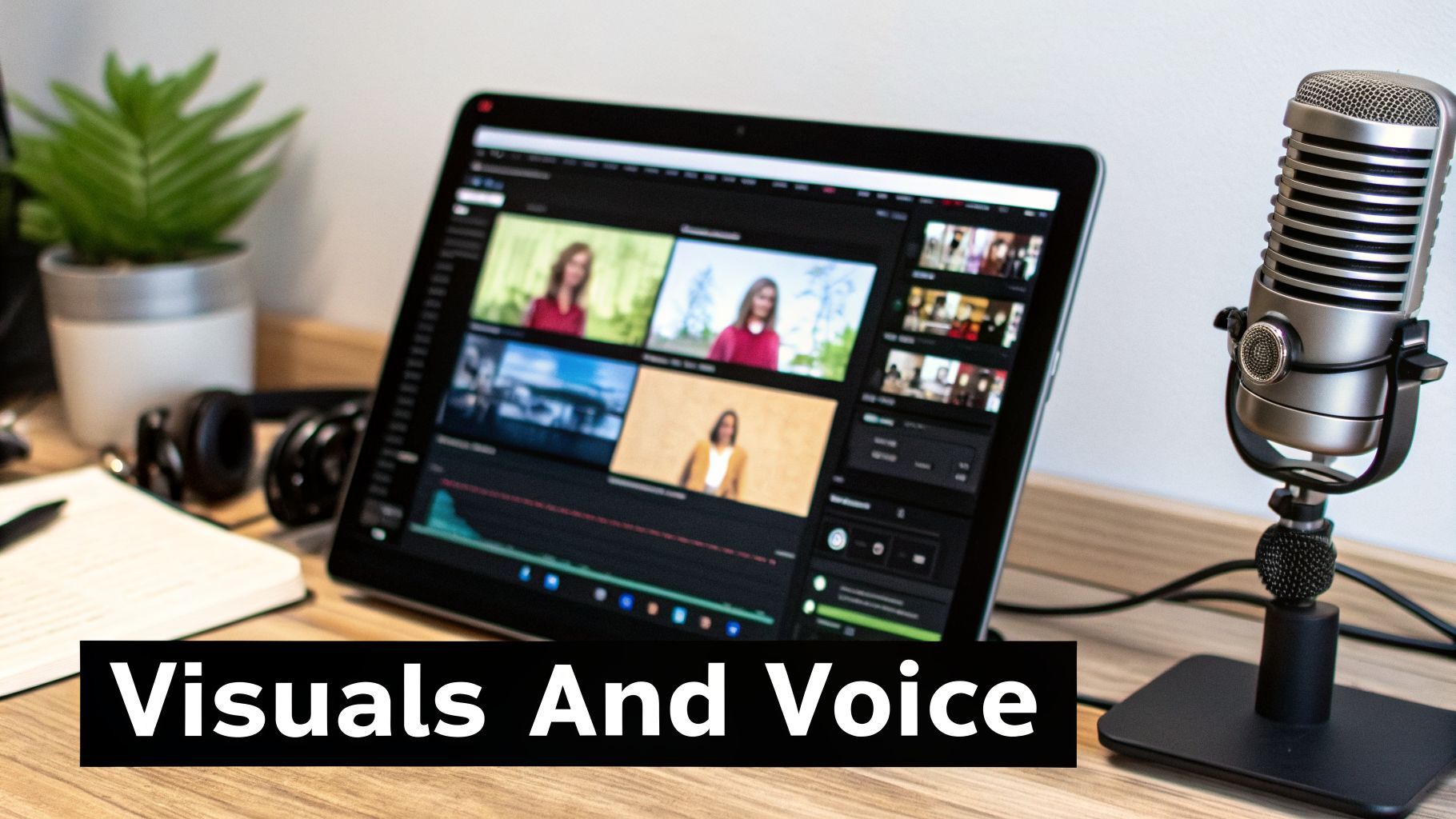
Okay, you've got your script and a solid shot list. Now for the fun part—actually creating the video. This is where an all-in-one ai youtube video maker completely changes the game. We're about to turn all that text into compelling visuals and a polished voiceover, all from one place.
Honestly, the biggest win with a tool like ShortGenius is that everything you need is built-in. You're not jumping between a separate image generator, a stock video site, and a voice synthesis tool. It’s all interconnected, which makes the whole process feel less like a clunky assembly line and more like a smooth, creative workflow.
This isn't just a niche trend, either. The numbers are staggering. In 2025, 51% of creative professionals are using AI for video creation, which is a 128% increase from just a couple of years back. Marketers have found these tools can cut their content creation time in half and drop production costs by up to 80%. It's a massive shift in how content gets made.
Creating Visually Consistent Scenes
First up, let's generate the visuals that will tell your story. The same prompting skills you used for the script are crucial here. If your prompts are lazy, your visuals will be too, resulting in a video that looks generic and disconnected.
The trick to a professional look is consistency. You can achieve this by adding style keywords to every single image or video prompt. Imagine you're making a video for a high-end coffee maker. Instead of just asking for a "kitchen," you need to be way more specific.
- Prompt 1: "Modern minimalist kitchen with white marble countertops and natural morning light, photorealistic style."
- Prompt 2: "Close-up shot of a sleek black coffee maker on a white marble countertop, same minimalist aesthetic, photorealistic style."
- Prompt 3: "Top-down view of a hand pouring coffee into a white ceramic mug, minimalist kitchen background, photorealistic style."
See how "minimalist," "white marble," and "photorealistic" appear in each prompt? That repetition is your secret weapon. It forces the AI to create assets that all belong to the same visual world, giving your final video a cohesive and deliberate feel. This kind of granular control is what separates amateur work from professional results, especially when you dig into advanced text-to-video generation techniques.
Generating a Lifelike Voiceover
With your scenes taking shape, it's time to give your video a voice. We've come a long way from the robotic, deadpan AI narration of the past. The voices available today are incredibly natural, full of the kind of inflection and pacing that used to require a professional voice actor.
Most AI video platforms will give you a whole library of voices to choose from—different accents, genders, and styles. You can pick one that fits your brand perfectly, whether that’s something high-energy and exciting or calm and reassuring.
The real power, though, is in the fine-tuning. You can often go right into the script and add pauses, speed up or slow down the delivery, and even tell the AI which words to emphasize. It gives you an incredible amount of control over the final performance, all without a microphone.
And the best part? It's incredibly forgiving. If you spot a typo or want to rephrase a sentence, you don't have to schedule a new recording session. Just edit the text, and the AI will generate the new audio in seconds, perfectly synced. This makes experimenting and tweaking your video an absolute breeze.
Assembling and Editing Your AI-Generated Video
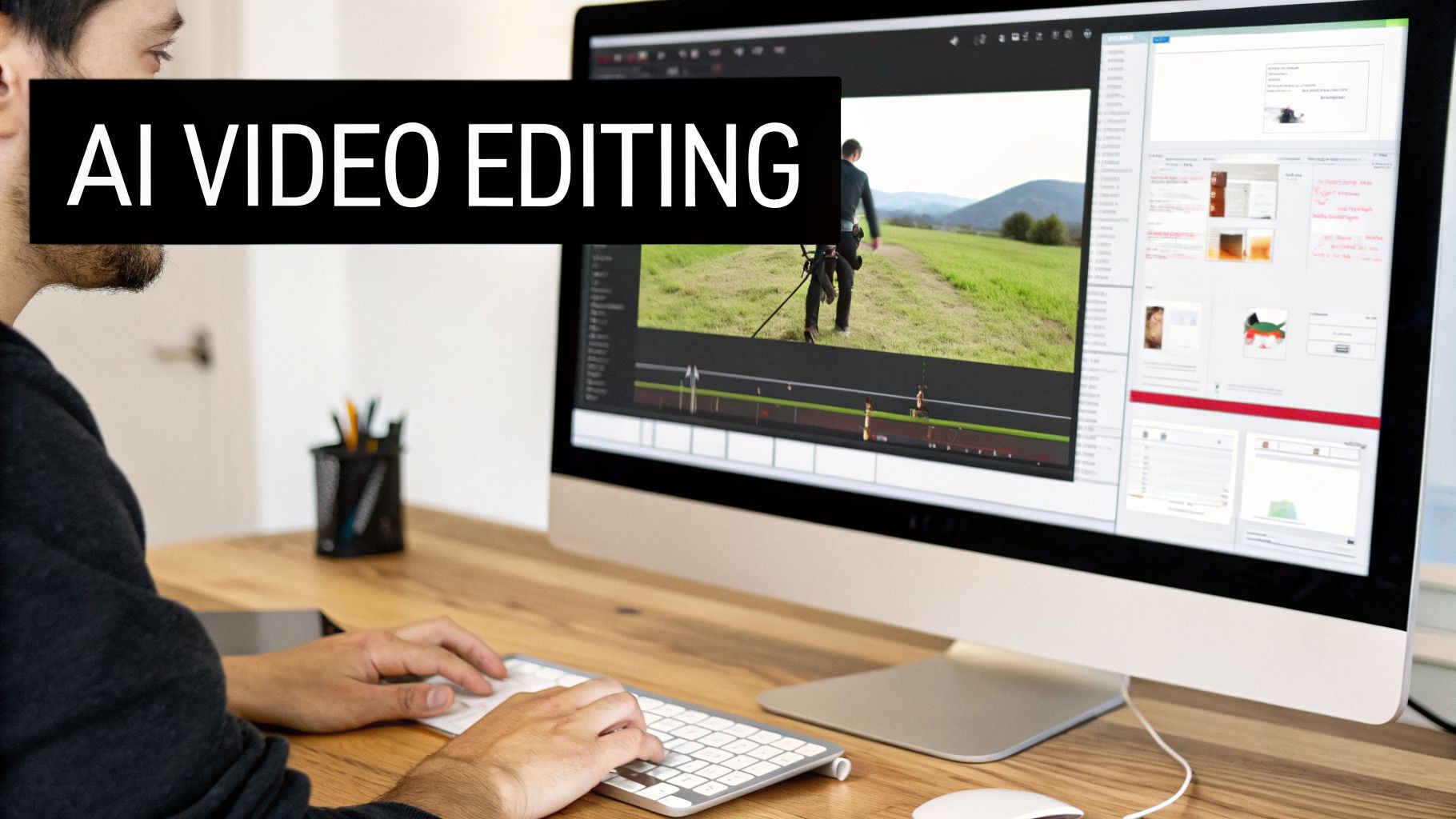
You’ve got your script, your voiceover, and a folder full of visuals. Now for the fun part: putting it all together. This is where your collection of AI-generated assets really starts to feel like a cohesive, professional video.
The best part about using a good AI YouTube video maker is that you aren't just staring at a blank timeline. The platform has already done the heavy lifting, laying out your scenes and syncing them with the voiceover.
Your role shifts from tedious button-pusher to creative director. Instead of spending hours manually aligning audio clips, you get to focus on what actually matters—fine-tuning the pacing, swapping out scenes for better ones, and injecting your brand’s personality into the final cut. Having everything in one place makes the whole process feel incredibly fluid, even if you’ve never opened a traditional video editor in your life.
Fine-Tuning Your Video in the Timeline
Once you jump into the editor, you'll see your scenes and voiceover already married up on the timeline. The very first thing I always do is a quick "pacing pass." I watch it through and get a feel for the rhythm. Does a scene drag on a bit too long? Does another flash by too quickly? Trimming is usually as simple as dragging the edges of a clip.
This is also the perfect moment to stamp your brand on the video. A quality AI video maker will let you apply a pre-set brand kit with just one click.
- Logos: Instantly overlay your logo as a persistent watermark.
- Colors: Make sure all your on-screen text and graphics match your brand's specific color palette.
- Fonts: Apply your custom fonts to captions and titles to keep everything looking consistent.
This step alone is a massive timesaver and is crucial for making sure every video you publish is instantly recognizable. Another non-negotiable feature for me is automatic captions. The tool should transcribe your voiceover and sync subtitles perfectly, boosting both accessibility and viewer retention.
The goal isn't just to stitch assets together. It's to shape the viewer's experience. Small tweaks, like trimming a half-second from a scene or ensuring captions are flawless, make a huge difference in keeping people watching.
Adding Polish with Effects and Camera Movements
To really make your video stand out, it’s time to dig into the effects and preset libraries. These aren’t just cheap filters; we're talking about professional touches that add serious production value. You can apply subtle camera movements like a slow zoom-in on a key detail or a gentle pan across a static image, which immediately makes your visuals feel more alive and dynamic.
This is what separates the good from the bad. YouTube is getting flooded with generic, low-effort AI content—some reports claim over 20% of recommended videos are just "AI slop." This is actually a massive opportunity. By using tools that let you apply surreal effects, swap scenes, and add dynamic camera motion, you can create something that genuinely grabs attention and feels high-quality. It's a big reason why 41% of businesses are now using AI to create their video content.
Before you even think about hitting "export," do one last quality check. Watch the entire video from start to finish, without stopping. Does the story make sense? Are there any jarring cuts or weird audio pops? This final review is your last line of defense. And if you’re working with still images, it pays to learn how to make them more cinematic. You can learn more about that by checking out our guide on creating videos from images.
Getting your video rendered and ready to go feels like a huge win, but the work isn't quite done. This is where we shift from creating content to making that content work for you. Your goal now is to turn that one video into a powerful, multi-channel asset that finds new audiences while you sleep.
A great AI YouTube video maker really shines here, moving beyond simple creation to become the command center for your entire content strategy.
One-Click Resizing for Every Platform
You’ve got your main 16:9 YouTube video. Perfect. But what about Shorts, Reels, and TikTok? In the past, this was the part I dreaded most. It meant diving back into an editing timeline, creating entirely new projects, and manually repositioning every single element for a vertical 9:16 format. It was so tedious that, honestly, I often just skipped it.
Thankfully, those days are over. Modern AI video tools have built-in resizing that changes everything. You can take your finished video and, with a single click, generate perfectly framed vertical versions. The AI is smart enough to know what’s important, keeping the main action centered and making sure your captions are still easy to read. This one feature alone can save you hours of painful re-editing on every single video.
The ability to instantly resize a video for multiple platforms isn't just a nice perk anymore; it's a must-have for any creator who's serious about growth. It turns your AI video tool from a one-trick pony into a full-blown distribution engine.
Automate Your Content Calendar
With your main video and all the short-form versions ready, it's time to get them out into the world. Instead of the frantic rush to manually upload each file to each platform, you can lean on the built-in scheduling tools that are now common in these AI platforms.
This is a complete game-changer for consistency. You can spend a Monday afternoon batching your videos and then schedule them to go live across YouTube, TikTok, and Instagram for the entire month ahead. Your audience starts to see you as a reliable source of great content, which is a massive driver for channel growth. It’s a genuine "set it and forget it" workflow that gives you the headspace to think about what you're going to create next.
My Go-To Pre-Publish Checklist for YouTube
Before any video of mine goes live, I run through a quick but crucial SEO check. An incredible video that isn't optimized is a video nobody will ever find. Here's exactly what I look at every single time:
- A Clickable Title: Does it spark curiosity? Does it contain my main keyword? I usually have AI brainstorm 5-10 options, and I pick the one that feels the most compelling.
- An Optimized Description: The first two sentences are prime real estate. I make sure my main keyword is in there naturally, then add helpful links, timestamps, and a clear call to action.
- Smart Tagging: Tags aren't as powerful as they once were, but they still give YouTube valuable context. I use a handful of broad and specific tags that are directly related to my video's topic.
- A Custom Thumbnail: Your thumbnail is your video’s digital billboard. I use AI to kick out a few high-contrast, eye-catching ideas and choose the one that’s most likely to stop a scroll.
Finally, to really get this content machine running smoothly, you need to close the feedback loop. Understanding what your audience is saying is the key to making your next video even better. You can actually analyze YouTube video comments with AI to pull out themes and sentiment, which gives you incredible insight for your future content strategy.
Common Questions About AI Video Makers
As more creators start exploring AI-powered workflows, I get a ton of fantastic questions. It's only natural to be curious—and a little skeptical—so it's smart to get some answers before you jump in. Let's walk through a few of the most common ones I hear.
The million-dollar question, literally, is always about money: Can you actually monetize videos made with an AI YouTube video maker?
The short answer is a resounding yes. But it's not quite that simple.
YouTube’s monetization policies don't care about the tools you use; they care about the value you create. The platform has rules against "repetitive" or "low-effort" content, which are really aimed at weeding out spammy, auto-generated channels that offer nothing new. If you just toss a generic prompt at an AI and upload whatever it spits out, you’re probably going to have a bad time.
But that's not what we're doing here. When you use AI to bring your own original ideas to life—crafting unique scripts, directing the visual style, and injecting your own perspective—you are adding transformative value. YouTube sees that as legitimate creative work, and it's 100% eligible for monetization.
Making Your AI Videos Uniquely Yours
This brings us to the next big question: How do you keep your videos from looking like every other AI-generated video out there? The secret is to bake your brand's unique DNA into every step of the process.
It all starts with a consistent style prompt. Think of it like a photographer using the same filter to give their Instagram feed a cohesive feel. You can do the same by adding a few specific keywords to your image and video generation prompts.
- For a history channel: You could try prompts with "sepia tones, historical footage style, film grain, documentary lighting."
- For a futuristic tech brand: Your go-to style might be "cyberpunk aesthetic, neon accents, dark cinematic background, 4K photorealistic."
By using these style descriptors every time, you train the AI to produce a consistent look and feel. Even better, using a platform with a built-in brand kit is a game-changer. This feature lets you save your logos, brand colors, and fonts, so you can apply them to every video with a single click for a polished, professional finish.
The Current Limits of AI Video
It’s also important to be realistic. An AI YouTube video maker is an incredible tool, but it isn't a magic wand. So, where does it fall short right now? The main challenges are capturing subtle human emotions and showing complex, step-by-step actions.
For instance, asking an AI to generate "a person smiling" is easy. But a prompt for "a person showing a bittersweet, nostalgic smile while looking at an old photograph" is a much taller order. The AI often struggles to grasp that kind of nuance.
The technology is brilliant for B-roll, establishing shots, and illustrating abstract concepts. Where it gets tricky is with specific, emotional story beats or complex physical actions, like a character tying a knot or assembling a product.
Knowing this allows you to play to the AI's strengths. Use it for what it's best at: generating incredible visuals, animating ideas, and creating a dynamic backdrop for your story. For those moments that demand a specific emotional punch, you might need to get creative with visual metaphors or lean on other tools for now. As the tech evolves, these limitations will fade, but today it’s all about being a smart director.
Ready to stop wondering and start creating? ShortGenius gives you all the tools discussed here—from script to final publish—in one seamless platform. Sign up and create your first AI-powered video in minutes on shortgenius.com.