Unlock Viral Growth with an AI Shorts Generator

Learn how an AI shorts generator transforms your content strategy. Create viral videos with AI scripts, voiceovers, and scheduling to dominate social media.
An AI shorts generator is one of the most powerful tools a modern creator can have. It’s a single platform that handles the entire process of making short-form videos for platforms like YouTube Shorts, TikTok, and Instagram Reels. Imagine turning a simple idea or a block of text into a fully polished video—complete with a script, visuals, and a voiceover—all in just a few minutes.
What Is an AI Shorts Generator and How Does It Work
Think of an AI shorts generator as your own personal production crew, working around the clock. Instead of you having to manually script, find footage, record audio, and then piece it all together in an editor, the AI does the heavy lifting. You just provide the initial spark of an idea. This is what allows creators to dramatically increase their video output without burning out.
This is a complete departure from traditional video editing software. With tools like Adobe Premiere Pro or Final Cut Pro, you’re responsible for sourcing and assembling every single element yourself. An AI shorts generator flips that model on its head by using a suite of generative AI models that work in concert to build a finished video from a single command.
The AI-Powered Assembly Line
So, how does this "assembly line" actually work? It all starts with a prompt from you. This could be anything from a simple topic, a complete script you've already written, or even a link to a blog post. Once the AI has its instructions, a series of automated tasks kicks off.
Here’s a look at what happens behind the scenes:
- AI Scriptwriting: First, a language model gets to work, analyzing your input to write a sharp, engaging script. It’s specifically trained to create a strong hook in the first 3-5 seconds to grab a viewer's attention and keep them watching.
- AI Visual Selection: The AI then scans massive libraries to source relevant visuals. This could be stock footage, images, or even unique AI-generated scenes that perfectly match the script's narrative.
- Automated Video Assembly: Next, it intelligently stitches all those visual clips together. The AI times the cuts and transitions to the rhythm of the script, creating a story that flows naturally.
- AI Voiceover Narration: A sophisticated text-to-speech engine then transforms the script into a human-like voiceover. This audio is automatically synchronized with the video, so everything lines up perfectly.
This integrated process is a prime example of content automation, where technology is used to simplify and accelerate creative workflows. To really grasp how these generators function, it helps to understand the broader field of content automation and its impact on modern marketing.
The difference in workflow is night and day. Let's break it down in a simple comparison.
AI Shorts Generator vs Traditional Video Editing
This table highlights just how much an AI shorts generator streamlines the video creation process by automating the most time-consuming tasks.
| Task | Traditional Workflow | AI Shorts Generator Workflow |
|---|---|---|
| Scriptwriting | Manual research, writing, and editing (1-2 hours) | AI-generated from a prompt (1-5 minutes) |
| Asset Sourcing | Manually searching stock sites for video/images (1-3 hours) | AI automatically finds and selects relevant media (1-2 minutes) |
| Voiceover | Recording, editing, and mastering audio (30-60 minutes) | AI generates a human-like voiceover instantly (1-2 minutes) |
| Video Editing | Cutting clips, adding text, syncing audio (2-4 hours) | AI assembles the entire video automatically (2-5 minutes) |
Ultimately, what used to take a skilled creator half a day can now be accomplished in the time it takes to grab a coffee.
This efficiency is why the demand for these tools is exploding. The AI video generator market, which includes platforms like ShortGenius, is expanding at an incredible rate. In 2025, its global market size reached USD 788.5 million and is projected to skyrocket to USD 3,441.6 million by 2033, growing at a compound annual growth rate of 20.3%. This trend makes it clear: these tools are becoming essential for anyone serious about content creation today.
The Core Features That Power Modern AI Video Tools
To really get a feel for what an AI shorts generator can do, you have to look under the hood. These aren't just glorified video editors. They're actually integrated systems where different AI models work in concert to take a simple idea and turn it into a polished, finished short. Each feature is built to smash a major bottleneck that creators face every single day.
Every great short-form video starts with a script that grabs you immediately. Writing those scripts by hand is tough and takes forever, but an AI shorts generator can do the heavy lifting with incredible speed.
The secret to keeping viewers on platforms like YouTube Shorts and TikTok is a killer hook in the first 3-5 seconds. AI scriptwriters are trained specifically to craft these high-impact openings, making your content stickier from the get-go.
Think about it this way: say you're a fitness coach. You could just feed the tool a prompt like "5 tips for better morning energy." The AI will instantly spit out a punchy script with an engaging intro, five clear points, and a solid call to action. That one feature alone can save you hours of staring at a blank page.
From Text Prompts to Dynamic Visuals
Okay, you've got a killer script. Now you need the visuals to bring it to life. We've all been there—endlessly scrolling through stock footage sites trying to find the perfect clip, only to settle for something generic. This is where AI image and video generation completely changes the game.
The AI reads and understands your script, then goes to work creating or finding visuals that actually match the story. If your script mentions "a bustling city at sunrise," the AI can generate a completely unique video of that exact scene. This opens up a level of visual creativity that used to be impossible for most creators.
This is the function that makes a tool a true AI shorts generator. The best platforms will give you:
- AI-Generated Scenes: You can create entirely new video clips or images from a simple text description. Your content will be 100% unique.
- Intelligent Stock Media Sourcing: The AI can scan massive stock libraries to find high-quality footage that fits the context and tone of your script automatically.
- Automated Assembly: The system then intelligently stitches these clips together, timing the cuts and transitions to match the pace of your script and narration.
For anyone who wants to go deeper on this, learning more about how these platforms convert text to video really pulls back the curtain on how the underlying models operate.
Lifelike Narration and Final Touches
A great video needs great audio to match. Recording and editing a voiceover is another huge time-sink that AI now handles beautifully. Modern text-to-speech (TTS) engines can produce incredibly realistic voices in dozens of languages and accents.
For example, a small startup could create product demos for a global audience by generating the same video with different voiceovers—one in English, one in Spanish, and another in German—all in a matter of minutes. The AI syncs the narration perfectly with the visuals, giving you a professional finish every time. This completely removes the need for expensive voice actors or complicated audio software, putting top-tier narration in everyone's hands.
How to Streamline Your Workflow from Idea to Viral Short
Using an AI shorts generator isn't just about making a single video faster—it's about completely overhauling your content creation process. When you get it right, you can leave the scattered, frantic scramble behind and build a predictable system that churns out high-quality shorts. This frees you up to think about the big picture instead of getting lost in tedious editing tasks.
The real shift starts before you even touch the software. The most successful creators don't think one video at a time; they think in series. Come up with a dozen ideas around a single theme. This batching approach not only keeps your content consistent but also gives the AI clear instructions to work with, resulting in a more cohesive set of videos.
From a Single Prompt to a Full Video Draft
Once you have your list of topics, you get to see the AI do its thing. This is where a simple text prompt gets turned into a surprisingly complete video draft. For example, you could feed it a topic like, "Three common mistakes new investors make," and the tool immediately gets to work on the heavy lifting.
Within minutes, the system will:
- Write a Script: It generates a hook to grab attention, fleshes out the main points, and wraps it up with a clear call to action.
- Generate Visuals: The AI finds or creates relevant stock clips and images that match the script's content.
- Produce a Voiceover: It uses a natural-sounding AI voice to narrate the script you’ve created.
- Assemble the Timeline: It puts all these pieces together, timing the cuts and transitions for good pacing.
This process is what makes these tools so powerful. The AI handles the script, visuals, and audio all at once, which is a massive time-saver.
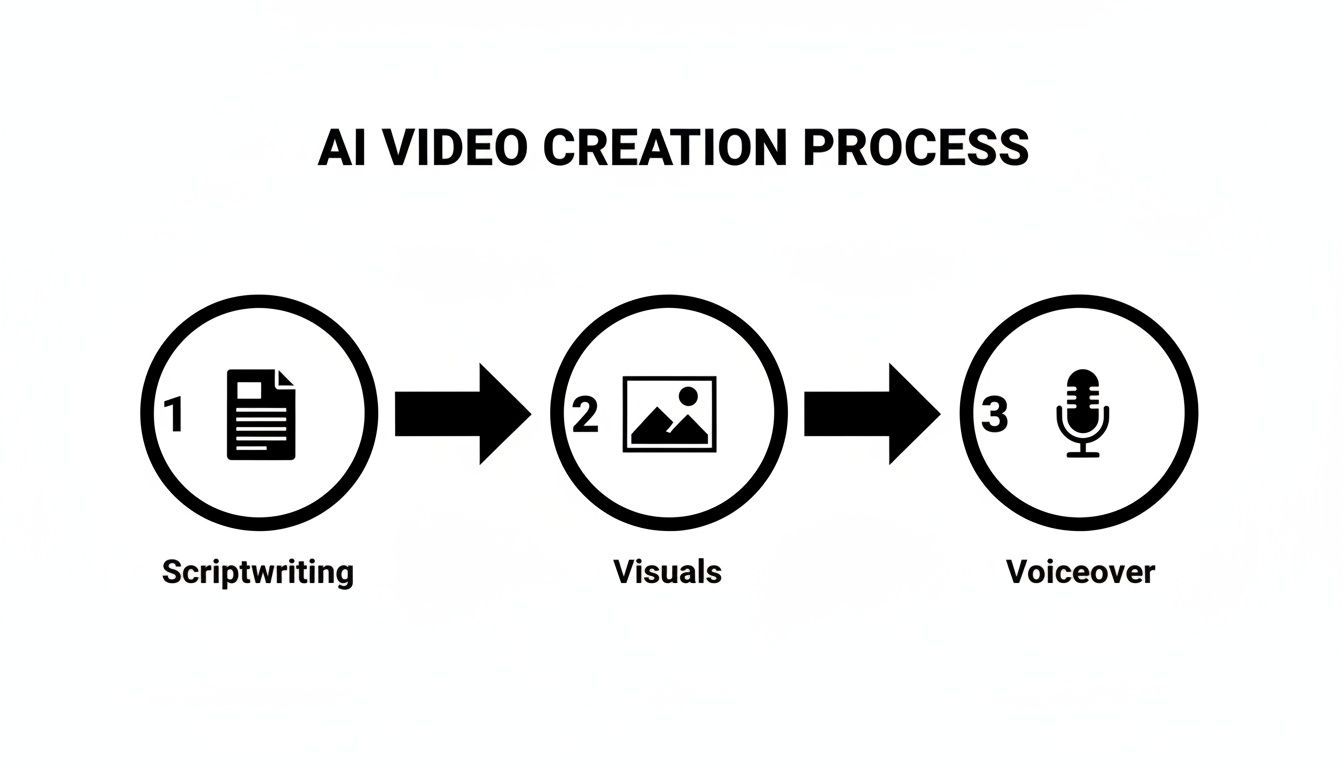
As you can see, what used to take a human creator hours—or even days—of coordination is now handled automatically. You can even generate several different versions from one idea to A/B test what resonates most with your audience. For a deeper look at the technology, you can learn more about how tools can transform simple images into compelling video shorts.
Effortless Editing and Mass Distribution
With a solid first draft in hand, the next step is making it your own. An AI shorts generator like ShortGenius shines here. You can apply your brand kit—logos, specific fonts, and color palettes—with a single click, ensuring every video looks and feels like it came from you. Need to add animated captions for people watching on silent? Or maybe swap out a specific scene? It's all straightforward.
This workflow isn't just about speed; it's about doing more at scale. In fact, 78% of marketers are now using AI in their video creation, slashing production time from days down to minutes. For agencies and social media managers, this means they can handle 278% more video tasks without burning out.
Finally, it's time to get your content out there. Once your shorts are polished and ready, you can schedule them to be posted automatically across all your platforms. Set up a week's worth of content, or even a month's, and let the tool handle the rest. This consistency is crucial on platforms like TikTok, where a steady stream of content is key to going viral.
Putting It All Together with ShortGenius

It’s one thing to talk about individual features like script generation or AI voiceovers. But where these tools really shine is when they bring everything together in one place. Let's look at how a platform like ShortGenius does exactly that, connecting the entire content assembly line from the first spark of an idea to the final scheduled post.
Think of it as your content command center. Instead of bouncing between a scriptwriter, a stock footage site, a video editor, and a separate voiceover app, you have a single, streamlined workflow. This is what really separates a simple tool from a genuine production partner. Its AI engine, for instance, doesn't just pull generic stock clips; it can generate incredibly realistic visuals and voiceovers that give your shorts a polished, custom-made feel right from the start.
Turning Solo Creators into Powerhouses
I've seen the biggest impact on solo entrepreneurs and small teams. Imagine a business coach trying to build their brand on TikTok, YouTube Shorts, and Instagram Reels all at once. Creating fresh daily content by hand is a monumental task, often requiring a dedicated team they simply don't have.
This is where an all-in-one AI shorts generator like ShortGenius changes the game. That same coach can now produce a volume and quality of content that was once out of reach. Here’s a practical look at how:
- Project Series Organization: They can batch-create an entire month’s worth of "Mindset Monday" videos, keeping everything neatly organized and on-brand.
- Unified Asset Library: Brand assets like logos, specific fonts, and color palettes are saved once and applied to every new video with a click. No more hunting for the right hex code.
- Scroll Stopper Presets: The platform offers a library of proven hooks and effects designed to grab a viewer's attention in those first critical seconds. This is a must-have for platforms like YouTube, which has seen over 5 trillion Shorts views.
A central dashboard is the key. It lets you manage multiple video projects, see all your generated assets, and access different creative tools without ever leaving the platform. This moves you beyond just making a single video and into full-blown content management, making it far easier to scale.
The real win isn't just making one video faster. It's building an entire content engine that works for you, consistently pushing out quality shorts that grow your brand and audience over the long haul.
From Idea to Multi-Channel Presence
The story of our solo coach shows what's now possible. With features like project organization and a built-in asset library, scaling up doesn't feel like a chore anymore. This structured approach allows smaller creators to maintain a constant, high-quality presence and compete with much bigger players.
If you want to see how this works for yourself, you can explore the features and start creating on the ShortGenius platform today. The right tool can turn ambitious content goals from a source of stress into something you can actually achieve.
How to Choose the Right AI Shorts Generator
With a flood of new tools hitting the market every week, picking the right AI shorts generator can feel like a shot in the dark. The truth is, not all of these platforms are created equal. The differences between them can seriously impact your content's quality and, just as importantly, your team's workflow.
To make a smart choice, you have to look past the flashy marketing and dig into the features that actually matter. Think of it like hiring a key team member—you need to know they have the right skills and can adapt as your brand grows. This demand is why the global AI video generator market, which hit USD 1.23 billion in 2025, is expected to skyrocket to USD 21.61 billion by 2034. You can see just how fast this space is moving in recent market analysis reports.
Evaluate Output Quality and Realism
Your first and most important test should always be the final product. A generator that spits out robotic-sounding audio or grainy, irrelevant visuals can do more harm to your brand than good. Pay very close attention to how realistic the AI-generated elements feel.
Does the voiceover sound like a real person with natural pauses and inflections? Or is it flat and lifeless? Look at the visuals, too. Are the AI-generated scenes and stock clips crisp, clear, and contextually right for your script? A top-tier tool will produce shorts that are virtually indistinguishable from content made the old-fashioned way.
Assess Customization and Brand Control
An AI generator should work for your brand, not trap you in a generic, one-size-fits-all template. The ability to customize your videos is what separates a decent tool from a great one. You need to be able to maintain your unique brand identity across every single video.
Look for these non-negotiable customization features:
- Brand Kits: Can you upload your logo, lock in your specific brand colors, and use your own fonts with ease?
- Editing Flexibility: Does the platform let you easily swap out scenes, trim clips, and adjust the timing of different elements without a headache?
- Voice Cloning and Selection: Do you have access to a wide library of high-quality voices, or better yet, can you clone your own voice for ultimate brand consistency?
Without this level of control, you risk your videos looking just like everyone else's.
Table: Key Evaluation Criteria for an AI Shorts Generator
Choosing a tool is a big decision, so it helps to have a clear checklist. The table below breaks down the most important factors to consider, what to look for, and why each one matters for your creative process.
| Evaluation Criterion | What to Look For | Why It Matters for Creators & Teams |
|---|---|---|
| Video & Audio Quality | High-resolution visuals, natural-sounding AI voices, relevant stock media library. | Your brand's reputation is on the line. Low-quality output looks unprofessional and hurts credibility. |
| Customization Options | Brand kits (logos, colors, fonts), editable templates, voice cloning. | Keeps your content on-brand and consistent, preventing a generic look and feel. |
| Ease of Use | Intuitive user interface, minimal learning curve, clear workflow from script to video. | A complicated tool slows you down. The goal is to create content faster, not get stuck in software tutorials. |
| Scripting & AI Smarts | Context-aware script generation, ability to turn articles or text into video scenes. | Saves immense time on content ideation and planning. The AI should do the heavy lifting. |
| Editing & Control | Ability to swap scenes, trim clips, adjust text, and fine-tune timing. | No AI is perfect. You need final say and the power to make manual adjustments for a polished result. |
| Scalability & Pricing | Tiered plans that grow with you, multi-user access, and fair pricing for features. | The tool should support your journey from solo creator to a full-fledged content team or agency. |
By using these criteria, you can cut through the noise and find a generator that not only meets your needs today but also supports your growth tomorrow.
Prioritize Ease of Use and Scalability
At the end of the day, the best tool is the one you'll actually use. A clunky interface or a steep learning curve will only slow you down, defeating the entire purpose of using AI in the first place. The platform should feel intuitive, guiding you from an idea to a finished video with as little friction as possible.
A great user interface gets out of your way and lets you focus on being creative. If you're spending more time fighting the software than making videos, it's the wrong tool for you.
You also need to think about the future. A solid AI shorts generator will offer plans and features that can scale with your ambitions, whether you're a solo creator just starting out or an agency juggling multiple client accounts.
Your Questions About AI Shorts Generators, Answered
Whenever a new tool comes along that promises to make our lives easier, it's natural to have a few questions. Creators I talk to are always excited by the idea of an AI shorts generator, but they're also a little skeptical. Can it really match my quality? Will it steal my creative voice? Let's tackle those common concerns head-on.
The biggest question I hear is about creativity. People worry their content will end up looking generic, like it was stamped out by a machine. It's a fair concern.
Can AI Videos Actually Feel Creative and Original?
Absolutely, but you have to think of the AI as a creative partner, not a replacement for you. The real magic happens when your ideas guide the AI's speed. The best tools, like ShortGenius, are designed to give you a fantastic first draft—script, visuals, voiceover, and all. Your role is to bring your unique perspective and polish it to perfection.
So, how do you make it your own?
- Get specific with your prompts. Instead of a generic idea like "a video about coffee," give the AI something to work with. Try "a short video capturing the quiet, cozy feeling of the first sip of coffee on a rainy morning." The more detail you give, the more unique the result.
- Be the director. Don't just accept the first version. Swap out a scene that doesn't feel right, tweak a line in the script to sound more like you, or adjust the pacing. These small edits are what infuse the video with your personality.
- Mix in your own media. Many of the top-tier generators let you upload your own clips and photos. You can blend your footage with AI-generated scenes for a look that is 100% custom and impossible to replicate.
When you combine the AI's heavy lifting with your creative oversight, you get something that feels authentic and stands out from the crowd.
How Do I Keep My AI-Generated Shorts On-Brand?
This is a huge one. Your brand's consistency is everything, and thankfully, modern AI shorts generators are built for this exact challenge. The trick is to find a platform that lets you set up your brand identity once and apply it everywhere.
A strong brand is more than just a logo. It's a consistent look, a familiar voice, and a reliable feel that your audience comes to recognize and trust.
Take ShortGenius, for example. It has a dedicated "brand kit" feature where you upload your logo, plug in your specific brand colors, and set your preferred fonts. Once that's saved, you can apply your entire brand package to any video with a single click. It doesn't matter if you're making one video or a hundred; they will all look and feel like yours, saving you hours of tedious manual work.
What's the Learning Curve Like for a Tool Like ShortGenius?
Here's the best part: you're not signing up for a semester-long course in video editing. Forget the complex timelines and endless menus of traditional software that can take months to learn. A good AI shorts generator is designed to be picked up in an afternoon.
The whole process is incredibly intuitive. You start with an idea, the AI builds the video, you make your final edits, and then you schedule it to post. Functions like adding captions, changing the music, or swapping a voiceover are usually just a few clicks away. The goal of these tools is to get you from idea to finished video as fast as possible, so you can focus on creating more content, not on watching tutorials.
Ready to see how an AI shorts generator can fit into your workflow? With ShortGenius, you can turn your best ideas into high-quality, on-brand videos in minutes, not hours. Start creating for free today and build your content engine.