Choose Your AI Script Writing Tool: 2026 Guide

Transform content creation with an AI script writing tool. This guide explains the tech, practical examples, and helps you pick the right one.
You've probably done this recently. You open a blank doc, name it something hopeful like “next video script,” type a rough idea, then stop. You know the topic. You even know the point you want to make. But turning that into a hook, a clean structure, and lines that sound like you is where the friction starts.
That's where an AI script writing tool can help, but not in the way most sales pages promise. It's not a magic red button that spits out a publish-ready script while you make coffee. It's closer to a fast, tireless collaborator that helps you get unstuck, test angles, and build a stronger draft without losing your voice.
I've folded AI into my own scripting process for short videos, podcasts, and ad concepts. The payoff hasn't come from asking for a “full script” and copying the result. The payoff has come from using AI at the right moments: idea shaping, outline pressure-testing, scene-by-scene drafting, and revision. That's the difference between generic output and something you can film.
The End of the Blank Page
The blank page used to be the slowest part of my workflow.
Not the filming. Not the editing. The opening ten lines.
I'd have a decent content idea, maybe a product angle or a teaching point, but I'd burn too much time trying to find the right way in. Should the video start with a problem? A story? A contrarian take? By the time I found the hook, I'd already lost momentum.
An AI script writing tool changed that part first. Not by replacing my thinking, but by helping me externalize it quickly. I could drop in a rough thought like, “I want a 45-second video about why vague prompts create weak scripts,” and immediately get a few possible structures to react to. That reaction step matters. It's easier to improve something than create from nothing.
Why creators are adopting these tools
This isn't a niche hobby anymore. The global screen and script writing software market is projected to reach USD 0.71 billion by 2035, up from USD 0.22 billion in 2026, with a 13.63% CAGR during 2026 to 2035, according to Business Research Insights on the screen and script writing software market.
That projection tells you something useful. Creators, studios, and teams aren't just curious about AI-assisted writing. They're building it into real workflows.
Practical rule: Use AI first to remove friction, not to replace judgment.
The strongest use case isn't “write the whole thing for me.” It's “help me get to a workable draft faster.”
What changed in my process
Once I stopped treating AI like an author and started treating it like a drafting partner, scripting got smoother:
- Idea shaping: It helps turn scattered thoughts into a usable angle.
- Structure building: It can propose beats, sections, and scene order.
- Variation generation: It gives alternate hooks, CTAs, and rewrites fast.
- Momentum: It keeps me moving when I'd normally stall.
That last part is underrated. A lot of creators don't have a creativity problem. They have a throughput problem. They need to go from idea to recordable script without spending half a day wrestling with sentence one.
An AI script writing tool is best understood as a speed layer on top of your own taste. If your instincts are strong, it helps you move faster. If your instincts are weak, it can still help, but you'll need to edit much harder.
How an AI Script Writing Tool Actually Works
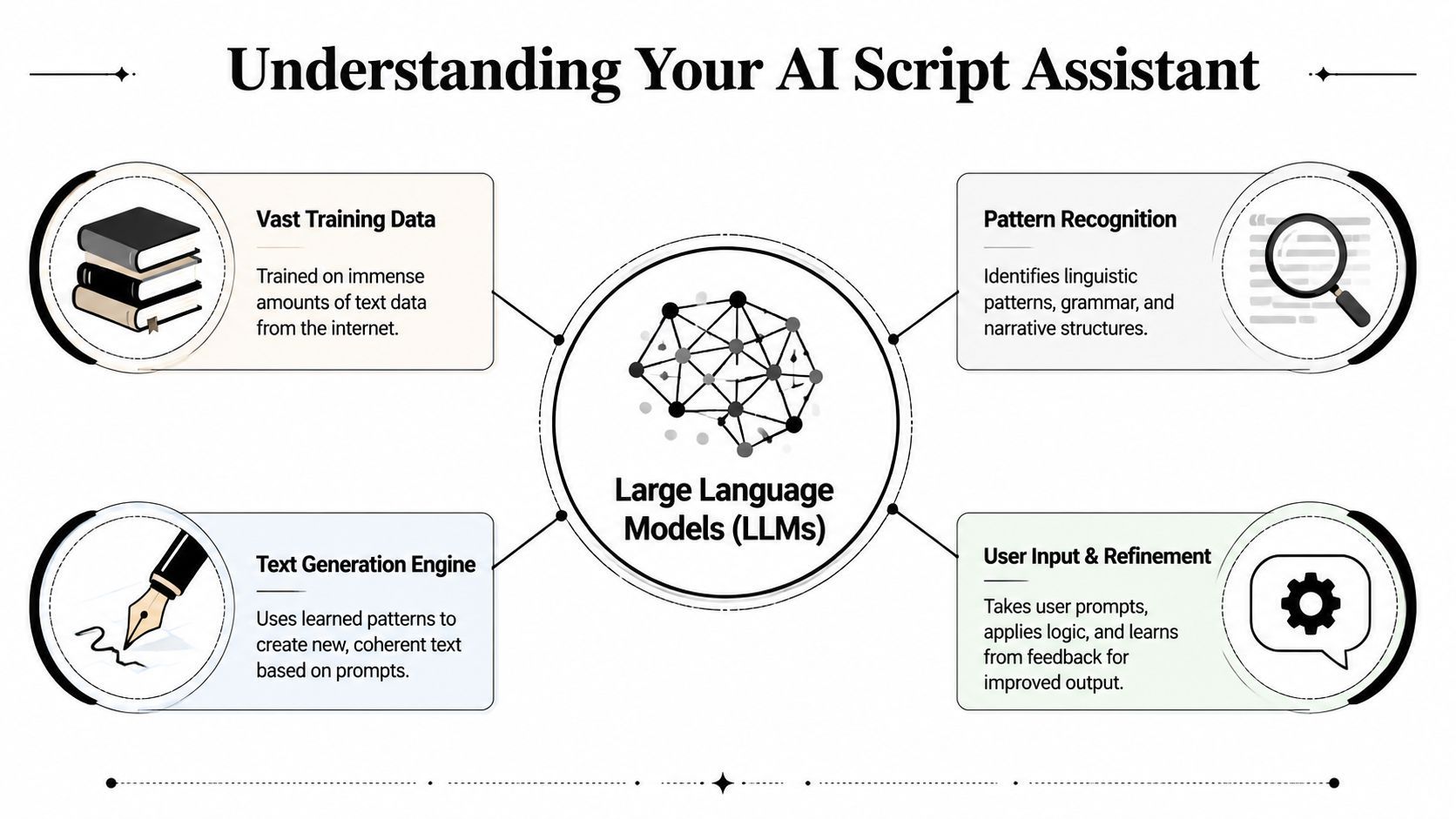
The easiest way to understand an AI script writing tool is this: think of it as a hyper-literate intern.
It has read a massive amount of text. It recognizes patterns in language, structure, and tone. It can produce something that looks surprisingly polished. But it doesn't know your audience the way you do, and it doesn't automatically know what should matter in your script unless you tell it clearly.
The simple version of the tech
At the center of most tools is a large language model, or LLM. In practical terms, that means the system predicts what text should come next based on your prompt and the patterns it learned during training.
That's why prompt quality matters so much.
If you type: “Write me a TikTok script about productivity”
you'll usually get a bland, all-purpose result.
If you type: “Write a 30-second TikTok script for busy freelancers. Start with a frustration-based hook, use three quick scene beats, keep each line short enough to read aloud naturally, and end with a direct CTA”
you've given the model a shape to follow.
General models versus script-focused tools
Some tools are broad assistants. Others wrap those models in script templates, scene controls, formatting helpers, and production features.
That distinction matters because you're often choosing between two layers:
- Base model strength: How well the underlying AI reasons, writes, and stays coherent
- Workflow layer: How easily the tool helps you prompt, revise, export, and integrate the script into production
In 2026, Claude leads AI scriptwriting tools for long-context document handling and tone consistency, while ChatGPT dominates in breadth of use across screenplays, YouTube scripts, and ad copy, according to Presenc.ai research on the best AI script writing tools for creators in 2026. That same research notes Claude supports up to 200K tokens, which helps it keep narrative coherence and voice consistency across longer scripts.
That's the practical takeaway. If you're drafting a full-length screenplay or a long branded narrative, long context matters. If you're moving across many formats in one week, a broad-use model often feels more flexible.
A better prompt doesn't just improve wording. It improves structure, pacing, and what the model pays attention to.
What this means for creators
You don't need to become a machine learning expert. You just need to understand what the model is good at and where it drifts.
Use AI for:
- brainstorming angles
- outlining scenes
- rewriting for clarity
- generating alternate hooks
- summarizing research into talking points
Be cautious when using AI for:
- facts that need verification
- emotionally specific storytelling
- nuanced humor
- dialogue that needs subtext
- final voice polish
If you also produce audio content, a practical companion resource is this guide to an AI podcast script generator, which shows how the same prompt discipline applies when scripting spoken content for a different format.
The core idea is simple. The AI doesn't “get” your script the way a human collaborator does. It follows patterns. The clearer the pattern you ask for, the better the draft you'll get back.
Core Features and What to Look For
A script tool earns its keep after the first draft.
The test happens when you need to reshape a hook for Shorts, tighten a voiceover so it fits 30 seconds, or turn one idea into three platform-specific versions without losing the point. That is why I do not judge an AI script writing tool by the prettiest sample output. I judge it by how well it works as a writing partner inside an actual production workflow.
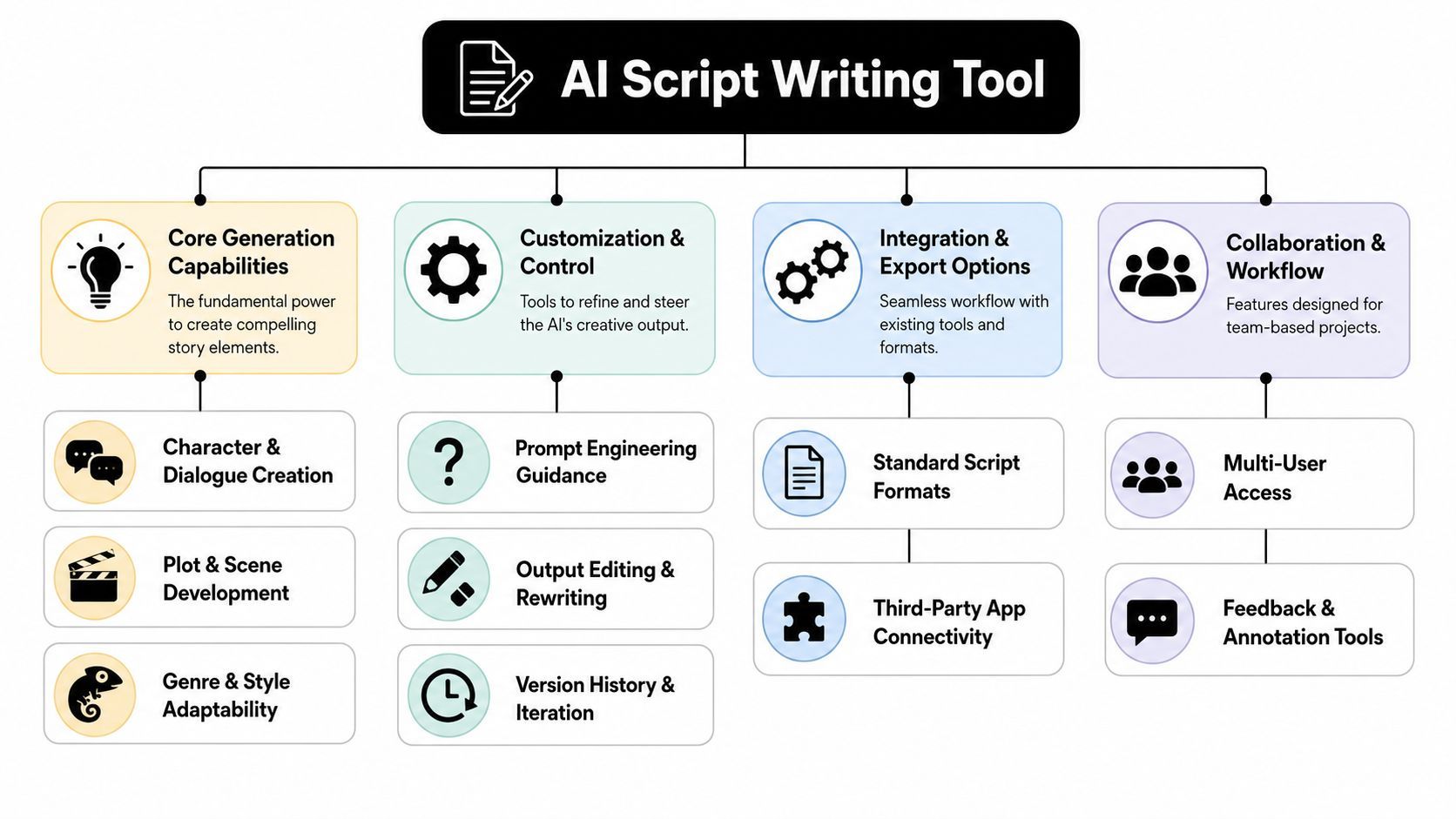
Features that matter more than marketing copy
A good tool should help you steer, not just generate.
I look for five things first:
- Format control: Can it hold a structure you specify, such as a 6-beat TikTok script, a YouTube talking-head outline, or a brand ad with a clear CTA?
- Voice consistency: Can it stay close to your phrasing and audience level after several revisions?
- Scene awareness: Can it write in beats that map to shots, captions, and edits instead of dumping everything into one block of text?
- Spoken clarity: Do the lines sound natural out loud, with sentence length and rhythm that fit real delivery?
- Revision control: Can you change one section without the rest of the script drifting off tone or repeating itself?
That last point matters more than many creators expect. AI writing is less like hiring a finished copywriter and more like working with a fast junior collaborator. It can draft quickly, but it still needs direction, checkpoints, and cleanup.
What usually breaks in production
A script can read well and still fail on camera.
The WritingBench benchmark repository examines how language models handle style adherence, format compliance, and length requirements across real writing tasks. For creators, the useful takeaway is simple. Models still struggle with dialogue that sounds fully natural and transitions that carry one scene cleanly into the next.
You can hear the problem as soon as you do a table read.
Common warning signs include:
- lines that are too long for one breath
- transitions that jump without setting up the next visual
- repeated phrasing that makes the script sound machine-written
- speaker voices that blur together
- CTAs that feel attached at the end instead of built into the story
This is why feature lists can be misleading. A tool may offer tone presets, templates, and one-click rewrites, but if the spoken delivery is stiff, you still have to rebuild the script by hand.
Look for workflow fit, not isolated features
Creators who publish often need more than a text box. They need a system that can carry an idea from rough concept to usable production asset.
That is where integrated tools can help. Platforms such as AI video scripting and production workflow tools connect script drafting with video creation, editing, and publishing. That matters when your bottleneck is not writing a paragraph. It is getting a platform-specific script into a finished short without copying and pasting across five tools.
Prompt control matters here too. If you want the model to reliably follow beat structure, tone, and platform constraints, it helps to study mastering AI prompting techniques and treat prompts as creative briefs, not casual requests.
A short visual explainer can help make these feature categories easier to compare:
A better checklist for picking tools
When I test an AI script writing tool, I run it through the same situations that show up in a normal content week.
| What to test | What good looks like |
|---|---|
| Hook generation | Produces distinct angles shaped for the platform, not the same hook reworded |
| Beat structure | Breaks ideas into scenes or sections that are easy to film and edit |
| Spoken delivery | Reads naturally aloud without constant trimming |
| Rewrite precision | Lets you shorten, reframe, or change tone without damaging the rest |
| Production handoff | Exports or connects cleanly with the rest of your workflow |
What to listen for: Read the script out loud. If a sentence feels awkward in your mouth, it will probably feel awkward in the viewer's ear.
That quick read-aloud test catches weak transitions, bloated wording, and fake-sounding dialogue faster than any feature comparison page.
The Art of the Prompt A Practical Workflow
Most disappointment with an AI script writing tool starts with one mistake. People ask for the whole script in one vague prompt.
That almost always creates bloated, generic output.
Current guidance around AI script tools often pushes “generate full draft” workflows, but that skips the structural work short-form video needs. One cited source notes that 78% of AI-generated scripts fail platform-specific pacing standards for YouTube Shorts and TikTok because users don't force the model to work scene by scene with explicit hook and CTA constraints, according to AirMore's discussion of AI script generators.
That tracks with what I've seen. The AI isn't failing because it's useless. It's failing because the prompt leaves too much open.
The workflow that actually works
I use a three-part process.
- Start with the idea and outline
- Build the script scene by scene
- Do a human polish pass
Each stage has a different job. Don't merge them too early.
Step one starts with constraints
Give the AI the frame before you ask for wording.
Useful inputs include:
- platform
- target viewer
- video length
- hook style
- core message
- desired CTA
- tone
- visual format
For example, instead of asking for a TikTok ad script, ask for a beat map first.
Bad approach: “Write a TikTok ad for my productivity app.”
Better approach: “Create a 5-scene beat outline for a short vertical video promoting a productivity app to overwhelmed freelancers. Scene 1 must open with a pain-point hook. Scene 5 must end with a direct CTA. Keep each scene visually simple enough for UGC-style filming.”
Then write the scenes one by one
Once the outline works, generate each scene separately. That gives you control over pacing and lets you swap weak sections without breaking the whole thing.
Here's the contrast:
| Vague Prompt (Ineffective) | Structured Prompt (Effective) |
|---|---|
| Write a TikTok script about my skincare brand | Write a 6-scene TikTok script for a skincare brand aimed at adults with a rushed morning routine. Scene 1 needs a pattern-interrupt hook. Scene 2 should show the problem. Scene 3 introduces the product in plain language. Scene 4 explains one practical benefit. Scene 5 adds a quick credibility cue without sounding corporate. Scene 6 ends with a soft CTA. Keep lines short and conversational. |
| Make a YouTube Shorts script about AI prompts | Write a 30-second YouTube Shorts script teaching one mistake people make with AI prompts. Use this structure: hook, bad example, corrected example, payoff, CTA. Keep every spoken line under a natural read-aloud length. |
| Give me a viral ad script | Draft three different hooks for a short-form ad. Audience is first-time founders. Tone should be direct and slightly skeptical. Do not write the full script yet. Only generate opening angles focused on wasted time, bad hires, and messy workflows. |
That's the difference between asking for content and directing a collaborator.
One good habit: Don't ask for “a script” first. Ask for options, beats, and constraints first.
The human pass is where the script becomes yours
Once the AI gives you scene drafts, read them out loud and mark anything that sounds borrowed, padded, or too smooth.
I usually do four edits:
- shorten lines
- replace abstract wording with concrete language
- add one personal phrase I'd say
- sharpen the hook or CTA
If you want to improve this skill, this resource on mastering AI prompting techniques is worth studying because it focuses on prompt structure rather than hype.
The best scripts I get from AI usually aren't first drafts. They're third-pass collaborations.
Choosing Your Tool and Avoiding Common Pitfalls
A good tool should remove friction from your process, not add another tab to babysit.
That sounds obvious, but it is where many creators get stuck. They compare models, feature lists, and pricing tables, then pick something that writes impressive paragraphs but does not fit the way they make videos. In practice, the better question is simpler. Where does your scripting process slow down now?
If your week looks like idea, draft, rewrite, record, edit, publish, then the tool needs to support that chain. If your work is longer-form and revision-heavy, you need stronger memory, better version control, and more room to shape structure over several passes.
Choose based on workflow fit
I group tools into three practical buckets.
- General assistants work well for brainstorming, outlining, rewrites, and testing multiple angles fast.
- Script-focused tools help when formatting, scene structure, or template-based writing is the main headache.
- Integrated content platforms make more sense when the script needs to feed directly into voiceover, scene planning, captions, and publishing.
The third category matters a lot for short-form creators. A Shorts or TikTok script is rarely just a block of text. It is timing, pacing, visual cues, and platform-specific rhythm. If you have to keep translating that intent from one app to another, small mistakes creep in. Hooks get softened. Scene notes disappear. A line that read well in a document turns clunky once you hear it out loud.
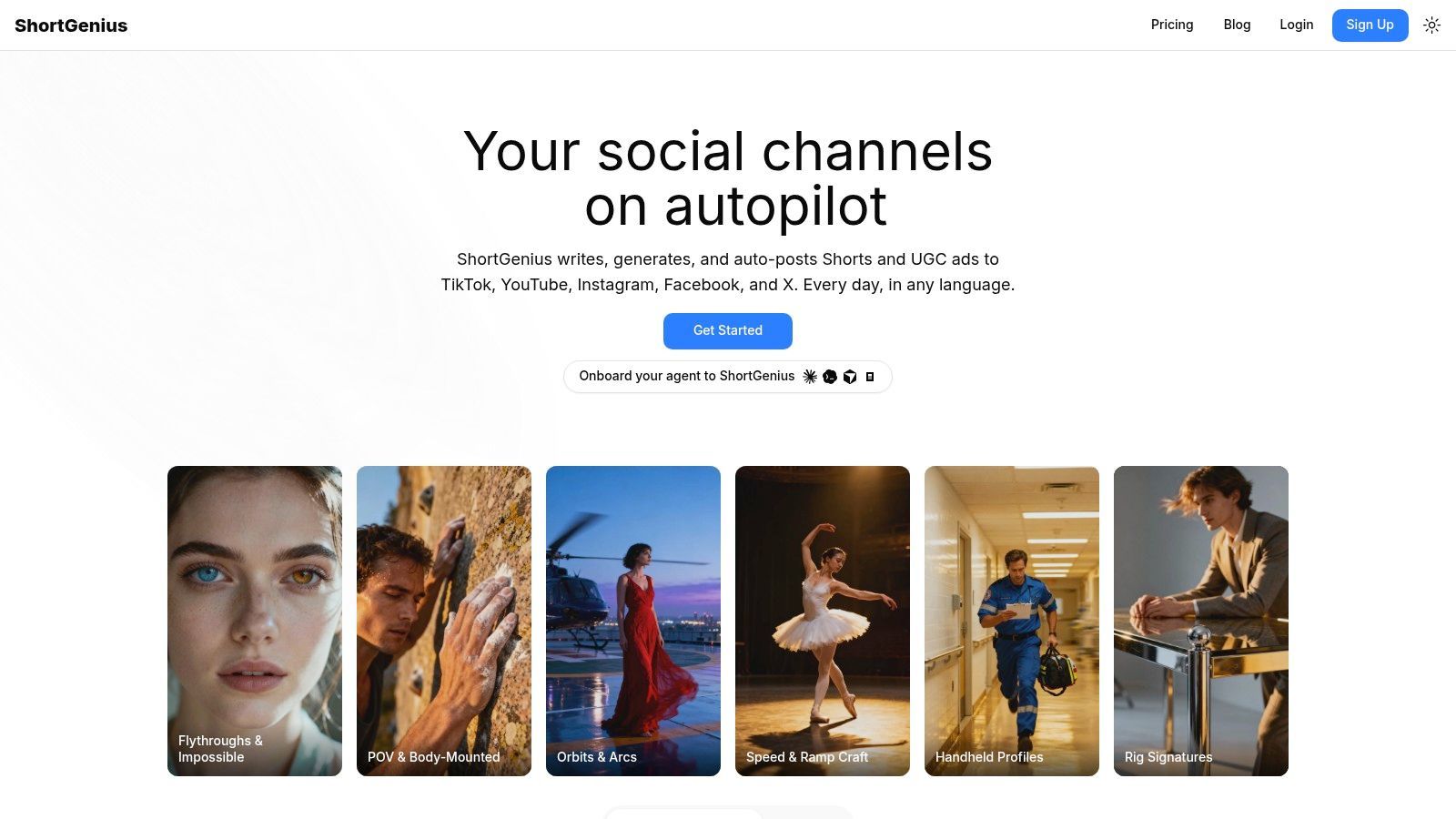
That is why I care less about whether a tool can generate a script in one click, and more about whether it helps me keep the script connected to production. Platforms like ShortGenius are useful in that broader workflow sense.
Common mistakes that make AI scripts feel generic
The first trap is over-trusting the first draft.
AI is good at producing something readable fast. That can fool you into thinking it is finished. Usually it is only giving you a workable block of clay. The ultimate value comes from shaping it for the platform, the audience, and your speaking style.
The second trap is letting the tool sand off your voice. Technical Writer HQ's discussion of AI script writers makes a solid point here. Readers and viewers notice when a piece feels machine-smoothed. You fix that with human edits. Personal phrasing, concrete examples, spoken rhythm, and small lived details do more for trust than polished filler ever will.
I use a few simple rules to keep that from happening:
- Do not publish the first output. Ask for alternate hooks, stronger openings, or a different tone before you edit.
- Read every version aloud. Your ear catches stiffness faster than your eyes.
- Add one real detail. A moment from your own workflow makes the script sound grounded.
- Keep a swipe file of your own phrases. Drop those in during the final pass so the script sounds like you, not a default template.
- Check platform fit. A YouTube explainer line often needs tightening before it works for Shorts or TikTok.
One sentence I come back to often is this: if the script sounds competent but anonymous, it still needs work.
For creators who also publish text-first content, this roundup of the best tools for writing viral tweets is useful for the same reason. It shows that variation is easy to generate. Distinct voice still comes from the creator.
The best choice is usually the tool that fits your production habits, supports revision, and keeps the human in charge of the final shape.
Beyond the Script The Integrated Production Workflow
The script is not the final product. It's the blueprint.
That's the shift a lot of creators make once AI starts working for them. They stop treating writing as an isolated task and start treating it as the first stage in a production system. A strong script tells the editor what scenes are needed, tells the voiceover what rhythm to hit, tells the designer what text overlays matter, and tells the social manager what the opening seconds need to do.
That's why workflow fit matters as much as writing quality.
A practical modern pipeline looks like this:
From draft to publishable asset
- Script draft: Generate the angle, beats, and scene lines with AI
- Voice pass: Rewrite for read-aloud clarity
- Scene planning: Match each line to a visual or cut
- Assembly: Build the video with captions, pacing, and transitions
- Versioning: Resize or adapt for different platforms
- Publishing: Schedule and distribute consistently
When these steps happen in disconnected tools, small problems multiply. A line that was fine in text may be too long for voiceover. A scene idea may not fit the available visuals. A great hook may get buried because the editor never saw the script logic behind it.
An integrated platform solves a different problem than a pure writing assistant. It helps carry the intent of the script all the way into the final video. That's especially useful for short-form workflows where scripting, visuals, narration, and posting happen fast and often.
The main lesson is simple. AI helps most when it supports the whole creative chain. You still decide the angle. You still shape the message. You still protect the voice. The tool just removes the dead time between idea and execution.
If you want one place to turn rough ideas into scripts, voiceovers, visuals, and published short-form content, take a look at ShortGenius (AI Video / AI Ad Generator). It's built for creators and teams who don't just need help writing. They need a practical path from concept to finished video.