How to Make an AI Pixar Movie: A Complete Guide

Learn the step-by-step workflow to create your own AI Pixar movie. This guide covers concept, scripting, visual prompts, animation, voiceover, and ethical tips.
You're probably sitting on a folder full of test images right now. A smiling kid with oversized eyes. A cozy kitchen. A dramatic sunset. Every frame hints at a Pixar-like short, but none of it feels like a finished film.
That's the trap with the average AI Pixar movie tutorial. It gets you to attractive stills, then leaves you alone with the hard parts: story logic, continuity, motion, voice direction, editing, and the uncomfortable question of whether “Pixar-style” is even a safe label to use in public. Shipping the project is the actual work.
The good news is that AI does help in the parts of production where creators usually stall first. Industry analysis from McKinsey says AI output is most effective in development and pre-production, where executives report 5% to 10% productivity gains in selected workflows for film and TV in its analysis of AI in production. That lines up with what works in practice. Use AI to think faster, visualize earlier, and iterate more cheaply. Don't expect it to replace taste.
From Idea to Script Planning Your Story
If your short has no emotional spine, the visuals won't save it. The strongest AI Pixar movie projects start with a simple human problem, not a visual prompt.

Start with want and need
When I guide a junior creative through story development, I don't ask for plot first. I ask for two lines:
- What does the character want
- What does the character need
Those should not be the same. If they are, the story usually feels flat.
A child robot might want to win a town talent show. What it might need is to stop copying other performers and risk being seen as itself. That tension gives you scenes, conflict, and an ending that lands emotionally.
Use a language model for structured brainstorming, not for one-shot script generation. “Write me a Pixar short” usually returns a generic lesson wrapped in sentimental dialogue. Better prompts are narrower and more editorial:
- Define the premise. Ask for ten family-friendly short film premises built around one emotion, one setting, and one obstacle.
- Stress test the lead. Ask the model to list what your character fears losing, what secret they're hiding, and what mistaken belief drives their bad choices.
- Separate act beats. Ask for a clean three-act outline with one turning point per act and a visual climax, not a speech.
Practical rule: If the model gives you a scene that could happen to any character, the character isn't specific enough yet.
Build a script that survives production
AI animation gets expensive in attention before it gets expensive in money. Every extra location, prop, or side character creates continuity problems later. Keep your first short small.
A good production-friendly short usually has:
- One lead character with a clear emotional contradiction
- One primary location that can be reused from multiple angles
- One supporting force such as a parent, rival, pet, or object
- One visual motif you can repeat across shots for cohesion
That's why I prefer scripts written after a scene inventory. Before you draft dialogue, list every scene and ask whether you can generate and animate it consistently. If not, rewrite the story toward fewer moving pieces.
Prompt the model like a story editor
Try this framework when working with an LLM:
| Story piece | Ask the model for | What you keep |
|---|---|---|
| Core theme | Five theme statements without moralizing | The one that sounds human, not preachy |
| Character flaw | Three false beliefs the lead holds | The flaw that creates visual behavior |
| Midpoint turn | A reversal that changes what the lead thinks they want | The one that can be shown without exposition |
| Ending | Two bittersweet endings and one comic ending | The ending that changes behavior, not just mood |
If you want a helpful companion resource on story design principles, Dunia's guide on designing compelling interactive fiction is worth reading. Even though it focuses on interactive narrative, the thinking around motivation, choice, and emotional payoff maps well to short-form animation.
Write the version you can shoot
Once the outline works, draft the script in plain language. Don't overwrite. AI voices and AI motion both handle short, clear lines better than dense monologues.
A clean script page for this workflow should include:
- Shot intention, not just dialogue
- Emotional state for each line
- Simple action cues you can animate
- Notes on silence where expression should carry the beat
The script isn't literature. It's a blueprint for images, timing, and performance.
If you can summarize your film in one sentence, explain your lead's wound in one sentence, and describe the final emotional shift in one sentence, you're ready to move into visual development.
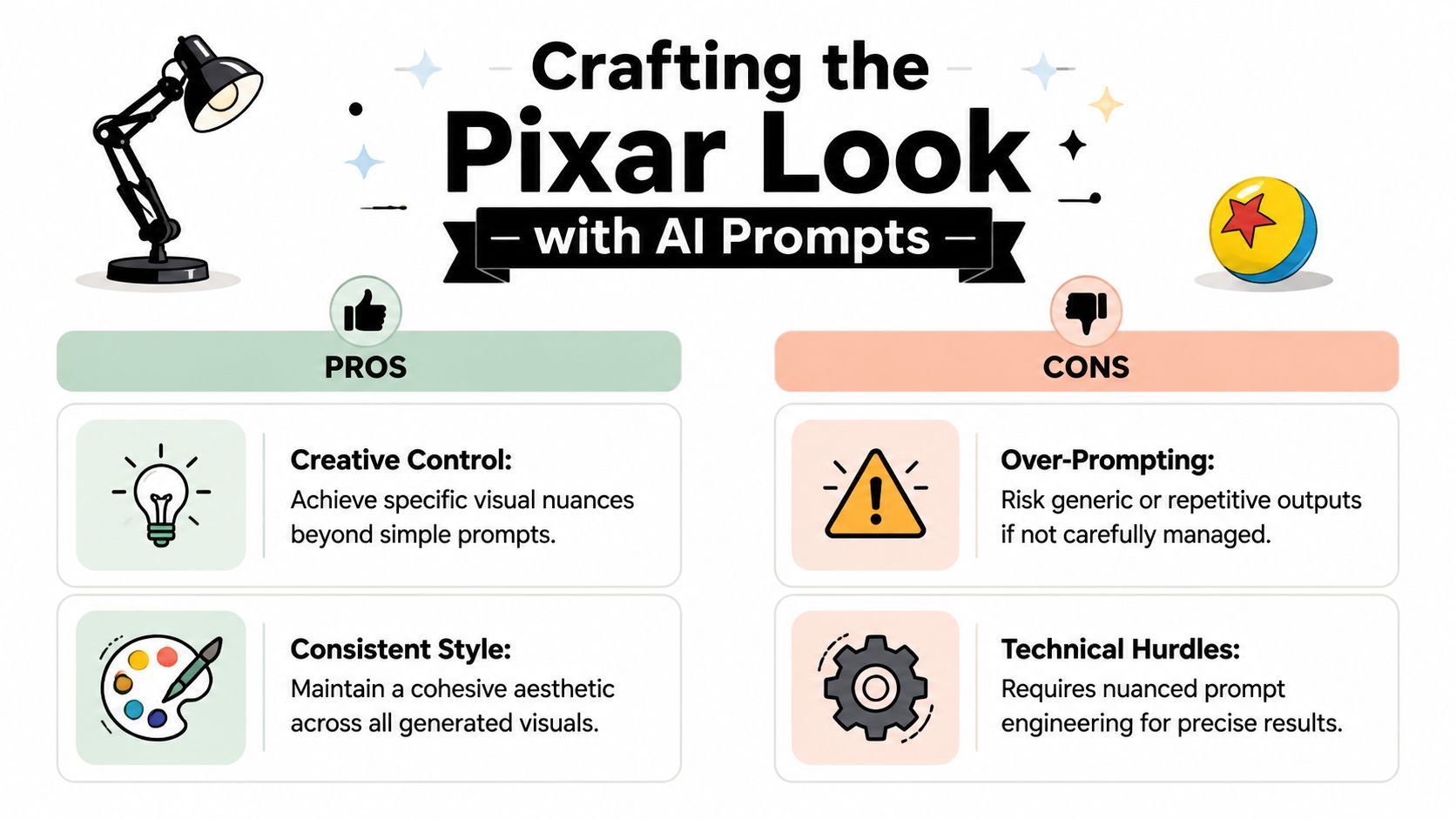
Crafting the Pixar Look with AI Prompts
You write a strong short script, generate your first frame, and get a polished image that still feels wrong. The character is cute, the lighting is pretty, and none of it belongs to the same film you had in mind. That usually happens because the prompt is chasing a studio name instead of a visual system.
The fix is production thinking. Break the look into parts the model can reproduce across many shots.
Prompt for visual properties, not brand identity
Use prompt language that describes what the audience sees on screen.
Good visual controls include:
- Soft volumetric lighting for depth and atmosphere
- Subsurface scattering for skin, ears, and other light-transmitting surfaces
- Warm saturated color for inviting family-film energy
- Cinematic depth of field to separate subject and background
- Expressive large eyes with clean catchlights
- Rounded shape language for clarity and warmth
- Tactile surface detail so props feel handled, not synthetic
- Clear posing so emotion reads before dialogue starts
Restraint matters here. If you stack every nice-sounding descriptor into one prompt, the model will average them into generic polish. Start with the subject, action, and emotional tone. Add camera and lighting choices next. Finish with the two or three consistency cues that define your film.
A prompt structure that holds up in production usually looks like this:
| Prompt layer | Example |
|---|---|
| Subject | curious young inventor holding a broken lantern |
| Environment | cozy cluttered attic workshop at dusk |
| Style cues | warm saturated colors, soft volumetric light, rounded stylized forms |
| Camera | medium close-up, slight low angle, cinematic depth of field |
| Material detail | brushed metal, worn wood, subtle fabric weave |
| Expression and pose | hopeful but nervous, shoulders tucked, eyes focused on the lantern |
That order matters. Subject and action carry the frame. Style supports them.
Build a mini style bible before you generate volume
A single hero image proves very little. A short film needs repeatability.
Lock a few choices early and reuse the same wording every time:
- Color direction, such as warm interiors and cooler exterior nights
- Lens preference, such as intimate close character framing with gentle background blur
- Character proportions, including head size, hand size, silhouette, and eye shape
- Texture rules, so wood, fabric, metal, and skin all belong to one world
- Lighting behavior, including how morning light, sunset, and indoor practicals should behave
Then pressure-test the design. Generate the same character in front view, profile, three-quarter, full body, seated, running, surprised, and sad. I do this early because weak designs fail fast under variation. If the face only works in one flattering angle, fix the design now instead of fighting continuity later.
If a character only works as a poster frame, it is not ready for a film.
Teams trying to keep prompts, reference frames, and scene planning organized in one place can use an AI animation workflow hub to reduce drift between development and production.
Use AI as part of a controlled pipeline
Pixar's published AI work points in the same direction. Researchers at Disney Research, Pixar, and UCSB described a denoising system trained on frame examples from Finding Dory to approximate cleaner renders with less computation, as described by Disney Research on denoising. The useful lesson is simple. AI works best when it supports a structured visual process.
That is the right posture here, especially if you plan to publish responsibly. Chasing “the Pixar look” as a brand imitation usually gives weaker prompts and creates avoidable legal and ethical problems. Defining your own stylized family-animation language gives you more control, more consistency, and a safer path once you reach release.
Common failure patterns
The mistakes are predictable.
- Over-prompting. Too many adjectives flatten the image into visual mush.
- Style drift. Each frame looks polished alone but comes from a different movie.
- Surface detail without appeal. The render is sharp, but the silhouette and facial read are weak.
- Background-first generation. The set gets all the love while the face, hands, and pose stay generic.
Use a simple review test. Put three frames from different moments side by side. Squint. If they do not read as the same world in one second, tighten your style bible, shorten your prompts, and regenerate before you build more assets on top of bad foundations.
Bringing Static Images to Life with AI Motion
Projects either become a film or stay a mood board; motion introduces continuity problems fast. Hands change shape, costumes mutate, props disappear, and camera movement turns awkward if you haven't planned your shots.
Think in shots, not scenes
Don't type “animate my movie.” Break the sequence into beats that can survive generation.
A reliable workflow looks like this:
- Choose a keyframe that clearly states the emotion and staging.
- Assign one camera action such as pan, push-in, tilt, or arc.
- Limit character movement to one dominant action.
- Generate a short clip.
- Review for deformation and drift before creating alternates.
That shot-first approach matters because motion models still struggle when asked to handle too many variables at once. You'll get better output from “slow push-in as she grips the lantern and looks down” than from “she runs across the room, cries, turns, laughs, and jumps into frame.”
Camera language does the heavy lifting
A lot of AI animation looks cheap because the camera floats with no intention. Give it grammar.
Use prompts like:
- Gentle pan left when revealing space or a second subject
- Slow push-in when the character reaches an emotional realization
- Subtle arc shot when you want dimensionality around a face or object
- Locked medium shot for dialogue clarity
- Dolly back when the character feels isolated or defeated
Here's the practical trade-off. More motion isn't automatically more cinematic. Controlled motion is cinematic. If the character is already emotional, keep the camera simple.
The camera should support the beat, not compete with it.
There's also a scale lesson here. Pixar's production for a film like Elemental reportedly relied on roughly 150,000 cores to process the film's visual data, according to reporting summarized in Machine Learning Times on Pixar's compute-heavy pipeline. Independent creators don't have that infrastructure, which is exactly why AI-assisted motion and rendering shortcuts matter so much in smaller pipelines.
Assemble motion in passes
Don't try to perfect every clip before editing. Build rough continuity first.
A useful pass order:
| Pass | What you're judging |
|---|---|
| Story pass | Does the sequence make sense with no sound |
| Motion pass | Are camera moves readable and motivated |
| Consistency pass | Do costume, props, and faces stay stable |
| Cleanup pass | Which clips need regeneration, trimming, or cover shots |
After your first assembly, add inserts. Hands tightening around a prop. A close-up of an object. A reaction shot. Those small cuts hide defects and improve rhythm.
A short example helps. If the lead discovers a broken machine, don't animate the entire emotional turn in one clip. Cut it into: wide discovery, close-up on the machine, reaction close-up, tentative hand reaching, then a push-in on the face. AI tools handle those fragments better, and the final edit feels more intentional.
Here's a good reference for how motion language can shape short-form sequences:
Know when to stop regenerating
Junior teams lose days chasing a perfect take from a model that won't produce one. If the shot communicates the story and holds together for the duration you need, move on.
Use edits to solve what generation can't. Trim early. Cut away before a hand breaks. Replace a wide shot with a closer shot if the background keeps mutating. Production isn't about proving the model can do everything. It's about finishing the film.
Casting Your Characters with AI Voiceovers
Bad voice work kills good animation faster than imperfect visuals. Audiences forgive stylization. They don't forgive flat line reads.
Cast by function, not novelty
Pick voices the way a casting director thinks about roles. Ask what the character needs to do in the story.
A lead usually needs one or more of these traits:
- Warmth if the audience needs to trust them quickly
- Texture if the character has lived experience or emotional weight
- Rhythm if the script depends on comic timing
- Restraint if the visuals carry most of the emotion
Don't choose the most expressive voice in the library by default. Choose the one that still sounds believable on quiet lines. Most shorts need intimacy more than theatricality.
Direct the performance on the page
AI voice systems respond surprisingly well to clean writing and line shaping. Punctuation matters. Line breaks matter. Shorter sentences usually perform better than tangled ones.
Try this approach when a line isn't landing:
- Shorten the thought. One emotional beat per sentence.
- Add a pause with punctuation where the character would hesitate.
- Rewrite for speech. If you wouldn't say it out loud, the voice model won't sell it.
- Swap abstract words for concrete ones. “I failed” often lands better than “I disappointed everyone.”
For a nervous line, “I can do this. I think.” usually performs better than a long explanatory sentence. For tenderness, softer consonants and simpler phrasing often help.
Read every line out loud before you synthesize it. If you stumble, the model probably will too.
Build the soundtrack around the voice
Voice comes first. Music supports it. Sound effects clarify action.
A clean order is:
- Finalize dialogue
- Trim the visual edit to the performance
- Add room tone or ambient bed
- Place effects on visible actions
- Bring in music last and keep it out of the way
Avoid wall-to-wall music. Silence and light ambience often make a short feel more intentional. If your character is handling a small object, one precise sound effect can do more than a full cue.
Export with options
Render at least two voice versions for key scenes if the tool allows it. One slightly more restrained, one slightly more emotional. In the edit, the quieter take often wins.
Also keep clean naming. Character_scene_take_emotion. It sounds boring, but once your project grows past a few files, basic organization saves you from accidental mix-ups and duplicate exports.
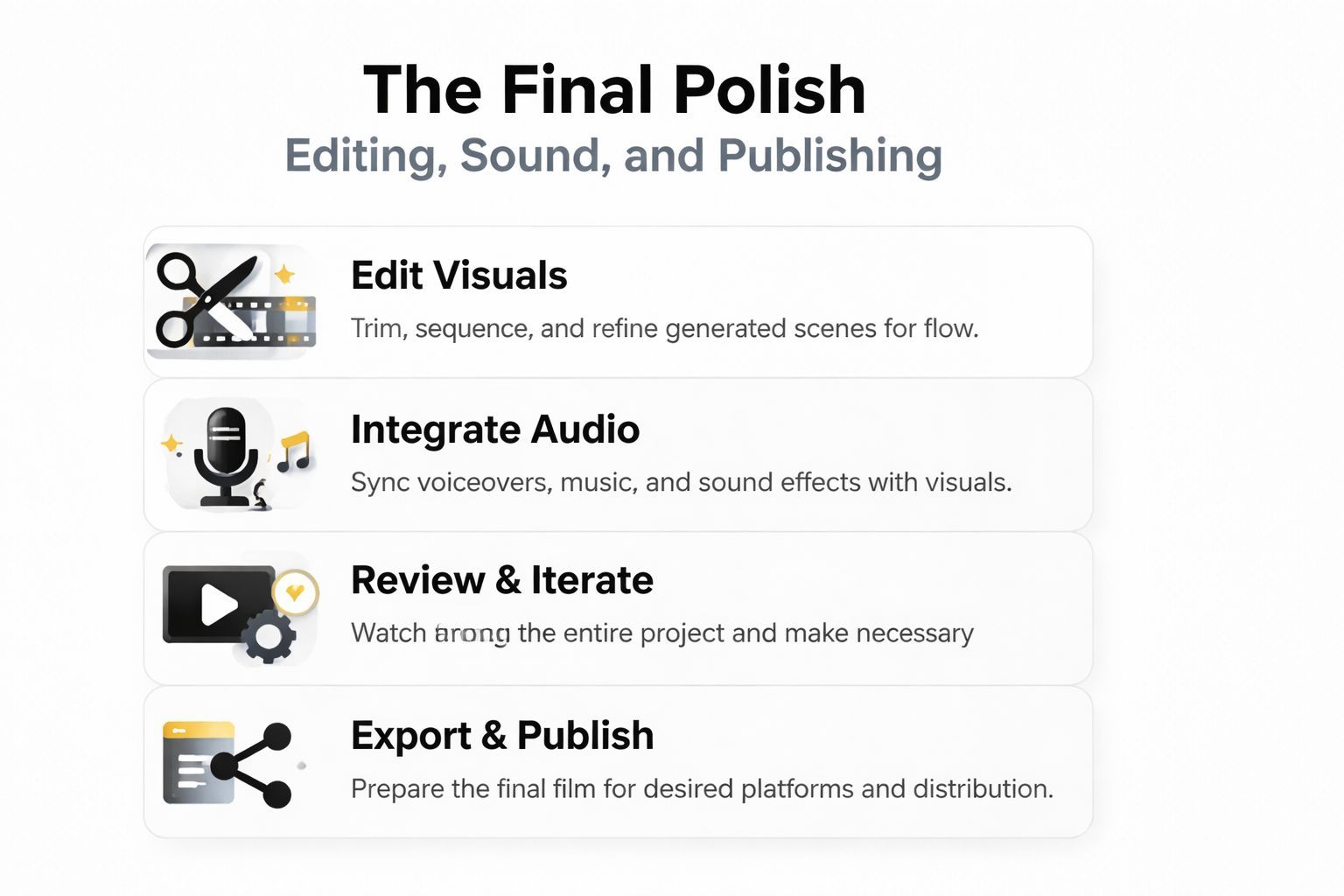
The Final Polish Editing Sound and Publishing
At this point, the short earns its finish. You already have the raw ingredients. The last stretch is about control.
Edit for rhythm first
The first cut should answer one question. Does the emotional progression read without explanation?
Start by trimming the heads and tails of clips. AI generations often include a moment of visual settling at the beginning and drift at the end. Remove both aggressively. Then check whether each shot enters late enough and exits early enough.
A useful rhythm check:
- If the point is surprise, cut earlier.
- If the point is emotion, hold longer on the reaction.
- If the point is information, simplify the frame or add an insert.
- If the point is comedy, test the pause before the reveal.
Many creators drag scenes because they're proud of the image. Editing doesn't reward that instinct. Keep what serves the beat.
Layer sound with discipline
Once the picture cut works, rebuild the scene with audio.
Use three layers:
| Audio layer | Job |
|---|---|
| Dialogue | Carries story and emotion |
| Effects | Makes actions feel physical |
| Music | Shapes mood and momentum |
If something feels muddy, lower or remove music first. Dialogue clarity should win every time. Also watch for competing frequencies between narration and score. A gentle arrangement usually supports animation better than a dense one.
For teams trying to streamline video workflow with AI, it helps to think of post-production as a decision funnel. Fewer tracks, cleaner clip naming, and tighter version control make the final pass much easier.
Captions and platform fit
Short-form platforms reward clarity fast. Add captions even if your piece is dialogue-light. They improve comprehension, and they help when viewers watch muted.
Keep captions readable:
- Use short phrase chunks rather than full dense sentences
- Time them to speech, not arbitrary intervals
- Avoid covering the mouth or key action
- Use consistent styling across the whole short
If you're publishing the same project across multiple platforms, resize intentionally instead of letting the crop happen automatically. Reframe key shots for vertical if that's your primary channel. The centered composition that works in widescreen often feels cramped on mobile.
Your export settings should follow where the audience will actually watch, not where the timeline looked prettiest.
Use a pre-publish checklist
Before you export, run through this list:
- Visual continuity. Faces, wardrobe, props, and lighting feel consistent enough from shot to shot.
- Audio balance. Dialogue is always intelligible, and music never buries the line.
- Caption accuracy. Spelling, timing, and line breaks have been checked manually.
- Opening seconds. The first moments create immediate curiosity or emotion.
- Ending frame. The final image feels intentional and not like a random cutoff.
- Metadata and description. Your title and caption describe the story without leaning on another studio's brand.
That last point matters more than most creators realize.
The Smart Creator's Guide to Copyright and Style
A lot of people assume “in the style of Pixar” is harmless shorthand. That assumption is risky.
The legal sensitivity around AI style mimicry is high. Reported coverage of a Disney-linked OpenAI film effort says it was shut down, underscoring how commercially sensitive character and studio-rights issues remain even with major licensing deals, as described in Futurism's reporting on the project's collapse. If major players can run into uncertainty here, smaller creators shouldn't treat style mimicry as casual.
Inspiration is not the same as imitation
Take the useful parts of the reference. Leave the protected identity.
Safer inspiration usually means borrowing broad creative traits like:
- Emotional clarity
- Appealing character shapes
- Warm lighting
- Family-friendly storytelling
- Expressive animation timing
Riskier imitation usually means getting close to:
- Specific character designs
- Recognizable costume patterns
- Famous world-building elements
- Studio names in the title, thumbnail, or product copy
- Prompts aimed at reproducing a brand signature rather than building your own
The test I use is simple. If a viewer's first reaction is “that's basically Pixar,” you haven't pushed far enough into your own voice.
Practical do's and don'ts
Here's the working standard I'd hand to any junior team:
| Do | Don't |
|---|---|
| Build an original script, cast, and world | Recreate known characters or near-copies |
| Use descriptive visual language | Use a studio name as your main creative crutch |
| Rename your aesthetic in your own terms | Market the project as official, endorsed, or affiliated |
| Keep records of your prompts and revisions | Assume “AI made it” removes responsibility |
This isn't legal advice. It's production common sense. The safest commercial path is to treat “AI Pixar movie” as a search phrase people use, not as the creative destination. Aim for heartfelt, stylized, family-friendly animation that stands on its own. That gives you a project you can publish, sell, and build on without living in someone else's shadow.
If you want one place to move from script to images to voice to final cut, ShortGenius (AI Video / AI Ad Generator) is built for exactly that kind of workflow. It helps creators turn rough concepts into publishable short-form video without juggling a dozen disconnected tools, which makes it easier to focus on story, consistency, and finishing the project responsibly.