How to Make an AI Movie Trailer That Feels Cinematic

Learn the secrets to crafting an AI movie trailer that captivates. Discover tools and techniques for cinematic results.
You've got the footage, the AI tool, and a deadline, but the first cut still feels like a string of pretty shots. The clips look cinematic in isolation, then the trailer lands flat because the hook is vague, the middle has no pressure, and the ending doesn't earn the title card. That gap is normal. An ai movie trailer isn't a generation problem first, it's an editing and story-structure problem first.
Why Most AI Movie Trailers Feel Empty
The first time many creators run a prompt through an AI video tool, the result looks expensive and sounds polished, but it doesn't behave like a trailer. The shots may be sharp, the lighting may be strong, and the pacing may feel energetic, yet the piece still plays like a montage. The reason is simple, trailers aren't just visual output, they're compressed storytelling with a job to do.
A trailer has to squeeze a feature-length narrative into roughly 60 to 180 seconds while keeping pacing, emotional beats, and commercial appeal intact, which makes it closer to an editing problem than a generation problem. That's why the field has moved from “extractive heuristics” toward generative methods that can choose and arrange shots for trailer-like storytelling, as described in the 2024 survey Generative AI for Video Trailer Synthesis and earlier work like EURECOM's Application to Movie Trailer Creation (EURECOM publication). The historical shift matters because the tool can't guess the story spine if the spine never got written.
What's missing when the cut feels hollow
Most empty AI trailers have one or more of the same flaws. The teaser reveals atmosphere but not conflict. The visual sequence escalates without a clear midpoint turn. The final card lands with no sense of payoff because the earlier shots never built one.
A trailer needs a protagonist, a problem, stakes, and some form of escalation. If those elements aren't planned before generation, the AI tends to fill the gaps with generic hero shots, dramatic clouds, and random close-ups. That's why creators often blame the model when the issue is that the brief didn't define what the audience should feel at each beat.
Practical rule: if you can't describe the trailer in three beats without mentioning the visuals, the cut will probably look expensive and still feel empty.
The fix is to stop treating the prompt as the creative center. Build the story skeleton first, then let the AI do the heavy lifting on execution. That workflow is what makes the trailer feel like it belongs in a campaign instead of a demo reel.
Planning the Trailer Like a Real Producer
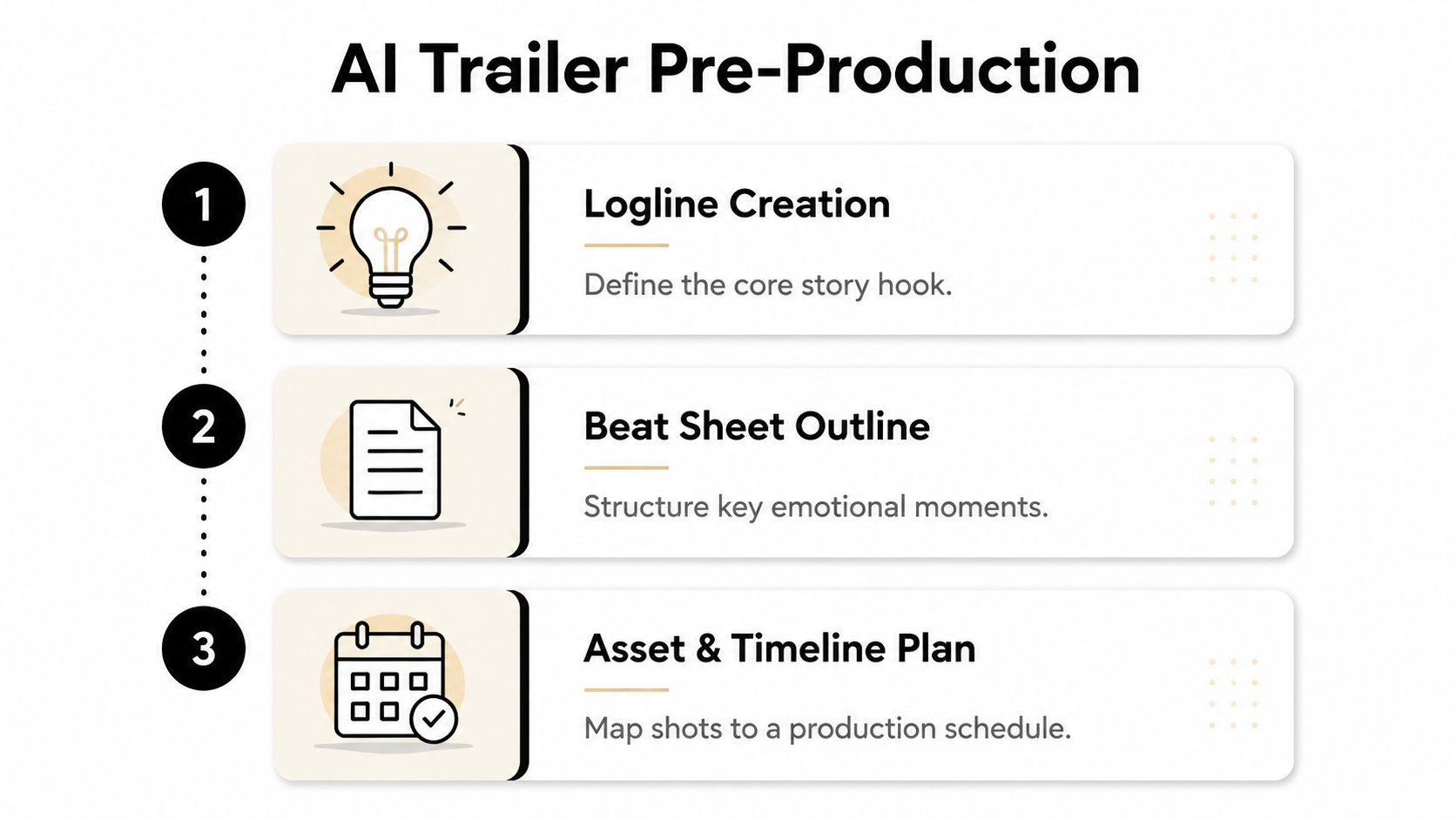
The best AI trailer work starts before you open any generator. A producer's brain has to touch the project first, because the trailer is a compressed pitch, not a random highlight reel. The cleanest starting point is a logline, then a beat sheet, then a shot list that describes camera language, not just subjects.
Start with a logline that carries conflict
A workable logline names the lead, the pressure, and the consequence. For a sci-fi short, that might be something like a maintenance pilot discovers the colony's emergency beacon is broadcasting from inside her own ship. That's not polished copy, but it gives you a core dilemma, a source of tension, and a visual anchor.
From there, shape the trailer into three acts. The first act introduces the hook and the world. The second act introduces the problem and deepens the stakes. The third act lands the reveal, title, or final image that leaves the viewer wanting more.
Use a beat sheet sized to the runtime
A tight trailer doesn't need many beats, it needs the right ones. For a short promo, map each beat to roughly 8 to 15 seconds so you don't overload the timeline with too many story turns. That spacing gives room for a hook, escalation, and tag without rushing the viewer past the emotional pivot.
A useful structure for a sci-fi pitch looks like this:
- Beat 1, Hook: The lead hears a signal from deep inside the ship.
- Beat 2, World: We see the colony, the ship, and the pressure of isolation.
- Beat 3, Problem: The signal is linked to a sealed compartment.
- Beat 4, Stakes: The lead realizes opening it could expose everyone.
- Beat 5, Tag: A final reveal, then title and release card.
That sheet becomes your guardrail. Every generated shot has to earn its place against one of those beats, or it goes in the bin.
Write the shot list in camera language
A shot list shouldn't just say “the ship interior” or “the hero running.” It should say wide shot, slow push-in, handheld corridor chase, silhouette against backlight, or insert of blinking console lights. That phrasing tells the generator, editor, and voice system what the trailer should feel like, not only what it should show.
The spoiler filter matters here. Reveal enough for a hook, but don't spend your best twist early just because the tool can render it.
A teaser-versus-trailer distinction also belongs in the brief. A teaser can trade on mood and mystery. A full trailer needs a clearer progression of cause and effect. If you define that before generation, every later choice gets easier.
Generating the Script and Shot Breakdown with AI
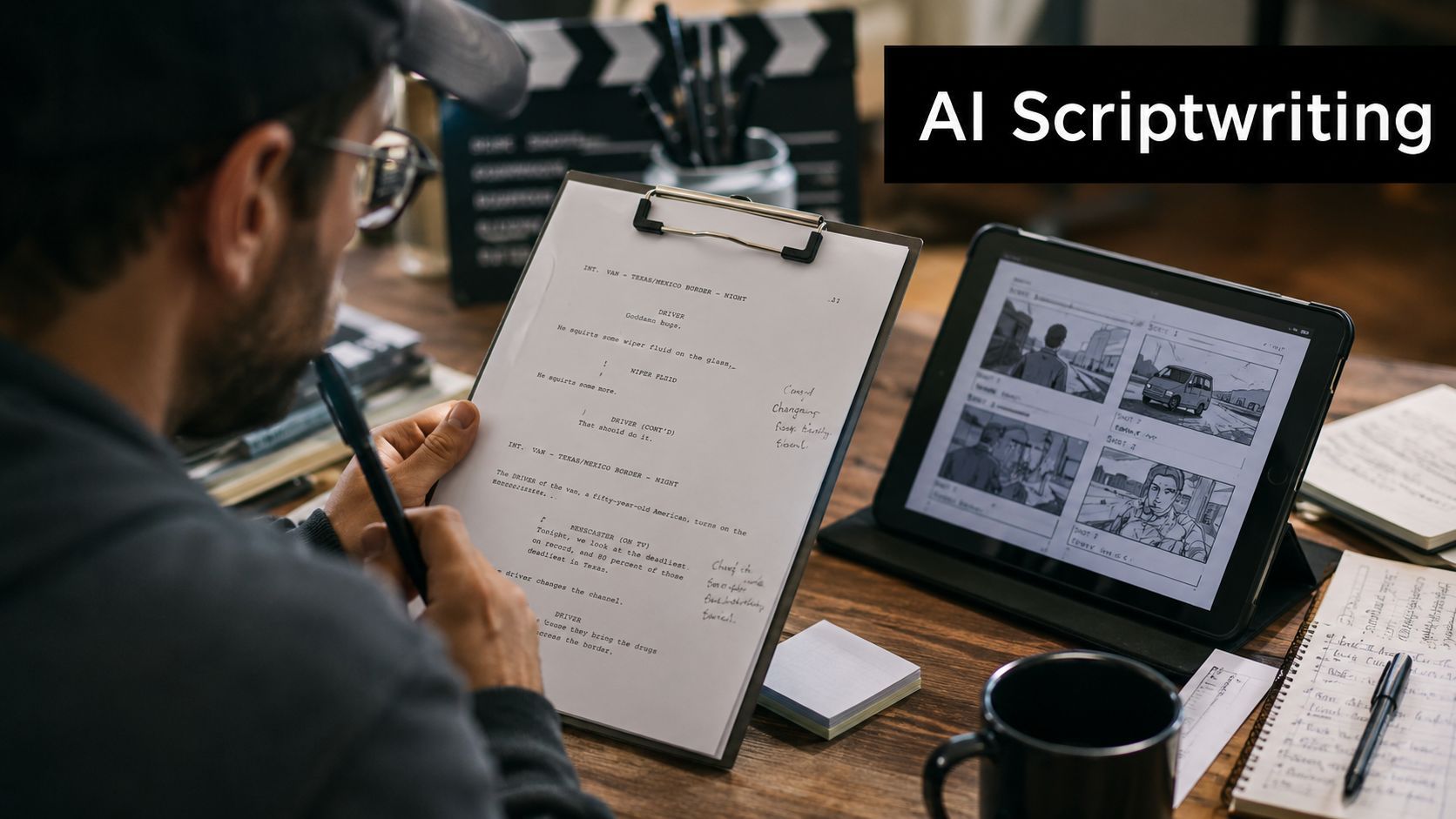
Once the brief is solid, AI becomes useful in a much more controlled way. The strongest outputs come from prompts that tell the system what shape the trailer should take, not just what topic it should cover. A flat prompt gets you generic copy. A structured brief gets you a script that can be edited.
The prompt needs constraints, not just vibe
A useful trailer prompt names the runtime, the act ratio, the voice tone, and the on-screen text behavior. It also separates dialogue from visual-only moments so downstream scene generation knows when to render faces, when to rely on text, and when to let the image carry the beat.
A weak prompt sounds like this, “write an epic sci-fi trailer with dramatic visuals.” A stronger version says, “Write a 75-second trailer for a tense sci-fi short. Use a 15-second hook, a 40-second escalation, and a 20-second ending. Keep the narration restrained, include three on-screen text cards, and avoid revealing the ending.” That second version gives the model a real job.
The best workflow is to generate a first pass, cut out anything redundant, then ask for a tighter revision that compresses language without losing the arc. The first pass is for discovery. The second pass is for editorial discipline.
If you want a broader breakdown of how text becomes finished video assets, the resource on short-form video creation from script is a useful companion because it reinforces the same handoff between writing and assembly.
Format the output for the editor
The script should end up looking like a production document, not a paragraph of marketing copy. I like to break it into act labels, scene descriptions, voice lines, and text-card notes. That makes it easy to swap one line without breaking the timing of the rest of the trailer.
A simple scene breakdown might include:
- Act I, Hook. One sharp line of narration, one visual reveal, one text card.
- Act II, Pressure. Two faster visual beats, shorter lines, higher intensity.
- Act III, Tag. A final image, title, and release card with breathing room.
You can build that structure inside ShortGenius (AI Video / AI Ad Generator) when you need script generation, scene assembly, voiceover, and edit controls in one place, but the primary gain still comes from the brief. The tool helps execute the structure. It doesn't invent the structure for you.
Generating Cinematic Scenes and Visuals
The trailer begins to earn its look, but consistency matters more than spectacle. Twenty striking shots that don't belong to the same world will still cut like fragments. A few disciplined choices about look, framing, and generation mode usually beat a dozen flashy one-offs.
Lock the visual language early
Before generating scenes, define a lookbook. Fix the palette, the lens feel, the level of realism, and the character descriptions you'll reuse across prompts. If the protagonist has a scar, a jacket, or a specific silhouette, repeat that language exactly so the model has fewer chances to drift.
Camera language matters just as much. Use terms like push-in, slow pan, locked-off wide, and over-the-shoulder so the shots arrive with editing logic already embedded. That's the difference between a pile of visuals and a sequence that moves.
Choose the right generation mode for the shot
Text-to-video is useful when the shot is conceptual and you don't have source footage. Image-to-video is better when you already have a frame, a storyboard panel, or a reference still that needs motion. The more specific the narrative beat, the more helpful the reference becomes.
The technical literature backs up that control-first approach. Earlier trailer systems leaned on raw optical flow vector sums per second, audio loudness amplitude per second, face detection, and face recognition to find exciting moments, but those signals can miss narrative importance and genre-specific beats (TechXplore on automated movie trailers). More recent approaches combine multimodal shot representations with screenplay text because action density alone doesn't reliably predict trailer-worthy highlights.
A practical scene-generation checklist keeps the cut coherent:
- Reuse character language: Keep names, wardrobe, and physical traits identical across prompts.
- Fix aspect ratio first: Decide whether the master is horizontal, square, or vertical before you generate.
- Match light across scenes: If the trailer opens cold and metallic, don't let the second shot turn warm without reason.
- Generate alternates: Ask for a few variants of key beats so the editor can choose the best motion and composition.
ShortGenius helps here because it includes presets for camera movement, scroll stoppers, and surreal effects, which speeds experimentation without forcing every shot into the same style. Use the presets to push motion, not to replace art direction.
Voiceover Casting and Sound Design
Sound is where many AI trailers fail. A visually decent cut can still feel cheap if the narration is flat, the music ramps too early, or the final beat doesn't land with a sonic marker. Trailer audio should be directed like performance, not treated like a background utility.
Cast the voice by act, not by habit
One voice rarely serves every part of a trailer equally well. A teaser often needs restraint, almost a whisper of authority. The middle can tolerate more urgency. The title card usually needs a sharper, more declarative register.
That doesn't mean changing voices for the sake of novelty. It means matching tone to narrative function. If the first act is mystery, the voice should leave room for curiosity. If the second act is threat, the cadence can tighten. If the ending is a reveal, the voice should step back and let the image breathe.
Direct TTS like a human session
Text-to-speech gets better when you annotate the script the way you would guide a narrator in the booth. Mark pauses, emphasize key nouns, and trim filler that makes the line sound robotic. Short commands often help more than long instructions.
Use breath marks where a human voice would reset. If a line needs tension, shorten it. If a reveal needs weight, let it land.
Sound design should sit underneath the voice, not fight it. Build the bed with score, ambient texture, and hit-stops that punctuate transitions. A recurring sonic motif at the tag helps the trailer feel intentional when the final title card appears.
ShortGenius handles voice generation, caption timing, and assembly in the same workflow, so you can swap narration versions quickly when a line feels too stiff. That speed matters because voice is usually the first thing I change after a rough internal review.
Assembly, Editing, and Platform Optimization
A trailer can look finished and still fail in the cut. The final assembly pass should treat editing and distribution as one decision, because a cut that works in a horizontal player can fall flat in a vertical feed. The goal is a master version that can branch into platform-specific cuts without rebuilding the project from scratch.
Cut the master first, then branch it
Start with the strongest version of the trailer in its core format. Build that cut around the story beats, then adapt it for other placements. Vertical, square, and 16:9 versions can all come from the same master if the framing was planned early and the key action stays inside safe zones.
Captions need to follow the voiceover cadence, not just the words. If narration pauses for a beat, let the caption hold that beat too. If a reveal lands in the middle of a line, the typography should support the motion instead of crowding it. That small timing choice often separates a trailer that feels edited from one that feels pasted together.
The biggest practical mistake is treating every platform like a separate edit. TikTok usually wants a faster hook and more aggressive on-screen text. YouTube can hold a little longer before the reveal. Instagram and Facebook usually reward cleaner framing and simpler captions. X can work for sharper, more compressed cutdowns.
| Platform | Ideal runtime | Aspect ratio | Hook window | Caption style |
|---|---|---|---|---|
| TikTok | Short cutdown | Vertical | Immediate | Bold, compact, high contrast |
| YouTube | Longer cutdown | 16:9 | Early but paced | Clear, readable, timed to narration |
| Short cutdown | Square or vertical | Very fast | Minimal, branded, mobile-friendly | |
| Short cutdown | Square or vertical | Fast | Simple, legible, easy to scan | |
| X | Very short cutdown | Square or vertical | Immediate | Punchy, text-light |
The editor should also be ready to swap a weak scene or voice line fast. That is where a unified system matters. ShortGenius keeps trim, resize, captions, scene swaps, and voice swaps in one place, so the trailer can be tuned without rebuilding the whole timeline. I use that kind of workflow when a rough cut needs one more pass before it can survive outside the edit bay.
Distribution, Scheduling, and Honest Disclosure
A trailer can still miss the mark if distribution is handled casually. The release needs a plan, the channel needs consistency, and the packaging needs to be honest enough that viewers do not feel tricked when they click. That matters even more now because synthetic trailers are becoming a real YouTube problem, not just a creative novelty (Deadline on fake movie trailers).
Schedule like a channel, not a one-off post
The strongest trailers usually live inside a themed series instead of a random upload pattern. Keep the title style, thumbnail language, and posting rhythm consistent so the audience learns what to expect. If the trailer belongs to a concept pitch, a proof-of-concept series, or a fan-made world, say that clearly in the surrounding post copy.
ShortGenius can schedule across TikTok, YouTube, Instagram, Facebook, and X, which makes it easier to keep the rollout coordinated instead of posting each version by hand. That kind of consistency helps the trailer feel like part of a campaign rather than an isolated experiment.
Disclose the AI work without flattening the pitch
Viewers usually do not object to AI assistance itself. They object to confusion. If the trailer is AI-assisted, say so in a way that protects the work's intent and provenance. Clear labeling helps avoid the backlash that comes from packaging a concept as if it were a studio release.
That matters especially when the trailer mirrors a recognizable studio style or familiar IP. If it is a concept, say it is a concept. If it is fan-made, say it is fan-made. If it is a pitch asset, say that too. Honest framing does not weaken the piece, it keeps the audience from feeling misled.
Release-day checklist: verify the cut, confirm the thumbnail, publish the disclosure line, schedule follow-up posts, and watch which hook gets the cleanest response.
The trailers that build an audience usually do two things well. They tell a coherent story fast, and they do not hide what they are. That combination earns more trust than a slick fake ever will.
If you are building an AI-assisted trailer pipeline and want the writing, scene generation, voiceover, editing, and scheduling to stay in one place, try ShortGenius (AI Video / AI Ad Generator). It is built to turn a trailer brief into script, visuals, captions, and platform-ready cuts without making you stitch five tools together.