AI Motion Graphics: A Creator's Guide for 2026

Learn what AI motion graphics are and how to create them. Our 2026 guide covers workflows, tools, and how to scale your video content pipeline.
You've probably had this moment. A campaign needs three cutdowns, the designer is buried, the editor is waiting on feedback, and the social team wants something that works on Reels, Shorts, and TikTok without a separate rebuild for each channel. That's where AI motion graphics stops being a flashy experiment and starts looking like a practical production tool.
The category is scaling fast. The generative AI in animation market was valued at US$2.1 billion in 2024 and is projected to reach US$15.9 billion by 2030, with a 39.8% CAGR (Global Newswire report). That kind of growth tells you something important, AI-assisted motion creation is moving from novelty to creative infrastructure.
What Are AI Motion Graphics Anyway
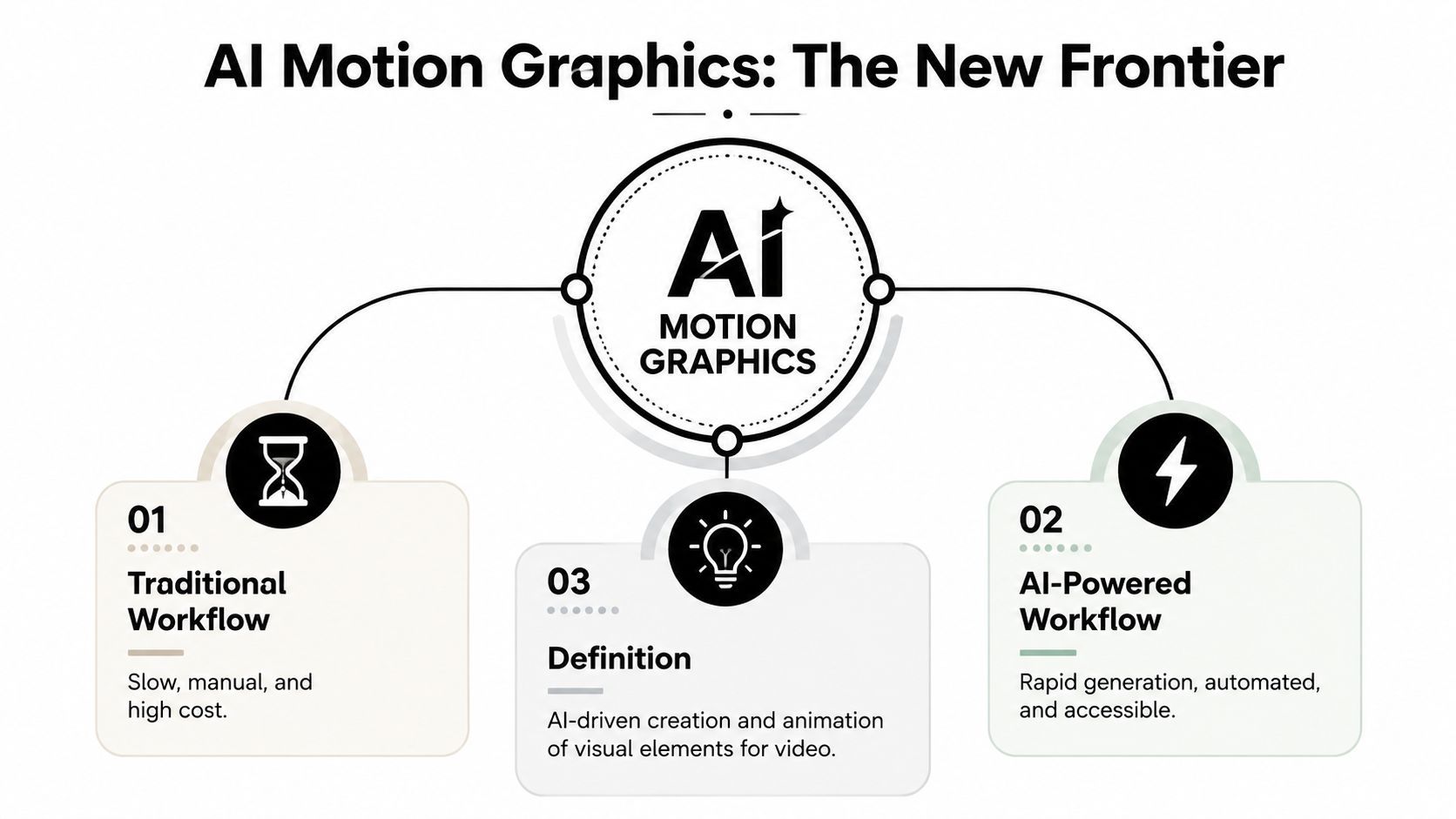
A campaign brief lands, the channel list keeps growing, and the team still needs motion that feels on-brand across social formats. Traditional motion graphics can handle that work, but the process is slow, with scene building, layer animation, timing adjustments, rendering, revisions, and more rendering. AI motion graphics changes the first pass by making it faster to generate, test, and reshape moving visuals.
AI motion graphics means using generative models and automation tools to create, animate, or enhance moving visuals from prompts, images, or existing video. It works like a fast draft table for a creative team. The system can sketch backgrounds, propose motion paths, generate variations, and take care of repetitive tasks while people decide what fits the brand.
A simple way to think about it
Traditional motion graphics is like building a set by hand, plank by plank. AI motion graphics starts from a rough stage model, then uses motion, lighting, and styling choices to move toward a finished look.
That shift does not remove taste from the process. It shortens the gap between an idea and a usable visual draft. For marketers, that can mean moving from a concept that lives in a deck to a version the team can test on social channels.
Practical rule: use AI for speed, variation, and repetitive motion tasks, then use human judgment for brand fit, pacing, and final polish.
A useful way to separate the work is by stage. AI can help with early exploration, variant generation, and format adaptation, while humans handle art direction, message clarity, and the final quality check. That makes the bottleneck less about starting from zero and more about getting content ready for distribution across Reels, Shorts, TikTok, and other feeds. Platforms such as ShortGenius are built around that distribution-ready workflow, which matters more as teams try to produce at volume without rebuilding every asset by hand.
The Core Technologies Behind the Magic
Different tools look magical from the outside, but the engine underneath usually comes from a few core model families. You don't need to become an engineer to use them well. You do need a working mental model so you know what each tool is good at and where it's weak.
Diffusion, transformers, and GANs in plain English
A diffusion model is like a sculptor starting with noisy digital clay and gradually carving out an image or a frame sequence. It's a good mental model for generative visuals because the system doesn't “think” in one shot, it refines toward a result.
A transformer is closer to a very fast pattern reader. It's strong at understanding relationships, such as how a prompt, a scene, and a style should connect. That makes it useful for prompt interpretation, scene planning, and text-heavy workflows.
A GAN works more like a contest between two systems, one generates and one critiques. The result can be sharp visuals, but for motion work today, most creators care more about how the tool handles consistency across frames than about the architecture name itself.
The main motion types you'll run into
There are three common ways AI motion graphics gets created:
- Text to video, where you describe the scene and the model creates motion from scratch.
- Image to video, where a still asset gets animated with camera movement or object motion.
- Video to video, where the model restyles, enhances, or adapts existing footage.
Each one solves a different problem. Text to video is good for concepting. Image to video is useful when you already have brand assets, product shots, or illustrations. Video to video helps when you want a new look without losing the structure of the original clip.
When a team says “the AI output looks weird,” the problem is often not the model alone. It's usually the wrong input type for the job.
That's why prompt writing matters, but so does source material. A strong prompt can guide a model, yet the best results usually come from matching the right input format to the creative goal. A still product image, for example, is often easier to animate cleanly than asking a model to invent every detail from scratch.
A Practical AI Motion Graphics Workflow
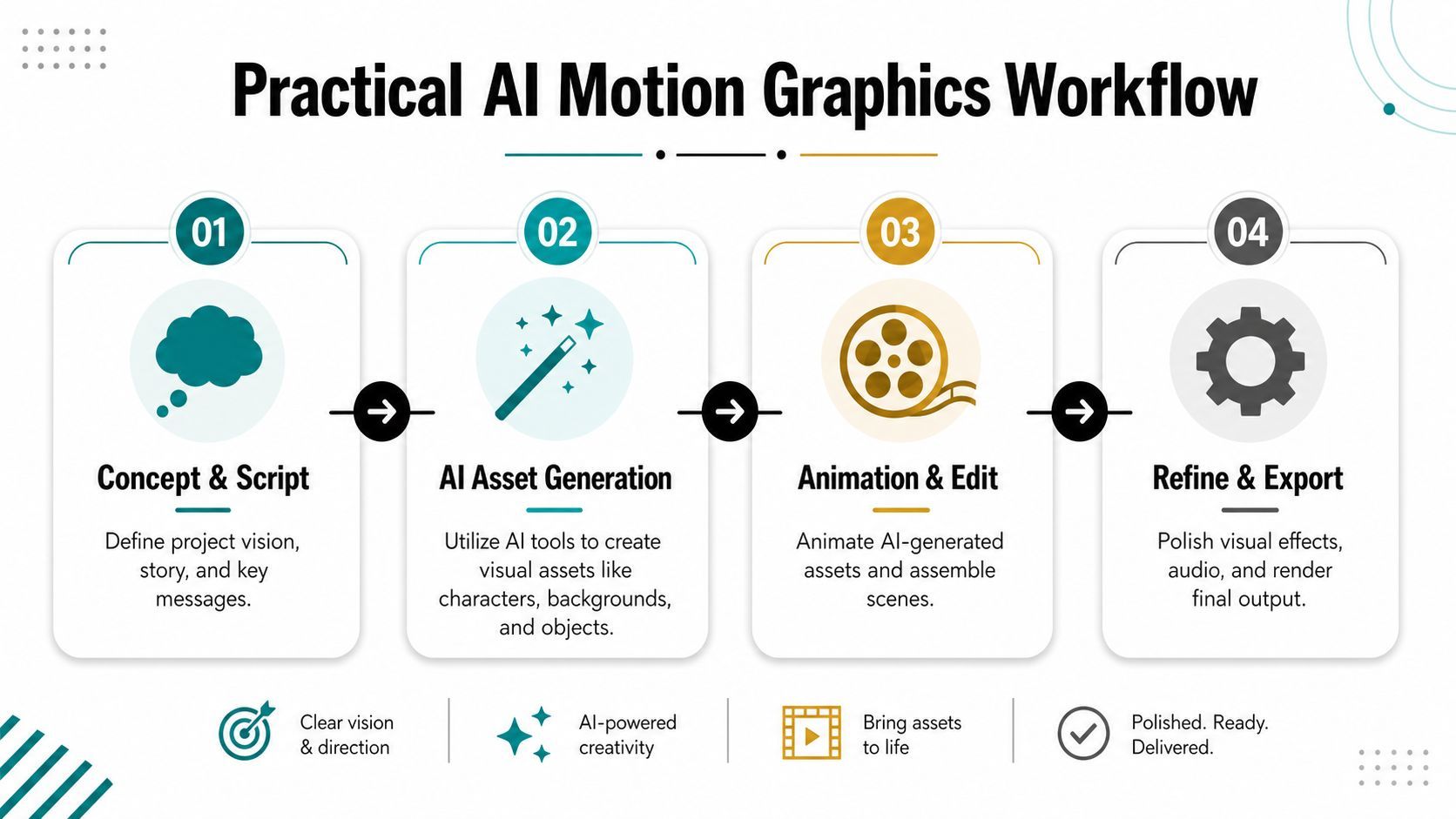
A workable process starts with a clear job for the video. A clip meant to pitch a product needs a different structure from one meant to teach, and both need a different pace from a piece built to fill a social calendar. Once that decision is set, the rest of the workflow becomes easier to control.
Stage 1 concept and script
Use AI to draft hooks, outlines, and short scripts. That is where it helps most, because it clears away the blank-page problem and gives the team something concrete to react to. A strong script still needs a point of view, a clear audience, and a reason to keep watching.
Stage 2 asset generation
Create the building blocks, such as backgrounds, characters, icons, product scenes, or abstract textures. At this stage, the goal is to gather raw material, not to finish the piece. If your team already has brand assets, AI can extend them instead of replacing them, which keeps the visual language familiar.
Stage 3 animation and assembly
Motion enters the workflow here. You can animate still images, generate scene transitions, add subtle camera movement, or build sequences from several AI-assisted clips. The aim is not to make every frame autonomous. The aim is to make movement feel intentional and easy to follow.
Stage 4 voice and sound
AI voice tools can draft narration, and sound tools can fill out the rough mix. For marketing teams, timing matters here because the same visual can feel flat without audio support and more convincing once voiceover and sound cues are in place. The reverse can happen too, a track that sounds polished can still clash with the pacing of the edit.
Stage 5 refine and export
Final polish is still human work. You check brand colors, safe margins, captions, pacing, and delivery formats. That last step matters because a strong edit can still miss the mark if it does not fit the platform it will be posted on.
The easiest way to understand this workflow is as a production line with a human quality gate at the end. That is also why tools like ShortGenius fit into team setups, they bring scripting, asset creation, editing, and publishing support into one workflow so repeated tasks do not consume the week. For teams comparing options, the top AI tools for creators in 2026 can help frame what each part of the stack is meant to do.
The creator's role shifts with it. Instead of handling every manual step, the team becomes a director of inputs, outputs, and final approval. That is a more scalable role, especially when content needs to ship consistently across channels.
Crafting Prompts for Stunning Visuals
Prompting gets easier when you stop thinking of it as “talking to AI” and start treating it like a brief. The model needs enough direction to make decisions, but not so much clutter that the important part gets lost. Good prompts are structured, specific, and visually grounded.
Use a repeatable formula
A simple framework is Subject + Action + Style + Composition + Technical Specs.
- Subject tells the model what the scene is about.
- Action tells it what is happening.
- Style sets the visual mood.
- Composition controls framing and focus.
- Technical specs define things like aspect ratio, pacing, or camera behavior.
A vague prompt says, “Create a modern animated ad.” A stronger prompt says, “A clean product bottle rotating slowly on a white background, soft studio lighting, minimal typography, centered composition, vertical format, smooth camera push-in.” The second version gives the model something to work with.
Before and after examples
Minimalist
- Weak prompt, “Simple brand animation.”
- Better prompt, “Minimal black and white motion graphic, centered logo reveal, soft fade-in, generous negative space, calm pacing, vertical social format.”
Cinematic
- Weak prompt, “Make it look dramatic.”
- Better prompt, “A dark cinematic product reveal with moving light rays, shallow depth of field, slow orbit camera, reflective surface, high contrast lighting, widescreen composition.”
Retro
- Weak prompt, “Vintage animation.”
- Better prompt, “1980s-inspired motion graphic, neon palette, scanline texture, bold geometric shapes, analog TV feel, quick title bursts, square crop for social teaser.”
For teams that want to go deeper on structured prompting, the guide to context engineering from Sift AI is a useful companion because it shows how surrounding context affects output quality, not just the prompt itself.
Useful habit: write the prompt like a producer briefing an animator, not like a fan describing a vibe.
When people get inconsistent results, the problem is often incomplete context. The model may understand the style but not the usage, or it may understand the subject but not the framing. The more your prompt resembles a real creative brief, the more usable the output tends to be.
Comparing Common Tools and Approaches
The right tool depends on what problem you're trying to solve. Some teams need the highest possible visual fidelity. Others need a fast workflow that gets content out the door without a lot of coordination overhead. Those aren't the same requirement.
Three broad categories
All-in-one platforms work well when the priority is speed and coordination. They're built to move from concept to export without bouncing between too many tools, which is helpful for marketing teams that ship often and need repeatable output.
Standalone generative models are strong when the goal is raw creation quality. Tools like Sora or Veo can produce impressive motion, but they usually sit inside a wider process that still needs editing, formatting, and distribution handled somewhere else.
Plugins inside existing software fit teams already living in Adobe After Effects or similar environments. They preserve familiar workflows, but they usually don't solve the whole production problem on their own.
The technical ceiling still matters. According to Stanford HAI's 2026 AI Index technical performance report, motion effects remain the weakest aspect of most video generation models, and the top model, Veo 3, scored 66.7% on a key benchmark (Stanford HAI AI Index technical performance report). That's a reminder that even good models still need human review, especially when movement quality is part of the brand message.
How to choose based on your goal
- Need speed and publishing support? Choose an integrated platform.
- Need experimental visuals or premium-looking drafts? Use a dedicated generator.
- Need to keep your existing design stack? Stick with plugins and exports that drop into current software.
A practical way to research the ecosystem is to compare workflows instead of features alone. If you want a broader overview of the sector, the top AI tools for creators in 2026 roundup is a helpful place to see how different categories fit different content jobs.
The main mistake is choosing a tool for the demo instead of the pipeline. A gorgeous one-off clip doesn't help much if your team can't turn it into a branded, channel-ready asset quickly enough to keep up with demand.
Scaling Your Content with an AI-Powered Pipeline
A motion graphic only matters if it can move through the rest of the workflow. The primary bottleneck is often the handoff from “we made something interesting” to “we have a version that is ready for each channel, each format, and each review step.” That is why distribution-readiness has become the main constraint.
The work that slows teams down is usually repetitive, trimming, captions, resizing, brand-safe variants, and exports for different platforms. AI helps most when it handles those distribution tasks, because it removes the unglamorous steps that keep social teams from publishing at a steady pace (Vidu on AI motion graphics).
A pipeline beats a one-off clip
A sustainable system starts with a theme, not a single video. One concept can become a series, then channel-specific edits, then a reusable library of posts that fit future campaigns. That is much easier to maintain than treating every asset as a separate creative problem.
A platform like ShortGenius fits that model because it brings scriptwriting, image generation, video assembly, voiceover, trimming, resizing, captions, brand kit application, series organization, and scheduling into one flow. For teams, that means one idea can turn into several deliverables without rebuilding the process each time.
Where the efficiency actually comes from
The biggest gains usually come from the least glamorous steps. A team does not save time only by generating visuals faster. It saves time by reducing the handoffs between script, design, edit, review, and publish.
That is why social media automation matters in motion graphics. Short-form video rarely fails because the animation looked bad. It fails because the format was wrong, the caption safe zone was ignored, or the versioning process took too long. AI helps when it removes those friction points, not just when it creates a flashy opening frame.
Operational rule: if a clip cannot be resized, captioned, and published quickly, it is not really production-ready yet.
That is the shift worth paying attention to. AI motion graphics is becoming part of an end-to-end media system, where the output has to survive social publishing, channel formatting, and brand review.
The Future of AI Motion Graphics and Your Role in It
The next phase won't be defined only by better visuals. It'll be defined by trust, governance, and how safely teams can use AI in real client work. Coverage around AI motion tools points to a growing focus on originality, copyright risk, and transparency about AI involvement, with the market projected to reach nearly $3 billion by 2033 in one industry analysis (discussion of governance in AI motion graphics).
That's important for brands and agencies because the buying question is changing. Teams aren't asking only whether AI can animate. They're asking whether the workflow can be audited, labeled, and used responsibly in paid media, e-commerce, and campaign work.
What creators should focus on
- Originality: Don't let AI outputs drift into generic-looking assets that could belong to anyone.
- Disclosure: Be clear about where AI is involved when clients or audiences need that context.
- Bias review: Check whether generated imagery reinforces stereotypes or excludes real-world diversity.
- Brand safety: Make sure outputs match legal, visual, and messaging standards before they go live.
The role of the creative technologist is changing. The strongest people in this space won't just know how to make motion. They'll know how to direct a hybrid workflow, one that uses AI for acceleration and human judgment for accountability.
That's the skill set to build now. Not just faster animation, but better decisions about what gets automated, what gets edited by hand, and what should never leave human review.
If your team is trying to make more motion content without turning production into chaos, try building one repeatable pipeline this month. Start with a single content theme, generate one draft asset set, push it through a channel-ready edit, and see where the workflow breaks. If you want a system that brings scripting, asset creation, editing, and scheduling into one place, take a look at ShortGenius (AI Video / AI Ad Generator).