Ai Instagram Reel Maker

Learn how to use an ai instagram reel maker to ideate, script, create, edit, and publish scroll-stopping Reels with a fast, proven workflow.
You've got a content calendar, a folder of half-edited clips, and another Reel due before the day is over. The old process, shoot on a phone, trim in an app, add captions, resize, publish, repeat, starts to break as soon as you need consistent output across several channels.
An AI Instagram Reel maker can remove much of that repetitive work, but only if you treat it as a production system rather than a button that promises instant virality. The strongest workflow separates creative planning from media generation, then adds a human review loop for pacing, accessibility, originality, rights, and disclosure.
Why Creators Are Rebuilding Their Reel Workflow Around AI
A creator may begin with a simple idea for a short tutorial. By the time the Reel is ready, that idea has become a script, a shot list, several scene changes, captions, voiceover, music, a vertical crop, a cover, and platform-specific exports. The editing itself isn't always difficult. The problem is repeating it reliably while maintaining a recognizable voice.
Instagram's format has expanded significantly since its launch. Instagram introduced Reels on August 5, 2020, initially capping clips at 15 seconds, then increased the limit to 60 seconds in July 2021 and 90 seconds in June 2022. That history is documented in Instagram's announcement of Reels. Longer videos create more room for explanation, proof, storytelling, and product demonstrations, but they also create more decisions for the production team.
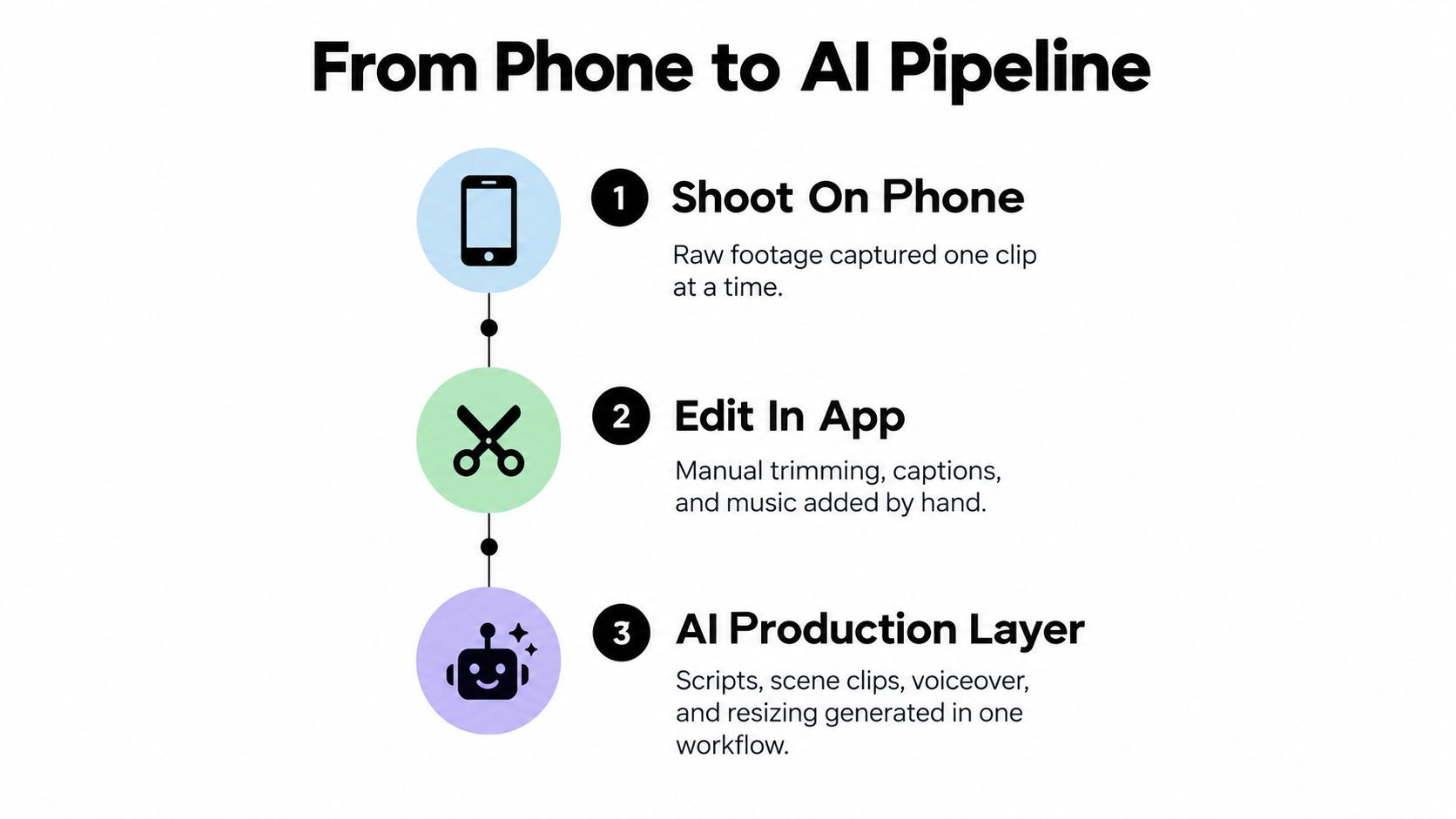
The production problem has changed
The old workflow assumes that every Reel is a small editing job. In practice, each video contains several connected jobs:
- Editorial planning: choose one audience, one promise, and one action.
- Media creation: produce footage, illustrations, B-roll, voiceover, music, and captions.
- Technical preparation: frame, encode, export, and check the final file.
- Distribution: publish, schedule, adapt, and compare results.
AI is useful because it can sit across those jobs. It can turn a concept into a structured script, suggest scenes, generate supporting visuals, create narration, resize a master, and produce alternate openings. It doesn't remove editorial responsibility. It moves the human's time toward the decisions that affect trust and retention.
That trade-off is already visible among creators. A survey conducted from August 1 through August 30, 2024 found that 83% of surveyed Instagram influencers had used AI tools for content creation, while 76% had used AI to generate images, videos, or captions, according to HypeAuditor's survey summary. The same survey found that 31% expressed concerns about AI content quality and 45% believed growing AI use could make it harder for human influencers to stand out.
Practical rule: Use AI to increase production capacity, not to outsource taste.
That distinction matters for faceless channels, educational brands, ecommerce teams, and creators who publish from a content library rather than a studio. Resources such as the Faceless Reels Ai project are useful for seeing how a no-face format can be treated as a repeatable production concept instead of a collection of disconnected templates.
The right question isn't whether AI can make a Reel. It can. The better question is whether your workflow can produce a Reel that sounds like you, shows something relevant, survives mobile viewing, and gives you evidence for the next version.
Building the Brief That Drives Every Other Step
The most expensive mistake in AI video production is rendering before the idea is specific. A vague prompt produces vague scenes, and every later correction becomes a new generation, a new edit, or a compromise that never quite fits.
Start with a compact production brief. It should name the audience, the single objective, the hook, the visual treatment, the spoken script, the on-screen text, the scene timing, and the call to action. If any of those remain undecided, the generator is being asked to make a creative decision that belongs to you.

Write the brief in production order
A reliable brief follows the way the Reel will be made.
- Audience and problem: State who should stop scrolling and what problem they recognize immediately.
- Single objective: Choose one outcome, such as a save, profile visit, direct message, product view, or purchase.
- Hook angle: Decide whether the opening shows an action, names a problem, or creates curiosity.
- Storyboard: Assign a visible event to each spoken idea. A product enters frame, a crop changes, a graphic appears, or a demonstration begins.
- Narration: Write the words exactly enough to control meaning, pronunciation, and claim boundaries.
- On-screen text: Reduce each overlay to the shortest useful phrase, keeping it readable without competing with the narration.
- CTA: Give the viewer one next step, not a menu.
A simple scene record might look like this:
| Field | Example instruction |
|---|---|
| Scene purpose | Show the problem before introducing the solution |
| Spoken line | One sentence that names the friction |
| Visual action | Close-up of the unfinished task, then a quick interface view |
| Overlay | The problem in a few readable words |
| Voice direction | Calm, direct, conversational |
| Transition | Cut on the change in the spoken idea |
This is the first pass. The second pass is validation. Once the media exists, check whether the generated scenes express the brief, whether the voice fits the brand, whether captions match the narration, and whether the CTA remains visible and understandable.
Keep the human point of view
AI can produce several hooks quickly, but it tends to flatten differences between brands. A useful prompt includes words your audience uses, phrases your company avoids, and proof that the Reel can legitimately show. It should also specify what the generator must not claim.
The survey linked above found that 45% of surveyed influencers worried human creators would find it harder to stand out as AI use grows. That makes the brief a differentiation tool, not just a scheduling document. Your original observation, product footage, teaching method, customer question, or distinctive visual treatment should enter before the model starts filling space.
For teams that brief creators or partners, an influencer marketing briefing that drives results can provide useful context for making the audience, deliverable, message, and approval criteria explicit.
Spend time deciding what the Reel must communicate before generating anything. A clear brief saves more time than a fast renderer because it prevents attractive but irrelevant footage from entering the edit.
Generating Visuals, Voice, and Sound That Match the Script
Once the brief is locked, generate media scene by scene rather than asking an AI Instagram Reel maker to invent an entire finished video in one pass. Scene-level generation makes it easier to replace a weak visual, correct a pronunciation, or change the rhythm without damaging the rest of the Reel.
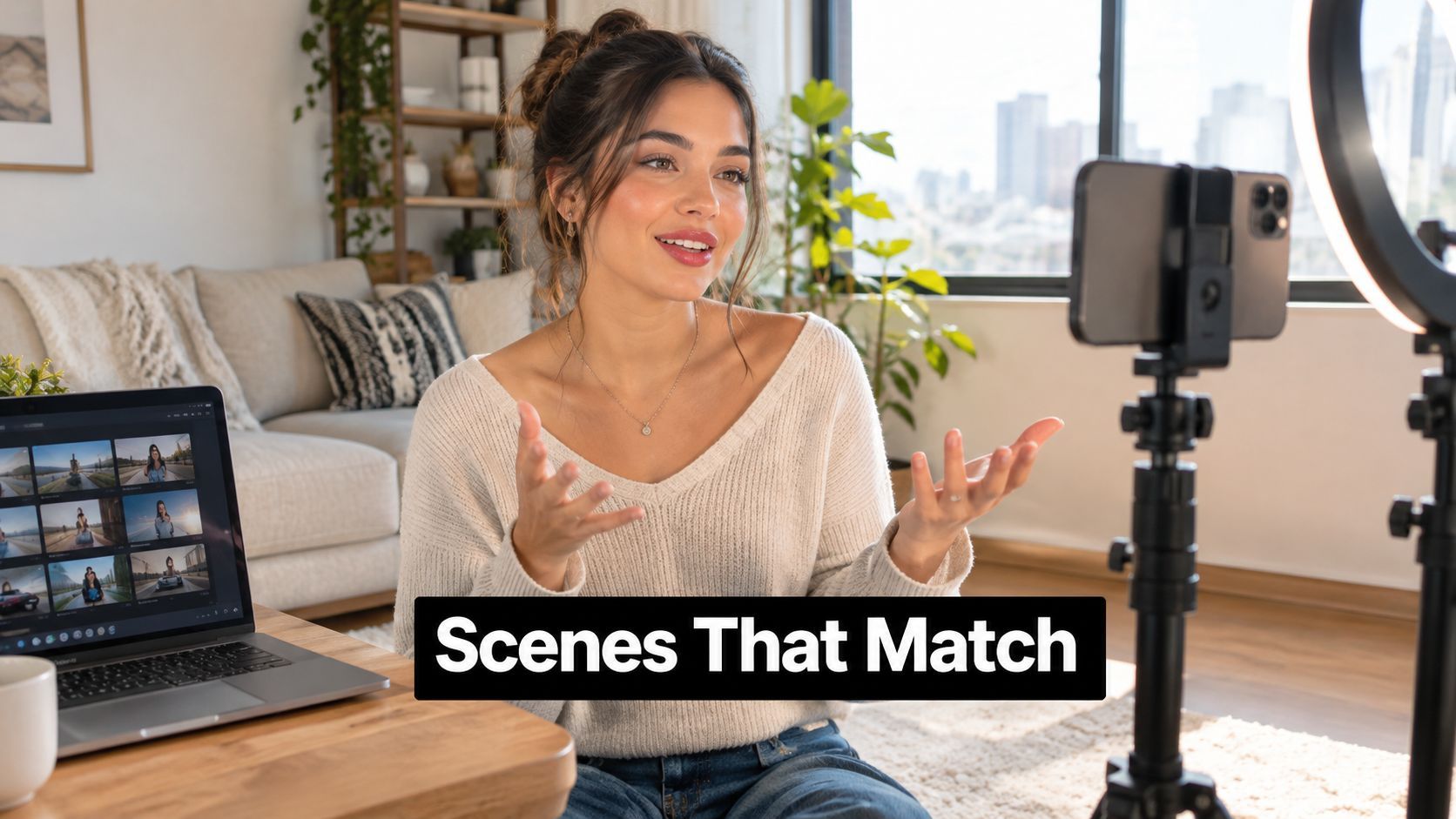
Match every visual to a spoken idea
Use the storyboard as a constraint. If the narration explains a mistake, show the mistake. If it introduces a product feature, show the feature in use. If it makes a comparison, create a visual contrast rather than placing unrelated stock footage under the sentence.
Generic B-roll often fails because it fills time without adding meaning. A smiling person at a desk may look polished, but it doesn't prove that a workflow is faster or explain how a tool works. Original product footage, screen recordings, close-ups, diagrams, and carefully directed AI scenes usually give the narration more support.
Choose the voice according to the role of the video:
- Synthetic voice: Useful for repeatable explainers, multilingual drafts, and formats where the presenter isn't central.
- Cloned voice: More consistent with an established creator, but it requires permission, careful pronunciation review, and a clear record of how it was produced.
- Recorded voice: Usually gives the strongest personal connection and lets the creator control emphasis, pauses, and emotional nuance.
The generated voice should never be accepted without listening. Names, technical terms, abbreviations, and product features regularly need pronunciation edits. A human should also check whether the delivery sounds too cheerful for a serious subject or too dramatic for a practical tutorial.
Build sound around comprehension
Music should support the cut rather than compete with speech. Keep the spoken track intelligible, use sound effects only when they clarify an action, and let visual changes provide much of the momentum. A fast track can't rescue a slow script, and loud music can make accurate captions less useful because the viewer loses the spoken context.
A good workflow creates narration before final scene timing. Then captions can be synchronized to the approved audio, and visual changes can land on meaningful words rather than arbitrary intervals.
The following demonstration is useful when comparing AI-generated scenes, voiceovers, and editing approaches:
Use stock-style visuals when speed matters and the subject is generic. Use original footage or brand-specific generated scenes when recognition, proof, or product detail matters. The most effective combination is often mixed, a real product close-up, a generated explanatory background, a screen recording, and a human-approved voice.
Don't render every possible version. Generate the scenes that answer the brief, review them for continuity, and replace only the parts that fail. That approach keeps AI's speed while preserving the judgment that makes the finished Reel feel intentional.
Assembling, Editing, and Resizing the Final Reel
Assembly is where a technically impressive draft either earns attention or becomes difficult to watch. The sequence should move with the narration, the captions should be legible, and each visual should give the viewer a reason to stay with the next sentence.
Start by removing dead air and repeated ideas. Then adjust the first visible frame, because a Reel can have a strong message that arrives too late. Scene changes should reflect meaning, not just appear because the editor has run out of visual variety.
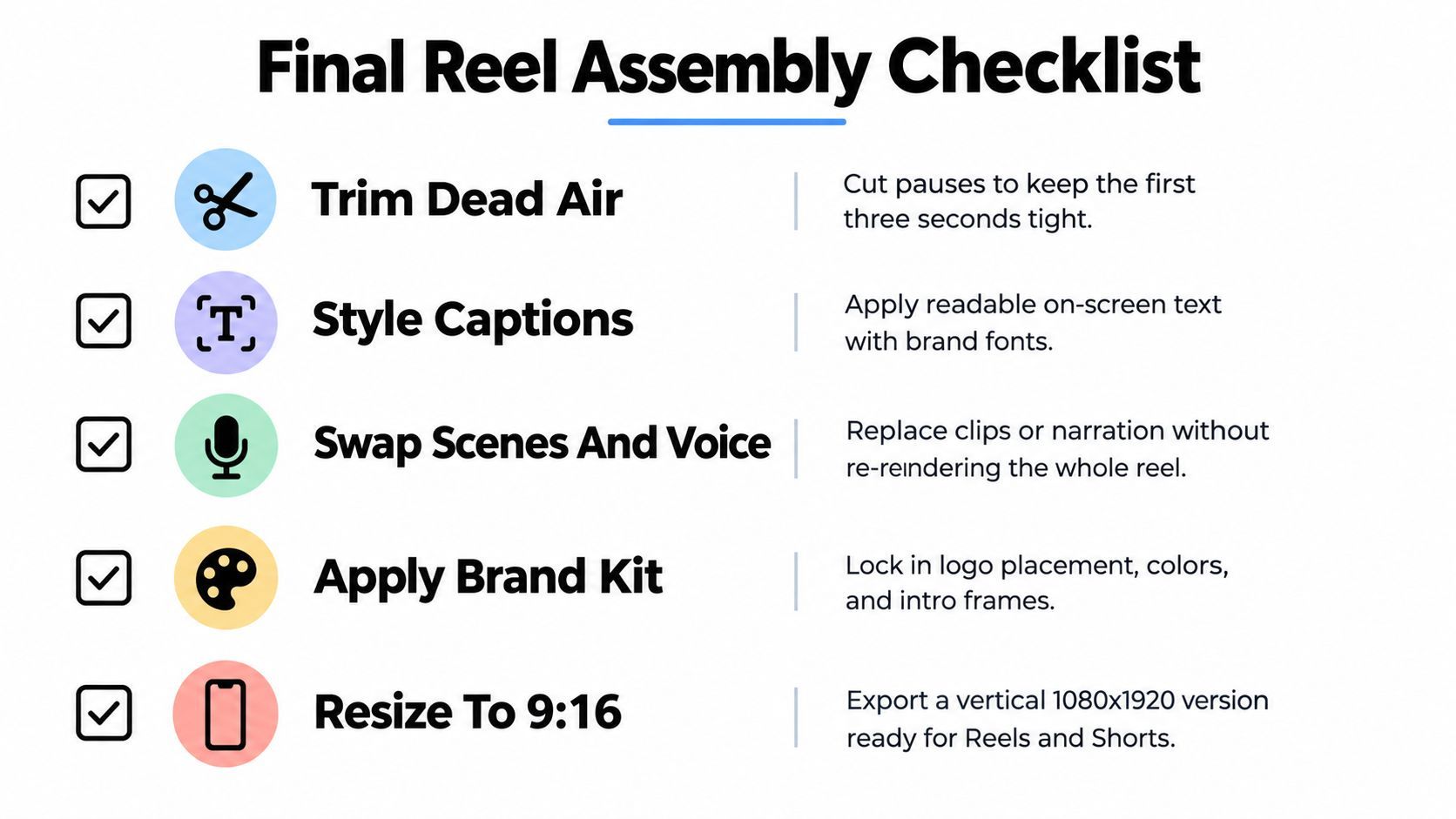
Treat the vertical frame as a design constraint
A square or widescreen master can't be resized by placing it inside a vertical canvas. Reframe the subject, reposition the crop, and check whether the important action remains visible. Faces, product details, logos, and demonstrations need deliberate placement.
For Instagram Reels, a solid export should be a progressive MP4 or MOV at 1080×1920 pixels, using H.264 or HEVC, with a maximum bitrate of 25 Mbps and a maximum file size of 300 MB, as outlined in Instagram's Reels feature guidance. Keep important text, faces, and logos away from interface overlays near the top, bottom, and lateral edges.
Caption design deserves its own review. Use strong contrast, enough spacing, and short lines that can be understood at a glance. Captions should reinforce the spoken message, not reproduce every hesitation or turn the lower part of the screen into a dense paragraph.
Run automated checks before export
A good AI Instagram Reel maker should validate the file, not merely create it. The following sequence catches problems that are easy to miss in an editor preview:
- Duration and dimensions: Confirm the video length and vertical canvas.
- Encoding: Inspect the container, codec, frame rate, bitrate, and progressive scan setting.
- Audio: Check that the narration exists, the channels are correct, and the sample rate is appropriate.
- Caption placement: Run OCR or a visual check for text entering unsafe interface zones.
- Timing: Transcribe the narration and compare caption timing against the approved audio.
- Preview rendering: Watch a lower-resolution preview on a mobile-sized screen before final export.
ShortGenius can fit this production stage as one option among AI video tools. Its workflow combines scriptwriting, visual generation, voiceovers, trimming, captions, resizing, scene and voice swaps, and brand-kit application, with scheduling across Instagram and other social channels. Teams can also use its project library to keep related Reels together while reviewing variants.
Assembly test: Watch once with sound, once with captions only, and once while looking only at the visual changes. The Reel should remain understandable in each pass.
This QA process protects more than upload compatibility. It prevents a valid file from becoming unreadable in-feed, with a face cropped out, a logo hidden under interface controls, or a caption arriving after the sentence it describes.
Testing, Disclosure, and Accessibility Before You Hit Publish
Generation is not the finish line. It produces an asset, while publishing should produce evidence about what to make next.
Create three materially different opening variants while holding the audience, offer, and approximate duration steady. One can begin with visible action, another with an explicit problem, and the third with a curiosity-led claim. If every version changes the entire concept, you won't know whether the opening caused the difference.
Measure the first moments and the outcome
Track the signals that correspond to the Reel's objective:
- Early viewing: 1-second and 3-second view-through.
- Sustained attention: average watch time, completion rate, and rewatches.
- Useful engagement: shares, saves, and profile visits.
- Business result: conversions or the next measurable action.
Compare variants under similar posting conditions and audience composition. Don't treat a single engagement benchmark as a universal success rule. One cross-platform dataset reports average Instagram Reels engagement at 0.45%, while another industry compilation reports approximately 65% viewer retention, and the cited benchmark discussion shows why definitions, samples, and measurement windows matter.
A sharp retention drop usually points to a specific repair. Rewrite the sentence, shorten the setup, replace a repeated stock visual, or make the visible action match the narration. Automation improves throughput, but only testing reveals whether the extra output helps a particular audience.
Add disclosure and provenance to the QA loop
AI labeling deserves a practical process rather than a blanket rule. Record which assets were generated, which were edited by a person, whether a face or voice is synthetic, and whether a realistic scene could reasonably mislead the viewer.
A June 2025 audit of Instagram and TikTok found that about 25% of posts appearing under common non-AI hashtags contained AI-generated content, while fewer than one-quarter of the AI content identified on Instagram carried an AI label. The audit is available in the published research on AI labeling and platform content. The finding doesn't mean every AI-assisted caption or background image needs the same treatment. It does mean creators should understand what they generated and make deliberate disclosure decisions.
Check these items before approval:
- Synthetic media: Flag realistic faces, voices, and scenes.
- Disclosure language: Prepare plain wording that accurately describes meaningful AI use.
- Caption accuracy: Correct names, jargon, numbers, and punctuation.
- Visual accessibility: Confirm that text survives cropping and remains readable.
- Voice clarity: Listen for unnatural emphasis, pronunciation errors, and accent-related confusion.
- Rights and safety: Review music, likenesses, claims, and sensitive imagery.
The goal isn't to hide AI or turn every Reel into a technical disclaimer. The goal is defensible publishing, where the creator can explain how the asset was made and the audience can understand what they're seeing.
Distributing, Scheduling, and Iterating Across Channels
Once a Reel passes review, preserve the approved master and create channel versions from it. Start with the native vertical composition, then adjust captions, covers, calls to action, and platform-specific interface space rather than exporting the same file blindly everywhere.
A practical distribution workflow has four layers:
- Master approval: Store the final script, source assets, caption file, disclosure decision, and approved vertical export together.
- Channel adaptation: Prepare versions for Instagram, TikTok, YouTube Shorts, Facebook, and X with the right caption and CTA.
- Calendar placement: Schedule each version from one content calendar, recording the audience, objective, and creative variant.
- Performance capture: Return watch-time, completion, saves, shares, profile visits, conversions, and negative feedback to the project record.
Brand consistency doesn't require identical posts. Keep the central idea, visual identity, and claim boundaries consistent, but adapt the opening text or CTA to the channel's viewing context. Remove platform watermarks from source exports and keep a clean master for future edits.
Use retention data to choose the next edit
A short weekly review can turn performance into production decisions:
- Early drop: Rewrite the first line or replace the first visual action.
- Mid-video drop: Remove explanation that arrives before the proof.
- Strong completion but few actions: Make the CTA more specific or connect it to the demonstrated value.
- High saves and shares: Build a related Reel with a new example rather than copying the same edit.
- Good viewing but weak trust signals: Add real product footage, a source, a demonstration, or a clearer disclosure.
Don't chase a universal benchmark. Compare each variant against your own previous work, keeping the audience and objective in view. A Reel with modest reach can still be valuable if it attracts the right profile visits or conversions.
Pre-publish checklist
- One audience, one promise, and one CTA.
- Opening variant approved and visible immediately.
- Narration, scenes, captions, and transitions synchronized.
- Text, faces, and logos clear of interface overlays.
- Progressive MP4 or MOV exported at 1080×1920 pixels, using H.264 or HEVC, within the stated bitrate and file-size limits.
- Captions reviewed for accuracy and accessibility.
- Synthetic media identified and disclosure decision recorded.
- Music, visuals, claims, and likenesses cleared.
- Clean master saved before channel adaptations.
- Results assigned to a specific next edit.
The repeatable advantage comes from connecting these stages. AI handles drafts, variants, formatting, and routine assembly. People decide what deserves attention, what can be claimed, what represents the brand, and what should change after the audience responds.
ShortGenius (AI Video / AI Ad Generator) combines scriptwriting, image and video generation, natural voiceovers, captions, fast scene swaps, resizing, brand kits, and multi-channel scheduling for teams building this kind of Reel pipeline. Visit ShortGenius (AI Video / AI Ad Generator) to turn a defined brief into a reviewable vertical video and keep approved outputs organized for the next publishing cycle.