AI Explainer Videos: Your Guide to Faster Content Creation

Learn how to create AI explainer videos in minutes. This guide covers the entire AI-powered workflow, from script to distribution, with tools and examples.
You've probably done this the hard way already. A simple explainer video turns into script drafts in one doc, stock footage searches in another tab, a voiceover tool somewhere else, and an editor timeline that still needs captions, resizing, and exports for every channel. By the time it's ready, the campaign window has moved on.
That's why AI explainer videos matter now. They're not just “videos made with AI.” They're the result of a connected production system that turns one idea into a script, scenes, narration, edits, and publish-ready versions without forcing you to stitch together five separate tools. For creators, marketers, and small teams, that changes the job from manual production to direction and refinement.
The significant shift isn't that AI can generate a video. It's that the entire workflow can now move from idea to published asset fast enough to match how content gets planned, tested, and distributed today.
What Are AI Explainer Videos
Traditional explainer production has always had a coordination problem. Even short videos usually require a script, a storyboard, visuals, a voiceover, editing, and then platform-specific exports. If one part changes, everything downstream changes with it.
AI explainer videos compress that process into a single workflow. Instead of passing files between a writer, designer, editor, and voice actor, one system can generate a first draft across all of those stages. That includes scriptwriting, visual selection or creation, synthetic voiceover, captioning, and assembly.
More than automated editing
The phrase AI explainer videos gets used loosely, but the useful definition is narrower. It's not just any video with AI features. It's an explainer built through an integrated process where the system helps shape the message and the media together.
That distinction matters in practice. A text generator can give you a script. A video editor can help trim clips. But an AI explainer workflow connects the logic of the story to the visuals, the pacing, and the final output. When it works well, you start with a prompt, a product page, a document, or a rough brief, then move straight into a structured draft video.
The strongest AI video workflows don't replace judgment. They remove production drag so you can spend your time on message, clarity, and distribution.
What that looks like in the real world
A marketer launches a feature and needs a short product explainer for social. An educator needs a lesson summary. A founder wants a quick top-of-funnel video without waiting on a full production cycle. In all three cases, the old process usually slows down on the same points: blank-page scripting, visual sourcing, and tedious editing.
AI changes those bottlenecks. The first draft arrives quickly, then the human work shifts to tightening the hook, fixing scenes that feel generic, and making sure the message sounds like the brand. That's why this format has become so useful. It's less about novelty and more about turning video into an everyday publishing format instead of a special project.
The Strategic Benefits of AI Video Creation
Video is already standard marketing infrastructure. In 2026, 91% of businesses reported using video as a marketing tool, and 96% of people had watched an explainer video to learn more about a product or service, according to DeepReel's summary of cited annual survey findings. The same source notes that small teams still spend 4-6 hours making explainer videos manually, while AI platforms can produce a draft in 2-5 minutes, turning a traditional 2-4 week cycle into roughly 10-15 minutes of customization.
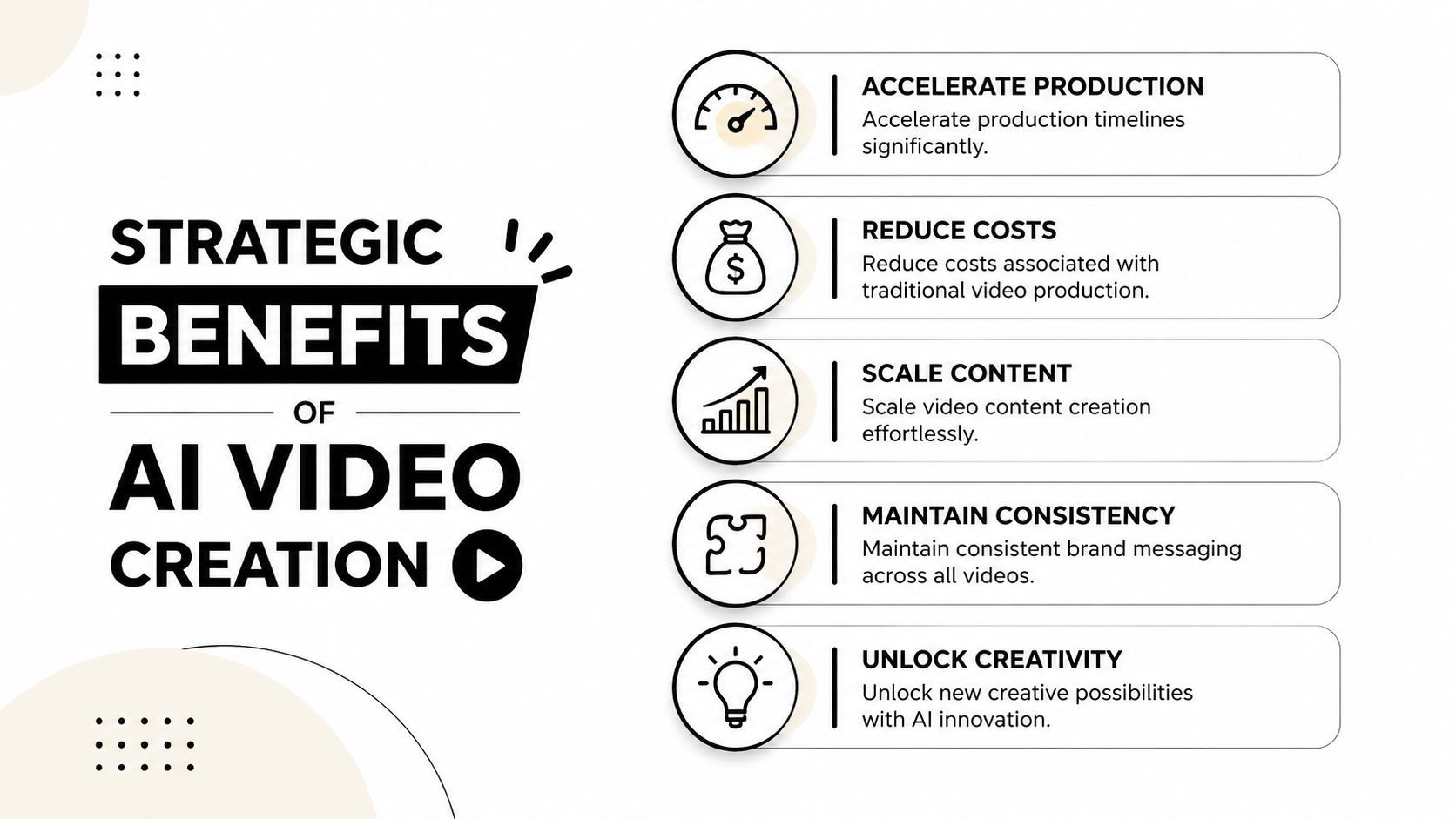
That speed matters, but speed alone isn't the main advantage. The deeper benefit is that AI lets teams treat video as a repeatable operating system rather than an occasional production event.
Where the leverage really shows up
When video creation becomes fast enough to fit a normal workday, teams can do things they usually skip:
- Produce variations: Different hooks, calls to action, or visual treatments become realistic to test.
- Localize and resize: One core message can be adapted for multiple audiences and channels without rebuilding from zero.
- Keep momentum: Product updates, educational snippets, and campaign creatives can ship while they're still timely.
- Reduce coordination overhead: Fewer handoffs means fewer delays and fewer rounds where intent gets lost.
- Protect consistency: Brand kits, voice choices, and repeated structure help the output stay recognizable.
What AI handles well, and what still needs a human
AI is excellent at drafting and assembling. It's less reliable at taste. That's the trade-off people only discover after publishing a few videos.
A tool can generate scenes that technically match the script but still feel too literal. It can produce a smooth voiceover that doesn't match the emotional tone. It can build a coherent edit that lacks emphasis in the moments that should land hardest. The strategic gain comes when the human creator focuses on those judgment calls instead of spending hours doing repetitive production work.
Practical rule: Use AI to generate the first complete version, then spend your attention on the opening hook, the proof point, the visual specificity, and the final CTA.
There's also still a place for traditional production. If the project needs live-action footage, nuanced performances, or a premium brand film look, an experienced production team is still the right call. For that kind of work, Carlos Alba Media offers video solutions that fit projects where custom filming and polished production craft matter more than rapid iteration.
For explainers, though, especially when the goal is clarity, speed, and volume, AI changes what's practical. That's the strategic shift.
The Five Steps of an AI Explainer Video Workflow
The easiest way to understand AI explainer videos is to stop thinking in terms of tools and start thinking in terms of flow. A good system moves in five connected steps, from concept to distribution, without forcing you to rebuild the project at each stage.
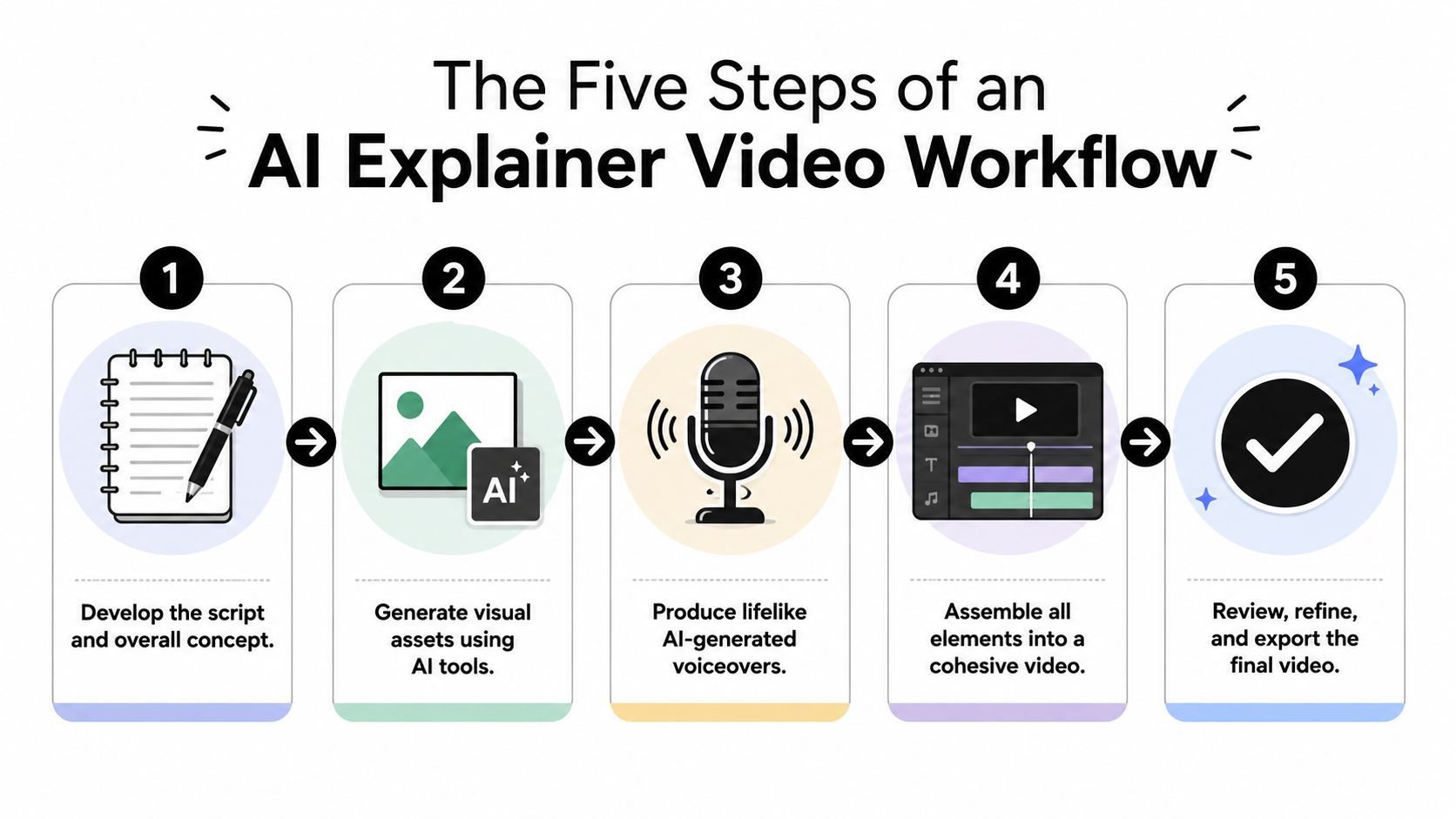
Step 1 through Step 2
The process starts with the idea, but the useful input is usually more specific than that. A prompt works, but so does a landing page, a product brief, a document, or a script draft. The system needs enough context to understand audience, goal, and tone.
Step 1 Prompt and script
Start with the outcome, not the feature list. Explain who the video is for, what problem it should address, and what the viewer should do next. If you only feed the AI product facts, it often creates a flat summary. If you feed it audience tension and a desired action, the narrative gets sharper.
Good prompts usually include:
- Audience: Who the video is for.
- Use case: What problem or scenario the viewer recognizes.
- Message: The one point the video must land.
- Tone: Practical, playful, direct, educational, and so on.
- Destination: Where the video will be published.
Step 2 Scene generation
Once the script exists, visuals need to do more than mirror the words. AI can accomplish this by pulling from stock, generating scenes, building motion graphics, or structuring slides and screenshots. The goal isn't visual abundance. It's visual relevance.
Generic scenes are one of the biggest quality killers in AI explainers. If your tool lets you swap assets or guide scene style, use that control early.
To see the workflow in motion, this walkthrough helps:
Step 3 through Step 5
Step 3 Voice synthesis
A lifelike AI voice is useful, but voice selection is really a messaging decision. A founder-led product pitch needs a different tone than an internal training walkthrough. Don't settle for the default voice just because it sounds polished.
Check pronunciation, pacing, and emphasis. Technical products often need manual fixes around acronyms, product names, or industry jargon.
Step 4 AI-assisted editing
At this point, the separate parts finally become a video. Captions, cuts, transitions, brand colors, logos, and scene timing all get resolved here. Many teams underestimate how important this stage is because the AI draft already looks “done.”
It usually isn't. The right edits are often small:
- Trim slow openings: If the first scene warms up too slowly, cut it.
- Tighten caption rhythm: Fast captions can energize a short social video. Slower captions can help educational content.
- Swap weak scenes: Replace abstract stock visuals with product UI, diagrams, or stronger motion.
- Apply brand structure: Intros, outros, fonts, and consistent colors help the video feel intentional.
If your workflow still requires copying files between a writer, a generator, a voice tool, an editor, and a scheduler, you haven't really simplified production. You've just sped up isolated steps.
That's why AI video creation overlaps so heavily with implementing workflow automation. The key gain comes from connecting the stages, not just making one stage faster.
Step 5 Multi-channel distribution
A video isn't finished when it exports. It's finished when it's packaged for where people will watch it. That means scheduling, resizing, caption handling, thumbnails, and channel-specific framing all need to be part of the workflow, not an afterthought.
Teams that publish consistently usually treat this final step as part of creation. They don't make one master file and hope it works everywhere. They produce with distribution in mind from the start.
Choosing Your AI Explainer Video Generation Method
Not all AI explainer videos are made the same way. Many buying guides fall short in their approach. They compare brands, but they don't explain the underlying generation method, and that's usually what determines whether the output fits your use case.
The market is splitting into document-to-video, avatar-based, template animation, and generative video. The right choice depends on the job and on the channel, including 16:9 for YouTube, 9:16 for TikTok and Reels, and 1:1 for LinkedIn, as described in Knowlify's breakdown of AI explainer video formats.
Four methods, four different strengths
Document-to-video
This works well when you already have source material. A blog post, SOP, sales deck, lesson notes, or product document can become the structure for the video.
The upside is speed and coherence. The downside is that the video can inherit the weaknesses of the document. If the source is bloated or badly organized, the output often needs aggressive editing.
Avatar-based
Avatar tools are useful when a presenter format adds trust or clarity. Internal training, onboarding, compliance communication, and multilingual explanations often fit this style.
The limitation is visual range. A talking avatar can hold attention for instruction, but it's rarely the strongest format for a fast-moving marketing explainer where motion, product shots, and dynamic pacing matter more.
Template animation
Template-driven tools are practical when you need recognizable structure fast. They're accessible, easy to brand, and usually simple to edit.
Their weakness is sameness. If the template is doing too much of the creative work, the video can end up looking like every other explainer in the category.
Generative video
This method offers the most creative flexibility. It can produce custom scenes and more original visual concepts, which makes it strong for top-of-funnel content and concept-heavy storytelling.
It also needs the most oversight. If the prompts are weak or the visual direction is unclear, the results can become inconsistent.
AI Explainer Video Methods Compared
| Method | Best For | Pros | Cons |
|---|---|---|---|
| Document-to-video | SOPs, educational content, blog repurposing, product summaries | Fast from existing material, strong structure, efficient for teams with lots of written content | Can feel literal, often needs cleanup, quality depends on source document |
| Avatar-based | Training, onboarding, internal communication, presenter-led explainers | Human-like delivery, clear narration, useful for direct instruction | Less dynamic visually, can feel stiff for marketing content |
| Template animation | Simple explainers, social posts, lightweight brand videos | Easy to customize, predictable output, quick turnaround | Risk of generic style, limited originality |
| Generative video | Campaign creatives, concept explainers, visually distinctive top-of-funnel content | Flexible visuals, more creative range, stronger visual differentiation | Needs stronger prompts, more review, can drift from brand if unchecked |
How to choose without overthinking it
Use the simplest method that fits the message.
If the viewer needs instruction, avatar or document-based formats often work well. If the viewer needs to stop scrolling and care quickly, generative or more visually dynamic approaches usually perform better. If the team needs consistent output at scale, templates can be a sensible middle ground.
A lot of frustration disappears once you match the format to the job instead of expecting one tool type to handle every video equally well.
Creative Tips for Videos That Perform
The biggest mistake in AI explainer videos isn't technical. It's creative laziness disguised as efficiency. Fast production is useful, but if the story is vague, the output will still underperform.
Specialist guidance on AI-generated explainers consistently recommends a 60–90 second runtime, a hook in the first 3–5 seconds, and a focus on one clear problem rather than multiple competing ideas, as outlined by Colossyan's explainer video best practices.
Start with tension, not introduction
Don't open by naming the company and describing what it does. That's how teams waste the most valuable seconds in the video.
Open on the friction the viewer already feels. Lost time. Confusing process. Slow reporting. Manual repetition. The viewer should recognize the problem before you explain the product.
A good hook doesn't “introduce the topic.” It creates instant relevance.
Keep the script narrow
Trying to explain everything is what makes AI videos sound generic. The model often follows your prompt too faithfully. If you give it five goals, it will attempt all five and usually flatten the result.
Use one message per video. If you need to explain onboarding, analytics, and automation, that's probably three explainers, not one.
Direct the visuals with intent
AI-generated visuals are helpful, but they need creative boundaries. Tell the system whether you want screen-led scenes, motion graphics, product UI, illustrative metaphors, or presenter-led structure. If you don't, many tools default to broad stock-like imagery.
A few editing habits improve results quickly:
- Alternate scene types: Mix close UI shots, text moments, b-roll, and motion so the pacing doesn't go stale.
- Use on-screen text selectively: Highlight the sentence that matters most, not every sentence.
- Match voice and visuals: A calm, instructional voice should not sit over hyperactive cuts unless you want deliberate contrast.
- End clearly: The CTA should feel like the logical next step, not an abrupt sales insert.
Treat the AI output like a first cut
The fastest creators still review every draft. They just review differently. They aren't fixing basic assembly. They're tightening timing, replacing weak visuals, and sharpening the narrative.
That's the practical sweet spot. Let AI do the heavy lifting. Keep human energy for the parts that make the video feel deliberate.
AI Explainer Video Examples and Tooling
The easiest way to judge AI explainer videos is by use case. Different goals need different structure, and the workflow should support that without forcing you into separate tools for every stage.
A startup-focused survey found that 48% of leaders felt explainer videos fit best into their marketing strategy, while 85% named social shares as their top success metric, according to Add a Little Pinch's roundup of U.S. explainer video statistics. That lines up with what creators see in practice. Explainers aren't just educational assets now. They're distribution assets.
Three examples that make sense in practice
Product feature announcement
A SaaS team launches a new feature and needs a short social explainer. The best version of this video doesn't narrate every detail. It opens on the user frustration, shows the feature in action, and lands one clear reason the update matters.
A unified workflow is especially helpful. The script, UI visuals, captions, voiceover, and exports can all stay connected. If the hook changes, you don't have to rebuild the whole piece.
Educational concept explainer
An educator or coach wants to simplify a dense idea into something watchable. Here the visual job is translation. Diagrams, labels, highlighted text, and scene pacing matter more than flashy effects.
AI is especially useful when the source material already exists in written form. The draft can be generated quickly, then refined for clarity and flow.
Direct-response ecommerce explainer
A DTC brand needs a problem-solution ad that behaves like an explainer. The opening needs to stop the scroll. The visuals need to show the product clearly. The CTA needs to be obvious without feeling bolted on.
This format usually benefits from multiple versions. Different intros, different proof scenes, different endings. That's hard to do when every edit starts from scratch.
Why integrated tooling changes the job
Creators often lose time not because any one step is difficult, but because every step lives in a different app. A platform like ShortGenius fits this workflow model by combining scriptwriting, scene generation, voiceover, assembly, editing, resizing, and scheduling in one environment. That matters when the goal is to produce and distribute explainers continuously rather than as isolated projects.
For managers building repeatable systems around content production, the broader conversation around AI-enabled operations is useful too. This guide to best AI tools for leadership gives good context on how teams are organizing work around AI, not just experimenting with single-use tools.
The practical takeaway is simple. Tooling matters less when you're making one video. It matters a lot when you're making content every week.
Measuring Performance and Scaling Production
Once an explainer is live, the next job is diagnosis. Did people keep watching? Did they click? Did the video move the viewer toward the next action? Those are the signals that tell you whether the idea worked or just looked polished.
What to track
For most explainers, the useful performance checks are straightforward:
- View-through rate: Shows whether the pacing and structure held attention.
- Click-through rate: Tells you whether the CTA and offer connected.
- Conversion behavior: Reveals whether the video helped the viewer take the intended next step.
- Share activity: Useful when the goal is reach and social distribution.
- Drop-off moments: These point directly to weak hooks, slow sections, or confusing scenes.
How AI helps after publish
AI workflows are valuable not just because they speed up creation, but because they make iteration realistic. If the opening underperforms, you can cut a new hook. If the CTA feels soft, you can replace only the ending. If the square version works but the vertical version stalls, you can rebuild for the feed rather than accept a lazy resize.
That's how production starts to scale. One idea turns into multiple executions. One script becomes channel-specific variants. One winning structure becomes a repeatable format.
The teams that get the most from AI explainer videos usually stop treating each video as a standalone project. They treat video as a system. Measure, revise, republish, and build a library of formats that already match your audience and channels.
If you want one workspace that handles scripting, scene creation, voiceover, editing, resizing, and publishing, ShortGenius (AI Video / AI Ad Generator) is built for that end-to-end workflow. It's a practical fit for creators and teams who want to go from concept to published explainer video in minutes instead of managing a stack of disconnected tools.