What Is B Roll and How Do You Use It to Make Better Videos

Discover what is b roll and learn how this simple filmmaking technique can transform your videos from basic to cinematic with practical, easy-to-follow tips.
Ever wonder what makes a video feel so polished and professional? A lot of the time, the secret ingredient is B-roll.
In the simplest terms, B-roll is the extra footage you cut into your main video to help tell the story visually. It adds depth, context, and a whole lot of personality, turning what could be a static video into something truly engaging. Think of it as the visual spice that gives your primary footage its flavor.
So, What's A-Roll Then?
To really get what B-roll is, you first have to understand its counterpart: A-roll.
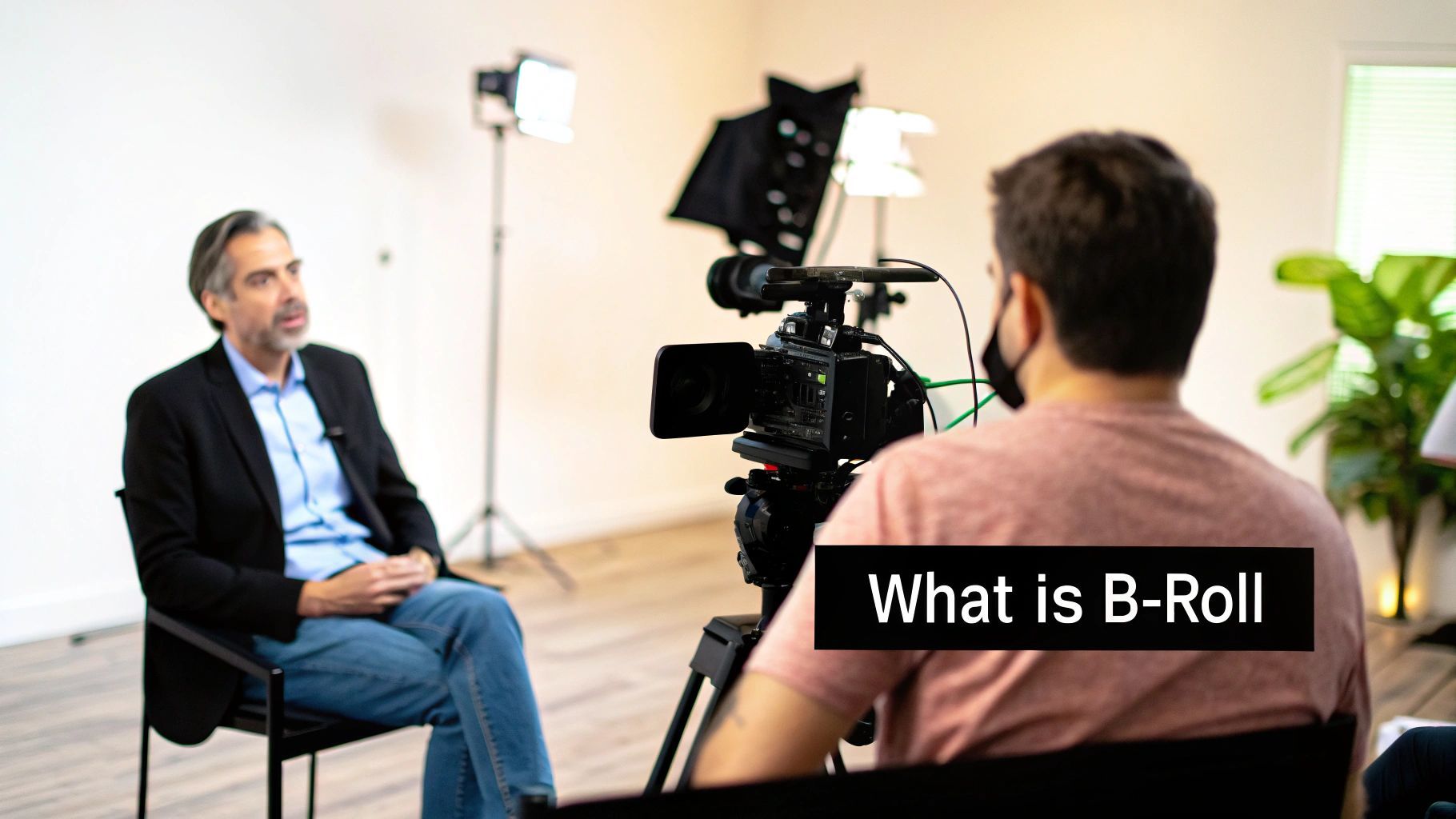
Imagine you’re watching an interview. The main shot of the person speaking directly to the camera? That’s your A-roll. It’s the core of your video—the primary audio and video that carries the main narrative. It’s the part of your video that tells the story.
Now, Back to B-Roll
If the A-roll is the interview, the B-roll is everything else that brings that interview to life. It's the footage that shows what the person is talking about.
Let's say your A-roll is a founder talking about their company's new product. The B-roll would be shots of the team collaborating, close-ups of the product in action, or maybe even a clip of a happy customer using it. These supplemental clips are what make the story feel real and dynamic.
Here’s why it’s so critical:
- It provides visual context: B-roll turns abstract ideas into something your audience can actually see.
- It amps up the emotion: A slow-motion shot or a dramatic angle can completely change the mood and make your message resonate.
- It’s a lifesaver in editing: Need to cut out a stumble or a long pause in your A-roll? A quick cut to a relevant B-roll clip makes the edit completely invisible.
The term 'B-roll' actually comes from the old days of filmmaking. Editors would use a second roll of film (the 'B' roll) to cover up the physical splices in the main film (the 'A' roll). Today, its role is even bigger. In documentaries, B-roll can make up 40-60% of the final cut, and studies on news segments show it dramatically boosts viewer retention. You can learn more about the power of B-roll on Raindance.org.
Without B-roll, you're often left with a single, static "talking head" shot, which can get old pretty fast. By weaving in these secondary shots, you create a much more immersive experience that holds your viewer's attention from start to finish.
A-Roll vs B-Roll at a Glance
This table provides a clear, side-by-side comparison of the core video footage types, helping you quickly distinguish their purpose and characteristics.
| Characteristic | A-Roll (Primary Footage) | B-Roll (Supplemental Footage) |
|---|---|---|
| Purpose | Delivers the main narrative, dialogue, and story | Provides context, visual interest, and emotional depth |
| Content | Interviews, presentations, on-screen talent speaking | Action shots, cutaways, close-ups, archival footage |
| Audio | Primary audio source (dialogue, voiceover) | Often silent or has ambient sound; music is added in post |
| Viewer Focus | The person speaking or the core message | The environment, the subject, or illustrative details |
| Editing Role | Forms the structural backbone of the video | Covers edits, illustrates points, and adds pacing |
Ultimately, A-roll and B-roll aren't in competition; they're partners. They work together to create a single, compelling story that's both informative and visually captivating.
Why B-Roll Is Your Secret Storytelling Weapon
So you know what B-roll is. Great. But understanding why it's a non-negotiable part of great video is what really matters. Don't think of it as just "extra" footage. Think of it as a storytelling tool with four distinct superpowers that can turn a basic recording into something people actually want to watch.
First off, B-roll is the ultimate jump cut killer. You know those awkward, jarring skips you see in amateur videos? That’s a jump cut. It happens when you cut out a mistake, a long pause, or an "ummm." By placing a relevant B-roll clip over that cut, the transition becomes completely seamless. This one trick instantly makes your videos look more polished and professional.
Adding Emotional Depth and Context
Beyond the technical fixes, B-roll is where you show instead of just tell. Let's say your A-roll is a CEO talking about the company's amazing culture. That’s just words. But B-roll of employees laughing together in a meeting or collaborating on a project? That’s the proof. It gives the audience the visual context they need to feel the message, not just hear it.
It also breaks up the visual monotony. This is a big one, especially for talking-head videos, interviews, or tutorials where one person is on screen for a while. Cutting away to different angles and related visuals keeps the viewer’s eyes moving and their brain engaged. It prevents them from tuning out.
B-roll transforms a monologue into a cinematic narrative. It’s the visual evidence that builds trust, the scenic details that establish a world, and the close-ups that make abstract concepts feel tangible and real.
Enhancing the Narrative Flow
Finally, B-roll is the glue that binds your story. It sets the scene, hints at what's coming next, and drives home key ideas without a single word of narration. A quick shot of a steaming coffee mug next to a laptop can immediately establish the setting for a "productive morning" video. No explanation needed.
This visual storytelling is at the heart of modern video. You can see how these clips are a core component of effective video marketing strategies that depend on grabbing and holding viewer attention.
When it all comes together, these four functions—hiding edits, adding emotion, breaking up the visuals, and guiding the story—work in perfect harmony. When you learn how to make social media videos that use B-roll well, you stop just presenting information. Instead, you're crafting a story that connects with your audience and leaves a lasting impression. That’s the real secret.
Essential Types of B-Roll Shots You Can Film Today
Alright, you get why B-roll is a game-changer. Now for the fun part—actually shooting it. Knowing the theory is one thing, but having a go-to shot list is what turns that knowledge into amazing footage. The good news is you don't need a Hollywood budget to get clips that make your video pop; you just need to know what to look for.
Think of these different shots as building blocks for your visual story. The more types you have in your toolkit, the more compelling and professional your final video will feel. Let's break down a few of the most important ones you can start capturing right away.
Setting the Scene with Establishing Shots
First up is the establishing shot. This is your video’s grand opening, the wide shot that tells your audience exactly where they are. Imagine a sweeping drone shot of a city skyline before we meet the CEO in her office, or a wide view of a bustling coffee shop before we zoom in on the main characters.
This shot instantly grounds the viewer. It gives them context and a sense of place before you get into the nitty-gritty, answering that crucial, unspoken question: "Where are we?"
Adding Detail with Insert Shots
While establishing shots give you the big picture, insert shots are all about the details. These are tight, close-up shots of something specific and relevant to what’s happening in your main footage (the A-roll). If your main speaker is talking about a new product feature, the insert shot is a close-up of their finger tapping that very button on the screen.
These shots are workhorses for a few key reasons:
- They provide proof: You're not just telling, you're showing exactly what you mean.
- They direct the viewer's eye: They leave no doubt about what’s important in the frame.
- They add texture and energy: A close-up of hands typing on a keyboard or coffee being poured makes the scene feel alive and dynamic.
This quick visual breaks down how different B-roll shots work together to improve your final cut.
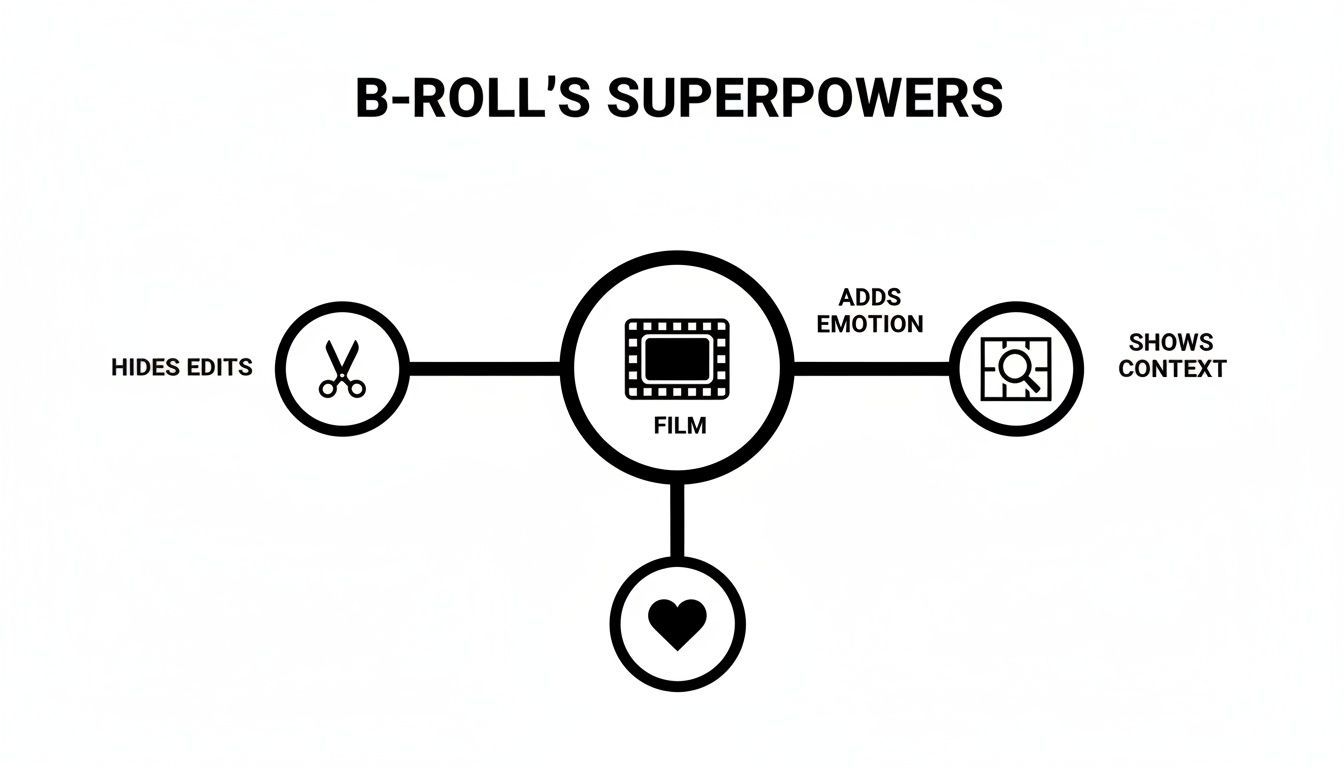
As you can see, B-roll is a powerful tool. It’s your secret weapon for hiding edits, adding emotional weight, and giving your audience the context they need to stay hooked.
Showing Reactions with Cutaway Shots
A cutaway shot does exactly what it sounds like: it cuts away from the main action to show something else. In an interview setting, this is often a shot of the interviewer listening intently and nodding along. This simple shot breaks up the visual monotony of a single talking head and makes the conversation feel more natural and engaging.
A well-placed cutaway can sometimes tell you more than the dialogue itself. Think about a story being told about a small town's history. Cutting to a shot of an abandoned, rusty swing set can create a powerful feeling of nostalgia or loss without a single word being spoken.
Capturing the Process with Action Shots
Action shots are where you show the how. This is the footage of a process or task unfolding. For a chef, it’s the slicing, dicing, and sautéing. For a software demo, it's a screen recording of the clicks and cursor movements that get the job done.
This is the classic "show, don't tell" principle in motion. These shots demonstrate the skill, effort, and journey behind your story, keeping your audience locked in and helping them understand what’s happening. They're an absolute must-have in any solid B-roll strategy.
How to Plan and Shoot Compelling B-Roll
Here’s a secret from the pros: great B-roll never just happens. It’s always the result of a solid plan. If you treat it like an afterthought, your video will feel disjointed and patched together. But with a little prep work, every single clip you shoot will have a purpose, making your final video so much stronger.
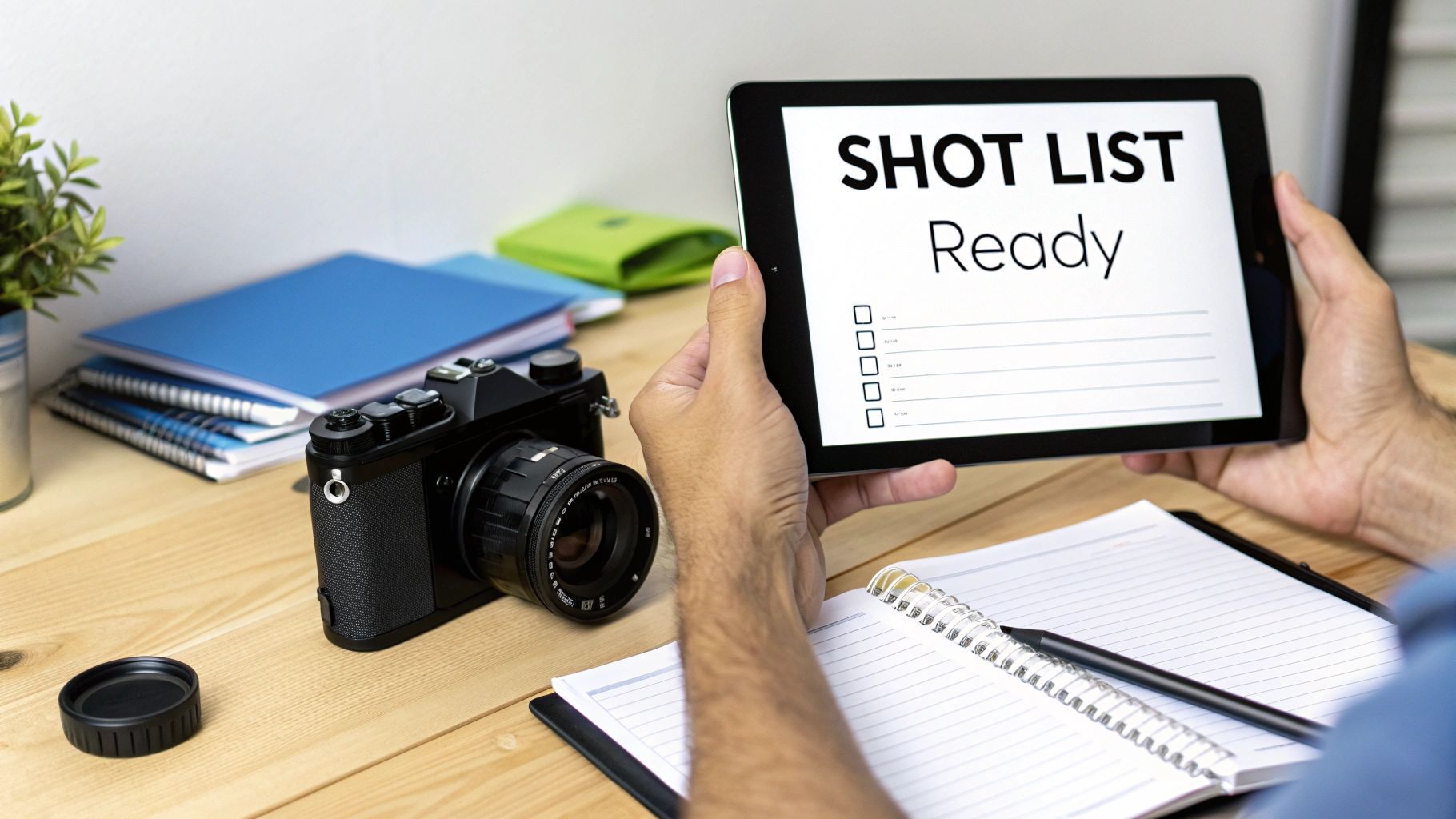
The single most important thing you can do is create a shot list before you even think about hitting record. This isn't just a random list of "cool shots," either. A truly effective shot list connects every piece of B-roll directly back to your main script or interview points.
Think about it this way: for every key idea in your A-roll, what visual can you show to bring it to life? If your main speaker mentions “team collaboration,” your shot list should include ideas like a wide shot of the team at a whiteboard or a close-up of two people pointing at a laptop screen. This one habit turns your B-roll from generic filler into a powerful storytelling asset.
To take this a step further, check out our complete guide on how to storyboard a video, which is the perfect next step after you’ve nailed down your shot list.
To get you started, here’s a simple planner you can use to organize your thoughts and make sure every shot has a clear reason for being there.
Your Essential B-Roll Shot List Planner
Use this template to map out your B-roll ideas directly against the narrative of your A-roll. It forces you to think intentionally about why you need a certain shot and what it will accomplish.
| A-Roll Key Point/Dialogue | B-Roll Shot Idea | Shot Type (e.g., Close-Up, Wide) | Purpose (e.g., Show Detail, Set Scene) |
|---|---|---|---|
| "Our new software streamlines the entire process." | Screen recording of the software in action, clicking through key features. | Close-Up | Show Detail, Demonstrate Functionality |
| "It was a real team effort from start to finish." | A few team members high-fiving or laughing together during a meeting. | Medium Shot | Add Emotion, Show Collaboration |
| "We're based in the heart of the city." | A timelapse of the city skyline or a shot of the office building's exterior. | Wide Shot | Set Scene, Establish Location |
| "Every detail was meticulously crafted." | A slow pan across the finished product, focusing on its texture or unique design. | Extreme Close-Up | Emphasize Quality, Highlight Craft |
By filling this out before you shoot, you’re not just hoping for good footage—you’re engineering it. This simple exercise saves a massive amount of time on set and in the editing room.
Practical Tips For Shooting Better B-Roll
Once your plan is locked in, it’s time to shoot. The goal here is to capture footage that not only looks great but is also easy to work with when you sit down to edit.
First, shoot way more than you think you need. A good rule of thumb is to capture at least two to three times the amount of B-roll you actually plan on using. This gives you options. You’ll thank yourself later when you have the perfect shot on hand instead of wishing you’d held the camera for a few seconds longer.
Next, vary your angles and shot composition. Please, don’t just plant your feet in one spot. Get the same subject from multiple perspectives—a wide shot to set the scene, a medium shot to provide context, and a close-up to zero in on a key detail. That variety is what will keep your audience’s eyes glued to the screen.
Think about a TV news report. B-roll is the backbone of their storytelling, often making up 50-70% of a segment's runtime. It’s so effective that mixing narration with relevant B-roll can boost audience understanding by as much as 65% compared to a simple voiceover.
Technical Considerations For A Seamless Edit
You don't need a high-end cinema camera to get professional results, but a few technical details are non-negotiable. It all comes down to consistency.
- Add Subtle Movement: A static shot can feel flat and lifeless. Even a slow, gentle pan or a subtle push-in with a slider adds a layer of cinematic quality that makes your footage feel more dynamic and engaging.
- Keep Your Lighting Consistent: Try to shoot all the B-roll for a specific scene under similar lighting. If the light and color temperature are jumping all over the place, it’s jarring for the viewer and a nightmare to fix in post-production.
- Focus on Stability: Shaky footage is the fastest way to look like an amateur. Use a tripod, a gimbal, or even just a stack of books to keep your shots smooth and steady.
When you plan your shots, capture plenty of variety, and nail the technical basics, you stop just collecting random clips. You start building a visual library that makes your final video look polished, professional, and incredibly compelling.
Editing Techniques for Seamless B-Roll Integration
Shooting beautiful footage is only half the battle—the real magic happens in the edit. This is where you weave all your individual clips into a single, compelling story. Integrating B-roll smoothly is what separates polished, professional content from something that feels clunky and amateur.
It all comes down to making your B-roll feel completely intentional, not like a random interruption. A couple of the most powerful tools in your editing arsenal for this are J-cuts and L-cuts.
With a J-cut, the audio from the next clip starts playing before you see the video. This technique primes the audience for what’s coming next, leading them into the new scene with sound. An L-cut is the reverse: the video cuts to a new shot, but the audio from the previous clip lingers for a moment. Both create a beautiful, organic overlap that avoids jarring transitions. For a deeper look at these methods, check out these essential video editing tips.
Pacing and Covering Up Mistakes
Beyond just blending clips, you have to think about the rhythm of your video. The pacing of your B-roll should always match the energy of your main footage. Is your main speaker talking fast and excitedly? Use quick, punchy B-roll cuts. Is the tone more somber or reflective? Let those B-roll shots breathe and stay on screen a bit longer.
B-roll is also your secret weapon for hiding imperfections. Did the speaker trip over a word or leave a weird pause? No problem. Just slice out the mistake in your A-roll and slap a relevant B-roll clip over the jump cut. The audio will flow perfectly, and the viewer will never even know a mistake was made.
Think of your B-roll as visual punctuation. A quick cut is like a comma, keeping the pace moving. A longer, more deliberate shot acts like a period, giving the audience a moment to absorb a key point.
Layering for a Cohesive Feel
To really make your A-roll and B-roll feel like they belong together, you need to focus on two final, crucial steps: sound design and color grading.
Adding subtle, ambient sound to your B-roll shots—like the gentle hum of an office or the distant sound of traffic—adds an incredible layer of realism. It makes the viewer feel like they are in the scene, not just watching it.
Finally, consistent color is non-negotiable. Applying the same color grade across all your footage, both A-roll and B-roll, ties everything together with a consistent visual mood. It’s this final polish that truly sells the professional look. If you're looking to speed up this process, modern AI video editing software can be a huge help with tasks like color correction and setting the right clip pacing.
Your B-Roll Questions, Answered
Once you get the hang of what B-roll is, a whole new set of questions usually pops up when you actually try to use it. Let’s tackle some of the most common ones so you can move from knowing the theory to shooting with confidence.
How Much B-Roll Do I Actually Need to Shoot?
Here’s a simple rule of thumb that will save you countless headaches in the editing room: shoot at least double the amount of B-roll you think you’ll need. So, if you're making a three-minute video, you should aim to capture around 10 minutes of solid, usable supplemental footage.
That might sound like overkill, but trust me, you'll thank yourself later. Having a deep library of clips gives you the creative freedom to find the perfect shot for every moment. It means you can nail the pacing, cover up an awkward cut in your A-roll, and tell a much more compelling story. It’s always, always better to have too many options than to be stuck with too few.
Think of it like cooking a big meal. You buy more ingredients than the recipe calls for because you might need to adjust flavors, fix a mistake, or simply find a better combination as you go. Extra footage serves the same purpose in video editing.
Can I Get Professional-Looking B-Roll with Just My Smartphone?
Absolutely. Today's smartphone cameras are more than powerful enough to capture gorgeous, high-quality B-roll. The secret to getting that professional look isn't about having the most expensive gear; it’s all about technique.
To make your smartphone footage look incredible, just focus on these three things:
- Stability is King: Shaky footage is the fastest way to look like an amateur. Use a small tripod, a gimbal, or even just prop your phone on a stable surface. Smooth shots feel professional.
- Find Good Light: Make sure your subject is well-lit. Natural light coming from a window is often your best friend. Good lighting makes any camera, from a phone to a cinema rig, look a hundred times better.
- Shoot Horizontally: Unless you're specifically creating a vertical video for social media, always film in landscape mode (horizontally). This gives you that standard 16:9 look that fits perfectly on platforms like YouTube.
When you get these basics right, your smartphone B-roll can easily go head-to-head with footage from much pricier cameras.
What’s the Difference Between B-Roll and Stock Footage?
This is a really common question, but the distinction is pretty simple. B-roll is the broad category for any supplemental footage you use to add visual context to your main story.
Stock footage is a specific type of B-roll that you get from a third-party library, like Storyblocks or Artgrid. You license it from them. So, while all stock footage is B-roll, not all B-roll is stock footage. You typically use stock footage for shots that would be impossible or way too expensive for you to get yourself—think aerial shots of Tokyo, historical clips, or a super-specific medical procedure.
Should My B-Roll Clips Have Audio?
Most of the time, the audio from your B-roll clips gets muted in the final edit. You want the audio from your A-roll—like your voiceover or an interview subject—to be the star of the show.
That said, capturing the natural sound of your environment can be a huge bonus for sound design. The low hum of a server room, the clatter of keyboards in an office, or the sound of birds chirping in a park—these ambient sounds can be layered quietly under your main audio. It’s a subtle trick that adds a rich layer of realism and makes your entire video feel much more immersive.
Ready to stop worrying about shooting the perfect B-roll and start creating professional videos in minutes? ShortGenius uses AI to generate entire videos from a single prompt, complete with compelling scripts, dynamic scenes, and lifelike voiceovers. Skip the tedious parts and get straight to creating. Discover how easy it can be at https://shortgenius.com.