AI Ad Generator for Online Course Creators Ultimate Guide

Discover how an AI ad generator for online course creators can help you create high-converting video ads, streamline campaigns, and boost student enrollments.
As a course creator, you know the grind of marketing. You've built an amazing course, but now you need to get it in front of the right people. That’s where an AI ad generator comes in—it’s a purpose-built tool that automates creating high-performing video ads for platforms like TikTok and Instagram, all without needing a massive budget or a film crew.
Think of it as your secret weapon to quickly spin up dozens of ad variations. This lets you test what works, scale your campaigns, and ultimately, enroll more students.
Why AI Ad Generators Are a Game Changer for Course Creators
The online education space is absolutely exploding. I mean, just look at giants like Udemy and Coursera—they pulled in over 200 million learners in 2024 alone. With that kind of competition, course creators are scrambling for an edge, and many are finding it with AI ad tools that help them cut through the noise.
It's not just hype. Marketing analytics from last year showed that video ads made with AI achieved a 47% higher click-through rate (CTR) for edtech brands compared to ads produced the old-fashioned way. If you want to dive deeper, you can find more insights about AI in digital marketing that paint the full picture.
This boom creates a real problem for solo creators and small teams: how do you possibly stand out? The pressure to pump out fresh, scroll-stopping video ads is relentless.
The Old Way Is Just Too Slow and Expensive
Let's be honest, making a single, high-quality video ad the traditional way is a massive pain. It’s a long, expensive ordeal that usually involves:
- Hiring a videographer (and their crew)
- Sinking hours into scripting, shooting, and editing
- Buying pricey software and gear
- Scrounging for authentic user-generated content (UGC)
This model just doesn't work for most course creators. You need to be testing multiple ad concepts constantly to figure out what actually connects with your audience. You could easily blow thousands on a professionally produced video only to have it completely flop, leaving you back at square one with an empty wallet.
My Take: Manual video production is a huge bottleneck. It kills your ability to test, learn, and grow. An AI ad generator smashes through that barrier, turning marketing from a slow, expensive chore into a fast-paced, data-driven strategy.
Your AI Partner for Creative Ad Campaigns
Think of an AI ad generator like ShortGenius less as a robot and more as a creative partner that can keep up with your ideas. It's built to solve the biggest headaches in modern course marketing, head-on.
For instance, you can feed it a simple prompt and instantly get back a bunch of different ad scripts and concepts. One might focus on the student's pain point, another might highlight the ultimate benefit of your course, and a third could take a completely different angle.
Right away, you have a solid foundation for a diverse ad campaign, all generated in a matter of seconds.
Building a Winning Ad Strategy Before You Create
Diving headfirst into an AI ad generator without a clear plan is like trying to build a house without a blueprint. Sure, the tools are incredibly powerful, but they still need your direction. A little strategic thinking upfront will save you countless hours and wasted ad dollars down the road.
The goal isn't just to make ads; it's to make ads that actually get students to enroll in your course.
It all starts with getting crystal clear on who you're talking to. Don't settle for a generic "student" profile. Go deeper. What are their biggest frustrations right now? What specific outcome are they desperately trying to achieve? Your course is the bridge between that pain and their desired future, and your ad needs to make that connection instantly.
Once you’ve nailed down their pain points, you can start brainstorming hooks that will stop them mid-scroll. Remember, people don't just buy courses for information—they buy transformation. Your ads have to reflect that promise.
Defining Your Angles and Offers
A solid ad strategy is built on a foundation of different angles. Why? Because not everyone is motivated by the same thing. Some potential students are desperate for a career change, while others are simply pursuing a passion. Each of these groups needs a slightly different message to feel seen and understood.
This is where you can get smart about aligning specific audience segments with custom-tailored ad hooks. For example, a "career changer" will respond much better to an ad promising a clear return on investment. On the other hand, a "hobbyist" might be more drawn to a message about community or creative fulfillment.
Key Insight: People don't buy courses; they buy a better version of themselves. Your ad's job is to paint a vivid picture of that future self and position your course as the fastest way to get there.
Next up, you need an irresistible offer. What can you add to your course to make the decision to buy a complete no-brainer? This could be anything from a limited-time bonus, direct access to you for Q&A sessions, or an exclusive community. Your offer is just as critical as your ad's creative hook.
To help you connect these dots, I've put together a simple framework for matching your ad angles to your audience.
Matching Ad Angles to Your Course Audience
Use this table to brainstorm ad concepts that resonate with different student personas for your online course.
| Student Persona | Core Pain Point | Ad Hook Angle (AI Prompt Idea) | Call to Action |
|---|---|---|---|
| The Career Changer | Stuck in a dead-end job, fears falling behind. | "Generate a UGC-style ad showing a 9-5 worker transforming their career after learning this one skill." | "Enroll now and start your career transformation today." |
| The Hobbyist | Lacks confidence, wants to master a creative skill. | "Create a video ad showing the joy of finally mastering a passion, from beginner struggles to proud results." | "Join our community and unlock your creative potential." |
| The Busy Parent | No time for themselves, needs a flexible learning path. | "Write a script about a parent who found a fulfilling new skill they could learn in just 15 minutes a day." | "Learn on your own schedule. Start your first lesson free." |
| The Entrepreneur | Needs a specific skill to grow their business. | "Show an ad where a small business owner doubles their leads after implementing the strategies from this course." | "Get the skills you need to scale your business." |
Think of this table as your creative launchpad. Once you have this strategic brief in hand, you’re ready to let an AI ad generator do the heavy lifting. You're not just guessing anymore; you're executing a well-defined plan.
As you start generating videos, you'll also want to think about how to test them effectively. You can learn more about the best way to test multiple ad creatives with AI to really maximize your results from the get-go.
Your First AI Ad Campaign: From Idea to Video
You've got a solid strategy mapped out. Now for the fun part: bringing it to life. This is where an AI ad generator built for course creators really proves its worth, taking your creative brief and spinning it into a collection of ready-to-test video ads. We're talking minutes, not weeks.
Let's walk through this process using a tool like ShortGenius as our guide. The path from a single concept to a dozen video variations is surprisingly straightforward. It all hinges on writing a killer prompt to steer the AI. Instead of just plugging in your course topic, you’ll want to feed it the juicy details—the specific pain points, desired transformations, and unique hooks you uncovered earlier.
Crafting Prompts That Actually Work
A great prompt is the secret sauce for a great AI-generated ad. The more specific and emotionally resonant your input, the better the final product will be. Think of it less like a search query and more like you're giving directions to a creative director.
Here are a couple of examples to show you what I mean:
- For a Graphic Design Course: "Generate a 15-second UGC-style video ad script for a Canva design course. Hook: address the frustration of making ugly, unprofessional graphics for a small business. Show a 'quick win' where the user turns a bland social media post into something beautiful in seconds. The tone should be empowering and simple."
- For a Wellness Program: "Create a script for a 30-second TikTok ad about a mindfulness course for busy professionals. Start with a relatable scene of someone overwhelmed by phone notifications. Tell a transformation story that ends with them feeling calm and in control. The call to action is 'find your calm.'"
See the difference? These prompts nail the audience, their problems, the solution you offer, and even the right vibe. That level of detail is what helps the AI produce a script that feels genuine and hits the right notes.
Generating Scenes and Adding Scroll Stoppers
Once the AI has your scripts ready, platforms like ShortGenius will start suggesting UGC-style video scenes to match. Your role here is to curate the visuals. Pick the clips that best fit the story and emotional journey of your ad. Always be on the lookout for clips that feel authentic and truly reflect your ideal student's world.
Pro Tip: Don't just accept the first set of visuals the AI offers. I always recommend regenerating a few options or swapping out individual clips to find that perfect combination. Your goal is to build a visual story that reinforces the script’s message and grabs attention from the very first second.
This is also the perfect time to add some eye-catching effects. A well-placed 'Scroll Stopper'—think a quick zoom, a flash of text, or a unique transition—can be the difference between getting noticed and getting ignored in a crowded feed. These little visual jolts are specifically designed to break that passive scrolling habit and pull your viewer in.
The rise of these tools has been a massive shift. Recent data shows a 62% reduction in ad production time for course creators since generative AI became widely available. For creators who used to shell out an average of $2,500 for a single manually produced TikTok ad, this is a game-changer.
This simple flow—Define, Brainstorm, Brief—is the strategic foundation you need.
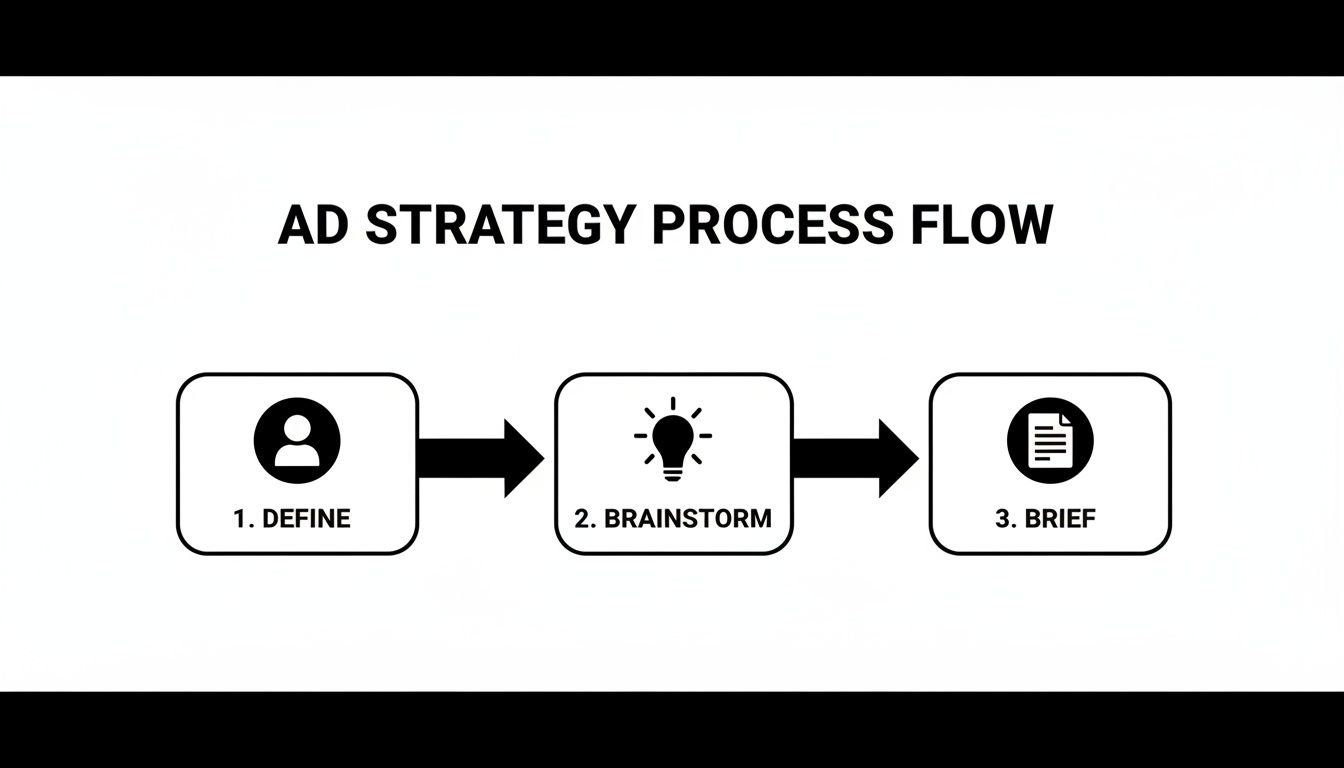
This approach ensures your AI-generated ads aren't just pretty but are also tied directly to your business goals. For course creators getting into AI, understanding the principles of AI social media content creation can give you an edge in creating ads that truly resonate.
With a solid prompt and a few clicks, you can have a whole batch of test-ready ads, complete with compelling voiceovers and perfectly timed captions. If you want to see the entire process from start to finish, our guide on how to generate videos with AI is the perfect next step.
Adding Your Signature Touch to AI-Generated Ads
An AI ad generator gives you a fantastic head start, but the real magic happens in the final polish. Those small tweaks and branding touches you add after the initial generation are what turn a pretty good ad into a high-converting machine. This is your chance to inject your unique brand personality and fine-tune the creative for maximum impact.
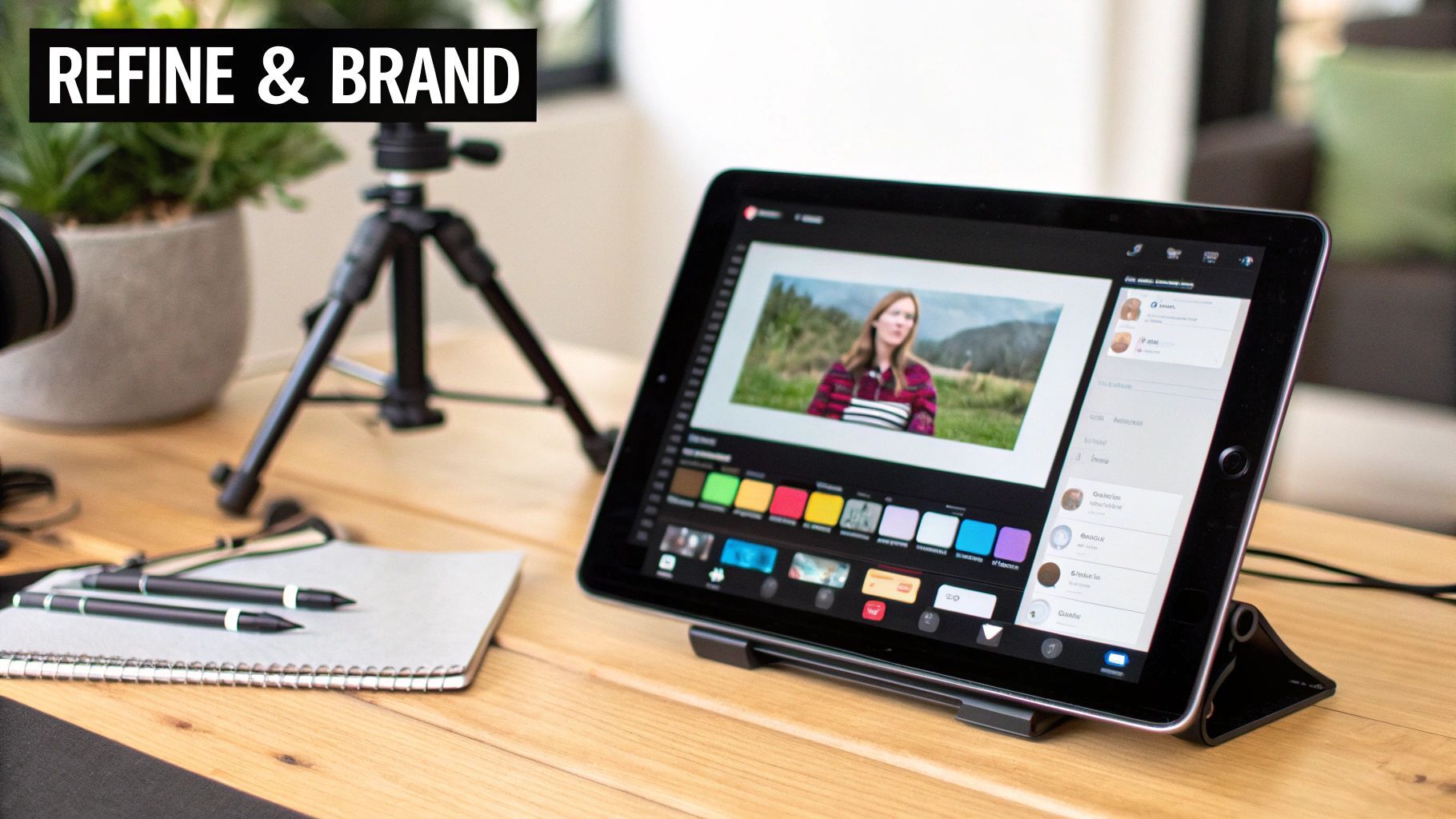
Think of the AI's first draft as a perfectly shaped piece of clay. Now it’s on you to add the custom glaze and fire it in the kiln. This means trimming scenes for a snappier pace, auditioning different voiceovers to find one that matches your brand’s tone, and locking in your specific fonts and colors.
Make It Unmistakably Yours
In a crowded market, your brand is what sets you apart. While an AI tool can build a solid structure, you’re the one who gives it a soul. This is absolutely essential for building the trust and recognition you need with your audience.
- Lock in Your Brand Kit: A great first step is to use a tool like ShortGenius to upload your logo, custom fonts, and exact color palette. Applying these consistently across all your ads makes them instantly recognizable.
- Find the Perfect Voice: The voiceover completely sets the mood. It’s worth testing a few different AI voices to see what fits. Are you going for an energetic, motivational vibe, or something more calm and reassuring? The right tone can dramatically shift how your message lands.
- Fine-Tune the Script: Let's be real, AI gets you 90% of the way there, but it's not you. Read the script out loud. Does it sound like something you would actually say? Tweak any phrases that feel a bit off. If you need some extra inspiration, you can always check out some proven formulas in our guide on script templates for AI UGC video ads.
Taking these steps ensures that even with the help of AI, every ad you put out there feels authentic to your course and your personal teaching style.
Key Takeaway: Branding is so much more than just logos and colors. It's about creating a consistent, authentic experience that makes your audience feel like they know you before they even think about clicking "enroll."
Optimize for Every Single Platform
One of the most common mistakes I see course creators make is posting the exact same video file everywhere. A one-size-fits-all strategy just doesn't cut it anymore. TikTok, Instagram Reels, and YouTube Shorts each have their own unique culture, user interface, and technical specs.
Simply resizing your video from a 9:16 vertical format to a 1:1 square is only scratching the surface. You also have to consider how text overlays and captions will look within each app's interface. An ad that looks perfect on Reels might have its most important message completely blocked by the caption on TikTok.
This is where an AI ad generator really proves its worth, letting you quickly spin up variations of your core creative for each platform without starting from scratch. We've seen incredible results from campaigns that use AI for these dynamic ad variations. The numbers don't lie—the global e-learning market is projected to hit $650 billion by 2030, and AI is a huge part of that growth.
For example, recent campaigns on Facebook and YouTube that used AI to create tailored ad variations saw a massive 55% increase in leads, all while their cost-per-lead dropped from $18 down to just $8.
By tailoring each ad to its specific platform, you dramatically increase its chances of grabbing attention and getting potential students to take meaningful action.
Time to Launch, Test, and Scale Your Campaigns
Getting a batch of AI-generated ads ready is a huge milestone, but it's really just the starting line. The real goal isn't just to make ads; it's to find the ones that are actually profitable and can bring in a steady stream of new students. This is where a smart testing and scaling strategy separates the pros from the amateurs.
When you move from creating the ads to running them, your mindset has to shift. You stop thinking like a video editor and start thinking like a data-driven marketer. Your mission is to systematically figure out which hooks, visuals, and calls to action genuinely convince people to click and buy.
Setting Up Smart A/B Tests
One of the best things about using an AI tool is how quickly you can create dozens of ad variations without the usual production nightmares. This makes running effective A/B tests way easier than it used to be. The trick is to start small and be methodical.
Don't make the mistake of testing ten wildly different ads all at once—you'll have no idea what actually worked. Instead, focus on isolating one variable at a time to get clean, actionable data.
- First, Test Your Hooks: You've got about three seconds to grab someone's attention. I like to create three versions of my best ad, each with a different opening line. Maybe one starts with a question, another with a surprising statistic, and a third that hits on a common pain point.
- Next, Test Your Visuals: Once you've found a hook that's getting clicks, pair it with two or three different visual styles. Does a screen recording of your course platform work better than a montage of UGC-style clips? Let the data decide.
- Finally, Test Your Call to Action (CTA): Even small wording changes can have a huge impact. Does "Enroll Now" convert better than "Watch a Free Preview"? Test them and see.
When you isolate these elements, you quickly learn what your audience responds to. Then, you can combine your winning hook, winning visual, and winning CTA to create a "super ad" that's ready to scale.
My Takeaway: Don't get overwhelmed trying to test everything. Always start with the hook. It has the single biggest impact on performance. A killer hook can make an average ad work, but a weak hook will sink even the most beautifully designed ad.
Focus on Metrics That Actually Matter
It’s tempting to get caught up in vanity metrics like views and likes. They feel good, but they don’t pay the bills. As a course creator, the only numbers that truly matter are the ones tied directly to your revenue and profitability.
To really know if your campaigns are working, you have to track the right KPIs. This means getting comfortable with your numbers and mastering Customer Acquisition Cost (CAC) so you know exactly how much you're spending to get each new student.
Here's a quick look at the most important metrics I keep an eye on when running ads for my courses.
Key Performance Indicators for Course Ad Campaigns
| Metric | What It Measures | Good Benchmark for Course Creators |
|---|---|---|
| Click-Through Rate (CTR) | The percentage of people who click your ad after seeing it. | Aim for 1-3% on platforms like Facebook and Instagram. |
| Cost Per Lead (CPL) | The average cost to get a new lead (like an email signup). | This can vary a lot, but under $10 is a solid starting goal. |
| Return On Ad Spend (ROAS) | The total revenue you generate for every dollar you spend on ads. | A ROAS of 3:1 or higher is a healthy target for scaling. |
Tracking these numbers will tell you the real story of your ad performance and guide you on where to put your budget.
Preventing Ad Fatigue and Scaling Your Winners
So you've found a few ads that are performing well. Awesome! Now it's time to carefully increase the budget. But be warned: even the best ad will eventually burn out. When your audience sees it too many times, they'll start ignoring it. We call this ad fatigue.
This is where a tool like ShortGenius really shines. You can schedule your campaigns to automatically rotate in fresh ad creatives to keep things from going stale. For instance, you can easily swap out the background scenes or try a new voiceover on a winning script.
This simple tactic keeps your ads feeling new without you having to go back to the drawing board every few weeks. It helps you maintain momentum and bring in a consistent flow of new students without being chained to your ads manager every day.
Got Questions About Using AI for Your Course Ads?
Diving into AI ad creation for the first time can feel a little strange. I get it. It's totally normal to be curious and maybe even a bit skeptical about whether a machine can capture the heart of your brand. Let's walk through a couple of the most common questions I hear from fellow course creators.
A huge fear is that AI ads will just spit out something generic and robotic. That’s a fair concern, especially if you've seen some of the early, clunky AI stuff. But the tools we have now are built to solve that exact problem. An AI ad generator for online course creators, like ShortGenius, is actually designed to mimic that authentic, user-generated content (UGC) style that feels real and connects with people.
Ultimately, the quality of what comes out is all about the quality of what you put in. I like to think of the AI as a creative partner that I'm directing. When you feed it prompts that nail your brand's voice and speak directly to your students' biggest struggles, you're steering it toward creating ads that feel compelling, not cold.
Will My AI-Generated Ads Look… Robotic?
This is probably the number one hang-up, and it usually comes from bad first impressions with older tech. Today’s platforms are a whole different ballgame. The trick is knowing which features to use to give your ads that human touch.
- Find Your Voice: Spend a few minutes testing the different AI voiceovers. You'll be surprised at the range. Find one that genuinely matches your brand’s vibe—are you upbeat and motivating, or more calm and reassuring?
- Pick Authentic Visuals: The AI will suggest a bunch of UGC-style video clips. Your job is to curate them. Go through and select the scenes that truly look like something your ideal student would film or experience.
- Stamp Your Brand on It: This is non-negotiable. Always apply your brand kit. Your logo, fonts, and color scheme are what make the ad undeniably yours and keep everything looking professional.
How Many Ad Variations Do I Really Need for a Launch?
Here’s where using an AI ad generator really shines—you can test like a big agency without the massive production budget. For a brand new course launch, you don't need to go crazy. A small, diverse batch is perfect for figuring out what resonates.
A simple formula I've found incredibly effective is generating 3 to 5 different hooks, pairing them with 2 to 3 different visual concepts, and then trying out 2 different calls to action. That little bit of work gives you anywhere from 12 to 30 unique ad variations to play with.
From there, you can run them on a small test budget, find the top two or three that people are actually responding to, and then confidently put your real ad spend behind those winners.
The single most important thing you can test is the hook—that first 1-3 seconds. It's the only thing that matters for stopping the scroll. A killer hook can make an ad work, even if everything else is exactly the same as a losing ad.
Hopefully, that clears a few things up! Approaching AI with a solid plan helps you move past the uncertainty and start creating ads that genuinely connect with your audience and get them signing up.
Ready to create scroll-stopping ads for your online course in minutes? Try ShortGenius and see how easy it is to generate high-performing video ads that grow your business. Start creating today.