A Creator's Guide to Mastering Storyblocks

Discover how to use Storyblocks to elevate your content. Our guide covers its vast library, simple licensing, and practical workflows for modern creators.
Every creator knows the feeling: you're staring at a blank timeline, and the perfect visuals feel miles away. Finding high-quality, affordable, and legally-safe assets can be a real grind, eating up both your time and your budget. This guide dives into Storyblocks, looking at it not just as another stock library, but as a creative partner that can seriously speed up your workflow.
What Is Storyblocks?
Think of Storyblocks as a massive, all-you-can-eat buffet for your creative projects. Instead of paying for every single video clip or music track you download, you get unlimited access to a huge library of royalty-free media for a flat subscription fee. It’s a game-changer because it removes the hesitation that comes with per-asset costs, letting you experiment and download freely without watching your budget disappear.
This model is built to solve a problem every modern creator faces: the constant, nagging need for fresh content. Whether you're running a YouTube channel, managing social media, or leading a marketing team, the pressure to produce is always on. Storyblocks positions itself as the engine to power that output, giving you the raw materials you need to turn ideas into reality, fast.

The platform is designed to be a central hub for all your creative needs, making the whole process of finding and downloading assets much simpler.
From Niche Service to Creative Hub
Storyblocks didn't start out as the all-in-one resource it is today. It actually launched back in 2009 as a niche stock video service. It wasn't until 2017 that the company brought its separate video, audio, and image libraries together under the single Storyblocks brand we know now.
The growth was explosive. By the time of the rebrand, the company had already hit over 100 million downloads—a clear sign of how quickly it scaled from a small startup to a major player in the stock media world. You can read more about their journey over on the official Storyblocks blog.
This history is important because it shows that the platform was built from the ground up with video creators in mind. That DNA is still there. As a result, the library is packed with the kinds of assets video producers need most:
- Vast Video Library: You'll find everything from stunning 4K clips and aerial drone shots to slick animated backgrounds.
- Rich Audio Collection: The library includes cinematic scores, ambient tracks, and thousands of essential sound effects.
- Essential Visuals: It also has a solid collection of images, vectors, and illustrations to round out any project.
By bundling all this content under one subscription, Storyblocks removes the headache of juggling different platforms and complicated licenses. It’s less about hunting for one perfect clip and more about having a reliable, go-to toolbox for whatever project lands on your desk.
Exploring The Storyblocks Asset Libraries
Think of Storyblocks as an all-you-can-create buffet for your projects. Instead of paying for every single clip or track, which can drain a budget fast, you get access to a massive, unified collection. The platform is smartly organized into three main pillars: video, audio, and images.
This setup is built to support your entire creative workflow. You can grab a cinematic opening shot, find the perfect soundtrack to match the mood, and then design a killer thumbnail—all without ever leaving the platform. It's a system designed for efficiency, letting you spend more time creating and less time hunting for assets.
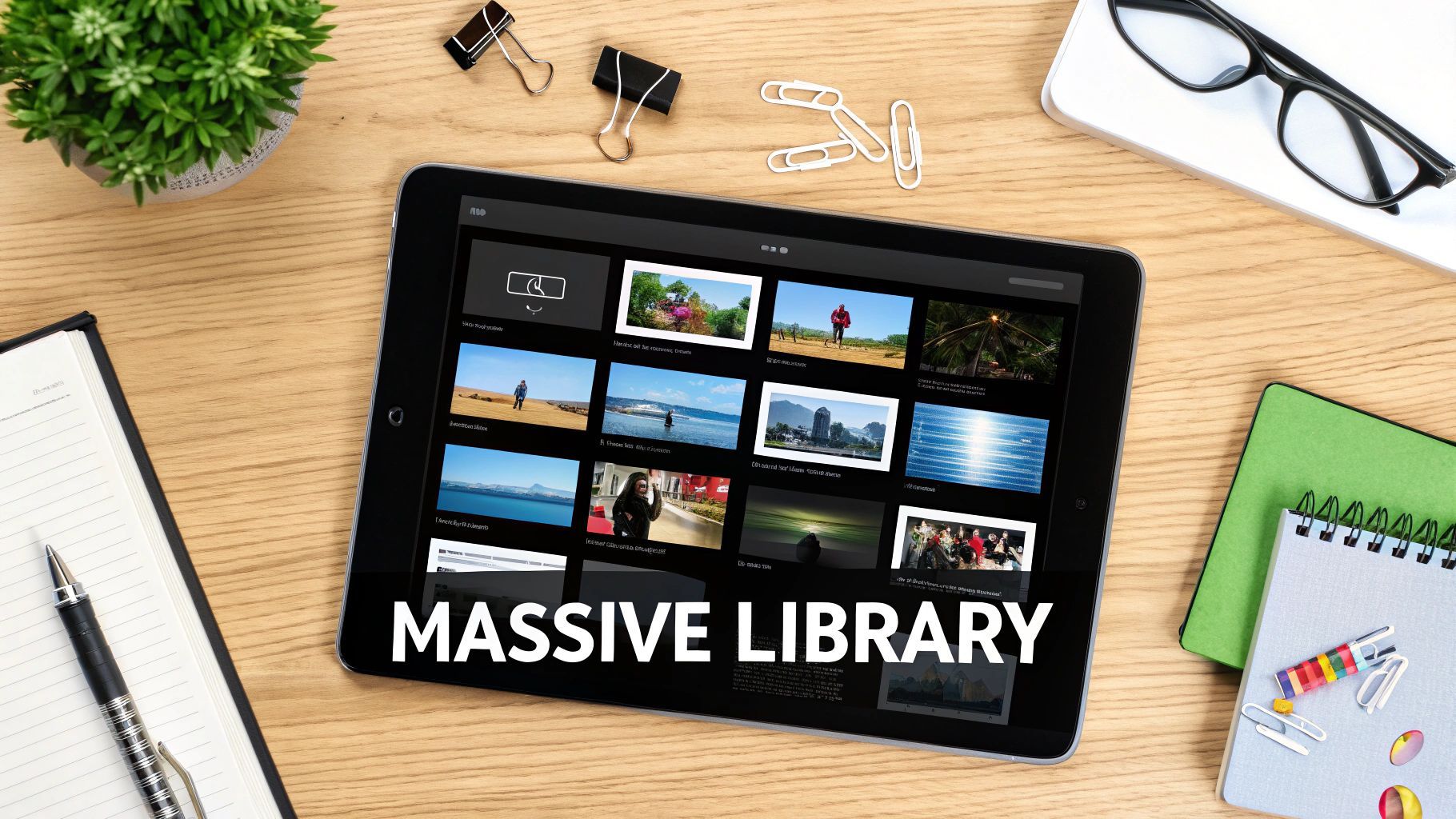
Let's dig into what each of these core libraries actually offers and how they can really level up your content.
The Expansive Video Collection
Video is the heart of Storyblocks, and the depth of its collection is seriously impressive. This isn’t just a random dump of clips; it’s a well-curated arsenal for pretty much any project you can dream up. You’ll find everything from breathtaking 4K drone footage of cityscapes to intimate, character-focused B-roll that adds a real human touch to your story.
For creators churning out social media content, the selection of animated backgrounds, transitions, and motion graphics is a goldmine. It's also worth noting that staying on top of trends like optimizing vertical video dimensions for TikTok and Reels is crucial, and having access to clips already shot in vertical formats saves a ton of time in the edit.
But it goes beyond just standard footage. Storyblocks also includes some powerful creative tools:
- After Effects Templates: These are pre-built project files that let you create pro-level title sequences, logo reveals, and slick animations without starting from scratch.
- Motion Backgrounds: Perfect for adding a bit of visual flair to explainer videos or presentations with subtle, looping animations.
- Overlays: Easily add effects like light leaks, dust particles, or film grain to give your footage a unique vibe.
This variety means that whether you're producing a polished corporate video or a quick, punchy social clip, you have the building blocks you need.
The Versatile Audio Library
Great video is only half the battle. Sound design is what really pulls an audience in, and the Storyblocks audio library is more than up to the task. It's logically split up to help you find exactly what you're looking for, fast.
First, you have music tracks. These range from full-on cinematic scores that build tension to upbeat, motivational tunes perfect for ads and marketing videos. You can filter by mood, genre, and even specific instruments, making it dead simple to find a song that fits your video’s tone.
Next up are the sound effects (SFX). This is where your project truly comes to life. The library is packed with thousands of effects, from the subtle whoosh of a transition to the ambient chatter of a busy café. Using SFX well is one of those things that instantly makes your content feel more professional.
Finally, the library includes loops—short, repeatable music segments. These are incredibly handy for creating custom background music for vlogs, podcasts, or tutorials where you need a consistent but unobtrusive audio bed.
A huge plus with Storyblocks is that every download includes the sync and master use licenses you need for platforms like YouTube. This takes the headache out of copyright claims that can mess with your monetization.
The Comprehensive Image Library
Rounding out the toolkit is the image library. While Storyblocks started with video, its collection of still assets is extensive and serves way more purposes than just filling in gaps.
This library is a go-to resource for anyone looking to quickly find high-quality assets. The table below provides a quick overview of what you can expect to find in each major category.
Storyblocks Asset Library at a Glance
| Asset Category | Content Types Included | Best For |
|---|---|---|
| Photos | High-resolution stock photos, portraits, landscapes, lifestyle shots | Website backgrounds, blog posts, ad creatives, social media posts |
| Vectors | Icons, logos, scalable graphics, patterns, infographics | Branding assets, UI/UX design, presentations, printable materials |
| Illustrations | Digital drawings, artistic styles, character designs, abstract art | Adding a unique visual style to videos, websites, or social content |
As you can see, the library is designed to be a one-stop shop for virtually any visual need a creator might have, from a simple background image to a complex vector illustration for a logo.
For video creators specifically, this library is invaluable for making eye-catching thumbnails, designing on-screen graphics, or building out slides for explainer videos. When you're creating content at scale, especially for things like AI-driven UGC ads, having a deep well of visuals is a must. The right image can be the difference between someone scrolling past or clicking through. To see how these assets fit into a real-world workflow, check out our guide on how to https://shortgenius.com/ai-ugc-ads.
Understanding Storyblocks Pricing And Licensing

A massive asset library is great, but it’s only half the battle. How you're allowed to use that content is what really makes or breaks the deal for a creator. This is where Storyblocks’ approach to pricing and licensing gives it a serious edge, especially when compared to the old-school, pay-per-clip model that can feel so restrictive.
Instead of making you sweat over every single download, Storyblocks is built around a subscription-first philosophy. This isn't just a pricing gimmick; it’s fundamental to their entire platform. In fact, this focus on unlimited access was a huge reason for their growth and eventual acquisition in 2020 by the private equity firm Great Hill Partners. That move essentially validated the power of the all-you-can-eat subscription model in the creative world. You can read more about this strategic shift over on TechCrunch.
Decoding The Subscription Tiers
Storyblocks knows that a solo YouTuber has very different needs than a full-blown creative agency, so their plans reflect that. While the exact names and prices can shift over time, the structure is designed to scale with you.
The core idea is refreshingly simple: pay one recurring fee and get unlimited downloads from the libraries included in your plan. This completely removes the "cost-per-asset" anxiety that can stifle creativity. Feel free to download ten different video clips just to see which one works best. If you only use one, you haven't wasted a dime.
Here’s a general look at how the plans are usually set up:
- Starter Plans: These are often focused on a single media type, like just audio or just video. They're a great entry point if you have a very specific, recurring need.
- Unlimited All-Access: This is the sweet spot and the most popular option for a reason. It bundles video, audio, and images into one package, making it the go-to for most content creators.
- Pro or Enterprise Plans: Built for teams and businesses, these plans add critical collaborative features like multi-user accounts, beefed-up licensing protections, and dedicated support.
The real value of Storyblocks isn't just the sheer number of downloads. It's the creative freedom. When you stop worrying about the cost of each individual asset, you start taking more creative risks and, ultimately, produce better content.
The Power Of The Perpetual License
Okay, this is arguably the most important part of the entire Storyblocks deal. The standard license is both royalty-free and perpetual. Let’s unpack what those terms actually mean for you as a working creator.
Royalty-free is pretty straightforward. You pay for the license once (through your subscription fee), and you can use that asset in as many projects as you want without ever paying another fee for each new use. This is absolutely essential for content that lives on platforms like YouTube, where recurring fees could bleed a channel dry.
Perpetual is the real game-changer. Think of it like buying a book versus borrowing it from the library. Once you download an asset while your subscription is active, it’s yours to use in projects forever. Even if you cancel your plan months or years later, you still have the rights to use everything you previously downloaded. This provides incredible long-term value and, more importantly, peace of mind.
This one-two punch of a licensing model is designed to eliminate the biggest fears creators face:
- Surprise Bills: You will never get an invoice years from now just because an old video suddenly went viral.
- Copyright Strikes: The assets are cleared for commercial and social media use, protecting your channel and your ability to monetize. Some higher-tier plans even offer indemnification for an extra layer of legal protection.
- Archived Projects: Need to re-edit a project from two years ago? No problem. You don't have to worry about whether your subscription is still active to use the clips you already downloaded for it.
By making their licensing so simple and creator-friendly, Storyblocks strips away a huge layer of legal complexity. It lets you get back to what you're actually here to do: create.
How Storyblocks Actually Fits into a Modern Creator's Workflow
Let's move past the features list and talk about what really matters: how Storyblocks works in the real world, on a tight deadline. This is where you see it’s more than just a massive library of clips and songs. It’s a tool that can fundamentally speed up your entire creative process. Think of it as the bridge between that great idea in your head and the finished video you need to post, minus all the usual friction.
Picture a social media manager who needs to get three eye-catching Instagram Reels live by the end of the day. The old way? Scrambling to shoot something, anything. The Storyblocks way? They can jump into the library, grab a few on-trend vertical clips, find a royalty-free banger of a track, and stitch together a polished video in less than an hour. In the breakneck world of social media, that kind of speed is a massive advantage.
It's the same story for bigger projects. A YouTuber creating a mini-documentary can instantly elevate their storytelling by sprinkling in high-quality B-roll from Storyblocks. That cinematic drone shot of a city at dusk or a tight, professional-looking close-up? That’s the stuff that used to require a huge budget and a whole production crew. Now, it's just a download away.
Making Video Production Way More Efficient
At its core, plugging Storyblocks into your workflow is all about one thing: efficiency. It smooths out the bumps in the road that slow down content creation, turning potential bottlenecks into a straight path to the finish line. And this isn't just about saving a few hours. It’s about freeing up your time and mental energy to focus on what really counts—the story, the edit, and the overall strategy.
Here’s how different creators might put it to work:
- The Social Media Manager: They can quickly source trending audio and vertical videos to jump on timely conversations on TikTok and Instagram.
- The YouTuber: Before a shoot, they might download a whole folder of B-roll clips to visually support their main points, adding depth without needing a second camera operator.
- The Marketing Team: Instead of starting from scratch, they can grab a professional After Effects template to build a polished corporate video, keeping everything on-brand and hitting a tight deadline.
This completely changes the creative equation. You're no longer limited by what you can physically shoot. Instead, you're empowered by your imagination, with a near-limitless library ready to help you build whatever you can dream up.
The Rise of the Subscription Model
One of the biggest shifts Storyblocks represents is the move away from paying for every single asset. The subscription model changes how you think about sourcing media, offering a different kind of creative freedom.
Here's a quick breakdown of how it stacks up against the old-school, pay-per-clip sites.
Storyblocks vs Pay-Per-Clip Platforms
| Feature | Storyblocks (Subscription) | Traditional Platforms (Pay-Per-Clip) |
|---|---|---|
| Cost Structure | A flat monthly or annual fee for unlimited downloads. Predictable and budget-friendly. | You pay for each individual video, image, or audio track. Costs can add up quickly. |
| Creative Freedom | Download and experiment with as many assets as you want without worrying about cost. | Every download is a financial decision, which can stifle experimentation. |
| Licensing | Simple, royalty-free license covers almost all use cases, commercial and personal. | Licensing can be complex, with different tiers (standard, enhanced) at different price points. |
| Best For | High-volume creators, agencies, and teams who need a constant supply of diverse media. | Creators who only need a few specific assets for a single project. |
The subscription approach really shines for creators who are consistently producing content. It removes the hesitation and the "is this clip really worth $79?" question, letting you just focus on finding the best possible asset for the job.
Pairing Storyblocks With AI and Your Favorite Editing Tools
Today’s smartest workflows often involve a mix of human creativity and smart automation. Storyblocks assets are the perfect raw material to feed into these new AI-powered tools. For instance, you could download a batch of clips and images, then upload them to an AI ad generator to spit out dozens of ad variations for a campaign in minutes. This blend of high-quality, human-shot footage with AI-powered assembly is a game-changer.
Storyblocks provides the foundational ingredients—the visuals and audio—that AI tools can then remix, re-edit, and optimize for the best performance. This synergy lets a solo creator or a small team punch way above their weight, achieving an output that used to be reserved for big agencies.
And it gets better. Storyblocks plugs directly into the editing software you’re already using. With plugins for Adobe Premiere Pro, Final Cut Pro, and others, you can search and import assets right into your project timeline. No more tabbing back and forth to a browser, downloading files, and then manually importing them. This keeps you in your creative flow. For anyone looking to seriously level up their output, checking out other AI-driven ad creative generation tools is a great next step to see how you can turn those assets into high-performing campaigns even faster.
The end result is a workflow where top-tier stock media is never more than a few clicks away, living right inside the creative tools you use every day. It's a practical, powerful way to make better content, faster than ever before.
Evaluating Storyblocks: The Good, The Bad, and The Realistic
No stock footage site is a magic bullet for every creator out there. To get a real sense of where Storyblocks shines and where it might fall short, you have to look at it from both sides. This isn't about finding a perfect platform, but about finding the right one for your specific workflow and creative goals.
The biggest selling point, hands down, is the unlimited download model. This all-you-can-eat approach completely changes the creative process. It removes that nagging voice in your head that tallies up the cost of every B-roll clip, encouraging you to experiment without worrying about your budget. For anyone cranking out content regularly, this predictable pricing is a game-changer.
On top of that, the perpetual license is a huge sigh of relief. Anything you download while your subscription is active is yours to use forever. You're completely free from the fear of a copyright claim popping up years down the road, long after you've moved on from the platform.
The Power of Value and Simplicity
At its core, the appeal of Storyblocks boils down to sheer, uncomplicated value. One subscription fee gets you into a library with millions of video clips, music tracks, and images. It means you can stop juggling a half-dozen different subscriptions and trying to decipher confusing licensing terms from multiple sites.
This straightforward system lets you get back to what actually matters: creating. You can build up your own personal library of go-to assets, confident that every single one is cleared for commercial use on places like YouTube. That kind of efficiency is what Storyblocks is all about.
The real magic is how it breaks down creative barriers. When you're not mentally calculating the cost of each asset, you're far more likely to grab that extra B-roll shot or try out a different music track. That freedom to experiment is often what elevates a good video to a great one.
The size of the library is another major win. It's deep enough that you'll almost always find a solid clip for common topics, whether you're making a corporate video or a lifestyle vlog. It’s a true workhorse for creators who need a steady stream of diverse content.
Understanding the Potential Drawbacks
Of course, the unlimited model isn't without its trade-offs. Because the library is so popular, you'll sometimes see a familiar clip pop up in someone else's content. If you're aiming for a completely one-of-a-kind visual style, this is something to keep in mind, though you can usually avoid it by digging a little deeper in your searches.
You also have to consider the level of specialization. Storyblocks is fantastic for providing a huge range of high-quality, versatile content. But if you're hunting for something super niche or highly artistic—think avant-garde, cinematic footage—you might have better luck on premium, pay-per-clip platforms. The library is built for broad appeal, not just for high-end cinematic directors.
This simple infographic shows the exact kind of workflow Storyblocks is built to support, helping you move smoothly from idea to final export.
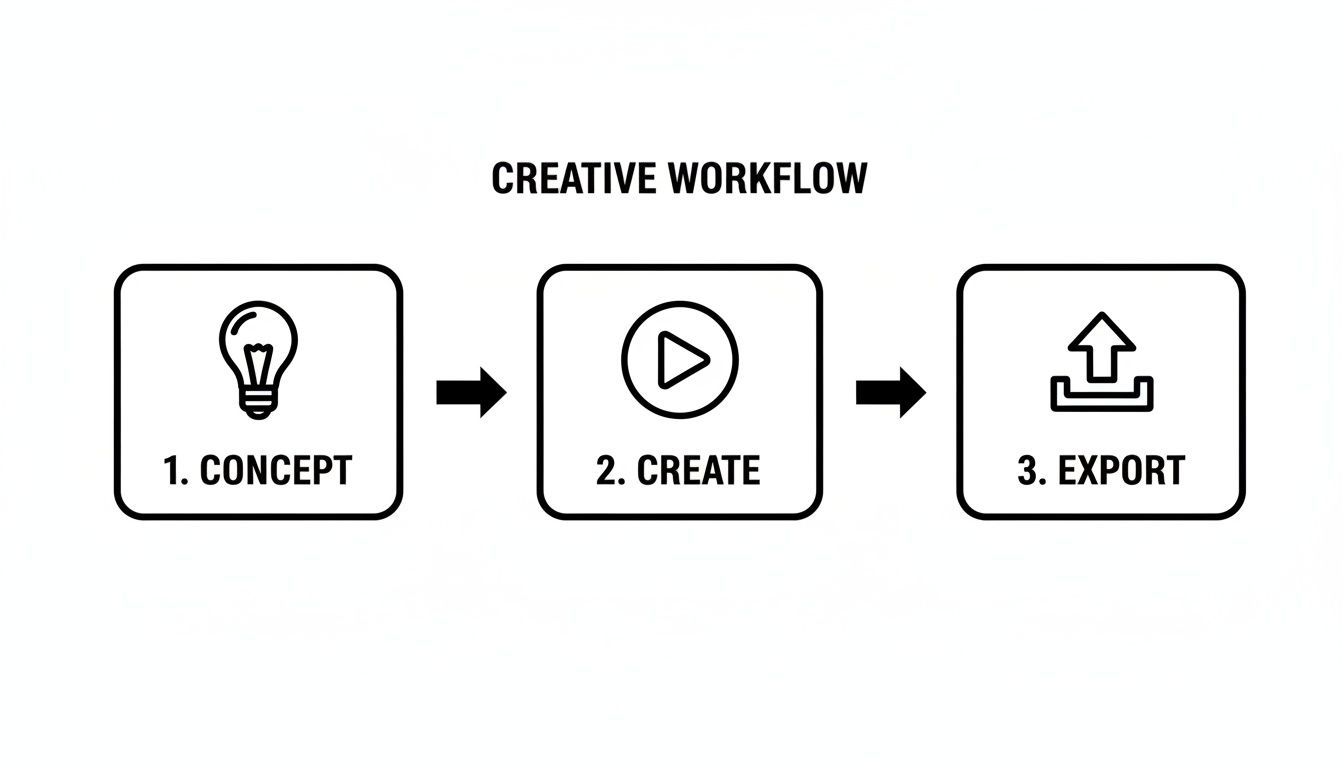
You can see how the platform slots right into a creator's day-to-day process, delivering the assets you need right at that crucial "Create" stage.
A Look at The Company's Scale
Finally, it helps to know where the company stands in the market. As a major player, its financials are often a topic of discussion. However, pinning down exact numbers for a private company is tricky, as different business databases report figures based on their own data sources. For example, some reports might estimate revenue around $44.5 million, while others show different funding totals, especially after an acquisition. You can get a feel for how analysts compile this data by looking at a sample business snapshot of Storyblocks.
At the end of the day, Storyblocks presents a seriously compelling package for the modern creator. Its strengths in value, licensing simplicity, and sheer volume make it a reliable and efficient engine for producing high-quality content consistently.
Answering Your Top Questions About Storyblocks
Jumping into a new creative platform always brings up a few questions. To get you started on the right foot, I've rounded up the most common things creators ask about Storyblocks and given you some straight answers. The goal here is to make sure you know exactly what you're getting into so you can use these assets to their full potential.
Getting these details right is a big deal, especially when your content is your business. Understanding the ins and outs of licensing and usage means you can create without worry, keeping your workflow smooth and your channels safe.
Can I Still Use Content After I Cancel My Storyblocks Subscription?
Yes, you absolutely can. This is easily one of the best, most creator-friendly features Storyblocks offers. Their standard license is perpetual, which is just a fancy way of saying that anything you download while you're a subscriber is yours to use in projects forever.
Think of it like buying a tool instead of renting it. Once it's in your toolbox, you can keep using it for any project down the road without ever paying for it again. You just can’t go back to the “store” for new assets once your membership ends. This "keep what you download" approach gives you incredible long-term value and serious peace of mind.
Is Storyblocks Content Safe For YouTube And Social Media?
Yep, it's designed specifically for that. Every single asset in the Storyblocks library is royalty-free, which is your golden ticket to avoiding those dreaded copyright claims that can freeze your monetization and throw a wrench in your upload schedule. You can confidently use their content on YouTube, Instagram, TikTok, and anywhere else.
For creators on their Unlimited All-Access plan, Storyblocks even adds an extra layer of protection: indemnification up to $20,000. This basically means they have your back if any weird copyright issues pop up, giving you professional-grade assurance for commercial work. This is a huge plus for anyone trying to navigate the often-confusing world of creator income, which we break down in our guide on how much does YouTube pay for content.
To make things even smoother, Storyblocks lets you whitelist your YouTube channel ID right in your account dashboard. This tells their system to automatically clear most Content ID claims for you, often within 30 minutes, so your videos go live without a hitch.
How Does Storyblocks Compare To Competitors?
Storyblocks has carved out a great spot for itself with its unlimited download model and dead-simple licensing. But whether it's the best choice really depends on what you need.
Here’s a quick rundown of how it stacks up:
- Versus Artlist: People love Artlist for its beautifully curated music library. It's a favorite among filmmakers who want that high-end, cinematic sound. Storyblocks, on the other hand, is more of a comprehensive, all-in-one package, bundling tons of video, images, and templates right alongside its audio.
- Versus Envato Elements: The library on Envato Elements is absolutely massive and goes way beyond video. They have everything from web themes and fonts to 3D models. Storyblocks is more laser-focused on the needs of video creators who need a deep, reliable well of footage and sound.
At the end of the day, it's about what you're focused on. If you need a high volume of quality video and audio with the simplest licensing on the market, Storyblocks is a fantastic, budget-friendly choice.
Does Storyblocks Offer Any Free Tools Or Assets?
While Storyblocks is a premium subscription service, they do have a couple of things to give you a feel for the platform. They offer a built-in video editor called Maker, which lets you piece together clips and music from their library right in your browser—no extra software needed.
They also tend to release a small selection of free assets each month to anyone who signs up for an account. It's important to remember, though, that the real power of the platform—the massive library of top-tier content—is behind the paywall. The unlimited plan is designed to be so valuable that you won't really be thinking about the freebies anymore.
Ready to stop searching and start creating? ShortGenius integrates seamlessly with asset libraries to help you produce high-quality videos and ads in minutes.