Cómo Crear Videos con IA y Obtener Resultados Profesionales

Descubre cómo crear videos con IA de principio a fin. Esta guía práctica cubre guionización, visuales y edición para obtener resultados de calidad profesional.
Gone are the days when video production was a beast of a task, reserved for those with deep pockets and technical wizardry. Now, you can go from a simple idea to a fully polished video in minutes, not days. The secret? A straightforward workflow where you generate a script, create visuals and a voiceover with text prompts, piece it all together, and hit publish.
The New Reality of AI Video Creation
Welcome to video production, reimagined. The once-massive gap between a creative concept and the final cut is practically gone. AI tools now do the heavy lifting—scripting, generating visuals, editing, and even providing lifelike voiceovers. This guide will walk you through exactly how to make videos with AI, breaking down what used to be a complex, multi-stage process into a simple, manageable workflow.
The core of this new approach is a partnership. You bring the creative vision and direction through text prompts, and the AI handles the technical execution. This saves an incredible amount of time and money, letting individual creators and businesses produce high-quality content at a scale that was once unthinkable.
A New Workflow for Modern Creators
The way we create videos with AI is fundamentally different. It’s faster and more flexible, and it demands a new skillset. Forget spending hours learning complex software; success now hinges on your ability to write creative, effective prompts.
This streamlined process is fueling explosive growth in the market. Valued at USD 534.4 million, the AI video generator market is expected to surge to USD 2.56 billion by 2032. That’s a massive leap, driven by creators who are embracing this new reality.
This entire workflow can be boiled down to four key stages, moving from the initial spark of an idea to the final published video.
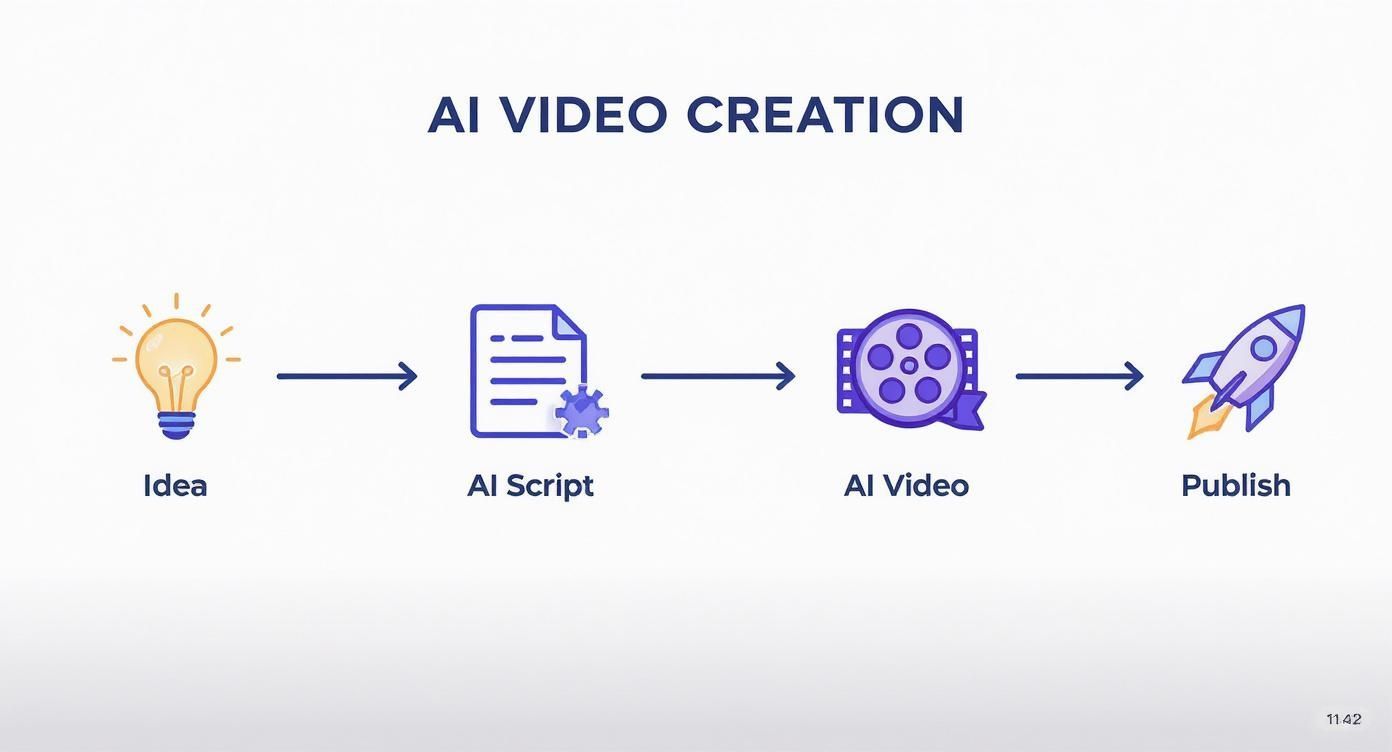
Each step flows logically into the next, which is what makes the process so efficient. The question has shifted from if you can make professional-grade videos with AI to how well you can optimize the workflow. To get a sense of the tools making this possible, it’s worth exploring some of the best AI video generators available today.
Key Takeaway: The biggest shift here is your role. You're no longer a technical operator wrestling with timelines and software settings. Instead, you're a creative director. Your job is to guide the AI with clear, imaginative instructions to bring your vision to life, putting the focus back on strategy and storytelling.
To give you a clearer picture, here’s a quick overview of the stages we’ll be covering in this guide. Think of it as your roadmap for turning ideas into compelling video content.
AI Video Creation Workflow at a Glance
| Stage | AI's Role | Key Outcome |
|---|---|---|
| Ideation & Scripting | Generates video ideas, outlines, and full scripts. | A polished, engaging script ready for production. |
| Visual & Thumbnail Generation | Creates video clips, images, and eye-catching thumbnails. | A library of custom visual assets for your video. |
| Scene Assembly & Voiceover | Stitches visuals together and applies a natural-sounding voiceover. | A cohesive rough cut of your video with narration. |
| Post-Production & Polish | Trims clips, adds captions, applies branding, and resizes. | A finished, platform-optimized video. |
| Quality Check & Scheduling | Reviews for errors and schedules for optimal publishing times. | A high-quality video ready for your audience. |
This table lays out the journey ahead. Each stage leverages AI in a specific way to move your project from concept to completion efficiently. Let's dive into the first step.
Turning Your Idea Into an AI-Powered Script
Every great video I’ve ever seen started with a solid script. Before you touch a single visual, you need to nail down the story and the message. This is where AI scriptwriting tools come in—not as a replacement for creativity, but as a powerful creative partner to get you from a fuzzy idea to a real narrative.
Forget staring at a blank page. You can jumpstart the entire process with a simple prompt. The trick is to stop giving the AI generic requests and start giving it specific, detailed instructions. Think of it less as automation and more like brainstorming on steroids.
Brainstorming Angles and Outlines
First things first: don't ask for a full script right out of the gate. That's a rookie mistake. Instead, use the AI to explore different creative directions and find an angle that will actually hook your audience.
Let's say you want to make a video about sustainable coffee. A generic prompt will get you… well, a generic script. A much smarter approach is to ask for concepts first.
- Try a prompt like this: "Give me 5 video concepts for a 60-second TikTok about sustainable coffee. I want different angles: one on the farmer's story, another on the environmental impact, and a 'day in the life' of a coffee bean."
- Or this: "Outline a 3-part video script comparing fair-trade vs. direct-trade coffee. Give me a strong hook, a simple comparison in the middle, and a clear call to action at the end."
This approach gives you a menu of structured ideas to choose from. Once you find one you love, then you can ask the AI to flesh it out. This two-step process—ideate first, then draft—always yields better, more focused results. I’ve found it saves a ton of time down the line.
Writing the First Draft with AI
Okay, you’ve got your outline. Now it's time to get that first draft written. This is where the details really matter. The more context you feed the AI, the less painful the editing process will be later.
Be specific about the tone you're going for, who you're talking to, and the one key message you want them to remember. Put all of that right into your prompt.
Pro Tip: Ask the AI to write in visual cues directly into the script. Seriously, this is a game-changer. Tell it to add shot descriptions in brackets, like "[Close-up on a steaming coffee mug]" or "[Drone shot of a lush coffee farm]." This not only makes the script better but also gives you ready-made prompts for generating your visuals later.
The growth here is pretty wild. The AI video market was valued at USD 11.2 billion this year and is on track to hit nearly USD 246 billion by 2034. It’s not just a trend for creators; the fact that enterprises are leading the charge shows how essential AI-driven scripting and production have become for marketing and training at scale. You can dig into these market dynamics to see just how big this is getting.
Refining for a Human Touch
An AI-generated script is an awesome starting point, but it should never be the final version. The last—and most important—step is to inject your own voice and experience into it. Always read the script out loud. You'll immediately catch awkward phrasing and anything that sounds robotic.
- Add personal stories: Does a line spark a memory or a personal anecdote? Weave it in. That's what makes content relatable.
- Dumb it down: AI loves to be formal. Rewrite sentences to sound like you’re actually talking to another person.
- Check the flow: Make sure your points transition smoothly. Does one idea logically lead to the next?
This final human pass is what separates genuinely good, AI-assisted content from a soulless, machine-written piece. It's how you ensure the story actually connects with people and makes your video stick.
Bringing Your Video to Life with AI Visuals and Voiceovers
Okay, you've got a killer script. Now for the fun part: actually making the video. This is where you'll turn those words on a page into moving pictures and give them a voice. The best way to approach this is to think of your AI tools not as simple command-line programs, but as your creative partners.
Your script is more than just dialogue—it's your visual roadmap. If you took my advice and peppered your script with cues like "[Close-up shot of hands typing on a vintage typewriter]," you've already done most of the heavy lifting. Translating those cues directly into prompts is the quickest path to getting visuals that perfectly match the story you want to tell.
How to Write Prompts That Get Great Visuals
The difference between a generic, forgettable AI video and a stunning one often comes down to the quality of your prompts. Vague requests get vague results. You need to be specific and descriptive to get the AI to generate the exact scene you have in your head.
My advice? Think like a movie director. Don't just tell the AI what you want to see; show it the whole picture.
- Define the Vibe: Are you going for a slick, cinematic look or something more like a simple, clean animation? Start your prompt with terms like "Cinematic, 4K, realistic lighting" or "Flat 2D animation, minimalist." This sets the stage immediately.
- Describe the Action: Instead of a lazy prompt like "a person working," get detailed. Try something like, "A young woman in a modern office, focused, typing on a laptop, with a city view from the window." See the difference?
- Direct the Camera: You can even tell the AI how to "film" the scene. Using terms like "wide shot," "drone footage," or "dolly shot" can give your video a much more dynamic and professional feel.
This is the secret sauce. Getting this right takes a bit of practice, and every AI model interprets things a little differently, so don't be afraid to experiment.
Finding and Directing the Perfect AI Voice
While the visuals are coming together, you also need to think about the audio. Modern text-to-speech has come a long way from the robotic voices of the past. Using a high-quality AI voice generator for videos is non-negotiable for producing content that sounds human and engaging.
Picking the right voice is all about your brand and your audience. Most tools give you plenty of options to consider:
- Age and Gender: Does your message call for a mature, authoritative voice or a young, energetic one?
- Accent and Dialect: Pick a voice your target audience will connect with.
- Tone: The delivery needs to match the script. Is it supposed to be exciting, serious, or friendly?
Pro Tip: Don't just dump your entire script into the generator and hit "create." I get much better results by generating the audio paragraph by paragraph. This little trick gives you way more control, allowing you to tweak the pacing, add pauses for emphasis, and even shift the emotional tone from one sentence to the next.
Tools are getting smarter about this, too. Many platforms, including integrated solutions like https://shortgenius.com, bundle video and voice generation together. This makes it so much easier to sync your narration with the on-screen action, which is absolutely critical for a polished final video. The end goal is a seamless experience where the sound and visuals feel like they were made for each other.
Bringing It All Together: Assembling and Polishing Your AI Video
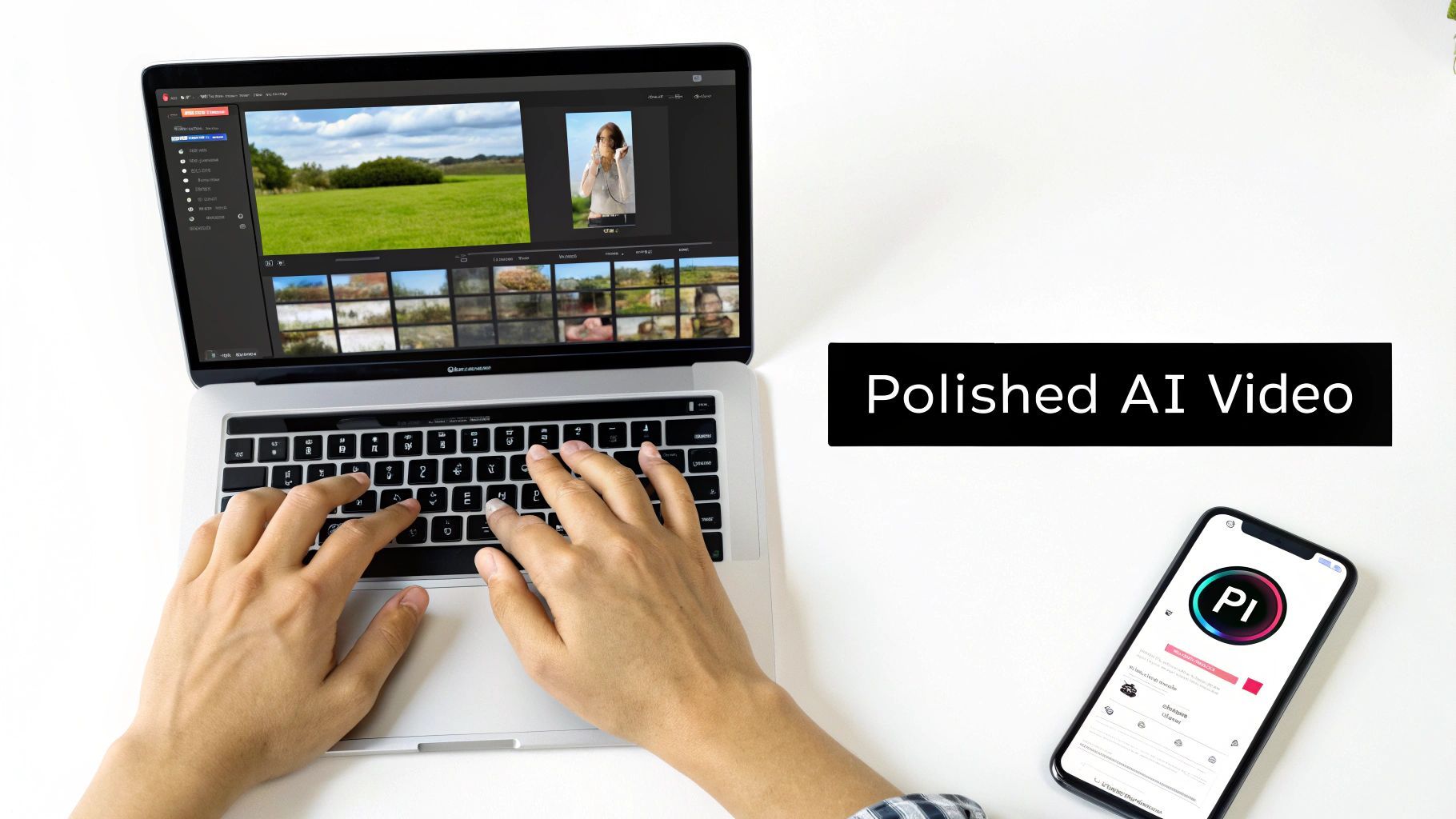
Okay, you've got your AI-generated visuals and a crisp voiceover ready to go. Think of these as your raw ingredients. Now comes the fun part: putting them together to tell a cohesive story. This is where a collection of clips transforms into a professional-looking video that actually flows.
Thankfully, you don't need to be a seasoned editor anymore. Most AI video platforms have made this process incredibly intuitive. It’s mostly a drag-and-drop affair—get your clips into the timeline, arrange them to match your script, and start trimming away the excess. Pacing is everything here, and some of the smarter tools will even suggest cut points to keep things punchy and engaging.
Sequencing and Smooth Transitions
First things first, get your clips in the right order. The goal is to match each visual with its corresponding line in the voiceover. You're building a narrative, and the visuals need to support what the audience is hearing, not distract from it.
Once everything is laid out, it's time to think about transitions. How you move from one scene to the next can completely change the video's feel.
- Subtle fades are your best friend for showing a passage of time or gently shifting between topics. They keep things smooth and graceful.
- Dynamic cuts (or hard cuts) create energy. They’re perfect for fast-paced marketing videos or any time you want to build a little excitement.
- AI-powered transitions are a game-changer. Some tools can analyze two adjacent clips and create a custom, seamless blend between them that looks incredibly professional.
This is all about finding a visual rhythm. A well-paced video with thoughtful transitions just feels right and keeps people watching.
My Two Cents: Don't forget about background music! A good audio track can do a lot of the emotional heavy lifting. Most AI editors have a library of royalty-free options. Just pick a track that fits the mood and duck the volume so it sits comfortably behind your voiceover.
Automated Polishing for Every Platform
This is where AI really starts to show off, automating the tedious tasks that used to eat up so much time. With your core video assembled, you can now use a few automated features to prep it for any platform.
The first big one is smart resizing. With just one click, you can take a horizontal YouTube video and reformat it into a vertical clip for TikTok or Instagram Reels. The AI is smart enough to re-frame the action, ensuring the main subject stays in the shot. This alone can save hours of manual adjustments.
Next up is auto-captioning. It's non-negotiable. So many people watch social videos with the sound off, so captions are essential for engagement and accessibility. AI can transcribe your voiceover with startling accuracy and generate perfectly timed subtitles in minutes.
The rapid improvement in these features is why the AI video market is booming. Valued at USD 3.86 billion this year, it’s projected to explode to USD 42.29 billion by 2033. This growth is fueled by algorithms making professional video production accessible to everyone. You can read more about this explosive industry growth to see just how fast things are moving.
Finally, add your brand's touch. Platforms like ShortGenius let you set up a brand kit with your logo, fonts, and color palette. You can then stamp this branding onto your video with a single click. It's that final polish that makes your project look less like a random clip and more like a professionally published piece of content.
Publishing Your Video for Maximum Impact
https://www.youtube.com/embed/O43etudFDBc
You've done the heavy lifting—your clips are assembled, the edit is polished, and your branding is in place. But all that work is for nothing if nobody sees the final product. Getting your video out there isn't just about clicking "publish"; it's about giving it the best possible launch on every platform.
Before you even think about going live, you need to do one last, crucial pass. A final quality check is absolutely non-negotiable. I can't tell you how many times I've caught a tiny, embarrassing mistake just by watching the video one last time.
Watch it from start to finish on the same device your audience will use, which is almost always a phone. Keep an eye out for any weird visual glitches, check that the audio lines up perfectly, and triple-check your captions for typos. A single mistake can make an otherwise brilliant video feel amateurish.
Fine-Tuning Your Video's Discoverability with AI
Once you're happy with the quality, it's time to handle the metadata. This is the stuff that tells platforms like YouTube and Instagram what your video is all about, and it's your key to getting discovered. AI tools can turn this from a chore into a huge strategic advantage.
Instead of just guessing which keywords to use, you can feed your script into an AI and get back a goldmine of optimized titles, descriptions, and tags. It’s incredibly fast and almost always uncovers angles you wouldn't have thought of on your own.
- Catchy Titles: Just ask your AI for five title options that are both attention-grabbing and packed with the right search terms.
- Detailed Descriptions: Have it write a full summary of the video, making sure it weaves in your primary keywords and ends with a solid call-to-action.
- Relevant Tags: Get a complete list of relevant tags and hashtags that will help your video pop up in search results and discovery feeds.
This simple step ensures you're not leaving any organic views on the table.
Designing a Click-Worthy Thumbnail with AI
Your thumbnail is your video's billboard. It's often the #1 factor in whether someone clicks or just keeps scrolling. A weak thumbnail will kill even the greatest video. Thankfully, AI image generators have made creating stunning, custom thumbnails easier than ever.
The trick is to give the AI a really specific prompt. Don't just say "a person looking at a computer." Get descriptive. Try something like, "A dramatic close-up of a surprised face, illuminated by a glowing laptop screen with code, cinematic lighting, vibrant colors." That level of detail is what helps the AI create something that truly stops the scroll.
My Pro Tip: Never settle for the first thumbnail you generate. I always create three or four different versions—playing with different styles, colors, and compositions. You can then test them to see what actually resonates with your audience and gets the most clicks.
Your audience will tell you what works; you just have to listen.
Scheduling Content for Peak Engagement
Finally, let's talk timing. It's everything. Pushing your video live when your audience is most active can make a massive difference in its initial reach and engagement. The good news is, you don't have to guess anymore.
AI-powered scheduling tools can analyze your audience's activity and pinpoint the absolute best times to post on TikTok, YouTube, and Instagram. Tools like ShortGenius can even handle the scheduling for you, pushing your content live at the perfect moment. This closes the loop on a fully AI-driven workflow, taking you from a simple idea to smart, automated distribution.
By following this process, you’re not just uploading a video—you're launching it with a strategy.
AI can do more than just generate content; it can help you tailor that content to perform best on specific platforms. Each social network has its own unique audience and algorithm quirks. Here's a quick cheat sheet for using AI to optimize your videos for the biggest platforms.
Platform-Specific AI Optimization Tips
| Platform | AI Task for Optimization | Example Application |
|---|---|---|
| YouTube | SEO & Keyword Analysis | Use an AI tool to analyze top-ranking videos for a keyword like "beginner's guide to pottery" and generate a list of 15-20 long-tail keywords and semantic tags to include in your title, description, and tags. |
| TikTok | Trend Identification & Audio Matching | Feed your video's topic into an AI that tracks viral trends. Ask it to identify the top 3 trending audio clips that fit your video's theme, boosting its chances of landing on the For You Page. |
| Instagram Reels | Hook & Caption Generation | Give your script to an AI and ask it to write 5 different opening hooks for the first 3 seconds of your Reel. Have it also generate a concise, emoji-rich caption with a clear call-to-action like "Comment your favorite tip below! 👇" |
| Professional Tone & Summary | Ask an AI to rewrite your video's script into a professional, insightful summary for a LinkedIn post. Prompt it to frame the content as a "key takeaway" or "industry insight" to resonate with a business-focused audience. | |
| X (Twitter) | Concise Teaser & Hashtag Strategy | Have an AI create a punchy, under 280-character tweet to promote your video. Ask it to include a compelling question and 2-3 highly relevant, non-spammy hashtags to maximize reach. |
By thinking platform-first and using AI to handle the platform-specific optimizations, you give your content a much better shot at succeeding everywhere you post it.
Got Questions About Making Videos with AI?
Jumping into any new tech always brings up a bunch of questions. When you're figuring out how to make videos with AI, it’s totally normal to wonder about the nitty-gritty details, from picking the right software to just understanding the rules of the road. Let’s clear up some of the most common things people get stuck on.
What Are the Best AI Tools for Beginners to Start Making Videos?
If you're just dipping your toes in, my best advice is to find an all-in-one platform. Trust me, trying to juggle separate tools for scripting, voiceovers, and editing is a fast track to getting completely overwhelmed.
Look for platforms that pack everything into a single, straightforward workflow. I'm talking about tools that can take you from a simple text prompt to a finished video without forcing you to hop between five different browser tabs. Most of them have free trials, so you can play around and find one that feels right for your creative style before pulling out your wallet.
Can I Use My Own Footage or Voice with AI Video Generators?
Yes, absolutely. This is probably one of the biggest myths out there—that AI tools force you to use only AI-generated content. The truth is, most modern platforms are actually hybrid editors.
You can easily upload your own video clips, images, and audio files. Once your content is in, you can then lean on AI to:
- Polish your footage: Think automatic color correction or stabilization.
- Fill the gaps: Need a quick B-roll shot? Let the AI generate a new scene to complete your story.
- Clone your voice: Record your voice once and create consistent narration for all your future videos.
This flexibility is a game-changer. It lets you mix the personal, authentic touch of your own content with the sheer speed and power of AI.
Your job will not be taken by AI. It will be taken by a person who knows how to use AI.
This quote really nails the new reality for creators. It’s not about being replaced; it's about using these incredible tools to level up your own creativity and simply work smarter.
How Do I Avoid Copyright Issues with AI-Generated Content?
This is a huge one, and the answer comes down to being smart about the platform you choose. Always, always stick with reputable AI video generators that have crystal-clear policies on commercial use.
Most paid tools will give you a commercial license for the videos you create, pulling from either royalty-free stock media libraries or their own AI-generated assets. You need to be extra careful with free tools, as their terms can be pretty restrictive. As a general rule, it's also a good idea to avoid prompting the AI to create something that directly copies trademarked characters or copyrighted art styles. Better to stay on the safe side.
Ready to stop juggling tools and start creating? ShortGenius brings every step of the process, from script to schedule, into one seamless platform. Produce and publish high-quality AI videos in minutes.