FLUX.2 [klein] 9B LoRA
Ακριβής επεξεργασία εικόνας
Precise image edits, color control

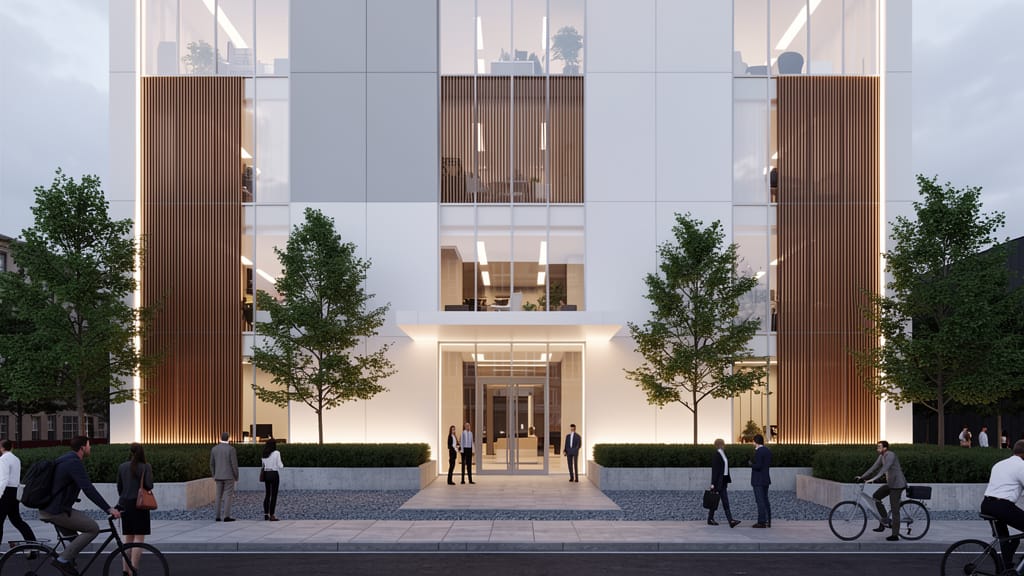

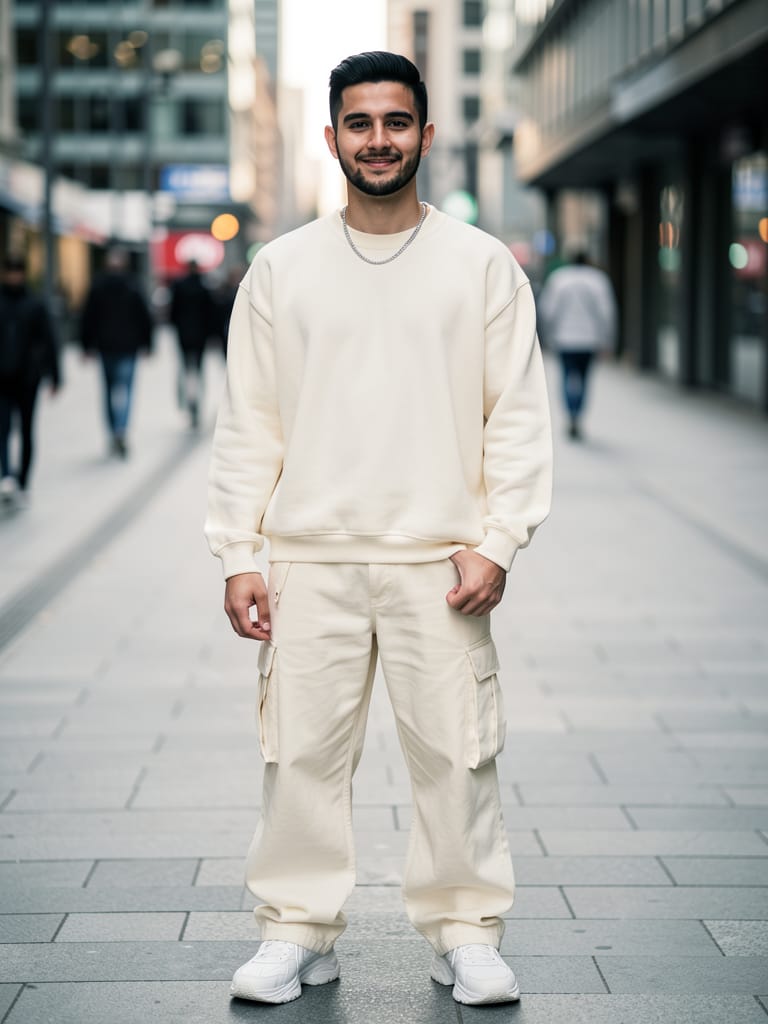

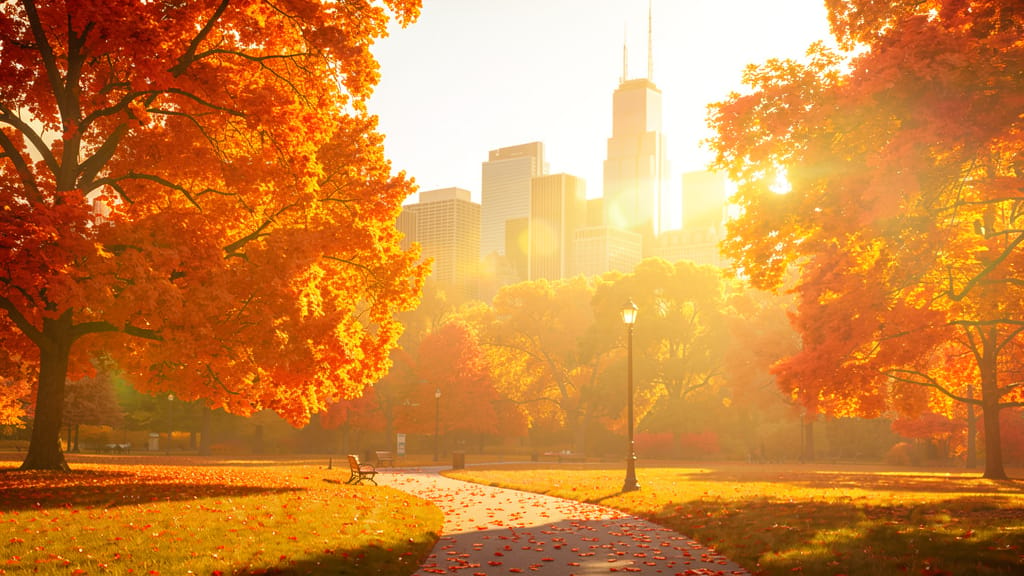
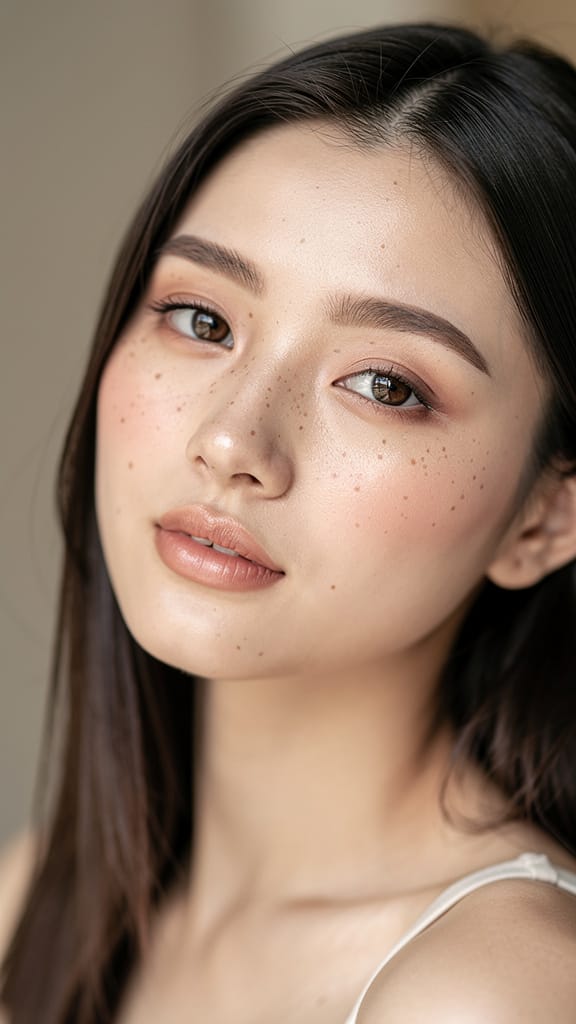
ΕΝΙΣΧΥΣΗ ΚΑΛΛΩΠΙΣΜΟΥ

ΑΛΛΑΓΗ ΧΡΩΜΑΤΟΣ ΜΑΛΛΙΩΝ

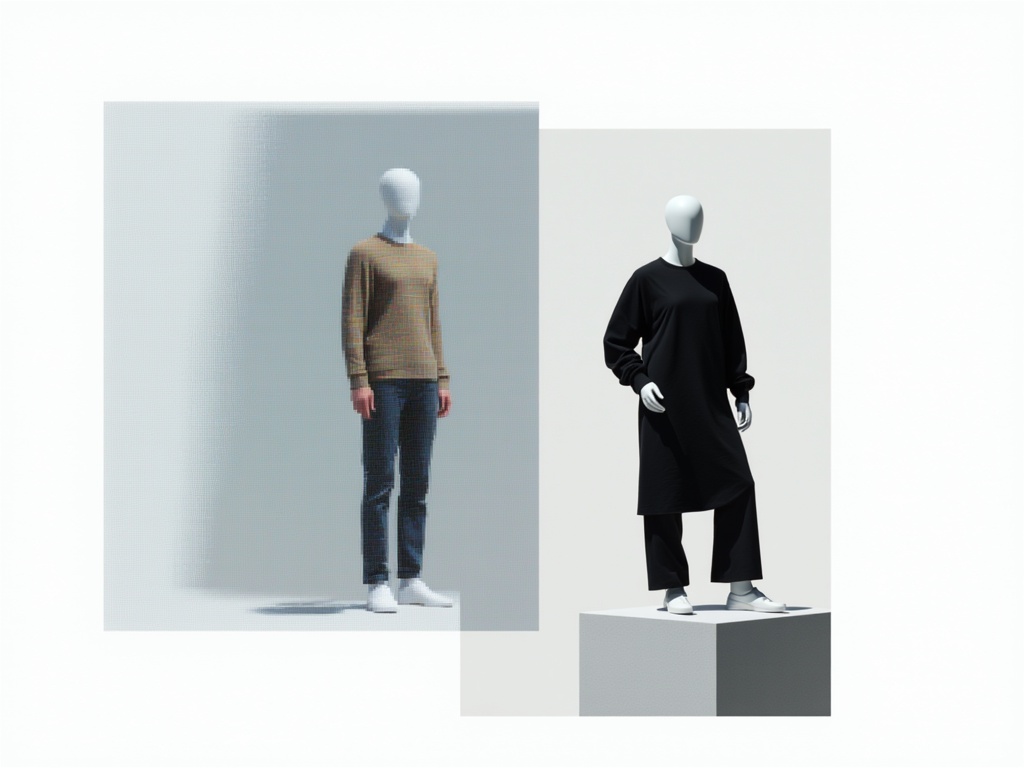
VIRTUAL TRY-ON ΕΝΔΥΜΑΤΩΝ
Το FLUX.2 [klein] 9B LoRA, που αναπτύχθηκε από την Black Forest Labs, είναι ένα προηγμένο δημιουργικό εργαλείο για επεξεργασία εικόνα-σε-εικόνα, σχεδιασμένο για καλλιτέχνες, σχεδιαστές, σκηνοθέτες και δημιουργούς περιεχομένου που αναζητούν διαισθητικές, ακριβείς τροποποιήσεις στις εικόνες τους. Αυτό το μοντέλο δίνει στους χρήστες τη δυνατότητα να μετατρέπουν οπτικά στοιχεία με εντολές φυσικής γλώσσας και λεπτομερή έλεγχο χρωμάτων, επιτρέποντας εξελιγμένες αλλαγές διατηρώντας την ουσία του αρχικού περιεχομένου.
Ιδανικό για ευρύ φάσμα δημιουργικών επαγγελματιών, το FLUX.2 [klein] 9B LoRA γεφυρώνει το χάσμα μεταξύ φαντασίας και ψηφιακού καμβά. Είτε θέλετε να βελτιώσετε φωτογραφίες, να ανασχεδιάσετε οπτικά assets, να επανασχεδιάσετε storyboards ή να πειραματιστείτε με σύγχρονες επεξεργασίες mixed-media, οι δυνατότητες αυτού του μοντέλου είναι φτιαγμένες ειδικά για να καλύψουν ποικίλες ανάγκες οπτικής αφήγησης.
Οι δημιουργικοί επαγγελματίες επωφελούνται περισσότερο από το FLUX.2 [klein] 9B LoRA σε έργα που απαιτούν τόσο λεπτές βελτιώσεις όσο και δραματικές μεταμορφώσεις. Το μοντέλο υποστηρίζει ποικιλία καλλιτεχνικών εφαρμογών—από mockups εμπορικού σχεδιασμού και ανάπτυξη ιδεών μέχρι επεξεργασία εικόνων για εκδόσεις, οπτικά διαφημιστικά και προσωπική δημιουργική εξερεύνηση. Με τη δυνατότητα επεξεργασίας έως τεσσάρων εικόνων εισόδου ταυτόχρονα, το FLUX.2 [klein] 9B LoRA μπορεί να απλοποιήσει τη ροή εργασιών για moodboards, παράλληλες επαναλήψεις σχεδίασης και μαζική παραγωγή περιεχομένου.
Μια εξέχουσα λειτουργία είναι ο έλεγχος φυσικής γλώσσας του μοντέλου. Απλώς περιγράφοντας τα επιθυμητά αποτελέσματα σε καθημερινή γλώσσα, οι χρήστες μπορούν να κατευθύνουν το FLUX.2 [klein] 9B LoRA να εκτελέσει περίπλοκες επεξεργασίες, όπως η μετατροπή ενός σκίτσου σε φωτορεαλιστική εικόνα, η προσαρμογή τόνου και διάθεσης ή η ενσωμάτωση συγκεκριμένων αντικειμένων σε μια σκηνή. Οι ρυθμίσεις χρωμάτων είναι εξαιρετικά διαισθητικές, υποστηριζόμενες από άμεση εισαγωγή hex code για ακριβή διαχείριση παλέτας—κρίσιμη για διατήρηση συνέπειας μάρκας ή καλλιτεχνικής συνέχειας.
Η ευελιξία ανάλυσης και μορφής προσφέρει περαιτέρω δημιουργικό έλεγχο. Οι εικόνες εξόδου μπορούν να ταιριάζουν με την ανάλυση εισόδου ή να προσαρμοστούν σε κοινές αναλογίες πλευρών, όπως τετράγωνο, πορτραίτο (4:3 ή 16:9) και τοπίο (4:3 ή 16:9). Οι υποστηριζόμενες μορφές περιλαμβάνουν PNG, JPEG και WebP, εξασφαλίζοντας συμβατότητα με ευρύ φάσμα εργαλείων μετα-παραγωγής και πλατφορμών δημοσίευσης. Είτε προετοιμάζετε assets για εκτύπωση, online γκαλερί, κινηματογραφικά storyboards ή social media, το FLUX.2 [klein] 9B LoRA προσαρμόζεται στις απαιτήσεις του έργου.
Η προσαρμογή είναι στον πυρήνα της ροής εργασιών. Οι χρήστες μπορούν:
- Να καθοδηγήσουν επεξεργασίες με λεπτομερείς, ανοιχτού τύπου εντολές σε απλή γλώσσα.
- Να εφαρμόσουν έως τρεις ενισχύσεις LoRA (Low-Rank Adaptation) για εξειδικευμένα δημιουργικά στυλ ή εφέ, προσθέτοντας μοναδικό χαρακτήρα ή εκπαιδευμένες οπτικές υπογραφές στα αποτελέσματα.
- Να παράγουν έως τέσσερις παραλλαγές μιας επεξεργασίας ταυτόχρονα, ιδανικό για A/B testing, γρήγορη ανάπτυξη look ή προσφορά πολλαπλών επιλογών σε πελάτες ή συνεργάτες.
- Να ρυθμίσουν τη ρύθμιση τήρησης εντολής και να επιλέξουν το επίπεδο ποιότητας/λεπτομέρειας, ισορροπώντας ταχύτητα και λεπτομέρεια εξόδου ανάλογα με τις ανάγκες του έργου.
- Να επιλέξουν από διάφορες μορφές εξαγωγής για να ταιριάξουν με τις ανάγκες downstream και τις επιλεγμένες πλατφόρμες.
- Να ενεργοποιήσουν ενσωματωμένο έλεγχο ασφαλείας για να εξασφαλίσουν ότι οι παραγόμενες εικόνες παραμένουν κατάλληλες για όλους τους θεατές.
Η διαδικασία επεξεργασίας επικεντρώνεται στην δημιουργική αυτοέκφραση, με καλύτερα αποτελέσματα από προσεκτική σύνταξη εντολών που διευκρινίζουν στυλ, επιθυμητές αλλαγές, συναισθήματα ή στοιχεία ιστορίας. Το FLUX.2 [klein] 9B LoRA ερμηνεύει έξυπνα αυτές τις οδηγίες, συνδυάζοντας εικόνες πηγής με πολυεπίπεδες, εκφραστικές προσαρμογές που οδηγούνται από την εντολή και τα επιλεγμένα οπτικά parameters.
Κύριες σκέψεις για βέλτιστη χρήση:
- Οι εικόνες εισόδου προσαρμόζονται σε τυπική ανάλυση (1 megapixel) αν δεν ορίζεται διαφορετικά, διατηρώντας ισορροπία μεταξύ οπτικής ποιότητας και αποδοτικότητας επεξεργασίας.
- Μέγιστο τέσσερις εικόνες μπορούν να επεξεργαστούν σε μία συνεδρία, και έως τρεις δημιουργικές ενισχύσεις LoRA ανά επεξεργασία.
- Για καλύτερα αποτελέσματα, να είστε σαφείς και ρητοί στις περιγραφές εντολών, ειδικά για λεπτές καλλιτεχνικές, στιλιστικές ή θεματικές αλλαγές.
- Ο έλεγχος ασφαλείας μπορεί να ενεργοποιηθεί για έργα που απαιτούν επιπλέον έλεγχο περιεχομένου.
Το FLUX.2 [klein] 9B LoRA δεν επιβάλλει προκαθορισμένα καλλιτεχνικά στυλ· προσαρμόζεται στην δημιουργική κατεύθυνση που δίνετε στην είσοδο, καθιστώντας το ευέλικτο σύντροφο για παραδοσιακούς, σύγχρονους και πειραματικούς δημιουργούς. Είναι ιδιαίτερα πολύτιμο για:
- Καλλιτέχνες που θέλουν γρήγορες επαναλήψεις ιδεών
- Σχεδιαστές που βελτιώνουν οπτικά καμπανιών με ακριβή έλεγχο χρωμάτων και διάθεσης
- Σκηνοθέτες που επεξεργάζονται ή μετατρέπουν storyboards και προωθητική τέχνη
- Δημιουργούς περιεχομένου που παράγουν μοναδικές, προσαρμοσμένες εικόνες για ψηφιακά μέσα, εκτύπωση ή merchandise
Με το FLUX.2 [klein] 9B LoRA, οι δημιουργικοί επαγγελματίες αποκτούν έναν προσιτό, πλούσιο σε λειτουργίες κινητήρα επεξεργασίας που ενθαρρύνει την εξερεύνηση, επανάληψη και απρόσκοπτη σύμπλευση φαντασίας με ψηφιακή τέχνη—όλα καθοδηγούμενα από την απλότητα της απλής γλώσσας και την δημιουργική ακρίβεια του άμεσου ελέγχου χρωμάτων.
Δημιουργήστε με τον πιο προηγμένο επεξεργαστή εικόνας
Add the image that you want change
Ανέβασμα εικόνας
Προσθέστε την εικόνα που θέλετε να επεξεργαστείτε ή να μετατρέψετε
A woman kneeling in darkness, illuminated by a warm, radiant beam of light emerging from her raised hand.
Γράψτε τις αλλαγές σας
Περιγράψτε τις επεξεργασίες που θέλετε - αλλαγές στυλ, αφαίρεση αντικειμένων ή βελτιώσεις
Ξεκινήστε το κοινήχρηστο
Κατεβάστε την επαγγελματικά επεξεργασμένη εικόνα σας
Πέρα από την περιγραφή: Νέο επίπεδο ελέγχου
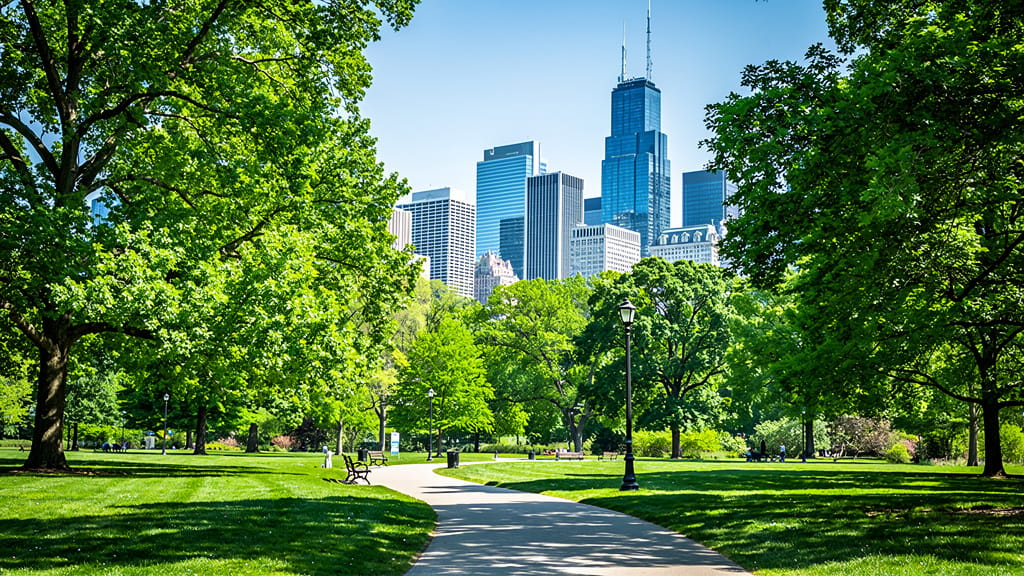
ΜΕΤΑΤΡΟΠΗ ΤΟΠΙΟΥ ΣΕ ΖΩΝΤΑΝΕΣ ΕΠΟΧΕΣ
Επιτρέπει απρόσκοπτες εποχιακές αλλαγές σε τοπία, τέλειο για marketing, σχεδιασμό ή ανανέωση portfolio.
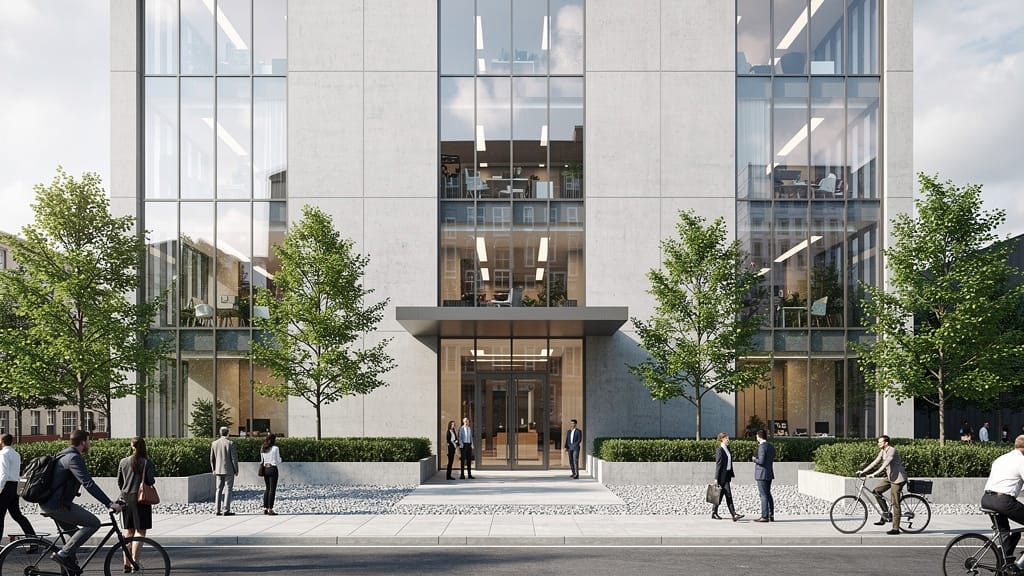
ΜΕΤΑΦΟΡΑ ΣΤΥΛ ΑΡΧΙΤΕΚΤΟΝΙΚΗΣ
Επιδεικνύει επεξεργασία επιφανειών και μεταφορά αισθητικής για renderings ακινήτων και παρουσιάσεις ιδεών.
ΑΡΜΟΝΙΚΟΠΟΙΗΣΗ ΧΡΩΜΑΤΩΝ ΔΕΡΜΑΤΟΣ
Ιδανικό για καμπάνιες social media και διαφήμιση, εναρμονίζει τόνους δέρματος και παλέτες σε πολλαπλά άτομα για επαγγελματικό, κινηματογραφικό look.

Συγκρίνετε με παρόμοια μοντέλα
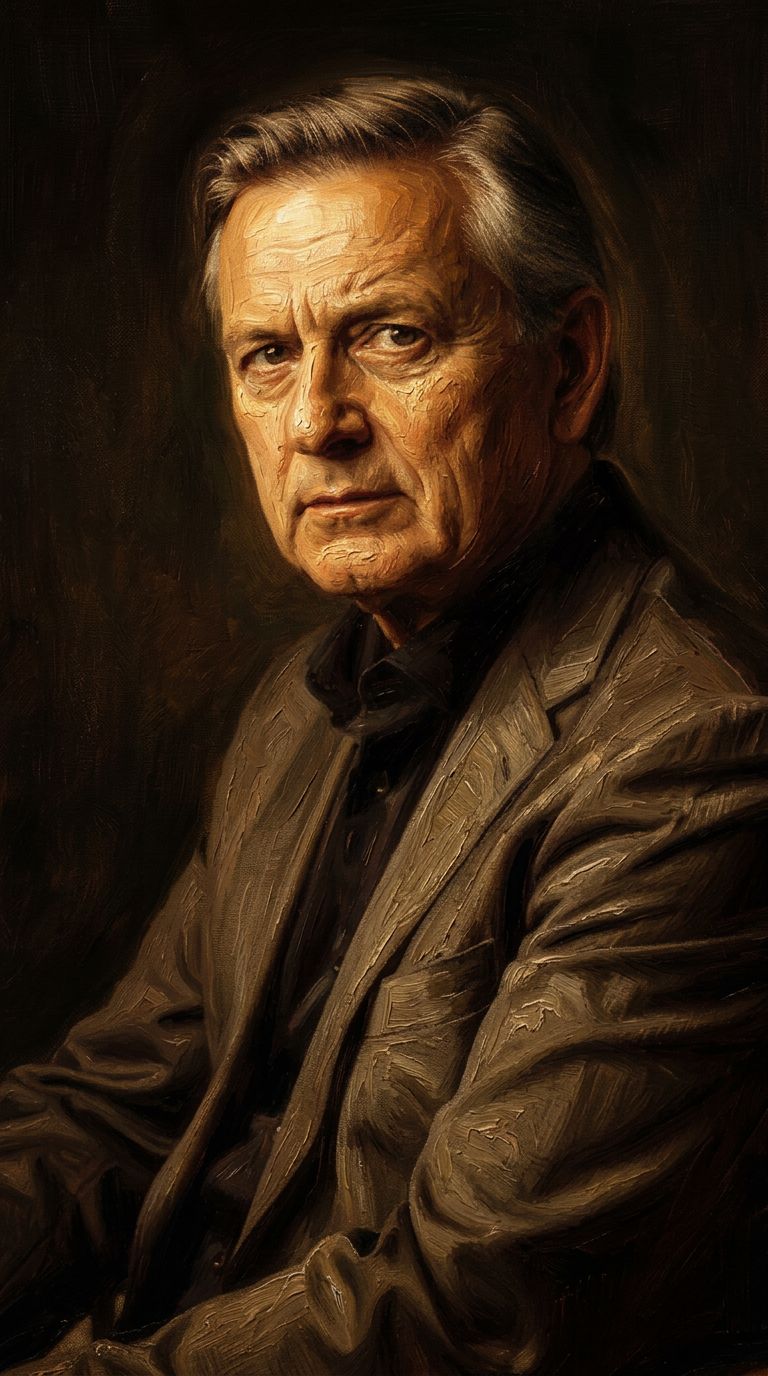
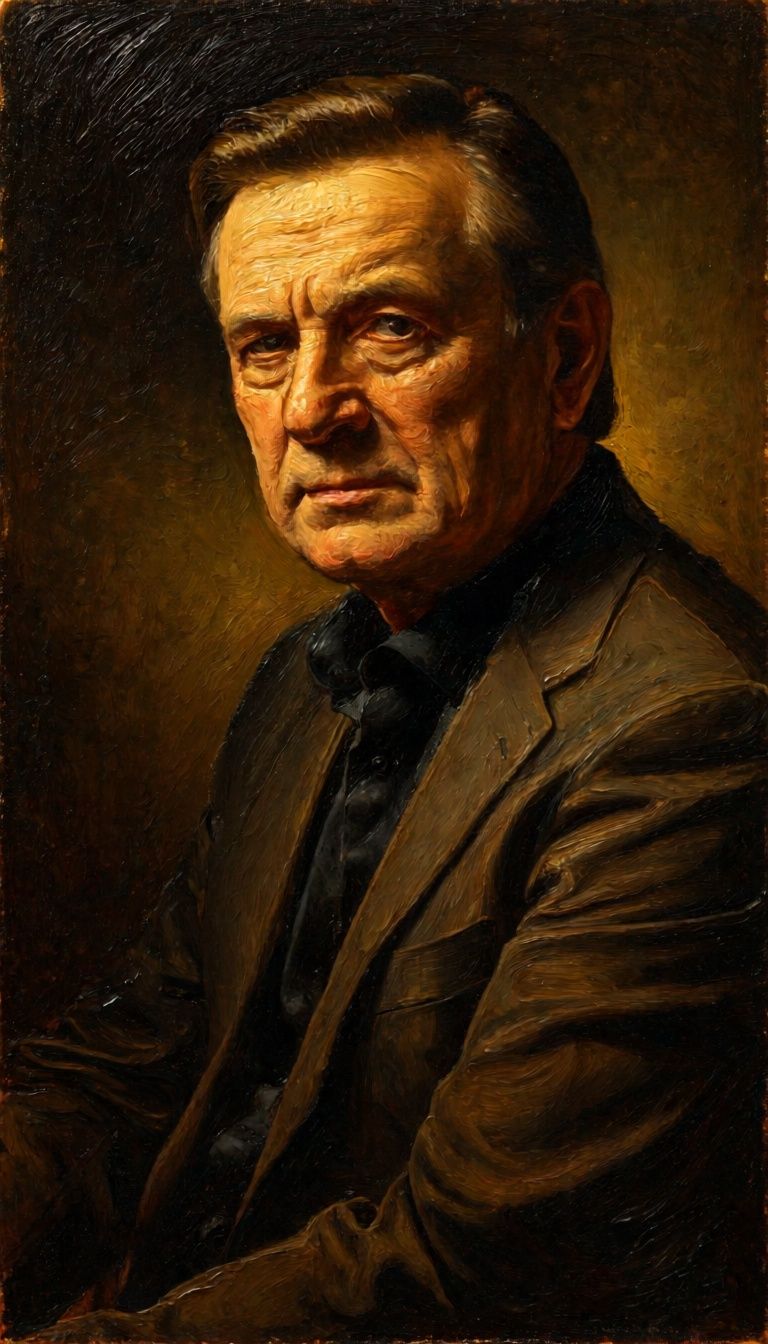
“Transform into a classical oil painting in the style of Rembrandt. Add visible impasto brushstrokes with thick paint texture. Apply warm golden undertones and dramatic chiaroscuro lighting with deep shadows. Enhance the dramatic contrast while preserving facial structure and expression. Add subtle canvas texture visible through the paint layers.”

![FLUX.2 [klein] 9B LoRA output](https://shortgenius.com/cdn-cgi/image/width=3840,quality=80,format=auto/https://assets.shortgenius.com/example-model-output/cc1806c8-2af0-47e7-bd34-a95d2d180bfb.png)
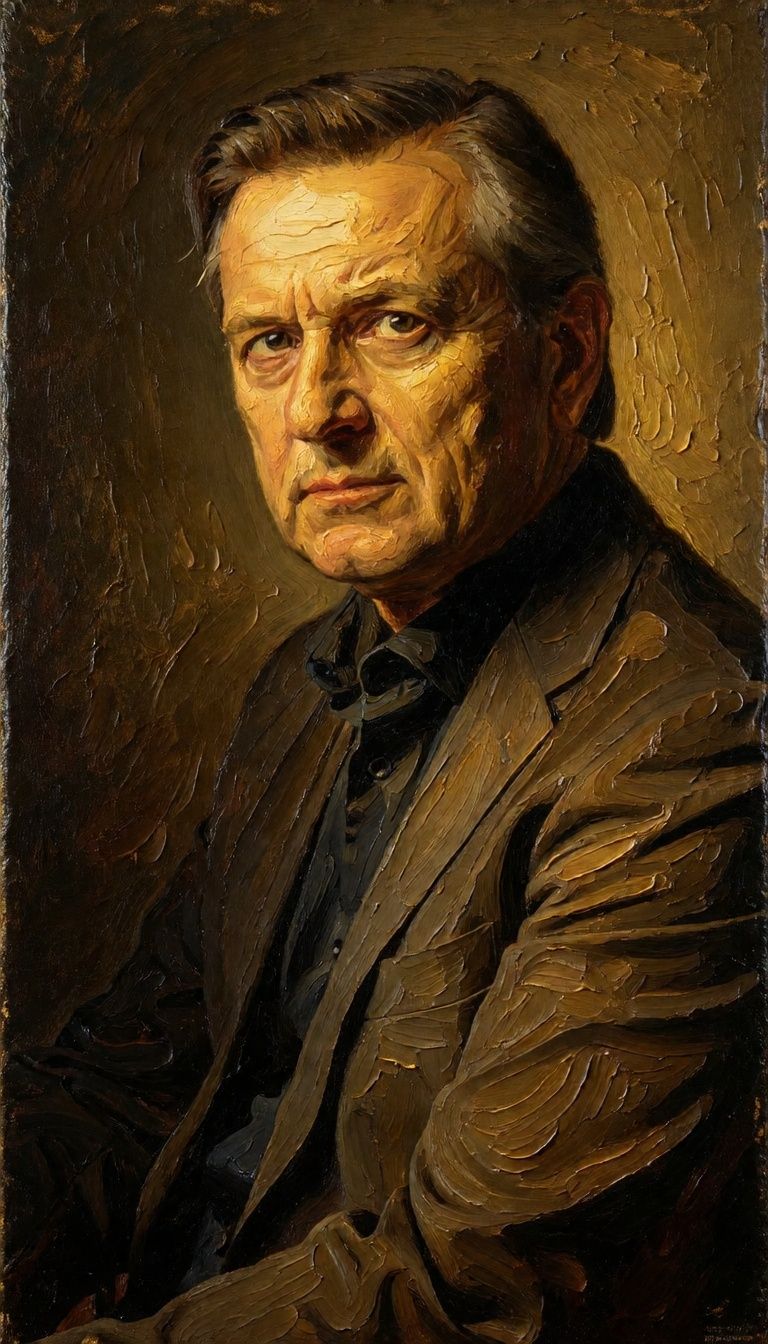
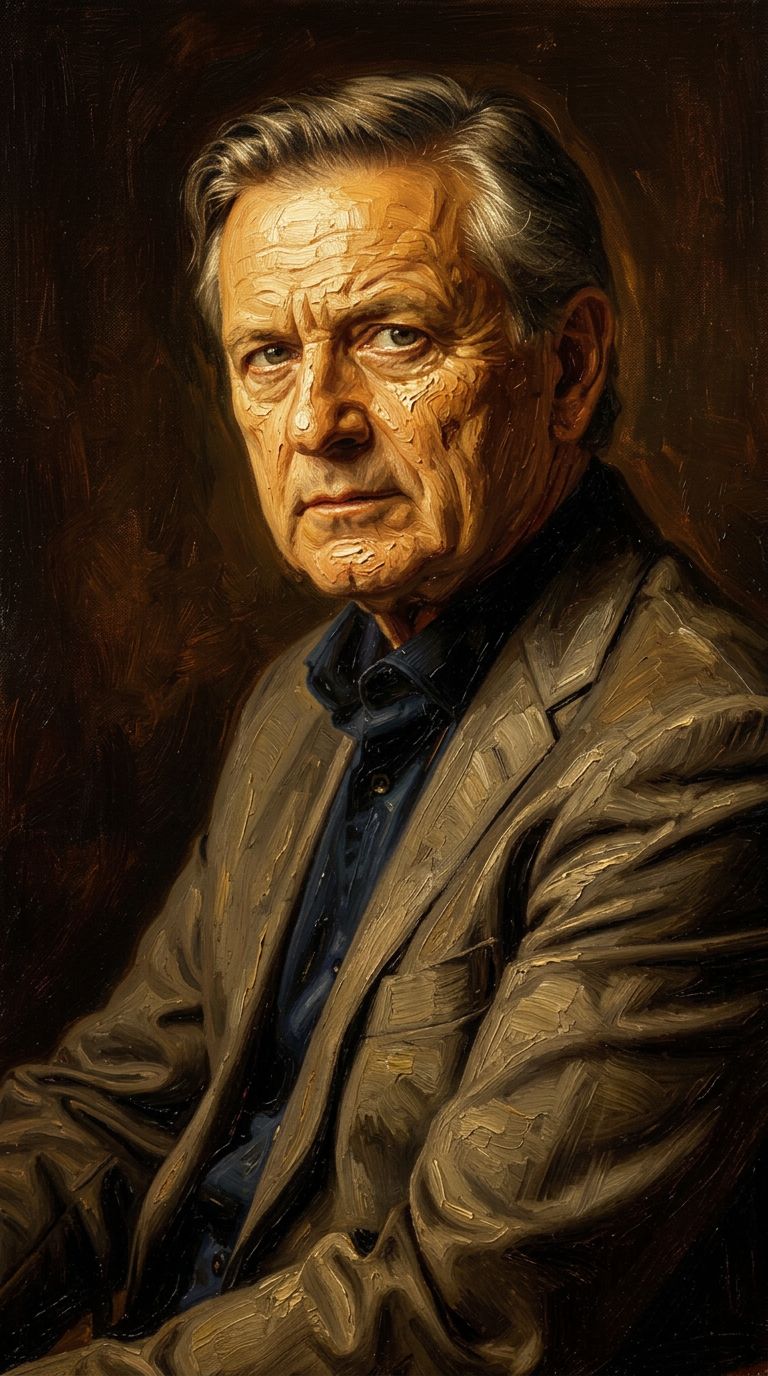

![FLUX.2 [klein] 9B LoRA output](https://shortgenius.com/cdn-cgi/image/width=3840,quality=80,format=auto/https://assets.shortgenius.com/example-model-output/cbfd8f70-6bf2-467b-918f-b020118b8db0.png)

![FLUX.2 [klein] 4B LoRA output](https://shortgenius.com/cdn-cgi/image/width=3840,quality=80,format=auto/https://assets.shortgenius.com/example-model-output/10a63e77-67c3-46e6-83d3-b7b93355e72c.png)


Ζήστε την τελειότητα με το FLUX.2 [klein] 9B LoRA
Μεταβείτε σήμερα σε σύνθεση καθοδηγούμενη από συλλογισμό
Συχνές Ερωτήσεις
Παρόμοια Μοντέλα
Joyai Image Edit
Natural language image editing
0.8 πιστώσεις
![FLUX.2 [klein] 4B LoRA](https://v3b.fal.media/files/b/0a928e1f/c62zNs4MhBXgm-5w7n0C5_90bad8837ecc451e96f91da93b78f564.jpg)
FLUX.2 [klein] 4B LoRA
Edit images with text, colors
8 πιστώσεις
Phota
Identity-preserving personalized photo editing
0.4 πιστώσεις
Hy Wu Edit
Edit images with reference photos
0.4 πιστώσεις
![FLUX.2 [klein] 9B LoRA](https://v3b.fal.media/files/b/0a928e3b/sIC-Ne9BMwZZtBvR3FwKN_9a724704a550471a9df59999e9e1017f.jpg)
FLUX.2 [klein] 9B LoRA
Precise natural language image editing
0.5 πιστώσεις
Wan
Pro text-guided image editing
0.3 πιστώσεις

Qwen Image 2
Unified AI image editing model
0.5 πιστώσεις
Firered Image Edit V1.1
Advanced AI-powered image editing
0.4 πιστώσεις
Wan
Text-guided creative image editing
0.2 πιστώσεις