Mastering the Video YouTube Script

Learn to write a video YouTube script that hooks viewers and drives growth. Our guide covers structure, examples, and proven tactics for creators.
At its core, a video youtube script is the written blueprint for your content. It lays out everything from the words you'll say and the pacing of your delivery to the specific shots you need to capture. This isn't just about writing down dialogue; it's about transforming a raw idea into a polished, engaging video that holds your audience's attention from start to finish.
Why a Script Is Your Most Powerful Tool

Long before you even think about hitting the record button, the success of your video is being decided on the page. I see so many creators fall into the trap of just "winging it," thinking it will make their content feel more authentic. The reality? This usually leads to rambling, forgetting crucial points, and ultimately, confusing your audience.
A solid script is your best form of quality control. It forces you to get crystal clear on your message, trim the fat, and organize your thoughts into a logical flow. That clarity isn't just for you—it’s a gift to your viewers. An audience that can easily follow along is far more likely to stay engaged, hit the like button, and subscribe for more.
A Roadmap for Clarity and Confidence
Think of your script as a detailed map for your entire video production. It guides you from the opening hook all the way to your final call-to-action, making sure you never get lost. This process actually starts even before the script; strong content planning strategies are what ensure your video aligns with your channel's goals in the first place.
With a good script in hand, you can:
- Sharpen Your Message: Writing it all down helps you spot weak arguments and beef up your core points before you're on camera.
- Improve Pacing: You get to control the flow of information, building momentum and cutting out the boring parts that make people click away.
- Boost On-Camera Confidence: When you know exactly what you need to say, the fear of forgetting your lines disappears. This frees you up to let your true personality shine.
A great video isn't just about what you say; it's about how you say it. A script ensures every word serves a purpose, turning a good idea into an unforgettable piece of content that respects the viewer's time.
At the end of the day, a video youtube script elevates your entire production. It saves a ton of time in post-production because you'll have fewer rambling takes and mistakes to edit out. It’s this kind of thoughtful preparation that separates amateur creators from the pros who build loyal, thriving communities.
Writing a Hook They Can't Ignore (The First 15 Seconds)
You’ve got about 15 seconds. That’s it. That’s the window you have to convince someone to stop scrolling and give your video a chance. Your intro isn't just a formality; it's the most critical part of your entire video youtube script.
Think of it this way: you’re making a promise. In those first few moments, you’re promising the viewer they’ll learn something, be entertained, or find a solution to a problem they’re wrestling with. A weak opening is like a limp handshake—it doesn’t inspire confidence, and people will move on without a second thought. A great hook, on the other hand, smashes through that "should I watch this?" filter and creates instant curiosity.
Don't just take my word for it. The data is clear: strong hooks lead to longer watch times, and longer watch times are what the algorithm loves. Videos with an average watch time of just 50 seconds or more can rack up an average of 4.1 million views. Given that over 72% of YouTube videos are longer than 15 seconds, it's obvious that creators who succeed are masters of the hook. You can dig into more of these stats on YouTube engagement over at descript.com.
Tried-and-True Hook Formulas
So, what does a killer hook actually look like? It’s not about finding a single magic phrase, but about tapping into what makes people tick. Here are a few approaches I’ve seen work time and time again.
- The Provocative Question: Kick things off with a question that hits close to home. It forces the viewer to self-reflect. For a productivity video, you could open with, "Ever get to the end of the day feeling like you were busy but got nothing done?"
- The Surprising Fact: A genuinely shocking statistic or an unbelievable fact immediately positions you as an expert and makes people lean in. Something like, "Did you know 80% of New Year's resolutions are abandoned by February? Here’s the psychological trick to make sure you're not one of them."
- The Shared Problem: Nothing builds a connection faster than showing you understand your audience's struggles. Start by naming their pain point directly. For example: "Your phone is destroying your ability to focus, and you probably don't even realize it. We're going to fix that right now."
The goal is to create an "open loop." You're essentially planting a question or a problem in the viewer's mind that they feel compelled to see resolved. That little bit of psychological tension is what keeps them watching.
Drop Them Right into the Action
One of my favorite, and one of the most effective, techniques is to start in medias res—a fancy way of saying "in the middle of things." Forget the slow, rambling intro. Just drop your audience straight into the most intense, interesting, or pivotal moment of your video.
Think about a travel vlog. The boring way to start is, "Hey everyone, welcome back. Today we're going hiking." The in medias res approach? Open with a shaky, breathless shot from the top of the mountain: "I can't believe I actually made it."
Immediately, the viewer has questions. What happened on the way up? Why was it so hard? They’ll stick around to get the answers. This method delivers an immediate jolt of energy and intrigue, promising a story worth their time. When you sit down to write your next video youtube script, try scripting your climax or most exciting scene first. You might just find you've written the perfect hook.
Building Your Script for Peak Engagement
You've landed the hook and piqued their curiosity. Fantastic. But now the real work begins. Your script needs to deliver on the promise you made in those first few seconds. A great YouTube video isn't just a random collection of talking points; it's a carefully crafted journey that pulls the viewer along, holding their attention right to the very end.
Think of it like a classic story: it needs a beginning (the hook), a middle (the core value), and an end (the call to action). This simple structure is your secret weapon in YouTube's fast-paced world. Getting this flow right is what makes people watch all the way through instead of clicking away.
To help you visualize this, here’s a simple blueprint for structuring your script.
YouTube Script Structure Blueprint
This table breaks down the essential parts of a high-engagement YouTube script. Think of it as your roadmap from the first word to the final frame.
| Script Section | Primary Goal | Key Elements to Include |
|---|---|---|
| Hook | Grab attention in the first 3-8 seconds | A provocative question, a shocking statistic, a bold statement, or a quick preview of the final result. |
| Introduction | Set expectations and build trust | Briefly state what the video is about, who it's for, and why the viewer should stick around. |
| Main Body (Core Value) | Deliver on the video's promise | Break down the topic into logical steps, stories, or examples. Use visuals, B-roll, and text overlays to maintain pace. |
| Conclusion & CTA | Summarize and prompt action | Recap the key takeaway and provide a clear, compelling Call-to-Action (CTA) that feels like the natural next step. |
By keeping these goals in mind for each section, you ensure your script has a logical flow that guides the viewer seamlessly from start to finish.
The Core Value: The Heart of Your Video
The middle of your video is where you make good on your promises. This is the real substance—the reason someone clicked in the first place. Whether you're teaching a new skill, sharing an emotional story, or reviewing a product, this section has to be engaging enough to keep people from getting bored and leaving.
Don't just read off a list of facts. That's a surefire way to lose your audience. Instead, you need to weave your points together with a few different techniques to keep the energy up.
- Tell a story. Frame your information with a personal anecdote or a relatable scenario. We're all wired for stories; they create an emotional connection that raw data just can't match.
- Show, don't just tell. If you're explaining a tricky concept, demonstrate it with real-world examples. Let your audience see it in action so they can understand and apply it themselves.
- Keep it simple. Break down complex topics into small, easy-to-digest chunks. Use analogies or plan for visual aids in your script to make difficult points crystal clear.
This is a great way to think about framing the problem you're solving. You start with a question, back it up with a compelling statistic, and clearly define the problem for the viewer. This perfectly sets the stage for the value you're about to deliver.
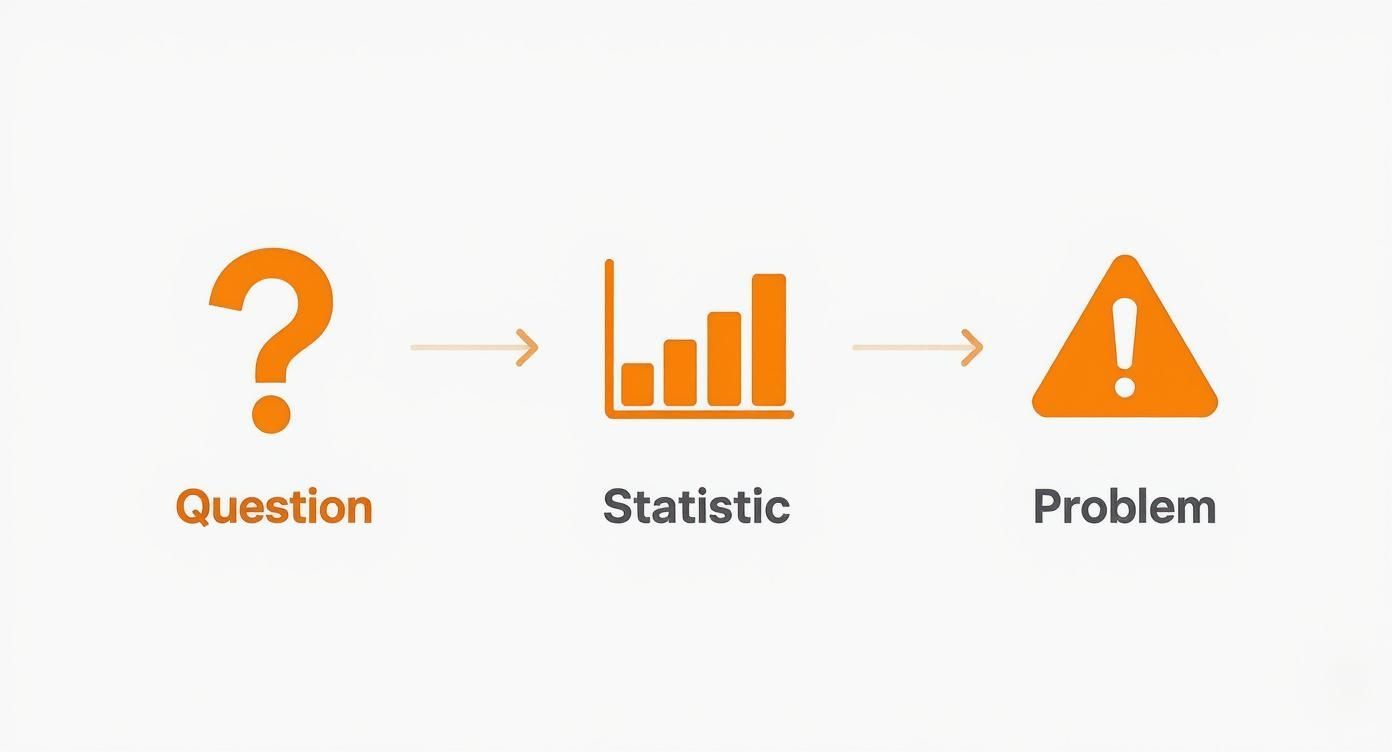
The journey from a question to a statistic to a well-defined problem is an incredibly effective way to structure the core content of your script.
The middle of your video should feel like it's building toward something. Each point should lead logically to the next, pulling the viewer forward. If any part feels slow, boring, or just plain unnecessary—cut it. Be ruthless.
Pacing is everything here. Your script is the place to plan this out. Make notes on where to speed things up with quick cuts and energetic music, and where to slow down to let a powerful statement really land. This deliberate rhythm is what keeps viewers hooked.
Crafting a Call to Action That Actually Works
Every solid video script needs to end with a strong, clear Call-to-Action (CTA). Let's be honest, the days of just saying "like and subscribe" and calling it a day are long gone. A good CTA should feel earned and directly related to the content you just shared.
Instead of a generic request, think of your CTA as the logical next step for your viewer. For instance, if you just taught them how to edit photos in Lightroom, a powerful CTA would be: "If you want to try these techniques right now, I've put a link to my free preset pack in the description below." See the difference? You're providing more value and giving them a compelling reason to act.
Wrap it up with confidence. Your closing is the last impression you'll make, so use it to reinforce your main message and strengthen the connection you've built with your audience.
Scripting for Long-Form vs. YouTube Shorts
https://www.youtube.com/embed/2eybwTBhkPE
Writing a script for a ten-minute deep-dive video feels completely different than banging out a 60-second YouTube Short. It's like comparing a marathon to a sprint. One is all about building a story and keeping viewers engaged over the long haul, while the other is about delivering an immediate, knockout punch. If you want your channel to grow today, you have to master both.
Long-form content is where you get to build a real relationship with your audience. Think of it as a journey you're guiding them on. Your script has room to breathe, letting you unpack complex topics, share personal stories, and build a narrative with a clear beginning, middle, and end. You can be deliberate with your pacing—building suspense, introducing ideas one by one, and giving your audience a moment to let the important stuff sink in.
This is the format for establishing yourself as an authority. The goal of a long-form video youtube script is to give your viewers a rich, satisfying experience that leaves them feeling like they really learned something or were genuinely entertained.
Scripting for the Short Attention Span
YouTube Shorts completely flips the script. Forget a gentle introduction. Your first one or two seconds are your hook, your intro, and your entire premise, all smashed together. Every single word has to fight for its life; there's just no room for fluff.
When you're writing for Shorts, you have to think about telling a complete story in less time than it takes to make a cup of coffee. It boils down to a few key beats:
- The Micro-Hook: An instant visual or sound that stops someone mid-scroll. It has to be immediate.
- The Punchline: This is the core value, the funny moment, or the "aha!"—and it needs to land fast.
- The Loop: A clean, satisfying ending that makes people want to watch it again.
This format lives and dies by rapid-fire visuals and a voiceover that punches up the action, not just describes it. Your dialogue has to be tight, powerful, and constantly pushing the story forward.
For Shorts, your script isn't just words—it's a synchronized blueprint for your audio, visuals, and text overlays. The real goal is maximum impact in minimum time. If a word doesn't build momentum, cut it.
You can't ignore this format. By 2025, YouTube Shorts are expected to make up over 30% of all content consumed on the platform, with daily views already blasting past 70 billion. What's really interesting is that almost 58% of Shorts creators making faceless videos—the ones that often lean on AI voiceovers and slick B-roll—are reporting higher retention than creators who are on camera.
Adapting and Repurposing Your Content
The gap between long-form and short-form is actually a massive opportunity. A well-written long-form script is practically a goldmine for creating a whole batch of Shorts. You can lift out your best tips, a compelling story, or a shocking statistic from your main video and re-script them into standalone, bite-sized clips.
Take a 15-minute video on "The Ultimate Guide to Home Composting," for example. You could easily spin that into several killer Shorts:
- "3 Things You Should NEVER Put in Your Compost Bin"
- "The #1 Sign Your Compost is Ready to Use"
- "Watch Me Turn Kitchen Scraps into Black Gold"
This strategy lets you get so much more mileage out of the work you've already done. Learning how to master repurposing content for social media can seriously blow up your reach. The trick is to actually re-script the content for the new format, not just chop out a random segment. You have to give it a fresh, snappy hook and a quick wrap-up to make it feel like it belongs in the Shorts feed.
For creators looking to make this process faster, AI tools like https://shortgenius.com can help you quickly generate and adapt scripts that work across multiple platforms.
Practical Script Templates You Can Use Today
All this theory is great, but let’s be honest—sometimes you just need a solid starting point to get the words flowing. To help you jump straight from planning into production, I’ve put together three battle-tested script templates you can grab and adapt right now.
Think of these less as rigid rules and more as a launchpad. Each one is built for today’s most popular video formats and comes with placeholders for your content, plus my own notes on visual cues, pacing, and calls to action. The goal here is to remove the guesswork from writing your next video youtube script.
First up, a true classic: the "how-to" tutorial.
Template 1: The How-To Tutorial Script
This format is the bread and butter for any educational channel. You’re guiding the viewer through a process, so clarity is everything. The real trick is to show the amazing result upfront to get them hooked.
Let's use a real-world example: "How to Brew the Perfect Pour-Over Coffee."
| Section | Content | Visual & Pacing Notes |
|---|---|---|
| Hook (0-5s) | "Stop making bitter, watery coffee. In the next 5 minutes, I'll show you the three secrets to a perfect pour-over that tastes like it came from a specialty cafe." | VISUAL: Extreme close-up of rich, dark coffee being poured into a mug. Use fast-paced cuts to create energy. |
| Intro (5-20s) | "I used to struggle with my pour-over, but after mastering a few key details, my morning coffee routine changed forever. We'll cover the right grind, the perfect water temp, and the one pouring technique that makes all the difference." | VISUAL: Pull back to a wide shot of the full coffee setup (kettle, grinder, filter). The pace should slow down and feel more inviting. |
| Step 1 (20-60s) | "First, let's talk about the grind. You're aiming for a medium-coarse grind, about the consistency of sea salt. Too fine, and your coffee will be bitter; too coarse, and it'll be weak." | VISUAL: Show coffee beans, then cut to a close-up of the ground coffee. Pop up on-screen text: "Grind: Medium-Coarse". |
| Step 2 (60-120s) | "Next up, water temperature is critical. You want it between 195-205°F. A simple kitchen thermometer is your best friend here. This range extracts the best flavors without scorching the grounds." | VISUAL: Show the thermometer in the kettle. Use on-screen text: "Temp: 195-205°F". |
| Step 3 (120-180s) | "Finally, the pour. Start in the center and spiral outwards in slow, concentric circles. This is called the 'bloom,' and it releases gasses for a smoother taste. Do this for 30 seconds, then continue pouring slowly." | VISUAL: Get an overhead shot of the spiral pouring motion. Use a slow-motion effect on the coffee "blooming"—it looks amazing! |
| Conclusion | "And there you have it—a perfectly balanced, delicious cup of pour-over coffee. Notice the rich color and amazing aroma. The difference is in the details." | VISUAL: End on a "hero shot" of the final cup of coffee, with steam gently rising. Make it look irresistible. |
| CTA | "If you want to dive deeper, I've linked my favorite coffee beans and kettle in the description below. Hit that like button if you learned something new, and let me know your favorite brewing method in the comments!" | VISUAL: Hold up the bag of beans to the camera. Use an end screen with links and a subscribe button. |
Template 2: The Top 5 Listicle Script
Listicle videos are absolute viewer magnets because they manage expectations perfectly. People know exactly what they're getting. The key to a good listicle is snappy pacing and high energy to keep retention strong.
- Hook: Start with a bold promise. "These are the top 5 mistakes that are secretly killing your productivity. Number three is one almost everyone makes."
- Quick Intro: Briefly set the stage and promise a clear, actionable takeaway for the viewer. Keep it under 15 seconds.
- Item 5: Don't waste time. Jump right into your countdown. State the point, explain it in one or two sentences, and pair it with a strong visual.
- Items 4, 3, 2: Keep the pace brisk. Use on-screen numbers and quick transitions between each point. This is all about maintaining momentum.
- Item 1: Your top item should be the most impactful. Give it a little more screen time and a slightly more detailed explanation.
- Recap & CTA: Quickly run through the five points again. Ask viewers which point hit home the most and point them to another relevant video or a free resource.
This structure works so well because it creates multiple "open loops." By teasing a specific item in the hook ("Number three is shocking!"), you give viewers a powerful reason to keep watching until that point is finally revealed.
Template 3: The High-Energy YouTube Short Script
When you're scripting a Short, there is zero room for fluff. It’s all about immediate impact, a clear payoff, and a satisfying loop that makes people want to watch it again.
Let's break down a 15-second kitchen hack:
| Time | Action/Dialogue | Visual/Audio Notes |
|---|---|---|
| 0-1s | (No dialogue) | VISUAL: A fast, aggressive zoom into a garlic bulb. SOUND: A sharp swoosh sound effect to grab attention. |
| 1-3s | "Tired of this?" | VISUAL: Show the frustrating process of peeling garlic, with bits of skin sticking everywhere. Make it relatable. |
| 3-5s | "Try this instead." | VISUAL: Place the entire bulb in a jar. SOUND: A clean clinking sound as it drops in. |
| 5-8s | (No dialogue) | VISUAL: Shake the jar vigorously. SOUND: A fun, upbeat, rhythmic music track kicks in. |
| 8-11s | "Perfectly peeled garlic." | VISUAL: Pour the contents of the jar out, revealing cleanly separated cloves. The big reveal! |
| 11-13s | "Every single time." | VISUAL: A tight close-up on a perfectly peeled clove. SOUND: A satisfying pop or ding sound. |
| 13-15s | (Loop) | VISUAL: A quick, jarring cut back to the initial garlic bulb, ready to loop the video seamlessly. |
Answering Your Top Scripting Questions
As you get into the rhythm of creating content, you'll probably find yourself wrestling with the same few questions about scripting. I know I did. Getting these fundamentals right from the start can save you a ton of headaches and dramatically improve your videos. Let's break down some of the most common hurdles.
How Long Should My Script Be?
This is the big one, right? The honest answer is: it depends, but there's a great rule of thumb to get you started. Most people speak at a comfortable pace of about 150 words per minute.
So, if you're aiming for a 10-minute video, you're looking at a script of roughly 1,500 words.
But don't just rely on the word count. The real test is a read-through. I always time myself reading the script out loud, just like I would on camera. This simple step helps you factor in the natural pauses, the moments where you emphasize a point, and any B-roll sequences that will play without you talking over them.
Should I Write Everything Out or Just Use an Outline?
This is another classic crossroads for creators. Should you meticulously plan every single word, or just jot down some bullet points and wing it? The best approach really boils down to your personal style and the type of video you're making.
-
Word-for-Word Scripts: I lean on these for anything technical or data-driven. If I'm explaining a complex process or citing specific numbers, a full script ensures I don’t miss a single detail. It’s also a lifesaver if you're new to being on camera and want that extra layer of confidence.
-
Bullet-Point Outlines: These are perfect for more relaxed, personality-focused content like vlogs, reaction videos, or casual commentary. An outline gives you the freedom to be more spontaneous and conversational, which can make your delivery feel incredibly authentic.
A lot of experienced YouTubers, myself included, often land somewhere in the middle. We'll script the intro and outro word-for-word to nail the hook and the call to action, but use a detailed outline for the main content. It's the best of both worlds.
No matter which method you choose, the goal is always to sound like a real person, not a robot reading a teleprompter. Write like you talk. Use contractions ("you're" instead of "you are"). Read it all aloud. If a sentence feels awkward to say, it'll sound even worse on video. Tweak it until it rolls off the tongue.
How Do I Add SEO Keywords Without Sounding Unnatural?
Weaving keywords into your script is crucial for discoverability, but it's easy to overdo it and sound spammy. The key is subtlety.
First, pick your main target keyword. Your goal is to mention it once, naturally, within the first 30 seconds of your video. This signals to both the viewer and the YouTube algorithm what your video is about right away. From there, try to sprinkle it in a couple more times where it makes sense. Speaking your keywords actually helps YouTube's transcription service categorize your content correctly, giving you a nice little visibility boost.
Ready to turn your ideas into polished scripts and videos in minutes? ShortGenius unifies scriptwriting, voiceovers, video generation, and scheduling in one place. Stop juggling tools and start creating consistent, high-quality content for all your social channels. Explore how 100,000+ creators are scaling their production.