How to Choose the Right Video Editor for Social Media

Find the best video editor for social media with this guide. Learn key features, workflow tips, and how AI tools can help you create viral content.
Choosing the right video editor for your social media content is a game-changer. Something like CapCut is a powerhouse for whipping up quick, trendy videos right on your phone, but a tool like Adobe Premiere Rush gives you that extra layer of control for more polished, professional-looking content. It's all about finding that sweet spot between powerful features and an intuitive workflow that actually fits how you work.
Defining Your Social Media Video Strategy
Before you even start looking at software, you need to get your strategy straight. Seriously, don't skip this step. Your goals will immediately tell you what kind of tool you need, saving you from either overpaying for features you'll never touch or getting stuck with a basic app you'll outgrow in a month.
Start with the basics: Who are you making videos for, and how often? The needs of a solo creator posting daily TikToks are worlds apart from a marketing team juggling campaigns across five different platforms. Your content volume and style are the first things that will help you narrow down the options.
Aligning Tools with Platforms and Goals
Next up, think about where your videos will live. Are you all-in on Instagram Reels and YouTube Shorts, or are you trying to be everywhere at once? Each platform has its own quirks, formats, and audience expectations that your editor needs to handle.
- Platform Focus: If you're creating for Reels, Shorts, or TikTok, an editor built for vertical 9:16 video is a must. Look for tools that have one-click resizing so you can easily adapt your content for different feeds without a headache.
- Content Type: Are you jumping on trending memes or creating more polished, story-driven videos? For trend-based content, you'll need an editor with a great library of popular audio, effects, and templates that gets updated constantly.
- Production Goals: Are you hoping for a one-off viral hit, or are you building a consistent, branded series? If it’s a series, features like a brand kit (where you can save your custom fonts, colors, and logos) are lifesavers for keeping everything looking cohesive.
Getting this alignment right is more important than ever. The demand for video is absolutely exploding. The number of people paying for video editing software is expected to reach a massive 48.22 million worldwide by 2025, largely because everyone is trying to create engaging short-form content. And with 85% of businesses now saying video is a core part of their marketing, your choice of editor is a real business decision.
Your video editor should be a direct extension of your content goals. A solo creator will probably get the most out of a mobile-first app like CapCut because it's fast and packed with templates. A team, on the other hand, needs collaborative features and asset management to avoid chaos.
To help you map this out, here’s a quick-reference table that connects platforms to the features you should be looking for.
Platform Feature Needs Analysis
| Platform | Key Video Format | Essential Editor Features | Nice-to-Have Features |
|---|---|---|---|
| TikTok/Reels | 9:16 Vertical | Trending audio library, Auto-captions, Effects & transitions | Direct publishing, Text-to-speech, Template library |
| YouTube Shorts | 9:16 Vertical | High-quality export (1080p), Royalty-free music, Precise trimming | Chapter markers, Voiceover tools, Green screen |
| YouTube (Long-form) | 16:9 Horizontal | Multi-track timeline, Color correction, Advanced audio editing | 4K support, Motion graphics, Third-party plugins |
| LinkedIn/Facebook | 1:1 Square, 4:5 Vertical | Brand kit integration, Intro/outro templates, Direct publishing | A/B testing tools, Animated text overlays, Team collaboration |
This table should give you a solid starting point for identifying the non-negotiable features you'll need based on your primary channels.
Creating Your Feature Checklist
Okay, now it's time to turn that strategy into a concrete checklist. As you think about your goals, it helps to understand what actually works on these platforms. Digging into strategies to get more views on YouTube Shorts, for example, will show you just how important things like captions and pacing are, which in turn informs your feature list.
A social media manager's checklist, for instance, might look something like this:
- Auto-captioning: Absolutely critical for accessibility and for the huge number of people who watch videos with the sound off.
- Direct Publishing: A built-in scheduler that can post directly to your social accounts is an incredible time-saver.
- Royalty-free Music Library: You need this to avoid copyright strikes and to keep your content sounding fresh without spending hours searching for audio.
When you do this little self-audit first, you'll stop asking, "What's the best video editor?" and start knowing which one is the best for you.
The Must-Have Features in a Social Media Video Editor
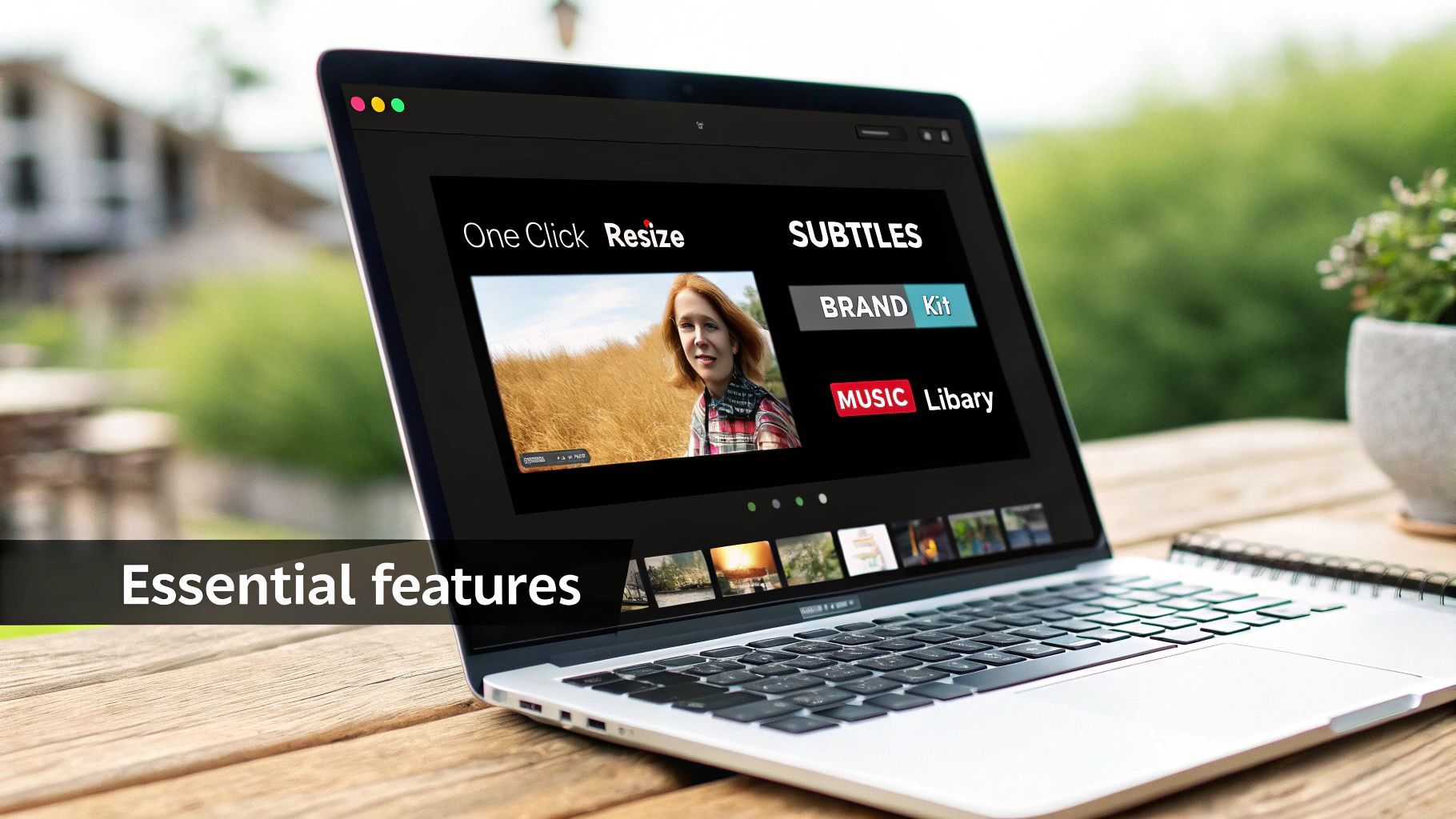
When you start shopping for a video editor, it's easy to get overwhelmed by a long list of shiny features. The trick is to cut through the noise and zero in on what actually matters for creating content for TikTok, Instagram, and YouTube Shorts. These platforms have their own rules and move at lightning speed, so you need a tool built for that reality.
Forget about basic trimming tools and old-school filters. Today's social media workflow is all about multi-platform efficiency. If an editor can't nail the following core functions, it’s going to slow you down.
Aspect Ratio and One-Click Resizing
Let's be real: your video is never going to live on just one platform. That amazing clip you made for Instagram Reels (which is a 9:16 vertical format) will probably need to be repurposed for a square post on your feed (1:1) or maybe even a wider version for YouTube (16:9).
A top-tier editor makes this a non-issue. Instead of forcing you to manually re-frame and adjust every single shot, it should have one-click resizing. This brilliant feature automatically changes the video’s dimensions while being smart enough to keep your main subject centered in the new frame. Think about it: you finish a Reel and instantly have a perfect version for your Facebook feed without starting over. That’s the kind of workflow you need.
Automated Captions and Subtitles
Here's a stat that should get your attention: a massive chunk of social media video is watched with the sound off. If your videos don't have captions, you’re basically invisible to a huge part of your potential audience. But typing out and timing subtitles by hand is a soul-crushing task that will kill your creative momentum.
This is why automated subtitle generation is an absolute must-have. The best tools use AI to listen to your audio and generate accurate, time-synced captions in just a few seconds. From there, you should be able to quickly proofread the text and style it with your brand's fonts and colors.
An editor that makes you create captions manually is a bottleneck, not a tool. In the fast-paced world of social content, automation isn’t a perk—it’s a necessity for staying consistent and making your videos accessible to everyone.
Integrated Brand Kits
Building a recognizable brand on social media is all about consistency. People should be able to see one of your videos and instantly know it's yours. A brand kit feature makes this incredibly simple by letting you save your specific fonts, color palettes, and logos right inside the editor.
This means you can slap your branding onto any new project with a single click. No more hunting down hex codes or trying to remember which font you used last week. It’s all there, ready to go, ensuring every piece of content perfectly matches your visual identity.
Some other essentials to look for include:
- Royalty-Free Music & Effects: A solid, built-in library of trending audio and sound effects is a lifesaver. It helps you avoid copyright strikes and keeps your content from feeling dated.
- Engaging Templates: Good templates for things like intros, outros, or calls-to-action can be a huge time-saver and give your videos a professional polish.
This isn't just a hunch; the data backs it up. Short-form video now makes up 80% of all online content consumption, and Reels alone account for 50% of the time users spend on Instagram. It’s why 89% of businesses now rely on video for marketing and 71% are regularly resizing that content for different platforms. As Sprout Social's 2025 report shows, this is the world we're creating for. Picking an editor with these non-negotiable features is how you win in it.
How AI Is Changing the Video Creation Game
Let's be honest: manual editing has always been the biggest time-suck in video production. For years, creators and social media managers have been trapped in the same loop—writing scripts, hunting for the right B-roll, recording audio, and then spending hours just trying to piece it all together.
AI is built to solve this exact problem. It takes what used to be a full day's work and shrinks it down to a matter of minutes. This isn't just about applying a few cool filters; it’s about a complete overhaul of the creative process. The best video editor for social media now comes with smart features that handle the tedious stuff, letting you focus on the big picture.
From a Simple Idea to a Finished Video
Picture this: you're an e-commerce brand launching a new product and need a quick promotional video for Instagram. The old way involved storyboarding, shooting, and a ton of editing. The new way? You just type a prompt.
Something as simple as, "Create a 30-second ad for our new eco-friendly water bottle, highlighting its sleek design and insulation," can kickstart the entire process.
An AI-powered editor can take that one sentence and instantly:
- Whip up a script that follows a solid marketing structure.
- Find or generate visuals that fit the vibe, from slick product shots to lifestyle footage.
- Record a natural-sounding voiceover without you ever touching a microphone.
- Slap on your brand colors and fonts to keep everything consistent.
Video creation becomes less of a manual chore and more of a creative conversation. You bring the idea, and the AI lays down the foundation for you to tweak and perfect.
The real game-changer with AI isn't just about speed—it's about scale. A one-person team can now churn out the same volume of high-quality content that used to require a whole production crew. It completely levels the playing field.
Smarter Tools for a Smoother Workflow
Beyond generating entire videos from scratch, AI is being woven into the fabric of the editing process itself, getting rid of all those little frustrations that slow you down. These features work in the background to make your entire workflow more intuitive.
Here are a few of the most useful tools I’ve seen:
- AI Script Assistants: Stuck on what to say? These tools can brainstorm video ideas, suggest catchy hooks, and write compelling calls to action based on your topic. It’s like having a co-writer on demand.
- Text-Based Video Editing: This is one of my favorites. Instead of messing with a complex timeline, you just edit the video's transcript. Delete a sentence from the text, and the corresponding video clip gets cut automatically. It's incredibly fast.
- AI Voice Cloning and Voiceovers: Need a narration? Just type out your script and have a realistic AI voice read it for you. Some tools even let you clone your own voice, which is perfect for maintaining brand consistency across all your content.
These kinds of intelligent features aren't just for Hollywood-level software anymore. If you want to get a better handle on how this all works in practice, this AI Video Editing Guide is a fantastic resource that breaks down how people are using these tools right now.
When you choose an editor with these AI features, you’re not just buying a piece of software. You're getting a faster, smarter way to create.
How a Video Editor Actually Fits Into Your Day-to-Day
A long list of features looks great on a pricing page, but it tells you nothing about how a tool will actually feel to use. The best video editor for your social media isn't the one with the most bells and whistles; it’s the one that lets you move from a rough idea to a finished, published video without wanting to pull your hair out.
The only way to know for sure is to put the software through its paces. Think about the entire content creation journey, from start to finish. A great workflow is seamless. A bad one introduces friction at every step.
From Messy Files to a Clean Timeline
Your evaluation should kick off before you even drag a clip onto the timeline. Start with the basics: project organization and asset management.
Can you neatly sort your projects into folders for different clients or content pillars? How simple is it to upload and find your go-to B-roll, background music, and brand assets like logos and fonts? A disorganized dashboard is the first red flag, signaling a tool that will only get more frustrating as your content library grows.
Once your files are uploaded, the user interface (UI) becomes everything. Is the layout intuitive, or do you feel like you're on a scavenger hunt just to find the trim tool or add a text box? Speed is the name of the game in social media. A common task, like adding animated captions, shouldn't be buried three menus deep—it should be right there, front and center.
Putting It to the Test: The 5-Minute Edit
Let's run a real-world test. You just shot a quick, 15-second reaction clip on your phone for a TikTok or Reel. Your goal is to get it ready to post as fast as possible.
Open the editor and start a timer. How long does it take you to:
- Import the clip from your phone?
- Trim the dead air at the beginning and end?
- Generate accurate, on-brand auto-captions?
- Add a trending sound from its audio library?
- Export it in the correct 9:16 vertical format?
Seriously, time yourself. If you can't get all of that done in under five minutes, the tool might be too clunky for the fast-paced demands of daily content. Another great test is to grab one of their pre-made templates. How quickly can you pop in your own clips and text? A good template is a launchpad, not a puzzle box.
These quick, hands-on tests are where you spot the little annoyances that become massive time-sucks down the line.
A truly great workflow feels like a natural extension of your creativity, not a technical barrier you have to overcome. If you spend more time fighting with the software than actually creating, you've got the wrong tool.
To help you systematically evaluate this, I've put together a checklist. Use it to score each editor you're considering based on how well it integrates into a real, practical workflow.
Workflow Efficiency Checklist
| Workflow Stage | Key Question to Ask | Ideal Feature Set | Red Flags to Watch For |
|---|---|---|---|
| Asset Management | How easy is it to find and use my files? | Shared brand kits (logos, fonts), searchable media library, folders for organization. | A single, messy media bin; no way to save brand elements. |
| Editing Interface | Can I edit quickly without getting lost in menus? | Drag-and-drop timeline, one-click tools for common tasks (captions, resizing). | Hidden tools, cluttered layout, slow rendering for simple previews. |
| Content Finishing | Can I go from final cut to ready-to-post seamlessly? | Direct integration with social platforms, in-app scheduling, multiple format exports. | Only offers a .mp4 download; requires manual uploading everywhere. |
| Collaboration | Can my team review and contribute without confusion? | Time-stamped comments, shared project spaces, clear user roles and permissions. | Sharing via download links; no in-app feedback loop. |
By thinking through each stage, you can get a much clearer picture of how an editor will perform under pressure, not just in a demo.
Beyond the "Export" Button: Publishing and Teamwork
Remember, the work isn't done when you hit "export." For social media managers and creative teams, what happens next is just as critical. The best platforms build publishing and scheduling tools right into the editor, creating a powerful, all-in-one command center.
Check if you can connect your TikTok, Instagram, and YouTube accounts to schedule the final video without ever leaving the platform. This feature alone is a game-changer. It saves you the headache of downloading massive files and re-uploading them to another tool like Buffer or Later, and it helps you avoid the quality loss that can happen when a video is compressed over and over.
Finally, if you’re not a solo creator, think about teamwork. How does the tool handle collaboration?
- Shared Libraries: Can everyone on the team access the same approved footage, logos, and music tracks?
- Real-Time Feedback: Is there a way for reviewers to leave time-stamped comments directly on a video draft?
- Project Handoffs: How simple is it for one editor to start a project and pass it to another for the final polish?
By walking a video through its entire lifecycle in each tool you test—from a chaotic folder of clips to a scheduled post—you'll get a true sense of its value. An editor with a well-designed, end-to-end workflow is one that will genuinely make your job easier and your content better.
Comparing Top Editors to Make Your Final Decision
Alright, you've got your strategy mapped out and a list of non-negotiable features. Now comes the fun part: picking your video editor. The market is definitely crowded, but most tools really fall into one of three buckets. Figuring out which bucket you belong in is half the battle.
So, what are the options? You’re generally looking at traditional desktop software, mobile-first apps, or these newer all-in-one AI platforms. Each is built for a different kind of creator and a different kind of workflow.
A beast of a desktop program like Adobe Premiere Pro gives you granular control over every single pixel, but let's be honest—the learning curve is a mountain. On the flip side, mobile apps like CapCut are all about speed and convenience. There's a reason they're so popular; you can shoot, edit, and post a trend-worthy video right from your phone without missing a beat.
Finding the Right Tool for Your Workflow
The best advice I can give is to tune out the marketing noise and get real about your day-to-day process. A solo creator filming everything on an iPhone has vastly different needs than a marketing agency juggling a dozen client accounts.
Take a look at this decision tree. It’s a simple way to visualize where you fit and what kind of tool makes the most sense for your production style.
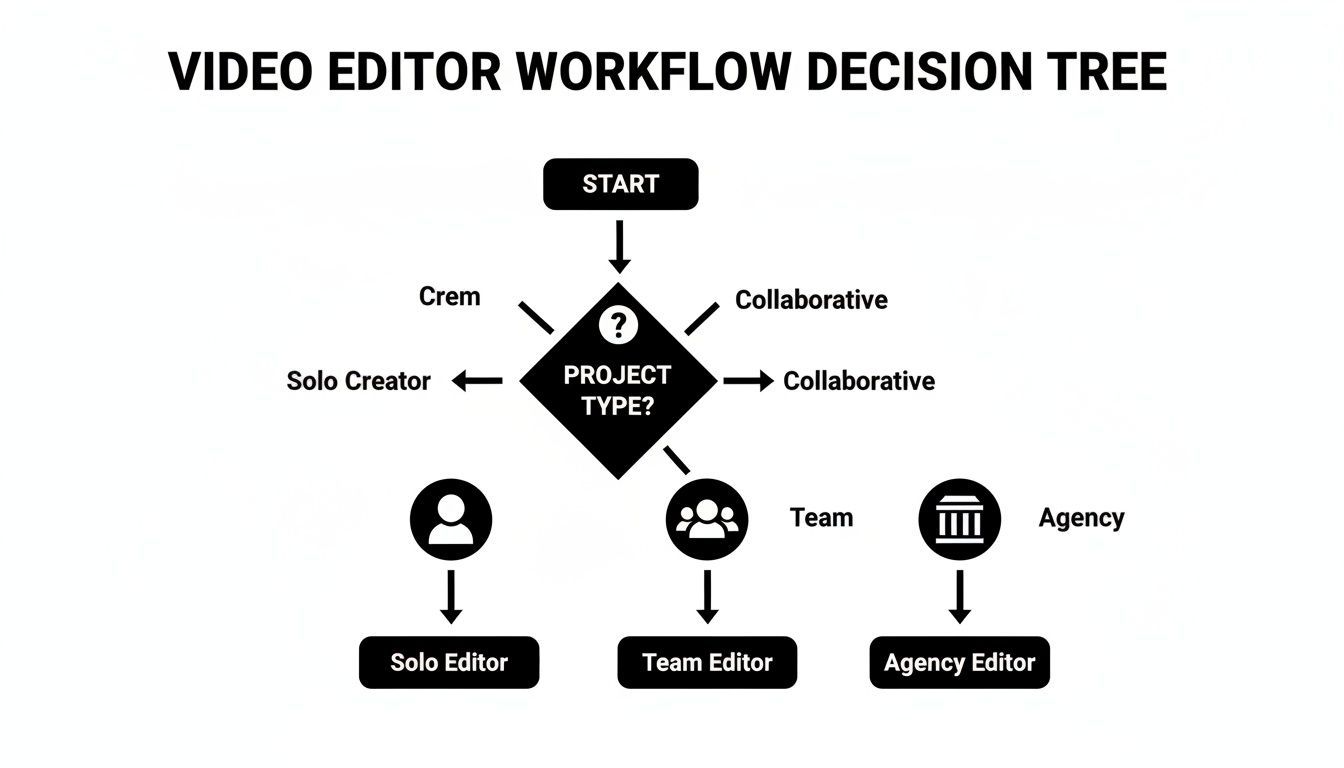
This should help you see whether a mobile, desktop, or AI-driven editor will actually support how you work, whether you're a one-person show or part of a bigger team.
And that brings us to the third category: all-in-one AI platforms. These are engineered to handle the entire content pipeline, from sparking an idea and writing a script all the way to scheduling the finished video. If efficiency and scaling your output are your main goals, this is where you'll likely find the most bang for your buck.
Your final decision should boil down to one simple question: Which tool removes the most friction from my creative process? The whole point is to spend less time battling software and more time actually creating.
Using a Scorecard for an Objective Look
To keep this from being a purely emotional decision, make a simple scorecard and use it while you’re on your free trials. Don't just poke around the features—actually try to create a real video you'd post, from start to finish.
Rate each editor you try on a scale of 1 to 5 based on what truly matters to you.
- Speed & Efficiency: How fast can you get from a raw idea to an exported video?
- Feature Relevance: Does it actually have the tools you need every day (like auto-captions or a brand kit)?
- Ease of Use: Is the interface intuitive, or are you stuck watching a tutorial for every little thing?
- Publishing Workflow: Can you schedule directly to your social channels, or is it a clunky, manual export-and-upload process?
This little scoring exercise forces you to be honest and look past a flashy website to see how each video editor for social media performs in the real world. Many creators I know are finding that AI-powered tools that bring the whole workflow under one roof give them a serious edge.
If you're curious about how that works in practice, you can see how an AI video generator like ShortGenius works to get a feel for a platform that combines scripting, editing, and publishing. By actually testing and scoring your top contenders, you’ll end up with a confident, data-backed choice that will genuinely help you hit your goals.
Answering Your Top Questions About Social Media Video Editors
Diving into the world of video editing software can feel like a lot, especially when every tool claims to be the best. I get it. Over the years, I've seen creators and marketers wrestle with the same handful of questions when they're trying to pick the right editor. Let's clear those up right now.
Do I Really Need to Pay for a Video Editor?
Look, free tools like CapCut are great when you're just starting out. But they usually come with strings attached—think watermarks, lower-quality exports, or key features locked behind a paywall.
If you're serious about building a brand or business on social media, upgrading to a paid tool is one of the best investments you can make. It's not just about getting rid of a watermark. The real win is the time you save. We're talking about features like one-click captions, saved brand kits, and smart AI tools that do the heavy lifting for you. When you can pump out more high-quality content in half the time, that small monthly fee pays for itself almost immediately.
What's More Important: A Ton of Features or a Simple Workflow?
For social media, ease of use and speed trump everything else. A super-complex editor with a million features you'll never use is just going to get in your way. Your goal is to create and post consistently, not spend a week learning advanced color grading for a 15-second Reel.
Find a tool that feels intuitive but has the features that actually matter for social content. An editor that can instantly resize a video for TikTok, Shorts, and Reels is infinitely more valuable than one with Hollywood-level CGI capabilities.
The best editor is the one that gets out of your way. If you find yourself watching more tutorials than actually creating videos, you’ve got the wrong tool. An all-in-one platform that handles scripting, editing, and scheduling is often the most practical solution for this reason.
How Do I Actually Make My Videos Stand Out?
In a sea of content, you have to be intentional. It's not just about a cool effect; it's about combining a solid hook with visuals made for the platform you're on. Your number one job is to grab someone's attention in the first three seconds.
Once you have them, you have to keep them. This is where your editor becomes your best friend.
- Use quick cuts to keep the pace energetic.
- Add animated text to highlight key points.
- Burn in engaging captions so people can watch with the sound off.
- Tap into the editor's library of trending audio and effects to stay relevant.
Most importantly, be consistent. Set up a brand kit with your fonts, colors, and logo, and use it in every video. That visual consistency is what makes your content instantly recognizable and helps turn casual viewers into loyal followers.
Ready to stop wasting time and start creating content that actually gets results? ShortGenius pulls everything together—AI scripting, voiceovers, a powerful editor, and direct social media scheduling. You can go from a simple idea to a polished, multi-platform video in minutes.