Using AI to Repurpose Blog Posts into Video Ads The Smart Way

Discover a battle-tested workflow for using AI to repurpose blog posts into video ads that convert. Learn how to script, generate, and optimize your creative.
If you have a library of high-performing blog content, you're sitting on a goldmine. Using AI to repurpose those articles into video ads is a brilliant workflow that systematically turns your proven content into scalable, high-engagement creative for platforms like TikTok and Instagram. This isn't just about saving time; it's about making smarter, data-backed ads.
The process boils down to using AI tools to pull out the key messages from your best articles, generate compelling scripts and visuals, and then churn out a stream of ad variations you can test and optimize.
Why Turn Your Blog Posts Into Video Ads?
Let's be clear: repurposing content isn't a lazy shortcut. It's a massive strategic advantage that unlocks hidden value in assets you've already poured time and energy into.
Your top blog posts are already proven winners. They rank for keywords, attract organic traffic, and clearly resonate with your target audience. By turning them into video ads, you're not just guessing what might work—you're amplifying what already does. This approach dramatically de-risks the entire creative process by starting with a concept that has a validated message and a built-in audience.
This simple workflow shows just how powerful the process can be.
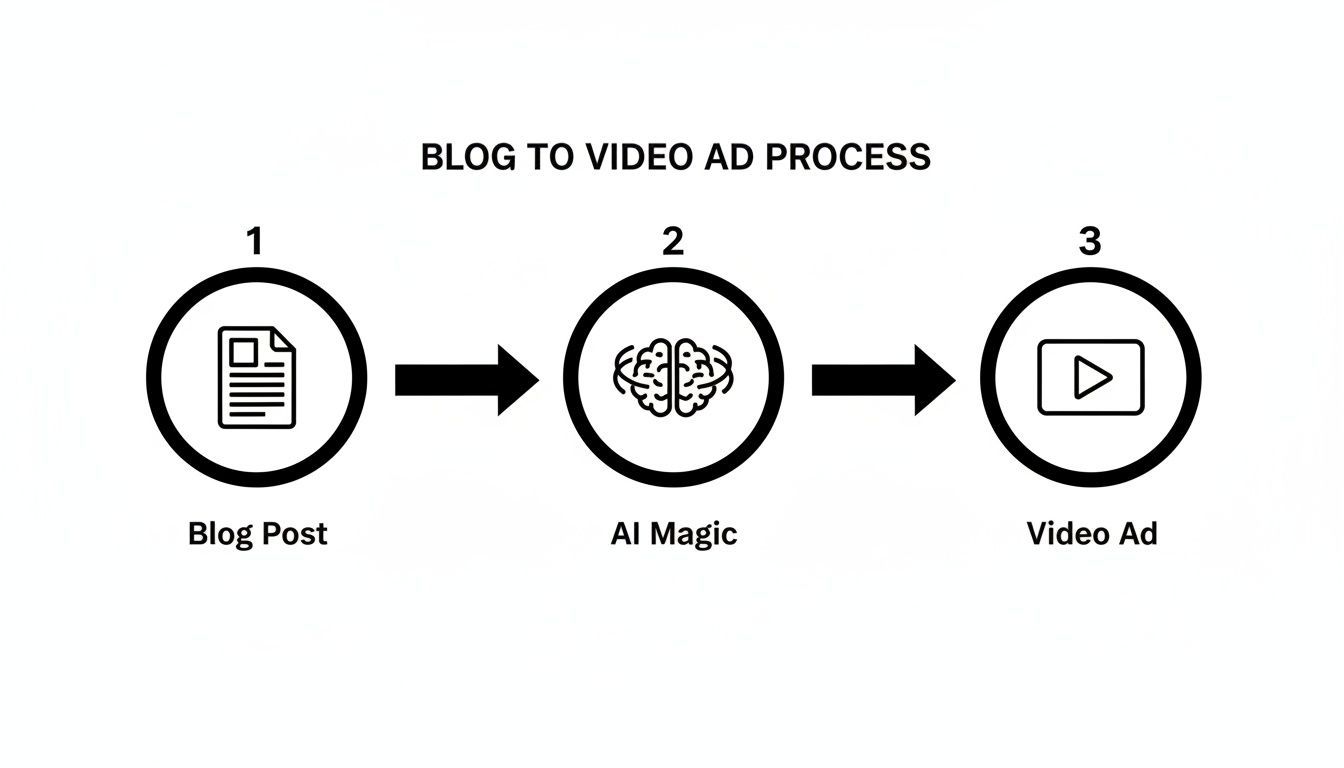
Think of AI as the ultimate translation engine here. It takes the static text and core ideas from your blog and converts them into dynamic, attention-grabbing video content perfectly suited for social media feeds.
The Undeniable Conversion Power of Video
The data doesn't lie—the shift to video is real and it has a direct impact on the bottom line. For performance marketers, this is huge. Websites featuring video content see an average conversion rate of 4.8%, a stark contrast to the 2.9% for sites without video. That’s not a small jump. It shows just how much more effective video is at capturing attention and pushing people to act.
By integrating AI into your workflow, you can tap into this potential without the traditional high costs and long production timelines. This guide will walk you through the entire process, from breaking down your blog post for AI prompts to launching and measuring the performance of your new video ads.
The core idea is simple: stop creating from scratch. Start with your best-performing articles and let AI translate their success into a format built for today's social feeds.
Building a Scalable Creative Engine
The real magic of using AI here is scalability. You're not just making a single video; you're building a repeatable engine for generating fresh ad creative on demand.
This system allows you to:
- Test More Ideas, Faster: Quickly create multiple variations of a video ad by tweaking the hook, the call-to-action, or the visual style to discover what resonates most with your audience.
- Fight Off Ad Fatigue: Keep your campaigns feeling new and relevant by constantly feeding them fresh creative pulled from your deep well of blog content.
- Personalize Content at Scale: Easily adapt a single blog post into a dozen different video ads, each tailored to a specific audience segment or platform.
To help visualize this, here’s how the core ideas from a blog post can be directly translated into the essential parts of a high-impact video ad.
From Blog Post Insight to Video Ad Hook
This table breaks down how to map the most valuable parts of your article directly to the components of a short-form video ad. It's a practical way to see how AI helps bridge the gap between long-form content and snappy, effective creative.
| Blog Post Element | Video Ad Component | AI's Role in Translation |
|---|---|---|
| Main H1 Title / Core Problem | The Hook (First 3 seconds) | Generates dozens of attention-grabbing questions or bold statements based on the blog's central theme. |
| Key Statistics or Data Points | Proof & Credibility | Extracts compelling numbers and formats them as on-screen text overlays or voiceover callouts to build trust. |
| Bulleted Lists / Step-by-Step Guides | The "How-To" or "Reasons Why" | Transforms lists into a sequence of quick, easily digestible video scenes or animated text slides. |
| Concluding Summary / Call to Action | The Final CTA | Rewrites the blog's call to action into a clear, direct, and urgent command for a video format (e.g., "Tap below to learn more!"). |
By following this mental model, you ensure that the essence of what made your blog post successful is not just preserved, but amplified for the video format.
Ultimately, to make sure these repurposed ads perform their best, it's wise to frame them within a modern video content marketing strategy that guides your testing and distribution.
Deconstruct Your Blog and Craft Better AI Prompts
The real secret to getting amazing video ads from AI has nothing to do with the specific tool you use. It all comes down to the quality of your input. Before you even touch a "generate" button, you have to break down your blog post into its most powerful, video-friendly pieces. A good article is a goldmine for ad creative, but you need to know exactly what you're looking for.
Think of it like being a content prospector. Your job is to sift through the article and pull out the high-value assets that will translate beautifully to a visual format. These become the building blocks for your AI prompts and, ultimately, your finished video ad.
The first step is always to extract the most compelling elements. You’re hunting for bite-sized pieces of information that can grab attention and deliver a quick win in a short-form video.
Identify Your Video-Ready Assets
Let's be honest, not every sentence in your blog post belongs in a video ad. Your mission is to pinpoint the parts that will actually connect with someone scrolling through a busy social feed.
Here are the specific gems I always look for:
- Compelling Statistics and Data: Numbers are your best friend for building instant credibility. A line like "users saw a 45% increase in engagement" is an incredibly powerful hook.
- Actionable Tips or 'How-To' Steps: Listicles and step-by-step guides are practically made for quick, digestible video scenes. They’re easy to visualize and easy for the viewer to remember.
- Emotional Hooks and Pain Points: Find those sentences that speak directly to your audience's biggest struggles or their most ambitious goals. This is what makes people stop and listen.
- Powerful Quotes or Testimonials: Nothing beats real social proof. A strong quote adds a layer of authenticity that you just can't fake.
Once you’ve gathered these assets, you've got the raw material for your prompts. This methodical approach is the difference between getting a generic, forgettable video and something that truly performs.
Structuring Your Prompts for Specific Platforms
A generic prompt will always lead to a generic video. The key to making this whole process work is tailoring your instructions for the specific platform you're targeting. An ad for TikTok needs a completely different vibe and structure than one for YouTube Shorts.
Let's say your blog post is "5 Time-Saving Email Hacks." You could create two very different prompts from that same core content.
For TikTok, where speed is everything, you’d want something direct and punchy.
TikTok Prompt: "Create a 15-second video script with a fast-paced, energetic tone. The hook should be 'Your inbox is a nightmare. Fix it.' Use these 3 email hacks as quick visual scenes: [Hack 1], [Hack 2], [Hack 3]. End with a CTA: 'Get our full guide. Link in bio!'"
This prompt nails down the length, tone, hook, content, and call-to-action, giving the AI clear guardrails to produce something that feels native to the platform.
Now, contrast that with a prompt for a YouTube Short, which can handle a bit more of a story.
YouTube Shorts Prompt: "Write a 45-second script in a helpful, problem-solution format. Start with the pain point: 'Drowning in emails and can't focus?' Present the solution from my blog: 'Here are 5 little-known hacks to reclaim your day.' Briefly explain each of the 5 hacks with a confident voiceover. End with 'Want more productivity tips? Subscribe!'"
This level of detail is non-negotiable. You aren't just asking the AI to summarize an article; you're directing it to create a specific, strategic creative asset. By providing context, tone, and the exact content snippets, you guide the AI to generate a script that feels intentional and, most importantly, effective. This same detailed approach applies when you're generating the visuals, too. If you want to go deeper on this, check out our guide to using a text to image AI model for creating ad visuals.
Bringing Your Video to Life with AI
Alright, you've got a sharp, AI-crafted script ready to go. Now for the fun part: turning those words into actual video. This is where the magic really happens, and you'll see just how powerful AI can be for turning your blog content into compelling ads. Forget about booking a studio or hiring a camera crew; you can generate every visual and audio element you need right from your computer.
The trick is to view your script as a visual blueprint. Each sentence or key idea isn't just text—it's a cue for a new scene, a text overlay, or a shot of your product. By breaking it down this way, you create small, digestible pieces that AI tools can handle beautifully.
From Script to Storyboard Scenes
Your first move is to translate that script into individual visual scenes. The latest AI video generators are fantastic at spinning up short, eye-catching clips from simple text prompts. Let's say your ad is based on a "5 Email Hacks" blog post. A prompt for one of your scenes could be as straightforward as, "A satisfying shot of an email inbox hitting zero, with a subtle celebration animation."
This is where you need to look for AI tools with specific, impactful features. I always recommend prioritizing generators that offer:
- UGC-Style Generation: This feature creates clips that feel like real, user-generated content. It's a goldmine for building trust and authenticity, especially on platforms like TikTok and Instagram.
- Scroll Stopper Effects: Think of these as visual pattern interrupts. They’re designed to be jarring or unexpected enough to make someone stop scrolling. We’re talking surreal animations, weird transitions—anything that breaks the feed's monotony.
- Dynamic Camera Movements: Static shots are boring. Prompts like "slow zoom in on a laptop screen" or "fast pan across a busy desk" add a layer of polish and energy that keeps viewers hooked.
When you mix these elements, you get a video that feels both genuine and professionally produced, which is a huge step up from slapping together generic stock clips. There are a ton of great AI tools that convert text into video out there that can help bring your storyboard to life.
Generating Voiceovers and Mockups
A great video ad is more than just pretty pictures—it needs a solid voice and a clear focus on your product. Thankfully, AI voiceover tools have gotten scarily realistic. You can find a voice for any vibe, from high-energy and exciting to calm and reassuring. Just paste in your script, pick a voice that fits your brand, and download the audio.
Pro Tip: I can't stress this enough: generate your voiceover first. Trust me, knowing the exact timing of the audio from the start makes it infinitely easier to pace your visuals and on-screen text when you get to the editing stage.
While the voiceover is rendering, you can start creating your product visuals. If your blog post highlighted a specific software feature, you can prompt an AI to create a clean, professional-looking mockup of your app on a phone or laptop. This keeps your product front and center without the hassle of setting up complicated screen recordings.
This isn't just a niche trend; it's rapidly becoming the standard. Recent Wyzowl stats show that 63% of video marketers are now using AI for video creation or editing. That’s a huge leap from 51% just a year ago, which tells you everything you need to know about where the industry is headed.
Keeping Everything On-Brand
One of the biggest hurdles I see people face with AI-generated content is maintaining a consistent brand look and feel. It’s easy to end up with a random assortment of styles that don't quite fit together.
To get around this, look for platforms that have built-in brand kits. For example, a tool like ShortGenius lets you upload your logo, lock in your brand colors, and set your specific fonts.
Once your kit is set up, the AI automatically applies those brand elements to any asset it generates. Every text overlay, background color, and visual element will match your established identity. This simple feature saves a ton of manual tweaking and guarantees a polished, cohesive look across all your video ads. For a deeper dive into how this works, our guide on AI text to video models breaks it all down.
Don't Post and Pray: Optimize Your Ads for Every Social Platform

Creating a brilliant video ad is only half the battle. I’ve seen amazing ads fall completely flat, and it's rarely because the creative was bad. It’s because an ad that crushes it on TikTok can be dead on arrival on Instagram or YouTube. You're not just posting content; you're entering a unique ecosystem with its own rules, formats, and audience expectations.
To get the most out of your efforts using AI to repurpose blog posts into video ads, you have to nail the final, most critical stage: platform-specific optimization. This is where you stop thinking about the core message in a vacuum and start adapting your video’s technical and creative elements to feel native wherever it appears.
Nail Your Aspect Ratios and Timings
Nothing screams "I don't belong here" louder than a video with the wrong dimensions. A horizontal video awkwardly shoved into a vertical feed with black bars is an instant scroll-past for most users. It signals laziness and kills engagement before your hook even has a chance to land. Thankfully, AI-powered tools have made resizing a core video practically effortless, so there's no excuse.
Here are the essential specs I always lock in for the major platforms:
- TikTok & Instagram Reels: Go with a 9:16 vertical aspect ratio, no exceptions. Keep your videos tight and punchy, aiming for that 15-30 second sweet spot. The goal is to grab attention fast and get to the point even faster.
- YouTube Shorts: It’s also 9:16 vertical, but you get up to 60 seconds to play with. This extra time is perfect for slightly more in-depth content, like quick tutorials or breaking down a few key tips from a listicle blog post.
- Instagram & Facebook Feed/Stories: While Stories are 9:16, the main feed gives you more options. I’ve consistently found that a 4:5 vertical aspect ratio performs best. It takes up a ton of screen real estate without feeling as forced as a full 9:16 video.
- X (Twitter): Here, you'll see mostly square (1:1) or landscape (16:9) videos. The feed on X moves at lightning speed, so your first three seconds are everything. A strong visual hook is non-negotiable.
This isn’t just about making things look nice; it’s about getting results. On Instagram, Reels (which are perfect for repurposed blog snippets) generate a staggering 67% more engagement than standard posts. On top of that, video ads on the platform drive 47% higher purchase rates than static images. The numbers don't lie.
Master the Art of A/B Testing Variations
Optimization goes way beyond just resizing. The real magic of an AI-driven workflow is the speed at which you can generate and test multiple ad variations. Instead of pouring your entire budget into a single creative and hoping for the best, you can systematically figure out what actually works for each platform's audience.
A/B testing isn't about finding the single "perfect" ad. It's about building a library of high-performing components—hooks, visuals, CTAs—that you can mix and match to consistently beat your own benchmarks.
The key is to isolate a single variable to test. Create different versions of your ad by changing just one element at a time. This methodical approach is the only way to get clean data on what’s actually driving performance.
Try running these simple but powerful A/B tests:
- The Hook Test: Your first three seconds make or break the ad. Create three versions, each with a different opening hook. One could ask a question, another could make a bold claim, and the third could feature a surprising statistic you pulled from the original blog post.
- The CTA Test: Don’t assume you know what call to action will work. Pit a direct CTA like "Shop Now" against a softer one like "Learn More." You might be surprised to find that one audience responds to urgency while another prefers a lower-commitment invitation.
- The Visual Test: Try swapping out the background footage or product shots. If you’re making a UGC-style ad, you could test a clip filmed in a home office against one shot outdoors. This helps you discover which environment feels more authentic and relatable to your audience. Many brands are exploring how AI-generated UGC ads can scale this process with incredible results.
Measure Performance and Scale Your Winners

Getting your video ads live is a great first step, but the real work starts now. This is where you shift from content creation to smart performance marketing—analyzing what's resonating with your audience and pouring fuel on the fire.
Simply launching a campaign and hoping for the best won't cut it. You have to dig into the data to see which ads are actually stopping the scroll and pushing people to act. The right metrics will show you what's happening at every stage, from the first glance to the final click.
Key Metrics to Track
Don't let yourself get overwhelmed by vanity metrics. For video ads that come from your blog content, you can zero in on a few crucial KPIs that tell the real story of their performance.
- Hook Rate: What percentage of people watched the first 3 seconds? This number tells you everything about your opening. If it's low, your hook isn't strong enough, and you're losing people before you even get started.
- View-Through Rate (VTR): This is the percentage of viewers who stuck around for the entire video. A high VTR is a clear sign that your message and visuals were engaging enough to hold their attention.
- Click-Through Rate (CTR): The classic. This tells you how many people actually clicked your link. It's the most direct measure of how persuasive your offer and call-to-action were.
Keeping a close eye on these numbers is how you justify your ad spend. And the data backs it up: 90% of marketers say video gives them a good ROI, a figure that's held steady for years. You can dig deeper into these powerful video marketing stats to see just how big the impact can be.
A "winning" ad isn't just one with a lot of views—it's one with a high hook rate, a solid VTR, and a CTR that drives meaningful business results. Data tells you which creative is truly earning its budget.
Use AI to Scale Your Winners
So, you've found a video that's crushing it. What's next? You need to scale that success without burning out your audience with the exact same creative. This is where AI really shines in this whole workflow.
Instead of going back to the drawing board, you can treat your winning ad as a proven template. With a tool like ShortGenius, you can quickly create new variations.
For example, if a specific hook got an amazing hook rate, keep that line but ask the AI to generate five completely new visual concepts to go with it. Or maybe a certain call-to-action drove a ton of clicks? Keep the CTA but try it with a few different AI-generated voiceovers. This approach lets you keep your ad accounts fresh with a steady stream of creative that’s already based on a winning formula from your evergreen blog content.
Got Questions About Turning Blog Posts into Videos?
Jumping into a new process always sparks a few questions. When it comes to using AI to turn articles into video ads, I see the same smart questions pop up again and again. Let's clear up the common sticking points so you can get started.
How Long Should My Video Ads Be?
This is the big one. And the answer is always, "It depends on the platform." What works on TikTok will die on YouTube, and vice versa.
- TikTok & Instagram Reels: Think fast. You’re aiming for the 15-30 second sweet spot here. It’s all about capturing that frantic scroll.
- YouTube Shorts: You get a little more breathing room, with a hard cap of 60 seconds. This is great for a quick how-to or breaking down a list from your blog post.
- In-Feed Ads (Instagram/Facebook): Here, you can experiment with longer formats, maybe 30-60 seconds, but only if you’ve got a story that really pulls people in.
No matter where you post, remember this: the first 3 seconds are everything. If you don't hook them immediately, the rest of the video might as well not exist.
Can AI Videos Actually Look Good?
Let's be real. AI isn't going to replace a crew shooting a Super Bowl commercial. But that's not the goal here. For the kind of direct-response, user-generated-content-style ads that crush it on social media, AI is an absolute game-changer.
The tools available today can create surprisingly realistic scenes and voiceovers that feel native to the platform. The magic isn't in trying to perfectly mimic a high-budget human production. It's about speed and volume. The ability to churn out and test dozens of creative angles quickly gives you a massive advantage and almost always outperforms one single, polished (and expensive) video.
Which Blog Posts Make the Best Videos?
Not every article is cut out for the video treatment. You need to pick your content strategically.
I've found that the best articles for this are listicles ("Top 7 Mistakes..."), step-by-step guides, and posts that solve a very specific problem. Anything with strong data points or a customer story also works beautifully. These formats naturally break down into small, digestible chunks that are perfect for video scenes.
On the flip side, try to avoid content that's too abstract or theoretical. Unless you can pull out a concrete example or a compelling anecdote, these pieces just don’t have the clear, actionable takeaways needed for a good video ad.
It makes sense that 47% of marketers worry about AI accuracy, but the upside is huge. In fact, 44% are already using generative AI to create videos because the efficiency is just too good to pass up. You can dig into more of these video marketing stats to see the trend.
Ready to turn your best blog posts into a stream of high-performing video ads? ShortGenius gives you the AI-powered tools to generate scripts, scenes, voiceovers, and ad variations in seconds. Start creating with ShortGenius today.