How to Translate Spanish to English Audio a Complete Guide

Learn how to translate Spanish to English audio with our guide. We cover transcription, AI translation, and professional voiceover workflows for your videos.
If you've got Spanish audio that you need in English, the process is pretty straightforward thanks to modern tools. The basic idea is to transcribe the original Spanish audio into text, translate that text into English, and then use the new English text to generate a voiceover. This completely changes the game for creators, letting you reach a global audience without needing a massive budget or a team of linguists.
Why Bother Translating Your Audio? It's Your Ticket to a Bigger Audience.
Let's be real—if you're creating amazing content in Spanish, you're sitting on a goldmine. The problem is that your message, no matter how brilliant, is stuck speaking just one language. Translating your audio into English is hands-down the fastest way to blow past that barrier and multiply your reach, engagement, and even your revenue. You don't have to start from scratch; you just have to give your existing work a new voice.
By creating an English version of your audio, you're tapping into the single largest and most lucrative online audience on the planet. This isn't just about chasing vanity metrics like view counts. It’s about building genuine connections with new communities, diversifying your follower base, and unlocking fresh opportunities for sponsorships, ad revenue, or product sales you never had access to before.
Before we dive into the "how," let's quickly look at the different ways you can tackle this. Each method has its own pros and cons, and seeing them side-by-side can help you decide what's best for your specific project.
Audio Translation Methods at a Glance
| Method | Best For | Cost | Speed |
|---|---|---|---|
| DIY Transcription & Translation | Small projects, creators on a tight budget | Low (mostly time) | Slow |
| Hiring a Professional Freelancer | High-stakes projects requiring perfect nuance | High | Moderate |
| AI-Powered Tools (e.g., ShortGenius) | Creators needing speed, scale, and consistency | Low to Medium | Very Fast |
| Subtitles/Captions Only | When a voiceover isn't necessary or budget is minimal | Very Low | Fast |
As you can see, AI tools offer a compelling sweet spot between cost, speed, and quality, which is why we'll focus on that workflow here. It's the approach that gives most creators professional-level results without the professional-level price tag.
The Demand is Exploding in Certain Niches
This isn't just a hypothetical advantage; in some industries, it's becoming a necessity. Take e-learning and corporate training, for example. These sectors are on fire, driving a huge demand for Spanish-to-English audio translation. With the global e-learning market projected to rocket past USD 400 billion by 2025, a massive chunk of that growth is from companies creating training materials for their international teams.
In fact, industry reports show that over 60% of global companies now offer training in at least five languages, and Spanish-to-English is one of the most common pairings. You can find more insights on these language trends and their market impact.
What does this mean for you as a creator? It means your specialized knowledge—whether it's in coding tutorials, financial planning, or personal growth—can find a brand-new, hungry audience. An English voiceover instantly transforms your local course into a global educational asset.
It's More Than Just More Views
The benefits go way beyond just expanding your audience. When you give viewers content in their native language, you'll see a dramatic improvement in the metrics that social media algorithms love.
- Deeper Engagement: People are far more likely to watch a video to the end, hit the like button, leave a comment, or share content they can actually understand. This all signals to the platform that your video is worth showing to more people.
- Greater Accessibility: English audio and captions open your content up to the hearing-impaired community and people who simply prefer to watch videos on mute (like in a public space).
- Stronger Brand Image: Offering high-quality, multilingual content makes your brand look more professional, inclusive, and established as an authority in your space.
Now, let's walk through exactly how you can translate your Spanish audio into English using a practical workflow that delivers fantastic results without the headache.
Your Core Audio Translation Workflow
If you want to translate your Spanish audio to English effectively, you need a solid, repeatable game plan. Winging it is a surefire way to waste time and end up with a clunky, unprofessional result. I've found that breaking the entire project down into a clear, four-part process is the best way to get it done right.
Think of it as a strategic map. Each step logically flows into the next, taking your original Spanish audio and transforming it into polished English content that's ready to connect with a much bigger audience. This structure brings a sense of calm to what can feel like a chaotic task, especially when you're weaving in AI tools to get things done faster.
This visual gives you a great overview of the entire journey, from your source audio to reaching new viewers around the globe.
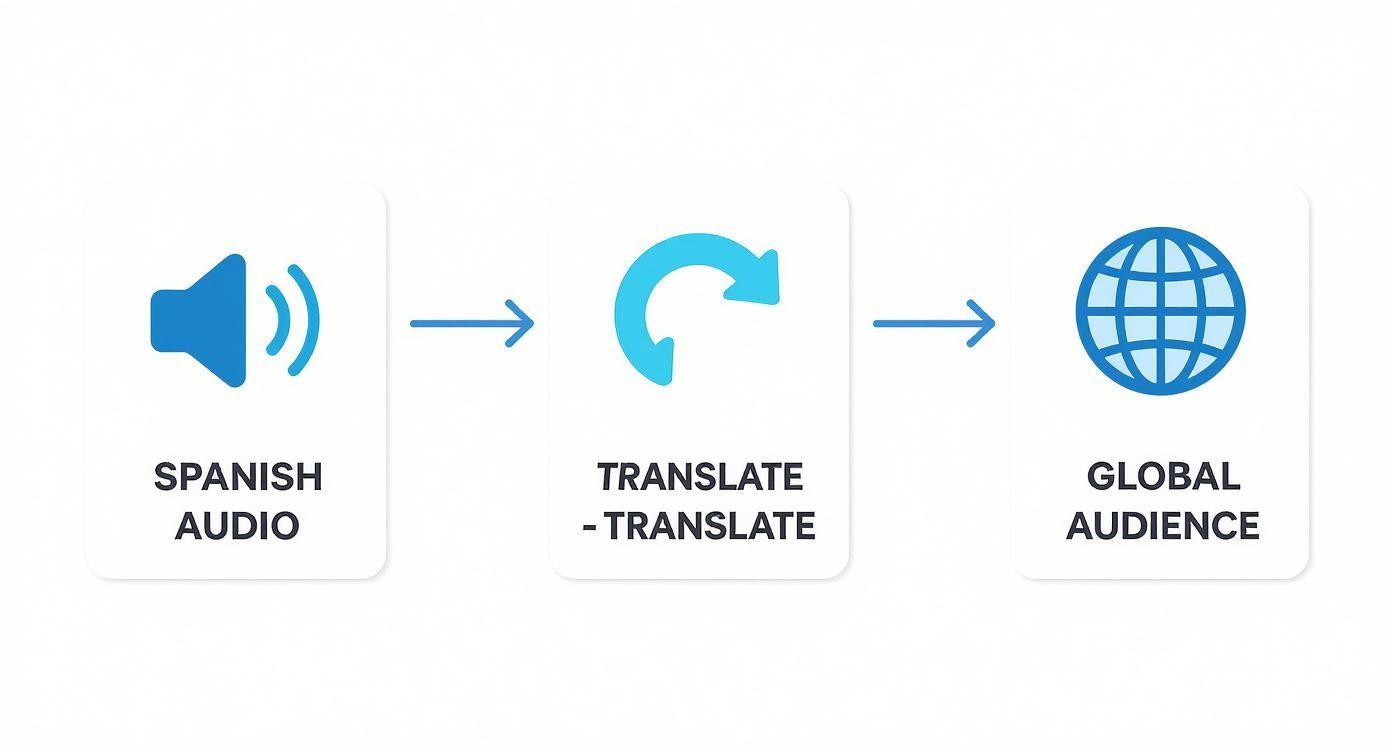
The key takeaway here is that translation isn't just a step—it's the bridge that connects your content to a whole new world of potential fans and customers.
The Four Pillars of Audio Translation
Your entire project really boils down to getting four key phases right. Nail each one, and you’ll create a professional video that truly resonates with English-speaking viewers. I like to think of them as essential checkpoints on the road to creating great multilingual content.
-
Transcription: It all starts here. The very first thing you have to do is turn your spoken Spanish words into written text. The accuracy of this transcript is everything—it's the foundation for the entire project. A clean, precise transcription makes the next phase a whole lot easier and more reliable.
-
Translation: Once you have the text, it's time to translate it from Spanish to English. This is where the magic (and the challenge) happens. It’s so much more than just swapping words. The real goal is to capture the original meaning, tone, and cultural nuance so it sounds completely natural to a native English speaker.
-
Voice Generation: With your English script in hand, you're ready to create the new audio. You have a couple of options here. You could hire a human voice actor, which is great for projects needing a lot of emotional depth. Or, for speed and consistency, you can use a high-quality AI voice. Tools like ShortGenius have come a long way, offering incredibly realistic AI voices that you can generate in just a few minutes.
-
Sync and Edit: This is the final assembly. You'll take your new English voiceover and meticulously align it with your original video, making sure the timing is perfect with on-screen actions and visuals. This is also where you'll fine-tune audio levels and add captions to create a polished, accessible final product.
My Two Cents: Don't ever skip the quality check on transcription. A bad transcript leads to a bad translation, which creates a bad voiceover. It's a domino effect. Putting in the effort at the beginning saves you from massive headaches and time-consuming fixes later on.
Why This Structured Approach Matters
I've seen it happen time and time again: people jump straight into a translation tool without a clean transcript or any plan for how they'll sync the audio. It almost always ends in frustration. This haphazard approach typically creates disjointed, awkward-sounding audio that just feels cheap—and that can seriously damage your credibility with a new audience.
By following this simple, four-part workflow, you’re building a system. A reliable system not only guarantees a better-quality video but also makes the whole process faster and easier to scale. Once you get this workflow down, you'll be able to translate any Spanish video into English with confidence, expanding your reach with every single piece of content you create.
Getting the Transcription and Translation Just Right
Before you can even think about creating that perfect English voiceover, you have to nail the two most fundamental steps: transcription and translation. This isn't just a box-ticking exercise; it's the entire foundation of your project. Any shortcuts you take here will come back to haunt you later with frustrating, time-consuming edits.
The whole process starts by converting the spoken Spanish into a clean, written text. This is where accuracy begins, and it’s non-negotiable.
From Spoken Spanish to Flawless Text
Your first mission is to get a perfect Spanish transcript. A cheap or sloppy transcription loaded with errors will sabotage the entire project. Even the most advanced translation tools are useless if they're working from a flawed script. Garbage in, garbage out.
Take a hard look at your source audio. Is it clean and clear? If it's muddy with background noise, echo, or overlapping speakers, your first move should be to clean it up with an audio editor. This one step can massively boost the accuracy of any transcription service, automated or human.
This initial transcription is a critical first step. For a deeper dive into what makes a good transcript, I recommend this guide on understanding audio transcription to text, which breaks down the finer points of the process.
Also, don't forget that "Spanish" isn't just one language. A transcription tool trained on Castilian Spanish from Spain might stumble over the unique slang and rhythm of Chilean or Argentine Spanish. Always check if your chosen tool supports the specific dialect you're working with.
Moving Beyond a Word-for-Word Swap
With a spotless Spanish transcript in hand, you’re ready to translate. This is where art meets science. Just dumping the text into a machine translator and moving on is a surefire way to end up with a clunky, robotic voiceover that feels completely off.
The biggest mistake I see creators make is treating translation like a simple, one-click task. To truly connect with a new audience, you need to capture the original intent, humor, and cultural details that an AI often misses on its own.
Before you hit that "translate" button, do a quick "prep pass" on the Spanish text. I find it incredibly helpful to add little notes in brackets to explain idioms or cultural references that don't have a direct English equivalent.
For instance, if a speaker uses the phrase "no tener pelos en la lengua," a quick note like [Note: Means 'to speak bluntly' or 'not to mince words'] can be a lifesaver. This little bit of context guides the AI or a human translator toward finding a natural, culturally appropriate equivalent instead of a literal translation that makes no sense.
The All-Important Linguistic Review
Now for the step that most people skip—and the one that truly separates professional work from amateur efforts: the linguistic review. Before you even dream of generating an audio file, have a native English speaker read the translated script out loud.
This isn't just a grammar check. You're listening for flow, rhythm, and naturalness.
- Does it sound human? Automated translations can often be overly formal or use phrasing no real person would ever say.
- Is the tone right? Did the translation maintain the original's casual, witty, or serious vibe?
- Are there any cultural red flags? Sometimes an innocent phrase in one language can have a completely different, and often awkward, meaning in another.
Think of this as your final quality-control net. The language services industry is massive—projected to hit USD 71.7 billion in 2024—and as the market grows, so do audience expectations for quality. Catching an awkward phrase at this stage is a thousand times easier than having to re-record and re-edit an entire video.
AI Voice or Human Actor? Making the Right Call
With your English script finalized, you’ve reached a critical fork in the road: how do you bring those words to life? You need to decide whether to use an AI-generated voice or hire a professional human voice actor.
This isn't a simple "which is better" question. The best choice really depends on your project's goals, your budget, and how quickly you need it done. Both paths can lead to a fantastic final product, but they get you there in very different ways.
The Case for AI Voice Generation
Let's be clear: AI voices have come a long, long way from the robotic monotones of the past. For creators who need to translate Spanish to English audio for multiple videos, AI offers an almost unbeatable mix of speed, affordability, and consistency.
Modern platforms like ShortGenius or ElevenLabs give you access to a massive library of voices. You can find a voice that fits your brand’s vibe perfectly, whether you're going for something authoritative, super friendly, or high-energy.
And you’re not just stuck with the default settings. The real power is in the fine-tuning. You can dial in the performance by adjusting:
- Pacing and Pauses: Speed up the delivery to match fast-paced visuals or insert a well-timed pause to let a powerful statement land.
- Pronunciation Tweaks: If the AI trips over a unique name or a bit of industry jargon, you can often feed it a phonetic spelling to nail the pronunciation.
- Emotional Inflection: Some of the more advanced tools even let you guide the emotional tone, telling the AI to sound excited, thoughtful, or serious.
Getting the hang of these customizations is what separates a good AI voiceover from a great one. If you want to go deeper down the rabbit hole, understanding the concepts behind training AI on custom data can give you a real edge in creating a truly unique sound.
When to Hire a Human Voice Actor
For all its strengths, AI still has its limits. If your video is deeply emotional, tells a complex story, or features distinct characters, nothing beats the nuance and authenticity of a professional human actor. They bring a level of interpretation and subtle emotion that AI is still chasing.
You can find incredible talent on freelance platforms like Upwork or Fiverr. The absolute key to a smooth process here is communication. A vague project brief is a recipe for frustration and endless revisions.
A great project brief is your best friend. It should include the finalized English script, a link to the video for timing reference, and detailed notes on the desired tone, pace, and any specific words that need special emphasis.
When you're listening to auditions, don't just settle for a "nice voice." Listen for range. Can the actor deliver the specific emotional beats your script calls for? A strong portfolio will show they can handle everything from an upbeat commercial read to a somber documentary narration.
AI Voiceover vs Human Narration
So, how do you decide? Sometimes, seeing the trade-offs side-by-side makes the choice clear. Here’s a quick breakdown to help you weigh what matters most for your project.
| Feature | AI Voiceover (e.g., ShortGenius) | Human Voice Actor |
|---|---|---|
| Speed | Nearly Instant: Generate audio in minutes, perfect for tight deadlines. | Days to Weeks: Requires auditions, recording, and revision cycles. |
| Cost | Affordable: Typically a low monthly subscription for unlimited use. | Variable to High: Charged per word, per minute, or per project. |
| Revisions | Effortless: Instantly regenerate audio after any script change. | Time-Consuming: Each revision requires a new recording session. |
| Consistency | Perfect: The voice remains identical across dozens of videos. | Variable: Minor fluctuations in tone and energy are natural. |
| Emotional Range | Good to Great: Can simulate emotions effectively for most content. | Unmatched: Delivers genuine nuance, subtlety, and deep emotion. |
Ultimately, both options have become incredibly accessible. The demand for high-quality audio translation has exploded, thanks in large part to streaming platforms. The global market for dubbing and subtitling hit an estimated USD 13.1 billion in 2024, with Spanish-to-English being a major driver of that growth. This means you have more high-quality AI tools and more talented human actors to choose from than ever before.
Syncing Your New Audio for a Professional Finish
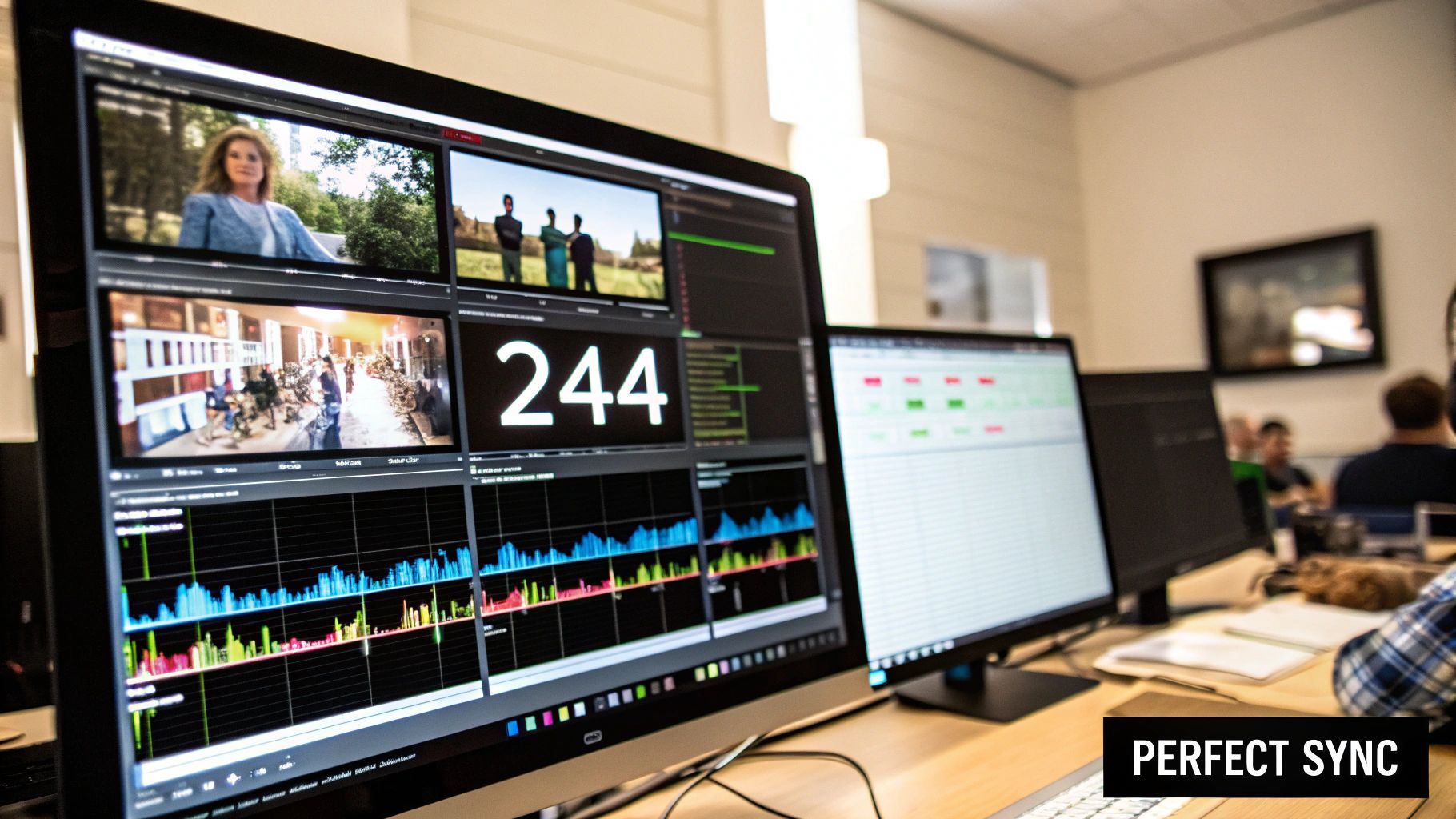
This is where all the pieces come together. You've got your meticulously translated English script and a crisp new voiceover—now it's time to marry it to your original video. Honestly, this step can make or break your project. A perfectly good translation can feel cheap and unprofessional if the audio sync is even slightly off.
The mission is to make the new audio feel completely native to the video. The most direct path is to pull your original video and the new English audio file into your video editor of choice, whether that’s DaVinci Resolve, CapCut, or Adobe Premiere Pro. Just drop the new audio track onto the timeline right under the original video's audio.
Aligning Your Audio and Video
With both audio tracks stacked, you can start by visually lining up the waveforms. I always look for the obvious cues first—the big spikes from loud sounds or the flat lines during pauses in the original Spanish track. Try sliding the new English track back and forth until its major peaks and valleys align with the original.
But don't just trust your eyes. This part is all about listening.
Hit play and close your eyes for a second. Does the English voiceover feel like it belongs? Is it hitting the right beats with on-screen actions or gestures? You’ll almost certainly need to nudge the track, maybe trimming a fraction of a second here or adding a sliver of silence there to get the rhythm just right.
Pro Tip: Once you're happy with the alignment, just mute the original Spanish audio track instead of deleting it. It's a simple, non-destructive edit that makes it easy to pop back and reference the original speaker’s cadence if something feels off later.
Fine-Tuning for a Polished Result
Getting the timing right is huge, but it's not the only thing that matters. The final polish comes from how you blend the new sound with the existing audio elements. After all, you probably want to keep the original background music or sound effects.
Here’s a quick checklist for the final pass:
- Adjust Audio Levels: Your new voiceover is now the star of the show. Dip the volume of the original track's background music and sound effects so they sit nicely under the dialogue, not on top of it.
- Add Captions: Even with an English voiceover, adding synchronized English captions is a massive win for accessibility and engagement. Think about people watching in a loud cafe or those who are hard of hearing.
- Perform a Final Quality Check: Now, watch the whole thing through, from start to finish. You’re hunting for any subtle audio drift, where the sound slowly slips out of sync over time. Also, listen for any weird jumps in volume between clips.
This last bit of editing is what turns a basic project to translate Spanish to English audio into a truly professional piece of content that feels natural to a whole new audience.
Got Questions About Audio Translation? We've Got Answers
Diving into audio translation for the first time can feel a little daunting. It's totally normal to wonder about the timeline, the tools, and what pitfalls to look out for. Let's clear up some of the most common questions creators have when translating Spanish audio to English.
How Long Does This Actually Take?
This is the classic "it depends" situation, but I can give you some real-world timelines. The time it takes to translate 10 minutes of Spanish audio can vary dramatically depending on the workflow you choose.
If you’re using a slick, all-in-one AI platform, you could realistically have a finished English audio track in under 30 minutes. These tools are designed for speed, handling the transcription, translation, and voice generation in one smooth process.
On the other hand, if you're aiming for broadcast-level quality, the process is more hands-on. This usually means a manual review of the transcript, getting a native speaker to check the translation, and possibly working with a human voice actor. For that level of detail, a 3-5 business day turnaround is a much more realistic expectation, giving you time for feedback and revisions.
Can I Just Use YouTube's Free Tools?
YouTube's built-in auto-translate and auto-dubbing features are a great starting point, especially if you're on a tight budget. They can instantly make your content accessible to more people, and sometimes, that's all you need.
But it's important to know what you're getting. The quality can be a real coin toss. These automated systems often fumble cultural nuances, slang, or dense subject matter. The result can be a translation that's technically right but sounds clunky and unnatural.
For any content that represents your brand—think online courses, corporate videos, or marketing material—investing in a better process pays off. A polished, professional result builds trust and gives your audience a far better experience.
What's the Single Biggest Mistake to Avoid?
If there's one thing I see people get wrong, it's this: skipping the human review. Trusting AI 100% from start to finish is a huge gamble. AI is phenomenal for the heavy lifting of transcription and getting a first-pass translation done, but it lacks the contextual understanding that a person brings.
Getting a native English speaker to read through the translated script before you generate the voiceover is the most critical quality check you can do. It's your safety net. This simple step catches awkward phrasing and cultural blunders, ensuring your message lands exactly the way you want it to. It's what turns a decent translation into a truly great one.
Ready to create professional, engaging English voiceovers for your Spanish videos in minutes? ShortGenius brings every step—from transcription and translation to generating lifelike AI voices—into one simple platform. Start creating with ShortGenius today!