How to turn product photos into video ads with ai: Boost conversions today

Learn how to turn product photos into video ads with ai to boost engagement and sales with practical, AI-powered tips.
Look, let's be real. Those gorgeous product photos you paid a small fortune for? They just aren't cutting it anymore. In a world completely dominated by TikTok, Reels, and YouTube Shorts, a static image is a surefire way to get scrolled past without a second thought.
We're living in an attention economy, and in this economy, motion is money. If your content isn't moving, it's not making you money. It's that simple.
This isn't just about chasing the latest trend. It’s about a massive shift in how people consume content. Your potential customers are now hardwired to expect dynamic, engaging videos. A flat product photo, no matter how crisp and professional, just can't compete with the sensory punch of a short video ad.
Motion is What Stops the Scroll
Think about your own feed for a second. What actually makes you stop scrolling? It’s almost always something with movement—a slick transition, a subtle zoom, or a piece of text that animates onto the screen. A static image just doesn't have that "thumb-stopping" power.
This is a huge problem. If you can't grab someone's attention in the first three seconds, you've already lost the sale.
This is exactly why turning your existing photos into videos has become such a powerful tactic for e-commerce brands. The data backs this up, too. Recent studies show that adding videos to product pages can boost sales by as much as 144% compared to just using images. If you want to dive deeper, there are plenty of visual content statistics that highlight the impact on performance.
Your marketing assets are only as valuable as the attention they can capture. If your photos aren't being seen, their value drops to zero. Converting them into videos is a direct way to reclaim that value and put your products back in the spotlight.
How AI Closes the Gap
For most brands, the biggest hurdles to creating video have always been the cost and the sheer complexity of it all. Professional video production means expensive shoots, complicated editing software, and a whole lot of time.
This is where AI changes the entire game.
Modern AI platforms are built to solve this exact problem, offering a fast, affordable, and scalable way to create high-quality video ads. Instead of starting from scratch, you can now use your library of product photos as the raw material for countless video variations.
This approach gives you a massive advantage:
- Speed is Everything: You can whip up new ads in minutes, not weeks. This means you can jump on trends and test new ideas while they're still relevant.
- Slash Your Production Budget: Forget about the high costs of video shoots, fancy equipment, and hours of post-production.
- Scale Your Creativity: Take one product photo and generate dozens of different ad variations. Test different hooks, styles, and calls-to-action to see what actually works.
The whole point is to connect the dots between why your current ads might be underperforming and the urgent need to evolve your strategy. This guide will walk you through exactly how to make that happen, turning your overlooked photos into your best-performing video ads.
Your Practical Workflow From Image to AI Video Ad
Alright, let's get down to brass tacks. Theory is great, but what you really need is a repeatable playbook for turning a standard product photo into a video ad that actually performs. This is the process I use to take the guesswork out of AI video creation and focus on what matters: results.
The whole thing kicks off not with the AI, but with your source material. A killer video ad starts with a killer source image. You'd be surprised how much the subtle details in your original photo can affect the final AI animation. Think of it as giving the AI a clean, well-lit stage to work its magic.
Prepping Your Assets for AI Success
Before you even think about uploading a photo, pause and take a good look at it. The idea is to hand the AI as much clean visual information as you possibly can.
-
High Resolution is a Must: Always, always start with the highest resolution photo you have. A sharp, clear image gives the AI more data to work with, which means smoother animations and fewer weird artifacts. A blurry photo will just give you a blurry video. It's that simple.
-
Clean Backgrounds are Your Friend: While AI can handle busy lifestyle shots, you'll get the best results from images with simple, non-distracting backgrounds. A product on a plain white or single-color backdrop makes it incredibly easy for the AI to isolate the subject for effects like 3D rotations or dramatic zooms.
-
Good Lighting is Non-Negotiable: Photos with balanced, even lighting are what you're after. Harsh shadows or blown-out highlights can really throw the AI for a loop, often leading to strange visual glitches in the final render.
Once you’ve got your hero image picked out, it's time for the creative part—figuring out the story your ad will tell.
Generating Ad Concepts and Scripts with AI
You don't need to be a seasoned copywriter to come up with a winning ad concept. I often use AI as a creative partner to brainstorm hooks and scripts that are specifically designed to stop the scroll.
The trick is to be specific. Don't just ask for "an ad script." Give the AI real context to work with. For a deeper dive into the tools and processes, you can check out this helpful Your Guide to an AI Video Ad Creator.
A solid prompt for brainstorming concepts might look like this:
"Generate 3 short video ad concepts for a new waterproof sneaker. The target audience is urban commuters aged 25-40. Focus on a UGC style. The hook should be under 3 seconds and highlight the 'all-weather' benefit. Include a clear call-to-action to 'Shop the Storm-Proof Collection.'"
This level of detail steers the AI toward producing relevant, targeted ideas you can use right away. It's a fantastic way to quickly test different angles before you commit any real resources. This isn't some niche tactic anymore; recent data shows that 63% of video marketers now use AI in their workflow. That's a huge jump, and it shows just how central this has become.
From Static Image to Dynamic Video
Now for the fun part: turning that photo into a video and bringing your product to life. Modern AI tools give you a whole suite of powerful effects that you can apply with just a click.
This is all about grabbing and holding attention. A static photo can easily get lost in a fast-moving feed, but video pulls the viewer back in.
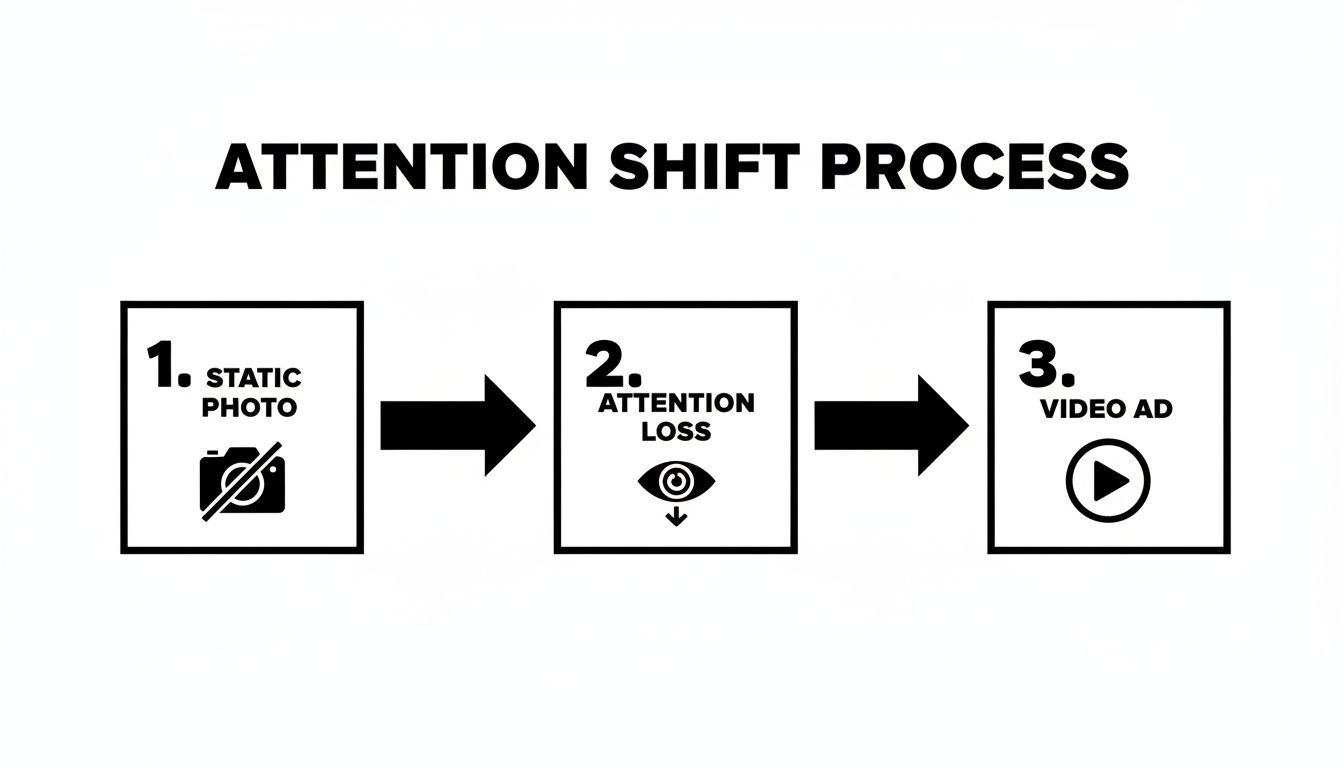
The diagram above shows it perfectly. Static images can cause attention to drift, but a well-executed video ad recaptures that interest immediately.
So, how does this look in practice? Here are a couple of scenarios I run into all the time.
AI Video Generation Input vs Output Examples
This table shows how different source images and AI prompts can generate varied video ad styles, helping you understand the creative possibilities.
| Source Product Photo | AI Prompt/Effect Applied | Resulting Video Ad Style |
|---|---|---|
| Apply a "3D Orbit" or "Gentle Rotate" effect. | A smooth, rotating video showcasing the sneaker from all angles. This gives off a premium, high-end feel. |
| Combine "Subtle Zoom In" with a "Handheld Shake" filter. | The static photo becomes a believable, user-generated video clip. The movement adds authenticity, perfect for TikTok or Reels. |
| Use a "Slow Pan Down" with a "Lens Flare" overlay. | A luxurious, cinematic reveal that highlights the product's texture and packaging. Great for conveying quality and elegance. |
As you can see, the key is to match the AI effect to your marketing goal. Are you going for a premium feel or an authentic, down-to-earth vibe? Different effects get you different results. The best platforms, like the ones covered in our guide to the latest AI image-to-video models, make this easy by providing a whole library of preset movements.
By following this simple workflow—prep your assets, brainstorm with AI, and apply strategic motion—you create a reliable system for churning out effective video ads. This isn't a one-off trick; it's a core part of any modern, agile marketing strategy. You can take a single product photo and, in less than an hour, have a dozen different video ad variations ready to A/B test.
Writing Prompts That Generate Winning Video Ads
The real secret to turning a static product photo into a compelling video ad isn't just the AI tool you use—it's how you talk to it. Giving the AI a vague instruction is a surefire way to get a generic, forgettable video. If you want to create something that actually stops the scroll, you have to get good at prompt engineering.
Think of yourself as a film director, not a button-pusher. Your prompt is your script, your shot list, and your mood board, all in one. The more detail and creative direction you bake into it, the closer the AI’s output will be to what you’re picturing in your head.
The Anatomy of a Powerful AI Prompt
A great prompt isn't just a single sentence; it’s a structured command that leaves very little to the AI's imagination. By breaking it down into key components, you cover all your bases and guide the AI toward the exact result you're after.
I've found that the most effective prompts almost always include these four elements:
- Subject & Action: What is the product, and what should it be doing? Be specific.
- Visual Style & Mood: Define the entire vibe. Is it cinematic, vintage, or futuristic? What emotion should the video evoke?
- Camera & Motion Cues: This part is crucial. Tell the AI how to move the camera, what transitions to use, and how the video should be paced.
- Brand & Context: Add details about the environment and your brand’s personality.
Let’s put this into practice. A weak, lazy prompt like, "Make a video of my sneaker," gives the AI almost nothing to go on. You'll get a bland, uninspired clip every time.
Now, compare that to a powerful prompt: "A sleek, black running sneaker. Cinematic slow orbit from left to right, showcasing its detailed texture. Set against a minimalist dark grey studio background. The mood is sophisticated and high-performance. Add a subtle lens flare as the camera passes the logo." See the difference? That level of detail is what produces a polished, premium-looking video.
Keywords That Trigger Specific Visual Effects
To really level up your AI video creation, you need to build a vocabulary of "trigger words." These are specific terms that AI video models have been trained to recognize and translate into distinct visual effects. Sprinkling these into your prompts gives you an incredible amount of control.
For Camera Movement
- Cinematic Orbit: This gives you that smooth, 360-degree rotation around your product.
- Slow Dolly Zoom: A gentle push-in or pull-out that adds a touch of drama.
- Handheld Shake: Perfect for simulating that authentic, user-generated content (UGC) feel.
- Gentle Pan Up/Down: Slowly reveals the product to build a little anticipation.
For Transitions & Pacing
- Fast Glitch Transition: Creates an energetic cut, great for high-impact ads.
- Smooth Fade to Black: A classic, clean transition for a more elegant vibe.
- Quick Cuts: Rapidly jumps between angles for a fast-paced, exciting sequence.
For Visual Style & Lighting
- Dreamy Glow: Adds a soft, almost ethereal light effect.
- High-Contrast Monochrome: Instantly creates a bold, black-and-white aesthetic.
- Vibrant Color Pop: Makes your product’s colors appear more saturated and eye-catching.
The goal is to move from describing what you want to see to describing how you want to see it. This shift in prompting is what unlocks the most compelling and professional-looking AI video outputs.
Before and After Prompt Engineering
Let's look at a real-world example. Say you've got a great photo of a new eco-friendly water bottle and you want to create a quick ad for Instagram Reels.
The Weak Prompt: "Animate this water bottle photo."
The likely result? A simple zoom or a boring spin. It's technically a video, but it has zero personality and won't make anyone stop scrolling.
The Refined, Powerful Prompt: "A stainless steel water bottle on a mossy forest floor. Gentle pan up, revealing condensation on the bottle. Sunlight filters through the trees, creating a natural lens flare. The mood is refreshing and eco-conscious. Add a subtle handheld shake for a UGC feel. The pacing should be calm and serene."
This prompt is a complete game-changer. It sets a scene, dictates camera movement, establishes a mood, and even mimics a popular content style. The AI now has a rich set of instructions to work with, allowing it to create a video that actually tells a story and connects with your audience. As you get more comfortable, you can explore different text-to-video AI models to expand your creative toolkit even further.
By taking a few extra moments to engineer a detailed prompt, you elevate your output from a basic animation to a strategic, high-performing video ad.
Bringing It All Together: Voiceovers, Captions, and Branding That Actually Convert
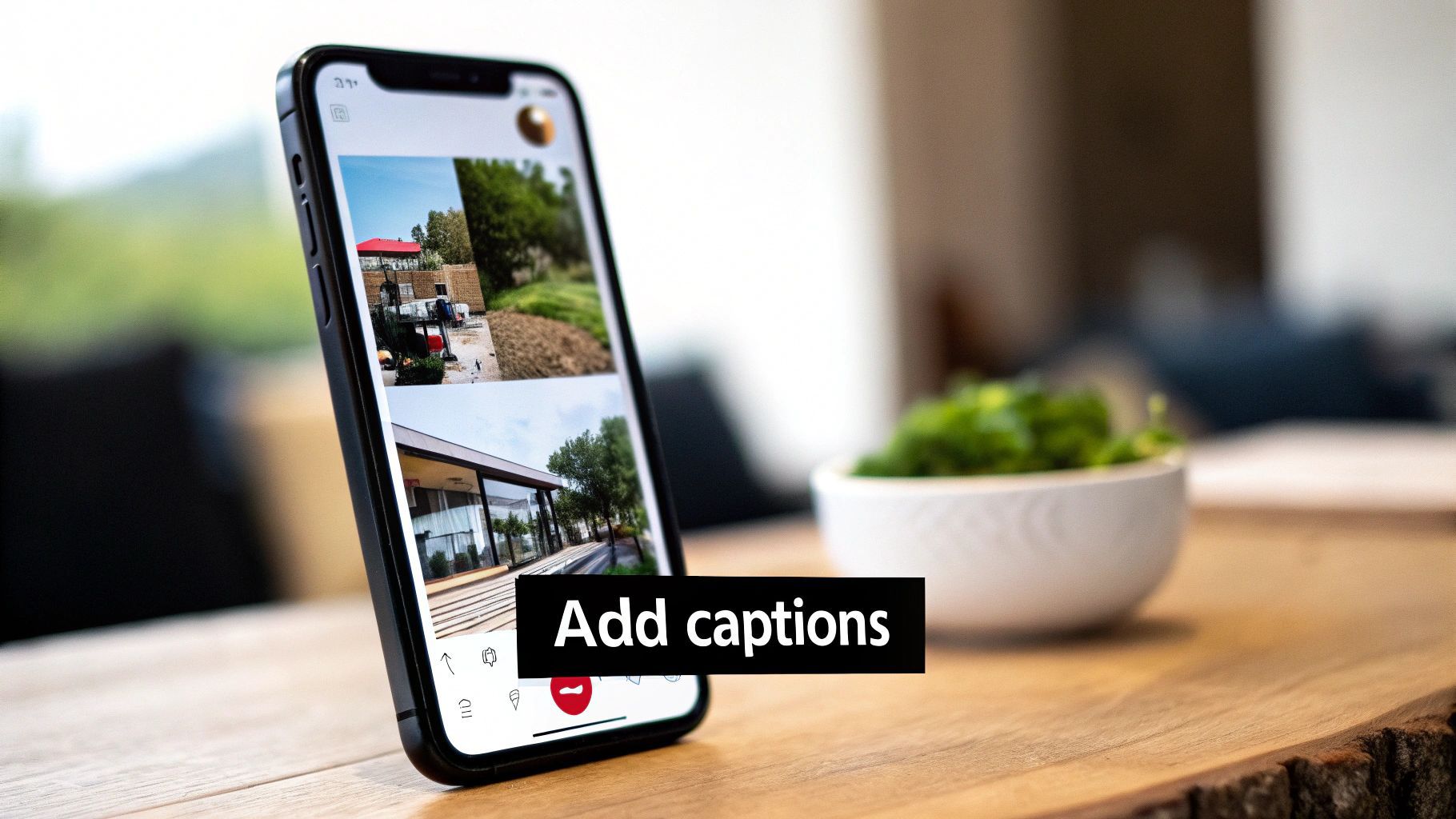
Getting that initial video clip from a static photo is a huge win, but it's really just the starting line. A silent, unbranded video clip is just another piece of content floating in the ether. To turn it into a strategic sales asset, you need to layer on the elements that drive action: voice, text, and branding.
These finishing touches are what separate a forgettable clip from a professional ad that builds trust and gets the click. Let's get into how to nail these crucial final steps.
Finding the Right AI Voice
The right voice can completely set the mood for your ad. Are you going for high-energy and exciting, or something more calm and trustworthy? Today’s AI voice generators give you a massive library of tones and personalities, so you can find the perfect fit without the cost and hassle of hiring a voice actor.
But it's not just about picking a voice and hitting "generate." You have to direct the AI's performance to get a result that sounds genuinely human.
- Pace it for the Platform: A TikTok ad needs a fast, punchy delivery. An explainer on YouTube, on the other hand, calls for a clearer, more measured pace. Adjust the speed accordingly.
- Direct with Punctuation: This is a pro tip. Use commas to create small hesitations and periods for more definitive pauses. It’s a simple trick that breaks up the robotic cadence and makes the delivery feel much more natural.
- Audition a Few Voices: Don't just go with the default. Run your script through three or four different AI voices. You’ll be surprised how a different tone can change the entire feel of the ad.
For instance, I’ve found that a calm, reassuring female voice works wonders for skincare products. But for a new gaming accessory? An enthusiastic, energetic male voice is almost always the better choice. It's this level of fine-tuning that makes the audio feel intentional.
Captions Are Not Optional
Let’s be real: most people are scrolling through their feeds with the sound off. Some data suggests that number is as high as 85% on platforms like Facebook. If you don't have captions, your message is completely invisible to the vast majority of your audience.
Captions aren't just for accessibility—they're a critical performance tool. They make sure your core message lands instantly, whether someone's on a quiet commute or in a loud coffee shop.
Your ad's hook, offer, and call-to-action must be understandable in the first three seconds, with or without sound. Captions make that possible.
Most modern ad creation tools, like ShortGenius, will auto-generate captions from your voiceover. Your job is to make them impossible to ignore.
- Make Them Pop: Use a bold, clean font. A simple white text with a black drop shadow or a semi-transparent box behind it is usually a safe and effective bet for readability.
- Animate the Words: Static text is boring. Use dynamic, "karaoke-style" captions where words are highlighted as they're spoken. This technique is super engaging and keeps people's eyes locked on your message.
- Keep Lines Short: Never cram a full sentence onto the screen at once. Break it down into just a few words per line. This makes the text scannable on small mobile screens and matches the fast pace of social feeds.
Weave in Your Brand Kit for Instant Recognition
The final layer is stamping your brand’s identity onto the ad. You want someone to see your ad and immediately know it's yours, even before they see your profile name. Consistency is what builds that kind of brand recall over time.
A good brand kit includes your logo, brand colors, and go-to fonts. Weaving these elements into your video ad makes everything feel cohesive and professional.
Here's a quick checklist to run through before you publish:
- Logo Placement: Pop your logo in a corner—usually the top right or left. It should be subtle enough not to distract but visible for the entire duration of the ad.
- Color Palette: Use your brand’s colors for text highlights, caption backgrounds, progress bars, or any other graphic elements.
- Brand Fonts: Make sure the font you use for your captions and any other text overlays matches your brand's official typography.
This isn’t just about making things look pretty. Consistent branding transforms your ad from a standalone piece of creative into a recognizable brand asset. It builds familiarity and trust, which is the foundation of turning viewers into loyal customers.
Scaling Your Ad Strategy With AI-Powered A/B Testing
Making a single AI-generated video ad that crushes it is a great start. But the real goal isn't a one-off hit—it's building a repeatable, data-backed system that drives profit consistently. This is where we stop thinking like creatives and start acting like performance marketers, using AI to test ideas at a blistering pace.
In the past, you'd spend a ton of time producing one or two video concepts and just cross your fingers. Now, with the ability to turn a simple product photo into dozens of video ads, you can pump out a whole testing campaign in an afternoon. This volume is your secret weapon. It allows you to systematically A/B test and find out what actually makes your audience click.
Pinpointing Key Elements for Testing
To get clean results, you have to be disciplined about what you're testing. If you throw a dozen wildly different ads at your audience, you'll never know why one worked and the others flopped. The key is to isolate and iterate on one variable at a time across your AI-generated videos.
For any given product photo, you can build a simple but powerful testing matrix around these elements:
- The First Three Seconds (The Hook): This is make-or-break. Generate variations with different camera movements—think a slow, dramatic zoom versus a fast, energetic orbit. Try out different visual effects, like a glitchy transition or a soft, dreamy glow. Even simple text overlays can make a huge difference here.
- The AI Voiceover: Pit a high-energy, almost hyped-up voice against a calm, more authoritative tone. The script can be identical, but the delivery completely changes the ad's vibe and emotional pull.
- The Call-to-Action (CTA): Play around with the closing text and voiceover. Is a straightforward "Shop Now" more effective than an intriguing "Discover the Collection"? What happens when you add a little urgency, like "Limited Stock"? Test it and find out.
By methodically testing these pieces, you stop guessing and start building a playbook based on hard data. You’ll know exactly what works for your brand. Many marketers I know use a solid AI ad generator to speed this up, as it can create these variations almost automatically.
Interpreting Data and Feeding the Algorithm
Once the results start rolling in, it's time to play detective. Dive into your key metrics: Click-Through Rate (CTR), Cost Per Acquisition (CPA), and Return On Ad Spend (ROAS). Are you noticing a pattern? Maybe the fast-paced hooks always get a better CTR, or perhaps the authoritative voiceover consistently leads to a lower CPA.
The insights from one test are pure gold for the next. This creates a powerful feedback loop where your ads literally get smarter and more effective with every campaign you run.
This constant stream of new creative also happens to be exactly what social media algorithms crave. Platforms like TikTok and Instagram are designed to reward accounts that publish fresh content all the time. A steady publishing cadence not only keeps you top-of-mind but also signals to the algorithm that your account is active, which can help your organic reach and ad placements. Once you get this flywheel going, integrating broader social media marketing automation tools can help you manage the publishing schedule without losing your mind.
A simple weekly workflow could look something like this:
- Monday: Pick a key product photo. Generate 10 video variations testing two completely different hooks. Launch the campaign.
- Wednesday: Check the early data. Pause the ads that are obviously tanking.
- Friday: Take the winning hook and double down. Generate 5 new variations that test different CTAs, keeping the hook the same.
This agile process ties your creative work directly to your bottom line. AI stops being just a cool tool and becomes the engine behind lower acquisition costs and higher returns.
Common Questions About AI Video Ad Creation
Once you start digging into AI video ads, a few key questions always pop up. It's one thing to see the workflow on paper, but it’s another to hit those little roadblocks when you’re actually in the thick of it. Let's tackle some of the most common things people ask when they're first starting to turn their product photos into video ads.
I'll keep the answers direct and practical, giving you exactly what you need to move forward.
What Kind of Product Photos Work Best for AI Video Generation?
The old saying "garbage in, garbage out" has never been more true. For the cleanest results, you really want to start with high-resolution images. The ideal photo has the product clearly isolated against a simple, uncluttered background.
A sharp JPEG or PNG with good focus and even lighting gives the AI the best possible information to work with. This translates directly into smoother animations and more believable effects. You can use more complex lifestyle shots, but you'll make your life a lot easier if you start with clean, studio-style photos. Think of it as giving the AI a perfect canvas.
How Long Does It Take to Turn a Photo into a Finished Video Ad?
This is where the speed of AI is just incredible. The actual image-to-video generation step? That’s usually done in just a few seconds to a couple of minutes, depending on what kind of effect you're going for.
The entire process—from that initial generation to scripting, adding a voiceover, and putting on the finishing touches like captions and your brand kit—can genuinely be wrapped up in under 15 minutes for a single ad. Even if you’re batching a few variations for A/B testing, it’s a world away from the days or weeks traditional video production can take.
This speed isn’t just about being efficient; it’s a huge strategic advantage. It means you can test more concepts, jump on trends, and refresh your creative way faster than your competitors.
Can AI-Generated Videos Truly Match the Quality of a Professional Shoot?
It’s important to frame this correctly. AI isn't here to replace a high-end, cinematic brand film. Instead, think of it as a powerful new tool in your arsenal, especially for performance marketing.
On platforms like TikTok and Instagram, where authenticity and rapid-fire testing are everything, AI-generated videos can be incredibly effective. Sometimes, they even outperform those super-polished, high-budget ads that just feel a bit too "corporate" for the feed. They’re the perfect way to scale your creative output, find new angles for winning concepts, and test ideas without sinking a massive budget.
For getting high-performing ads out into the world fast, AI is an unbeatable tool.
Ready to stop scrolling and start creating? With ShortGenius, you can transform your static product photos into a library of high-performing video ads in minutes. Our platform makes it easy to generate scripts, add voiceovers, and apply stunning visual effects—no complex editing required. Start your free trial today and see the difference for yourself.