How to Make Product Demo Videos with AI That Convert

Learn how to make product demo videos with AI using actionable strategies for scripting, visuals, and scaling to drive real conversions and business growth.
When you break it down, making a great product demo video with AI comes down to four key parts: getting the script right with smart prompts, letting AI tools handle the visuals and voiceover, quickly polishing it up with edits and branding, and finally, tweaking the video for whatever platform you're posting it on. This whole approach takes what used to be a massive headache and turns it into a simple, almost automatic task. You can get a high-quality demo out the door in minutes.
The Big Shift to AI-Powered Product Demos
Let's be honest, the old way of making product demos was a pain. It meant high costs, long waits, and a ton of coordination. Hiring camera crews, renting studios, and then slogging through weeks of editing just doesn't fly anymore. That approach produced static, one-size-fits-all videos that couldn't keep up with product updates or connect with different audiences on fast-moving platforms like TikTok and Instagram.
This is exactly where AI changes everything. It flips the script from a slow, manual assembly line to an automated workflow that can take a simple idea and spin it into a polished, ready-to-convert video almost instantly.
This diagram really captures the simplicity of the new process, showing how you can go from concept to a finished video with just a few steps.
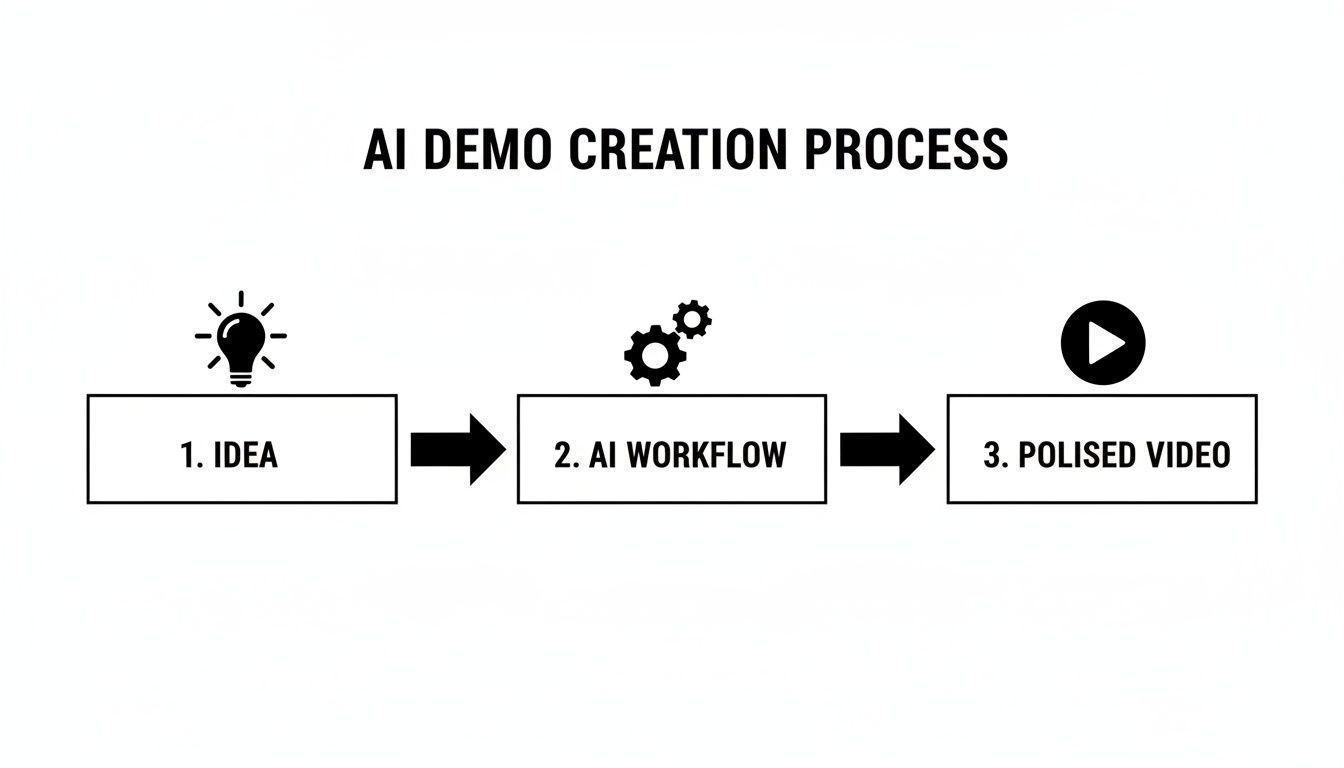
As you can see, AI cuts out all the tedious, resource-draining steps and gets you straight to the good stuff.
To really see the difference, a side-by-side comparison makes it crystal clear.
Traditional vs AI Powered Demo Production
| Attribute | Traditional Demo Production | AI-Powered Demo Production |
|---|---|---|
| Time to Create | Weeks or even months | Minutes to a few hours |
| Cost | Thousands of dollars (crew, studio, gear) | A low monthly subscription fee |
| Flexibility | Difficult and expensive to update | Instant and easy to iterate |
| Scalability | One video at a time | Hundreds of variations for A/B tests |
| Personalization | Generic, one-size-fits-all message | Highly tailored to specific audiences |
| Expertise | Requires a full production team | Accessible to anyone on the marketing team |
The table really drives home why this isn't just a minor improvement—it's a complete overhaul of how we think about video production.
Why AI Is Quickly Becoming The Standard
This move toward AI isn't just some passing trend. It’s a direct response to the market's need for speed, personalization, and efficiency. The numbers back this up, with a staggering 63% of video marketers now using AI tools in their creation process. That's a huge jump from 51% just the year before, showing just how fast these tools are becoming essential.
And let's not forget why demos are so important in the first place: they work. A massive 85% of consumers say a product demo has convinced them to make a purchase.
This entire shift is made possible by a new generation of incredibly powerful yet easy-to-use tools. If you want a good look at the platforms driving this change, exploring the top AI video generators gives a great overview of what's out there. These tools solve the biggest headaches of old-school production by delivering:
- Speed: Go from a text idea to a shareable demo in the time it takes to grab a coffee.
- Scalability: Need five different versions of a demo for five different audiences? No problem. You can generate endless variations for A/B testing or campaigns.
- Cost-Effectiveness: Say goodbye to massive production budgets. The need for expensive gear and crews is practically eliminated.
- Personalization: You can easily swap out visuals, tweak the script, and change the call-to-action to speak directly to specific customer segments.
At the end of the day, figuring out how to make product demo videos with AI is about more than just saving time and money. It’s about gaining a serious competitive advantage.
Crafting Your Demo Script with Smarter AI Prompts
Every powerful product demo starts with a great script, and this is where AI can be an incredible creative partner. But here’s the thing: just asking an AI to "write a script for my product" is a recipe for a generic, forgettable video. I’ve seen it happen too many times.
The real secret is feeding the AI the right ingredients. You have to give it your audience's problems, show it how your product is the unique solution, and spell out a clear goal for the video. Think of it like being a director. You wouldn't just tell an actor to "act"—you'd give them context, motivation, and a clear objective. Your prompts are how you direct the AI.
Building Your Core Prompt
Forget one-line requests. The best way to get a script that feels human and actually drives action is to build a detailed "master prompt." This initial setup is hands-down the most important part of the entire process.
A solid master prompt always covers three key areas:
- Target Audience Persona: Who, specifically, are you talking to? Get into their head. Describe their job title, their biggest headaches, and what keeps them up at night.
- Product & Value Proposition: What does your product actually do for this person? More importantly, what problem does it solve? Frame it as a clear "before-and-after" transformation.
- Desired Action & Tone: What’s the one thing you want the viewer to do after watching? Then, define the vibe. Is this demo energetic and punchy, or more buttoned-up and professional?
When you lay this groundwork, you instantly elevate the AI from a simple text generator to a strategic partner that understands what you're trying to achieve.
Example: A Master Prompt in Action
Let's say we're making a demo for a project management tool called "FlowState." Our target is busy marketing managers. A generic prompt would be useless. A smarter prompt, however, gets specific.
Here’s what that looks like:
Act as an expert scriptwriter for a 30-second TikTok ad.
Persona: Marketing managers at startups. They're totally overwhelmed by scattered tasks and constantly missed deadlines. Their biggest pain point is having zero visibility into what their team is actually working on.
Product: FlowState is a project management tool that pulls all tasks into one place and gives them a clean, visual dashboard of all project progress.
Value Prop: It turns team chaos into organized clarity. The big win? It cuts down on stress and stops projects from falling through the cracks.
Tone: Energetic, relatable, and maybe even a little humorous.
CTA: The goal is to get viewers to sign up for a free trial. The script must start with a killer hook that grabs their attention in the first three seconds.
See the difference? This level of detail ensures the AI’s first draft is already strategically aligned with your goals. From here, you can use follow-up prompts to tweak the hook or refine the call-to-action, but your core story is already solid. This detailed approach is the foundation for making a product demo video with AI that actually gets results.
Bringing Your Video to Life with Visuals and Voiceover
Alright, you've got a solid script. Now for the fun part—turning those words into a living, breathing product demo. This is where AI tools really start to feel like magic. You can create compelling video scenes and a professional-sounding voiceover without ever touching a camera or a microphone. The goal here isn't just to make a screen recording; it's to tell a story that pulls people in.
Your script is the direct blueprint for the AI. It takes each line or paragraph and translates it into a unique scene. Your job is to act as the director, feeding the AI descriptive prompts that shape the entire look and feel of your video. This is how you create a demo that showcases your product's features while perfectly capturing your brand's personality.
How to Prompt for the Perfect Visual Style
First, decide on the vibe. Are you going for that authentic, shot-on-a-phone user-generated content (UGC) look? Or do you need something more polished and cinematic? Your prompts are everything when it comes to hitting the right note.
- For a UGC Look: Try prompts like, "a woman in her home office, smiling as she uses her laptop, shot on a smartphone." This instruction tells the AI you want something relatable and casual.
- For a Polished Showcase: Get more specific. Something like, "a sleek, minimalist shot of a SaaS dashboard with animated data points, cinematic lighting" guides the AI toward a high-production, professional aesthetic.
Don't stop at just describing the scene; direct the camera. By adding phrases like "dynamic zoom-in," "fast-paced cuts," or "smooth panning shot," you're telling the AI how to create movement. This makes your demo far more engaging than a static screen capture. If you're curious about the tech behind this, you can explore the various AI-powered text-to-video models that are making it all possible.
Choosing and Refining Your AI Voice
With the visuals coming together, it's time to add the narration. The right voiceover builds trust and keeps your audience hooked. Today's AI voice generators have moved way beyond those old robotic tones, offering huge libraries of natural-sounding voices, accents, and styles.
My personal tip is to always choose a voice that sounds like someone your target audience would trust. Selling to a younger, trend-savvy crowd? A casual, friendly voice is usually a great fit. For a B2B product, a clear, confident, and slightly more formal tone often lands better.
Listen to a few different voices before you make your final choice. Most platforms will let you preview how a voice sounds reading a line from your actual script. Listen closely to the pacing and inflection. Does it sound natural? Does the energy match your visuals? After you've picked one, you can usually fine-tune the speed and even add pauses for dramatic effect, giving the narration a genuinely human feel.
This level of control is what makes a professional final product possible. In fact, the demand for people with these skills is exploding—the need for AI video creators skyrocketed by 66% in the six months leading into 2025. It's a clear signal that brands are ditching slow, traditional production for faster, AI-driven workflows. You can dive deeper into this growing demand on MarTech Pulse.
Putting the Finishing Touches on Your AI Video
The raw video your AI generates is a fantastic starting point, but the final polish is what makes it feel uniquely yours. This is where you transform a solid draft into a professional, on-brand asset that’s ready to convert. It's all about making quick, smart tweaks that elevate the entire experience for your viewer.
The good news? This doesn’t mean you need to spend hours wrestling with complicated editing software. Modern AI platforms have these final touches built right into the workflow, making what used to be a tedious chore a matter of a few clicks.
Your Post-Production Checklist
First up, let's look at the pacing. The AI does a pretty good job of sequencing scenes based on your script, but you have the final say as the director. A quick trim to shorten a scene or removing a transition that feels a bit clunky can dramatically improve the video's flow and keep the energy up.
Next, it's time to think about captions. Since a massive percentage of social media videos are watched on mute, dynamic captions are no longer a nice-to-have; they're essential. AI tools can automatically transcribe your voiceover and animate the text, guaranteeing your message hits home even when the sound is off. This one small thing can make a huge difference in viewer retention.
- Trim the Fat: Cut any unnecessary pauses and tighten up transitions to keep your viewers hooked.
- Caption Everything: Use auto-generated, animated captions to make your video accessible and effective for silent viewing.
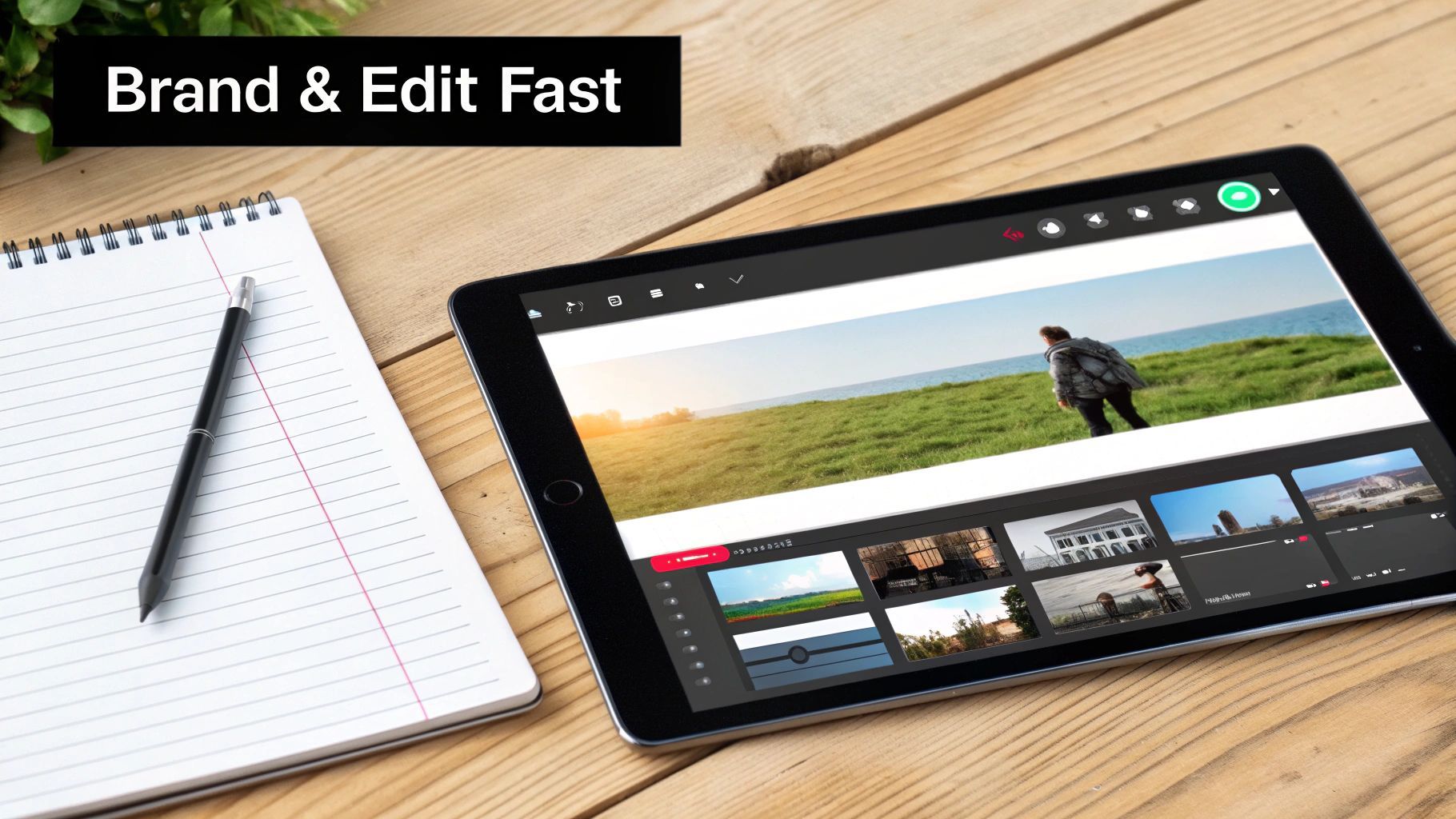
- Brand It: Instantly apply your company’s logos, fonts, and color palette for a consistent, professional look.
That final branding step is what ties everything together. Applying your brand kit ensures every video acts as a seamless extension of your company, building recognition and trust with every view.
Once you have your AI visuals and voiceover ready, it’s time to start refining. For a closer look at what’s possible, it's worth exploring some of the best AI video editing software tools on the market.
Optimize for Every Channel, Instantly
One of the most powerful parts of an AI-driven process is resizing and reformatting your demo for different platforms in a snap. That single horizontal video you made for YouTube can become several vertical clips for TikTok and Instagram Reels in just a few seconds.
This feature is a genuine game-changer. Instead of painstakingly re-editing your entire project for each social network, the AI intelligently reframes the content, making sure your product is always the star of the show, no matter the aspect ratio. You can deploy one core video across all your channels, with each version perfectly optimized for its audience.
The process of making product demo videos with AI doesn't just stop at generation; it extends to smart, efficient distribution. And for those final visual tweaks, many tools offer features for quick enhancements. You can make small but impactful changes with an AI-powered image editor to get your thumbnails or in-video graphics just right.
Turning One Video Into a Growth Engine
Okay, you’ve made a fantastic product demo. That’s a huge win. But the real magic happens when you move from creating one-off videos to building a scalable system that consistently brings in customers. This is where we turn video creation into a predictable, performance-driven workflow.
The speed of AI is your secret weapon here. Forget spending your entire budget on one "perfect" video. Instead, you can generate multiple versions in minutes to see what actually grabs your audience's attention. A/B testing isn’t just a buzzword; it’s the key to making every ad dollar count.
Embrace the Continuous Testing Loop
The mindset shift is simple: stop guessing what works best and start testing. Use AI to spin up a few variations of your main demo, changing just one key thing in each. This approach gives you clean data on what’s actually moving the needle.
Here’s what your testing matrix might look like:
- Hook Variations: Try three completely different openings. One could ask a provocative question, another could hit them with a bold claim, and a third might open with a visually arresting shot.
- Call-to-Action (CTA) Tests: See what phrasing gets the click. Does "Start Your Free Trial" beat "See It in Action"? You won’t know until you test them head-to-head.
- Visual Style Experiments: Put a slick, polished demo up against something that looks more like raw, user-generated content (UGC). You might be surprised which aesthetic resonates with your audience.
This isn't about throwing things at the wall; it's a data-backed science. For anyone looking to put this on autopilot, a dedicated AI ad generator can be a game-changer, handling the creation of these test variations so you can focus on the results.
Turning Raw Data Into Winning Ads
Once your campaigns are running, let the data do the talking. Keep a close eye on your click-through rate (CTR), cost per acquisition (CPA), and viewer retention. Your mission is to spot the winning ingredients—the hook that keeps people watching or the CTA that converts like crazy.
Finding a winning ad isn't the finish line. The real power move is to combine the best-performing elements into a new "champion" video. Take your top hook, pair it with your most effective CTA, and pit it against a fresh batch of challengers. That’s how you build long-term campaign success.
This iterative approach is especially powerful in the B2B space, where interactive demos are making a huge impact. Companies that have integrated AI into their sales demos are reporting average completion rates of 67% and seeing conversion lifts as high as 32% over static videos. The lesson here is clear: personalization and rapid iteration win.
By using AI to test, analyze, and improve your videos at scale, you learn exactly what makes your audience tick. You'll be making product demos that don't just look professional—they deliver real, measurable business results, time and time again.
Your AI Product Demo Questions, Answered
Jumping into AI video creation for the first time usually sparks a lot of curiosity. I get it. Founders and marketing teams I talk to are often curious about the learning curve and whether a video made by an AI can ever really feel human.
Let's clear the air and tackle some of the most common questions I hear. The good news? You can get started without a shred of technical experience. These tools are built to be intuitive, and once you grasp a few core ideas, you’ll be off to the races.
Do I Need to Be a Video Editor to Make an AI Demo?
Nope, not at all. In fact, that's one of the best parts. These platforms are designed for marketers and founders, not professional video editors. The whole process is driven by text prompts and simple interfaces, which makes creating product demos with AI incredibly accessible.
You just describe the scene you envision, pick a visual style, and let the AI do the heavy lifting—generating the footage, timing the cuts, and even adding captions. The final tweaks are usually just simple one-click fixes, like applying your brand kit or trimming a scene. It truly opens up high-quality video production to everyone.
Can AI-Generated Videos Actually Look and Feel Authentic?
They absolutely can, and modern AI video tools are getting shockingly good at it. The secret sauce is in your prompts and the platform you choose. For instance, if you specify a "UGC-style" or "shot-on-phone" look, the AI can generate visuals that feel like they came straight from a real customer. That vibe is gold for social ads.
And forget those old robotic voices. Today's AI voice generators are miles ahead, offering a huge library of natural-sounding voices with realistic pacing and intonation.
When you pair authentic visuals with a natural-sounding voiceover and a solid, conversational script, the final demo feels just as trustworthy as something you'd film yourself. It’s all about giving the AI the right creative direction.
This growing focus on realism is a huge reason why marketing teams are adopting AI so quickly for content that needs to build trust and connect with an audience.
How Do I Make My AI Demo Stand Out From the Crowd?
Making your demo memorable is less about the tool and more about your strategy. Since anyone can now access these tools, your real advantage comes from how creatively you use them.
Here are three things I always recommend to make your demos pop:
- Obsess Over Your Hook: You've got three seconds to earn a viewer's attention. Use the AI to spitball ten different opening lines or visual concepts. Then, test them like crazy to see what actually stops the scroll.
- Play With Creative Effects: Don't settle for the default settings. Dive into the AI's more advanced features, like unique camera transitions or slightly surreal effects, to create a thumb-stopping moment your competitors aren't even thinking about.
- Personalize at Scale: This is where AI really shines. You can create slightly different versions of your demo for each of your key customer segments. Trying to do that manually is a logistical nightmare, but with AI, it’s a powerful way to get an edge.
I'm a Complete Beginner. What's the Best Way to Start?
My best advice is to start small and focused. Don't try to make a massive, five-minute epic that covers every single feature of your product. That’s a surefire way to get overwhelmed.
Instead, pick one core benefit that solves a major headache for your customer. Build a quick, 30-second video around that single idea. Have the AI generate a simple script using a classic problem-solution-CTA framework. This lets you learn the workflow, get your first video out the door, and build some real momentum.
Once you’ve got the hang of it, you can easily scale up to longer demos or create a whole series of videos highlighting different features.
Ready to stop spending weeks on video production and start creating high-performing ads in minutes? With ShortGenius, you can turn a simple idea into a polished, on-brand product demo that’s ready to convert. Generate scripts, visuals, and voiceovers with AI, then instantly resize and brand your video for every platform.
Experience the future of ad creation with ShortGenius today!