How to Create Video Ads Without Filming Yourself

Discover how to create video ads without filming yourself. This guide covers AI video, stock footage, and proven scripting techniques for high-impact ads.
Think you need a camera to create killer video ads? Think again.
You can actually pump out high-converting ads for platforms like TikTok and Instagram using a few clever, camera-free methods. It all comes down to four main playbooks: using AI video generators, piecing together high-quality stock footage, designing simple animated explainers, or just hitting record on your screen.
The End of the On-Camera Mandate for Video Ads
Let's be real—the idea of getting in front of a camera and filming an ad is enough to make most people break out in a cold sweat. There's the pressure to be "on," the hassle of getting the right equipment, and the sheer amount of time it all takes. For years, it felt like being on camera was the only way to make a video ad that felt authentic and engaging.
Well, that's officially over.
Today, smart marketers and creators are churning out incredibly effective video ads for every major platform—from TikTok and Instagram to YouTube—without ever showing their faces. This isn't just some scrappy workaround; it's a genuine strategic advantage that lets you create faster, test more ideas, and scale your campaigns like never before.
Embracing the Camera-Free Advantage
This move away from on-camera ads isn't just about saving time or avoiding the spotlight. It taps into a real shift in how people consume content. Many creators are building massive audiences by focusing on delivering pure value, not by turning their life into a performance. This has given rise to a whole new genre of "faceless" content that audiences love.
For advertisers, this camera-free approach unlocks some serious perks:
- Speed and Scale: You can knock out a dozen different ad variations in the time it would take to film a single on-camera spot. This is a game-changer for A/B testing different hooks, visuals, and calls to action.
- Reduced Production Costs: Forget about expensive cameras, lighting kits, or renting a studio. Your most important tools are now software and your own creativity.
- Focus on the Message: When there isn't a person on screen, the script, visuals, and audio have to do all the heavy lifting. This forces you to get crystal clear on your message and craft something that resonates immediately.
- Creative Flexibility: You're free to experiment with all sorts of visual styles—from cinematic B-roll to a more raw, user-generated feel—that would be a nightmare to try and film yourself.
One of the biggest myths about user-generated content (UGC) is that you have to be the face of the brand. You don't. Brands care way more about your ability to create content that converts than they do about your on-screen personality.
At the end of the day, learning how to make video ads without filming is about working smarter, not harder. It’s about using the right tools and proven workflows to connect with your audience on your own terms. This guide will show you exactly how to do it.
Choosing Your Camera-Free Creation Method
Okay, so you've decided to create video ads without getting in front of a camera. Smart move. This is the first big decision you'll make, and it shapes everything that follows—from how quickly you can launch to what the final ad actually looks and feels like.
There isn't a single "best" way to do this. Each camera-free method has its own sweet spot, and the right one for you depends entirely on your product, your audience, and what you're trying to achieve with your campaign. Let's walk through the four most practical approaches I use and see which one fits your needs.
AI-Generated Video
This is where things are getting really interesting right now. AI video tools have exploded in popularity because they can turn a simple text prompt or a script into a full-blown video in just a few minutes. You can literally describe a scene, and the AI will build it for you, often with a surprisingly authentic, user-generated content (UGC) vibe. This makes it an absolute beast for rapid-fire testing.
For example, say you're launching a new skincare line. Instead of spending a day filming one ad, you could use an AI tool like Synthesia or HeyGen to pump out ten different video hooks in less than an hour. One ad could feature a slick, AI-generated close-up of the product's texture. Another could show an AI avatar reacting to their newly clear skin. A third might be a simple, punchy text animation. You can quickly see what your audience responds to without sinking a ton of time or money upfront.
Stock Footage Compilations
Using stock footage is a classic for a reason, but the game has changed. Forget those cheesy, generic clips of people in suits shaking hands. The key today is to think like a filmmaker, not just a marketer grabbing random assets. Premium stock libraries like Artgrid or Storyblocks are filled with cinematic, emotionally charged clips that can tell a powerful story when edited together with care.
A high-end travel company, for instance, could create a genuinely breathtaking ad purely from stock footage. Imagine weaving together clips of epic landscapes, intimate shots of people experiencing joy, and visuals that scream adventure. Pair that with a great voiceover and the perfect music track, and you've got an ad that feels premium and aspirational—all without booking a single flight or hiring a crew.
This decision tree helps visualize the main paths you can take, showing how the camera-free options branch out.
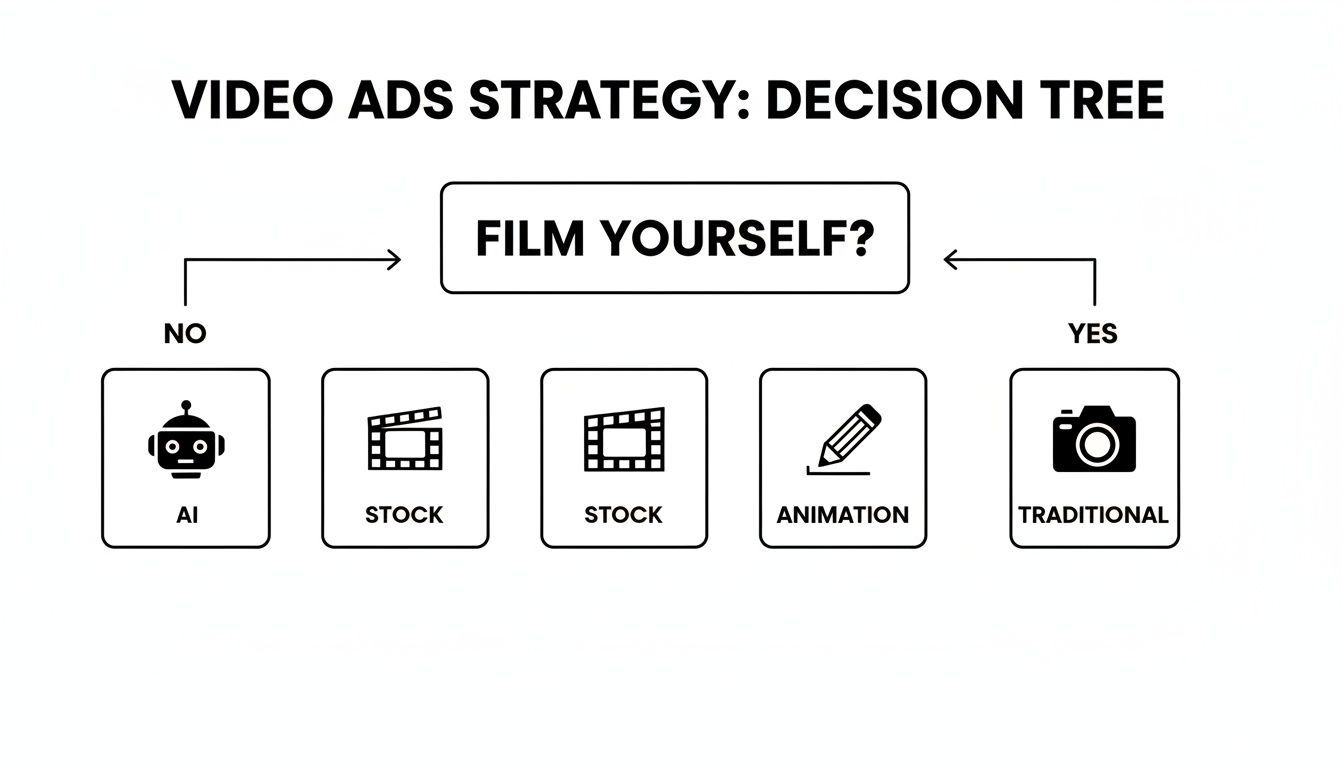
As you can see, opting out of filming opens up several distinct and powerful creative avenues, each with its own workflow.
Animated Explainer Videos
Animation is your secret weapon for simplifying complex ideas. If you're selling software, a financial app, or any product with features that aren't immediately obvious, an animated explainer is perfect for breaking it all down. These videos can walk a viewer through a process step-by-step, making abstract concepts feel simple and tangible.
Take a fintech app designed to help users budget. An animated ad could use fun visuals like cartoon coins flying into different digital buckets labeled "Savings" or "Investments." This makes the app's core value crystal clear in seconds. It’s often way more effective than a live demo because you can visualize processes that are otherwise invisible.
Screen Recordings
For any SaaS product, mobile app, or digital tool, a clean screen recording is often the most convincing ad you can run. It’s direct, it's honest, and it shows the product doing what it does best. There is no better way to prove your app has a slick UI or that your software is packed with powerful features than to just show people.
A well-edited screen recording builds immense trust. It's the ultimate "show, don't tell" approach, proving your product's value by letting viewers see exactly how it works and how it can solve their problems.
A project management tool could run a killer ad that's just a screen recording of someone smoothly dragging tasks, setting deadlines, and tagging teammates. It grounds the product in reality and directly answers the viewer's biggest question: "Is this thing actually easy to use?"
Comparing No-Film Video Ad Methods
To make the choice a bit easier, this table breaks down the four methods side-by-side. It compares them based on what they're best for, how fast you can create them, the typical cost, and how much you can customize the final result.
| Method | Best For | Production Speed | Cost | Customization Level |
|---|---|---|---|---|
| AI Generation | Rapidly testing hooks, creating UGC-style ads, and scaling creative variations. | Very Fast | Low to Medium | Medium |
| Stock Footage | Building brand prestige, telling emotional stories, and creating cinematic ads. | Fast | Low to High | Medium |
| Animation | Explaining complex services, B2B marketing, and simplifying abstract concepts. | Medium | Medium to High | High |
| Screen Recording | SaaS product demos, app walkthroughs, and showcasing digital features. | Very Fast | Very Low | Low |
Ultimately, the right method comes down to your specific goals, budget, and brand. Don't be afraid to mix and match, either. Some of the best ads I've seen combine these techniques—like adding animated text over a stock video clip. The real key is to pick the path that lets you create great ads efficiently and aligns perfectly with the story you're trying to tell.
Scripting High-Impact Ads That Don't Need a Face
When you're creating video ads without putting a face on camera, your script is everything. It has to carry the entire weight of the ad. Without a person building that human connection, your words and visuals have to work twice as hard to grab attention, tell a compelling story, and push people to act.
This is where most camera-free ads completely miss the mark, but it's also your biggest opportunity. A killer script can make all the difference.
The first three seconds are do-or-die. In a feed where people are scrolling a mile a minute, you have a tiny window to stop their thumb. Your hook needs to be sharp, direct, and instantly resonate with your viewer's world. Generic openers like "Are you tired of..." are a death sentence. You need to jolt them.
This is exactly why I lean on proven hook formulas. They give you a reliable structure for capturing that initial spark of interest and setting the stage for the rest of your ad.
Nail the First Three Seconds with Proven Hooks
The fate of your ad is usually decided before the four-second mark. If you can master a few solid hook structures, you'll dramatically improve your chances. Let's break down three powerful formulas that I've found work incredibly well for faceless, voiceover-driven ads.
-
The Problem/Agitate Hook: This is a classic for a reason—it works. You start by hitting a nerve, stating a problem the viewer instantly recognizes, and then you twist the knife a little. For example, an ad for a project management tool could open with, "Your team's projects are a mess... again. Deadlines are slipping, and nobody even knows who's doing what." That agitation makes the problem feel urgent and real. It creates that "they get me" feeling.
-
The Surprising Stat Hook: Nothing stops a scroll like a shocking or counterintuitive statistic. It makes people stop and question what they think they know, creating an information gap they suddenly need to fill. For a meal delivery service, a hook like, "90% of people who start a diet quit within the first week," hits way harder than "Want to eat healthier?" It completely reframes the problem in a new, compelling light.
-
The "You're Doing It Wrong" Hook: This one is a bit edgy, and that’s why it works. You challenge a common belief or a standard way of doing things, positioning your solution as the smarter alternative. An ad for an AI ad tool like ShortGenius could kick off with, "You're wasting hours trying to script video ads from scratch. There's a much faster way." It speaks directly to a savvy audience and dangles a better method right in front of them.
The real goal of the hook isn't to sell the product; it's to sell the next five seconds of the video. Every line in your script has to earn you the viewer's attention for the line that follows.
Once you’ve got them hooked, you can’t let up. The body of your ad needs to keep that momentum going.
Structuring the Ad Body for Maximum Impact
With your hook locked in, the middle of your ad—roughly seconds 4 through 20—is where you deliver the goods. For faceless ads, clarity and pacing are paramount. You've got to tell a complete, persuasive story in a very short amount of time.
I always stick to a simple narrative arc: introduce the solution, show its value, and then paint a picture of the transformation.
- Introduce the Solution: Right after the hook, pivot straight to your product as the answer. Don't be cute or subtle. For that project management tool ad, it would be: "But what if you could manage everything in one place?"
- Demonstrate the Value: This is your "show, don't tell" moment. Use your visuals—stock clips, animations, screen recordings—to quickly show the product solving the problem. Zero in on one or two key benefits, not a laundry list of features. For our example, you’d show a clean dashboard and someone easily assigning a task with a single click.
- Show the Transformation: End the body by showing the positive outcome. This is the "after" state. Something like, "Go from chaotic spreadsheets to perfectly organized projects."
This structure keeps the message tight, logical, and easy to follow, building a solid case for your product without ever needing a talking head.
Crafting a Call to Action That Actually Works
Finally, the call to action (CTA) needs to be crystal clear, urgent, and feel like the obvious next step. In a voiceover-driven ad, this is critical: the CTA needs to be both spoken and shown on-screen with text. That repetition hammers it home.
Ditch passive language like "Learn more." Instead, use direct, benefit-driven commands.
- Instead of "Visit our website," try "Get your free trial today and organize your first project in minutes."
- Instead of "Download the app," go with "Start your 7-day challenge now and see the results for yourself."
The CTA is your last shot to turn a viewer into a click. Make it strong, specific, and impossible to ignore. Combine a killer hook, a tight narrative, and a compelling CTA, and your script will have all the power it needs to crush it—no camera required.
Bringing Your Vision to Life with AI and Stock Footage
This is the fun part. You’ve got the script—the hook, the story, the CTA—and now it's time to turn those words into a video that actually stops the scroll. We're going to build the visual world for your ad, and we'll do it by blending AI-generated video with high-quality stock footage.
This combination gives you a massive amount of creative firepower. AI can spit out hyper-specific, UGC-style clips on demand, while a good stock library offers cinematic quality and real human emotion. Let's break down how to make both of these work for you.
Generating Authentic Scenes with AI
The real magic of today’s AI video tools is their knack for turning simple text prompts into short, dynamic clips. We’re not aiming for Hollywood-level perfection here. The goal is to create visuals that feel native to social media feeds—authentic, relatable, and maybe even a little raw.
It all comes down to the prompt. A vague prompt will get you a vague, useless video.
Forget writing "a person using a laptop." Instead, get really specific about the style, action, and mood you're after. Try something like this: "UGC-style, over-the-shoulder shot of a woman's hands typing quickly on a laptop, warm coffee mug on the desk, soft morning light, focused mood." That level of detail gives the AI clear direction, resulting in a scene that tells a small story.
The goal with AI-generated scenes isn't perfection—it's relatability. Minor imperfections or a slightly raw aesthetic can actually make your ad feel more like genuine user-generated content, which often builds more trust with viewers.
Think like a director. Your prompt needs to cover the shot, the subject, the environment, and the overall vibe.
- Specify the Shot Type: Use terms like "close-up," "handheld shot," or "drone footage" to dictate the camera work.
- Describe the Action: Be clear about what's happening. "A hand swiping through a mobile app interface" is much better than "using a phone."
- Set the Mood: Don't forget stylistic keywords. "Energetic," "calm," "cinematic," or even "vintage VHS look" can completely change the final clip.
Tools like ShortGenius build this functionality right into the ad creation process, letting you generate custom clips as you go. This makes it incredibly easy to create a bunch of different visual hooks to test.
Thinking Like a Filmmaker with Stock Footage
Stock footage often gets a bad rap for being cheesy, but that's usually because people search for it the wrong way. If you want to find compelling, unique clips, you have to stop thinking like a marketer and start thinking like a filmmaker hunting for a specific emotional beat.
This means you need to stop searching for literal objects and start searching for feelings, concepts, and moods.
- Don't search for: "family smiling at a picnic."
- Instead, search for: "joyful reunion," "candid laughter," or "moment of quiet connection."
This simple shift will uncover clips that feel far more authentic and less staged. You'll find footage packed with genuine emotion that you can weave into a powerful story. In fact, research shows that ads connecting with customers emotionally can perform twice as well as those that don't.
Combining and Customizing Your Visuals
The real power move is mixing these elements together. You might start with a punchy, AI-generated clip for the hook, then transition to a series of emotional stock clips to build the story, and finish with a clean screen recording of your product in action.
Once you have your clips selected, a few simple edits can pull everything together and make it feel custom-made.
- Consistent Color Grading: Applying a simple color filter or LUT (Look-Up Table) across every clip is a game-changer. It’s a small step that instantly makes disparate footage feel like it belongs together, giving your ad a polished, professional look.
- Strategic Pacing: Keep your clips short and snappy. For an energetic ad, use quick cuts every 1-2 seconds. For something more emotional, let a powerful shot linger for 3-4 seconds to really let it sink in.
- Overlay Graphics: Add your logo, key text callouts, and maybe even a progress bar. These elements reinforce your brand and help keep viewers locked in until the end.
For anyone serious about mastering these techniques, digging into resources on AI integration in post-production can offer some seriously valuable insights. By thoughtfully choosing, combining, and customizing your visuals, you can create a high-impact ad that looks like a full-blown production—without ever touching a camera.
Getting the Audio Just Right: AI Voiceovers and Captions That Pop
When you’re not filming your own footage, your audio suddenly has a much bigger job to do. It’s no longer just background noise; it’s the main event. Your voiceover and captions are responsible for setting the tone, building a connection, and telling the story.
The good news? You don't need a fancy microphone or a soundproof booth anymore. Modern AI text-to-speech tools have come a long way from the robotic voices we all remember. They can sound surprisingly human, offering a huge range of tones—from super high-energy to calm and trustworthy.
This means you can knock out a professional-sounding narration for your ad in just a few minutes, working directly from your script. The trick is learning how to "direct" the AI to get the performance you want.
How to "Direct" an AI Voiceover
Getting an AI to generate a voiceover is easy. Getting it to sound great takes a little thought. The AI reads exactly what you give it, so your punctuation and formatting become your best friends for controlling the delivery. A few simple tweaks can be the difference between a flat read and a compelling narration.
Here are a few tricks I use to get the rhythm and pacing right:
- Commas for a quick breath: I use commas to force a short, natural pause in a sentence. This keeps the AI from just steamrolling through a line without taking a breath.
- Ellipses for dramatic effect: An ellipsis (...) is my go-to for creating a longer, more deliberate pause. It’s perfect for building a little suspense right before a big reveal.
- Short, choppy sentences: I break down longer, more complex ideas into short, punchy sentences. This isn't just easier for the AI to narrate; it’s way easier for a fast-scrolling viewer to absorb.
For instance, instead of feeding the AI a clunky sentence like, "Our revolutionary new software helps you manage all your projects efficiently saving you time and money," I'd write it like this:
"Our new software helps you manage all your projects... efficiently. Saving you time. And money."
Hear the difference? The second version has a much stronger, more persuasive punch.
Making Your Message Impossible to Ignore with Dynamic Captions
Let's be clear: captions are non-negotiable for social media video ads. A huge chunk of people on platforms like Instagram and TikTok watch videos with the sound off. If you don't have captions, you're invisible to them.
But just slapping on the default, plain-text captions is a massive missed opportunity.
Think of your captions as a creative element, not just an accessibility tool. When done right, dynamic captions can hook a viewer just as effectively as the video itself.
Your goal is to turn your captions into a core part of the ad's visual appeal. Don't just let them hide at the bottom of the screen—make them impossible to miss.
Here are a few practical ways to create captions that grab attention:
- Emphasize key words: Make the most important words in your script bigger or give them a pop of color. If you’re selling a coffee alternative, you could have the word "ENERGY" flash on the screen in a bright yellow.
- Sprinkle in emojis: A well-placed emoji adds a bit of personality and makes the text feel more native to the platform. A 🔥 next to a "hot new feature" or a ✅ next to a benefit helps break up the text and guide the eye.
- Animate your text: Have words appear on the screen one by one, synced perfectly with the voiceover. This "karaoke style" is incredibly effective because it forces the viewer to read along, keeping their eyes glued to the screen.
The best part is that you don't need to be a motion graphics artist to do this. Many modern video editors, including tools like ShortGenius, have these features built right in. By pairing a solid AI voiceover with truly engaging captions, you’re making sure your message lands hard, whether the viewer’s sound is on or off.
Assembling and Optimizing Your Ad for Every Platform
This is where all the pieces come together. You've got your clips, a killer script, and a clean voiceover. Now it's time to stitch them into an ad that actually stops the scroll. Think of this as the final sprint—it’s not just about dragging things onto a timeline, but about creating a rhythm that holds attention.
The very first thing I focus on is the pace. On social media, you have to be ruthless. Every second is precious. I trim my clips aggressively, cutting out any dead air, awkward pauses, or moments that don't push the story forward. A fast-paced ad that respects the viewer's time is one they'll actually watch to the end.
Adding Polish with Sound and Branding
With your visuals locked in, it's time to bring the ad to life with audio. Don't just slap any generic track on there. The right background music sets the entire emotional tone. An upbeat, punchy track can inject excitement, while something more subtle and atmospheric can build trust or a sense of sophistication.
Sound effects are just as important for making an ad feel professional. A simple whoosh on a transition or a click when a button appears on-screen makes a world of difference. These small touches add a layer of polish that, even subconsciously, signals quality to the viewer.
Finally, weave in your brand's visual identity. This isn't just about plastering your logo everywhere. It means being strategic.
- Your Logo: Keep it subtle. A small logo in the corner is all you need—visible, but not distracting.
- Brand Colors: Use them in text overlays, captions, or even a progress bar to build brand recognition.
- Consistent Fonts: Stick to your brand's official typography. It creates a cohesive look that ties back to all your other marketing.
One Ad, Many Platforms
You've built one fantastic ad. Now what? You can't just toss the same video file on every platform and expect it to work. I’ve seen so many brands make this mistake. A horizontal YouTube ad looks awful and performs even worse on TikTok.
The key to efficiency is creating a core ad and then adapting it.
The most successful ads feel native to the platform they appear on. Taking a few extra minutes to resize your video for each social channel is one of the highest-leverage activities you can perform to boost engagement and reduce ad costs.
You'll want to create versions for the most common aspect ratios:
- 9:16 (Vertical): The gold standard for TikTok, Instagram Reels, and YouTube Shorts.
- 4:5 (Portrait): Perfect for the main feeds on Instagram and Facebook.
- 16:9 (Horizontal): The classic widescreen format for standard YouTube videos.
Launching and Learning with Simple Tests
Getting the ad live isn't the finish line. The final piece of the puzzle is figuring out what actually works. You don't need a complex, multi-variate testing setup to get started. Just create two or three simple variations of your ad to see what your audience responds to.
For instance, you could run simple A/B tests on:
- Different Hooks: Use the same video but swap out the first 3 seconds with a new hook.
- Varied CTAs: Test a direct call-to-action like "Shop Now" against something more benefit-focused like "Start Your Free Trial."
Keep an eye on basic metrics like your click-through rate (CTR) and cost per click (CPC). You’ll quickly see which version is the winner. This simple loop of testing and learning is how you turn a decent ad campaign into a truly great one. To take it a step further, make sure you understand the best practices for social media engagement, as this knowledge is crucial for fine-tuning your campaigns.
Ready to generate high-performing video ads without ever stepping in front of a camera? ShortGenius gives you an end-to-end workflow to script, generate, and edit scroll-stopping ads in minutes. Ditch the production crew and start creating ads that convert at https://shortgenius.com.