How to Add Music to Instagram Post to Boost Engagement

Learn how to add music to Instagram post with this complete guide. Discover how to navigate copyright, find trending audio, and boost your engagement.
Adding music to your Instagram post is one of the easiest ways to get more eyes on your content, and you do it right in that final step before hitting "Publish." After you've picked your photo or video and tapped "Next," you'll see the "Add Music" option. From there, you can search for the perfect song and select the exact clip you want. It’s a small step that can make a huge difference.
Why Music Is Your Secret Weapon for Instagram Growth
Before we get into the nitty-gritty of how to add music, let’s talk about why it’s such a game-changer. It's not just a fun little feature; it’s a core part of a smart growth strategy. Think about your own feed—it's packed with visuals. What makes you stop scrolling? Often, it's the audio.
The right music is an emotional shortcut. It instantly sets a vibe, helps tell a story, and makes your content stick in people's minds long after they've scrolled past.
Boost Your Reach with Audio
Here's something you need to know: Instagram's algorithm loves engaging audio, especially what’s trending. When you hop on a popular sound, Instagram is more likely to show your post to people who've liked or saved other content with that same audio. Suddenly, you've got a competitive edge and a direct line to a much wider audience.
A silent post has to work twice as hard, relying only on its visuals. But when you add a soundtrack, you create an immersive experience that really connects with people. That connection translates into likes, comments, and shares—all the engagement signals the algorithm is looking for.
A well-chosen track can transform a simple video or photo into a shareable experience. The audio gives people a reason to not just view your content, but to save it for inspiration or share it with their own followers, amplifying your message organically.
When you boil it down, using music is a powerful move for a few key reasons:
- Skyrocket Engagement: Posts with music consistently get more likes, comments, and shares. It’s just more engaging.
- Ride the Algorithm: Using trending sounds can land your content a prime spot on user feeds and the Explore page.
- Build Your Brand Vibe: The music you pick says a lot about your brand. It helps define your personality and connect with your target audience on a much deeper level.
A Practical Guide to Adding Music Across Instagram Formats
Instagram's flexibility is one of its biggest perks, but figuring out how to add music to an Instagram post can feel a little different depending on what you're making. Each format—from a single photo to a fast-paced Reel—has its own way of weaving in audio. Getting the hang of these nuances is the secret to making your content consistently pop.
Let's walk through the exact steps for each post type.
Adding Music to Feed Posts and Carousels
When you're sharing a new photo or a carousel of images, the process is pretty direct. Once you've picked your photos and made your edits, you'll get to the final screen where you write your caption and tag people. Right there, you'll see the "Add Music" option.
Tap that, and you're in Instagram’s music library. From there, you can:
- Search for a specific song or artist.
- Browse trending tracks or explore different genres and moods.
- Pick a song and use the slider to select the perfect clip, which can be anywhere from 5 to 90 seconds long.
This simple step can completely change how a static image feels, stopping the scroll and grabbing attention. The right track sets a mood far more effectively than visuals alone ever could.
Integrating Audio into Reels and Stories
For Reels and Stories, music isn't just an afterthought—it's a core part of the creation process. You'll add your audio much earlier.
Inside the Reel or Story editor, look for the music note icon. This is your door to the audio library. The key difference here is that you can pick your song before you even finish arranging your video clips. This is a game-changer because it lets you time your cuts and transitions to the beat of the music, which is how so many creators get that polished, professional look.
You also get more control, with separate volume sliders for your original video's sound and the music track you've added. It's all about finding that perfect balance.
Adding Music to Different Instagram Posts
To make things easier, here’s a quick-glance table breaking down the options for each format. It's a handy reference for when you're deciding what kind of content to create next.
| Post Type | Music Availability | How to Add | Best For |
|---|---|---|---|
| Feed Post | In-app library | On the final caption screen before posting. | Adding ambiance to a single photo or setting a mood for a static image. |
| Carousel | In-app library | On the final caption screen, just like a single photo post. | Creating a cohesive vibe across multiple images or telling a story. |
| Reels | In-app library | In the editor before or during the editing process. | Syncing video clips to the beat of a song or using trending audio. |
| Stories | In-app library | Via the music sticker in the Story editor. | Quick, engaging, and timely updates that disappear after 24 hours. |
As you can see, while you can add music everywhere, when and how you add it makes a big difference in your creative workflow.
The strategy behind adding music to an Instagram post is more than just decoration; it directly impacts how well your content performs. User data shows that short, catchy audio loops make content more shareable and improve watch time. It's no accident that short-form videos with trending sounds often go viral.
This visual shows exactly how adding music can turn a simple post into a growth machine.
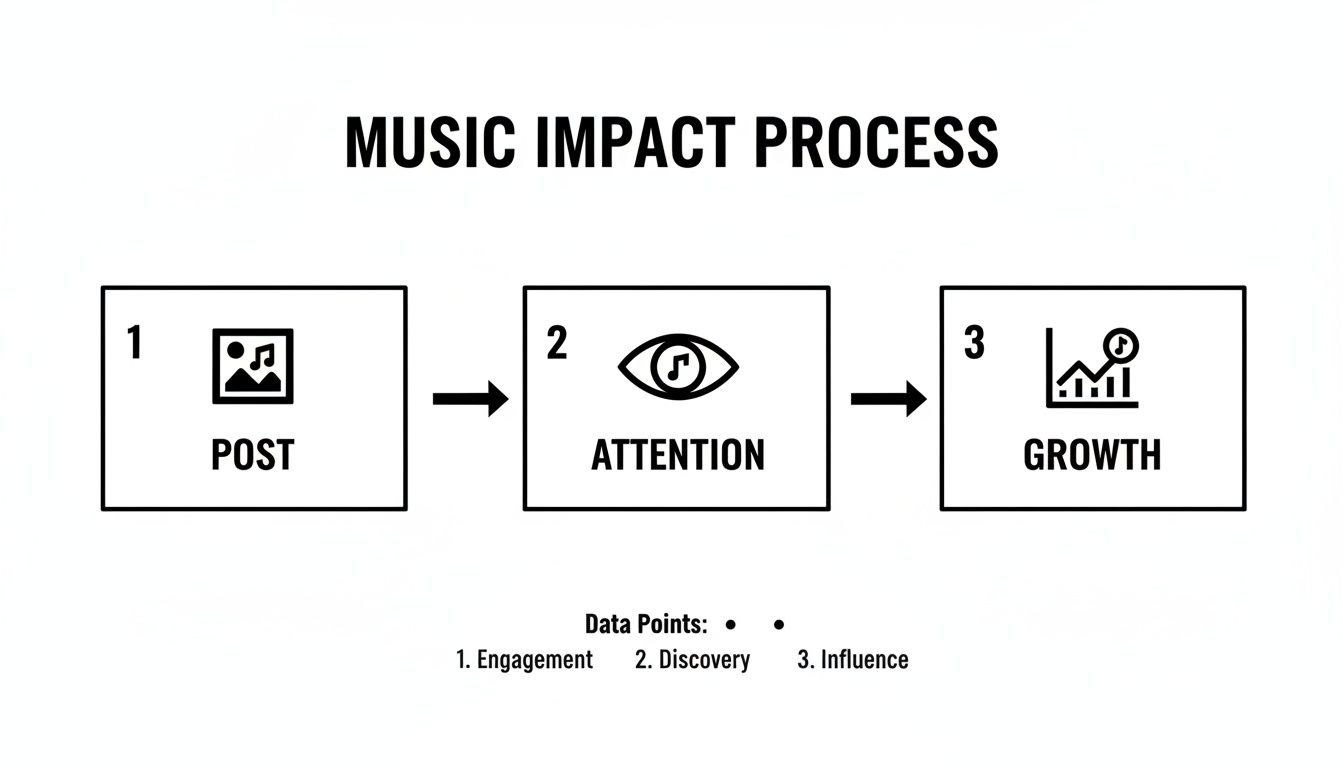
The path is clear: a great post with the right audio grabs attention, which drives audience growth and engagement. For anyone wanting to dive deeper, this detailed guide on how to share music on Instagram Stories, Reels, and posts offers even more specific tips.
How to Navigate Instagram's Music Copyright Rules
We’ve all been there. You spend ages perfecting a Reel, post it, and a few minutes later you get that dreaded notification: your audio has been removed for copyright infringement. It's a massive headache, but understanding why it happens is the key to avoiding it in the future.
The whole game changes depending on where you get your music from. It really boils down to two scenarios: using Instagram’s built-in music library versus uploading a video that already has a song baked into it.
When you pull a track directly from Instagram’s music sticker or the audio browser in Reels, you’re in safe territory. Meta has already done the heavy lifting, securing the licenses from artists and labels. This gives you the green light to use those popular songs in your personal content without fear of takedowns.
But if you edit your video in another app and drop in a chart-topping hit you downloaded, you're rolling the dice. Instagram’s system is designed to automatically scan and flag copyrighted audio. If it detects a song you don't have the explicit rights to use, your post could get muted, blocked in certain countries, or removed completely.
The Deal with Business Accounts and Music
Ever noticed that your Business Account has a music library filled with generic-sounding instrumental tracks instead of the latest viral hits? That's not a bug; it's a feature designed to protect you.
Instagram limits business profiles to a library of royalty-free music because using popular songs in anything that could be considered advertising requires a separate, very expensive commercial license. This curated library ensures your brand doesn't accidentally step into a legal minefield.
Key Takeaway: Personal and Creator accounts get the fun stuff—a huge library of popular music for personal expression. Business accounts are given a more limited, commercially safe, royalty-free catalog to prevent copyright and licensing violations.
So, what can you do if you're a business wanting better audio?
- Stick with the safe stuff. The provided royalty-free library is your safest bet for any promotional content.
- Consider a Creator Account. If it fits your model, switching to a Creator account can unlock the full music library while keeping access to professional analytics and tools.
- License your own music. This is the pro move. Services like Epidemic Sound or Artlist offer subscription-based access to massive catalogs of high-quality music that you can legally use for commercial projects. Just edit it into your video before you upload.
And if you're an artist trying to get your own tracks into the Instagram library for everyone else to use, you'll need to go through a digital music distributor. They're the ones who handle the official submissions and licensing with platforms like Instagram.
Getting Your Original Music on Instagram
If you're a musician, podcaster, or anyone creating original audio, the real game-changer is getting your own sound into Instagram's official music library. This isn't just about cool points; it’s a powerful discovery tool that lets your followers become your biggest promoters.
So, how do you get your track to show up in that music sticker search? You can't just upload an MP3 file directly to Instagram. The secret is to go through a digital music distributor.
The Role of Digital Distributors
Think of services like TuneCore, DistroKid, or CD Baby as the official gatekeepers. They are the bridge that connects your original music to the massive libraries of platforms like Instagram, Spotify, and Apple Music.
These companies handle all the backend heavy lifting—licensing, formatting, and delivering your tracks to make sure they meet every platform's specific technical rules. When you submit your music through one of them, you’re plugging it into an entire ecosystem, making it searchable and ready for millions of users to add to their own content.
This strategy turns your music into a discoverable asset. Every time someone uses your track in their Reel or Story, it acts as a credit, linking back to you and exposing your work to a new audience.
This has become a legitimate promotional channel. In fact, distributors like RouteNote have pointed out that getting a song into Instagram’s catalog makes it available to an audience of roughly 3 billion monthly active users. That’s a massive opportunity for organic, global discovery. You can read more about what that means for artists on RouteNote's blog.
Of course, before you can distribute your music, you have to create it. If you're serious about making your content stand out with unique audio, honing your songwriting skills is a great place to start. A resource like these 8 Essential Songwriting Tips for Beginners can help you lay a solid foundation.
Working Through Common Instagram Music Glitches
Even when you know exactly how to add music to an Instagram post, the app doesn't always play nice. We've all been there—technical hiccups and weird limitations can bring a great idea to a screeching halt. Let's go through some of the most common frustrations and figure out how to solve them.
One of the biggest headaches is when the music sticker or the "Add Music" option just vanishes. Don't panic; this usually isn't permanent. Your first move should always be the simplest one: check for an app update. Instagram is constantly pushing out new features and fixes, and an outdated app is often the culprit.
If an update doesn't do the trick, try clearing your app's cache. Think of it as a quick digital declutter. This step removes temporary files that could be causing the problem, and it won't touch your account data or saved drafts.
Why Is My Music Library So Limited?
"Why can I only find generic elevator music?" This is a question I hear all the time, and the answer almost always comes down to your account type. Business Accounts are intentionally given a smaller, royalty-free music library. It's Instagram's way of helping businesses avoid a major legal headache with copyright infringement for commercial posts.
If it works for your brand, switching to a Creator Account is usually the fastest fix. Making this change almost always unlocks the full library of popular, trending music while letting you keep all the valuable analytics and professional tools you need.
You've probably seen the dreaded "This song is currently unavailable" or "not available in your region" messages. These pop up because of complex music licensing deals that vary from country to country. A track that's fair game in the U.S. might be completely blocked in Canada or the U.K.
This intense focus on licensed audio is a direct result of Instagram's massive shift toward short-form video. With Reels now accounting for over 50% of the time people spend on the app, Meta had to make licensed music a core part of the experience. This integration helps creators tap into a much bigger audience. For a deeper dive into how this works, check out the music promotion strategies on RevisionsMusic.com.
Pro Tips for Making Your Audio Stand Out
It’s one thing to slap a popular track on your post; it’s another to make that audio work for you. The best creators treat sound as a powerful storytelling device. The real goal isn't just to pick a trending song, but to choose audio that genuinely elevates your content and makes people stop scrolling.
A simple but effective strategy is to match the audio's tempo and mood to your visuals. Think about it: a slow, cinematic track can give a simple landscape photo some serious emotional weight, while an upbeat, high-energy song can make a quick tutorial feel way more dynamic and engaging.
Sync Your Edits to the Beat
When you're working with video, especially Reels, timing your cuts to the rhythm of the music is a game-changer. It's one of those subtle details that viewers feel more than they see, giving your content a polished, professional quality that's incredibly satisfying to watch. This little trick can seriously boost re-watches.
Most video editing apps, including the one built right into Instagram, let you scrub through the audio timeline. Use this to line up your video clips perfectly with the beat drops, crescendos, or other key moments in the song.
Create the Perfect Loop
Here's a clever trick for Reels: find a track that loops seamlessly. When the end of the song flows perfectly back into the beginning, you can trap viewers into watching your Reel multiple times before they even realize it's repeating. This is a massive boost for your watch time, which is a metric the Instagram algorithm pays close attention to.
When you treat audio as an integral part of your creative process rather than an afterthought, your content becomes more immersive and memorable. It’s the difference between a post that gets a quick like and one that gets saved and shared.
And don't forget about the words themselves. If the song has powerful or relevant lyrics, put them on the screen! This not only reinforces your message but adds another layer for your audience to connect with. Plus, it makes your content accessible to people watching with the sound off.
Common Questions About Instagram Music
Even when you know the steps, adding music to Instagram can throw you a curveball. Here are some of the most common snags I see people run into, along with some practical solutions to get you back on track.
Why Can't I Find the Song I Want?
This is probably the most frequent question, and it usually boils down to two things. First, music licensing is a tangled web of regional restrictions. A song available in the US might not be licensed for use in the UK, so Instagram simply can't offer it there.
The other big reason? Your account type. If you're running a Business Account, Instagram limits you to a library of royalty-free music. This is a deliberate move to protect businesses from the sticky legal issues of using popular music for commercial purposes. Switching to a Creator Account usually brings back the full library of chart-topping hits while still giving you access to analytics and other professional tools.
Can I Use My Own Audio or a Song I Downloaded?
Not directly, no. You can't just upload an MP3 from your phone into Instagram's music sticker.
The go-to workaround is to add the audio to your video before you upload it. I usually use an app like CapCut or InShot for this. Just import your video, add your custom audio track, and export the finished clip. When you upload that video to Instagram, your sound is already baked in.
How Long Can the Music Be?
The time limit depends entirely on where you're posting the content.
- Stories: You're limited to a 15-second clip for each Story slide.
- Reels: The music can play for the full duration of your Reel, all the way up to 90 seconds.
- Feed Posts: For single videos or carousels, you can select a clip anywhere from 5 to 90 seconds long.
For each of these, Instagram gives you a simple slider tool so you can pick the exact snippet of the song that fits your content best.
A quick pro-tip: Don't underestimate the power of trending audio. The Instagram algorithm often gives a significant boost to content using popular sounds, which is a fantastic way to get your posts in front of a whole new audience.
Ready to create scroll-stopping videos with the perfect audio in just a few minutes? ShortGenius uses AI to handle the heavy lifting—from scriptwriting and voiceovers to editing and scheduling. It's the perfect way to produce high-quality video content without the hassle. Turn your ideas into polished videos at https://shortgenius.com.