A Guide to GPT Image Generation for On-Brand Ad Visuals

Discover how GPT image generation transforms ad creation. Our guide offers practical steps to create stunning, on-brand visuals that convert and scale.
Imagine being able to create unique, high-quality ad visuals just by typing a few words. That's the core idea behind GPT image generation, and it’s giving marketing teams a powerful alternative to sourcing generic stock photos or waiting on long design cycles. This isn't just about making pretty pictures; it's a way to quickly produce and test custom images built specifically for your campaigns.
The New Era of Ad Visuals
We've all been there. The pressure for fresh, high-performing ad creative never stops. But the traditional process—coordinating photoshoots, briefing designers, and sitting through endless review cycles—is a massive bottleneck. It stalls campaign launches and makes it nearly impossible to test and learn at the speed today's market demands.
This is where GPT image generation comes in. It's not some far-off concept; it's a practical tool that performance marketers are using right now to get results. By turning simple text prompts into compelling visuals, you can sidestep the usual constraints of time, budget, and specialized skills.
Shifting from Production to Performance
The biggest advantage here is moving from a mindset of producing a few static visuals to building a dynamic creative engine. Forget spending a week to get one "perfect" image. You can now generate dozens of variations in minutes. For anyone serious about A/B testing and optimization, this is a massive win.
You can finally test all those "what if" scenarios that used to be too much trouble:
- Switch up the background: Does your product pop more in a clean studio shot or a real-world lifestyle setting? Now you can see for yourself.
- Play with character styles: Test different demographics, facial expressions, or even artistic styles to see what connects with specific audience segments.
- Tweak color palettes: Instantly generate visuals that match a seasonal campaign or a new branding push without a full redesign.
This changes the entire game. Your team can spend less time bogged down in the logistics of making images and more time analyzing what actually works. The focus becomes finding the visual recipe that drives the best engagement and conversions.
The ad world is experiencing a major shake-up, and AI is at the center of it. You can already see how AI revolutionizing fashion content creation is changing the game in other major industries.
Unlocking Creative Potential
Beyond just making things faster, these tools open up a level of creative exploration that was completely out of reach before.
Ever wanted an image of an astronaut drinking coffee on a flamingo pool float? A photoshoot for that would be ridiculously expensive and impractical. With AI, it’s just a sentence away. This freedom allows you to create truly memorable, scroll-stopping ads that grab attention in a crowded feed. It gives your team the confidence to build campaigns around big, bold ideas, knowing you can produce the visuals to back them up instantly and without breaking the bank.
Laying the Groundwork for High-Performing AI Visuals
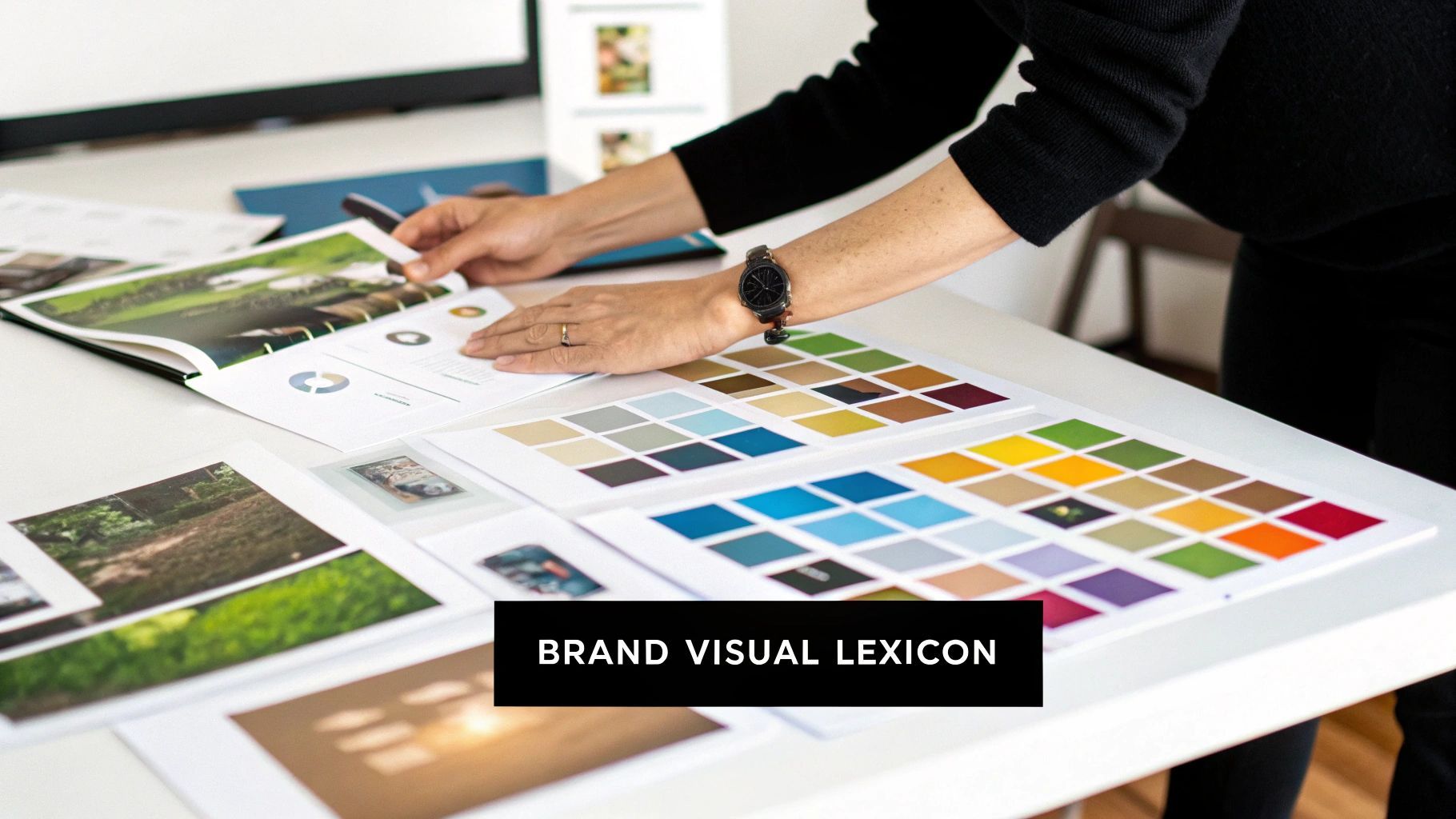
Before you ever write a single prompt, the most successful teams have already done their homework. Let's be honest, high-performing AI visuals are rarely happy accidents. They're the product of smart preparation.
This groundwork is all about translating your brand's unique identity into a language that GPT image generation models can actually understand and execute. Think of it like giving an artist a super-detailed brief before they touch a canvas. To get the best results, you have to be incredibly specific.
This means we need to move past vague ideas and build a dedicated resource for our creative efforts. Our first move? Creating a "Brand Visual Lexicon."
Develop Your Brand Visual Lexicon
A Brand Visual Lexicon is basically your AI prompt cheat sheet. It’s a go-to collection of descriptive keywords and phrases that pin down your brand’s entire aesthetic. When you document these terms, you make sure every single image feels consistent and intentional, regardless of who on your team is at the keyboard.
Here’s how to start building yours:
- Color Palette: Don't just say "blue." Get specific. Is it "cobalt blue," "sky blue," or a "muted navy"? Go a step further and add hex codes for precision. Include phrases like "warm earth tones," "monochromatic palette," or "soft pastels."
- Mood and Emotion: How are your visuals supposed to make people feel? Use evocative words. Think "serene and calm," "energetic and vibrant," "sophisticated and minimalist," or "playful and nostalgic."
- Lighting Style: Lighting can completely change the vibe. Is your brand all about "soft, natural morning light," or is it more "dramatic studio lighting with hard shadows"? Maybe it's "neon-drenched cinematic lighting." Define it.
- Composition and Framing: Guide the AI on how to frame the scene. Use standard photography terms like "symmetrical composition," "rule of thirds," "close-up product shot," "wide-angle view," or even a "dynamic dutch angle."
This lexicon becomes your single source of truth for visual consistency. It’s also a living document—it should evolve as you test new creative and see what clicks with your audience. Understanding the foundational technologies, like AI GPT-3 models, can also give you a leg up in knowing what's possible.
Connect Creative Choices to Campaign Goals
Once you've got your visual language nailed down, the next step is connecting it directly to your marketing objectives. A beautiful image is completely useless if it doesn't help you achieve a specific goal. Before you start generating visuals for any campaign, you have to ask a few key questions.
What's the main goal here?
- Driving Clicks? You'll probably need high-contrast, attention-grabbing images with a crystal-clear focal point.
- Building Brand Awareness? This calls for visuals that are highly stylized and memorable, reinforcing what makes your brand unique.
- Showcasing a Product? Your prompts should lean into "clean product photography," "detailed macro shots," and "flattering, soft lighting."
And who are we talking to?
- Gen Z on TikTok? You might want to try prompts that generate a "user-generated content style," an "authentic selfie look," or a "lo-fi aesthetic."
- Professionals on LinkedIn? A totally different world. You'll want to opt for "clean corporate headshots," "modern office environments," and a "professional and polished" feel.
This strategic alignment is what separates generic AI art from effective ad creative. By clearly defining your goals and audience first, you can tailor your Brand Visual Lexicon to craft prompts that are engineered to perform.
Ultimately, all this prep work makes your GPT image generation efforts both efficient and effective. It's the kind of foundation that helps you move faster, test smarter, and produce visuals that don't just look good—they actually convert. Platforms like https://shortgenius.com are designed to bring these elements together, helping you streamline the creation of on-brand ad creative from start to finish.
Crafting Prompts That Generate On-Brand Ad Creative
Alright, you've got your Brand Visual Lexicon built out. Now it's time to put it to work and start making some images. The secret to getting great ad visuals from an AI isn't magic—it's all about how you structure your prompt. Think of yourself as a creative director giving a very detailed brief to a photographer. The more specific your instructions, the closer you'll get to what's in your head.
The difference between a generic, unusable image and a campaign-ready asset often comes down to just a few key phrases. A simple request like "a photo of a skincare bottle" will spit out something forgettable. But a well-architected prompt? That can produce an image that looks like it came straight from a professional photoshoot.
The real trick is to move beyond just describing the object. You have to direct the entire scene, from the subject itself to the atmosphere and lighting around it. This is how you elevate basic gpt image generation into a strategic tool for creating killer, on-brand ad creative.
The Anatomy of a High-Performing Prompt
A truly effective prompt for ad creative isn't a single sentence; it's a layered set of instructions. When you consistently include these components, you build a repeatable formula that produces predictable, high-quality results. It turns guesswork into a process.
Let's break down the essential elements that make up a powerful prompt.
A great prompt is a recipe with several key ingredients. Consistently including these elements will take your image generation from a roll of the dice to a reliable creative process. Below is a breakdown of what you need to include every time you're trying to generate a visual for an ad campaign.
Prompt Component Breakdown For Ad Visuals
| Component | Purpose | Example For A Skincare Brand |
|---|---|---|
| Subject & Action | Defines the core focus. What is happening? Who or what is the hero? | "A sleek glass dropper bottle with golden oil, sitting on a surface." |
| Setting & Environment | Establishes context and mood. Where is this taking place? | "...on a white marble countertop next to a small, vibrant green plant." |
| Style & Medium | Specifies the overall aesthetic. Is it a photo, an illustration, a render? | "Photorealistic, professional product photography, cinematic shot..." |
| Lighting | Controls the mood and realism. This is absolutely critical for tone. | "Soft, natural morning light from a side window creates gentle shadows." |
| Composition & Angle | Guides the "camera." How is the shot framed? | "Close-up shot, eye-level, focused on the bottle's texture." |
| Ad-Specific Needs | The practical stuff. This makes the image usable for marketing. | "Minimalist composition with ample negative space on the left for text." |
Nailing these components in your prompt is the difference between an image you might be able to use and an image that slots perfectly into your campaign.
Mastering Negative Prompts for Brand Safety
Telling the AI what you want is only half the battle. You also have to tell it what you don't want. That's where negative prompts come in. Think of them as guardrails for your brand's visual identity.
These instructions tell the AI to actively exclude certain elements, styles, or qualities from the final image. They're your first line of defense against common AI weirdness, like distorted hands, unrealistic textures, or cluttered backgrounds that scream "AI-generated."
Let's say a gaming app needs a dynamic lifestyle shot of someone playing on their phone. A positive prompt can describe the excited player. But the negative prompt is what makes it commercially viable.
By adding
--no text, logos, blurry background, extra fingers, cartoonishto your prompt, you can clean up the final image and ensure it looks professional. This simple step can save you a ton of time in post-production.
Think of negative prompts as your built-in quality control filter. They are essential for keeping your AI-generated visuals on-brand and free of distracting imperfections.
A Tale of Two Prompts: A Skincare Brand Example
Let's make this real. Imagine a clean, minimalist skincare brand needs a premium product shot for an Instagram ad.
The Weak Prompt:
"Photo of a face oil bottle"
This is a gamble. It’s far too vague. You might get a blurry photo, a cartoonish bottle, or an image with terrible lighting that feels completely off-brand.
The Strong, Structured Prompt:
"Photorealistic close-up shot of a sleek glass dropper bottle with golden oil, sitting on a white marble surface. Soft, natural morning light from a side window creates gentle shadows. Minimalist composition with ample negative space on the left for text. --no plastic, labels, clutter, harsh lighting"
See the difference? This prompt is a complete blueprint. It dictates the subject, setting, lighting, composition, and even includes negative prompts to keep it brand-aligned. This level of detail is what produces consistently on-brand results with gpt image generation.
The growth here is staggering. Since March 2025, ChatGPT has produced over 700 million images, which shows just how fast creators are folding this into their daily work. You can explore more of these incredible ChatGPT statistics and trends to see the bigger picture.
By adopting this structured approach, your team can stop hoping for a good image and start engineering one, every single time.
Turning Your Raw AI Image Into a Campaign-Ready Asset
Getting a great image out of your prompt is a fantastic start, but it's definitely not the finish line. That first output is just your raw material. The real magic happens when you refine that visual, polishing it into a professional, on-brand asset you can use across all your marketing channels.
This is actually where a lot of teams get tripped up. They’ll get an image they like, drop it straight into an ad, and then wonder why it looks pixelated, poorly cropped, or just… off. A solid refinement process is what separates the amateur stuff from high-performing, professional creative.
The first move? Quality control. Never, ever settle for the first image the AI spits out.
Generate a Few Options and Pick the Winner
Even with a killer prompt, AI image generation always has a bit of randomness baked in. A tiny variable you can't even see can change the entire composition, a person's expression, or how the light falls on an object. To get the absolute best result, you’ve got to generate a few variations.
I recommend running your best prompt at least 4-6 times to give yourself a small batch of options. Then, put on your art director hat and evaluate them critically.
Here’s what to look for:
- Composition: Which one has the most balanced and visually interesting layout? Look for a clear focal point and lines that naturally draw the eye.
- Brand Vibe: Does the mood, color palette, and overall feeling truly match your brand? One version might feel more energetic, while another feels calmer. Choose the one that tells the right story.
- Weird AI Stuff: Give each image a quick scan for the classic AI tells—mangled hands, garbled text, or bizarre textures. Ditch any that have obvious, distracting flaws.
This selection process is your chance to direct the final shot without having to do a reshoot. By giving yourself a handful of choices, you can pick the image that doesn’t just work, but truly shines.
Think of it like a photographer taking multiple shots of the same scene. You wouldn't just use the first click of the shutter. You'd review the options and select the one where everything came together perfectly.
We're seeing this visual-first approach explode everywhere. The integration of GPT image generation into platforms like ChatGPT has completely changed how people interact with AI. In just one year, from July 2024 to July 2025, image-related queries on the platform shot up from 2% to 7% of all usage—that’s a 250% relative jump. You can read more about the surge in ChatGPT user engagement with visual content. It’s clear people are thinking and creating more visually, which makes this refinement step more crucial than ever.
Get Your Visuals Prepped for Every Platform
Once you've crowned a winner, it's time for the technical prep. A stunning visual will fall flat if it's saved in the wrong format or at a low resolution. Every social platform has its own specs, and getting them right is non-negotiable if you want your ads to perform well.
Here's a quick cheat sheet for the major ad platforms:
- File Format: For most digital ads on platforms like Instagram and Facebook, JPG is your best friend. It gives you a great balance of quality and small file size. If your image has sharp lines, text, or needs a transparent background, go with PNG.
- Resolution: Always export in high resolution to avoid that dreaded pixelation, especially on fancy new phone screens. A good rule of thumb is to aim for a width of at least 1080 pixels for standard posts and 1920 pixels for full-screen stuff like Stories or Reels.
- Aspect Ratio: This one is critical. A single square image won't cut it anymore. You have to adapt your visual for different placements:
- 1:1 (Square): Perfect for Instagram grid posts and Facebook carousel ads.
- 9:16 (Vertical): Absolutely essential for TikTok, Instagram Stories, Reels, and YouTube Shorts.
- 16:9 (Horizontal): The go-to for YouTube in-stream video ads and many display ad networks.
Plug Your Image Into Ad Templates and Brand Kits
Manually resizing and reformatting every single image for every single platform is a soul-crushing waste of time. This is exactly where tools like ShortGenius save the day.
Instead of doing it all by hand, you can upload your high-resolution image into an ad creation platform. From there, you can use built-in tools to instantly crop and resize it for every placement you need. A good brand kit also lets you automatically apply your logos, fonts, and color palettes, making sure every ad is perfectly on-brand without you having to fuss with the details.
This kind of workflow takes your raw AI output and quickly turns it into a complete suite of professional, effective ad creatives that are ready to launch.
How to Scale Production and Test Creative Variations
Getting that one perfect image is a great start. But for performance marketers, the real magic of gpt image generation is how it lets you scale your creative efforts. This is where you graduate from making one-off images to building a full-blown, high-volume testing machine. The mission changes: it's not about creating one ad, but about pumping out dozens of variations to find what truly clicks with your audience.
With the old way of doing things—design briefs, back-and-forth with freelancers, long turnaround times—this kind of rapid-fire testing was a pipe dream. It was just too slow and way too expensive.
AI flips the script entirely. Now you can test different hooks, backgrounds, character styles, and product angles in a tiny fraction of the time. This speed is your new secret weapon, letting you fight off creative fatigue and keep your campaigns feeling fresh.
Building Your Creative Testing Matrix
To test effectively, you need a plan. Don't just generate images at random. A much better approach is to start with a simple "Creative Testing Matrix." It's just a framework to help you isolate specific variables so you can actually understand what's driving performance.
Let's imagine a skincare brand. They might want to test a few key elements:
- Character Demographics: Generate visuals with a woman in her 20s, another in her 40s, and maybe a man in his 30s.
- Background Setting: Pit a clean, minimalist studio background against a lush, natural outdoor scene.
- Product Angle: Create versions with a super close-up shot of the product's texture versus a lifestyle shot of someone actually using it.
By mixing and matching these, you can instantly create a dozen completely distinct ad visuals. This methodical process means you're not just guessing; you're collecting structured data on what your audience actually responds to.
This isn't just about creating more ads—it's about creating smarter ads. Each variation becomes a data point that informs your next move, turning your creative process into a feedback loop of continuous improvement.
A Systematic Workflow for A/B Testing AI Visuals
Once your variations are ready to go, the A/B testing process itself is pretty straightforward. The biggest discipline here is to change only one major visual element at a time. If you change both the background and the character in a single test, you’ll have no idea which change actually caused the shift in performance.
Here’s a simple workflow I recommend following:
- Establish a Control: Start with your current top-performing ad visual or a baseline image you’re confident in.
- Isolate One Variable: Create a new set of AI-generated images where only one thing is different. For example, keep the character and product identical but generate three totally different backgrounds.
- Launch and Monitor: Run the new variations against your control. Make sure they’re in the same ad set with an identical budget and audience targeting.
- Analyze Key Metrics: Let the test run long enough to get statistically significant data. Then, dig in. Look past just the clicks and pay close attention to the important stuff: Click-Through Rate (CTR), Cost Per Click (CPC), and, of course, the Conversion Rate.
This process delivers clear, actionable intel. You might discover that lifestyle backgrounds consistently beat studio shots by 20%. That’s a powerful insight you can immediately apply to all your future campaigns.
The journey from a raw concept to a polished ad asset is a critical workflow. This diagram lays out the essential steps, from the initial generation all the way to campaign integration.
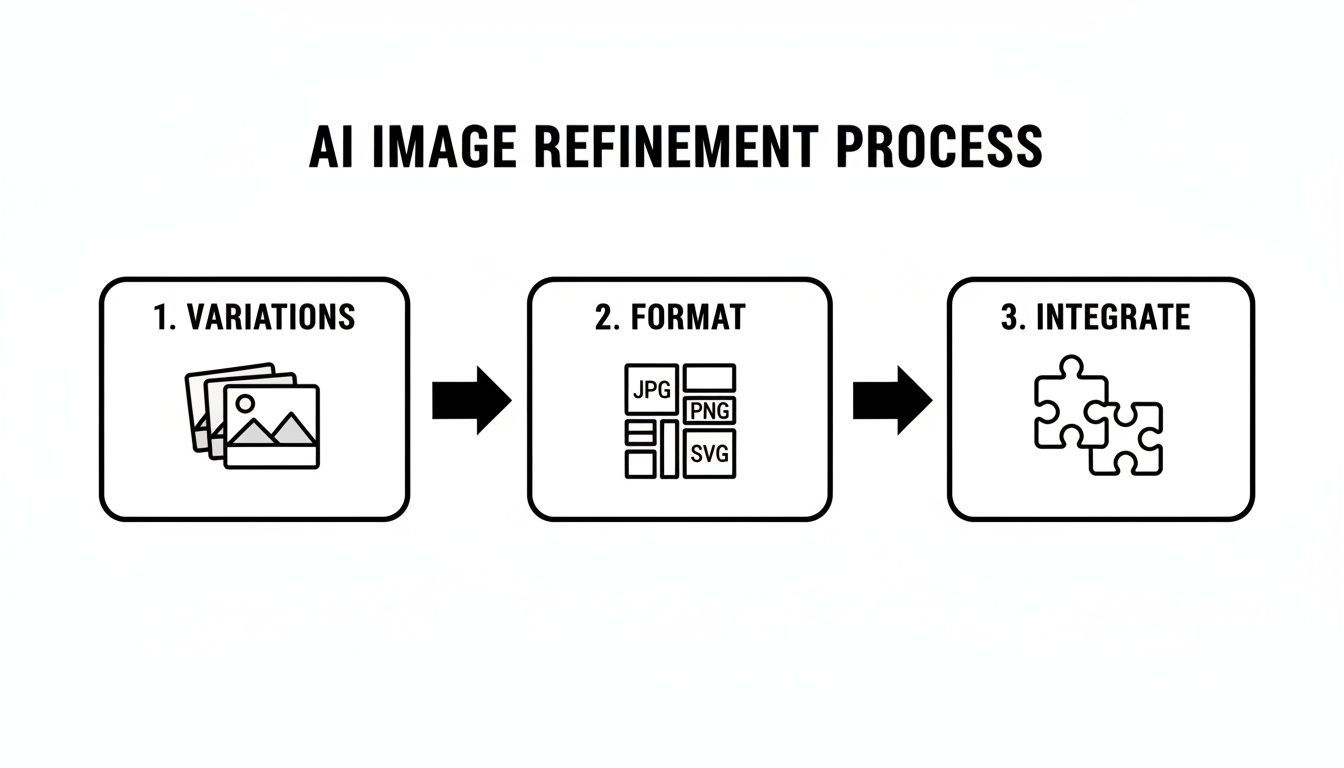
This visual makes it clear that effective gpt image generation doesn't stop once the first image is created. It's about having a structured process for selecting the best options, formatting them correctly, and integrating them smoothly into your campaigns.
Iterating on Winners to Maximize Performance
Finding a winning ad isn't the finish line. The next step is to iterate on that success and see how much further you can push it. If the image with the outdoor background won your A/B test, your next round of testing should be all about exploring that theme.
Now you can generate a new batch of variations based on that winning concept:
- Does a forest background work better than a beach?
- Is morning light more compelling than a sunset glow?
- Should the character be actively hiking or just relaxing in a garden?
This iterative loop lets you double down on what works, fine-tuning your creative with each round until you’ve squeezed every last drop of performance out of it. Tools like ShortGenius are designed for exactly this kind of workflow. They make it easy to generate new scenes, swap out elements in your ad templates, and launch fresh tests without having to start from square one.
By making your approach to gpt image generation more systematic, you turn it from a simple image tool into a powerful engine for understanding your audience and optimizing your campaigns. You can finally stop guessing what people want to see and start letting the data show you the way.
A Guide to the Legal and Ethical Side of AI Art
Using AI-generated visuals in your ad campaigns is a game-changer, but it opens up a new playbook of rules and responsibilities. As you start exploring gpt image generation, it's smart to get a handle on the legal and ethical basics. This isn't about getting bogged down in legal documents; it’s about making sure your brand is protected and you're using these incredible tools responsibly.
Most marketers I talk to have the same big question: what's the deal with copyright? Can I actually, legally, use an AI-generated image in a paid ad? The answer is... it depends. But it almost always comes down to the platform you're using.
Copyright and Commercial Use: What You Need to Know
The legal world is still catching up to AI art, but a general picture is starting to form. In places like the United States, the current thinking is that something created entirely by an AI, without significant human input, can't be copyrighted. That puts the raw image output in a bit of a legal gray zone.
This is exactly why the Terms of Service for your AI tool are so critical. They are your North Star.
- You Need a Commercial License: This is the big one. Any reputable AI image tool built for businesses will explicitly grant you a commercial license. If it doesn't, it's a non-starter for marketing.
- Check the Ownership Details: The terms will lay out who owns what. Some platforms give you full ownership of the images you create. Others grant a broad, royalty-free license that lets you use, copy, and change the images for any reason—including for profit.
- Steer Clear of "Personal Use Only" Tools: A lot of the free, experimental AI art generators are for fun, not for business. Using an image from one of these in an ad campaign is a legal headache waiting to happen.
The rule of thumb is simple: read the terms. If the platform doesn't give you the clear, unambiguous right to use your creations in commercial advertising, don't use it for your business. It's not worth the risk.
Staying Authentic and Transparent
Beyond the legal stuff, there are the ethical questions that hit closer to home—the ones that can make or break your brand's reputation. People today are savvy; they can smell inauthenticity a mile away, and how you use AI matters to them.
A major point of discussion is whether AI can be used to create misleading content. The goal should always be to use gpt image generation to create stunning, representative visuals, not to pull a fast one on your audience. For instance, creating a stock photo-style image of a person enjoying your product is pretty standard. But that's a world away from faking a customer testimonial or showing product results that aren't real.
The question of disclosure—telling people an image is AI-generated—is also a hot topic. There aren't any firm laws on this yet, but being transparent is almost always a good look.
- Think About Your Audience: If you're running a highly creative or futuristic campaign, your audience might actually think it's cool that the visuals were made with AI.
- Always Be Honest: If you're using an image to show a specific result or feature, it has to be accurate. Never use AI to promise something your product can't deliver.
At the end of the day, these tools are here to supercharge your creativity and storytelling, not to mislead your customers. If you stick with platforms that offer clear commercial licenses and commit to using the tech ethically, you can bring gpt image generation into your workflow with total confidence.
Ready to generate stunning, on-brand ad visuals the smart way? ShortGenius combines powerful AI image and video generation with a full suite of tools built for performance marketing. Create entire campaigns, test dozens of variations, and scale your creative production in a fraction of the time. Explore the platform at https://shortgenius.com and see how fast you can build your next winning ad.