Your Guide to Using a Faceless Video Generator

Create compelling videos without showing your face. This guide explores how to use a faceless video generator to produce high-quality content for any platform.
A faceless video generator is essentially an AI-powered production assistant that lets you create professional-looking videos without ever stepping in front of a camera. These tools pull together everything you need—scripting, AI voiceovers, and visuals from stock libraries or AI-generated images—to build a complete video from scratch. It’s a game-changer for anyone who’s camera-shy or just wants to produce more content, faster.
Why Faceless Videos Are Gaining Traction
The surge in faceless content isn't just a trend; it's a fundamental shift in how we think about video. We're moving from personality-driven content to message-driven stories. By taking the creator out of the frame, the narrative itself becomes the star, which handily solves some of the biggest problems creators and businesses have struggled with for years.
Overcoming Common Content Barriers
Let's be honest, the idea of being on camera is paralyzing for a lot of people. I've known countless experts with incredible knowledge who never share it simply because they hate the thought of recording themselves. A faceless video generator completely sidesteps that anxiety, giving anyone the confidence to hit publish.
But it’s not just about overcoming camera shyness. Traditional video production is a huge resource drain. It demands expensive equipment, dedicated space, and hours upon hours of editing. AI-driven faceless videos slash those costs and production timelines, offering a practical and efficient alternative.
This efficiency is what’s fueling the incredible market growth. The global AI video generator market was valued at USD 534.4 million and is expected to hit USD 2.56 billion by 2032. That kind of explosion shows just how much demand there is for automated video in marketing, education, and entertainment. You can dig into more AI video generator statistics on artssmart.ai to see the full picture.
Key Advantages of Using a Faceless Video Generator
So, what does this actually mean for you? Adopting a faceless video workflow offers distinct benefits whether you're a solo creator building a channel or a business trying to expand its marketing reach. It's all about maximizing impact while minimizing traditional production friction.
| Advantage | Description for Creators | Description for Businesses |
|---|---|---|
| Increased Privacy | Share your expertise and build a community without revealing your personal identity. | Focus the brand on its message and values, not on a single spokesperson. |
| Scalable Content | Produce videos consistently and at a much higher volume to feed platform algorithms. | Quickly create diverse marketing assets for different campaigns and channels. |
| Cost Efficiency | Eliminate the need for expensive cameras, lighting, and studio rentals. | Reduce production budgets and reallocate resources to marketing or strategy. |
| Time Savings | Automate the tedious parts of production, like sourcing clips and recording voiceovers. | Drastically shorten the content creation lifecycle from idea to published video. |
This table just scratches the surface. The core idea is that these tools remove the gatekeepers to high-quality video, making it accessible to anyone with a good idea.
A New Era of Storytelling and Scale
The real magic here goes beyond just hiding your face. When you automate the visual and audio grunt work, you unlock entirely new strategic possibilities.
- Boost Your Output: Brands and creators can finally keep up with the demanding schedules of platforms like YouTube and TikTok, publishing high-quality content on a regular basis.
- Focus on the Message: Since the AI handles the technical heavy lifting, you can pour all your energy into what actually matters: writing a killer script and crafting a story that connects.
- Widen Your Reach: AI makes it incredibly easy to add clear captions or even generate voiceovers in different languages, opening your content up to a global audience.
This method truly democratizes video production. It levels the playing field, giving solo creators and small businesses the power to create polished, professional-grade content that used to require a full production team and a hefty budget.
At the end of the day, the appeal of a faceless video generator is its focus on the idea. It’s about giving storytellers, educators, and marketers a direct line to their audience, powered by the strength of their narrative alone.
Crafting Your Story and Script
Every great video starts with a script that grabs your attention. When you're working with a faceless video generator, that script does more than just provide the words—it’s the entire blueprint for the AI. It dictates the rhythm, directs the visuals, and sets the mood, making it the single most important part of the whole process.
Before you even think about writing, nail down your core message. What's the one takeaway you want someone to have when the video ends? Starting with that single objective keeps you on track and helps you build a story that’s sharp and memorable. Don't try to cram everything in; a focused, well-told story will always win.
Brainstorming Concepts That Actually Connect
Start by thinking about the real problems your audience faces. The best video ideas usually come from the questions and pain points I see popping up all the time in a specific niche. For instance, a financial advisor could make a video on "Three Common Budgeting Mistakes and How to Fix Them." It's specific, genuinely helpful, and a perfect fit for a faceless video.
I've found a few formats work exceptionally well with AI-generated visuals:
- Listicles and "Top 5" videos: They’re super easy for people to follow, and just as easy for an AI to visualize scene by scene.
- How-To Guides: Step-by-step instructions are a natural match. The AI can create clear, illustrative clips for each step, making the process simple to understand.
- Explainer Videos: Trying to unpack a heavy topic like "What is blockchain?" is a lot less intimidating when you can pair it with simple AI animations or stock footage.
Using one of these proven formats gives your content a solid structure, which is exactly what a faceless video generator needs to do its best work.
How to Structure a Script for an AI Voice
Writing for an AI narrator isn't the same as writing for a person. You have to be incredibly deliberate with your words and how you organize them. The trick is to write like you talk—use shorter sentences and straightforward language so the AI can deliver it with a natural cadence.
I always break my script down into separate scenes or thoughts. One thing that’s been a game-changer for me is using a simple two-column table. I put the narration text on the left and my ideas for the visuals on the right. This forces me to think visually from the get-go and gives the AI crystal-clear directions for every single part of the video.
You have to remember: the AI doesn't read between the lines. It follows your exact instructions. A well-structured script that lays out each scene ensures the visuals will actually match what you’re saying.
For example, don't just write, "Investing can grow your wealth." That's too vague.
Instead, map it out like this:
- Narration: "Imagine planting a small seed. With time and care, it grows into a massive tree."
- Visual Cue: A time-lapse of a sapling growing into a large, thriving oak tree.
This gives the faceless video generator a tangible idea to bring to life, leading to a much more polished and compelling video. By thinking in this scene-by-scene way, you turn a simple script into a professional production guide.
Bringing Your Script to Life with AI
Alright, you've got a solid script. Now for the fun part: turning those words into an actual video. This is where a good faceless video generator becomes your best creative partner. It's less about punching in commands and more about a collaborative dance between your ideas and the AI's capabilities.
Your script is the roadmap. The AI reads it, line by line, and dives into massive libraries of licensed stock footage, images, and animations. It’s looking for visuals that perfectly match the meaning and feeling of your words. If you write about "achieving financial goals," the tool will probably suggest clips of people looking successful, charts ticking upwards, or maybe some abstract concept of growth. It’s surprisingly intuitive right out of the gate.
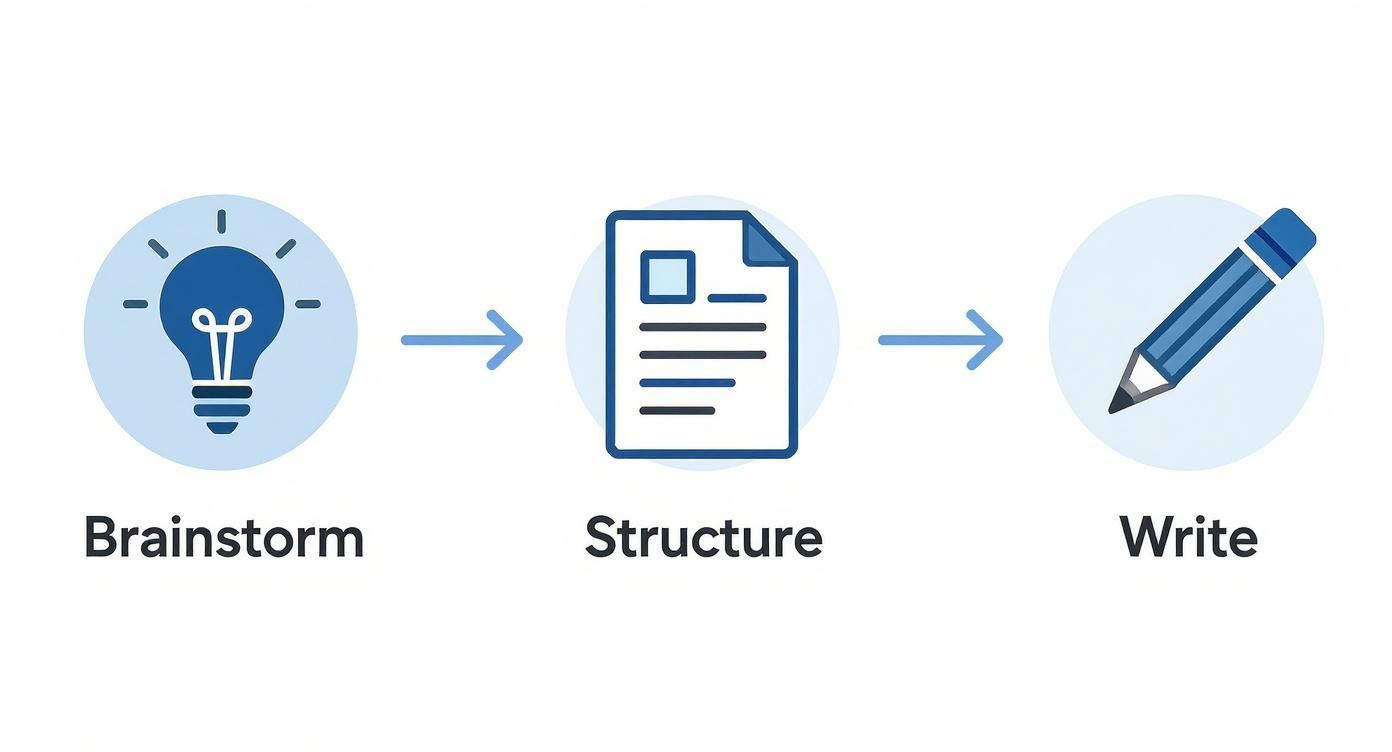
This workflow really just nails down how getting the foundation right—your script—makes the AI production part so much smoother.
Guiding the AI to Find the Perfect Visuals
The initial suggestions from the AI are usually pretty good, but you're never locked in. The real magic happens when you start fine-tuning. A top-tier faceless video generator lets you swap scenes, search for different clips with your own keywords, or even upload your own media. This ensures the final video is exactly what you pictured.
Here’s how I think about it:
- The AI's First Pass: This gets you about 80% of the way there. It does the heavy lifting, sifting through thousands of options in seconds.
- Your Creative Touch: You come in for that final 20%, making the critical swaps and tweaks that give the video its unique personality and ensure every single frame serves your message.
This partnership saves a ridiculous amount of time you’d otherwise burn by manually scrolling through stock photo sites. The AI handles the volume, and you provide the creative oversight. If you're curious about the mechanics behind this, it's worth a look into understanding how generative AI powers content creation.
Choosing and Refining Your Visual Style
The visuals aren't just there to illustrate your script; they create the entire vibe. Are you going for a modern, minimalist feel or something more warm and relatable? The clips and images you choose have to reflect that. Most platforms give you options to set a style, whether that means using photorealistic video, clean animations, or even unique AI-generated art.
The real secret is consistency. Pick a visual style and stick with it. A video that feels cohesive from start to finish looks far more professional and does a better job of building your brand's identity.
This space is absolutely exploding. The generative AI market is on a trajectory to leap from USD 71.36 billion to a massive USD 890.59 billion by 2032. That kind of growth shows just how indispensable these tools are becoming for anyone who needs to create quality content at scale.
Tools like the AI video generator at https://shortgenius.com are built around this exact workflow. They blend smart automation with controls that feel natural, giving you the power to produce professional-grade faceless videos that actually resonate with people and get you the results you're looking for.
Getting the Audio and Narration Just Right
You can have the most breathtaking visuals in the world, but if the audio is off, the whole video just falls apart. In a faceless video, your narration is everything—it's the voice, the personality, and the guide for your audience. Getting this part right is non-negotiable, and it all begins with picking the perfect AI-generated voice.
Forget those old, monotone robot voices. The AI voices available in a modern faceless video generator are seriously impressive and incredibly varied. You can find a warm, trustworthy tone for a tutorial, a high-energy voice for a promo video, or something calm and reassuring for a wellness clip. The trick is to listen to a few and pick one that actually sounds like your brand feels.
Fine-Tuning Your AI Narrator
Once you have a voice you like, don't just dump your script in and call it a day. That's a surefire way to get a stilted, awkward delivery. You have to step in and direct the performance, just like you would with a human voice actor.
-
Pacing Makes Perfect: Punctuation is your best friend here. A comma gives you a slight breath, while a period signals a full stop. If you need a more dramatic pause to let an idea sink in, try using an ellipsis (...) or even splitting a sentence into two separate audio clips.
-
Dial in the Tone and Emphasis: Most tools let you play with pitch and speed, so experiment. To make certain words pop, you can often use built-in emphasis tags or even get creative with phonetic spellings to guide the AI's pronunciation and stress.
This hands-on tweaking is what separates a generic AI voice from a truly dynamic narrator. It’s what makes the voice feel human.
The real goal is to get the AI voice to a point where your viewers don't even think about it being AI. A few small adjustments to the pacing and emphasis can be the difference between a video that feels cold and one that genuinely connects with people.
For those targeting a global audience, some advanced tools are also great for creating professional English translation with sound, using Text-to-Speech (TTS) to produce natural-sounding narration in different languages.
Bringing It All Together with Music and Sound
The final polish comes from the soundscape. A well-chosen background track and a few subtle sound effects can completely change the feel of your video. Music sets the emotional tone—is it inspiring, urgent, or relaxed? Sound effects can punctuate key moments on screen, adding a satisfying bit of emphasis.
When you're mixing all the audio elements, remember the golden rule: narration is king. The music should always sit comfortably in the background, never competing for attention. I usually start by setting the music volume to about 10-15% of the main narration. Look for an "auto-ducking" feature if your tool has it; it automatically lowers the music whenever someone is speaking, which is a lifesaver for getting a clean, professional mix.
Refining and Branding Your Final Video
The first draft your faceless video generator kicks out is a great starting block, but it’s rarely the finished product. The magic really happens in the final editing stages, where your human touch transforms a good AI-generated video into a polished, branded asset that’s truly yours.
Think of this as the final 10% of effort that delivers 90% of the professional polish. You're not reinventing the wheel here; you're just sharpening the edges, aligning the content with your brand, and prepping it for prime time across different platforms.
Making Crucial Post-Production Tweaks
The first thing I always do is watch the whole video through, just checking the rhythm and flow. Does one scene hang around for a second too long? A quick trim fixes that right up. Maybe a visual just doesn't hit the mark like you thought it would. Modern tools like InVideo make it incredibly easy to swap a scene with another clip from their library or one of your own.
This is also the perfect time to add captions. It’s a non-negotiable step. With so many people watching videos on mute, captions are absolutely essential for engagement and accessibility. A good faceless video generator will create them for you automatically, leaving you with just a quick proofread for accuracy.
Your final edits are all about making sure the video's message is as clear and effective as possible. Tiny adjustments, like cutting a scene by half a second or adding a text overlay, can make a surprising difference in how long viewers stick around.
Applying Your Brand Kit for Consistency
Once the video itself feels right, it's time to make it look like you. Brand consistency is what builds recognition and trust with your audience over time. The best tools let you build a "brand kit" that you can apply with just one click.
Here’s what you'll typically set up in your brand kit:
- Your Logo: Pop it in a corner as a subtle watermark.
- Brand Colors: These get applied to text, captions, and even progress bars.
- Custom Fonts: Make sure every bit of text matches your brand's unique style.
Applying these elements instantly lifts the video from a generic piece of content to an official communication from your brand. It’s a simple move that signals professionalism and helps people connect quality content with your name—a must for standing out in a crowded feed.
Resizing Your Video for Every Platform
Your video is polished and branded, but there's one last crucial step. A landscape video formatted for YouTube is going to look awkward and unprofessional when cropped into a vertical TikTok. You have to resize your content for each specific platform if you want it to perform well.
What used to be a painful, manual process can now be done in seconds. A quality faceless video generator can reformat your video automatically, and the AI is smart enough to reframe each scene so the important action always stays in view, no matter the aspect ratio.
This quick reference guide shows exactly why one size doesn't fit all.
Platform-Specific Video Specifications
Each platform has its own sweet spot for video dimensions and length. Creating a version for each one ensures your content always looks native and performs its best.
| Platform | Aspect Ratio | Recommended Resolution | Max Length |
|---|---|---|---|
| YouTube (Standard) | 16:9 | 1920x1080 | 12 hours |
| YouTube Shorts | 9:16 | 1080x1920 | 60 seconds |
| Instagram Reels | 9:16 | 1080x1920 | 90 seconds |
| TikTok | 9:16 | 1080x1920 | 10 minutes |
Taking a moment to resize your video properly means it will look right at home on every platform, which can give your engagement a serious boost. This final step prepares your content to find success wherever your audience is watching.
Inspiring Examples of Faceless Videos
https://www.youtube.com/embed/JxzHTUfVEJY
It's one thing to talk about the theory, but seeing what a faceless video generator can actually do is what really gets the ideas flowing. The best way to understand the potential here is to look at how real creators and brands are putting these tools to work, building audiences and getting results.
From detailed educational breakdowns to quick and punchy product demos, the range of what's possible is incredible. These examples make it clear: you don't need to be on camera to connect with your viewers. All you need is a strong message and the right visuals to tell your story.
Educational and Explainer Channels
Channels that tackle complex subjects like history, science, or finance have absolutely nailed this format. They rely on clean animated graphics, stock footage, and clear AI narration to make heavy topics feel light and easy to understand.
Think about a channel that uses simple animations to unpack quantum physics, or another one that walks you through historical events with old footage and animated maps. By keeping the focus squarely on the subject, the content becomes incredibly direct and valuable, free of any distractions.
Corporate and Marketing Content
Businesses are getting on board in a big way, using faceless videos for everything from internal training to splashy social media ads. A slick animated video is often far better at explaining a new software update to the team than a dense email ever could be. Likewise, a product demo built with high-quality stock footage can look like a big-budget production without the matching price tag.
What makes these videos so effective in a business setting is their clarity and consistency. A company can maintain a polished, professional brand image across dozens of videos without ever needing a spokesperson, making their content strategy far more scalable and flexible.
Social Media Storytelling
On platforms like TikTok and Instagram, creators are pulling in massive followings with faceless content. They're churning out motivational clips, "Top 10" lists, and short, compelling stories using a mix of stock video, text overlays, and a strong voiceover. The fast-paced, visually engaging style is perfectly suited for grabbing and holding attention in a crowded feed.
The worldwide adoption of these tools really speaks for itself. While North America is currently the biggest market with a 40.61% share, the Asia-Pacific region is growing the fastest. This boom is being driven by rapid digitalization and a massive increase in content creation. For a deeper dive, you can find more insights about the global AI video generator market on fortunebusinessinsights.com. It all points to a global shift toward smarter, more private ways of making videos.
Answering Your Top Questions About Faceless Video
When you first dive into using a faceless video generator, it's natural to have a few questions. I've heard the same ones come up time and time again from creators just starting out. Let's walk through some of the most common ones so you can get creating with confidence.
Can I Still Use My Own Voiceover?
Yes, absolutely! This is one of the most powerful features of a good AI video tool. If you've already built an audience that recognizes your voice, you don't have to give that up.
Most top-tier platforms let you upload your own audio files. You just record your narration like you normally would, upload the file, and the AI gets to work, timing the visual scenes to match your speech. It’s a hybrid approach that gives you the best of both worlds: the speed and scale of AI visuals combined with the genuine, human touch of your own voice.
How Do I Keep My Videos From Looking Generic?
This is a big one, and the answer is all about customization. The default settings are just a starting point. To really make your videos shine and feel like yours, you need to put your brand's stamp on them.
Here’s what I focus on to make my content stand out:
- Brand Kit is Non-Negotiable: Before you do anything else, upload your logo and set your brand’s specific colors and fonts. Applying these consistently is the fastest way to build a recognizable style.
- The Script is Everything: A unique story or perspective is your greatest asset. AI can generate visuals, but it can't replicate your original ideas. A well-written script will always beat a generic one.
- Audition Your AI Voices: Don't just settle for the default voice. Spend a few minutes listening to different options. Are you going for a calm, authoritative, or energetic vibe? Find a voice that fits your brand’s personality.
- Music Sets the Mood: The background music is more than just noise; it’s an emotional cue. Dig through the music library to find a track that truly complements your message, instead of just grabbing the first one you see.
The real magic happens when you treat the faceless video generator less like an automatic video machine and more like a creative partner. Use its power to bring your unique vision to life, not the other way around.
What Kind of Content Is This Best For?
While you can create almost anything, this format really excels when the information itself is the star of the show. It's built for clear, concise, and educational content.
I've seen creators have massive success with formats like:
- How-To Guides and Tutorials: Perfect for breaking down complex processes into simple, visual steps.
- Listicles: Think "Top 7 Mistakes to Avoid" or "5 Tools You Need to Know." They're easy to script and visually dynamic.
- Explainer Videos: Need to explain a tricky concept? AI can generate simple visuals that make it easy for anyone to understand.
- Product Demos: Show off your product's features and benefits without needing a sales rep on camera.
Are the Video Clips and Images Copyright-Free?
This is a crucial question, especially if you plan to monetize. Reputable tools source their footage and images from licensed, royalty-free stock libraries (like Storyblocks or Shutterstock) or generate them with their own AI models. This means the final video is cleared for commercial use, so you can upload it to YouTube and run ads without fear of copyright strikes.
That said, it’s always a smart move to double-check the terms of service of the specific faceless video generator you’re using. It’s better to spend five minutes reading the fine print than to deal with a headache down the road.
Ready to stop scripting and start creating? ShortGenius unifies every step of the video production process into one seamless workflow. Join over 100,000 creators and teams producing high-quality, branded content in minutes. Explore ShortGenius today!