How to Create Video for Facebook That Actually Converts

Learn how to create video for Facebook with a practical guide. Discover proven strategies for scripting, filming, and editing content that stops the scroll.
If you want to create a video for Facebook that actually stops the scroll, you need to think motion first. Your content has to tell a clear story, be built for a vertical screen, and make sense even with the sound off.
You've got about three seconds to hook someone before they're gone. Make them count.
Why You Can't Afford to Ignore Facebook Video
Still on the fence about going all-in on video? Let's settle that right now. Facebook isn't just a place for photos and status updates anymore; it's a massive video platform where static content is fighting an uphill battle.
The algorithm itself is designed to favor native video. Why? Because it keeps people on the platform longer, which is Facebook's ultimate goal. This isn't just a tech quirk—it's about human psychology. Our brains are hardwired to notice movement, making video the most powerful tool you have to interrupt the endless scroll.
The Undeniable Power of Motion
The numbers don't lie. People spend a staggering 5 times longer watching videos on Facebook than they do looking at static posts. Think about that for a second.
Video now makes up 60% of all time spent on the platform, and more than 2 billion people watch video ads on Facebook every single month. For anyone trying to get a message out there, this isn't just a trend; it's a fundamental shift in how people consume content. You can dig deeper into these Facebook video statistics to see just how much the ground has shifted.
This move toward dynamic content has been supercharged by the rise of short-form formats like Reels. These snappy, engaging clips are built for discovery, giving you a chance to reach audiences far beyond your current followers.
The real magic of Facebook video is its ability to blend visuals, sound, and story to forge a quick emotional connection. It’s the difference between showing someone a picture of your product and letting them see it in action, solving a real problem.
To truly grasp why native video is so dominant, let's put it head-to-head with other common post types.
Facebook Video vs Other Content Formats
| Metric | Native Video | Image/Text Post | External Link (e.g. YouTube) |
|---|---|---|---|
| Reach | Highest | Moderate | Lowest |
| Engagement Rate | Highest | Moderate | Low |
| Shareability | High | Moderate | Low |
| Time on Post | Significantly Higher | Low | Low (User leaves platform) |
As you can see, uploading your video directly to Facebook (native video) gives you a clear advantage. The platform rewards content that keeps users within its ecosystem, leading to better reach and much higher engagement across the board.
Moving Beyond Vanity Metrics
At the end of the day, this isn't about chasing view counts. It's about driving real results. A thoughtfully produced video can hit several business goals at once.
- It builds trust. Putting a face, a product, or a process on screen feels far more authentic and relatable than a polished graphic.
- It sparks conversation. Videos get more comments, shares, and reactions because they tap into emotion and get people talking.
- It drives action. Whether you're selling a product or asking for a sign-up, video is incredibly persuasive. It shows value in a way that static text or images just can't match, pushing viewers to take that next step.
Developing Your Concept and Script
A killer Facebook video is made long before you ever hit the record button. It all starts with your concept and script. This is the blueprint that decides whether someone stops their scroll or just keeps on going.
Before you write a single word, you need to answer one question: What is the one thing I want this video to achieve? Are you trying to sell a new product? Build up brand recognition? Maybe you're just looking to get more email sign-ups.
Nailing this down from the get-go makes every other decision a whole lot easier. A sales-focused video, for instance, is going to need a killer product demo and a super clear call-to-action. But a brand awareness video? That might lean more into storytelling to forge an emotional connection. If you try to do everything at once, you'll just end up with a muddled message that confuses everyone.
The Facebook feed is a war for eyeballs. You’ve got maybe three seconds—if you're lucky—to give someone a reason to pause. That initial hook is everything. It has to be visually striking, ask a question that makes them think, or hit on a problem they know all too well.
Your hook is more than just the first scene; it’s a promise you make to the viewer. It signals, "Hey, this is for you, and it’s worth sticking around for." If you lose them here, the rest of your masterpiece is just shouting into the void.
Crafting a Compelling Narrative
Okay, you've hooked them. Now what? Your script needs to deliver on that promise and keep them watching. The best advice I can give is to keep it simple. A straightforward narrative is almost always the most effective.
A framework I come back to time and again is the classic Problem-Agitation-Solution (PAS) model. It just works.
- Problem: Kick things off by pointing out a pain point your audience deals with. (Think: "Tired of spending your entire weekend editing videos?")
- Agitation: Twist the knife a little. Dig into why that problem is so frustrating. (e.g., "It's a technical nightmare that steals time you could be using to actually create.")
- Solution: Ride in on a white horse and present your product or service as the obvious hero. (e.g., "What if you could generate stunning video ads in seconds?")
This flow isn't just a formula; it mirrors the viewer's own journey from feeling a pain point to finding a solution.
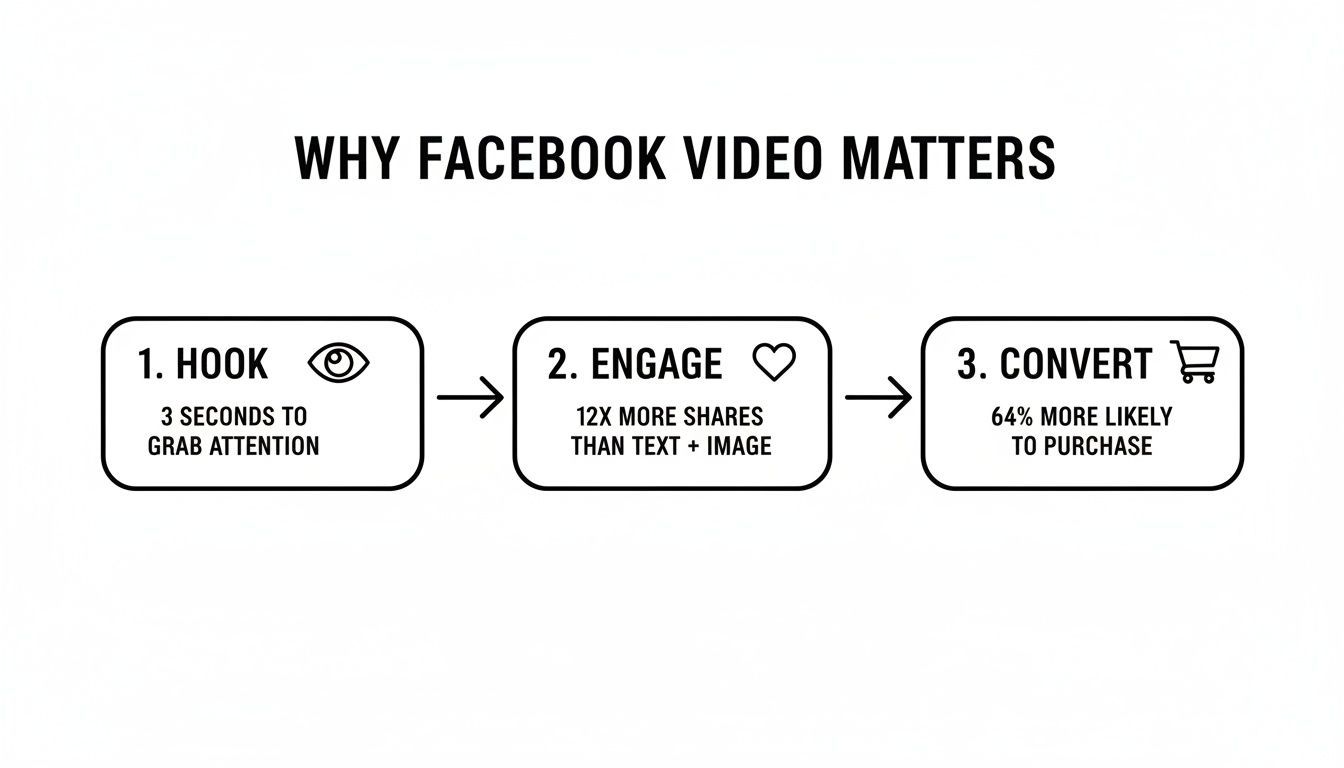
This simple model—Hook, Engage, Convert—is the DNA of almost every high-performing video out there. It should guide every word you write, from the opening shot to the final call-to-action.
Scripting for Different Video Styles
Of course, your script needs to match the vibe of the video you're making. An ad featuring user-generated content (UGC) should feel totally unscripted and conversational. A polished product demo, on the other hand, demands a more structured approach that methodically walks through features and benefits.
Once you have your core message locked in, you can start polishing the script. For some hands-on advice on creating effective product videos, that resource is a great place to start.
No matter the style, always write out your key talking points. It ensures you stay on message and don't ramble. And here's a pro tip: read your script out loud. It’s the fastest way to catch clunky phrases and make sure you sound like an actual human being, not a robot reading a teleprompter.
Sourcing and Filming Your Video Content
You've got your script, the concept is solid, and now it's time for the fun part: creating the actual visuals. This is the point where a lot of people freeze up, picturing expensive camera crews and studio rentals. Let me put that fear to rest. The best-performing videos on Facebook rarely look like high-budget Hollywood productions.
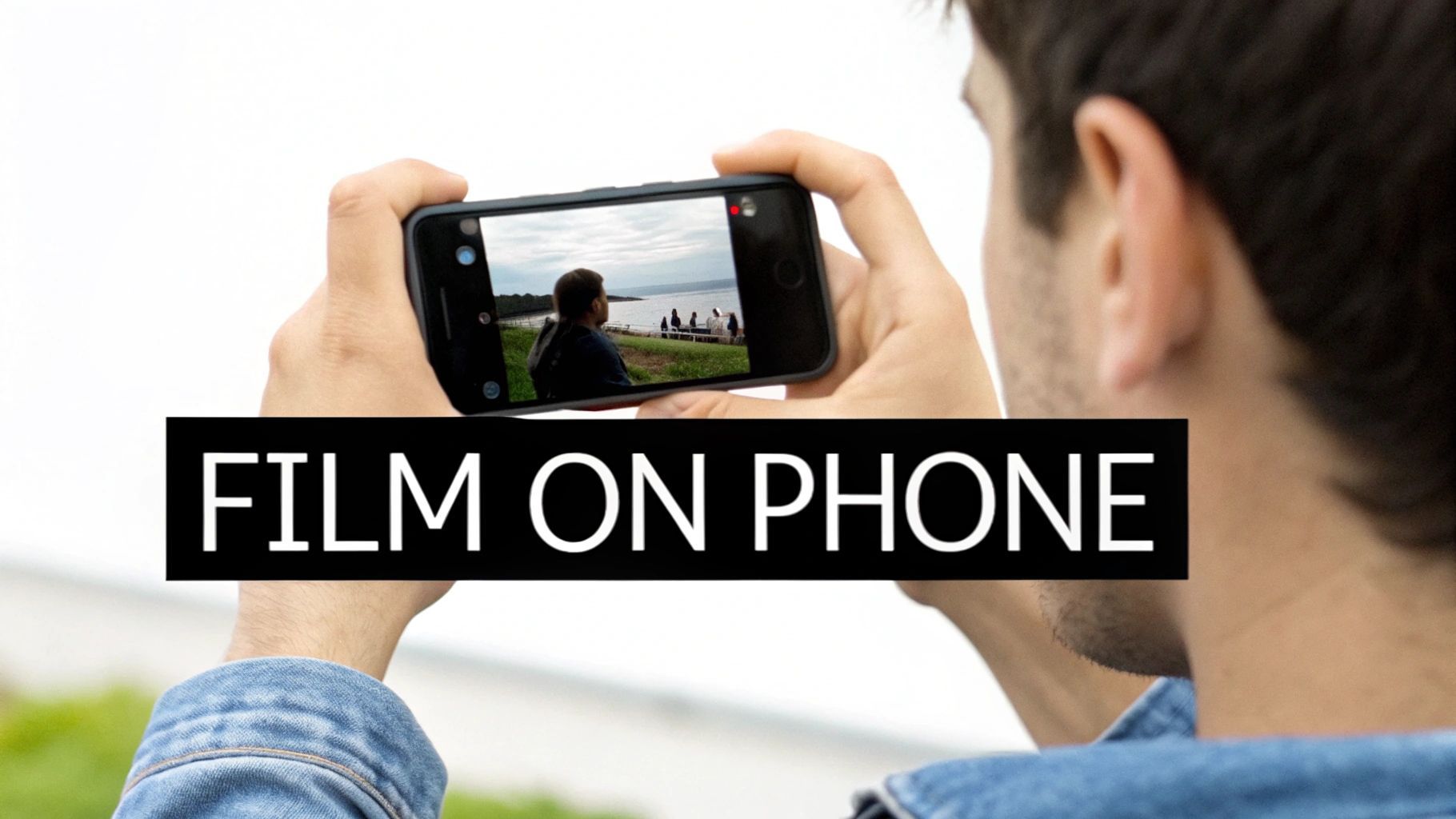
What you're aiming for isn't a glossy TV commercial. You want to create something that feels like it belongs in the user's feed, sandwiched between a video from their cousin and a photo from a college friend. Authenticity beats slick production value almost every time. And the best tool for the job? It’s probably already in your pocket.
Shooting Your Own Content
Filming with your phone isn't just a cost-saving measure; it's a strategic move. Videos that have that user-generated content (UGC) feel often crush polished ads because they come across as more genuine and relatable. People's natural skepticism towards ads tends to soften when they see content that looks like it was made by a real person.
Even if you're just using your iPhone, a few simple adjustments can elevate your footage from amateur to awesome:
- Lighting is everything. You don't need a pro lighting kit. Just find a window and face it. Natural light is your best friend and will instantly make your video look clearer and more professional.
- Stabilize your shot. Nobody wants to watch a shaky, nauseating video. You can prop your phone up on a stack of books or grab a cheap, tiny tripod. It makes a world of difference.
- Get clean audio. I can't stress this enough: bad audio will make people scroll away faster than anything. Find a quiet room, close the door, and stay away from echo-y spaces. Using the mic on your headphones is a huge step up from the one built into your phone.
Leveraging Stock Footage and AI
Let's be real—shooting original content for every single scene isn't always feasible. That's where stock video becomes an absolute lifesaver, especially for getting B-roll footage to splice in with your main shots. Resources like Pexels, Storyblocks, or Envato Elements have massive libraries of quality clips.
Pro Tip: When digging through stock sites, actively hunt for clips that feel unstaged and natural. Steer clear of those cheesy, overly corporate shots that are a dead giveaway. You're looking for visuals that align with that authentic, UGC vibe that performs so well.
On top of stock footage, AI video generators are quickly becoming essential tools in my workflow. Platforms such as ShortGenius can create custom scenes or slick animated text overlays from just a few words. This is a massive advantage for testing different hooks or concepts without having to schedule a whole new film shoot.
A great final video often mixes all of these elements—your own authentic footage, carefully selected stock clips, and maybe a few AI-generated scenes to tie it all together.
Editing for Mobile-First Engagement
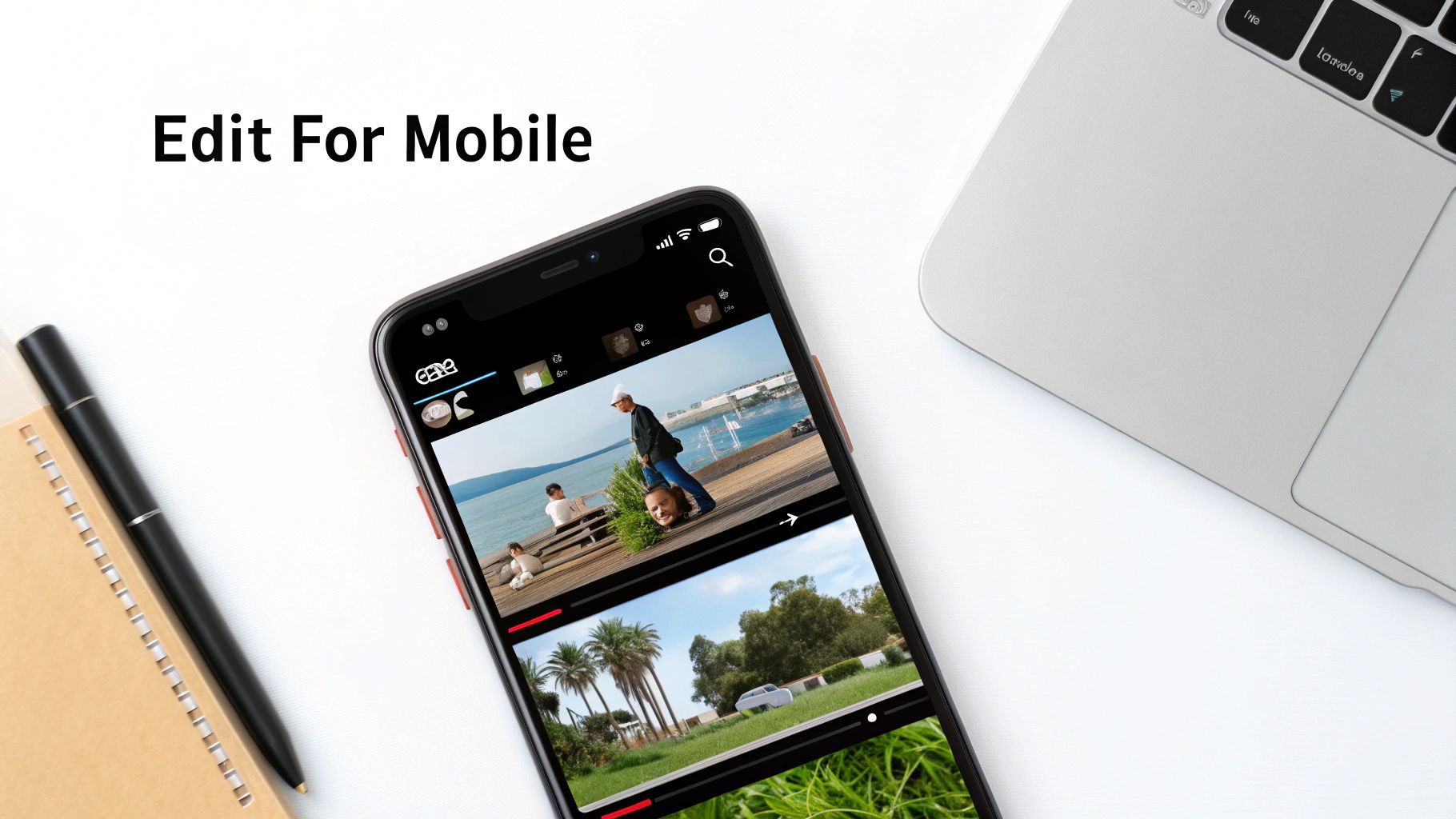
Alright, this is where the magic happens. All your raw footage, stock clips, and that killer script finally come together to form a cohesive story. But editing for Facebook isn't just about slapping scenes together; it's about crafting an experience specifically for someone scrolling on their phone. If you want to create a video that actually performs, you have to adopt a mobile-first mindset from the second you open your editing software.
This means thinking vertically. Seriously. While a standard horizontal 16:9 video might work for some in-stream ad placements, the vast majority of organic views and engagement happen on vertical canvases like Reels and Stories. The 9:16 aspect ratio is your best friend here. It fills the entire screen, creating an immersive experience that commands attention.
Optimizing for the Silent Scroller
Here’s a hard truth you need to accept: most people will watch your video with the sound off. Some studies put that number as high as 85%. This is a non-negotiable reality of the platform. If your video’s message is completely lost without audio, you've already failed to connect with most of your potential audience.
Your visuals and on-screen text have to do all the heavy lifting. Here’s how:
- Dynamic Captions: Don't just rely on Facebook's auto-generated captions. Burn them right into your video. Use bold, easy-to-read fonts and brand colors that pop. I've found that animating them to appear word-by-word is a fantastic way to keep a viewer's eyes glued to the screen.
- Text Overlays: Go beyond just captions. Use text overlays to highlight key points, call out benefits, or pose questions. This reinforces your message and guides the viewer through the narrative, no sound required.
The goal is to make your video just as compelling silent as it is with sound. Think of it like a modern silent film—the story should be crystal clear from the visuals and text alone. Sound should be a bonus that enhances the experience, not a crutch.
Pacing and Visual Rhythm
Attention spans on social media are microscopic. Your editing pace needs to match this reality. Forget long, lingering shots. You need quick cuts to build energy and maintain momentum.
As a general rule, I try to change the scene or camera angle every 2-4 seconds. This constant visual refresh keeps the viewer engaged and wondering what's coming next. You can also sprinkle in simple visual effects to add some extra flair. A quick zoom-in can emphasize a reaction, or a slick swipe transition can move you between two different ideas.
For this, AI-powered tools like ShortGenius can be a huge time-saver. They can help you quickly generate multiple ad variations with different hooks and effects, letting you test what resonates with your audience without spending hours on manual edits.
To make sure your final export is perfectly formatted for wherever it’s going, here's a quick reference guide for the most common Facebook video placements.
Facebook Video Placement Specifications
This little cheat sheet will help ensure your content is perfectly optimized for each format, so you don't have to guess.
| Placement | Recommended Aspect Ratio | Recommended Resolution | Max Length |
|---|---|---|---|
| Facebook Feed | 4:5 or 1:1 | 1080x1350 or 1080x1080 | 240 mins |
| Facebook Reels | 9:16 | 1080x1920 | 90 secs |
| Facebook Stories | 9:16 | 1080x1920 | 60 secs |
| In-Stream Ads | 16:9 or 1:1 | 1920x1080 or 1080x1080 | 5-15 secs (recommended) |
Keep this table handy. Getting the specs right from the start saves a ton of headaches later.
Ultimately, your final edit should feel polished but still authentic and native to the platform. By focusing on vertical formatting, designing for silent viewing, and keeping a brisk pace, you’re setting your video up for the best possible engagement on mobile.
Getting Your Video Seen: Publishing for Maximum Impact
You've done the hard work—your masterpiece is edited, polished, and ready to go. But don't just slam that publish button and hope for the best. How you launch your video is just as critical as how you made it.
The final touches—writing a killer caption, picking a thumbnail that screams "click me," and deciding on your promotion strategy—are what separate a video that gets lost in the feed from one that goes viral.
Write a Caption That Pulls People In
Your video is the main event, but the caption is the hype man. It's there to add context, ignite curiosity, and tell people what to do next. A good caption doesn't just describe the video; it enhances it.
Just like your video, your caption needs a strong hook. Kick things off with an intriguing question or a bold statement that stops the scroll. Keep your text short and easy to scan, breaking it up with relevant emojis to add a bit of personality.
And never, ever forget your call-to-action (CTA). Be direct. Tell viewers exactly what you want from them. Whether it's "Shop the collection" or "Drop your favorite tip in the comments," a clear CTA makes all the difference.
The Make-or-Break Power of a Thumbnail
Think of your thumbnail as the movie poster for your video. It’s often the only thing people see before deciding if your content is worth their time. Don't let Facebook just grab a random, blurry frame for you—that’s a rookie mistake.
Your thumbnail is your video's first impression. It has one job: to sell the click. It needs to be sharp, expressive, and compelling.
I always recommend choosing a high-quality still that captures the most exciting or valuable moment. Better yet, create a custom one. Adding a bit of bold, easy-to-read text can work wonders. For a cooking video, something like "5-Minute Pasta" on the thumbnail immediately communicates the value and can seriously boost your click-through rate.
Organic vs. Paid: Choosing Your Strategy
With your post prepped and ready, you have a big decision to make: let it fly organically or put some ad spend behind it?
-
Organic Posting: This is your bread and butter for connecting with the audience you already have. It’s free, and it’s perfect for authentic, community-building content like behind-the-scenes footage or quick Q&As.
-
Paid Promotion (Facebook Ads): If you want to reach new people, drive sales, or just guarantee your video gets seen, paid ads are the answer. The targeting capabilities are incredibly powerful—you can pinpoint users based on almost anything, from their interests to recent life events.
Honestly, the best approach is usually a mix of both. Post organically to engage your loyal followers. Then, when you see a video really taking off, put some money behind it to "boost" it to a carefully selected new audience. This maximizes your reach without breaking the bank.
If you're looking for a deeper dive into all the ways to get your video out there, this guide on how to share a video on Facebook is a great resource.
Don’t be intimidated by running your first ad. Start small. Pick a simple objective like "Traffic" or "Engagement," set a modest budget, and see what happens. The real magic comes from testing, learning, and refining your approach over time.
Analyzing Performance to Improve Your Next Video
Alright, your video is live. Pop the champagne? Not quite yet.
Posting is just step one. The real magic—and the real growth—happens when you dig into the data to figure out what worked, what fell flat, and most importantly, why. Think of every video you release as a new experiment. This mindset is what separates the creators who get consistent results from those who just get lucky once.
Facebook’s analytics dashboard can look intimidating at first glance, but you don’t need to track every single number. The key is to ignore the vanity metrics and focus on the data that tells you about actual human behavior.
Key Metrics to Actually Pay Attention To
To figure out what makes your audience tick, you have to understand how they’re actually interacting with your content. I always keep a close eye on these three metrics:
-
Average Watch Time: This is your big-picture number. It tells you, on average, how long people stuck around. If it’s depressingly low, it’s a huge red flag that your hook isn't grabbing attention or the content isn’t delivering on the promise you made in the first few seconds.
-
Audience Retention Rate: This is where you get granular. The retention graph is your secret weapon, showing you the exact moment-by-moment percentage of viewers who are still watching. You’re looking for the cliffs—the sharp drop-off points. Those are goldmines of information, telling you precisely where people got bored and scrolled away.
-
ThruPlay: This is a specific Facebook metric that counts views to completion, or for at least 15 seconds on longer videos. It's a much more meaningful sign of genuine interest than a simple 3-second view, which can often just be someone scrolling past.
Honestly, analyzing that retention graph is like getting a free roadmap to making a better video. If you see a massive nosedive at the 5-second mark, you know your hook needs a complete overhaul next time.
Think of your video data not as a report card, but as a conversation with your audience. They're telling you—with their clicks and their scrolls—exactly what they want to see more of. Your job is to listen and adapt.
Using A/B Testing to Find Your Winners
Never, ever assume you know what will work best. I’ve been doing this for years, and my gut instinct is still wrong plenty of times. The only reliable way to improve is to test different creative elements against each other. That’s what A/B testing is all about.
The process is simple: create two versions of your ad that are almost identical, but change one single thing. That part is critical. If you change the hook and the call-to-action, you’ll have no idea which change was responsible for the difference in performance.
Here are a few of the most impactful elements I always recommend testing:
- The Hook: Pit a question ("Struggling with X?") against a bold statement ("This is how you fix X.") in the first 3 seconds.
- The Call-to-Action (CTA): See if a direct CTA like "Shop Now" outperforms a softer one like "Learn More." The results can surprise you.
- Thumbnails: Test a compelling still frame from the video against a custom-designed graphic that has a text overlay.
Launch both versions of your test with a small budget and let the numbers tell you which one is the winner. Whichever ad gets the better ThruPlay or click-through rate is the one you put your real budget behind. This process of testing and iterating is how you stop guessing and start building a repeatable system for creating videos that actually perform on Facebook.
Still Have Questions About Facebook Video?
It's totally normal for questions to pop up as you get deeper into creating videos for Facebook. Let's tackle a couple of the most common ones I hear all the time.
What’s the best video length?
This is the million-dollar question, and the answer really depends on where your video will live.
For Reels and Stories, you're in the land of short attention spans. Keep it snappy—under 60 seconds is your goal. For in-feed video ads, that window shrinks even more. I've found that 15 seconds or less works wonders.
Pro Tip: No matter the length, get your main point, your hook, or your most compelling visual in the first 3 seconds. Don't bury the lead!
Can I use music in my videos?
Absolutely, and you definitely should! But you have to be smart about it. Copyright is no joke on social media.
The safest bet is to use music directly from Facebook's Sound Collection. It's a library of pre-cleared tracks and sound effects you can use without worry. Alternatively, you can subscribe to a royalty-free music service. This is crucial—if you use a popular song without the proper license, Facebook could mute your video's audio or take it down entirely.