12 Best AI Video Editing Software Picks for 2025

Discover the 12 best AI video editing software platforms of 2025. Compare features, pricing, and find the perfect tool to automate your workflow.
The landscape of video editing is undergoing a seismic shift. Tedious tasks like trimming silence, adding captions, and sourcing B-roll, which once consumed hours, are now being automated by intelligent algorithms. For creators and marketers, this isn't just a time-saver; it’s a creative game-changer, allowing you to focus on storytelling instead of tedious manual edits. The challenge now is navigating a crowded market to find the tools that deliver on their promises.
This guide cuts through the noise to reveal the absolute best AI video editing software available today. We'll move beyond generic feature lists to provide a practical analysis of each tool's real-world performance, ideal use cases, and hidden limitations. The revolution of AI in video editing is part of a larger trend, with many other tools transforming various aspects of the creative process. For a broader look, you might also find this guide to the 12 best AI tools for content creators helpful in streamlining your entire workflow.
Here, we will dive deep into platforms that genuinely make an impact, from professional-grade desktop applications to nimble, web-based editors. We will explore how each platform's AI features, such as auto-reframing, text-based editing, and generative video, can be practically applied to your projects. Whether you're a solo creator aiming for daily uploads or a marketing team scaling content production, this breakdown will help you choose the right platform to reclaim your time and elevate your creative output. Each review includes screenshots and direct links to help you make an informed decision quickly.
1. ShortGenius
ShortGenius establishes itself as a powerhouse in the AI video creation space by offering a truly end-to-end production workflow. It’s designed not just as an editor, but as a complete content generation engine that takes a simple idea and transforms it into a series of publish-ready videos, complete with scripts, visuals, voiceovers, and even social media scheduling. This integrated approach makes it one of the best AI video editing software solutions for creators and teams aiming for high-volume, high-quality output without juggling multiple subscriptions and platforms.
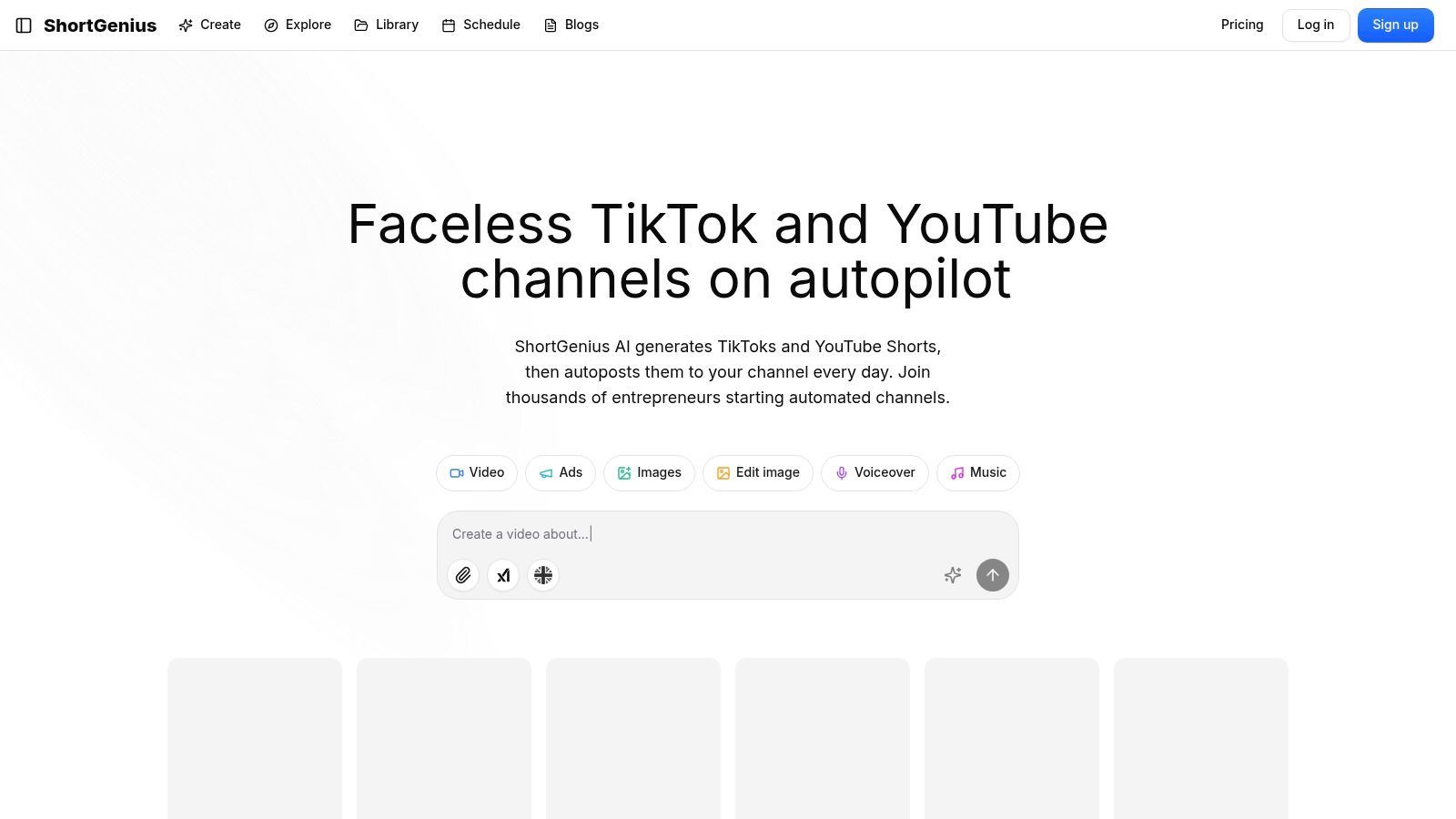
The platform's core strength lies in its ability to automate the entire creative process. Users can generate a script from a prompt, which ShortGenius then uses to create corresponding scenes with AI-generated images and video clips. It layers these with premium, lifelike voiceovers from services like ElevenLabs, effectively building a complete short-form video in minutes. This is where its "series" workflow becomes a game-changer, allowing you to produce a batch of themed videos for an entire week's content calendar in a single session.
Standout Features & Use Cases
ShortGenius excels with features that directly address the challenges of modern content creation. Its one-click scheduling to TikTok, YouTube, Instagram, and other platforms is a massive time-saver for social media managers. The extensive preset library, including "scroll stoppers" and unique camera movements, gives content a polished, professional edge that stands out in crowded feeds.
- For Marketers & Agencies: The platform is ideal for creating scalable video ad campaigns. The dedicated ads workflow and unified asset library streamline team collaboration, ensuring brand consistency across all outputs.
- For "Faceless" Creators: The combination of AI scripting, high-quality voiceovers, and automated visuals enables the creation of entire channels without ever needing to appear on camera, perfect for educational or niche content.
- Implementation Tip: Use the "series" feature to plan content around pillars. For example, an e-commerce brand could create a "Product Tip Tuesday" series, generating a month's worth of videos in one go to maintain a consistent posting schedule.
Pros and Cons
Pros:
- All-in-One Workflow: Consolidates scripting, asset generation, voiceover, editing, and scheduling, drastically reducing production friction.
- Scalable Production: The "series" feature and API enable high-volume content creation, perfect for daily posting strategies or agency clients.
- High-Quality Components: Integrates best-in-class AI models for scripting (LLMs), visuals, and voice (ElevenLabs) to produce professional-grade videos.
- Team-Oriented: Built with features like a unified library, ad workflows, and an API to support collaborative and automated production at scale.
Cons:
- Pricing Transparency: Plan details and costs are not listed upfront; users must navigate to the pricing page or contact sales for information.
- Requires Human Oversight: Like all AI tools, the final output benefits from a human touch to refine captions, check brand alignment, and ensure factual accuracy.
Website: https://shortgenius.com
2. Adobe Premiere Pro
Adobe Premiere Pro remains the industry-standard non-linear editor (NLE) for professionals, and its integration of AI, powered by Adobe Sensei and Firefly, makes it a formidable contender in the race for the best AI video editing software. Rather than being a fully automated tool, Premiere Pro uses AI to augment and accelerate established, high-level editing workflows. This makes it ideal for serious creators, marketing teams, and creative studios who need precise control alongside intelligent assistance.
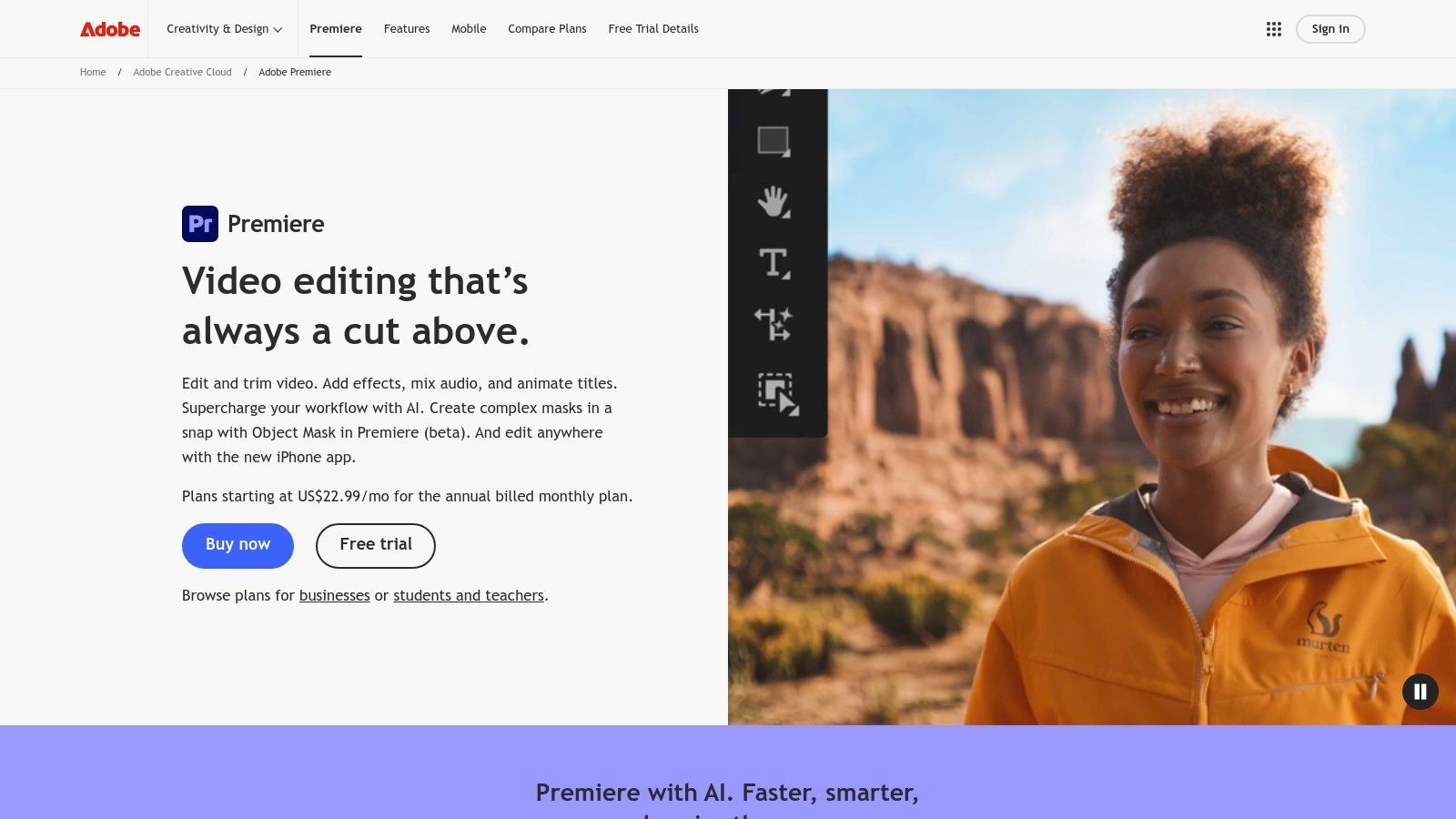
The platform excels with features like text-based editing, which automatically transcribes your entire timeline, allowing you to edit video by simply cutting and pasting text. Its AI-powered auto-captioning is remarkably accurate and includes translation capabilities, while Enhanced Speech can clean up noisy audio to sound like it was recorded in a professional studio. The standout benefit is its seamless integration within the Adobe Creative Cloud ecosystem, allowing for fluid workflows with After Effects, Audition, and Frame.io for collaboration.
Key Features & User Experience
- Text-Based Editing: Automatically transcribes source media and sequences, enabling you to find specific moments and create rough cuts by editing text.
- AI-Enhanced Audio Tools: Features like Enhance Speech and Auto Ducking use AI to clean up dialogue and balance audio levels automatically.
- Intelligent Color Matching: The Auto Color feature uses Sensei AI to apply intelligent color corrections as a starting point for professional grading.
- Auto Reframe: Automatically adjusts your sequence to different aspect ratios (e.g., 16:9 to 9:16) while keeping the subject in frame.
| Feature Analysis | Assessment |
|---|---|
| Learning Curve | Steep. Premiere Pro is a professional tool with a vast feature set. While AI simplifies some tasks, mastering the core NLE requires significant time and effort. Abundant tutorials help ease this process. |
| Collaboration | Excellent. Deep integration with Frame.io (included with Creative Cloud) provides a powerful, centralized review and approval workflow for teams and agencies. |
| Pricing Model | Subscription-only. Access is through an Adobe Creative Cloud subscription, either for Premiere Pro alone (starting at $22.99/month) or the full suite of apps. This can be a significant ongoing cost, especially for the All Apps plan. |
| AI Implementation | Augmentative. Adobe's AI assists rather than automates the entire creative process. It focuses on accelerating tedious tasks like transcription, audio cleanup, and rough cuts, giving the editor ultimate creative control. |
| Ideal Use Case | Best for professional video editors, agencies, and large marketing teams that need a robust, industry-standard editor with powerful AI assists for complex projects. It's overkill for users needing quick, simple social media videos. |
Website: https://www.adobe.com/products/premiere.html
3. Blackmagic DaVinci Resolve Studio
Blackmagic DaVinci Resolve has built a legendary reputation for its Hollywood-grade color grading, and its AI-powered features now make it a powerhouse contender for the best AI video editing software. The Studio version unlocks the DaVinci Neural Engine, which infuses AI into its professional, all-in-one workflow spanning editing, color, audio, and visual effects. Unlike subscription models, Resolve Studio is a one-time purchase, making it an incredibly cost-effective option for serious creators and studios seeking a complete post-production solution.
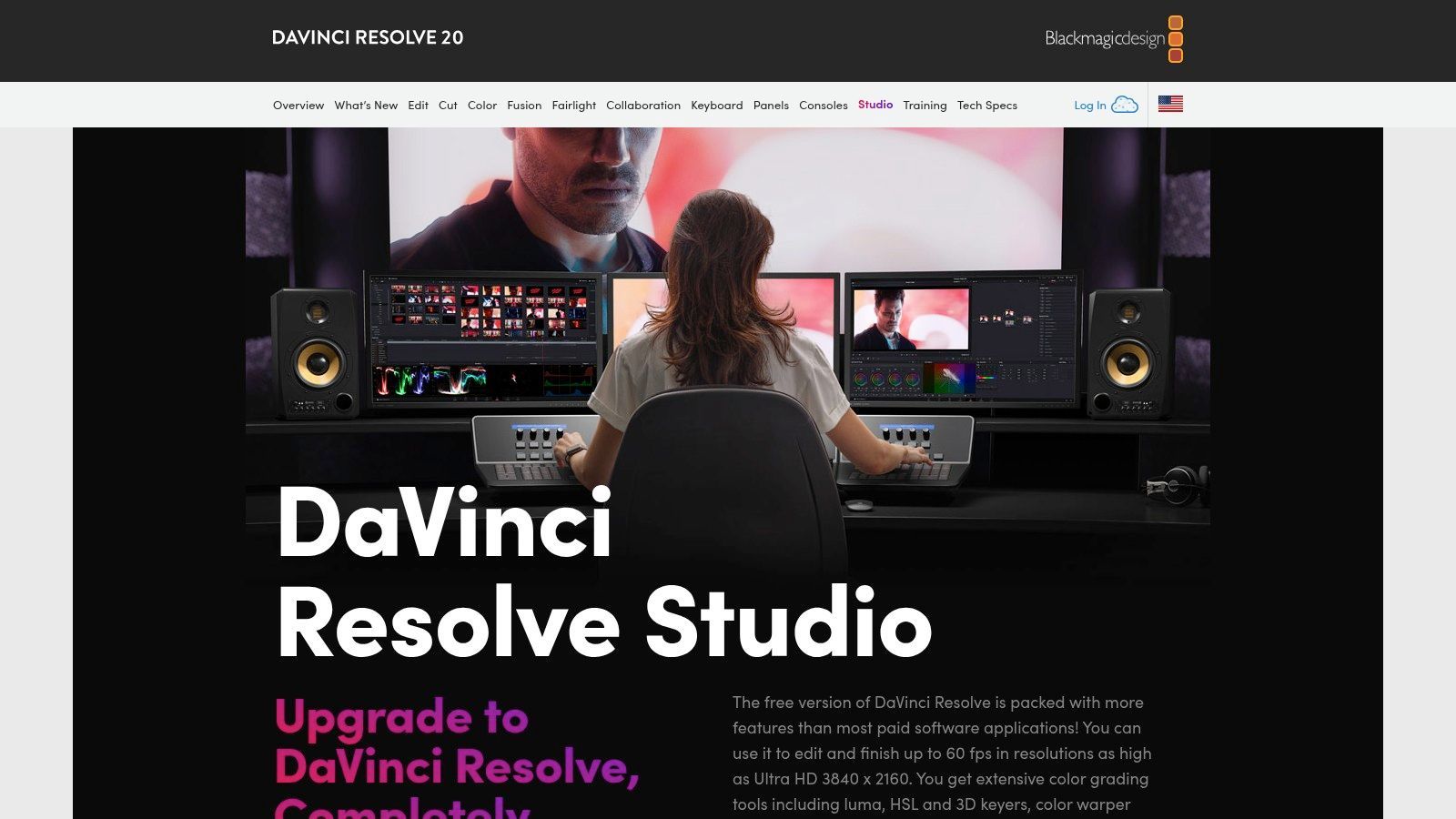
The platform’s AI shines in complex tasks that typically require hours of manual work. Features like Magic Mask allow you to isolate and track moving objects or people with a simple paint stroke, automating rotoscoping. The AI-based voice isolation can salvage unusable audio by removing background noise, while smart reframing tools adjust footage for different social media formats. The standout benefit is having these intelligent tools integrated directly into a world-class finishing suite, eliminating the need to move between different applications for color grading or audio mixing.
Key Features & User Experience
- DaVinci Neural Engine: Powers features like Magic Mask for automated rotoscoping, Face Refinement for subtle beauty work, and Smart Reframe for vertical video.
- AI-Powered Audio Tools: The Fairlight audio page includes Voice Isolation and Dialogue Leveler to clean and balance audio with incredible precision.
- World-Class Color Grading: Features AI-driven Auto Color Balance and Color Matching to create a consistent and professional look instantly.
- Integrated Workflow: Combines editing, color correction, visual effects (Fusion), and audio post-production (Fairlight) into a single, seamless application.
| Feature Analysis | Assessment |
|---|---|
| Learning Curve | Steep. The node-based system for color and VFX is powerful but has a significant learning curve for those coming from layer-based editors like Premiere Pro. Its all-in-one nature means there is a lot to master. |
| Collaboration | Excellent. The Studio version includes robust multi-user collaboration tools, allowing editors, colorists, and audio engineers to work on the same project timeline simultaneously using Blackmagic Cloud. |
| Pricing Model | One-time purchase. A generous free version is available with most core features. The full Studio version, which unlocks the Neural Engine AI and collaboration, is a one-time payment of $295, offering exceptional long-term value. |
| AI Implementation | Task-specific and powerful. Resolve uses AI to accelerate highly technical and time-consuming post-production tasks like masking, audio cleanup, and object removal. It empowers individual creators to achieve results that once required entire teams. |
| Ideal Use Case | Best for filmmakers, colorists, and advanced creators who need an end-to-end finishing tool. It's perfect for those who prioritize color grading and audio quality and want to avoid recurring subscription fees. The free version is great for beginners learning the workflow. |
Website: https://www.blackmagicdesign.com/products/davinciresolve/studio
4. Final Cut Pro
A staple for Mac-based creators, Apple’s Final Cut Pro delivers exceptional performance and a streamlined user experience, making it a powerful choice among the best AI video editing software. Optimized for Apple silicon, it offers blazing-fast rendering and stability. While it doesn’t position itself as an "AI-first" editor, its recent updates have integrated intelligent features designed to handle common editing challenges with remarkable efficiency, appealing to solo creators and small studios who value speed and a one-time purchase model.
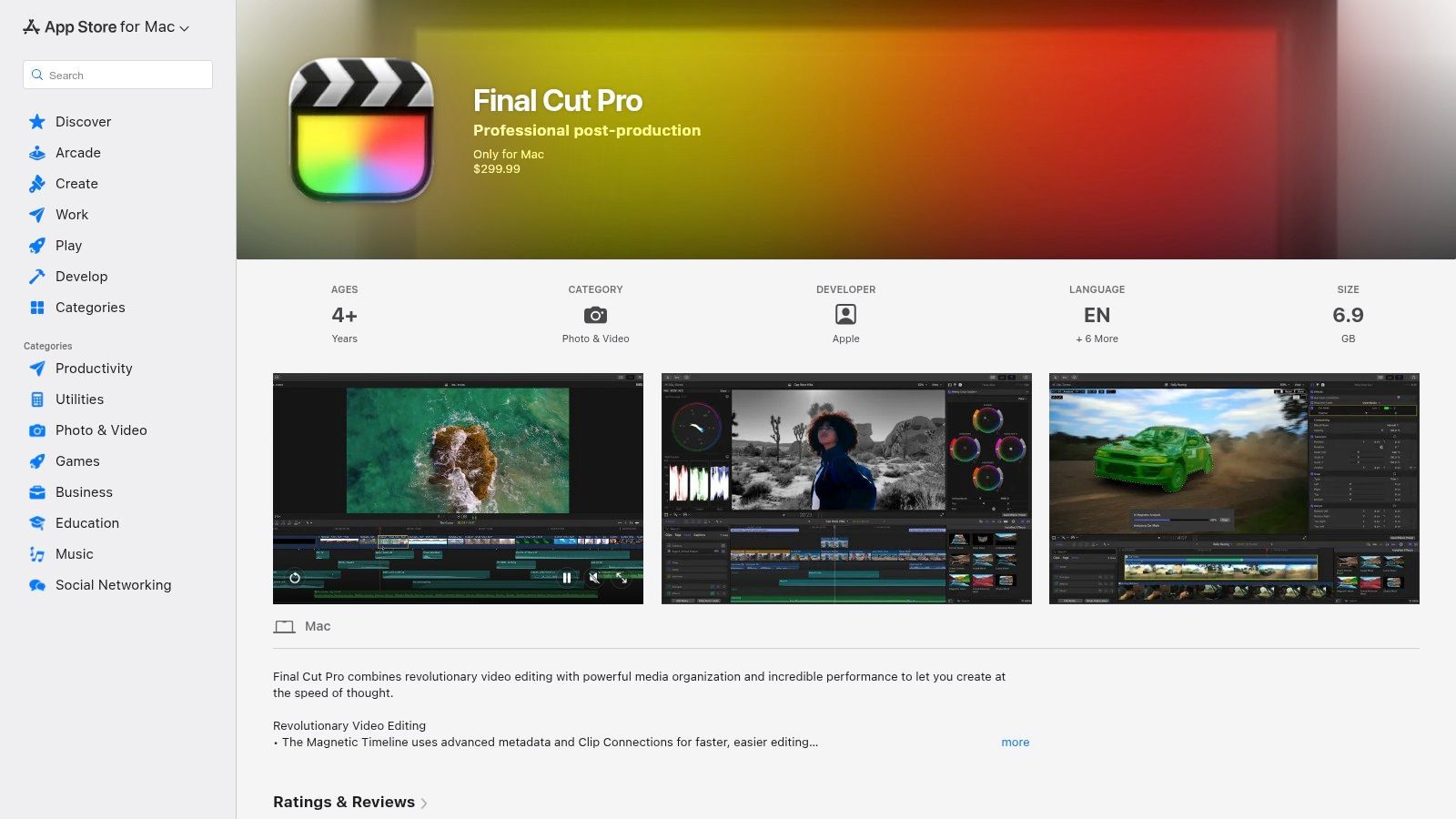
Final Cut Pro's strength lies in its deep integration with the macOS ecosystem. New AI features like Voice Isolation can instantly separate dialogue from background noise, while the Object Tracker uses machine learning to create dynamic motion effects with just a few clicks. Its Magnetic Timeline is a unique paradigm that helps prevent clip collisions and sync issues, a feature many editors find accelerates their workflow significantly once they adapt to it. The one-time purchase price is a major differentiator from the subscription models of its main competitors.
Key Features & User Experience
- AI-Driven Audio Cleanup: The Voice Isolation feature uses machine learning to identify and isolate human voices, dramatically reducing background noise.
- Object Tracker & Cinematic Mode: Automatically detects faces and objects, allowing you to easily attach titles or effects that follow their movement. It also allows for editing the depth of field in iPhone Cinematic Mode footage.
- Smart Conform: Leverages machine learning to analyze clips and automatically crop them for vertical and other social media formats, keeping the main action centered.
- Magnetic Timeline: An innovative, trackless timeline that simplifies clip arrangement and helps editors avoid sync problems and gaps.
| Feature Analysis | Assessment |
|---|---|
| Learning Curve | Moderate. The Magnetic Timeline can be confusing for editors used to traditional track-based NLEs, but the overall interface is clean and intuitive. |
| Collaboration | Limited. Final Cut Pro is primarily built for individual creators. While third-party tools exist, it lacks the native, deep-level collaboration features found in Adobe's Frame.io or DaVinci Resolve's cloud workflow. |
| Pricing Model | One-time purchase. A single payment of $299.99 provides a lifetime license with all future updates included, making it highly cost-effective in the long run. |
| AI Implementation | Augmentative. Similar to Premiere Pro, AI in Final Cut Pro is designed to enhance and accelerate specific tasks like audio cleanup, motion tracking, and reframing, rather than automating the entire creative process. |
| Ideal Use Case | Best for Mac-based solo creators, YouTubers, and small production teams who want a highly optimized, fast, and stable editor without the burden of a monthly subscription. It excels at delivering high-quality content efficiently. |
Website: https://apps.apple.com/us/app/final-cut-pro/id424389933
5. CapCut
Originally a mobile-first editor, CapCut has rapidly evolved into a powerful cross-platform tool that excels in creating viral-ready short-form content. Built by ByteDance, the company behind TikTok, it is deeply integrated with social media trends, making it a go-to choice for creators focused on speed and engagement. Its strength lies in combining an intuitive, template-driven workflow with surprisingly advanced AI features, positioning it as one of the best AI video editing software options for social media managers and solo creators.
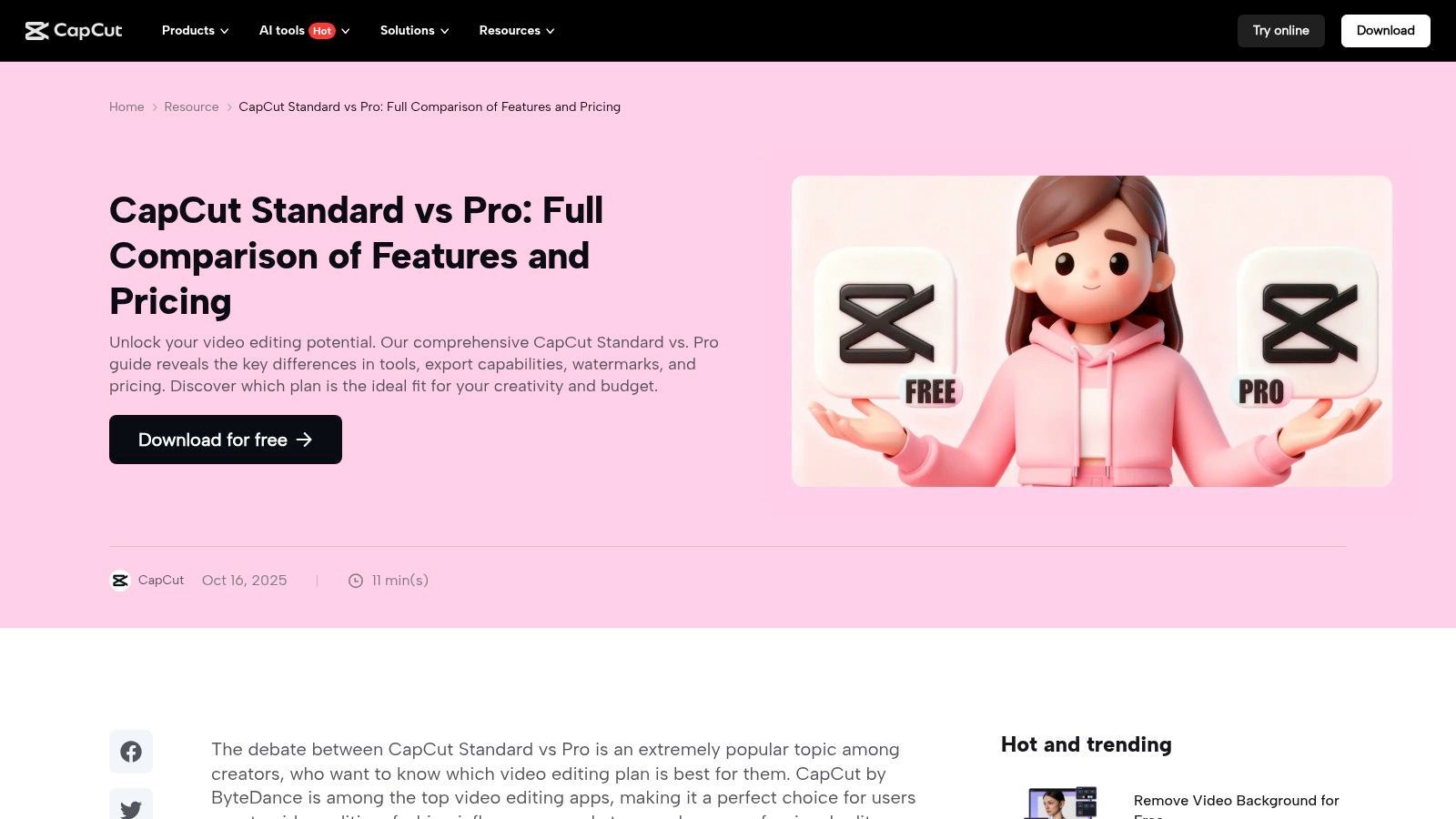
CapCut simplifies complex editing tasks like background removal, motion tracking, and audio cleanup with single-click AI tools. Its auto-captioning is famously accurate and highly stylizable, a key component for modern social videos. The platform’s standout benefit is its massive library of trending templates, effects, and sounds, allowing users to quickly replicate popular video formats. With seamless project syncing across mobile, desktop, and web, it offers a flexible and accessible editing environment. For a deeper dive into tools optimized for this type of content, see how some platforms use AI for short-form video.
Key Features & User Experience
- AI Background Remover: Instantly remove or replace video backgrounds without a green screen, perfect for creating professional-looking product shots or vlogs.
- Auto Captions & Lyrics: Generates synchronized, editable captions with various animation styles, a crucial feature for silent viewing on social feeds.
- Motion Tracking: Easily apply text, stickers, or effects that follow a moving object within the frame, adding a dynamic layer to your edits.
- Template-Driven Workflow: Access a vast library of pre-built video templates that can be customized with your own clips for ultra-fast production.
| Feature Analysis | Assessment |
|---|---|
| Learning Curve | Low. CapCut's interface is extremely intuitive, especially for users familiar with social media apps. Most AI features are one-click operations, making it accessible to absolute beginners. |
| Collaboration | Basic. Cloud projects allow for syncing across a single user's devices. While assets can be shared, it lacks the robust, multi-user review and approval systems found in professional NLEs. |
| Pricing Model | Freemium. A generous free tier provides access to most core features. CapCut Pro (starting around $7.99/month, but varies by region) unlocks advanced features, cloud storage, and premium stock assets. |
| AI Implementation | Task-Oriented. The AI is designed to automate specific, high-impact tasks like captioning, background removal, and tracking. It focuses on producing a polished final product quickly rather than augmenting a complex editing workflow. |
| Ideal Use Case | Perfect for social media managers, TikTok/Reels creators, and small businesses needing to produce trendy, engaging short-form videos quickly and efficiently. It is less suitable for long-form narrative projects or complex, multi-layered edits. |
Website: https://www.capcut.com/
6. Runway
Runway has positioned itself at the forefront of generative video, making it a pivotal tool for creatives exploring the boundaries of AI-driven content. Unlike traditional editors, Runway is a browser-based suite focused on AI magic tools and its groundbreaking text-to-video models. It is the ideal platform for ideation, generating unique B-roll that would be impossible to shoot, and adding surreal effects to existing footage, making it a powerful supplement to a standard editing workflow.
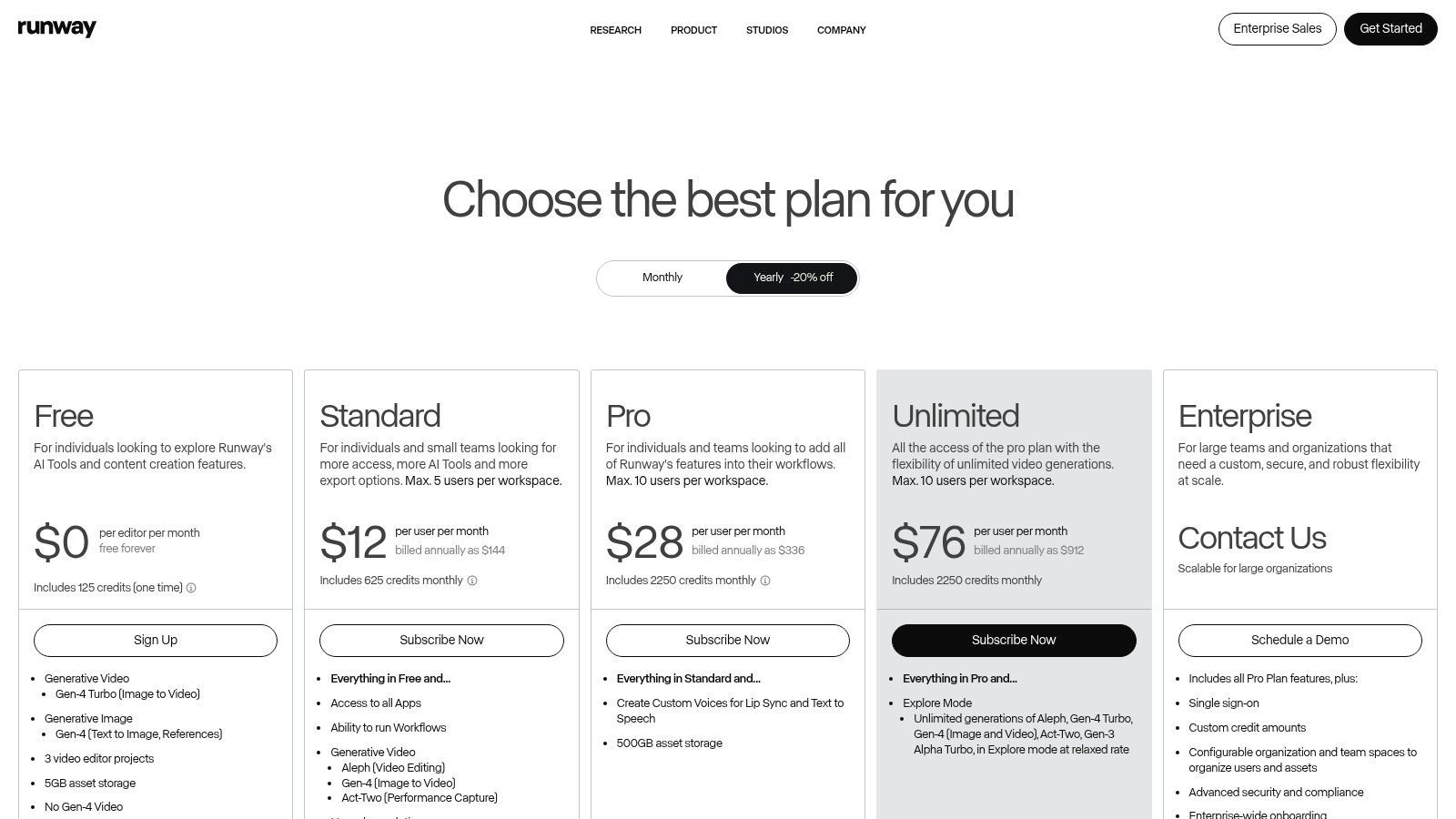
The platform shines with its Gen-2 model, which creates short video clips from text or image prompts. This allows creators to quickly visualize concepts and produce abstract visuals or animated sequences without any cameras or complex software. While it isn't designed to replace a full non-linear editor for complex projects, its suite of AI tools for tasks like inpainting, motion tracking, and background removal makes it an indispensable asset for specific creative challenges. This focus on generative capabilities makes it one of the most innovative options in the AI video editing software landscape. For those looking to see how these advanced tools compare, you can learn more about Runway's potential and alternatives.
Key Features & User Experience
- Text/Image-to-Video Generation: The core feature, allowing users to create video clips from simple text prompts or by animating still images.
- AI Magic Tools: A comprehensive suite of over 30 tools, including object removal, super slow motion, background replacement, and asset upscaling.
- Browser-Based Workflow: Entirely cloud-based, eliminating the need for a powerful local GPU and allowing access from any machine.
- Streamlined Collaboration: Team features enable multiple users to work within the same workspace, sharing assets and projects seamlessly.
| Feature Analysis | Assessment |
|---|---|
| Learning Curve | Moderate. The interface is intuitive for simple generation, but mastering the nuances of prompt engineering and combining the various AI tools effectively requires experimentation and practice. |
| Collaboration | Good. The platform is designed with teams in mind, offering shared workspaces, assets, and project folders. It's well-suited for creative teams brainstorming and developing concepts together. |
| Pricing Model | Freemium with credits. A free tier offers limited credits. Paid plans (starting at $12/user/month) provide more credits and advanced features. Heavy usage of generative tools can deplete credits quickly, potentially leading to high costs. |
| AI Implementation | Generative. Runway's primary focus is on creating new visual content from scratch using AI models. Its editing tools are secondary and serve to enhance or modify this generated footage. |
| Ideal Use Case | Perfect for artists, animators, and marketing teams needing to generate unique visual concepts, abstract B-roll, or animated storyboards quickly. It's a creative partner for ideation rather than a primary tool for assembling long-form narrative content. |
Website: https://runwayml.com/
7. Wondershare Filmora
Wondershare Filmora strikes an excellent balance between user-friendliness and powerful AI functionality, making it a top choice for creators who want advanced features without a steep learning curve. Positioned as a step up from basic editors, Filmora integrates a practical AI toolkit directly into an intuitive interface. It's designed for YouTubers, social media managers, and aspiring video creators who need to produce polished content efficiently, without getting bogged down by the complexities of professional-grade software.
The platform’s strength lies in its accessible AI features that solve common editing problems. Its AI Copilot offers editing suggestions and guidance, while tools like AI Smart Cutout and AI Portrait simplify complex tasks like background removal. Filmora also provides a vast, integrated library of effects, titles, and stock media through its Filmstock service, streamlining the creative process. This combination of an easy-to-navigate editor and helpful AI assists makes it one of the best AI video editing software options for the consumer and prosumer markets.
Key Features & User Experience
- AI Copilot Editing: An integrated AI assistant that can analyze your footage and suggest edits, effects, or music to speed up workflow.
- AI Smart Cutout & Portrait: Intelligently isolates subjects from their backgrounds for easy removal or for applying exclusive effects to people in the frame.
- Auto Subtitle Generation: Provides one-click transcription and captioning to make videos more accessible and engaging.
- Silence Detection: Automatically finds and removes silent pauses in your clips, a significant time-saver for dialogue-heavy content like tutorials or vlogs.
| Feature Analysis | Assessment |
|---|---|
| Learning Curve | Low. Filmora is renowned for its intuitive, drag-and-drop interface. New users can start creating high-quality videos within minutes, and the AI features are clearly labeled and simple to apply. |
| Collaboration | Limited. While it supports cloud project syncing, Filmora lacks the dedicated, multi-user review and approval systems found in professional platforms like Premiere Pro. It's best suited for solo creators or small teams. |
| Pricing Model | Flexible. Offers both annual subscriptions (starting at $49.99/year) and a one-time perpetual license. However, some advanced AI features and stock assets may require separate credit purchases or an add-on subscription. |
| AI Implementation | Assistive. The AI tools are designed to simplify and accelerate specific, often tedious, editing tasks. They handle background removal, audio cleanup, and rough cutting, letting the creator focus on the storytelling and creative aspects. |
| Ideal Use Case | Excellent for YouTubers, hobbyists, and social media content creators who need a powerful yet easy-to-use editor. It's perfect for producing polished vlogs, tutorials, and promotional videos without a professional budget. |
Website: https://filmora.wondershare.com/store/buy-filmora-video-editor.html
8. CyberLink PowerDirector
CyberLink PowerDirector strikes a compelling balance between a traditional, feature-rich editor and a modern AI-powered suite, making it an excellent value-priced tool for YouTubers, social media creators, and prosumers. It offers a comprehensive set of AI tools that are directly integrated into a familiar timeline-based workflow. This approach makes it a strong contender for users who want advanced creative control without the steep learning curve or high subscription cost of professional-grade software.
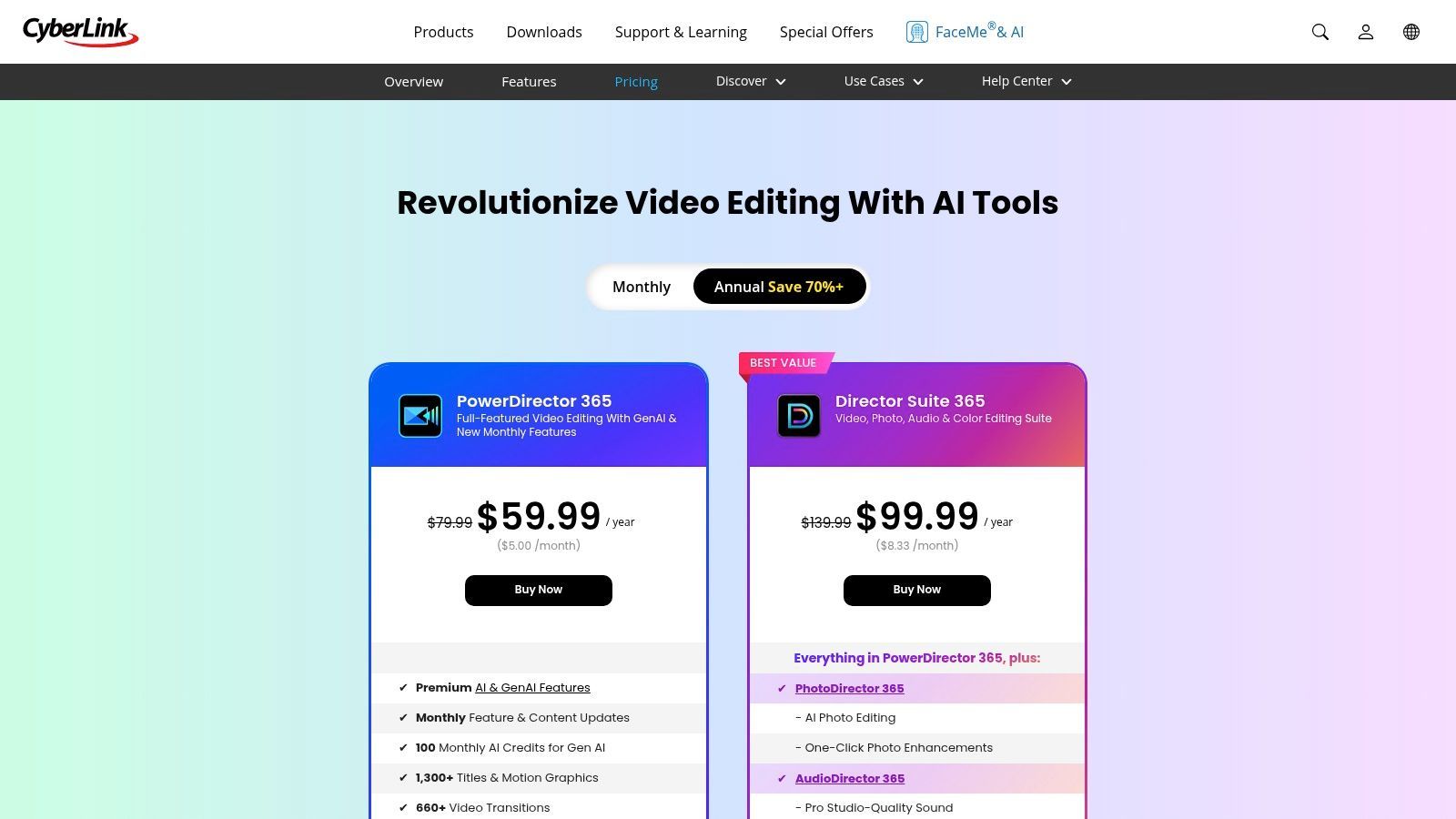
The platform stands out with its breadth of AI features, including reliable speech-to-text for captions, AI background removal without a green screen, and even AI-driven tools like talking avatars and video generators. The PowerDirector 365 subscription model is particularly attractive, providing frequent updates, cloud storage, AI credits for generative features, and access to a vast library of built-in effects and Getty Images stock assets. This all-in-one package provides immense value for creators looking to elevate their production quality.
Key Features & User Experience
- AI Speech-to-Text: Automatically generates and adds subtitles to your videos, with text-based editing capabilities to streamline the process.
- AI Background Removal: Instantly remove the background from any video clip, allowing you to place subjects in new environments without a physical green screen.
- Generative AI Tools: Includes features like AI talking avatars and an AI video generator to create unique content from simple prompts or scripts.
- Integrated Stock Libraries: The 365 subscription includes direct access to royalty-free content from Getty Images and other stock providers.
| Feature Analysis | Assessment |
|---|---|
| Learning Curve | Moderate. The user interface can feel cluttered due to the sheer number of features and effects available. However, the core editing workflow is intuitive for anyone with prior NLE experience. |
| Collaboration | Limited. While the 365 plan includes cloud storage for project backup and asset transfer, it lacks the real-time, in-app review and approval tools found in more professionally-oriented platforms. |
| Pricing Model | Flexible. Offers both a PowerDirector 365 subscription (starting around $5.83/month) for continuous updates and cloud features, and a perpetual license for a one-time purchase. The subscription offers the best long-term value. |
| AI Implementation | Integrated. AI tools are woven directly into the editing interface, covering everything from audio enhancements and background removal to content generation. It provides a mix of augmentative and automated features to speed up workflows. |
| Ideal Use Case | Best for YouTubers, prosumers, and social media creators who need a powerful, all-in-one editor with a wide array of creative AI tools and effects at an affordable price point. |
Website: https://www.cyberlink.com/products/powerdirector-video-editing-software/pricing_en_US.html
9. Descript
Descript revolutionizes video editing by transforming it into a word processing experience, making it an exceptional tool for dialogue-heavy content. It automatically transcribes your video, and from there, editing is as simple as deleting text from the transcript to remove the corresponding video and audio clips. This unique, transcript-first approach makes it incredibly fast and intuitive for podcasters, educators, and marketers creating tutorials or talking-head videos, positioning it as a uniquely accessible AI video editing software.
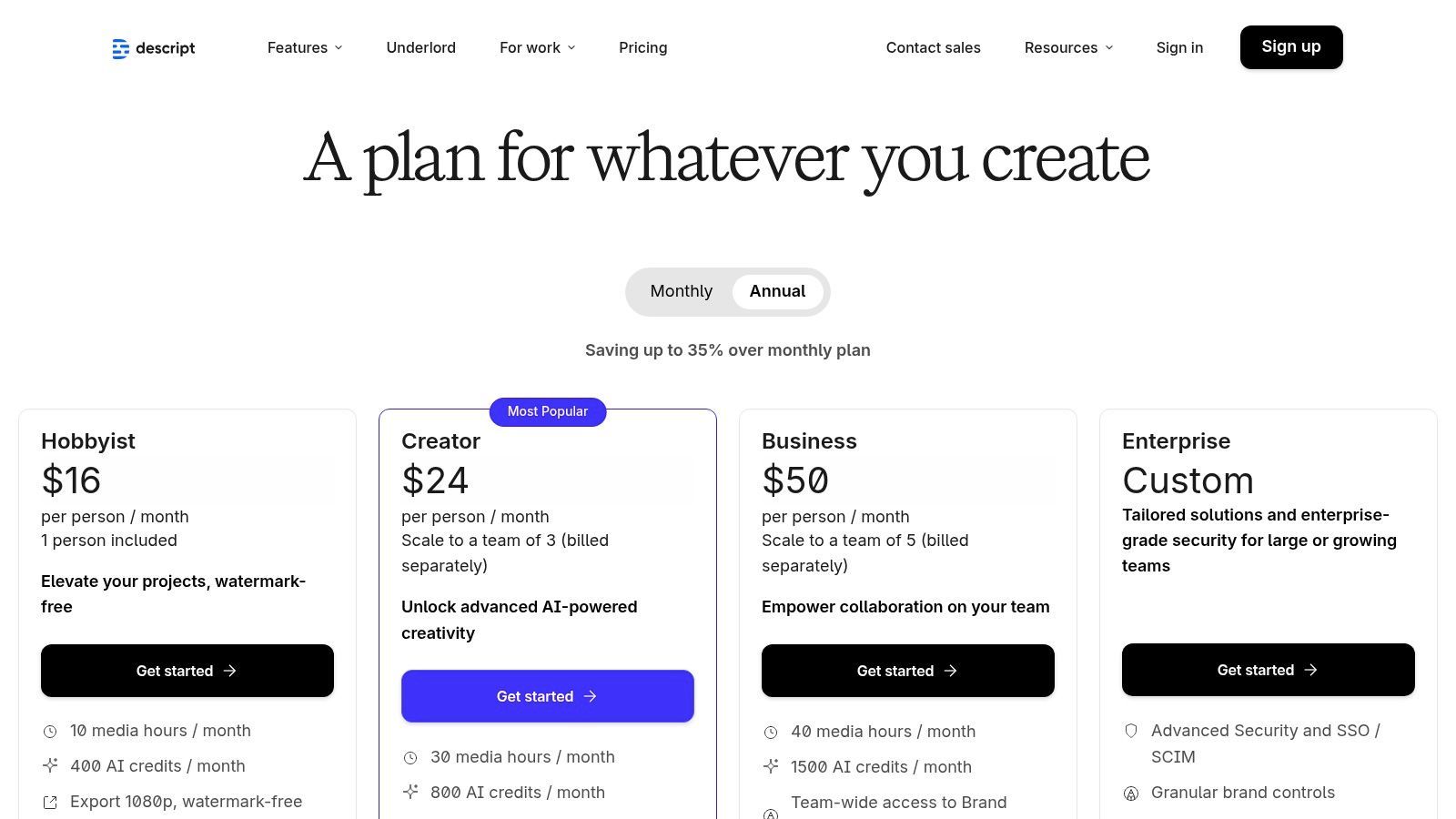
The platform is built on a powerful transcription engine. Given Descript's innovative approach, those interested in streamlining content creation may also find value in exploring other top speech-to-text applications, particularly for Windows. Beyond its core editing function, Descript offers standout AI features like Studio Sound, which removes background noise and echo to produce professional-grade audio with one click, and Overdub, which allows you to create an AI clone of your voice to correct misspoken words.
Key Features & User Experience
- Text-Based Video Editing: Edit your video by simply editing the auto-generated transcript. Deleting text or words removes the associated video and audio clips.
- Studio Sound: A one-click AI audio enhancement tool that isolates voices and dramatically improves clarity by removing noise and echo.
- Overdub Voice Cloning: Create a text-to-speech model of your own voice to generate new words or correct mistakes without re-recording.
- AI-Powered Filler Word Removal: Automatically detects and removes filler words like "um" and "uh" from your transcript and timeline with a single command.
| Feature Analysis | Assessment |
|---|---|
| Learning Curve | Low. The interface is more like a document editor than a traditional NLE, making it extremely easy for beginners to pick up. Mastering advanced features like Overdub takes some practice, but the core workflow is intuitive. |
| Collaboration | Strong. Projects are web-based, allowing for easy sharing via a link. Team members can leave comments directly on the transcript, and collaborative workspaces are available on higher-tier plans. |
| Pricing Model | Freemium and subscription. A free plan offers basic features, while paid plans (starting at $12/editor/month) unlock more transcription hours, advanced AI features like Overdub, and higher-quality video exports. |
| AI Implementation | Foundational. AI is not just an add-on; it is the core of the entire editing experience. The platform is built around AI transcription and audio processing, fundamentally changing the traditional editing workflow. |
| Ideal Use Case | Perfect for podcasters, YouTubers, educators, and corporate trainers whose content is primarily dialogue-driven. It excels at editing interviews, presentations, and tutorials quickly and efficiently. Not suited for cinematic editing. |
Website: https://www.descript.com/price
10. Microsoft Clipchamp
Microsoft Clipchamp is a user-friendly, web-based video editor that comes bundled with Windows 11 and is also integrated into Microsoft 365. Its strength lies in its simplicity and accessibility, making it an excellent starting point for users who need to create clean, quick videos without a steep learning curve. While not a powerhouse on par with professional NLEs, Clipchamp leverages AI to streamline common tasks, positioning it as a practical tool for simple marketing, social media content, and internal communications.
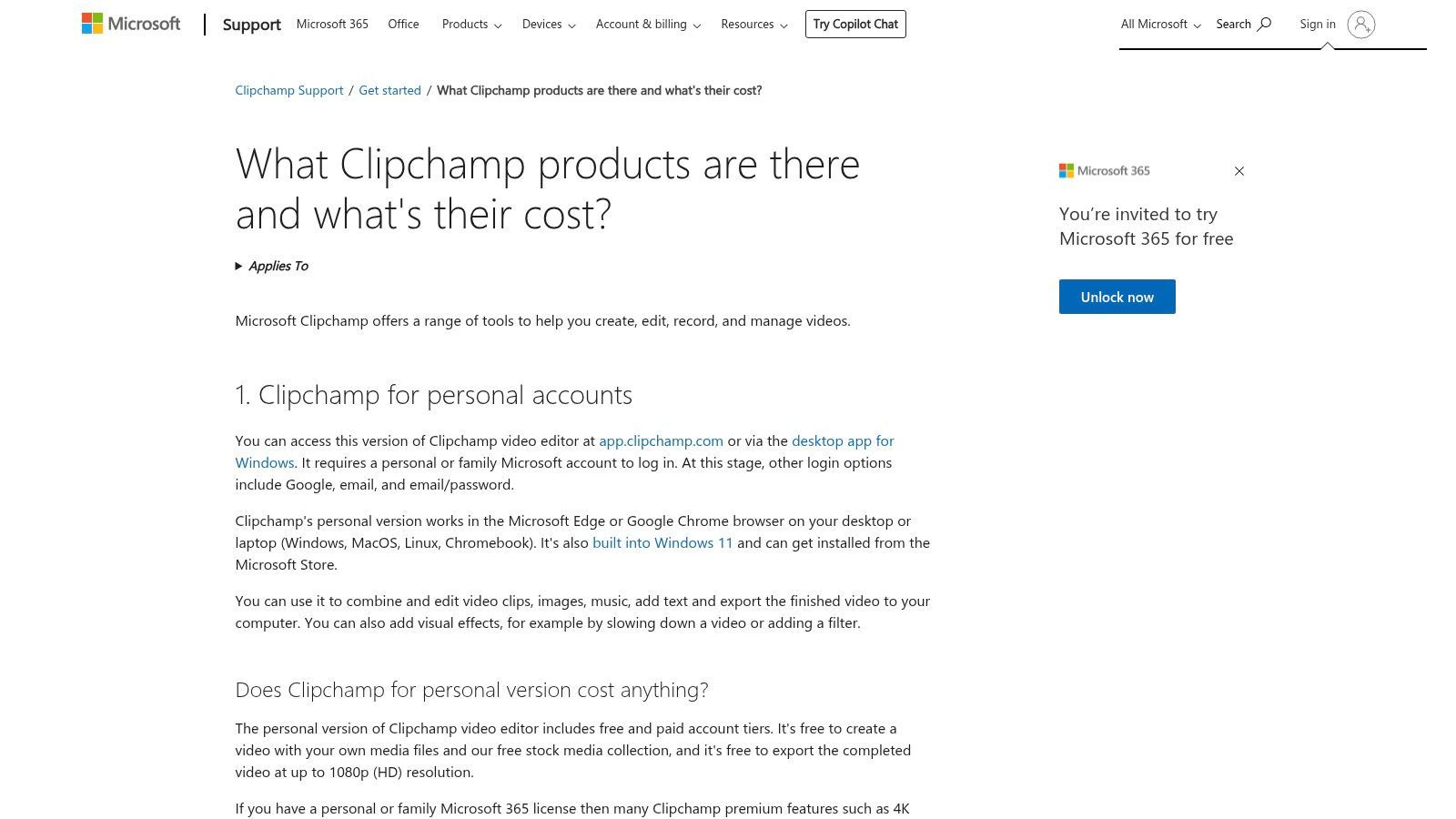
The platform's standout AI feature is its auto-captioning tool, which quickly generates and styles subtitles for videos, a crucial element for social media engagement. It also offers an AI-powered auto-compose feature that can assemble a video from your media, complete with music and transitions, providing a solid first draft in seconds. Combined with a template-driven workflow and brand kit capabilities in the premium version, Clipchamp is designed for speed and efficiency, especially for users already within the Microsoft ecosystem.
Key Features & User Experience
- AI Auto-Compose: Automatically creates a video draft from your uploaded clips and images, selecting highlights and adding background music.
- Auto-Captions: Generates editable subtitles for your video in various languages, helping improve accessibility and viewer retention.
- Text-to-Speech: Creates voiceovers from text in a variety of languages and voices, useful for narration without recording audio.
- Windows & Microsoft 365 Integration: Seamlessly works as a built-in Windows app and connects with OneDrive for easy media storage and access.
| Feature Analysis | Assessment |
|---|---|
| Learning Curve | Very low. Clipchamp is designed for beginners. Its drag-and-drop interface, templates, and straightforward tools make it one of the easiest editors to pick up and use immediately. |
| Collaboration | Limited. As a primarily single-user, consumer-focused tool, it lacks the advanced real-time collaboration and review features found in professional software. Sharing is done via file export. |
| Pricing Model | Freemium. A generous free plan offers unlimited 1080p exports. The Premium plan (part of Microsoft 365 or available separately) unlocks premium stock media, effects, brand kits, and 4K exports. |
| AI Implementation | Assistive. The AI is focused on automating foundational tasks like captioning and initial assembly. It helps users get started quickly but leaves most creative decisions and refinements to the user. |
| Ideal Use Case | Best for beginners, students, and small business owners on Windows needing to create simple, polished videos for social media, presentations, or personal projects. It's a great free alternative for quick, straightforward editing tasks. |
11. Kapwing
Kapwing positions itself as a fast, collaborative, and browser-based AI video editor designed specifically for modern creative teams and social media managers. It excels at streamlining the creation of short-form content, repurposing long-form videos, and enabling seamless team workflows without requiring any software installation. Its AI tools are built for speed and efficiency, making it a go-to platform for creators who need to produce high volumes of content quickly.
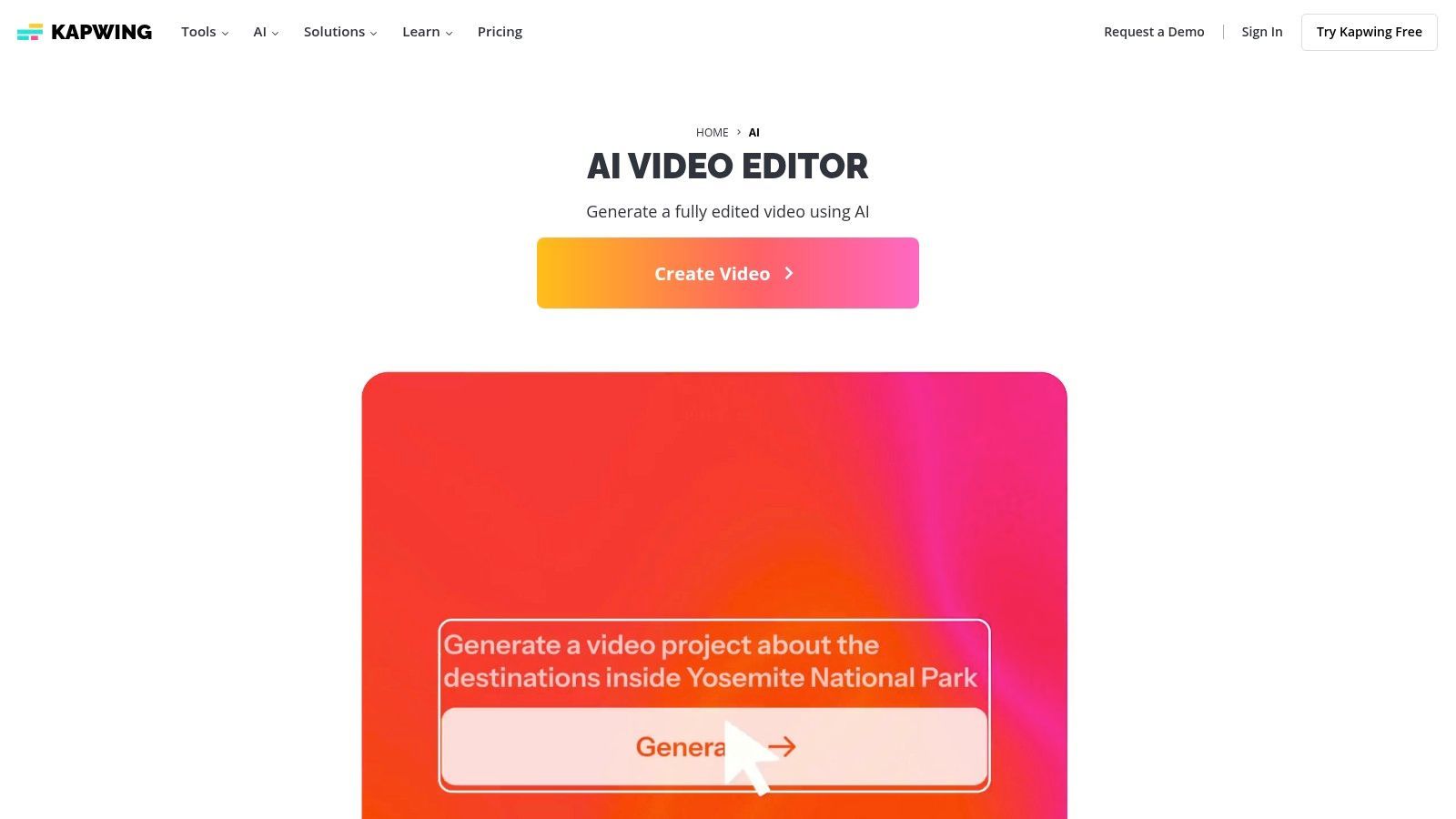
The platform’s strength lies in its all-in-one, template-driven environment. Users can leverage the AI clip maker to instantly generate viral shorts from longer videos, automatically generate and translate subtitles, or use text-to-speech with AI avatars. The standout benefit is its collaborative core; features like shared workspaces, brand kits, and real-time commenting make it incredibly effective for marketing teams managing multiple social channels. This focus on team-based creation helps it compete as one of the best AI video editing software options for organizations.
Key Features & User Experience
- AI Clip & Shorts Generator: Automatically finds engaging moments in long videos and formats them into ready-to-post short-form clips.
- Auto-Subtitles & Translation: Provides highly accurate AI-powered captions with options to translate into multiple languages with a single click.
- AI Audio & Visual Tools: Includes one-click audio cleanup, AI avatars, text-to-speech generation, and intelligent resizing for different aspect ratios.
- Team Collaboration: Offers shared workspaces, centralized brand kits with logos and colors, and collaborative review and editing features.
| Feature Analysis | Assessment |
|---|---|
| Learning Curve | Low. The interface is intuitive, template-driven, and designed for non-editors. Most users can create a professional-looking video within minutes of signing up, with minimal training required. |
| Collaboration | Excellent. Designed from the ground up for teams. Shared workspaces, brand assets, and commenting features make it ideal for marketing agencies and social media teams that need a unified workflow. |
| Pricing Model | Freemium with subscription tiers. A free plan is available with watermarks and limitations. Paid plans (starting at $16/month, billed annually) unlock premium features, remove watermarks, and provide AI credits for advanced tasks. |
| AI Implementation | Task-Oriented. AI is heavily integrated to automate specific, time-consuming tasks like clip creation, subtitling, and audio enhancement. The credit-based system for AI features means users on lower tiers need to manage their usage carefully. |
| Ideal Use Case | Best for social media managers, marketing teams, and content creators who need to quickly produce and repurpose short-form videos collaboratively. It is a powerful tool for those prioritizing speed and teamwork over the granular control of a traditional NLE. |
Website: https://www.kapwing.com/ai
12. Canva
Canva has evolved from a simple graphic design tool into an all-in-one visual communication suite, making it a surprisingly powerful contender for the best AI video editing software for non-editors. Its strength lies in accessibility and speed, integrating "Magic" AI features directly into a template-driven workflow. This makes it the perfect solution for marketing teams, social media managers, and small businesses needing to produce on-brand, professional-looking videos quickly without a steep learning curve.
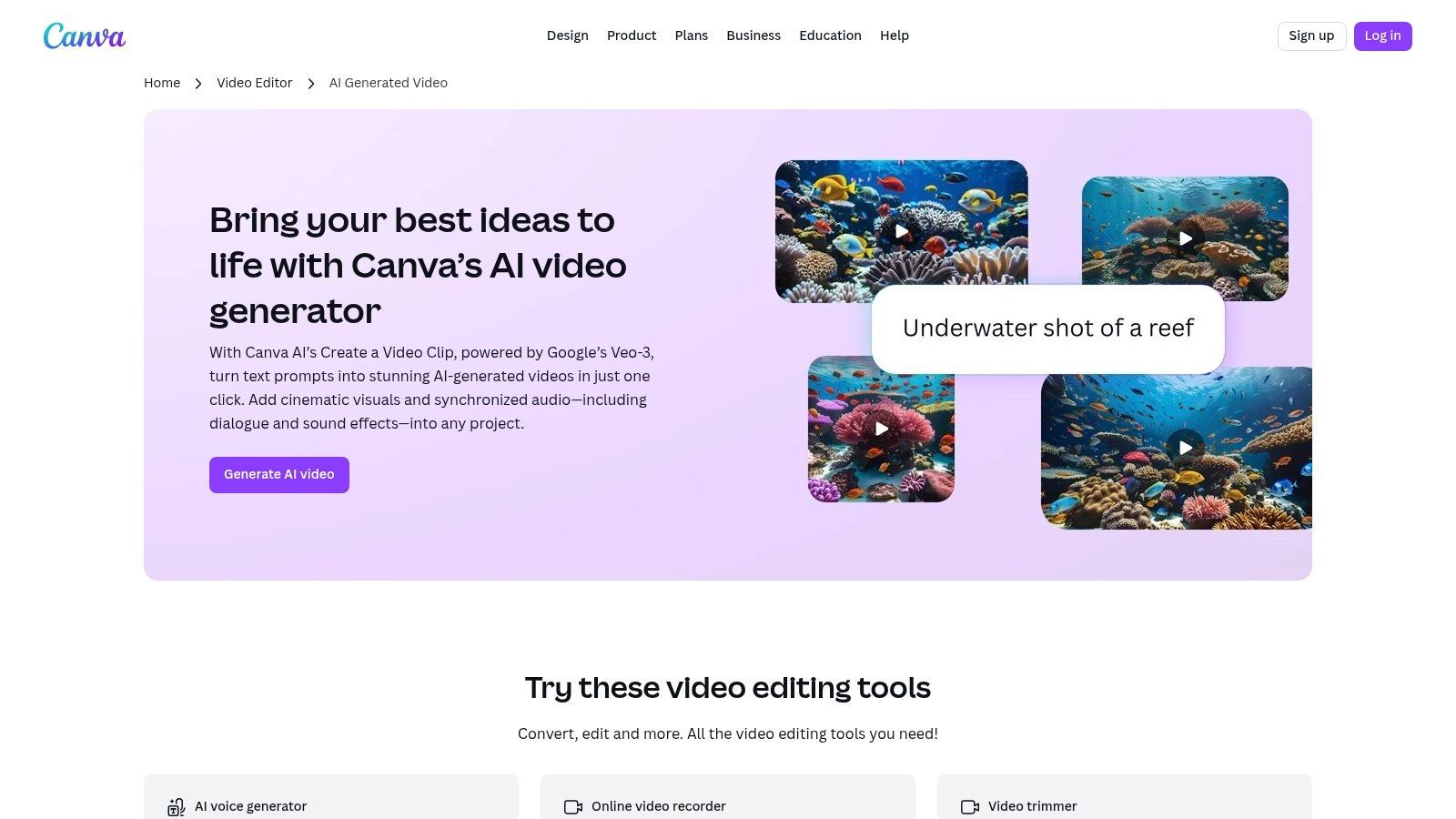
The platform’s Magic Studio suite introduces impressive AI capabilities, including text-to-video generation powered by Google's Veo-3, AI-driven avatars, and realistic text-to-speech voiceovers. Features like one-click background removal and Beat Sync, which automatically matches footage to a music track's rhythm, further streamline the creation process. The key differentiator is its seamless integration with Brand Kits and a massive library of templates and stock assets, ensuring every video remains consistent with brand guidelines.
Key Features & User Experience
- Magic Media: Generate short video clips from text prompts or create AI talking-head avatars for presentations and explainers.
- AI-Powered Editing Tools: Includes one-click background removal, automatic Beat Sync to music, and Magic Animate for creating fluid transitions.
- Massive Template & Asset Library: Access millions of video templates, stock footage, audio tracks, and graphics to accelerate content creation.
- Brand Kit Integration: Ensures all video content consistently uses your brand's logos, colors, and fonts for a professional look.
| Feature Analysis | Assessment |
|---|---|
| Learning Curve | Very Low. Canva's drag-and-drop interface is famously intuitive. Anyone can start creating high-quality videos within minutes, making it one of the most accessible tools on the market. |
| Collaboration | Excellent. Real-time collaboration allows teams to design, comment, and approve videos together. Brand Kits ensure consistency across all assets created by different team members. |
| Pricing Model | Freemium. A generous free plan is available. Canva Pro (from $14.99/month) and Canva for Teams plans unlock advanced AI features, premium assets, and Brand Kits. AI video generation is credit-based, with quotas on paid plans. |
| AI Implementation | Generative & Assistive. The AI focuses on both generating new assets (text-to-video, avatars) and simplifying the editing process (background removal, beat sync). It's designed to remove technical barriers and speed up production. |
| Ideal Use Case | Best for marketing teams, social media managers, and businesses that need to create a high volume of on-brand short-form videos for ads, social posts, and internal communications without dedicated video editing staff. |
Website: https://www.canva.com/features/ai-video-generator/
Top 12 AI Video Editors — Feature Comparison
| Product | Core features | UX & Quality | Value & Price | Target audience | Unique selling points |
|---|---|---|---|---|---|
| ShortGenius 🏆 | Script → image/video gen → lifelike voiceovers; fast trim, captions, resize & auto-schedule | ★★★★★ Fast, publish-ready | 💰 Plans on site / contact sales | 👥 Creators, teams, agencies scaling short‑form | ✨ Unified AI stack + presets + 1‑click multi‑channel scheduling |
| Adobe Premiere Pro | Pro NLE, AI captions/translation, text‑based edit, Adobe integrations | ★★★★☆ Industry standard, powerful | 💰 Subscription (Creative Cloud) | 👥 Professionals, studios, enterprise | ✨ Deep timeline tools & tight After Effects/Audition/Frame.io integration |
| Blackmagic DaVinci Resolve Studio | Editing, world‑class color, Fairlight audio, Fusion VFX, Neural Engine | ★★★★☆ Pro finishing & grading | 💰 Free tier; Studio one‑time ≈$295 | 👥 Colorists, post houses, finishing teams | ✨ Best‑in‑class color + one‑time Studio license |
| Final Cut Pro | Mac‑optimized NLE, AI captions, Magnetic Masking, Smart Conform | ★★★★☆ Extremely fast on macOS | 💰 One‑time Mac App Store purchase | 👥 macOS creators & small studios | ✨ Apple‑silicon speed & stability |
| CapCut | Social editor with templates, auto‑captions, BG remover, motion tracking | ★★★★☆ Fast, template‑driven | 💰 Free tier; CapCut Pro for assets | 👥 Short‑form creators, mobile users | ✨ Mobile‑first templates & direct social exports |
| Runway | Browser text/image→video gen (Gen‑4), AI editing & upscaling | ★★★☆☆ Innovative generative tools | 💰 Credit‑based; free tier | 👥 Creatives ideating generative B‑roll | ✨ Gen‑4 video in browser (no GPU needed) |
| Wondershare Filmora | Easy editor, AI Copilot, auto‑subtitles, large stock library | ★★★☆☆ Beginner‑friendly | 💰 Annual, perpetual & add‑ons | 👥 Beginners, SMEs, marketers | ✨ Simple UI + flexible purchase options |
| CyberLink PowerDirector | AI speech‑to‑text, background removal, talking avatars, stock/365 cloud | ★★★☆☆ Feature‑rich, busy UI | 💰 365 subscription or perpetual | 👥 Prosumer creators & YouTubers | ✨ Extensive AI tools + Getty stock integrations |
| Descript | Transcript‑first video/audio editing, Overdub, Studio Sound, screen record | ★★★★☆ Extremely fast for dialogue | 💰 Subscription; transcription caps | 👥 Podcasters, educators, talking‑head creators | ✨ Edit via transcript + high‑quality voice cloning |
| Microsoft Clipchamp | Web editor with templates, brand kits, AI captions & Windows integration | ★★★☆☆ Simple & accessible | 💰 Free + MS365 / premium tiers | 👥 Windows users, marketers | ✨ Bundled with Windows 11 & free 1080p exports |
| Kapwing | Browser AI clip maker, subtitles, TTS, avatars, team workspaces | ★★★★☆ Fast web workflows | 💰 Subscription with AI credits | 👥 Teams & social creators | ✨ Zero‑install collaboration & brand kits |
| Canva | All‑in‑one design + AI video (text→video), templates, brand kits, stock | ★★★★☆ Very low learning curve | 💰 Free + Pro/Teams (quotas) | 👥 Marketing teams, non‑designers | ✨ Massive templates, cross‑format design & brand consistency |
Choosing Your AI Co-Pilot: Which Tool is Right for You?
The landscape of video creation has been fundamentally reshaped, and the tools we've explored in this guide are at the forefront of this AI-powered revolution. We've navigated a wide spectrum of platforms, from the industrial-strength, AI-enhanced features embedded within professional NLEs like Adobe Premiere Pro and DaVinci Resolve to the agile, browser-based powerhouses like Kapwing and Runway. Each platform offers a unique proposition, a distinct vision for the future of video editing.
The central takeaway is this: the best AI video editing software isn't a one-size-fits-all title. Instead, it's a personalized answer that depends entirely on your specific goals, existing workflow, technical expertise, and ultimate content objectives. Choosing the right tool is less about finding the single "best" option and more about identifying the best co-pilot for your creative journey.
From Augmentation to Automation: Defining Your Needs
To navigate this choice effectively, you must first define your primary need. Are you looking to augment an established, professional editing process, or are you aiming to automate your content creation from the ground up? Your answer will significantly narrow down the contenders.
-
For the Professional Augmenter: If you are a seasoned editor working in ecosystems like Adobe Creative Cloud or Blackmagic Design, your best bet is to lean into the native AI tools. Features like Premiere Pro’s Text-Based Editing and DaVinci Resolve’s Neural Engine are designed to seamlessly integrate into your workflow, saving you hours on tedious tasks like transcription, color grading, and audio cleanup without forcing you to abandon your preferred NLE.
-
For the Rapid-Fire Social Creator: If your world revolves around TikTok, Instagram Reels, and YouTube Shorts, speed and accessibility are paramount. Tools like CapCut, Kapwing, and Descript are built for this reality. They prioritize quick turnarounds with features like auto-captioning, template-based editing, and one-click resizing, making them ideal for social media managers and solo creators who need to publish content daily.
-
For the All-in-One Content Engine Builder: This is where a new category of tools emerges. If your goal is not just to edit a single video but to build a sustainable, scalable content machine, a platform-based approach is necessary. For marketing teams, agencies, and brand builders, the challenge isn't just editing; it's the entire process from ideation and scripting to production, repurposing, and distribution.
The Power of a Unified Content Workflow
This brings us to a crucial consideration: workflow friction. Juggling multiple tools, a common practice for many creators, introduces inefficiencies. You might use one app for scripting, another for recording, a third for editing, a fourth for generating captions, and a fifth for scheduling. Each handoff between platforms is a potential point of failure, a time sink, and a barrier to creative flow.
This is the problem platforms like ShortGenius are engineered to solve. It moves beyond being just an "editor" and becomes a centralized content operating system. By integrating ideation, scriptwriting, asset generation, multi-format video creation, and cross-platform scheduling into a single, cohesive interface, it eliminates the context-switching that plagues modern content teams.
Your final decision should be a strategic one. Don't just chase the flashiest AI feature. Instead, map out your entire content creation process from start to finish. Identify your biggest bottlenecks and most time-consuming tasks. The right AI video editing software for you will be the one that directly addresses and resolves those specific pain points, transforming your creative potential into consistent, high-impact output.
Ready to stop juggling multiple apps and build a true AI-powered content engine? ShortGenius offers a unified platform that takes you from a single idea to a full library of short-form videos, complete with scripts, captions, and scheduled posts. Experience the future of content creation by visiting ShortGenius and discover how to automate your workflow today.