AI YouTube Shorts Generator Your Guide to Creating Viral Content

Discover how an AI YouTube Shorts generator can transform your content strategy. Learn to create high-quality, viral Shorts in minutes with our expert guide.
At its core, an AI YouTube Shorts generator is a tool that takes a simple text idea and spins it into a ready-to-post short video, handling everything from the script to the final polished product. It's the go-to solution for creators and brands who need to pump out high-quality Shorts at a serious scale, without getting bogged down in the usual time-sucking production process.
The Modern Content Creation Challenge

Let's be real: YouTube Shorts are a beast. They’ve become a massive force on social media, and the platform’s algorithm rewards one thing above all else—consistency. This creates a huge opportunity, but it also piles on the pressure. The need for fresh, engaging content never, ever stops.
And this isn't just a hunch; the numbers are mind-boggling. The hunger for short-form video is off the charts, with YouTube Shorts expected to pull in 200 billion daily views by June 2025. This explosion has fueled intense competition. Over 6.5 million creators are uploading Shorts every month, and many are posting 18-22 videos just to keep their heads above water in the feed. You can learn more about the rise of Shorts and its competitive landscape to grasp the full scale of it.
The Creator's Dilemma
This frantic pace leads directly to a problem I call the creator's dilemma. How can you possibly maintain a constant flow of top-notch content without burning out or losing your creative edge?
Even a single 30-second video can take hours to script, shoot, edit, and caption by hand. Now try doing that 20 times a month. It’s an overwhelming task for anyone, whether you’re a solo creator in your bedroom or a full-blown marketing team.
The traditional workflow just can't keep up. You end up stuck between a rock and a hard place, forced to choose:
- Quantity: You churn out videos as fast as you can, but the quality suffers, and your audience engagement drops.
- Quality: You spend days crafting the perfect video, but your competitors are already getting the algorithm’s attention with daily posts.
- Sanity: You try to do both, pushing yourself to the brink of exhaustion. That’s a one-way ticket to burnout.
An AI YouTube Shorts generator smashes this dilemma to pieces. It’s like a force multiplier for your creativity, automating all the tedious, repetitive work so you can zero in on what really matters: strategy, big ideas, and connecting with your audience.
Suddenly, you're not just running a content factory; you're the creative director. The AI takes care of the grunt work—generating a script, finding visuals, adding a voiceover, and popping in captions. This frees you up to move from tiresome execution to high-level thinking, letting you massively increase your output without sacrificing the quality your viewers expect. It's how you finally step off the content treadmill and start building a channel that lasts.
How an AI YouTube Shorts Generator Works
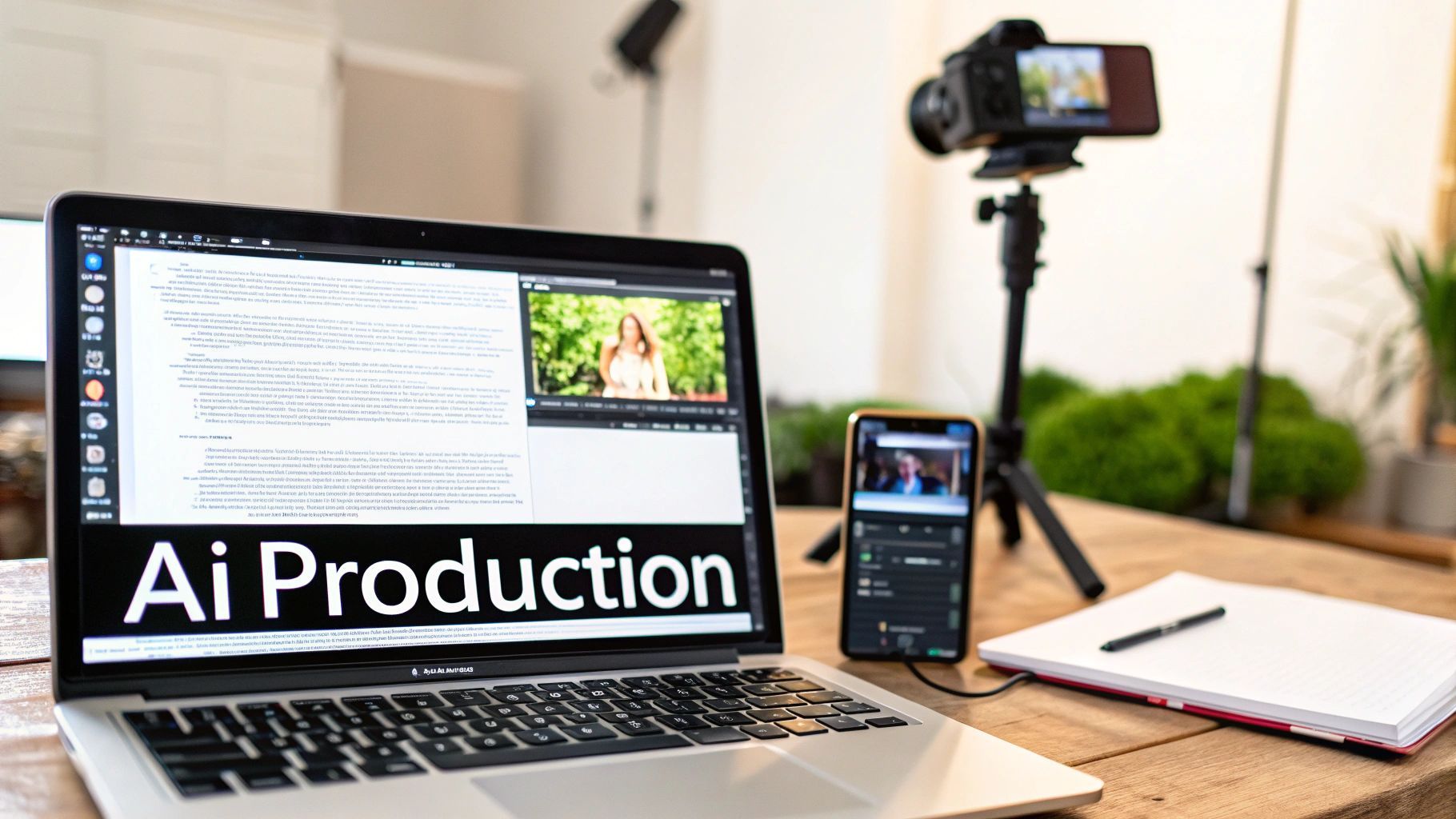 The best way to think about an AI YouTube Shorts generator is to picture a dedicated production studio that fits inside your browser. It’s not just one single piece of tech. Instead, it’s a smart system that pulls together several different AI engines into a single, seamless workflow, taking a simple text idea and turning it into a ready-to-post video.
Imagine a highly specialized assembly line for video. You drop off your raw idea at the start, and the AI takes it from there. It moves your concept through each key production stage automatically, with a different AI model handling each creative task.
This integrated approach is precisely what makes these tools so powerful. To really get a handle on the underlying technology, it’s worth exploring the broader concept of an AI Video Generator, as these capabilities are the bedrock upon which specialized Shorts creators are built.
The Core AI Components
The real magic happens behind the scenes, where different AI models work together. A quality generator like ShortGenius brings together the best of these technologies to handle every single step of the video creation process.
At its heart, the system relies on a few key components working in perfect harmony:
- Large Language Models (LLMs): This is your scriptwriter. You feed it a topic, and the LLM writes a tight, engaging script built for a short-form video. It knows how to structure a hook, deliver key points, and end with a solid call to action.
- Generative Visual AI: This is your art department and stock footage library, all in one. The visual AI reads the script and generates relevant, eye-catching video clips, images, or animations to match each scene.
- Text-to-Speech (TTS) Engines: This is your voiceover artist. Modern TTS engines can produce incredibly natural-sounding narration in different voices, accents, and languages, giving your script a professional delivery.
- Automated Editors: Think of this as your post-production crew. These algorithms take all the generated elements—visuals, voiceover, music—and assemble them. They sync everything perfectly and even add dynamic captions to boost engagement and accessibility.
What once took a whole team—a writer, a videographer, an editor, and a voice actor—is now handled by a single, intelligent platform. This completely changes the game, making high-volume video production a realistic goal for anyone, not just creators with huge budgets or deep technical skills.
The efficiency gains are undeniable, and it’s clear AI is reshaping the entire video production industry. Consider that 58% of YouTube ads are now either fully AI-generated or tweaked with AI editing tools. Campaigns using this approach have seen viewer engagement jump by as much as 45%. The system is built from the ground up to turn your ideas into broadcast-ready Shorts in a matter of minutes.
Traditional vs AI-Powered Shorts Creation
To truly appreciate the speed an AI generator brings to the table, let's compare the traditional video creation workflow with the AI-powered approach. The difference is staggering.
| Production Step | Traditional Method (Hours/Days) | AI Generator Method (Minutes) |
|---|---|---|
| Scriptwriting & Storyboarding | 2-4 hours | 1-2 minutes |
| Shooting or Sourcing B-Roll | 3-8 hours | 2-5 minutes |
| Voiceover Recording & Editing | 1-2 hours | 1 minute |
| Video Editing & Syncing | 4-6 hours | 2-3 minutes |
| Adding Captions & Graphics | 1-2 hours | 1 minute |
| Total Time | 11-22 hours (1-3 days) | 7-12 minutes |
As you can see, a process that used to take days of coordinated effort is now condensed into the length of a coffee break. This isn't just about saving time; it's about unlocking the ability to test more ideas, post more consistently, and scale your content strategy without burning out.
What Really Matters in an AI Shorts Generator
Let's be honest, the AI tool space is noisy. Everyone claims to be the best, and it's easy to get lost in the hype. When you're picking an AI YouTube Shorts generator, you need to cut through that noise and focus on what actually moves the needle for your channel: features that improve your workflow, boost your quality, and help you grow. A great tool isn't just about making videos faster; it's about giving you a complete creative studio in one place.
Think of it like having a professional film crew at your fingertips. You wouldn't want a director who can't talk to the writer or an editor who ignores the sound designer. In the same way, the best AI platforms bring every part of the video creation process together into a single, seamless workflow. It turns what used to be a choppy, multi-step process into a smooth production line.
That’s exactly what an end-to-end platform like ShortGenius is designed to do.
The dashboard above gives you a glimpse of what this looks like in practice. Everything you need—from the first idea to the final publish—is right there. You're not bouncing between different apps and tabs. This kind of integrated setup is the key to producing content at scale without burning out.
The Non-Negotiable Production Features
First things first, any tool you consider has to nail the basics. These are the core functions that form the engine of your content creation.
- From Text to Video, All in One Go: The tool should be able to take a simple text prompt and do the rest—write the script, find or create visuals that match, and sync it all up. This alone saves you from having to juggle a separate scriptwriter, video editor, and stock footage site.
- High-Quality AI Visuals: This is a big one. The generator needs to produce sharp, relevant, and interesting video clips and images. If the visuals look cheap or generic, your content will too. It's an instant red flag for a low-quality tool.
- AI Voices That Sound Human: Nothing screams "robot" like a flat, monotone voiceover. A top-tier tool will have a library of natural, expressive AI voices in different accents and languages. It's what gives your Shorts that professional touch.
- Automatic & Accurate Captions: So many people watch videos with the sound off. Your generator absolutely must create and burn in accurate, easy-to-read subtitles automatically. This is crucial for accessibility and keeping viewers engaged.
A truly great AI YouTube Shorts generator isn't just a list of features—it's a partner in your creative process. It takes care of the grunt work so you can focus on the stuff that matters, like a killer content strategy and building your community.
The Advanced Features That Build Your Brand
Once a tool has the fundamentals down, the advanced features are what set it apart. These are the things that help you go from just making videos to building a real, recognizable brand.
Look for a generator that includes a brand kit. This lets you upload your logos, fonts, and brand colors once, and the tool will automatically apply them to every single Short. It's brand consistency on autopilot. Another game-changer is multi-platform scheduling. Being able to plan and post your content directly to YouTube, TikTok, and Instagram from one dashboard saves a massive amount of time on admin tasks.
Creating Your First AI Short Step by Step
Alright, let's move from theory to actually making something. This is where your ideas really start to take shape. Using an AI YouTube Shorts generator like ShortGenius takes what used to be a complex, multi-day headache and boils it down to a few simple, repeatable steps.
I'll walk you through the entire process, from typing a single sentence to having a polished video ready to go live. The whole point is to make it intuitive. You bring the creative spark, and the AI does the heavy lifting, leaving you to focus on the fun part: refining the final product.
Step 1: Craft Your Perfect Prompt
Everything begins with the prompt. Think of it as the creative brief you'd give a human production team. A great prompt is specific, clear, and gives the AI all the context it needs to nail your vision on the first try.
So, instead of a vague idea like "make a video about productivity," you’d want to be much more detailed. Try something like this: "Create a 45-second YouTube Short about the '2-Minute Rule' for beating procrastination. The tone should be energetic and motivational, with a clear call to action to try the technique today." See the difference? That level of detail tells the AI the exact topic, tone, and goal right from the get-go.
Step 2: Generate the Script and Visuals
Once you hit 'generate,' the AI gets to work. First, a language model writes a tight, punchy script designed for short-form video, making sure it has a strong hook to grab viewers in the first three seconds.
At the same time, the system is analyzing that script, scene by scene. It then generates or pulls in high-quality video clips and images that match what's being said. In just a minute or two, you’ll have a complete first draft—fully assembled with visuals, a natural-sounding AI voiceover, and even synchronized background music.
This checklist gives you a good idea of the core features that make this script-to-video magic happen.
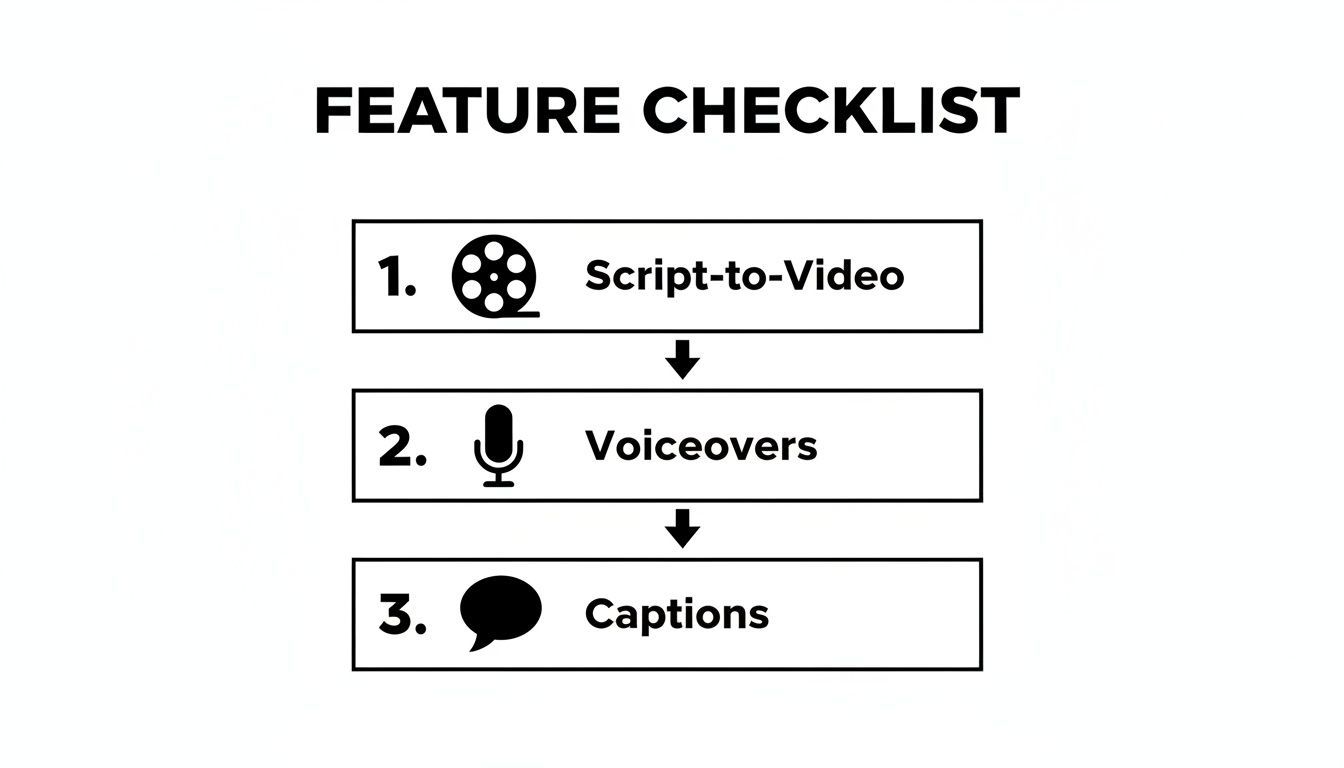
As you can see, a top-tier tool integrates all these key production elements into one smooth, automated workflow.
Step 3: Refine and Customize Your Video
The first draft is done, but now it's time to put your stamp on it. A good generator will give you a simple, intuitive editor to make changes. This is where you elevate the AI's output with your own creative instincts.
Here are a few common tweaks people make:
- Swapping Scenes: Don't love a particular clip? Just click to replace it with another AI-generated option, or better yet, upload your own footage.
- Adjusting the Voiceover: You can experiment with different AI voices or even fine-tune the pacing and emphasis of the narration to get it just right.
- Editing Captions: The AI generates captions automatically, but you can always tweak the wording, timing, or style for maximum impact.
This stage is about collaboration, not just automation. You're the director, guiding the AI to produce a final video that perfectly reflects your style and message.
Step 4: Apply Branding and Final Touches
Consistency is what builds a memorable channel, and this is where brand kits are a lifesaver. With a single click, you can apply your brand’s logo, custom fonts, and color scheme across the entire video. This ensures every Short you create has that cohesive, professional look that builds brand recognition.
This is also the perfect time to double-check that your captions are styled perfectly and are super easy to read on a phone. With over 70% of Shorts being watched on mobile, clear, bold text is absolutely non-negotiable for keeping viewers locked in.
Step 5: Schedule for Optimal Publishing
Your masterpiece is finished. The final step is getting it in front of your audience when they're most likely to see it. Instead of going through the manual grind of uploading and publishing, you can use built-in scheduling tools to plan out your content calendar.
You can set your Short to go live on YouTube during your audience's peak activity hours. Tools like ShortGenius even let you schedule the same video across other platforms like TikTok and Instagram, maximizing your reach with practically zero extra effort. It turns content creation from a chore into a simple, scalable system.
Strategies for Making Your AI Shorts Go Viral
Think of a great AI YouTube Shorts generator like a finely tuned race car. It’s got the power and speed, but you still need a skilled driver behind the wheel to cross the finish line first. Winning on YouTube Shorts isn’t just about making a ton of videos; it’s about making the right videos, fast.
The entire game is won or lost in the first three seconds. This is your moment to deploy a killer hook—a provocative question, a surprising statement, or a visual that makes someone stop mid-scroll. Your AI tool is your secret weapon here, letting you test a dozen different hooks for the same core idea until you find the one that absolutely lands.
Master Audience Retention
Once you've snagged their attention, you have to hold it. The YouTube Shorts algorithm is laser-focused on one thing above all else: audience retention. The longer you can keep people watching, the more YouTube will show your video to a wider audience.
Structure your Shorts with a tight, clean narrative that gets to the good stuff immediately. No rambling intros. Use your generator to make sure every second is packed with visual interest that reinforces your script. Cut out anything that doesn't serve the story.
It's impossible to overstate how much the algorithm rewards retention. We've seen that Shorts under 20 seconds with over 73% retention are often marked as 'popular' by the system, which is like getting a massive distribution boost. AI tools help you nail this by offering features like pre-made scroll-stoppers and quick trims, so you can engineer your videos for these crucial algorithmic signals. You can dive deeper into the latest algorithm trends on miraflow.ai.
Optimize for Discovery
A masterpiece that no one sees is just a file on your hard drive. Your titles, descriptions, and hashtags are what help people—and the algorithm—find your content. Put your main keywords right in the title and write a short description that gives context.
Here are a few practical tips to get more eyeballs on your work:
- Jump on Trending Audio: Let the AI generator handle your visuals, but add trending sounds directly in the YouTube app before you hit publish. This is a simple, powerful way to ride a wave of popularity.
- Use Smart Hashtags: Don't just spam tags. Use a mix of broad and specific ones. For example, 3-5 relevant tags like
#AI,#TechTips, or#ProductivityHacksare perfect for helping YouTube understand who to show your video to. - Create a Great Thumbnail: Shorts autoplay, but a good thumbnail still matters when people see it on your channel page or in their feed. Use your AI tool to pull a vibrant, clear frame that screams "click me!"
When you combine the raw speed of an AI generator with a smart understanding of what the algorithm actually wants, you create a powerful system. You can test ideas faster, double down on what works, and build a content engine that drives real growth.
Common Questions About AI Shorts Generators
It's completely normal to be excited but also a bit skeptical about AI-powered content creation. The whole idea of an AI YouTube Shorts generator can sound almost too good to be true, so let's clear up some of the most common questions people have.
Getting a handle on how these tools work, especially when it comes to things like making money and keeping creative control, is key. Think of this as the final check before you unlock a level of content production you probably didn't think was possible.
Can AI-Generated Shorts Be Monetized on YouTube?
Yes, they absolutely can. As long as your videos stick to the rules of the YouTube Partner Program and its community guidelines, you're good to go. YouTube doesn't care what tools you use to make your videos; it cares about originality, quality, and how much value you bring to viewers.
The magic word here is "transformative." You're not just grabbing stock clips and mashing them together. A good AI generator helps you build something new from the ground up with unique scripts, custom-generated scenes, and your own branding. At the end of the day, monetization is all about views and engagement, and AI-generated Shorts play on the exact same field as every other video.
How Do I Make My AI Videos Look Unique?
Great question. Nobody wants their channel to look like a carbon copy of someone else's. The best AI generators are designed for serious customization, giving you plenty of control to inject your own style into every single Short.
To make sure your content stands out, nail these three things:
- Write Specific Prompts: The more detailed and creative your prompt is, the more unique the video will be. Don't just say "a video about space." Try something like, "A fast-paced, awe-inspiring video about the discovery of exoplanets, with a sense of wonder."
- Get Hands-On in the Editor: Never just accept the first version the AI spits out. Jump in and swap scenes, fine-tune the pacing, and edit the captions until they sound exactly like you.
- Apply Your Brand Kit: This is your secret weapon. Applying your brand's specific logos, fonts, and colors is the fastest way to make every video instantly and unmistakably yours.
Pro-tip: A huge library of premium AI voices or a custom voice clone can give your channel a unique audio signature. People will know it's your video just by hearing it.
How Long Does It Take to Create a Short with AI?
This is where an AI YouTube Shorts generator really shines. If you've ever tried to make a Short the old-fashioned way, you know it can easily eat up an entire day. With an AI-powered workflow, that timeline shrinks from hours to minutes.
From a simple idea to a fully polished video with branding and captions, the whole process can take as little as 5 to 15 minutes. That includes writing the script, generating the scenes, adding a voiceover, and putting on the final touches. This kind of speed is what lets you post consistently—a huge factor in getting the YouTube algorithm to notice you.
Are These Tools Suitable for Businesses and Agencies?
Definitely. For professional use, AI Shorts generators are a game-changer. They offer a scale that's just not possible with a traditional production team. Marketing departments and agencies can crank out huge volumes of content for different clients or campaigns without needing a massive video budget.
Features like brand kits ensure every video stays perfectly on-brand, which is non-negotiable in the corporate world. The quick turnaround also means you can create and test new ad concepts or social media posts in a fraction of the time, making your marketing efforts much more agile and effective.
Ready to get off the content treadmill and start producing Shorts at a scale that actually moves the needle? ShortGenius is the all-in-one platform built to turn your ideas into high-quality videos in minutes. Start creating for free today at shortgenius.com.