ai video generator free: Best Free Tools of 2025

ai video generator free: Explore top free tools for 2025 to create videos from text, images, or scripts with honest reviews and quick comparisons.
The demand for high-quality video content is relentless, but the time, technical skill, and budget required for traditional video production can be a significant barrier. This is where AI video generators step in, offering a powerful solution for creators, marketers, and businesses to produce compelling visuals from simple text prompts, existing images, or even long-form articles. Whether you're a social media manager needing to scale short-form video production, an e-commerce brand creating product ads, or a solo creator looking to animate your ideas, these tools dramatically lower the entry barrier to video creation.
Finding a truly capable ai video generator free of charge can be challenging. Many platforms offer restrictive free trials or heavily watermarked exports, making it difficult to find a tool that genuinely fits your workflow without an immediate financial commitment. This guide cuts through the noise. We have meticulously researched and tested the top free and freemium AI video generators available today to help you find the perfect match for your specific needs. This article isn't just a list; it's a comprehensive resource designed to give you a clear, honest assessment of each tool's capabilities. Video is a core component of a modern creative strategy, and to understand the broader landscape of how artificial intelligence is transforming content, explore other powerful AI content creation tools that can complement your video efforts.
Inside this guide, you’ll find a detailed breakdown of 12 leading platforms, complete with screenshots and direct links. For each tool, we will cover:
- Key Features & Ideal Use-Cases: What it does best and who it's for.
- Free Plan Limitations: A transparent look at watermarks, usage credits, and export quality.
- Pros & Cons: A balanced view to help you make an informed decision.
- Quick Start Guide: Simple steps to get you creating your first video immediately.
1. ShortGenius (AI Video / AI Ad Generator)
Best For: E-commerce brands and performance marketers needing to rapidly produce high-quality short-form video ads at scale.
ShortGenius establishes itself as a premier ai video generator free choice by focusing intently on a critical niche: converting existing assets into compelling, conversion-focused short-form video ads. It moves beyond generic video creation, providing a sophisticated suite of tools engineered specifically to meet the demands of platforms like TikTok, Instagram Reels, and YouTube Shorts. This targeted approach makes it an invaluable asset for marketing teams and e-commerce brands who need to test numerous creative variations without extensive production overhead.
The platform's core strength lies in its intelligent "Repurposing Engine." Users can simply provide a product page URL, existing long-form video, or even just a set of product images. ShortGenius then analyzes these assets to automatically generate multiple video scripts, select relevant visual elements, and sync them with AI-generated voiceovers and trending audio. This process drastically reduces the time from creative concept to campaign launch.
Key Insight: ShortGenius excels at transforming static or underutilized marketing assets into a pipeline of dynamic, ready-to-publish short-form video ads. Its URL-to-video and text-to-video functionalities are among the most refined in the industry for commercial use cases, making it a powerful tool for A/B testing ad creatives.
Free Tier Capabilities
The free plan is designed as a functional entry point for testing the platform's core capabilities.
- Free Credits: Users receive a set number of free video generation credits upon signup.
- Video Exports: You can generate and export a limited number of videos per month.
- Watermark: Videos created on the free plan will include a ShortGenius watermark.
- Core AI Features: Access to the URL-to-video, text-to-video, and basic template library is included.
Why It Stands Out
ShortGenius distinguishes itself with a clear focus on performance marketing. While many AI video tools are general-purpose, ShortGenius is purpose-built to create content that drives clicks and conversions. Its AI scriptwriter is trained on high-performing ad copy, and its templates are based on proven social media ad formulas. The platform also includes features for brand consistency, allowing users to upload logos, color palettes, and fonts to ensure all generated content remains on-brand. This combination of speed, intelligence, and brand control makes it a standout professional tool in the crowded ai video generator free space.
Website: Visit ShortGenius
2. Runway
Runway stands out as a powerful, browser-based AI video suite, positioning itself as more of a creative studio than just a simple generator. It's particularly renowned for its cutting-edge video generation models, Gen-3 Alpha and Gen-4 Turbo, which excel at creating highly realistic and dynamic video clips from text or image prompts. The platform is designed for creators who need both high-quality AI generation and a robust set of post-production tools in one place.
Unlike many competitors that focus solely on one function, Runway integrates its AI magic tools directly into a multi-track video editor. This allows you to generate a clip, drop it into a timeline, add other elements, and refine your project without ever leaving the browser. This workflow-centric approach makes it an excellent ai video generator free option for those looking to experiment with more complex or artistic short-form content.
Free Plan & Key Features
The free plan is essentially a trial, providing a one-time allotment of 125 credits to test the core features. This is enough to generate about 25 seconds of video, giving you a solid feel for the model's capabilities.
- Initial Credits: 125 one-time credits (non-renewing).
- Video Generation: Access to Gen-3 Alpha and Gen-4 Turbo models.
- Editor Access: Full use of the browser-based video editor.
- Export Resolution: Up to 720p with a watermark.
- Storage: 5GB of asset storage.
Pros & Cons
| Pros | Cons |
|---|---|
| Industry-leading video models for high-quality, realistic output. | Credits are one-time, not a recurring monthly allowance. |
| Integrated editor combines generation and post-production. | Watermarks are present on all free plan video exports. |
| Clear credit system and straightforward upgrade paths. | Advanced features like lip-sync are behind the paywall. |
Ideal Use Case
Runway is perfect for creative professionals, filmmakers, and digital artists who want to push the boundaries of AI video. It's less for automated social media posts and more for crafting unique, visually striking clips for artistic projects, short films, or high-concept marketing campaigns. To explore its potential for creative storytelling, you can learn more about using Runway's advanced tools.
Website: https://runwayml.com
3. Pika
Pika has emerged as a dynamic, AI-native video generator focused on producing creative short clips with remarkable speed. It stands out by offering a user-friendly interface that feels more like an artistic tool than a complex software suite, making it highly accessible for creators who want to quickly turn ideas into visually compelling animations. The platform emphasizes a "try before you buy" approach with a generous free plan that encourages experimentation.
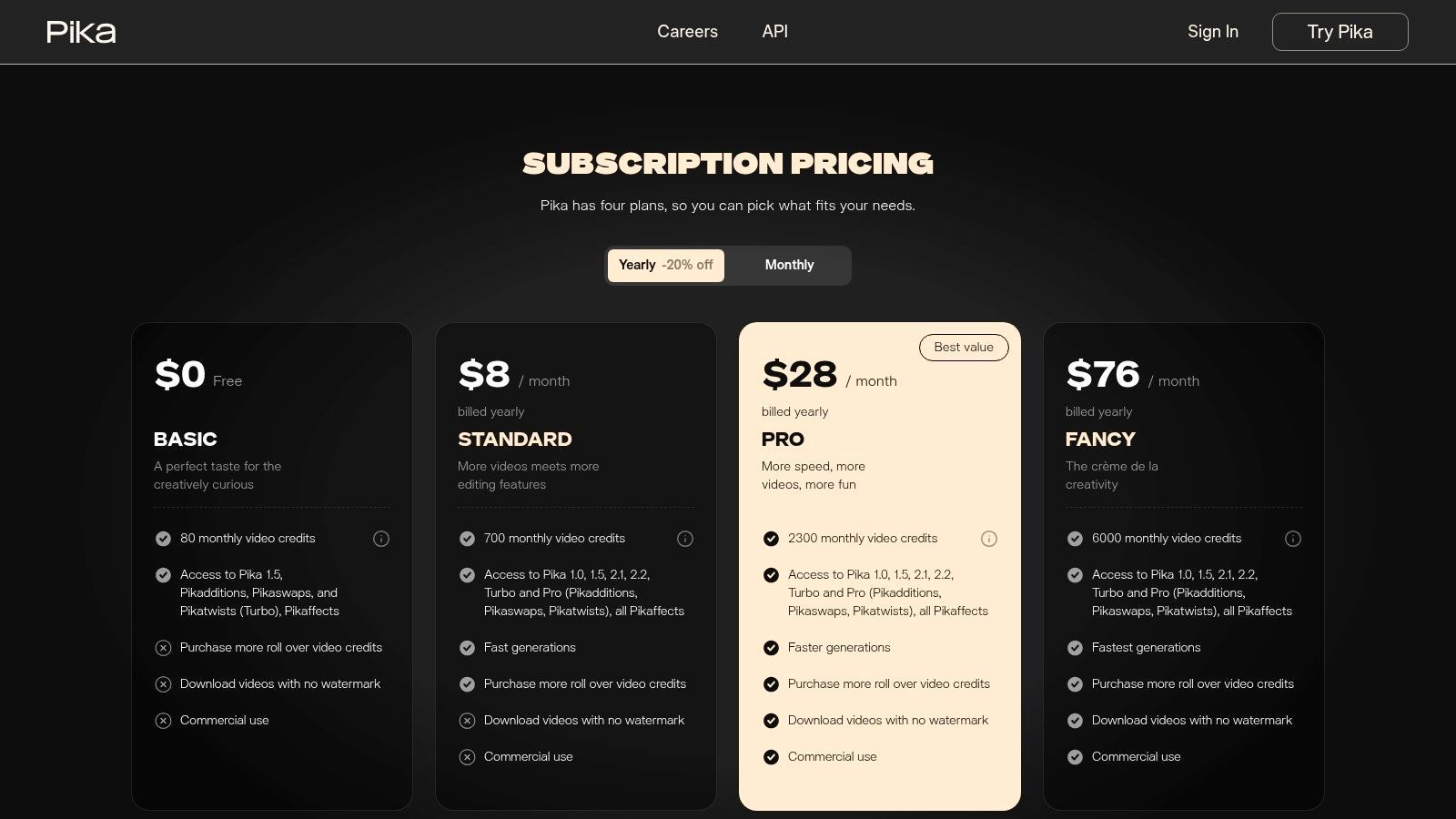
Unlike many services that heavily restrict their free offerings, Pika provides a solid starting point for anyone looking for an ai video generator free of initial costs and watermarks. Its credit-based system is tied to different generation models and features, allowing users to balance quality, speed, and cost effectively. The ability to download watermark-free creations on the free tier is a significant advantage for creators building a portfolio or testing content for social media.
Free Plan & Key Features
Pika's free plan is designed for consistent, light usage, offering a monthly credit renewal that keeps users coming back to try new features. The 30 credits are enough to create a handful of short, standard-definition clips each month.
- Initial Credits: 30 free credits upon signup (non-renewing).
- Monthly Credits: 30 free credits per month (renewing).
- Video Generation: Access to text-to-video and image-to-video models.
- Export Resolution: Standard definition (SD) exports.
- Watermark: No watermark on generated videos.
- Usage Rights: Non-commercial use on the free plan.
Pros & Cons
| Pros | Cons |
|---|---|
| Generous renewing credits for ongoing experimentation. | Free plan is for non-commercial use, requiring an upgrade for business. |
| No watermarks on videos created with the free plan. | Credit costs can be complex to calculate for different models and lengths. |
| Active development with frequent model and feature updates. | Higher resolution (HD) and advanced features are behind the paywall. |
Ideal Use Case
Pika is ideal for artists, hobbyists, and social media creators who need a tool for rapid creative exploration and producing unique animated visuals. Its straightforward workflow makes it perfect for generating eye-catching short clips, animated memes, or conceptual art without needing technical video editing skills. The watermark-free exports make it a great choice for personal projects and building a creative social media presence.
Website: https://pika.art
4. Kapwing
Kapwing positions itself as a collaborative online video editor supercharged with a growing suite of AI tools. It excels at bridging the gap between simple AI generation and comprehensive editing, making it ideal for users who need to create, refine, and finalize content within a single, accessible platform. Its AI assistant, 'Kai', can generate clips, find B-roll, and even structure multi-minute projects from a simple prompt.
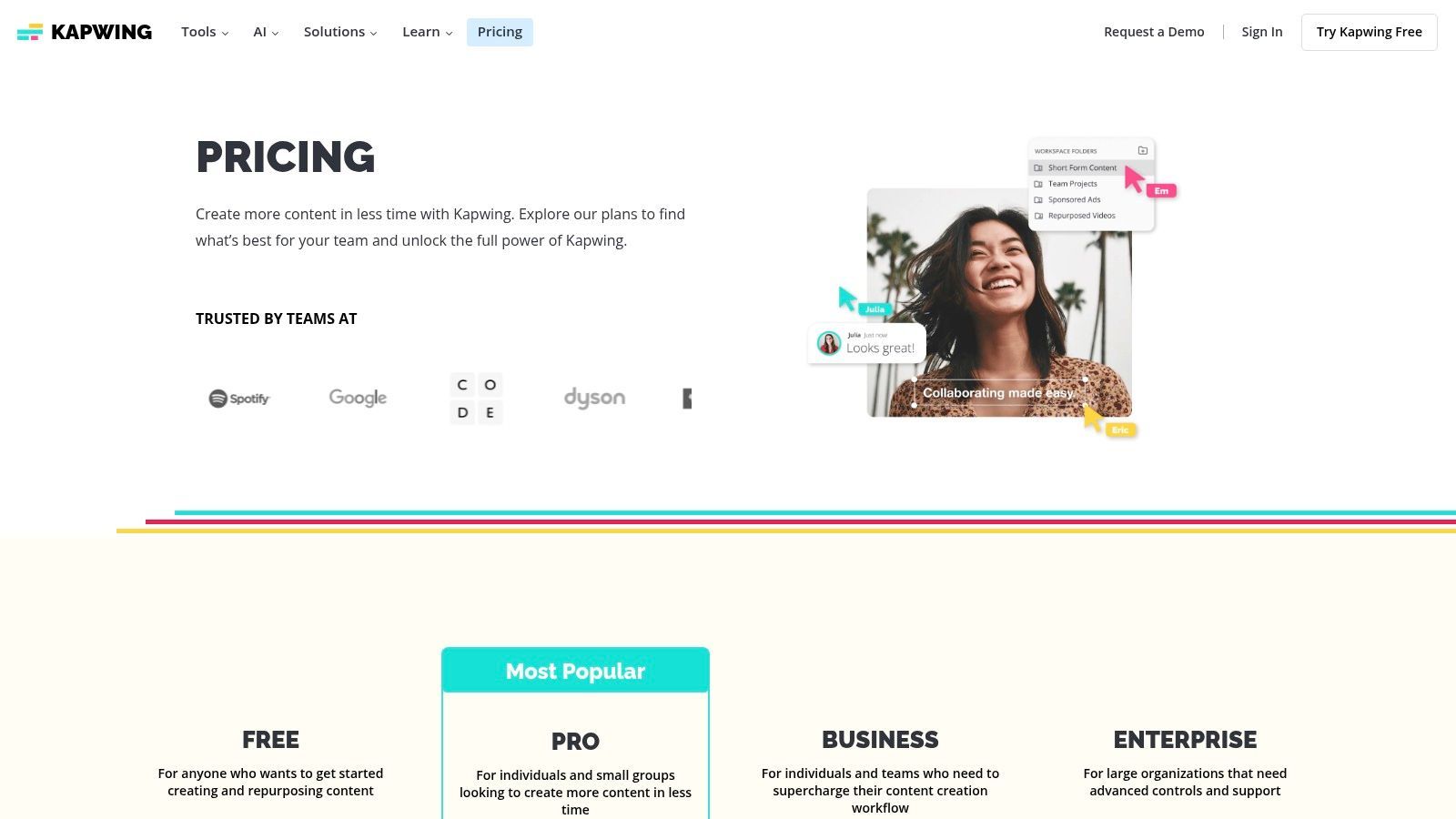
Unlike platforms focused solely on high-end generative models, Kapwing's strength lies in its practical, workflow-oriented features like auto-subtitling and template-based creation. This makes it a highly functional ai video generator free choice for social media managers and content creators who need to produce finished, polished videos quickly and efficiently, complete with text, transitions, and branding.
Free Plan & Key Features
Kapwing offers one of the most generous and genuinely usable free plans available. It allows for unlimited watermarked exports, making it perfect for testing workflows and creating content for personal projects.
- Exports: Unlimited exports with a watermark.
- Video Generation: Access to AI tools, including clip and script generation.
- Editor Access: Full access to the collaborative, browser-based editor.
- Export Resolution: Up to 720p resolution.
- Project Length: Videos up to 4 minutes long.
Pros & Cons
| Pros | Cons |
|---|---|
| Generous free plan is highly functional for testing. | Watermark is applied to all videos on the free plan. |
| Wide set of integrated editing tools and templates. | AI credits on paid plans can be consumed quickly with heavy use. |
| Real-time collaboration is built into the workflow. | The core AI model is less advanced than specialized generators. |
Ideal Use Case
Kapwing is best suited for social media managers, marketers, and solo creators who need an all-in-one tool for producing polished videos for platforms like TikTok, Instagram, and YouTube. Its collaborative features also make it great for small teams. For those looking to streamline their content creation pipeline, you can explore how Kapwing fits into an efficient workflow.
Website: https://www.kapwing.com/pricing
5. InVideo AI
InVideo AI excels as a workflow-driven tool designed for creating marketing and social media videos with maximum efficiency. It streamlines the entire process from a single text prompt, generating a script, selecting relevant stock footage (B-roll), adding a voiceover, and syncing background music. This makes it a top-tier ai video generator free option for users who prioritize speed and a cohesive first draft over granular, artistic control.
Unlike platforms focused on pure clip generation, InVideo AI functions more like an automated video production assistant. Once the initial draft is created, you can jump into its user-friendly web editor to tweak scenes, replace stock assets, and adjust the script. The platform's major advantage is its generous weekly reset on the free plan, allowing for consistent experimentation without needing to upgrade immediately.
Free Plan & Key Features
The free plan is designed for ongoing use, providing a weekly allowance of video generation minutes and exports. This makes it ideal for users who need to create content regularly but in small volumes.
- Weekly Allowance: 10 minutes of AI generation per week.
- Video Exports: 4 watermark-free exports per month.
- Storage: 10GB of cloud storage.
- Stock Library: Access to 1 million+ premium assets from iStock (with watermarks on free plan).
- Users: 1 user seat included.
Pros & Cons
| Pros | Cons |
|---|---|
| Weekly free plan reset allows for continuous, ongoing use. | Watermarks are applied to premium stock assets on free plan. |
| All-in-one workflow simplifies content creation for beginners. | Limited weekly minutes may be insufficient for heavy users. |
| Large stock library provides extensive B-roll options. | AI voiceovers can sound robotic compared to premium alternatives. |
Ideal Use Case
InVideo AI is perfect for marketers, social media managers, and small business owners who need to produce professional-looking promotional videos, listicles, or explainers quickly. Its script-to-video process is highly effective for content where the message is more important than unique, cinematic visuals, such as for YouTube Shorts, Instagram Reels, and educational content.
Website: https://invideo.io
6. Adobe Express / Firefly
Adobe Express brings the power of the trusted Adobe ecosystem into an accessible, browser-based creative suite. While known for graphics, its video capabilities are enhanced by the integration of Adobe Firefly's AI, making it a strong contender for users who need a mix of design and video tools. The platform excels at template-driven video creation while offering a taste of generative AI through its Firefly beta.
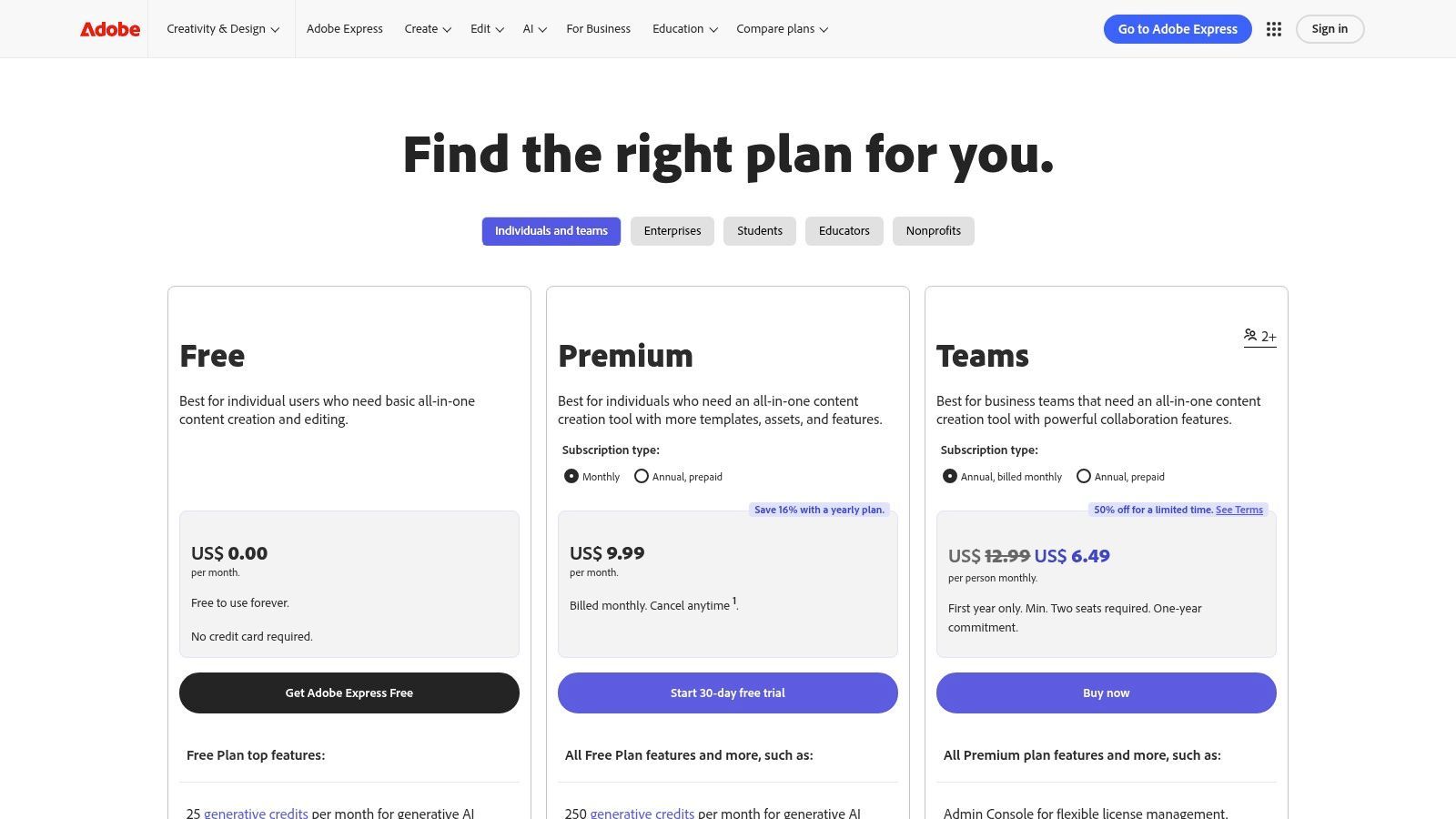
Unlike standalone generators, Adobe Express provides a holistic workflow where you can design graphics, animate text, and generate short video clips within a single project. This makes it an excellent ai video generator free option for social media managers and creators who need a unified tool for producing cohesive brand content, from Instagram Reels to YouTube Shorts, without switching between multiple applications.
Free Plan & Key Features
The free plan is generous, offering monthly credits and access to a wide range of design tools, making it highly sustainable for ongoing light use. The Firefly video generation is still in beta but accessible.
- Generative Credits: 25 monthly generative credits.
- Video Generation: Access to Firefly's 'Generate Video' beta (text-to-video and image-to-video).
- Templates & Assets: Thousands of free video templates and design assets.
- Core Editing Tools: Access to basic video editing, animation, and background removal.
- Storage: 5GB of cloud storage.
Pros & Cons
| Pros | Cons |
|---|---|
| Trusted brand with a robust, integrated ecosystem. | Video generation durations are short while the feature is in beta. |
| Excellent for mixed workflows that combine graphics and video. | Many advanced stock assets and features are behind the paywall. |
| Clear, recurring monthly credit system for ongoing use. | AI generation is less advanced than specialized video platforms. |
Ideal Use Case
Adobe Express is perfect for social media managers, marketers, and small business owners who already value the Adobe ecosystem and need an all-in-one tool for creating branded content. It's ideal for producing quick, template-based social videos, animated graphics, and experimenting with AI-generated clips that supplement a broader content strategy.
Website: https://www.adobe.com/express/one-plans
7. Microsoft Clipchamp
Microsoft Clipchamp integrates powerful, AI-driven features into a user-friendly video editor that feels both accessible and robust. Acquired by Microsoft and now integrated into Windows 11, it stands out by focusing on practical editing enhancements rather than generative video. Its strength lies in streamlining the post-production process with smart tools that automate tedious tasks like captioning and audio cleanup.
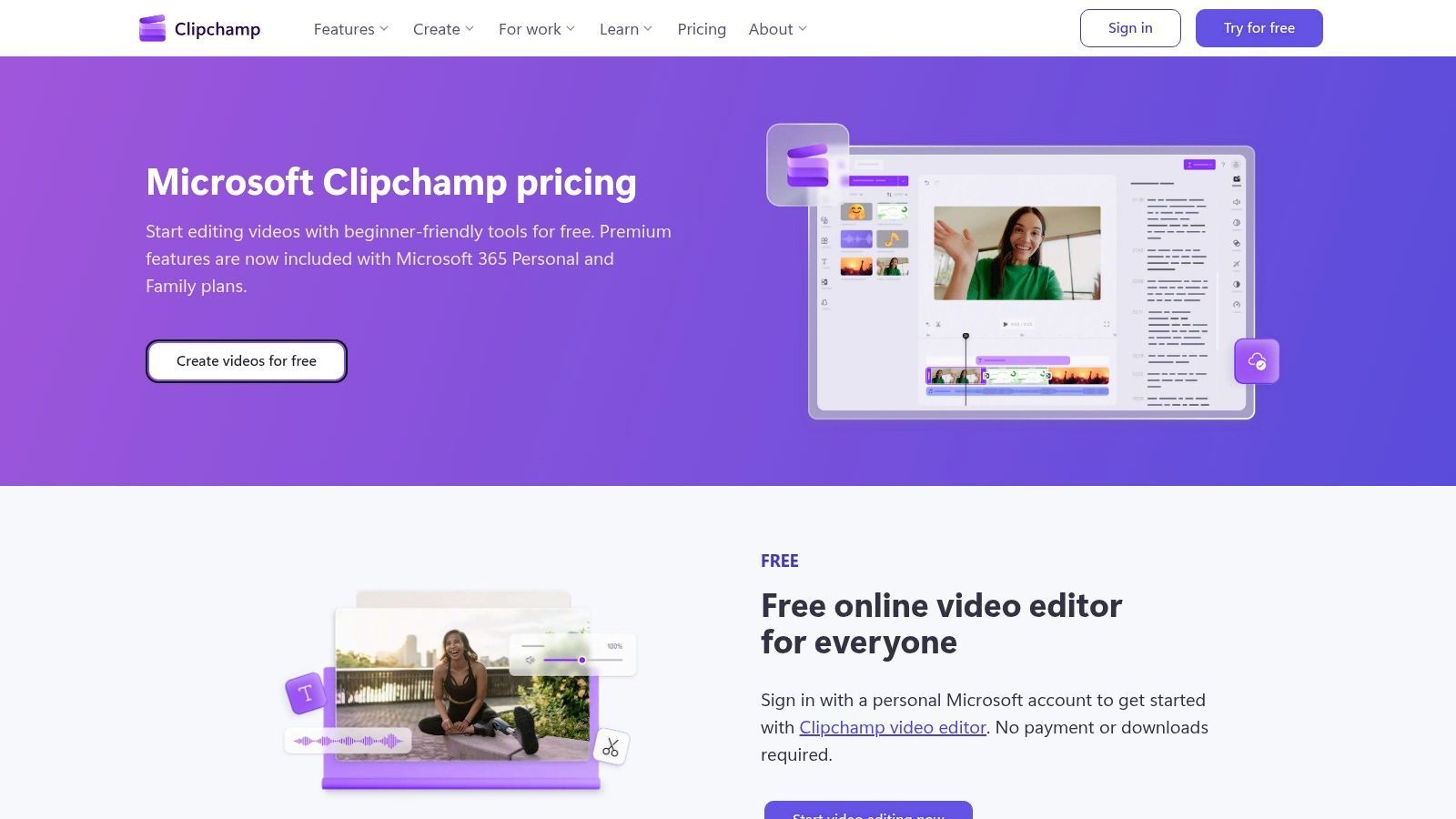
Unlike platforms centered on creating visuals from scratch, Clipchamp is designed to perfect existing footage. This makes it an exceptional ai video generator free choice for creators who need a polished final product for social media or presentations. The generous free plan, which includes watermark-free 1080p exports, makes it one of the most practical tools for everyday video editing tasks without an immediate financial commitment.
Free Plan & Key Features
Clipchamp’s free offering is one of the most generous available, providing core AI tools and high-quality exports without cost. Premium features are unlocked with a Microsoft 365 subscription.
- AI Auto-Compose: Helps structure your videos by analyzing your media and suggesting edits.
- Auto-Captions: Automatically generates and customizes subtitles for accessibility.
- Text-to-Speech: Creates voiceovers in various languages and voices from text input.
- Export Resolution: Unlimited watermark-free exports up to 1080p HD.
- Stock Assets: Access to a limited library of free stock audio, video, and graphics.
Pros & Cons
| Pros | Cons |
|---|---|
| No watermarks and 1080p exports on the free plan. | Lacks text-to-video or image-to-video generation features. |
| Excellent AI tools for captioning and text-to-speech. | Premium stock and 4K exports require a Microsoft 365 subscription. |
| User-friendly interface with a gentle learning curve. | AI features are assistive rather than purely generative. |
Ideal Use Case
Clipchamp is perfect for social media managers, educators, and small business owners who need to quickly edit and enhance existing video content. Its AI captioning and text-to-speech features are ideal for creating accessible and engaging videos for platforms like YouTube, Instagram, and TikTok without needing advanced editing skills.
Website: https://clipchamp.com/en/pricing/
8. Descript
Descript approaches video creation from a unique, text-first perspective, making it an incredibly powerful tool for anyone working with spoken-word content like podcasts, interviews, or tutorials. It transcribes your audio or video, allowing you to edit the final video simply by editing the text transcript. This novel workflow includes AI features like automatic filler-word removal ("um," "uh") and voice cloning, which can correct mistakes without re-recording.
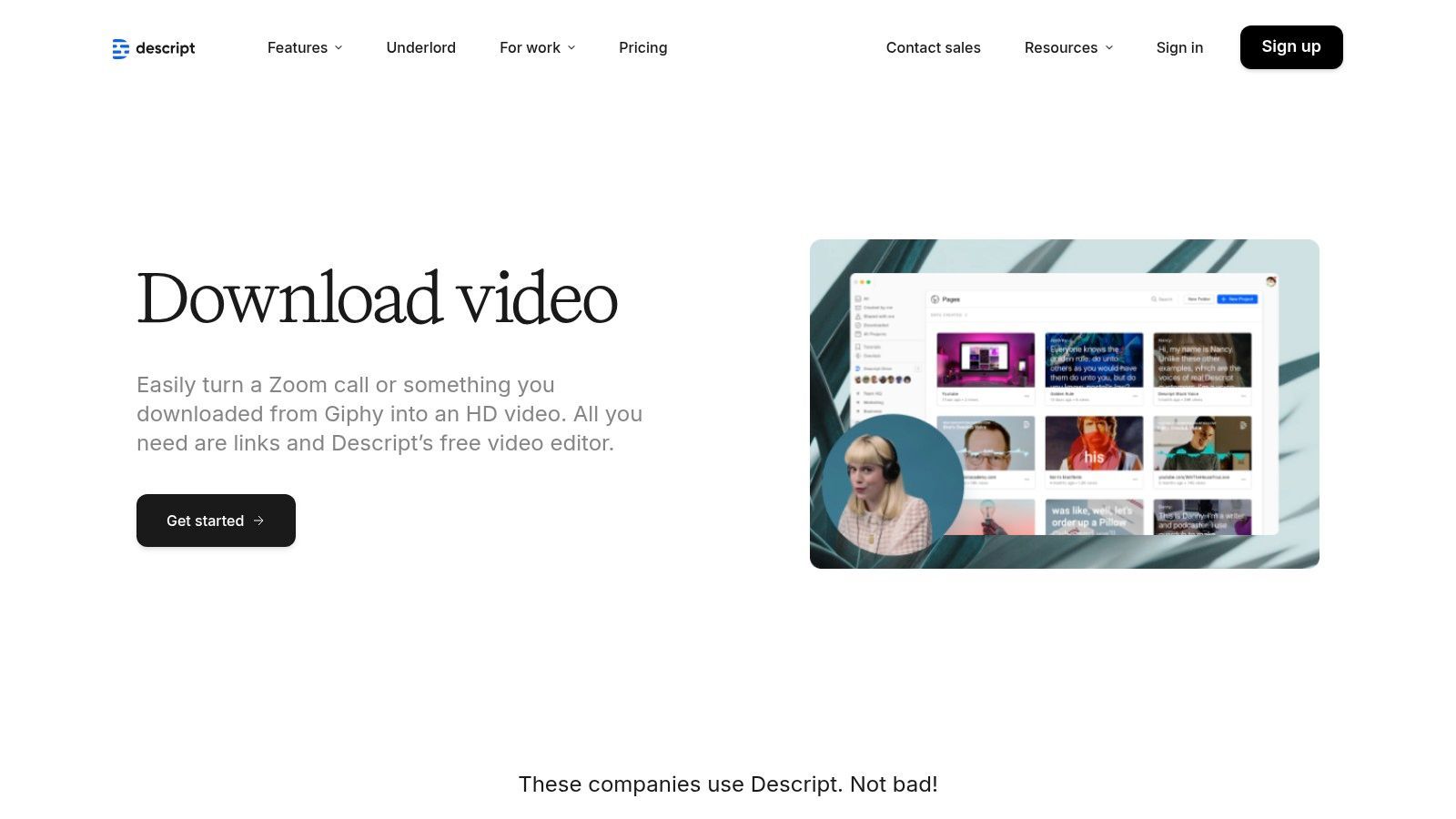
Unlike purely generative tools, Descript excels at refining existing recordings into polished, professional-grade videos. The platform's "Studio Sound" feature uses AI to eliminate background noise and echo, making low-quality audio sound like it was recorded in a studio. This makes it a standout ai video generator free option for creators who value high-quality audio and an efficient, script-based editing process.
Free Plan & Key Features
Descript's free plan is quite generous, offering recurring monthly credits and watermark-free exports, which is rare in this space. It's designed to give you a full taste of its core editing power.
- Transcription: 1 hour per month.
- Remote Recording: Up to 1 hour.
- Filler Word Removal: Limited to "um" and "uh" on the free plan.
- Export Resolution: 1 watermark-free export per month at up to 720p.
- AI Features: Includes limited access to Studio Sound and other AI tools.
Pros & Cons
| Pros | Cons |
|---|---|
| Intuitive text-based video editing streamlines the process. | Higher resolution (1080p/4K) exports are locked behind paid plans. |
| Powerful AI audio tools like Studio Sound and filler removal. | The workflow has a learning curve for those used to traditional editors. |
| Generous free plan with a watermark-free export each month. | Not a pure text-to-video generator; works best with existing footage. |
Ideal Use Case
Descript is the perfect tool for podcasters, educators, and content creators who want to repurpose audio or video recordings into polished visual content. It's ideal for creating video podcasts, online course materials, and interview clips where clear audio and precise editing are more important than flashy generative effects.
Website: https://www.descript.com/tools/download-video
9. VEED
VEED positions itself as a comprehensive online video editor supercharged with a practical suite of AI tools, making it a go-to for social media managers and content creators. Rather than focusing solely on generative video, its strength lies in enhancing existing workflows with AI-driven features like automatic subtitling, translation, and text-to-speech voiceovers. This makes it an all-in-one platform for editing, captioning, and formatting videos for various social channels.
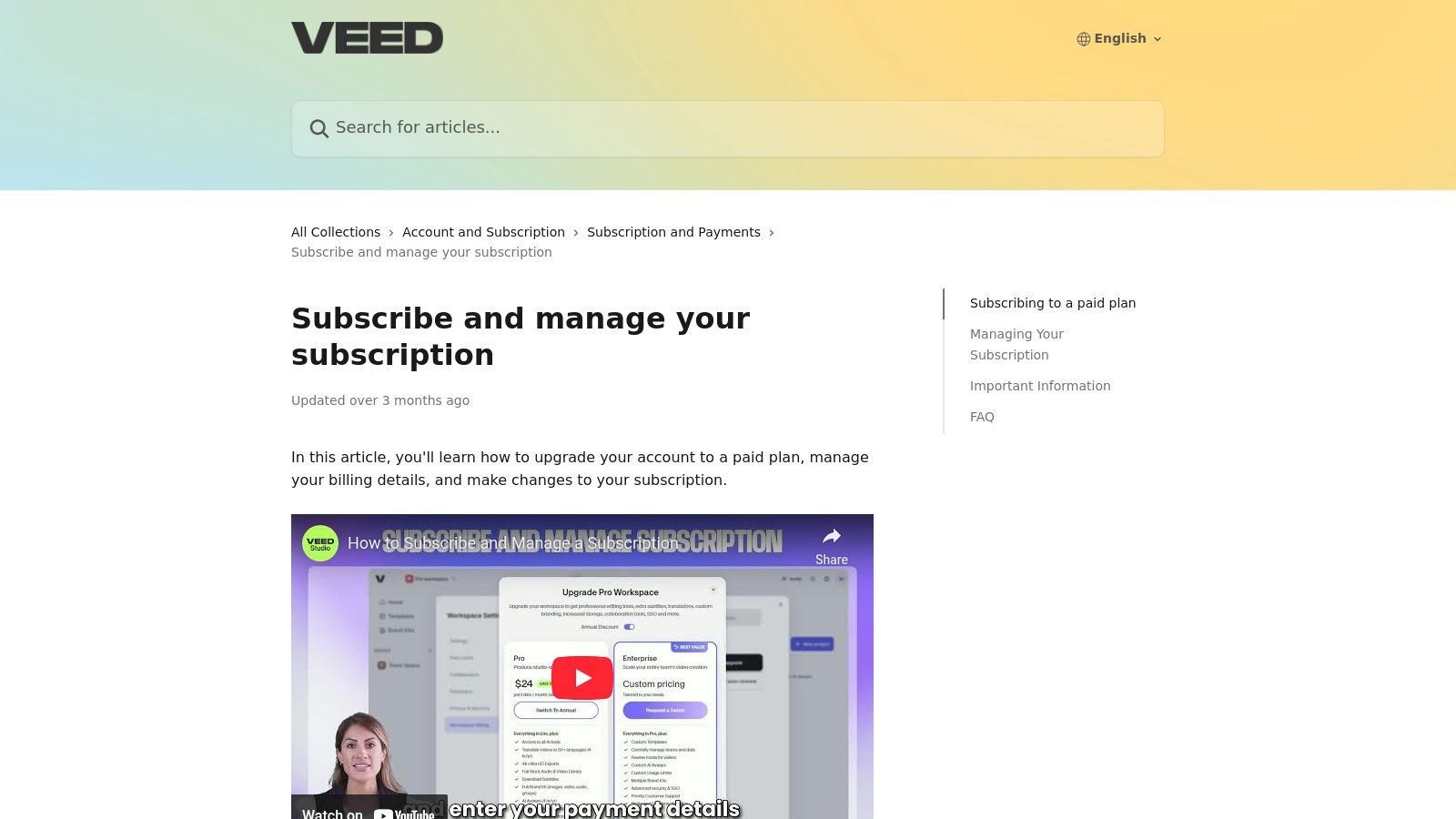
The platform is built around a user-friendly, template-driven editor that simplifies the creation process for marketers and teams. Its AI features are designed to save time on repetitive tasks, such as generating accurate subtitles or creating voiceovers in multiple languages. This approach makes VEED an excellent ai video generator free choice for those who need a robust editor with smart, time-saving enhancements rather than a pure text-to-video generator.
Free Plan & Key Features
VEED’s free plan is designed for light use and testing, allowing users to explore the core editing tools with some limitations. It provides a great way to see if the workflow fits your needs before committing to a paid plan.
- Video Exports: Up to 10 minutes per month.
- Export Resolution: 720p with a VEED watermark.
- AI Subtitles: 30 minutes of auto-subtitling per month.
- Storage: 2GB of asset storage.
- Templates & Stock Media: Limited access to the template and stock library.
Pros & Cons
| Pros | Cons |
|---|---|
| Excellent social formatting tools and auto-subtitling. | Free plan exports are watermarked and limited in resolution. |
| All-in-one editor reduces the need for multiple tools. | Some users report confusion over pricing and credits when upgrading. |
| Rich feature set for creators and marketers on paid tiers. | Core AI features like Avatars are locked behind a paywall. |
Ideal Use Case
VEED is perfect for social media managers, marketing teams, and solo content creators who need to quickly edit and repurpose video content for platforms like Instagram, TikTok, and YouTube. Its strength lies in streamlining the post-production process, especially for adding captions, resizing videos for different formats, and creating clean, professional-looking content without a steep learning curve.
Website: https://support.veed.io/en/articles/11433566-subscribe-and-manage-your-subscription
10. Canva (Magic Media)
Canva has evolved from a simple graphic design tool into a comprehensive creative suite, and its "Magic Media" feature brings AI video generation directly into its widely-used ecosystem. Rather than being a standalone generator, Canva integrates AI as a component within its powerful editor, allowing users to create video clips from text prompts and immediately incorporate them into larger projects like social media posts, presentations, or marketing videos. This makes it an incredibly efficient tool for users who already rely on Canva for their design workflow.
The platform’s strength lies in its all-in-one nature. You can generate an AI clip, add animated text, browse a massive stock library for B-roll, and apply your brand kit, all without switching tabs. This makes it an exceptional ai video generator free choice for creating branded content quickly and efficiently, especially for social media managers and marketers who need to maintain a consistent visual identity across all their assets.
Free Plan & Key Features
Canva’s free plan is generous and provides lifetime access to the core Magic Media tools, albeit with usage limits. It offers a great starting point to explore how AI generation fits within a broader design process.
- Usage Credits: 50 lifetime credits for text-to-video generation.
- Editor Access: Full access to Canva’s video editor, templates, and design tools.
- AI Tools: Includes Magic Design for automated template creation.
- Export Resolution: Up to 1080p with no watermark.
- Asset Library: Access to a large library of free photos, graphics, and video clips.
Pros & Cons
| Pros | Cons |
|---|---|
| All-in-one design and video platform for a seamless workflow. | AI generation credits on the free plan are limited and do not renew. |
| Excellent for quick, branded social content using templates. | Advanced AI features and brand kits are behind the Pro paywall. |
| No watermarks on video exports, even on the free plan. | AI video quality may not match dedicated, high-end generators. |
Ideal Use Case
Canva is perfect for social media managers, small business owners, and marketers who need to produce a high volume of visually consistent content quickly. It excels at creating short, engaging videos for platforms like Instagram Reels, TikTok, and Facebook, where the combination of AI-generated clips, templates, and branding elements provides a significant speed advantage. To see how it can enhance your marketing, you can explore tips for creating engaging content with Canva.
Website: https://www.canva.com
11. HeyGen
HeyGen specializes in creating professional AI avatar videos, making it an excellent tool for businesses and educators who need to produce presenter-style content like training modules, explainer videos, and marketing messages. Its core strength lies in its extensive library of stock avatars and realistic, multilingual voiceovers, allowing users to generate high-quality talking-head videos without a camera or microphone. The platform is built for speed and efficiency, streamlining the process of turning a script into a polished video presentation.
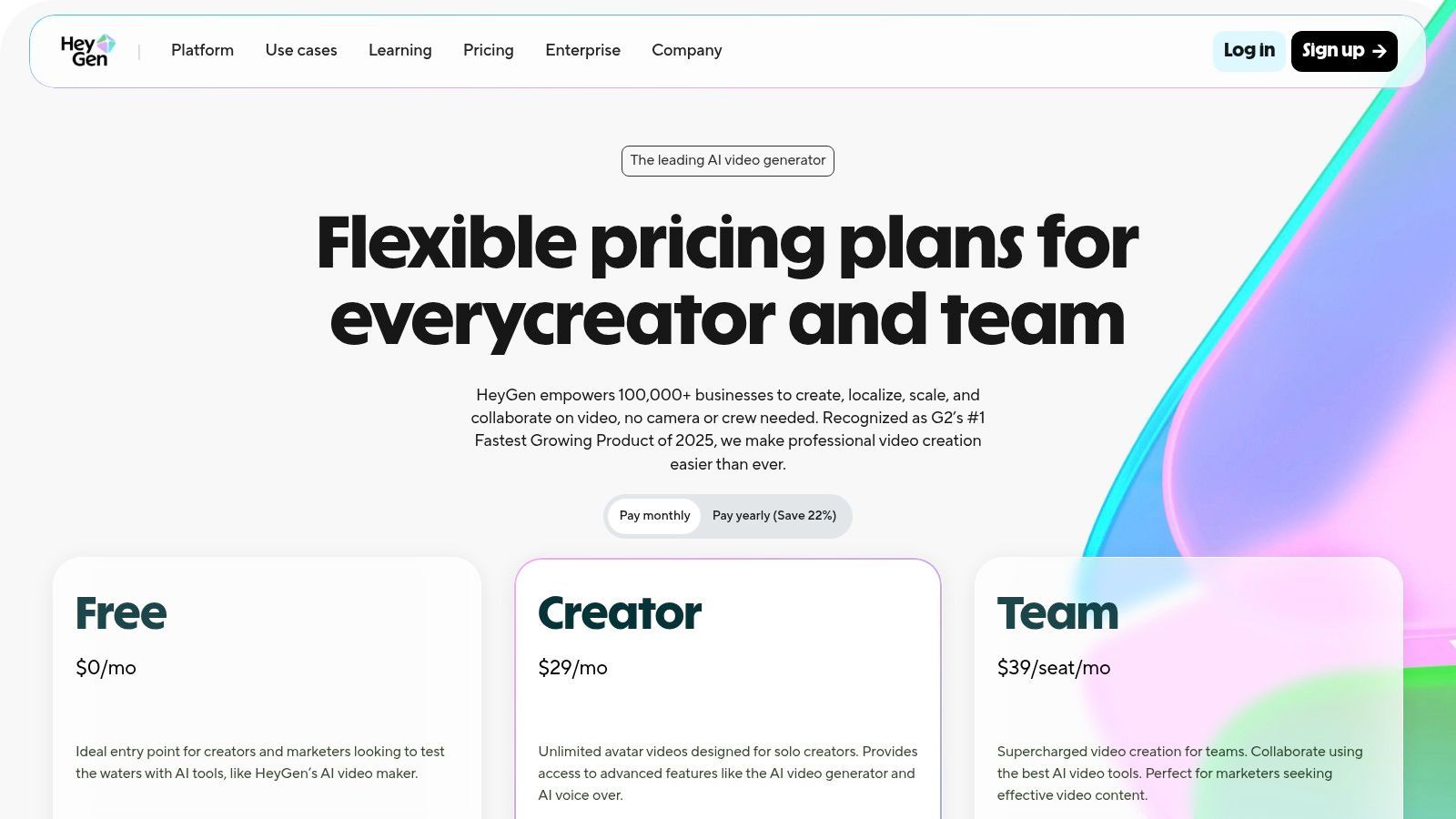
Unlike cinematic text-to-video tools, HeyGen focuses on a very specific and practical use case. This makes it an invaluable ai video generator free option for those who want to create spokesperson content quickly. The ability to localize videos with different voiceovers and accents is a major advantage for global teams, and the option to create a custom avatar (on paid plans) adds a layer of brand consistency.
Free Plan & Key Features
HeyGen's free plan provides a small monthly credit allowance, perfect for testing the platform's capabilities and creating a few short videos. It gives users a genuine feel for the avatar quality and workflow before committing to a paid subscription.
- Monthly Credits: 1 credit per month (1 credit = 1 minute of video).
- Video Avatars: Access to 500+ stock video avatars.
- Voiceovers: Includes 400+ voices.
- Export Resolution: Up to 720p with a watermark.
- API Access: Includes free credits for developers to test integrations.
Pros & Cons
| Pros | Cons |
|---|---|
| Quickly produces presenter-style videos without filming. | Free plan outputs are watermarked, requiring an upgrade. |
| Generous free plan lets users create real output before buying. | Best suited for talking-avatar formats, not cinematic generation. |
| Scales from individuals to teams and offers an API for integration. | 4K resolution is reserved for the highest-tier plan. |
Ideal Use Case
HeyGen is ideal for corporate trainers, marketers, and sales teams needing to create consistent and scalable video content. It excels at producing onboarding materials, product demonstrations, and personalized sales outreach videos. Anyone looking to put a human face on their digital communication without the logistical challenges of filming will find HeyGen to be a highly effective and efficient solution.
Website: https://www.heygen.com/pricing
12. Lumen5
Lumen5 is engineered for content marketers and social media teams who need to transform written content into engaging videos quickly. Its core strength lies in its article-to-video workflow, where it uses AI to analyze a blog post or script and automatically generate a video storyboard. This makes it an ideal tool for repurposing long-form content into shareable social media clips or marketing explainers without needing deep video editing skills.
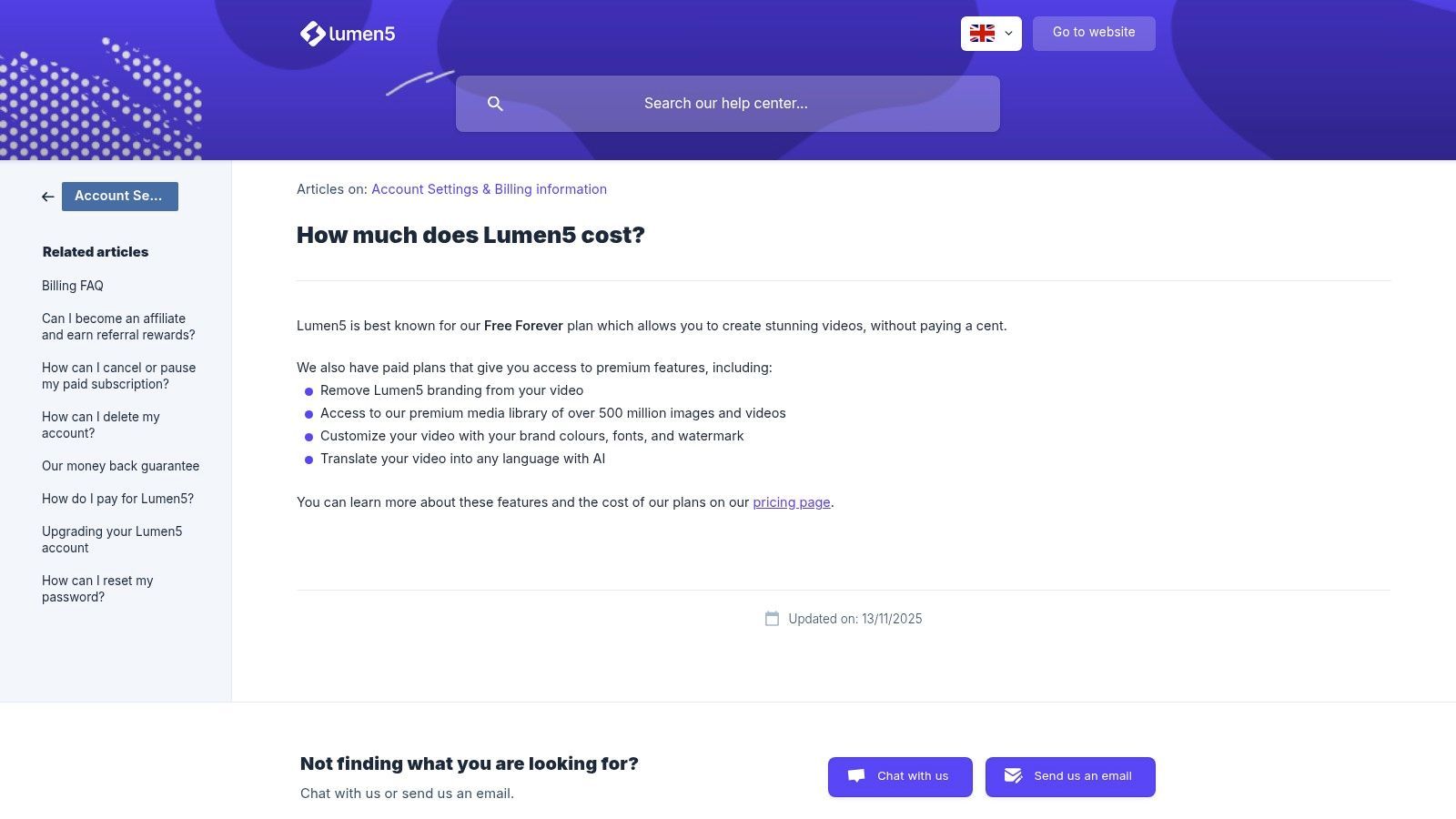
The platform focuses on efficiency and accessibility, offering a drag-and-drop editor that simplifies the process of matching visuals to text. While it doesn't generate video footage from prompts like other tools, its intelligent use of stock libraries and text overlays makes it a powerful ai video generator free choice for turning articles into compelling visual narratives. The focus is squarely on brand communication and content marketing automation.
Free Plan & Key Features
Lumen5 offers a "Community" plan that is free forever, making it a great entry point for individuals or small teams looking to experiment with blog-to-video content.
- Video Exports: Create up to 5 videos per month.
- Watermark: All videos exported on the free plan include a Lumen5 credit scene.
- Resolution: Exports are limited to 720p resolution.
- Article-to-Video: Full access to the AI-powered content-to-video workflow.
- Stock Library: Access to a limited selection of stock photos and videos.
Pros & Cons
| Pros | Cons |
|---|---|
| Excellent for repurposing content, especially blog posts. | Free plan videos include a mandatory Lumen5 outro. |
| Very intuitive interface that requires no editing experience. | Limited creative control compared to traditional video editors. |
| "Free Forever" plan is great for consistent, low-volume needs. | Key features like branded templates are behind a paywall. |
Ideal Use Case
Lumen5 is best suited for marketing teams, bloggers, and corporate communicators who want to increase the reach of their written content. It's perfect for creating quick, informative social media videos, article summaries, and internal communication updates. Its streamlined workflow makes it a go-to for anyone focused on content velocity over complex cinematic production.
Website: https://lumen5.com/pricing/
Top 12 Free AI Video Generators Comparison
| Product | Core features | UX / Quality (★) | Value & Pricing (💰) | Target Audience (👥) | Unique / USP (✨) |
|---|---|---|---|---|---|
| ShortGenius (AI Video / AI Ad Generator) 🏆 | End-to-end: script, scene & thumbnail gen, natural voice, editor, auto-scheduling, API | ★★★★☆ fast, polished | 💰 Contact sales / tiered team & API plans | 👥 Influencers, agencies, e‑comm, social teams | ✨ Preset library, series auto-schedule, unified ads & brand kit |
| Runway | Gen‑4 Turbo image→video, web editor, credits, lip‑sync | ★★★★ strong models | 💰 Free one‑time credits → paid credit packs | 👥 Creators, VFX artists, pros | ✨ Leading image→video models, advanced post‑edit tools |
| Pika | Multiple gen models, monthly free credits, effects, multi‑ratio | ★★★★ fast renders | 💰 Generous free credits; pay per extra credits | 👥 Experimenters, short‑form creators | ✨ No‑watermark free downloads; special effects (Pikaswaps) |
| Kapwing | AI assistant "Kai", auto‑subtitles, collaboration, templates | ★★★★ usable & collaborative | 💰 Free (watermarked) → Pro with AI credits | 👥 Social teams, educators, small creators | ✨ Real‑time collab + multi‑minute AI workflows |
| InVideo AI | Script→video, B‑roll, voiceover, large stock, weekly free reset | ★★★ simple marketing UI | 💰 Free weekly resets (watermarked) → paid tiers | 👥 Marketers, social creators | ✨ Weekly free testing, template‑led marketing flows |
| Adobe Express / Firefly | Templates, brand kits, Firefly gen video beta, CC integration | ★★★★ trusted ecosystem | 💰 Free (25 gen credits) → Premium for more | 👥 Designers, agencies, creatives | ✨ Seamless Creative Cloud & cross‑app workflows |
| Microsoft Clipchamp | AI captions, TTS, silence removal, 1080p free exports | ★★★★ easy & reliable | 💰 Strong free (1080p, no watermark) → 4K via M365 | 👥 Windows users, SMEs, social editors | ✨ No‑watermark 1080p free + OneDrive integration |
| Descript | Text‑based editing, overdub/voice clone, filler removal, Studio Sound | ★★★★ precise editing | 💰 Free 720p + media minutes/credits → paid for 4K | 👥 Podcasters, editors, creators | ✨ Text‑first editing + high‑quality overdub voices |
| VEED | Text‑to‑video, avatars, subtitles, team workspaces | ★★★ quick & accessible | 💰 Free (watermarked) → paid to remove/wider features | 👥 Marketers, content teams | ✨ Avatars, translation & social resize tools |
| Canva (Magic Media) | Magic Media video/image gen, templates, scheduling, brand kits | ★★★★ all‑in‑one design | 💰 Free → Pro/Business for more AI & assets | 👥 Broad creators, teams, SMEs | ✨ Massive template library + publishing workflow |
| HeyGen | 500+ avatars, multilingual voiceovers, custom avatars, API | ★★★★ presenter‑style | 💰 Free limited 720p → paid for no watermark/4K | 👥 Training, localization, explainer creators | ✨ Fast presenter videos with many stock avatars |
| Lumen5 | Article/script→video, drag‑drop editor, branded templates | ★★★ easy blog→video | 💰 Free‑forever (branding) → Pro for branding/stock | 👥 Marketing teams, content marketers | ✨ Optimized for turning articles/blogs into videos |
Making Your Choice: How to Pick the Right Free AI Video Generator
Navigating the landscape of free AI video generators can feel overwhelming, but it’s an incredibly exciting time for content creators. We've explored a dozen powerful platforms, from the cinematic text-to-video capabilities of Runway and Pika to the all-in-one editing suites of Kapwing and VEED. Each tool offers a unique gateway into the world of automated video creation, proving you no longer need a Hollywood budget or a dedicated production team to produce engaging, professional-quality content.
The key takeaway is that the “best” ai video generator free option is entirely dependent on your specific project and workflow. There is no one-size-fits-all solution. Your ideal tool is the one that best aligns with your goals, technical comfort level, and the type of content you aim to produce.
A Quick Recap: Matching the Tool to the Task
To simplify your decision, let's distill the choices down to their core strengths based on common creative needs:
- For pure text-to-video experimentation and artistic visuals: Start with Runway or Pika. These are at the forefront of generative AI, perfect for creating stunning, short, conceptual clips from simple prompts.
- For social media content and quick, template-based videos: Canva, InVideo AI, and Adobe Express are your go-to options. They excel at turning ideas, scripts, or even URLs into polished videos with minimal effort, making them ideal for marketing teams and influencers.
- For editing existing footage with AI-powered features: Descript and Microsoft Clipchamp are unmatched. Descript’s text-based video editing is a game-changer for interview and podcast content, while Clipchamp offers a robust, user-friendly editor with excellent AI features like auto-composition.
- For AI avatars and text-to-speech narration: HeyGen is the undisputed leader for creating realistic digital presenters, making it perfect for training materials, corporate announcements, and educational content.
- For turning articles and text into videos: Lumen5 remains a top contender in this niche. Its ability to automatically summarize text and match it with relevant media is a massive time-saver for content marketers repurposing blog posts.
Key Factors to Guide Your Final Decision
Before you commit to a platform, even a free one, ask yourself these critical questions. Your answers will illuminate the right path forward.
- What is my primary input? Are you starting with a text prompt, a full script, a blog post URL, or existing video footage? Your starting point dictates which tool will feel most intuitive.
- What is my desired output? Do you need a 15-second cinematic clip for an ad, a 5-minute narrated explainer video, or a subtitled interview for social media? The final format and style are crucial.
- How important is customization? Do you need granular control over every scene, transition, and element, or are you happy with a polished, template-driven result? Platforms like Kapwing and Adobe Express offer more manual control, while tools like InVideo AI lean more toward automation.
- What are the free plan's limitations? Pay close attention to watermarks, export resolution (720p vs. 1080p), and the monthly credit or time allowance. A generous free plan that meets your quality standards is a huge plus.
- What is the learning curve? If you need to create content today, a simple, template-based tool like Canva or Lumen5 is a better choice than a more complex, multi-faceted platform like Runway.
Ultimately, the best way to choose an ai video generator free tool is to experiment. Pick two or three platforms from this list that seem most aligned with your needs and dedicate an hour to each. Create the same simple video on each one. This hands-on comparison will reveal which interface you prefer and which tool delivers the results you envision with the least amount of friction. As you explore various platforms to suit your video creation needs, you might also consider the capabilities offered by Vidito AI. This process of testing and iteration is the fastest way to integrate the power of AI into your creative workflow successfully.
Ready to transform your ideas into stunning short-form videos and ads in seconds? ShortGenius (AI Video / AI Ad Generator) is designed to automate the most time-consuming parts of video creation, letting you focus on your message. Start creating for free and see how easily you can generate high-impact content for your brand. Visit ShortGenius (AI Video / AI Ad Generator) to begin