Unlocking Viral Ads With an AI Video Ad Generator

Discover how an AI video ad generator transforms ideas into high-impact ads. This guide explores the tech, workflow, and features to scale your video marketing.
Picture this: you have an entire creative studio at your beck and call—a scriptwriter, a director, an editor, and even a voice artist—all ready to bring your ad ideas to life in a matter of minutes. That's the core idea behind an AI video ad generator. This isn't just a simple tool; it’s a system that takes a basic text prompt and turns it into a polished, professional video ad by automating the entire creative workflow.
What Is an AI Video Ad Generator?
At its heart, an AI video ad generator is a smart software that uses artificial intelligence to build video ads for you. Instead of thinking of it as a single piece of magic, it’s more helpful to see it as a coordinated digital film crew. Different AI systems work together, each handling a specific production role, to create the final product.
This kind of technology is a perfect example of how businesses are using marketing automation solutions to get more done with less effort. By handing off complex creative tasks to AI, these generators have made high-quality video production accessible to everyone, no matter their budget or technical know-how.
The proof is in the numbers. The AI video generator market has absolutely exploded, jumping from USD 415 million in 2022 to a projected USD 2,172 million by 2032. That’s a massive leap, driven by a compound annual growth rate (CAGR) of 18.5%, which perfectly mirrors our collective hunger for short-form video content.
Your Automated Production Crew Inside the AI Generator
To really get how these generators work, it helps to break down the AI technologies inside them. Think of it like a traditional film production crew, where each member has a specific job. These components work in harmony to take your idea from a simple concept to a finished video ad.
This table breaks down the key AI technologies and their roles, similar to a traditional production crew.
| Production Role | AI Technology Equivalent | Function in the Generator |
|---|---|---|
| The Scriptwriter | Large Language Models (LLMs) | Drafts the ad script, scene descriptions, and call-to-action from a text prompt. |
| The Cinematographer | Generative Visual Models | Creates or sources video clips and images based on the script's visual cues. |
| The Voice Artist | Text-to-Speech (TTS) | Converts the written script into a natural-sounding voiceover with realistic emotion and tone. |
| The Editor | The AI Pipeline | Assembles all the pieces—visuals, voiceover, and music—into a final, synchronized video. |
Each part of this AI "crew" is a specialist, handing its work off to the next in a seamless production line, all happening behind the scenes.
Here's a look at the kind of interface where these different technologies come together.
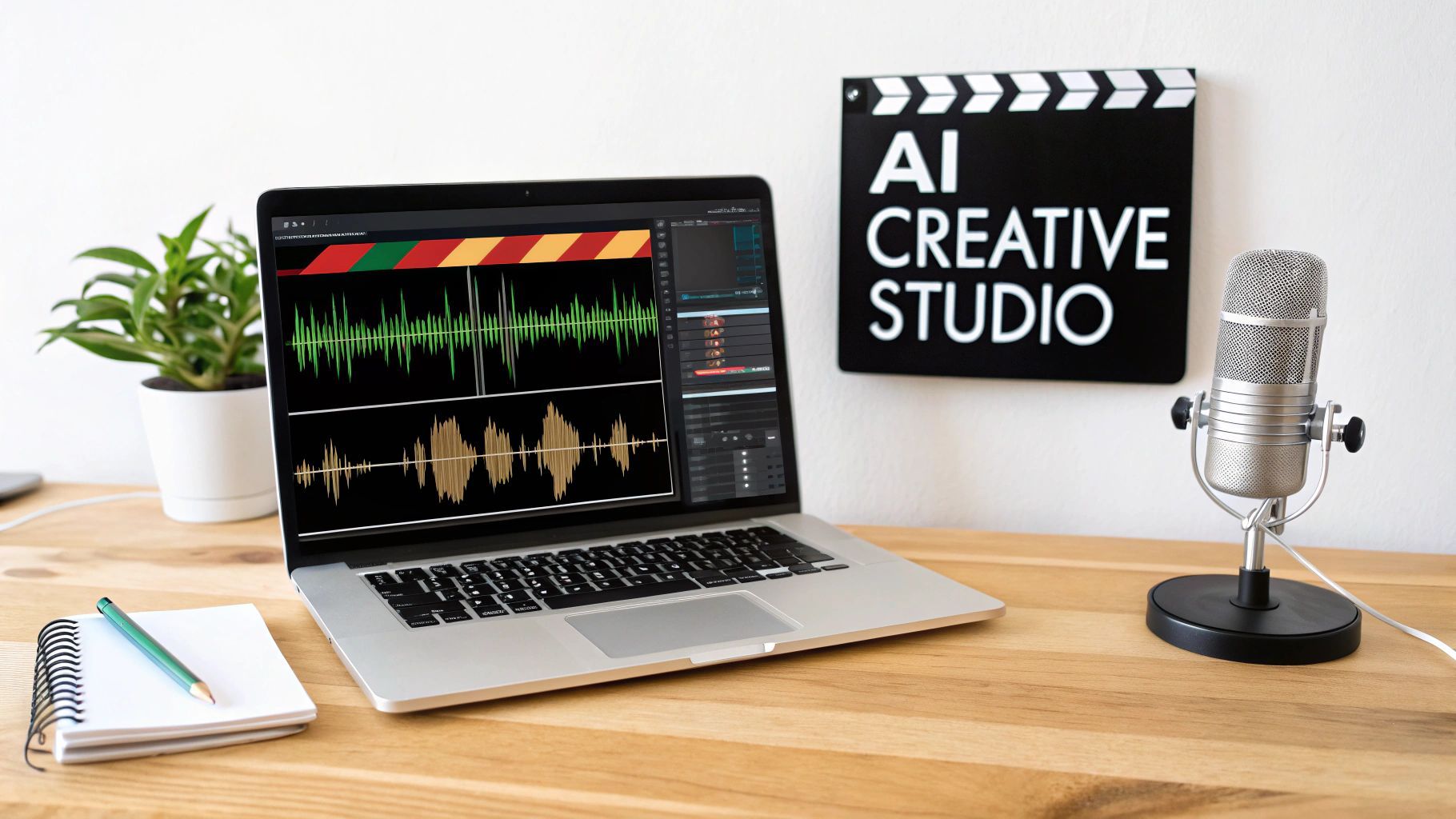
A clean dashboard like this gives you a central hub to manage scripts, generate visuals, and tweak edits all in one spot.
Let's look a little closer at the roles in this automated pipeline:
-
The Scriptwriter (Large Language Models - LLMs): This is where it all starts. LLMs like GPT-4 are the narrative brains of the operation. You give it a simple prompt like, "Create a 30-second ad for a new eco-friendly coffee brand," and it spits out a compelling script, complete with scene ideas and a call to action.
-
The Cinematographer (Generative Models): This role is filled by sophisticated generative AI that handles the visuals. These models use text-to-video technology to interpret the script and either create or pull relevant video clips and images from a library. You can get a better sense of how text-to-video models work and see just how powerful they are.
-
The Voice Artist (Text-to-Speech - TTS): With the script ready, Text-to-Speech engines take the written words and turn them into a natural-sounding voiceover. Today's TTS is incredibly advanced, offering different tones, accents, and emotions to add a truly human feel to your ad.
-
The Editor (The AI Pipeline): Finally, the AI pipeline pulls everything together. It acts as the editor, syncing the voiceover with the scenes, adding background music, and applying smooth transitions to create a slick, finished ad.
By bringing all these specialized AI systems together, an AI video ad generator offers a true end-to-end solution. It massively speeds up content creation, allowing marketers and creators to produce a high volume of quality video content faster than ever before.
Key Features That Transform Ad Creation
Knowing the tech behind an AI video ad generator is interesting, but seeing what these tools can actually do is what really shows their value. These aren't just fancy video editors; they're loaded with smart features built to crush the biggest bottlenecks in ad production. From the first spark of an idea to hitting "publish," every single step gets a massive speed boost.
The real magic is having a unified workflow. Forget about jumping between five different apps for scripting, finding assets, recording a voiceover, and editing. With these generators, everything happens in one place. That integration alone saves a staggering amount of time and mental energy.
Streamline Your Production Process
One of the most impressive features has to be AI-driven script and scene generation. You can start with a simple prompt—say, "a 15-second ad for sustainable sneakers"—and the AI instantly spits out a script, chops it into scenes, and even suggests visuals to go with it. It’s like having a creative director and a storyboard artist on call, ready to work in seconds.
This completely sidesteps that dreaded "blank page" paralysis that kills so many creative projects. You’re starting with a solid first draft you can tweak, not building an entire ad from the ground up.
On top of that, these platforms are hooked into enormous royalty-free asset libraries. Instead of sinking hours into scrolling through stock footage sites for that one perfect clip, the AI finds and serves up relevant videos and images for each scene. The whole process is seamless, saving you both time and money.
- Scriptwriting: Go from a single idea to a full ad script in moments.
- Storyboarding: Automatically map out your script into a clear visual sequence.
- Asset Sourcing: Get instant access to high-quality, royalty-free media.
- Voiceovers: Choose from dozens of natural-sounding AI voices in multiple languages and accents.
A unified workflow is the cornerstone of a great AI video ad generator. By pulling scriptwriting, asset creation, and editing into a single interface, these tools can shrink production timelines from days down to minutes.
Maintain Perfect Brand Consistency
Keeping every ad perfectly aligned with your brand is a must, and this is where Brand Kit integration shines. You just upload your logo, brand colors, and fonts one time. After that, the AI automatically bakes your branding into every new video you create.
This feature is a lifesaver for consistency. It means whether you're making one ad or a hundred, each one looks professional and instantly recognizable. It takes the tedious, manual task of branding each video off your plate for good.
Even better, the top tools offer customizable templates you can save, giving you a repeatable formula for high-performing ads that always feel like you.
Maximize Reach with Smart Tools
The final stretch of production is often where things get messy and time-consuming. An AI video ad generator cleans this up with features built for getting your content out there. The biggest game-changer is one-click resizing.
With a single click, you can reformat your video for any social media platform's weird aspect ratio. That widescreen YouTube ad (16:9) can instantly become a vertical TikTok (9:16) or a square Instagram post (1:1) with no awkward cropping or manual re-edits.
Another non-negotiable feature is AI-powered dynamic captioning. We know that over 80% of social media videos are watched with the sound off, so captions are essential. The AI transcribes the voiceover and generates perfectly timed, animated captions designed to grab attention and keep people watching.
Finally, these platforms usually include a few creative bells and whistles that add a professional polish with almost zero effort:
- AI Scene Transitions: Automatically generate slick, engaging transitions between your clips.
- Smart Background Removal: Easily isolate a product or person without needing a green screen.
- Music and Sound Effects: Tap into libraries of royalty-free audio to find the perfect track to set the mood.
Put it all together, and these features give social media managers and e-commerce brands the power to churn out high-quality, on-brand video ads at a speed and scale that was just a fantasy a few years ago.
Real-World Applications Across Industries
The real magic of an AI video ad generator isn’t just about its features—it’s about the very real problems it solves for businesses and creators. These tools are much more than a novelty; they're quickly becoming a core part of the toolkit for anyone who needs great video content, fast. From scrappy e-commerce startups to busy marketing agencies, the impact is both practical and profound.
This isn't some far-off future, either. The shift is happening now. In 2024, 22% of all video ad creative is already being built or touched up by generative AI. That number is expected to jump to nearly 39% by 2026, with smaller, more agile advertisers leading the way. You can dig into the data on this growing trend at emarketer.com.
So, let's look at how different industries are actually using these tools to get things done.
E-Commerce Brands and Product Launches
For any e-commerce brand, speed is the name of the game. When you launch a new product, you need a wave of promotional content to make a splash. The old way—traditional video production—is a massive bottleneck. You’re often waiting weeks just to get a single ad finished.
AI video generators completely flip that script.
Picture a Shopify store about to drop a new skincare line. Instead of spending weeks and a small fortune on one polished "hero" ad, the marketing manager can spin up dozens of variations in a single afternoon. Each video can be tailored to highlight a different product benefit, target a specific customer segment, or test a unique visual style—all from a handful of simple prompts.
This immediately solves a few major headaches:
- Budget Nightmares: You're no longer shelling out for actors, location rentals, and a full production crew. The cost plummets.
- Speed to Market: Ads are ready in minutes, not months. This lets brands jump on trends and launch campaigns the moment they’re ready.
- Serious A/B Testing: Brands can finally create and test multiple ad concepts at once to see what actually connects with their audience, helping them optimize campaigns for real conversions.
The result is something you can measure. An e-commerce brand can suddenly multiply its content output, which leads to better engagement on social media, more efficient ad spend, and, most importantly, a much stronger product launch.
Social Media Managers and the Content Treadmill
Ask any social media manager what their biggest challenge is, and they’ll probably say it’s the relentless demand for fresh content. Keeping platforms like TikTok, Instagram Reels, and YouTube Shorts fed with engaging posts is a full-time job on its own.
This is where an AI video ad generator becomes a secret weapon. A social media manager can batch-produce an entire month's worth of short-form videos in just one sitting. They can take existing assets—like blog posts, customer reviews, or even basic product descriptions—and transform them into dynamic, eye-catching videos with a few clicks.
For instance, a manager for a fitness app could knock out:
- 10 short workout tip videos perfect for TikTok.
- 8 engaging user success stories to drive community on Instagram Reels.
- 5 quick promotional ads showing off a new feature for YouTube Shorts.
This workflow is a direct answer to content fatigue and creative burnout. By handing off the heavy lifting of video creation, it frees the manager to focus on what humans do best: strategy, community building, and analyzing what’s working. For brands that want to create ads that feel authentic and relatable, you can learn more about AI UGC ads and how they mimic that user-generated style for higher trust and engagement.
Marketing Agencies Trying to Scale
Marketing agencies are in a constant juggling act. They have multiple clients, each with a unique brand voice, different goals, and, of course, varying budgets. Traditionally, scaling up video services meant hiring more people—editors, shooters, project managers. That gets expensive and complicated, fast.
An AI video ad generator allows an agency to massively increase its capacity without bloating its payroll. A small, skilled team can now serve a much larger client roster by using AI to generate the initial video drafts. The agency's pros can then jump in for the final review and polish, adding that human touch that ensures every ad is on-brand and top-notch.
This model lets agencies offer more flexible video packages, making professional advertising a real option even for clients with smaller budgets. The agency becomes more efficient, more profitable, and far more scalable, all while delivering consistent, high-quality work for every single client.
Your Workflow From First Idea to Final Ad
Knowing what an AI video ad generator can do is one thing. Seeing it in action, from a simple idea to a finished ad, is where the magic really happens.
Let's walk through a real-world example of how you can go from a blank slate to a polished video ad in just a few minutes. This shows how all the AI pieces fit together to build an ad from the ground up, saving you an incredible amount of time and effort.
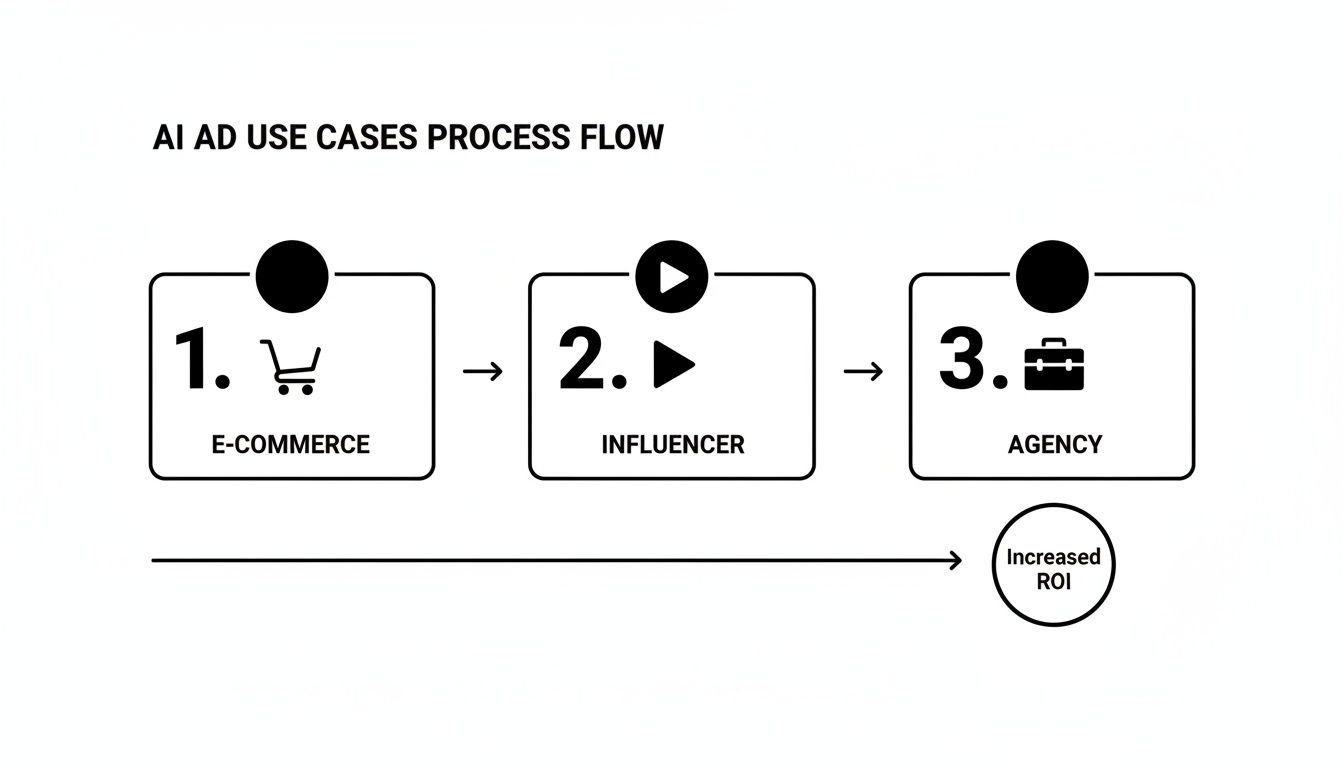
As you can see, whether you're running an e-commerce store, building your influencer brand, or managing client campaigns at an agency, the core process is stunningly efficient and leads directly to better results.
Step 1: Generate a Compelling Script
Every great ad starts with an idea. But instead of staring at a blank page wondering how to write a script, all you need is a simple prompt.
Just tell the AI what you're trying to achieve. For instance, you could type:
"Create a 15-second TikTok ad for a new line of noise-canceling headphones called 'Serenity Buds'."
That's it. The platform's Large Language Model (LLM) gets to work immediately, analyzing your request and spitting out a complete script. It doesn't just give you words; it breaks the ad down into scenes with voiceover text and visual descriptions, basically handing you a ready-made storyboard.
This first step alone can save you hours of brainstorming. You go from zero to a fully structured ad concept in under a minute, giving you a solid foundation to build on.
Step 2: Auto-Generate Visuals and Voice
With your script ready, the real fun begins. The AI pipeline reads the visual cues in your script—like "a person peacefully meditating in a busy cafe"—and starts generating the visuals. It might pull the perfect clip from a massive stock library or even create a brand-new scene using text-to-video models.
At the same time, the text-to-speech (TTS) engine turns your script into a natural-sounding voiceover. You get to choose from a whole library of voices, accents, and tones to find one that perfectly fits your brand's vibe.
And if you already have a product photo you love? Some platforms let you use powerful image-to-video models that can animate a static picture into a dynamic, moving scene.
Ad Creation Timeline: Traditional Method vs. AI Generator
To put this efficiency into perspective, let's look at how the timeline stacks up against the old way of doing things. The difference is pretty stark.
| Production Stage | Traditional Method (Hours) | AI Generator (Minutes) |
|---|---|---|
| Scriptwriting & Storyboarding | 4-8 | < 1 |
| Sourcing Footage/Talent | 8-16 | < 2 |
| Voiceover Recording & Editing | 2-4 | < 1 |
| Video Editing & Assembly | 8-20 | 5-10 |
| Branding & Graphics | 2-4 | < 1 |
| Formatting for Platforms | 1-2 | < 1 |
| Total Time | 25-54 Hours | < 15 Minutes |
The table makes it clear: what used to take days or even a full week of coordinated effort can now be done in the time it takes to drink a cup of coffee.
Step 3: Apply Branding and Make Edits
Now you have a complete first draft. The next step is making it yours. This is where the Brand Kit feature is a game-changer.
With a single click, the AI instantly applies your logo, brand colors, and fonts across the entire video. No more manually adjusting every single text box or overlay—it's done for you, ensuring perfect brand consistency.
From there, you can jump into the editor and tweak anything you want:
- Trim Scenes: Shorten a clip here, extend one there. You have full control over the pacing.
- Add Captions: Auto-generate eye-catching, animated captions to hook viewers who are scrolling with the sound off.
- Swap Assets: Don't love a particular shot? Swap it out with another from the library or upload your own in seconds.
This is the perfect blend of AI speed and human creativity. You get to focus on the creative decisions, not the tedious technical work.
Step 4: Resize and Publish to Social Media
Your ad looks great, but it needs to work everywhere you post it. A good AI video ad generator comes with a one-click resizing tool.
This awesome little feature instantly reformats your masterpiece for every channel—a vertical version for TikTok and Reels, a square for the Instagram feed, and a widescreen one for YouTube. No more rebuilding the same ad three different times.
The final step is getting it out there. Instead of downloading a bunch of files and uploading them one by one, the best platforms have built-in schedulers. You can plan and publish your campaigns across TikTok, YouTube, and Instagram right from a single dashboard.
It closes the loop, turning content creation and distribution into one smooth, seamless process.
How to Choose the Right AI Video Ad Generator
With a flood of new tools hitting the market, picking the right AI video ad generator can feel like a shot in the dark. It’s easy to get lost in the hype, but the trick is to focus on what actually matters for your workflow and, more importantly, your results. The right choice comes down to matching a platform’s real-world capabilities with your team’s size, budget, and marketing goals.
Think of it like buying a car. A flashy sports car looks great, but it’s useless if you need to haul gear for a photoshoot. In the same way, the most complex generator might be overkill for a small business owner, while a basic tool just won’t cut it for a high-volume agency. The very first thing to check is what’s under the hood—the quality of the AI models themselves.
Evaluate the Core AI Models
The quality of your ad hinges entirely on the AI doing the heavy lifting. A platform is only as good as its generative engine, so this is ground zero for your evaluation. A tool built on weak models will churn out generic visuals and robotic voiceovers, which can do more harm than good to your brand's image.
Look for platforms that are transparent about the technology they use. Are they integrating top-tier models for each step of the creation process?
- Visual Generation: Can it create high-resolution, stylistically consistent images and video clips that look genuinely professional? You want something that avoids that uncanny, obviously-AI-generated look.
- Voice Generation: How natural do the text-to-speech (TTS) voices sound? You need a range of voices with realistic tones and inflections, not a flat, monotonous drone.
- Scriptwriting: Is its language model smart enough to write clever, persuasive ad copy that you can actually use? It should be able to adapt to different brand voices and campaign goals.
Choosing a tool with superior AI models is a non-negotiable. High-quality output builds trust and drives better engagement. On the flip side, poor-quality AI can make your brand look unprofessional and out of touch.
Assess Features and Workflow Integration
Once you’ve confirmed the AI is solid, it’s time to look at the user experience. A powerful tool that’s a pain to use will just end up collecting digital dust. The best platforms blend a robust feature set with an interface that actually makes your life easier.
Here are the key features that make a real difference:
- Brand Kit: This is a must-have for brand consistency. A good brand kit lets you upload your logo, fonts, and color palette once, then apply them to any video with a single click. It's a massive time-saver.
- Intuitive Editor: The platform needs a flexible editor for making those crucial post-generation tweaks. You have to be able to easily swap clips, trim scenes, or adjust caption timing without needing a degree in video editing.
- Asset Library: A deep, high-quality library of royalty-free video clips, images, and music is what separates an okay ad from a great one. It gives you the raw materials for creating something truly unique.
- Social Media Integrations: Look for one-click resizing for different platforms (like TikTok, YouTube, and Instagram) and maybe even built-in scheduling tools to simplify your distribution.
To get a feel for how these tools fit into the bigger picture, it's worth exploring other essential AI tools for marketing leaders that can work alongside your video generator.
Consider Pricing and Scalability
Finally, you have to get practical about cost and future growth. Most of these tools are subscription-based, with different tiers based on how many videos you can create, the output resolution, and access to premium features. Find a plan that fits your current needs without locking you into paying for a bunch of extras you won't touch.
The demand for these tools is exploding. The Asia Pacific region, for instance, already dominates the AI video generator market, holding over 37% of the global share and pulling in USD 133 million in revenue way back in 2022. This boom is driven by the huge shift to digital and the unstoppable popularity of short-form video, proving just how essential these platforms are becoming. Find out more about the global AI video generator market.
As you weigh your options, think a few steps ahead. Will you need to add team members later? Does the platform offer an API for building custom workflows as you scale? Picking a solution that can grow with you now will save you from a major headache down the road.
Got Questions? Let's Talk Through Them.
Jumping into any new technology, especially one as powerful as an AI video ad generator, naturally comes with a few questions. It's completely normal to wonder about things like brand safety, creative control, cost, and the nitty-gritty technical details.
Think of this section as a candid chat where we tackle those common concerns head-on. My goal is to give you clear, straightforward answers so you can move forward with confidence and start creating without any lingering doubts.
How Do I Keep My Videos On-Brand?
This is probably the number one concern for any serious marketer, and for good reason. Your brand's look and feel are everything. The good news is that the best AI platforms are built with this in mind, usually through a feature called a Brand Kit.
It’s pretty simple. You set up your brand assets just once—upload your logo, plug in your specific brand colors, and choose your fonts. From that point on, the AI automatically bakes these elements into every single video it creates. This means no more manually branding every ad, and you get a consistent, professional look across all your campaigns.
But what about the content itself? That’s where two things come into play:
- Smarter AI Models: The AI isn't just pulling random stuff from the internet. The models are trained to stay within professional and appropriate boundaries, steering clear of anything that could be off-brand.
- You're Still the Director: Nothing goes live without your say-so. The AI gives you a fantastic first draft, but you have full editorial control to review every script line, image, and scene. This final human check ensures the output is 100% brand-aligned.
Can I Actually Edit the AI's Work?
Absolutely. And honestly, you should be wary of any tool that doesn't let you. A great AI video generator isn't a black box that spits out a final, unchangeable video. It’s a collaborator that does the heavy lifting for you.
Once the AI generates the initial ad—script, visuals, voiceover, and all—it hands it over to you in a user-friendly editor. This is where you can get hands-on and dial everything in.
You can typically:
- Swap Out Media: Don't love a shot the AI picked? No problem. Instantly replace it with another clip from the stock library or upload your own.
- Tweak the Script: You can edit the text on the fly and regenerate the voiceover in seconds. It's incredibly fast.
- Adjust Text and Captions: Change the font, timing, or animation of your on-screen text to better fit the ad's rhythm.
- Reorder and Trim Scenes: Want to change the story's flow? Just drag and drop scenes or trim clips to get the pacing just right.
This gives you the best of both worlds: AI speed to get you 90% of the way there, and your creative control for that final polish.
So, What's This Going to Cost Me?
Most AI video ad generators run on a subscription model, offering different tiers for different needs. This keeps things accessible, whether you're a one-person shop or a large agency.
The price of a plan usually depends on a few things:
- Video Volume: How many videos you need to create and export each month.
- Output Quality: Access to higher resolutions like 1080p or 4K is often part of premium plans.
- Premium Stock Access: Some plans unlock bigger and better stock media libraries from partners like Getty Images or Shutterstock.
- Team Features: If you need to add multiple users or collaborate on projects, you'll likely look at a higher-tier plan.
Many platforms offer a free trial or a few free credits to start. It's a great way to kick the tires and see if the tool fits your workflow before you commit. Just be sure to estimate your monthly video needs to pick a plan that gives you the best bang for your buck.
How Do These Tools Handle All the Different Social Media Formats?
Manually resizing videos for every social platform is one of the most tedious jobs in marketing. This is a problem that a solid AI video ad generator is specifically designed to eliminate.
The key feature is usually a one-click resizing tool. It’s a game-changer.
With a single click, you can take a widescreen 16:9 ad made for YouTube and instantly reformat it into a vertical 9:16 video for TikTok and Instagram Reels, or a 1:1 square for your main feed. The AI is smart enough to reframe the action so nothing important gets awkwardly cut off.
The more advanced platforms even integrate directly with social media APIs. This means you can schedule and publish your freshly resized videos to TikTok, YouTube, Facebook, and more—all from one place. It streamlines your entire distribution process and easily saves you hours every week.
Ready to see how this can transform your own ad creation? With a tool like ShortGenius, you can take a single idea and turn it into a multi-format video campaign in just a few minutes. Generate scripts, create visuals, and publish directly to your social channels from one spot.