Your Guide to an AI TikTok Video Generator

Discover how an AI TikTok video generator can transform your content strategy. Learn to create viral clips, from script to final publish, in minutes.
An AI TikTok video generator is a tool that uses artificial intelligence to automatically create and edit short-form videos from simple text prompts. It takes care of tedious jobs like writing scripts, creating visuals, adding voiceovers, and generating captions, letting creators go from idea to finished TikTok in minutes, not hours.
The New Reality of TikTok Content Creation
Welcome to the next chapter of content creation, where an AI TikTok video generator isn't just a cool gadget—it’s your new creative partner. These tools are completely rewriting the rules for creators and brands by automating the most grueling parts of making a video. Forget about spending an entire afternoon hunting for the perfect B-roll clip or getting lost in complicated editing software.
This evolution is all thanks to AI's knack for understanding your ideas and turning them into compelling content almost instantly. You just feed it a concept, and the AI takes over from there.
- Ideation and Scripting: It can brainstorm viral-worthy ideas and write scripts that hook viewers from the first second.
- Visual Generation: It creates completely unique video clips and images based on simple text descriptions.
- Voice and Captions: It produces natural-sounding voiceovers and adds perfectly timed, animated captions to keep viewers engaged.
- Automated Editing: It seamlessly stitches everything together with the right music, transitions, and effects.
This approach lets you cut your production time down to a fraction of what it used to be, explore creative ideas you never had time for, and hop on trends the moment they start taking off.
Why Top Creators Are All-In on AI
The move toward these tools isn't just about working faster; it's about gaining a serious competitive edge. It’s no surprise that this is projected to be a $12.8 billion market opportunity by 2026. The proof is in the numbers—our research shows that 73% of top-performing TikTok creators now use AI tools in their workflow. The result? Their videos are seeing a 45% higher engagement rate in some niches.
This streamlined process—from script to final publish—is a massive advantage.
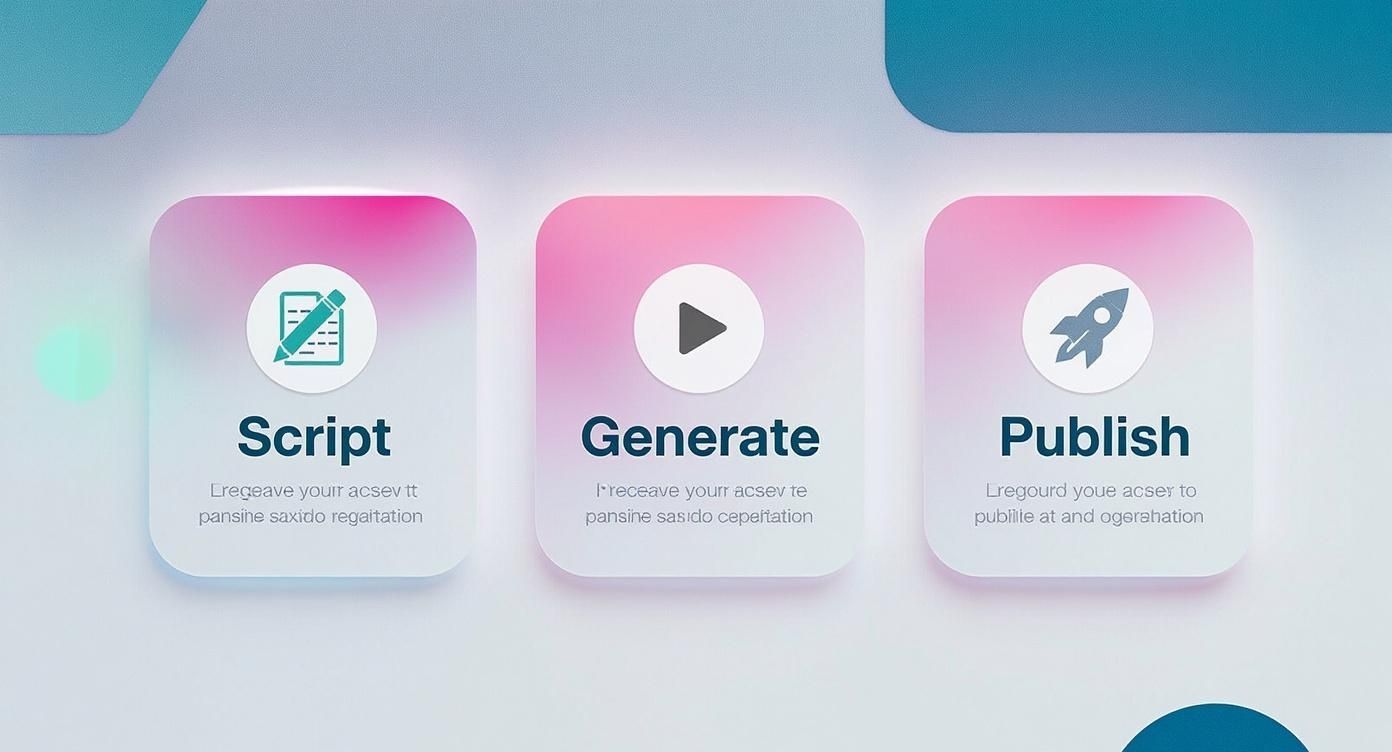
This workflow shows just how much AI simplifies the entire creation cycle. It boils down a complex, multi-stage process into three straightforward steps, massively boosting how quickly you can get content out the door.
To really see the difference, let’s compare the old way of doing things to a new AI-powered workflow.
AI Generator Capabilities vs Traditional Workflow
| Task | Traditional Workflow | AI-Powered Workflow |
|---|---|---|
| Ideation | Manual brainstorming, trend research, hours of scrolling. | Generates dozens of ideas and scripts in seconds. |
| Asset Creation | Filming footage, searching stock libraries, designing graphics. | Creates unique video clips and images from a text prompt. |
| Editing | Manually cutting clips, syncing audio, adding effects. | Automatically assembles scenes, adds music, and applies transitions. |
| Voiceover | Recording and editing audio, often requiring special equipment. | Generates a high-quality, natural-sounding voiceover instantly. |
| Captions | Manually transcribing and timing every single word. | Auto-generates and animates perfectly synced captions. |
| Publishing | Juggling multiple tools for formatting, scheduling, and posting. | One-click resizing and direct scheduling to multiple platforms. |
The table makes it clear: AI handles the heavy lifting, freeing you up to focus on the big picture.
Finding the Right Tool for the Job
The market is buzzing with different options, and each one has its own strengths. Some are great at repurposing long videos into short clips, while others are built to create visuals from scratch. For a tool built from the ground up for short-form video, you might want to check out Klap's AI TikTok Video Generator.
By integrating an AI TikTok video generator, creators can move from idea to a ready-to-post video in a fraction of the time, allowing them to focus on strategy and community engagement rather than tedious editing tasks.
Ultimately, the best tool is the one that fits your creative style and goals, whether you’re a solo creator trying to stay consistent or a marketing team trying to scale up. Think of it as a force multiplier—it helps you produce more, experiment freely, and keep your audience engaged without burning out. This guide will walk you through exactly how to do it.
Getting Your Script and Idea Nailed Down with AI
Every killer TikTok video is built on two things: a great idea and a sharp script. This is the part that trips up so many creators. You sit down, ready to create, and... nothing. The blank page is intimidating. An AI video generator can completely flip that experience on its head, turning a frustrating block into a rapid-fire brainstorming session.
Instead of waiting for that lightning bolt of inspiration, you can start generating it on demand. The trick is to treat the AI less like a machine and more like a creative collaborator. You bring the seed of an idea—a topic, who you're talking to, what you want them to do—and the AI can spit back structured concepts, different story angles, and even fully written scripts.
This back-and-forth is where the magic happens. A fitness coach, for example, could go from a vague "I'll do a workout video" to a super-specific, engaging concept just by feeding the AI a few more details.
Coming Up with Ideas and Killer Hooks
Let's be real: the first 3 seconds of your TikTok are everything. If you don't grab them immediately, they're gone. A strong hook is essential, and this is where I find AI to be incredibly useful. Don't just ask it for a script; start by prompting it specifically for killer opening lines.
Here are a few ways I get the AI to generate hooks that actually work:
- Go Against the Grain: "Generate 5 controversial hooks for a TikTok busting the myth of multitasking."
- Solve a Problem: "Give me 3 video hooks that call out a common pain point for new homeowners."
- Tell a Story: "Write a hook that starts a story about the biggest mistake I made when I launched my business."
When you nail the hook first, the rest of the video feels so much easier to build. From there, you can have the AI help you flesh out the middle and the end, making sure the story flows and keeps people watching all the way to your call-to-action.
The best way to get a great script from AI is to treat it like a conversation. Start with a broad idea, then refine it. Ask it to rewrite a line, try a funnier tone, or make the language simpler until it sounds like something you'd actually say.
Structuring Your Story
Once you've landed on a concept you love, the AI can help you map out the entire video. Even a 15-second TikTok needs a beginning, a middle, and an end to feel satisfying. You can literally ask the AI to outline this for you.
Try a prompt like this: "Create a 45-second script for a TikTok about a simple recipe. Start with a hook, give me three visual steps with on-screen text, and end with a call to action to follow for more recipes."
The AI will give you a structured script, often with ideas for what to show on screen. It’s a complete roadmap that takes your idea and makes it an actionable plan. This is a perfect example of how AI for content creation, including video scripting, is changing the game for creators. It’s not just about being faster; it’s about making content that’s structured to perform better from the get-go.
My advice? Don't just take the first thing it gives you. Generate a few different versions and cherry-pick the best lines and ideas from each one. Stitching them together is how you get a truly polished and powerful final script.
Bringing Your Visuals to Life with AI
Alright, you've got a killer script. Now comes the fun part: turning those words into a scroll-stopping visual story. This is where an ai tiktok video generator really flexes its muscles. Forget spending hours digging through stock footage or booking a studio for a complicated shoot. You can now conjure up entire scenes just by typing a few words.
Honestly, it’s a game-changer. You just describe what you want to see, and the AI builds it for you. This opens up a creative playground that, until recently, was locked away for anyone without a big budget or a team of animators.
This isn’t just some passing fad; it's a massive shift in content creation. The market for AI video generators is on a tear, expected to rocket from $0.43 billion in 2024 to a staggering $2.34 billion by 2030. That incredible growth is happening for one simple reason: the insatiable demand for short-form video on platforms like TikTok. It's becoming a must-have tool in a creator's kit.
Writing Prompts That Generate Great Visuals
Here’s the thing: the magic is all in the prompt. If you give the AI vague instructions, you'll get back generic, forgettable visuals. To get those jaw-dropping results, you need to be specific and descriptive. You have to paint a picture with your words.
Think like a film director. Don't just ask for "a person drinking coffee." That's boring.
Instead, try something like this: "A close-up shot of a steaming ceramic mug, held by hands with painted nails, cinematic lighting, cozy cafe background with soft focus." See the difference? That level of detail is what separates the amateurs from the pros.
To get the best results from the AI, try building your prompts this way:
- Nail the Style First: Are you going for photorealistic? An anime style? Maybe a vintage film look or a clean 3D render? Tell the AI the vibe you want upfront.
- Detail the Subject and Action: Who is in the scene? What are they doing? Be specific about their expression, their clothing, their movements.
- Set the Stage: Where is this happening? Describe the environment—the location, time of day, and any important background details to give the scene context.
- Direct the "Camera": Use filmmaking language to guide the shot. Phrases like "wide-angle shot," "dolly zoom," "golden hour lighting," or "dramatic shadows" give the AI clear instructions on how to frame the scene.
Think of it as a collaboration. You’re the visionary providing the detailed prompts, and the AI is your tireless production crew. The more detail you give, the closer the final video will be to what you pictured in your head.
From Individual Clips to a Cohesive Video
The best AI video tools don't just spit out a bunch of random clips. They help you weave them together into a seamless story. For instance, a platform like ShortGenius can look at your script and automatically figure out the pacing, perfectly syncing your new visuals with the narration or dialogue.
So, instead of getting a messy folder of assets you have to sort through, the AI actually stitches the video together for you. It adds the right transitions and makes sure the visual rhythm matches the flow of your script. Some tools can even create custom graphics or AI avatars to act as on-screen presenters, giving your content a consistent look and feel without you ever having to step in front of a camera.
Mastering Audio with AI Voiceovers and Captions
Let's be honest: on TikTok, sound is everything. You can have the most stunning visuals in the world, but if the audio is off, people will scroll right past. Recording a clean voiceover and then painstakingly timing out captions is a massive time-drain for any creator.
This is where an ai tiktok video generator becomes a game-changer. It handles both the voiceover and the captions, saving you hours of tedious work.
With your visuals locked in, it's time to add that crucial audio layer. Forget about setting up mics, finding a quiet room, and doing endless retakes. You can generate a perfect voiceover with a single click. The AI voices available today are a world away from the robotic tones you might be imagining.
You get a whole library of options, letting you find a voice that genuinely fits your brand's vibe and delivers your message exactly as you'd say it yourself.
Choosing and Directing Your AI Voice
Picking the right voice is all about connecting with your audience. What I love about modern AI platforms is the level of control they give you. You're not just picking a voice; you're directing a performance by adjusting the tone, pace, and emotion.
- For Educational Content: A clear, confident narrator works wonders. It helps establish you as an authority and keeps people locked in.
- For Comedic Skits: Go for something more upbeat and energetic. A quirky voice can really punch up the humor in your script.
- For Storytelling: I always recommend a warmer, more intimate tone. It pulls the viewer in and makes the story feel personal.
The process is incredibly straightforward. You just paste your script, browse through the voice styles, and the AI spits out a high-quality audio file that's already synced to your video. You can even audition a few different voices before you finalize your choice.
The real magic here isn't just the quality; it's the speed of iteration. In the time it would take me to do one decent manual recording, I can test five different AI narrators to see which one resonates best. That's a huge advantage.
Why AI-Powered Captions Are a Must
Once the voiceover is perfect, there’s one final, non-negotiable step: captions. So many people watch TikToks with the sound off, especially if they're at work or on public transport. Your captions are your hook.
Manually transcribing and timing every single word is mind-numbingly boring. An AI generator does it instantly.
The tool listens to your voiceover, transcribes it, and then creates those perfectly timed, animated captions that are all over TikTok. This isn't just for accessibility—it’s a core part of how people consume content on the platform. Dynamic, word-by-word captions make your key points pop, keep people watching longer, and guarantee your message gets across, sound on or off.
You've created an awesome video with AI—now what? Getting it in front of the right eyeballs is just as crucial as the creative work itself. This is where smart publishing turns a great video into a viral one.
https://www.youtube.com/embed/B8OQ4IIe-Yc
Let’s be honest, the technical details can be a pain. Thankfully, many AI video tools I've worked with have built-in features to handle the grunt work. They'll automatically resize your masterpiece to the standard 9:16 aspect ratio for TikTok, so it fills the screen perfectly. No more weird black bars or awkwardly cropped footage—it just looks professional and like it belongs there.
Nail Your Caption and Hashtags
Once the formatting is sorted, it's time to focus on what gets you discovered: the description. This is your ticket to landing on the coveted For You page, and AI can be your secret weapon here.
Instead of spending an hour hunting for trending hashtags, the AI can scan your video's content—the visuals, the audio, even the script—and spit out the most relevant, high-traffic tags for you. It's like having a personal trend forecaster on your team.
Here's how it usually breaks down:
- Keyword Gold: The AI figures out the main themes in your video and suggests the perfect keywords for your caption.
- Smart Hashtags: It recommends a solid mix of popular, niche, and trending hashtags to cast a wider net and attract different viewers.
- Trend Spotting: It might even catch that your video fits a current challenge or uses a popular sound, prompting you to lean into the momentum.
This is a huge advantage, especially now. AI-driven trends are blowing up on TikTok. Take the Manga filter, for instance—it was used in over 155 million videos in 2025 alone. I've seen creators who use AI tools report getting up to 3x the shares and seeing 40% longer watch times. The impact is undeniable. You can dive deeper into these TikTok trends and statistics to get the full scope.
Post When Your Audience is Actually Watching
Finally, timing is everything. Posting your video at 3 AM on a Tuesday probably won't do you any favors. The best AI TikTok video generator platforms solve this with smart scheduling.
These tools dig into your account's past performance and your audience's activity to find the absolute best times to post. They know when your followers are most likely to be doom-scrolling and ready to engage.
You’re no longer just throwing content at the wall and hoping it sticks. You’re strategically dropping your video right when your audience is ready for it, which can make a world of difference for those crucial first-hour views.
This whole process moves you from guesswork to a data-backed strategy. By using AI to handle the resizing, optimize your descriptions, and nail your timing, you give your video the best possible chance to beat the algorithm and find its audience.
Got Questions About AI TikTok Generators? We've Got Answers
Jumping into AI video creation for TikTok is exciting, but it’s totally normal to have a few questions swirling around. Is it hard to start? Can you actually make money? How do you keep your videos from looking like a robot made them?
Let's clear things up. Think of this as a quick chat to cover the essentials, so you can start creating with confidence.
Which AI TikTok Video Generator Is Best for Beginners?
If you're just getting your feet wet, the last thing you need is a complicated tool that feels like you're trying to fly a spaceship. The best AI video generator for a beginner is one that prioritizes simplicity without sacrificing power. You want to feel creative, not overwhelmed.
Look for a platform with a really straightforward text-to-video workflow and a solid library of built-in stock footage and images. Tools like InVideo AI or Pictory are popular for this reason; they practically hold your hand through the process. You give them a script, and they do most of the heavy lifting. Another huge plus is finding a tool with great customer support or an active user community. Sometimes the best teacher is someone who's already been there.
The right tool for a beginner shouldn't just be easy to use—it should make you want to use it. It should get you from idea to finished video so fast that you're excited to make the next one.
Can I Actually Monetize AI-Generated Videos on TikTok?
Yes, one hundred percent. TikTok doesn't care if you used an AI tool, your phone's camera, or a professional film crew. What matters is the content itself. As long as your videos follow TikTok's Community Guidelines and you meet the criteria for their monetization programs, you're good to go.
Your audience is there for engaging, original, and valuable content. How you piece it together behind the scenes is your business. Monetization works the same way it does for any creator:
- TikTok Creator Fund: Get paid for views and engagement once you qualify.
- Brand Deals: Partner with brands to create sponsored posts.
- Affiliate Links: Drop links in your bio to earn commissions on products you recommend.
- Your Own Products/Services: Drive your followers to your own shop or website.
The real advantage here is that AI can help you produce more content, faster. That means more opportunities to test what works, find your viral formula, and potentially hit those monetization goals sooner.
How Do I Stop My Videos From Looking Generic or Robotic?
This is the big one, right? The secret is to think of the AI as your very capable assistant, not the creative director. Your unique touch is what separates great content from the generic stuff.
It all starts with your prompts. Don't be vague. Instead of telling the AI to make "a video about coffee," get super specific. Try something like, "Create a fast-paced, dynamic TikTok showing a coffee bean's journey from a lush farm to a steaming latte, with a warm, cozy color palette and an upbeat indie-folk soundtrack." See the difference?
Then, always take the time to customize what the AI gives you. Swap out a few stock clips for your own footage. Tweak the font to match your brand. Change the music. Adjust the pacing of the scenes. It's these final human touches that infuse your personality into the video and make it truly yours.
Ready to turn your ideas into scroll-stopping TikToks in minutes? With ShortGenius, you can write scripts, generate visuals, add voiceovers, and publish stunning videos effortlessly. Start creating with ShortGenius today!